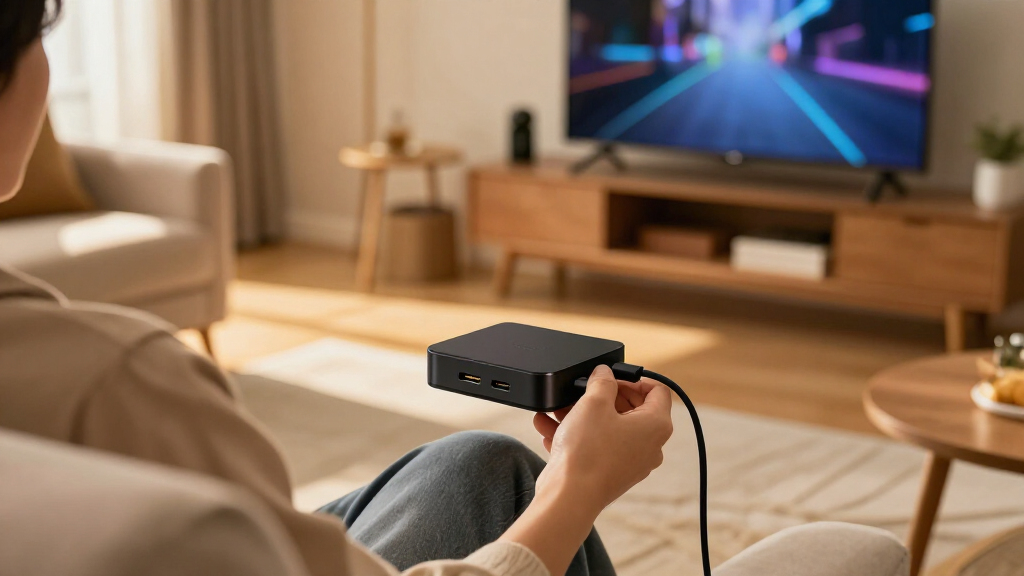
The best TV streaming devices balance a simple interface, reliable playback, and the picture and sound formats your TV can use. I’d start with the Roku Streaming Stick 4K for a straightforward, compact all-rounder; the Google TV Streamer 4K stands out for Google TV and smart-home features, while the NVIDIA Shield TV Pro suits buyers who want more advanced media capabilities. The main tradeoffs are platform preference, wired versus wireless connectivity, and whether premium hardware or advanced formats will make a real difference in your setup. Some options focus on uncomplicated streaming, while others add hands-free voice control, extra storage, or gaming-oriented features. Read on for the full breakdown and guidance on matching a device to your TV and habits.

Get the latest gadgets delivered free with Prime
- Fast, free delivery on millions of items
- Prime Video, Amazon Music and more included
- Member-only deals all year
Complete the kit



Key Takeaways
- The amazon.com/dp/B09BZZ3MM7?tag=gadgetfee-20&ascsubtag=dc-1186057″ target=”_blank” rel=”nofollow sponsored noopener”>amazon.com/dp/B0C6W3D4RM?tag=gadgetfee-20&ascsubtag=dc-1186057″ target=”_blank” rel=”nofollow sponsored noopener”>amazon.com/dp/B0DJGDC3BD?tag=gadgetfee-20&ascsubtag=dc-1186057″ target=”_blank” rel=”nofollow sponsored noopener”>amazon.com/dp/B0F7Z4QZTT?tag=gadgetfee-20&ascsubtag=dc-1186057″ target=”_blank” rel=”nofollow sponsored noopener”>amazon.com/dp/B09BKCDXZC?tag=gadgetfee-20&ascsubtag=dc-1186057″ target=”_blank” rel=”nofollow sponsored noopener”>Roku Streaming Stick 4K is the strongest all-round fit for shoppers who want 4K, Dolby Vision, and a small device without moving to a larger player.
- The two Roku Ultra listings serve the same broad audience, but buyers should compare their listed remote, wireless, and format features rather than assume the names describe identical bundles.
- Amazon’s lineup spans distinct needs: the HD Stick keeps things simple, while the 4K Max and Fire TV Cube add faster connectivity or hands-free control.
- Google TV choices vary beyond the interface: the Google TV Streamer emphasizes smart-home control, while the Xiaomi and onn Pro listings highlight storage and other hardware features.
- Premium specifications matter only when your setup can use them. Dolby Vision, Atmos, Wi-Fi 6E, Ethernet, and extra memory are useful only with compatible equipment, network conditions, or media habits.
| Roku Streaming Stick 4K with Voice Remote – HDR10+ & Dolby Vision |  | Best Overall | Resolution: 4K UHD, up to 2160p at 60 fps | Video formats: HDR10, HDR10+, Dolby Vision, H.264/AVC, H.265/HEVC, AV1, VP9 | Connectivity: Wi-Fi | VIEW LATEST PRICE | See Our Full Breakdown |
| Roku Ultra Streaming Device HD/4K/HDR/Dolby Vision with Dolby Atmos and Voice Remote |  | Best Roku for Home Theater | Resolution: 4K UHD, 3840 × 2160 pixels | Video support: HDR and Dolby Vision | Audio support: Dolby Atmos | VIEW LATEST PRICE | See Our Full Breakdown |
| Amazon Fire TV Stick 4K Plus with Alexa Voice Remote, Wi-Fi 6, 4K Ultra HD Streaming, Dolby Vision, HDR, Dolby Atmos |  | Best for Wi-Fi 6 Homes | Output resolution: 2160p, 1080p, or 720p up to 60 fps | Video formats: Dolby Vision, HDR10, HDR10+, HLG, H.265, H.264, VP9, AV1 | Audio: Dolby Atmos, 7.1 surround, HDMI pass-through | VIEW LATEST PRICE | See Our Full Breakdown |
| Amazon Fire TV Stick HD (Newest Model) with Alexa Voice Remote |  | Best for Full HD TVs | Resolution: Full HD | Connectivity: Wi-Fi 6 | Power: Powered by TV via USB-C cable | VIEW LATEST PRICE | See Our Full Breakdown |
| NVIDIA Shield Android TV Pro 4K HDR Streaming Media Player |  | Best for Media Servers and Power Users | Processor: NVIDIA Tegra X1+ | RAM: 3 GB | Storage: 16 GB | VIEW LATEST PRICE | See Our Full Breakdown |
| Xiaomi TV Box S 3rd Gen – 4K UHD, Google TV, 32GB Memory, Dolby Vision & Atmos, WiFi 6, HDMI 2.1 |  | Best for App Storage and Google TV | Resolution: 3840 x 2160 (4K UHD) | HDR: Dolby Vision, HDR10+ | Audio: Dolby Atmos, Dolby Audio, DTS:X | VIEW LATEST PRICE | See Our Full Breakdown |
| Roku Streaming Stick 4K with HDR & Dolby Vision (Renewed) | 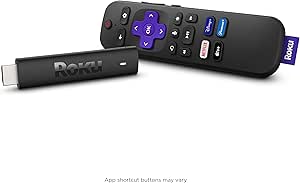 | Best for Simple Roku Streaming | Form factor: TV stick | Video resolution: 4K | Picture formats: HDR, Dolby Vision | VIEW LATEST PRICE | See Our Full Breakdown |
| TiVo Stream 4K Streaming Media Player |  | Best for a Unified Streaming Guide | Operating platform: Android TV | Video resolution: 4K | HDR: Dolby Vision | VIEW LATEST PRICE | See Our Full Breakdown |
| Amazon Fire TV Stick 4K Select |  | Best for Alexa and Amazon Households | Output resolution: Up to 2160p (4K), 1080p, and 720p at up to 60 fps | HDR formats: HDR10, HDR10+, HLG | Processor: Quad-core 1.7GHz | VIEW LATEST PRICE | See Our Full Breakdown |
| ONN Android TV 4K UHD Streaming Device with Voice Remote and HDMI Cable |  | Best for Google Casting on a U.S. TV | Resolution: 3840 x 2160 pixels | Connectivity: HDMI, Wi-Fi | RAM: 2GB | VIEW LATEST PRICE | See Our Full Breakdown |
| Roku Ultra Streaming Player – 4K, HDR10+, Dolby Vision, Dolby Atmos, Bluetooth, Wi-Fi 6, Rechargeable Voice Remote Pro |  | Best for Roku Fans | Resolution: 4K, 3840 x 2160 pixels | Video formats: HDR10, HDR10+, Dolby Vision, H.264/AVC, H.265/HEVC, AV1, VP9 | Audio: Dolby Atmos | VIEW LATEST PRICE | See Our Full Breakdown |
| Amazon Fire TV Cube (3rd Gen) with Alexa, 4K Ultra HD, Wi-Fi 6E, Hands-Free Streaming |  | Best for Alexa Smart Homes | Processor: Octa-core: 4 x 2.2 GHz and 4 x 2.0 GHz | Memory and storage: 2 GB RAM; 16 GB storage | Video formats: Dolby Vision, HDR10, HDR10+, HLG, H.265, H.264, VP9, AV1 | VIEW LATEST PRICE | See Our Full Breakdown |
| Google TV Streamer 4K with Voice Remote and Smart Home Control |  | Best for Google TV Organization | Resolution: 4K, 3840 x 2160 | Video support: HDR and Dolby Vision; H.264 codec listed | Memory: 4 GB RAM | VIEW LATEST PRICE | See Our Full Breakdown |
| Amazon Fire TV Stick 4K Max (Newest Model) Streaming Device with Alexa+ and Wi-Fi 6E Support |  | Best Compact 4K Pick | Output resolution: Up to 2160p at 60 fps | Video formats: Dolby Vision, HDR10, HDR10+, HLG, H.265, H.264, VP9, AV1 | Audio: Dolby Atmos, 7.1 surround sound, HDMI pass-through | VIEW LATEST PRICE | See Our Full Breakdown |
| IT’S BRAZILIAN onn 4K Pro Streaming Device, Google TV with Gemini – Ultra-Fast Streaming, 4K UHD, 32GB Storage, 3GB RAM, Dolby Vision & Atmos, Find My Remote with Backlight, Ethernet Port |  | Best for Google TV with a Remote Finder | Resolution: 4K UHD | HDR: Dolby Vision | Audio: Dolby Atmos | VIEW LATEST PRICE | See Our Full Breakdown |
| TV streaming device | Connectivity | Storage | Resolution |
|---|---|---|---|
| Roku Streaming Stick 4K with V | Wi-Fi | — | 4K UHD, up to 2160p at 60 fps |
| Roku Ultra Streaming Device HD | Bluetooth and USB | — | 4K UHD, 3840 × 2160 pixels |
| Amazon Fire TV Stick 4K Plus w | — | 8 GB | — |
| Amazon Fire TV Stick HD | Wi-Fi 6 | — | Full HD |
| NVIDIA Shield Android TV Pro 4 | Bluetooth 5.0, Gigabit Ethernet, dual-band AC Wi-Fi, Chromecast 4K | 16 GB | — |
| Xiaomi TV Box S 3rd Gen | Wi-Fi 6, Bluetooth 5.2, HDMI 2.1, USB 2.0 | 32GB | 3840 x 2160 (4K UHD) |
| Roku Streaming Stick 4K with H | HDMI; long-range Wi-Fi | 4GB | — |
| TiVo Stream 4K Streaming Media | — | 8GB | — |
| Amazon Fire TV Stick 4K Select | — | 8GB | — |
| ONN Android TV 4K UHD Streamin | HDMI, Wi-Fi | 8GB | 3840 x 2160 pixels |
| Roku Ultra Streaming Player | Wi-Fi 6, Ethernet, Bluetooth, HDMI, USB | — | 4K, 3840 x 2160 pixels |
| Amazon Fire TV Cube | — | — | — |
| Google TV Streamer 4K with Voi | Wi-Fi and Ethernet | 32 GB | 4K, 3840 x 2160 |
| Amazon Fire TV Stick 4K Max | — | 16 GB | — |
| IT’S BRAZILIAN onn 4K Pro Stre | Wi-Fi 6 and Ethernet | 32 GB | 4K UHD |
More Details on Our Top Picks
Roku Streaming Stick 4K with Voice Remote – HDR10+ & Dolby Vision
I’d make the Roku Streaming Stick 4K my all-around pick for viewers who want capable 4K playback without adding a box to the TV stand. It supports Dolby Vision and HDR10+, so compatible TVs can show a wider range of contrast and color than the Full HD Fire TV Stick HD. Its stick format also keeps the setup discreet, while the included voice remote makes searching and basic control straightforward. Compared with the more feature-heavy NVIDIA Shield Android TV Pro, Roku is the simpler choice for app-based viewing rather than media-server or gaming extras. The tradeoff is that this model depends on Wi-Fi and has limited listed memory and storage, so it is less appealing for weak-network rooms or buyers seeking advanced local-media features.
Pros:- Supports 4K UHD playback up to 60 fps
- Dolby Vision and HDR10+ support for compatible TVs
- Compact stick design connects directly to HDMI
- Voice remote and long-range Wi-Fi support
Cons:- Streaming depends on a stable Wi-Fi connection
- Listed 16 GB storage may limit room for apps and content
- Lacks the Ethernet and USB expansion available on the NVIDIA Shield TV Pro
Best for: Viewers with a 4K TV who want a compact, straightforward streamer with Dolby Vision and HDR10+ support.
Not ideal for: People with unreliable Wi-Fi or anyone who wants Ethernet, expandable storage, or a built-in media server.
- Resolution:4K UHD, up to 2160p at 60 fps
- Video formats:HDR10, HDR10+, Dolby Vision, H.264/AVC, H.265/HEVC, AV1, VP9
- Connectivity:Wi-Fi
- Connector:HDMI
- Controls:Remote control and voice control
- Supported services:Hulu, Netflix, Pandora, Prime Video, Vudu
- Memory and storage:1 GB installed memory; 16 GB listed storage
- Dimensions and weight:3.7 × 0.8 × 0.45 inches; 25.54 g
Our verdict“Choose this Roku for a tidy, easy 4K upgrade; choose the Shield instead if you need wired networking or media-server features.”
Roku Ultra Streaming Device HD/4K/HDR/Dolby Vision with Dolby Atmos and Voice Remote
The Roku Ultra suits a living-room setup where sound and remote features matter as much as simple access to streaming apps. Along with 4K and Dolby Vision, it supports Dolby Atmos, and its voice remote adds personal shortcuts and private listening. That makes it a more home-theater-oriented Roku than the Roku Streaming Stick 4K, which is smaller and easier to hide but does not list the same Atmos support or private-listening feature. The Ultra is a dedicated box, so it takes up space near the TV rather than plugging discreetly into HDMI. Its listed connectivity includes Bluetooth and USB, but the product data does not specify Ethernet; buyers should plan around a strong network connection. Choose it for the richer control setup, not for the most compact installation.
Pros:- Supports 4K, HDR, and Dolby Vision
- Dolby Atmos support for compatible audio systems
- Voice remote offers personal shortcuts and private listening
- Dedicated device design includes Bluetooth and USB connectivity
Cons:- Larger than the Roku Streaming Stick 4K and occupies space near the TV
- A strong network connection is needed for smooth streaming
- Ethernet is not listed in the supplied specifications
Best for: Roku users building a 4K home-theater setup who want Dolby Atmos support, voice shortcuts, and private listening.
Not ideal for: Buyers who need a discreet HDMI stick, want a clearly specified wired Ethernet connection, or mainly watch on a Full HD TV.
- Resolution:4K UHD, 3840 × 2160 pixels
- Video support:HDR and Dolby Vision
- Audio support:Dolby Atmos
- Connectivity:Bluetooth and USB
- Connector:HDMI
- Supported services:Hulu and Netflix
- Video codecs:H.264/AVC and H.265/HEVC
- Dimensions and weight:5 × 4.9 × 1 inches; 7.9 ounces
Our verdict“Pick the Roku Ultra for a feature-rich Roku home-theater setup, while the Streaming Stick 4K is a better fit when compactness matters more.”
Amazon Fire TV Stick 4K Plus with Alexa Voice Remote, Wi-Fi 6, 4K Ultra HD Streaming, Dolby Vision, HDR, Dolby Atmos
For a household with a newer router and several connected devices, the Fire TV Stick 4K Plus brings 4K streaming together with Wi-Fi 6 and Alexa voice control. Wi-Fi 6 can help the stick share a busy home network more effectively, although it does not replace a fast internet connection or guarantee better service in every room. Its Dolby Vision, HDR10+, HLG, and Dolby Atmos support give it broader listed format coverage than the Full HD Fire TV Stick HD. Compared with the Roku Streaming Stick 4K, this Amazon option may suit viewers already using Alexa and Fire TV apps, while Roku is the more natural choice for those who prefer its interface. The main compromise is 8 GB of storage, which can constrain app-heavy setups.
Pros:- 4K output with Dolby Vision, HDR10, HDR10+, and HLG support
- Wi-Fi 6 dual-band connectivity
- Dolby Atmos and HDMI audio pass-through support
- Alexa voice remote and access to streaming apps
Cons:- 8 GB storage can be restrictive for app-heavy households
- Best results require a compatible 4K TV and dependable high-speed internet
- Some content requires separate subscriptions, and not every service offers 4K
Best for: Alexa households with a 4K television, a Wi-Fi 6 router, and several devices sharing the home network.
Not ideal for: Viewers with a Full HD-only TV, limited internet service, or a large collection of apps that needs more than 8 GB of storage.
- Output resolution:2160p, 1080p, or 720p up to 60 fps
- Video formats:Dolby Vision, HDR10, HDR10+, HLG, H.265, H.264, VP9, AV1
- Audio:Dolby Atmos, 7.1 surround, HDMI pass-through
- Wi-Fi:Wi-Fi 6, dual-band 802.11 a/b/g/n/ac/ax
- Bluetooth:Bluetooth 5.2 and BLE
- Processor and GPU:Quad-core 1.7 GHz processor; 650 MHz GPU
- Storage:8 GB
- Ports:HDMI 2.1 with ARC; micro USB
- Dimensions and weight:99 × 30 × 14 mm housing; 43.5 g
Our verdict“Choose this Fire TV stick if your 4K setup already centers on Alexa and Wi-Fi 6; the Roku Streaming Stick 4K is an alternative for Roku-preferring viewers.”
Amazon Fire TV Stick HD (Newest Model) with Alexa Voice Remote
The Fire TV Stick HD is the sensible match for a secondary television or a set that cannot display 4K. Its Full HD output avoids paying for picture formats that an older 1080p screen cannot show, while Wi-Fi 6 and the Alexa Voice Remote bring familiar Fire TV access in a portable HDMI stick. Compared with the Fire TV Stick 4K Plus, it gives up 4K, Dolby Vision, and the listed advanced HDR formats; that makes it a poor choice for a newer 4K television, but a straightforward one for an HD bedroom TV. It supports a broad selection of apps, though individual services may require subscriptions. The supplied data does not list storage capacity or specific audio formats, so buyers seeking those details may prefer a more fully specified model.
Pros:- Full HD streaming suits 1080p televisions
- Wi-Fi 6 connectivity
- Portable stick connects directly to an HDMI port
- Alexa Voice Remote includes dedicated buttons
Cons:- Limited to Full HD rather than 4K
- Requires a television with an HDMI port
- Some streaming content requires paid subscriptions
Best for: Owners of Full HD televisions who want a portable Fire TV device for a bedroom, guest room, or older set.
Not ideal for: Anyone with a 4K TV who wants 4K playback, Dolby Vision, or advanced HDR support.
- Resolution:Full HD
- Connectivity:Wi-Fi 6
- Power:Powered by TV via USB-C cable
- Remote:Alexa Voice Remote with dedicated buttons
- Ports:HDMI and USB-C
- Device format:Portable HDMI streaming stick
Our verdict“Choose this model for a Full HD screen; step up to the Fire TV Stick 4K Plus if your television supports 4K.”
NVIDIA Shield Android TV Pro 4K HDR Streaming Media Player
The NVIDIA Shield TV Pro earns its place for buyers who want more than a small app streamer: it combines 4K HDR playback with AI upscaling, a built-in Plex Media Server, and two USB 3.0 ports for added devices or storage. Gigabit Ethernet gives it a wired-network option that the Roku Streaming Stick 4K does not list, making the Shield a stronger fit where Wi-Fi is unreliable or a local-media library is central. It also supports Dolby Vision and Dolby Atmos, so it remains capable for streaming services and a compatible home theater. That extra flexibility brings a steeper learning curve than the plug-in Roku stick, and the supplied product data notes that game controllers are separate purchases. This is a specialist pick, not the easiest default for casual viewing.
Pros:- 4K HDR support with Dolby Vision and Dolby Atmos
- AI upscaling can improve the appearance of lower-resolution video
- Gigabit Ethernet and two USB 3.0 ports provide flexible connections
- Built-in Plex Media Server and Chromecast 4K support
Cons:- More complex setup than the Roku Streaming Stick 4K
- Game controllers are not included according to the supplied product details
- 16 GB internal storage means expansion may be useful for larger libraries
Best for: Media enthusiasts who run a Plex library, want wired Ethernet or USB expansion, and value upscaling alongside 4K streaming.
Not ideal for: Casual viewers seeking a simple, compact stick or anyone who does not want to configure a more capable media device.
- Processor:NVIDIA Tegra X1+
- RAM:3 GB
- Storage:16 GB
- Video support:4K HDR and Dolby Vision
- Audio support:Dolby Atmos and Dolby Digital Plus
- Connectivity:Bluetooth 5.0, Gigabit Ethernet, dual-band AC Wi-Fi, Chromecast 4K
- Ports:2 × USB 3.0
- Remote features:Motion-activated backlight, voice control, Bluetooth, IR control, remote locator
Our verdict“Choose the Shield Pro for a Plex-centered or wired home-theater setup, not for the simplest route to everyday streaming.”
Xiaomi TV Box S 3rd Gen – 4K UHD, Google TV, 32GB Memory, Dolby Vision & Atmos, WiFi 6, HDMI 2.1
The Xiaomi TV Box S 3rd Gen stands apart from the stick-style options here with 32GB of storage, giving app-heavy households more room than the TiVo Stream 4K or ONN device, both listed with 8GB. Its Google TV interface and support for 4K, Dolby Vision, HDR10+, and Dolby Atmos make it a flexible choice for a TV setup built around streaming apps and compatible home theater gear. Wi-Fi 6 and HDMI 2.1 add modern connectivity, though neither guarantees smooth playback if the network or service is the bottleneck. The tradeoff is modest 2GB RAM, which may limit snappiness when switching among apps, and the product data notes occasional buffering reports. I’d choose it over the Roku stick when app capacity and Google TV matter more than Roku’s simpler interface.
Pros:- 32GB storage provides more room for apps than the 8GB TiVo and ONN devices listed here.
- Google TV offers access to a broad range of streaming apps.
- Supports 4K, Dolby Vision, HDR10+, Dolby Atmos, and DTS:X.
- Wi-Fi 6 and HDMI 2.1 provide current connectivity options.
Cons:- 2GB RAM may constrain multitasking and responsiveness.
- Occasional buffering is reported in the supplied product information.
- Requires a compatible TV and home setup to benefit from its advanced video and audio formats.
Best for: Google TV users who install many streaming apps and want more built-in storage than the other compact devices in this group.
Not ideal for: Viewers who prioritize consistently quick app switching or want a Roku-style, simplified interface; its 2GB RAM may be a limitation.
- Resolution:3840 x 2160 (4K UHD)
- HDR:Dolby Vision, HDR10+
- Audio:Dolby Atmos, Dolby Audio, DTS:X
- Processor:Quad-core CPU up to 2.5GHz
- Memory:2GB RAM
- Storage:32GB
- Connectivity:Wi-Fi 6, Bluetooth 5.2, HDMI 2.1, USB 2.0
- Dimensions:3.82 x 3.82 x 0.67 inches
Our verdict“Choose the Xiaomi if you want Google TV and more app storage than the TiVo or ONN, and can accept modest memory for multitasking.”
Roku Streaming Stick 4K with HDR & Dolby Vision (Renewed)
The Roku Streaming Stick 4K is the most straightforward pick here for viewers who want a compact device and a familiar, easy-to-browse streaming interface. It supports 4K, HDR, and Dolby Vision, while its long-range Wi-Fi is intended to help when the TV sits farther from the router. Compared with the Xiaomi TV Box S 3rd Gen, the Roku is a more basic stick with far less listed storage, but its simpler approach may suit someone who mainly wants to open apps and watch. The key caveat is the renewed condition: this listing includes a 90-day limited warranty, so it carries more uncertainty about remaining lifespan than a new device. Its 4GB storage also leaves little room for app-heavy use. I’d pick it over the TiVo Stream 4K for a buyer who values Roku’s direct interface over a centralized recommendations layer.
Pros:- Supports 4K, HDR, and Dolby Vision.
- Long-range Wi-Fi is useful when the TV is distant from the router.
- Voice remote supports convenient hands-free search and control.
- Stick form factor keeps the device close to the TV.
Cons:- Renewed condition and a 90-day limited warranty add purchase uncertainty.
- 4GB storage is restrictive for installing many apps.
- Requires an HDMI-equipped TV and a reliable internet connection.
Best for: Roku newcomers or existing Roku users who want a compact 4K stick for a secondary TV and do not need a large app library.
Not ideal for: Buyers who want a new device, longer warranty coverage, or room for many installed apps; this unit is renewed and lists only 4GB of storage.
- Form factor:TV stick
- Video resolution:4K
- Picture formats:HDR, Dolby Vision
- Storage:4GB
- Connectivity:HDMI; long-range Wi-Fi
- Remote:Voice remote
- Weight:25.54g
- Warranty:90-day limited warranty
Our verdict“Pick this renewed Roku stick for a simple 4K setup on a secondary TV, but skip it if warranty confidence or app storage matters.”
TiVo Stream 4K Streaming Media Player
The TiVo Stream 4K is the lineup’s choice for viewers who want recommendations and live-TV options gathered around one interface instead of hopping between apps. Its Android TV foundation, Google Assistant voice control, and listed support for services such as Sling, Netflix, and Disney+ make it a capable hub for a mixed streaming routine. It also supports 4K, Dolby Vision, and Dolby Atmos, matching the key format support of the Roku Streaming Stick 4K while offering a more discovery-focused experience. That extra layer will not appeal to everyone: viewers who prefer to launch each app directly may find it adds complexity, and the supplied product details flag setup as potentially involved. With just 8GB storage and a Wi-Fi connection required for streaming, it is less appealing than the Xiaomi TV Box S 3rd Gen for app-heavy homes or anyone seeking more storage headroom.
Pros:- Centralized interface helps reduce switching among streaming apps.
- Supports 4K, Dolby Vision, and Dolby Atmos.
- Google Assistant voice control supports voice-led searches.
- Listed compatibility includes a broad mix of streaming services and live TV.
Cons:- 8GB storage may limit app downloads.
- Setup may be more involved than the Roku Streaming Stick 4K.
- Streaming requires a Wi-Fi connection.
Best for: Viewers who use several streaming services and live TV and want a central place to browse recommendations and content.
Not ideal for: People who want the simplest possible setup or plan to install many apps; setup may feel complex and storage is limited to 8GB.
- Operating platform:Android TV
- Video resolution:4K
- HDR:Dolby Vision
- Audio:Dolby Atmos
- RAM:2GB
- Storage:8GB
- Video codec:VP9 Profile 2
- Form factor:HDMI streaming stick
Our verdict“Choose the TiVo Stream 4K if unified discovery across apps and live TV matters more to you than the Xiaomi’s larger storage or Roku’s simpler browsing.”
Amazon Fire TV Stick 4K Select
The Fire TV Stick 4K Select makes the most sense for households already using Alexa or Amazon’s streaming ecosystem. Its Alexa Voice Remote can search for shows and support smart-home control, while personalized recommendations put content discovery up front. The device outputs 4K and supports HDR10, HDR10+, and HLG, but the supplied specs do not list Dolby Vision; that makes the Roku Streaming Stick 4K a stronger match for a TV owner specifically seeking Dolby Vision support. The Fire TV’s dual-band MIMO Wi-Fi and Bluetooth 5.0 cover the core connection needs, and cloud gaming support adds another use beyond watching. The tradeoff is 8GB storage, which can limit app installs, plus a 90-day limited warranty. Compared with the Google TV-based ONN device, this one is the more natural pick for Alexa-first homes, not for buyers who want Chromecast casting.
Pros:- Alexa Voice Remote supports voice search and smart-home control.
- Supports 4K with HDR10, HDR10+, and HLG.
- Cloud gaming support adds a use beyond video streaming.
- Dual-band MIMO Wi-Fi and Bluetooth 5.0 provide wireless connectivity.
Cons:- 8GB storage may restrict app downloads.
- Dolby Vision is not listed in the supplied supported formats, unlike the Roku Streaming Stick 4K.
- Includes a 90-day limited warranty.
Best for: Alexa households that want a 4K streaming stick with voice search, smart-home controls, and access to cloud gaming.
Not ideal for: Viewers who require Dolby Vision, Chromecast built-in, or substantial room for app downloads.
- Output resolution:Up to 2160p (4K), 1080p, and 720p at up to 60 fps
- HDR formats:HDR10, HDR10+, HLG
- Processor:Quad-core 1.7GHz
- Storage:8GB
- Wi-Fi:Dual-band, dual-antenna MIMO
- Bluetooth:Bluetooth 5.0
- Voice support:Alexa Voice Remote
- Ports:HDMI output, micro-USB
Our verdict“Choose the Fire TV Stick 4K Select for Alexa-centered control and cloud gaming, but favor Roku if Dolby Vision is a priority.”
ONN Android TV 4K UHD Streaming Device with Voice Remote and HDMI Cable
The ONN Android TV device is the practical pick for viewers who want Google Assistant voice search and Chromecast built-in without adding a separate casting adapter. Its 4K output, Google Play Store access, and included HDMI cable make setup approachable, while casting from a phone gives it a useful advantage over the Roku Streaming Stick 4K for people who often send videos or photos from mobile devices. The tradeoff is a relatively basic spec package: it lists 2GB RAM and 8GB storage, far less room than the Xiaomi TV Box S 3rd Gen’s 32GB. It is also designed for use in the U.S. only, which rules it out for international buyers. I’d choose it over the TiVo Stream 4K when casting is the priority, but the TiVo is better suited to someone seeking a unified viewing guide.
Pros:- Chromecast built-in makes casting from mobile devices convenient.
- Google Assistant voice remote supports voice control.
- 4K UHD output suits compatible televisions.
- Included HDMI cable simplifies connection to the TV.
Cons:- Designed only for use in the U.S.
- 8GB storage can constrain app downloads.
- 2GB RAM is modest for multitasking.
Best for: U.S. buyers who use Android or other casting-compatible phones and want an included HDMI cable with Google Assistant controls.
Not ideal for: International buyers or households that install many apps; the device is U.S.-only and has 8GB of storage.
- Resolution:3840 x 2160 pixels
- Connectivity:HDMI, Wi-Fi
- RAM:2GB
- Storage:8GB
- Video codecs:H.264, H.265/HEVC
- Voice control:Google Assistant voice remote
- Casting:Chromecast built-in
- Included connection:HDMI cable
Our verdict“Choose the ONN device for Google casting and straightforward setup in the U.S., but look elsewhere if you need broader regional compatibility or more storage.”
Roku Ultra Streaming Player – 4K, HDR10+, Dolby Vision, Dolby Atmos, Bluetooth, Wi-Fi 6, Rechargeable Voice Remote Pro
I’d pick the Roku Ultra for viewers who want a capable 4K player without making Alexa or Google the center of the TV experience. It handles Dolby Vision, HDR10+, and Dolby Atmos, while Wi-Fi 6 and Ethernet give you options for a more dependable connection. The rechargeable Voice Remote Pro adds backlit buttons, hands-free voice control, and a remote finder—useful touches that the compact Fire TV Stick 4K Max remote does not match in the same way.
The tradeoff is that this is a set-top box, not a stick, so it takes up space near the TV. Its Roku interface may also be less appealing to people who want Alexa-driven smart-home controls or Google TV’s cross-service recommendations. I’d choose it for straightforward Roku navigation and private Bluetooth listening, but skip it if a minimal behind-the-TV setup matters most.
Pros:- Supports 4K video with Dolby Vision and HDR10+
- Rechargeable remote has backlit buttons, voice control, and a lost-remote finder
- Wi-Fi 6 and Ethernet offer flexible network connections
- Bluetooth Headphone Mode supports private listening
Cons:- Set-top-box form takes up more space than a streaming stick
- Roku’s platform does not provide the same Alexa-centered smart-home experience as the Fire TV Cube
- The remote may be easy to misplace despite its finder feature
Best for: Viewers who prefer Roku’s simple streaming interface and want a rechargeable, feature-rich remote, plus the option of Ethernet or private Bluetooth listening.
Not ideal for: People seeking a discreet HDMI stick or hands-free smart-home hub; the Fire TV Cube is better suited to Alexa-first setups.
- Resolution:4K, 3840 x 2160 pixels
- Video formats:HDR10, HDR10+, Dolby Vision, H.264/AVC, H.265/HEVC, AV1, VP9
- Audio:Dolby Atmos
- Connectivity:Wi-Fi 6, Ethernet, Bluetooth, HDMI, USB
- Remote:Rechargeable Voice Remote Pro with backlit buttons and voice control
- Control options:Remote, voice, app, and button control
- Form factor:TV box
- Dimensions:5 x 4.9 x 1 inches
Our verdict“Choose the Roku Ultra if you want Roku’s straightforward interface, strong picture-format support, and a versatile rechargeable remote in a box-style player.”
Amazon Fire TV Cube (3rd Gen) with Alexa, 4K Ultra HD, Wi-Fi 6E, Hands-Free Streaming
The Fire TV Cube is the most convincing pick here for someone who wants streaming and Alexa in one hands-free device. Its octa-core processor, Wi-Fi 6E, and 4K support suit a busy home with fast app switching, while HDMI input and output, Ethernet, and IR control let it connect with more of the living-room setup than the Fire TV Stick 4K Max. Alexa can also handle voice requests without requiring the remote to be in hand.
That extra control comes with a larger, more involved device: at over a pound, the Cube is far less discreet than a stick. It also has 16 GB of storage, so viewers who install many apps or games may need to manage space. I’d favor it over the Roku Ultra for Alexa and equipment control, but Roku makes more sense for buyers who want a simpler streaming-first experience.
Pros:- Hands-free Alexa voice control and smart-home integration
- Octa-core processor supports quick app use
- Wi-Fi 6E, Ethernet, and HDMI input and output provide flexible connections
- Supports 4K video, Dolby Vision, HDR formats, and Dolby Atmos
Cons:- Larger and heavier than stick-style alternatives
- 16 GB of storage can constrain users who install many apps
- Some 4K content and features depend on compatible equipment, internet, and regional availability
Best for: Alexa users who want hands-free TV control, smart-home commands, and HDMI connections for integrating other living-room equipment.
Not ideal for: People who want a small, uncomplicated streaming player or do not use Alexa; the Fire TV Stick 4K Max takes up less space and is easier to tuck behind a TV.
- Processor:Octa-core: 4 x 2.2 GHz and 4 x 2.0 GHz
- Memory and storage:2 GB RAM; 16 GB storage
- Video formats:Dolby Vision, HDR10, HDR10+, HLG, H.265, H.264, VP9, AV1
- Audio:Dolby Atmos, 7.1 surround sound, HDMI pass-through
- Wi-Fi:Wi-Fi 6E tri-band
- Bluetooth:Bluetooth 5.0 + LE
- Ports:HDMI 2.1 input and output, IR extender, USB-A 2.0, Ethernet 10/100 Mbps, power
- Dimensions and weight:3.38 x 3.38 x 2.99 inches; 513 g
Our verdict“Pick the Fire TV Cube if hands-free Alexa and living-room device control matter more than a compact form or a simple streaming-only setup.”
Google TV Streamer 4K with Voice Remote and Smart Home Control
I’d recommend the Google TV Streamer 4K to viewers who want one interface to bring together services and live channels, with Google voice search close at hand. It pairs 4K output and Dolby Vision with 4 GB of RAM and 32 GB of storage, giving it more listed memory and storage than the Fire TV Cube’s 2 GB of RAM and 16 GB. Ethernet is included for households that prefer a wired connection, and smart-home control gives the device a role beyond streaming.
The Google TV layout is the main reason to choose this over the Roku Ultra: it emphasizes finding and organizing content across services rather than Roku’s more direct channel-led approach. Still, the listed codec details are less extensive than the Cube’s, and an HDMI 2.1 cable is sold separately. I’d skip it if you want a very simple interface or a stick that hides behind the screen.
Pros:- Combines streaming services and live channels in one Google TV interface
- Supports 4K output and Dolby Vision
- Includes 4 GB RAM and 32 GB storage
- Ethernet and smart-home control are built in
Cons:- HDMI 2.1 cable is sold separately
- Google TV’s interface may feel complex to viewers who prefer simpler navigation
- Listed video codec support is less detailed than the Fire TV Cube’s
Best for: Google TV users who want cross-service recommendations, live-channel organization, voice search, and an Ethernet connection.
Not ideal for: Buyers who want an included HDMI 2.1 cable, a compact stick, or a familiar Roku-style channel interface.
- Resolution:4K, 3840 x 2160
- Video support:HDR and Dolby Vision; H.264 codec listed
- Memory:4 GB RAM
- Storage:32 GB
- Connectivity:Wi-Fi and Ethernet
- Control:Voice remote with voice search
- Supported services:Google TV, Hulu, Netflix, Prime Video, YouTube
- Warranty:2 years
Our verdict“Choose this Google TV player if cross-service organization and smart-home control are priorities, and you already have or can supply an HDMI cable.”
Amazon Fire TV Stick 4K Max (Newest Model) Streaming Device with Alexa+ and Wi-Fi 6E Support
The Fire TV Stick 4K Max is my pick for viewers who want broad 4K format support and current wireless capability without adding a box beside the television. Its HDMI stick design keeps the setup tidy, while Wi-Fi 6E, a quad-core processor, and 16 GB of storage support responsive navigation and a sizeable app collection. Dolby Vision, HDR10+, Dolby Atmos, and Alexa voice control make it a more feature-rich compact choice than a basic HD stick.
Compared with the Fire TV Cube, the Max trades hands-free Alexa and extra HDMI connections for a smaller footprint and simpler placement. It still needs a compatible 6E router to use that Wi-Fi band, and its USB power connection and limited storage may not suit every setup. I’d choose it over the Roku Ultra when space matters, but Roku is a better fit for buyers who favor Roku’s interface and rechargeable remote.
Pros:- Compact HDMI stick design keeps the setup unobtrusive
- Supports 4K with Dolby Vision, HDR10+, and Dolby Atmos
- Wi-Fi 6E and a quad-core processor support fast streaming and navigation
- Alexa voice remote includes IR control
Cons:- Wi-Fi 6E benefits require a compatible router
- 16 GB storage may limit large app or game collections
- Micro-USB power connection is less versatile than a modern USB-C port
Best for: Viewers with a 4K HDR TV who want a compact player, Alexa voice control, and Wi-Fi 6E support without a separate box.
Not ideal for: People who need hands-free Alexa, wired Ethernet, or HDMI input; the Fire TV Cube offers more living-room integration.
- Output resolution:Up to 2160p at 60 fps
- Video formats:Dolby Vision, HDR10, HDR10+, HLG, H.265, H.264, VP9, AV1
- Audio:Dolby Atmos, 7.1 surround sound, HDMI pass-through
- Processor and GPU:Quad-core 2.0 GHz processor; 850 MHz GPU
- Storage:16 GB
- Wi-Fi:Wi-Fi 6E tri-band: 2.4, 5, and 6 GHz
- Bluetooth:Bluetooth 5.2 + BLE
- Dimensions and weight:108 x 30 x 14 mm including connector; 43.5 g
Our verdict“Choose the Fire TV Stick 4K Max if you want a compact Alexa-powered 4K streamer and do not need the Cube’s hands-free controls or extra ports.”
IT’S BRAZILIAN onn 4K Pro Streaming Device, Google TV with Gemini – Ultra-Fast Streaming, 4K UHD, 32GB Storage, 3GB RAM, Dolby Vision & Atmos, Find My Remote with Backlight, Ethernet Port
The onn 4K Pro brings together Google TV, 32 GB of storage, Ethernet, and a backlit remote with a finder feature. Those details make it a distinctive fit for households that want a box-style player and frequently misplace the remote. Its 3 GB RAM and Wi-Fi 6 also give it a stronger stated memory setup than the Google TV Streamer’s 4 GB RAM? No: the Google model lists 4 GB, so this onn option does not lead on RAM; its appeal is the combination of remote convenience, wired networking, and storage.
Compared with the Fire TV Stick 4K Max, the onn uses a larger box rather than a compact HDMI stick, but it offers Ethernet and Google TV instead of Amazon’s Alexa-led platform. The supplied data lists Dolby Vision and Atmos, while detailed codec and port information is sparse. I’d choose it for its specific remote and connectivity mix, but skip it if you want a smaller, more fully documented device.
Pros:- Google TV platform with 4K UHD and Dolby Vision
- 32 GB storage and 3 GB RAM
- Built-in Ethernet and Wi-Fi 6
- Backlit remote includes a find-my-remote feature
Cons:- Box-style design takes more space than the Fire TV Stick 4K Max
- Product data gives limited detail on ports and video codec support
- Some buyers may need to troubleshoot wireless connectivity
Best for: Google TV households that want Ethernet, 32 GB of storage, and a backlit remote with a finder function.
Not ideal for: People short on space or seeking extensive published connection and codec details; the Fire TV Stick 4K Max is more compact.
- Resolution:4K UHD
- HDR:Dolby Vision
- Audio:Dolby Atmos
- Memory:3 GB RAM
- Storage:32 GB
- Connectivity:Wi-Fi 6 and Ethernet
- Remote:Backlit remote with Find My Remote
- Dimensions and weight:10 x 4 x 4 inches; 1.49 pounds
Our verdict“Pick the onn 4K Pro if you want Google TV in a box with Ethernet and a remote finder, and can accept less detailed specification information.”
How We Picked
I compared the 15 listed devices by the factors that change everyday viewing: supported resolution and HDR or audio formats, platform and voice-control experience, wireless and wired connectivity, form factor, and any listed storage or remote features. I also weighed how much capability each model adds over simpler options, since a premium device is a poor fit when a TV or viewing routine cannot use its extras. Product names and supplied feature descriptions guided this comparison; I did not treat unprovided performance measurements as established facts.
The ranking prioritizes broad usefulness first, then separates devices by the buyer they serve. Compact 4K players with widely useful format support rank ahead of niche or more involved hardware for most households. Higher positions do not mean every buyer needs the more feature-rich model: the Fire TV Stick HD, renewed Roku Stick, and value-focused Android TV options may make better sense when simplicity, an existing platform preference, or a specific connection matters more than premium features.
Factors to Consider When Choosing Best TV Streaming Devices
Before choosing a streaming player, match its capabilities to the TV, sound system, network, and apps you actually use. A longer feature list can add cost and setup complexity without improving the picture on incompatible equipment. These checks help separate useful upgrades from specs that are unlikely to matter in your room.
Match Picture and Sound Formats to Your Equipment
Check your TV’s exact model specifications before paying extra for 4K, Dolby Vision, or HDR10+. A format listed on a streaming device will not create that format on a TV that lacks support, and HDR labels do not guarantee that every show is available in HDR. Audio features such as Dolby Atmos also depend on compatible sound equipment and content. If your screen is HD-only, a 4K player can still run streaming apps, but its main picture upgrade will go unused. When a device supports several formats, favor the ones your current setup can play rather than treating a longer format list as automatic proof of better viewing.
Choose a Platform You’ll Enjoy Using
Think about the interface and voice assistant you already use, not just the device’s headline resolution. Roku, Fire TV, and Google TV present apps and recommendations differently, and they connect naturally to different smart-home ecosystems. A household that relies on Alexa voice control may find Fire TV easier to operate, while Google TV may suit people who already use Google services. Check that the apps you need are available on the platform and that the remote has controls your household will use. A familiar interface can matter more each day than a small difference in listed hardware.
Decide Whether Wi-Fi or Ethernet Fits Your Room
Streaming quality depends on the connection between the player and your home network, not just the Wi-Fi generation printed on the box. A newer wireless standard can help with compatible routers and a busy network, but it cannot fix weak coverage or a poor broadband connection. If the TV sits far from the router, check whether the device supports Ethernet or whether an adapter is needed. Wired networking can reduce dependence on signal strength, though it adds a cable and may require a nearby port. Avoid selecting a device for Wi-Fi 6E or Wi-Fi 6 alone unless your router and room can make use of it.
Pick the Right Form Factor and Remote
A stick is easy to tuck behind a TV and keeps the setup visually simple, but its position or the TV’s ports can affect access and connection. A box or cube takes up more space yet can make sense when you want a visible player, extra connections, or hands-free voice control. Look closely at remote details too: backlighting, rechargeable power, and voice search can improve use in a dark room or for people who dislike typing. Do not assume that every product with a similar name includes the same remote or accessories. Check the exact listing and your TV’s available HDMI ports before choosing.
Pay for Extra Storage and Power Only When You Need Them
More memory or a faster platform can help when you install many apps, keep demanding apps open, or use a player for more than basic streaming. For a household that opens a few services and watches shows, extra storage may not change the routine enough to justify choosing a larger device. Advanced players can also add setup steps and features that some viewers will never touch. Ask whether you need local media playback, gaming, expanded storage, or smart-home controls before moving to a premium model. If you cannot name the task an upgrade will improve, a simpler stick is often the clearer fit.
Check the Exact Model, Bundle, and Condition
Streaming product names can hide meaningful differences between generations, configurations, and bundles. Compare the precise resolution, HDR support, remote, network options, and included cables on the listing rather than relying on a familiar family name. A renewed device is a separate buying decision from a new one: confirm the condition description, return terms, and included accessories before choosing it. Regional or retailer-specific variants can also differ from a similarly named model elsewhere. This check is especially useful when two entries appear nearly identical but list different remotes or connectivity features.
Frequently Asked Questions
Should I buy a 4K streaming device if my TV is only HD?
You can use a 4K device with an HD TV, but the TV will display content at its own supported resolution. The extra 4K capability is most useful if you expect to replace the screen soon or want a device that can move to another 4K TV later. Otherwise, an HD option such as the Fire TV Stick HD may meet your current needs with less unused capability. Check your TV model before deciding, since screen resolution and HDR support are separate features. Your internet connection and the streaming service’s plan can also affect whether 4K playback is available.
Will Dolby Vision or Dolby Atmos work with my existing TV and sound system?
Only if the relevant parts of your setup support the format. Your TV must support Dolby Vision for Dolby Vision picture playback, and your soundbar or receiver must support Dolby Atmos for Atmos audio. The streaming service and the specific title also need to offer that format. A device listing the feature is a necessary link in the chain, not a guarantee that every show will use it. If your equipment does not support these formats, compare devices by platform, remote, and connection options instead.
Is a streaming stick or a box a better fit for a wall-mounted TV?
A stick can keep the installation tidy because it plugs directly into an HDMI port and sits behind the display. However, a tight wall mount can leave little space for the stick or make its position awkward, so check the clearance around the HDMI ports first. A box connected by an HDMI cable may be easier to place on a shelf or near the TV, but it takes up more space. Also check whether the chosen device needs a power outlet and whether its remote can communicate reliably from your usual seat. The best form factor is the one that fits the physical layout without blocking other ports.
Does a device with Wi-Fi 6 or Wi-Fi 6E guarantee smoother streaming?
No. Those standards can offer benefits on compatible networks, but streaming still depends on broadband speed, router placement, interference, and the device’s signal. A Wi-Fi 6E model cannot use that band through a router that does not support it. If the player is far from the router, improving coverage or using Ethernet may help more than switching devices. For a stable connection, check which network bands your router supports and where the TV sits in relation to it. Do not pay extra for a wireless feature your home network cannot use.
How should I choose between Roku, Fire TV, and Google TV?
Start with the services and voice assistant your household already uses, then check that your preferred streaming apps are available. Roku, Fire TV, and Google TV have different interfaces and recommendation styles, so the best fit is often the one everyone can operate comfortably. Fire TV may suit an Alexa-centered home, while Google TV can make sense for people who use Google services or want its smart-home features. Roku is a straightforward option for viewers who prefer a focused streaming experience. If two platforms both meet your app needs, compare remote controls, connectivity, and the device’s fit with your TV rather than choosing by brand alone.
Conclusion
For most households, I’d choose the Roku Streaming Stick 4K as the best overall balance of compact design and 4K format support. The Amazon Fire TV Stick HD is a sensible value-oriented pick for an HD TV and viewers who want a simple setup, while the NVIDIA Shield TV Pro is the best premium choice for people who want a more capable media player and are comfortable with a more specialized device. Beginners should start with the Roku Stick or Fire TV Stick HD and choose the platform that feels most familiar. For Google TV and smart-home control, look at the Google TV Streamer 4K; for hands-free Alexa control, consider the Fire TV Cube. Before ordering, match the device’s formats and connections to your actual TV, sound system, and router.
Halloween Picks
halloween
As an affiliate, we earn on qualifying purchases.