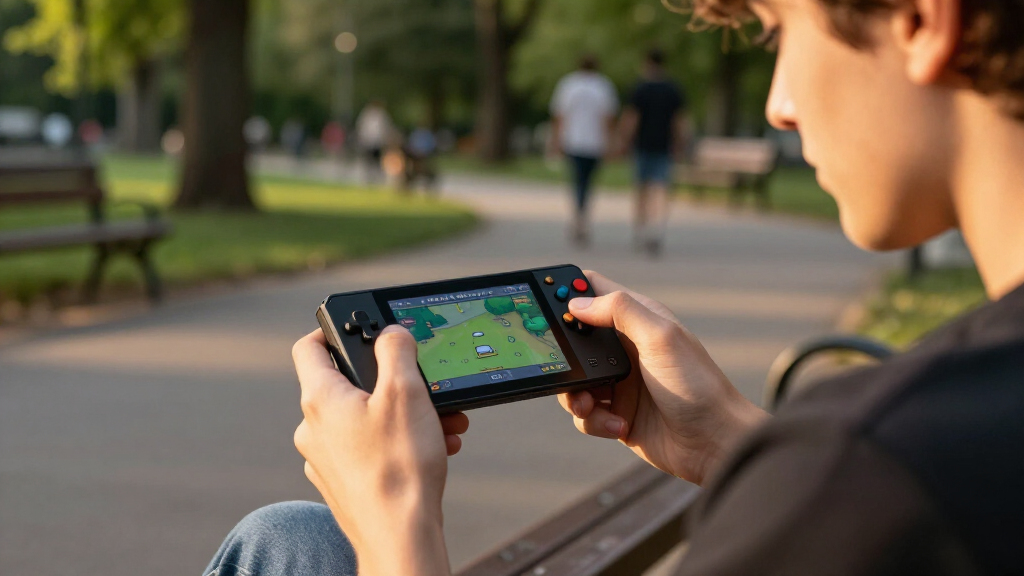

For a Raspberry Pi handheld, the first decision is whether you want a ready-to-assemble console shell or a small project board that you build around a compatible computer. I rank the Waveshare GamePi43 first for its larger 4.3-inch screen and included Raspberry Pi 3B+, while the Waveshare Game HAT B07G57BC3R is the more flexible pick if you already own a supported Pi. If you are making a tiny custom build, either GamePi13 board offers 12 customizable buttons in a much smaller footprint.

Get the latest gadgets delivered free with Prime
- Fast, free delivery on millions of items
- Prime Video, Amazon Music and more included
- Member-only deals all year
The tradeoffs are practical, not subtle: bigger displays are easier to read but still need a separate 18650 battery, and the GamePi13 boards are components rather than complete handhelds. Compatibility also varies between the two Game HAT listings, so I distinguish their stated Pi support rather than treating them as interchangeable. My ranking favors usable screen area, included hardware, and clarity about setup—then accounts for the compromises each design asks the buyer to accept.
Complete the kit



Key Takeaways
- The GamePi43 ranks first for buyers who want a larger 4.3-inch, 800 × 480 screen and a Raspberry Pi 3B+ included; 18650 batteries are still separate.
- The B07G57BC3R Game HAT offers 3.5-inch, 480 × 320 gameplay and broader stated Pi compatibility, including Zero models with an additional HDMI cable.
- The B07PKGGD14 Game HAT includes an acrylic case and connection accessories, but its listed battery life is about 1–2 hours and its compatibility list is narrower.
- Both GamePi13 boards are DIY components with 1.3-inch, 240 × 240 displays and 12 customizable buttons, not complete handheld consoles.
- Choose by the full build: Raspberry Pi, battery, cabling, software setup, and comfort matter as much as the display specifications.
| Waveshare GamePi43 Portable Retro Game Console with Raspberry Pi 3B+ |  | Best Overall — largest screen and Pi included | Display: 4.3-inch IPS | Resolution: 800 × 480 | Included Raspberry Pi: Raspberry Pi 3B+ | VIEW LATEST PRICE | See Our Full Breakdown |
| Waveshare Game HAT for Raspberry Pi with 3.5-Inch IPS Screen |  | Best for Broad Pi Compatibility | Screen: 3.5-inch IPS | Resolution: 480 × 320 | Refresh rate: 60 Hz | VIEW LATEST PRICE | See Our Full Breakdown |
| Waveshare Game HAT for Raspberry Pi with 3.5-Inch IPS Display |  | Best Accessory Bundle — case and connection parts included | Display: 3.5-inch IPS LCD | Resolution: 480 × 320 | Frame rate: 60 frames | VIEW LATEST PRICE | See Our Full Breakdown |
| GamePi13 1.3-Inch LCD Game Console Board for Raspberry Pi and RP2040-PiZero |  | Best for Custom RP2040 and Pi Builds | Display: 1.3-inch IPS LCD | Resolution: 240 × 240 | Color depth: 65K colors | VIEW LATEST PRICE | See Our Full Breakdown |
| Waveshare 1.3-Inch LCD Game Console Board for Raspberry Pi |  | Best Compact GamePi13 Board | Screen size: 1.3 inches | Display type: IPS LCD | Resolution: 240 × 240 | VIEW LATEST PRICE | See Our Full Breakdown |
| Raspberry Pi handheld console | Resolution | Display | Controls | Audio |
|---|---|---|---|---|
| Waveshare GamePi43 Portable Re | 800 × 480 | 4.3-inch IPS | — | — |
| Waveshare Game HAT for Raspber | 480 × 320 | — | Joystick and buttons | Onboard speaker and earphone jack |
| Waveshare Game HAT for Raspber | 480 × 320 | 3.5-inch IPS LCD | — | Onboard speaker and earphone jack |
| GamePi13 1.3-Inch LCD Game Con | 240 × 240 | 1.3-inch IPS LCD | 12 customizable buttons | Onboard audio output |
| Waveshare 1.3-Inch LCD Game Co | 240 × 240 | — | 12 customizable buttons | — |
More Details on Our Top Picks
Waveshare GamePi43 Portable Retro Game Console with Raspberry Pi 3B+
The GamePi43 is the most complete starting point in this group. Its 4.3-inch IPS screen at 800 × 480 gives games more room than either 3.5-inch Game HAT, and the listing includes a Raspberry Pi 3B+, so the buyer is not sourcing the core computer separately. That makes it my first choice for someone who wants a recognizably handheld Pi project without beginning with a bare display board.
Its advantage is a combination of screen area and included hardware, not proof that it requires no assembly or software setup. The listed 3B+ has a 64-bit quad-core 1.4 GHz processor, 1 GB RAM, and 32 GB storage. Those figures describe the supplied computer; they do not guarantee that every game or emulation setup will run well. Compared with the B07G57BC3R Game HAT, the GamePi43 costs the buyer fewer separate core components but offers a smaller stated range of compatible Pi models.
For handheld use, the speaker, earphone jack, battery-life indicator, and volume and backlight controls make it more considered than a screen-and-buttons assembly alone. The notable catch is power: 18650 batteries are not included. I would also want a buyer to check the current software and setup resources before committing, since the supplied details give no software update support date. Compared with the B07PKGGD14 HAT, this one is a better all-in-one starting point, while the HAT is more attractive to someone who already owns the Pi and values its included acrylic case.
The GamePi43 ranks first because it reduces the biggest purchasing unknown—whether the Raspberry Pi itself is part of the package—while offering the broadest display area here. It is still a DIY-oriented product, not a finished handheld with every power and software question settled. Choose it when screen size and a Pi included matter most; skip it if you expect a ready-to-play device or do not want to source batteries.
Pros:- Largest listed display here: 4.3-inch IPS at 800 × 480
- Raspberry Pi 3B+ is included
- Speaker, earphone jack, and battery-life indicator
- Volume and backlight controls add practical handheld adjustments
Cons:- 18650 batteries are not included
- Software update support date is unknown
- The listed compatible Pi models are fewer than those for the B07G57BC3R Game HAT
Best for: Buyers who want the largest display in this lineup and a Raspberry Pi 3B+ included as the basis for a handheld build.
Not ideal for: Anyone who expects a complete, ready-to-play console with batteries included, or who needs clearly documented ongoing software support.
- Display:4.3-inch IPS
- Resolution:800 × 480
- Included Raspberry Pi:Raspberry Pi 3B+
- Processor:64-bit quad-core, 1.4 GHz
- Memory:1 GB RAM
- Storage:32 GB
- Frame rate:60 fps
- Power:18650 lithium batteries, not included
Our verdict“I rank the GamePi43 first for its 4.3-inch screen and included Pi, provided you are willing to source batteries and handle the project setup.”
Waveshare Game HAT for Raspberry Pi with 3.5-Inch IPS Screen
This Game HAT is the most flexible choice for buyers who already have a Raspberry Pi on hand. Its stated compatibility covers the A+, B+, 2B, 3B, 3B+, and 4B, as well as Zero, Zero W, and Zero WH models when used with an additional HDMI cable. That breadth gives it an edge over the GamePi43, whose supplied configuration includes a 3B+ but whose listed supported models are more limited.
The 3.5-inch, 480 × 320 IPS display is a middle ground: larger and more practical for handheld play than the 1.3-inch GamePi13 boards, but less spacious than the GamePi43. The 60 Hz refresh rate is a listed display specification, not a promise about game performance. A joystick and buttons, onboard speaker, and earphone jack supply the expected controls and audio connections without requiring a separate screen-and-controller arrangement.
It remains a HAT, so the buyer supplies the Raspberry Pi and must account for the battery. This listing specifies an 18650 lithium battery that is not included; Zero-family setups also need an additional HDMI cable. That makes compatibility useful but not effortless. Compared with the B07PKGGD14 Game HAT, this version spells out support for Pi 4B and the Zero models, while the other listing calls out an acrylic case and charging while playing. I would pick this one when model compatibility matters more than the extra accessories.
The Game HAT is a strong second-place recommendation because it balances a usable screen with a broad stated compatibility list. Its main limitation is the set of separate parts the buyer must already own or obtain. If you want the bigger display and included computer, choose the GamePi43 instead; if you want a compact custom electronics exercise, the GamePi13 boards are a different, much smaller class of build.
Pros:- 3.5-inch IPS display with 480 × 320 resolution
- Listed compatibility spans several Pi models, including Zero variants with an extra HDMI cable
- Joystick, buttons, speaker, and earphone jack are integrated
- 60 Hz refresh rate is specified
Cons:- Raspberry Pi is not listed as included
- 18650 battery is not included
- Pi Zero models need an additional HDMI cable
Best for: Raspberry Pi owners who want a 3.5-inch handheld assembly and need compatibility with several Pi generations, including Zero models with the required cable.
Not ideal for: Buyers who need the Pi, battery, and all connection parts included or who prefer a larger 4.3-inch screen.
- Screen:3.5-inch IPS
- Resolution:480 × 320
- Refresh rate:60 Hz
- Compatibility:A+, B+, 2B, 3B, 3B+, 4B, Zero, Zero W, Zero WH
- Zero connection requirement:Additional HDMI cable
- Controls:Joystick and buttons
- Audio:Onboard speaker and earphone jack
- Power:18650 lithium battery, not included
Our verdict“I recommend this Game HAT to Raspberry Pi owners who value its wide stated compatibility more than an included computer or a larger screen.”
Waveshare Game HAT for Raspberry Pi with 3.5-Inch IPS Display
This Game HAT earns a separate place in the ranking because its supplied accessories change what the buyer needs to gather. It includes an acrylic case, HDMI connector, and Raspberry Pi screws, plus a 3.5-inch IPS screen at 480 × 320. For a builder who wants the enclosure and basic mounting pieces in the same package, that is a more useful starting bundle than a listing centered on the display and compatibility range alone.
The screen size puts it in the same broad class as the B07G57BC3R Game HAT: more room than the 1.3-inch GamePi13 boards, less than the 4.3-inch GamePi43. It also lists 60-frame display operation, an onboard speaker, and an earphone jack. The product description says it supports charging while playing, a useful detail for someone setting up a compact system—but it does not remove the need to provide the separate 18650 battery.
Its tradeoffs are more specific than those of the other HAT listing. The stated compatible models are A+, B+, 2B, 3B, and 3B+, so I would not assume support for a Pi 4B or Zero based on the B07G57BC3R listing. The description says Pi Zero models require an extra HDMI cable, but the supplied compatibility list does not include Zero models; I would verify that point with the seller before building around one. Listed battery life is about 1–2 hours, depending on the game, which makes this a less appealing choice for long sessions away from charging.
Compared with the other 3.5-inch HAT, this one is the better fit when included enclosure and connection accessories are the priority. The B07G57BC3R is the safer match if broad model support, especially Pi 4B or a Zero variant, matters more. The GamePi43 remains preferable for a larger screen and an included Pi, though its battery is also separate. I rank this option third: practical accessories help, but limited stated compatibility and short listed battery life hold it back.
Pros:- 3.5-inch IPS display at 480 × 320
- Includes an acrylic case, HDMI connector, and Raspberry Pi screws
- Onboard speaker and earphone jack
- Supports charging while playing
Cons:- 18650 battery is sold separately
- Listed battery life is about 1–2 hours, depending on the game
- Stated compatibility list is narrower than the B07G57BC3R Game HAT
Best for: Builders who own a supported A+, B+, 2B, 3B, or 3B+ and want a Game HAT package that includes an acrylic case and mounting accessories.
Not ideal for: Pi 4B or Zero owners who have not confirmed compatibility, and players who need more than the listed 1–2 hours between charges.
- Display:3.5-inch IPS LCD
- Resolution:480 × 320
- Frame rate:60 frames
- Compatible platforms:Raspberry Pi A+, B+, 2B, 3B, 3B+
- Battery:18650 lithium battery, not included
- Listed battery life:About 1–2 hours, depending on the game
- Audio:Onboard speaker and earphone jack
- Included accessories:Acrylic case, HDMI connector, Raspberry Pi screws
Our verdict“I would choose this version for its included case and connection accessories, but only after confirming that its stated Pi support matches your board.”
GamePi13 1.3-Inch LCD Game Console Board for Raspberry Pi and RP2040-PiZero
The GamePi13 is not a small alternative to a finished handheld; it is a compact console board for a DIY project. Its 1.3-inch IPS display runs at 240 × 240, and the 12 customizable buttons give makers a control layout they can adapt to a build. Onboard audio and online development resources with demos add useful project support, while SPI communication makes the display part of a more hands-on electronics setup.
That makes it a different purchase from either 3.5-inch Game HAT. Those options put a much larger display and more conventional handheld controls around a Raspberry Pi, while the GamePi13 keeps the footprint small and leaves more decisions to the builder. Compared with the other GamePi13 listing, B0DPW348LG, this one specifically names Raspberry Pi and RP2040-PiZero compatibility and notes development resources. The supplied descriptions do not establish that all setup requirements or software behavior are identical, so I would check the documentation for the exact board and target platform.
The small screen is the defining compromise. A 240 × 240 display can make sense for a miniature project, simple demos, or experimentation, but it offers far less viewing area than the 480 × 320 HATs and the GamePi43’s 800 × 480 panel. Buyers also need a compatible Raspberry Pi or RP2040-PiZero device; the package is the GamePi13 board only. Do not mistake the word console in the product name for a complete portable system.
I rank this fourth because it offers useful controls and a clear maker-oriented purpose, but most buyers seeking a Raspberry Pi handheld will prefer a larger screen and a more assembled form. Choose it if the project itself is the appeal and compactness outranks visibility. If the goal is a handheld for more comfortable viewing, I would move up to either Game HAT; if you want a matching small board without the named RP2040-PiZero support detail, compare the Waveshare GamePi13 listing carefully.
Pros:- Compact 1.3-inch IPS color display at 240 × 240
- 12 customizable buttons suit custom control layouts
- Onboard audio output
- Online development resources and demos are listed
Cons:- Board only; compatible Raspberry Pi or RP2040-PiZero is needed
- The 1.3-inch screen is much smaller than the Game HAT and GamePi43 displays
- DIY setup may require additional work
Best for: Makers building a tiny custom console around a Raspberry Pi or RP2040-PiZero who want programmable controls and access to development demos.
Not ideal for: Buyers looking for a complete handheld, a large screen, or a board that can be used without a compatible computer and setup work.
- Display:1.3-inch IPS LCD
- Resolution:240 × 240
- Color depth:65K colors
- Display driver:ST7789
- Communication:SPI
- Controls:12 customizable buttons
- Audio:Onboard audio output
- Compatible platforms:Raspberry Pi / RP2040-PiZero
Our verdict“I recommend this GamePi13 to makers who want a small, customizable electronics project rather than a ready-made Raspberry Pi handheld.”
Waveshare 1.3-Inch LCD Game Console Board for Raspberry Pi
This Waveshare GamePi13 is the smallest and most project-focused option in the roundup. It pairs a 1.3-inch IPS LCD, 240 × 240 resolution, and 12 customizable buttons in a board-only package. Buyers who want to experiment with a miniature interface or build a tiny gaming project may find that footprint more appealing than the larger Game HAT assemblies, which take up more space and need a separate Raspberry Pi.
Its listed display details closely match the B0DS63YL3F GamePi13: both use an ST7789 display driver, SPI communication, a 65K-color 240 × 240 panel, and 12 customizable buttons. The distinguishing information here is Waveshare branding, a Linux platform designation, and a one-year manufacturer warranty. The other GamePi13 listing specifically names RP2040-PiZero compatibility and online demos. I would not assume the two listings have identical documentation or platform support simply because their core screen specifications match.
For choosing between this board and a HAT, screen size is the decisive issue. A 3.5-inch Game HAT offers considerably more room for viewing and a conventional joystick-and-button arrangement; the GamePi13 instead favors a smaller board and configurable controls. It is also not a complete handheld: the Raspberry Pi is not stated as included, and the listing identifies the GamePi13 board as the included component. Buyers should plan for the computer, power approach, enclosure, and software work rather than expecting a self-contained console.
I place this fifth because the supplied details establish less about development resources and named hardware compatibility than the B0DS63YL3F listing, while both share the same small-screen limitation. The one-year warranty is a useful listed detail, but it does not make the board a simpler purchase. I would select it for a compact Linux-oriented build when the Waveshare specification and warranty fit the project; most buyers seeking a handheld they can comfortably use for longer sessions should choose one of the larger display options.
Pros:- 1.3-inch IPS LCD with 240 × 240 resolution
- 12 customizable buttons
- ST7789 driver and SPI communication are specified
- One-year manufacturer warranty is listed
Cons:- Board only; Raspberry Pi is not stated as included
- The 1.3-inch screen is substantially smaller than the other displays in this roundup
- DIY software and hardware setup is required
Best for: Makers who want a very compact, Linux-oriented GamePi13 board with customizable buttons and a stated one-year manufacturer warranty.
Not ideal for: Anyone seeking a complete console, a larger display, or clearly stated RP2040-PiZero compatibility and development demos in the listing details.
- Screen size:1.3 inches
- Display type:IPS LCD
- Resolution:240 × 240
- Color depth:65K colors
- Driver chip:ST7789
- Communication interface:SPI
- Controls:12 customizable buttons
- Manufacturer warranty:1 year
Our verdict“I would choose this board for a compact Linux-oriented project, but not as a substitute for the larger-screen Game HATs or GamePi43.”
How We Picked
I ranked these five options for people specifically seeking a Raspberry Pi handheld gaming build, not for general-purpose handhelds or standalone consoles. I compared the information supplied for each listing: screen size and resolution, controls, stated Pi compatibility, included hardware, audio, and power requirements. I gave more weight to a configuration that can be understood and assembled with fewer missing pieces, while still recognizing that a HAT can be the better route when a buyer already owns a compatible Raspberry Pi.
The GamePi43 takes the lead because it combines the largest screen in this group with an included Raspberry Pi 3B+ and useful handheld details such as a battery indicator and audio outputs. It does not receive a free pass: its batteries are not included, and the software update timeline is unspecified. I placed the 3.5-inch Game HAT listings next, separating them by their stated compatibility and included accessories. The two GamePi13 boards come after them because their tiny screens and board-only format suit custom electronics projects more than a self-contained handheld purchase.
I did not assume that matching names make separate listings identical. Where the product details differ, I report the relevant difference, including Pi compatibility and accessories. I also do not infer emulator performance, battery runtime, software support, or included components beyond what the supplied information states. The ranking is a buying guide, not a claim that every board ships ready to play: setup, power, and compatibility need checking before a buyer chooses.
| Raspberry Pi handheld console | Audio |
|---|---|
| Waveshare GamePi43 Portable Re | — |
| Waveshare Game HAT for Raspber | Onboard speaker and earphone jack |
| Waveshare Game HAT for Raspber | Onboard speaker and earphone jack |
| GamePi13 1.3-Inch LCD Game Con | Onboard audio output |
| Waveshare 1.3-Inch LCD Game Co | — |
Factors to Consider When Choosing Best Raspberry Pi Handheld Consoles
Before choosing, I would separate console hardware from the rest of the build. A Game HAT or GamePi13 board is not the same purchase as a finished handheld: you may still need a compatible Raspberry Pi, battery, cable, enclosure, and software configuration. The distinctions below help match each listing to a project rather than judging all five by screen specifications alone.
Decide whether you want a board or a more complete assembly
The GamePi13 listings are boards, not complete handhelds, and they require a compatible computer plus DIY setup. The Game HATs add a larger display and controls but still call for a Raspberry Pi and, for these listings, a separate 18650 battery. The GamePi43 includes a Raspberry Pi 3B+, so it reduces one major shopping step, though its battery is also absent. I would make a component checklist before choosing: Pi, display/control hardware, battery, cable, enclosure, and software.
For someone who already owns a Pi, a HAT can be the more economical project in parts and a better fit for reuse. If you do not own the computer, the GamePi43 has the clearest included-hardware advantage. None of these product descriptions establishes that the system arrives configured and ready to play, so buyers should allow for assembly and software work.
Treat screen size as a usability choice
The lineup ranges from 1.3 inches at 240 × 240 on both GamePi13 boards, to 3.5 inches at 480 × 320 on the Game HATs, and 4.3 inches at 800 × 480 on the GamePi43. Those dimensions affect how much room the image has and how practical the device feels to hold and view. The small GamePi13 can suit a miniature custom build, but its display is not comparable for viewing area to the larger options. If the handheld will be used for extended play, I would favor a 3.5- or 4.3-inch screen.
Resolution alone does not tell the whole story. Screen proportions, software configuration, and the content being displayed also affect the result. The listed 60 Hz or 60 fps figures are display specifications, not guarantees that every game will run at that rate. I would choose based on the balance between physical size and visibility rather than assuming the biggest number settles every question.
Check the exact Raspberry Pi model before ordering
Compatibility is not identical across the listings. The B07G57BC3R Game HAT names A+, B+, 2B, 3B, 3B+, and 4B, along with Zero, Zero W, and Zero WH when an extra HDMI cable is used. The B07PKGGD14 version lists A+, B+, 2B, 3B, and 3B+, and its description mentions an extra HDMI cable for Zero models despite not listing them among compatible platforms. I would confirm that apparent mismatch with the seller before purchasing for a Zero.
The GamePi43 includes a 3B+ and lists support for 4B, B+, 2B, 3B, and 3B+. The GamePi13 boards have different supplied platform details: one names Raspberry Pi and RP2040-PiZero, while the other identifies Linux and Raspberry Pi compatibility. Do not assume matching product names mean identical compatibility; verify the exact board revision and documentation for the hardware you own.
Plan for batteries, charging, and cables
Both Game HAT descriptions require an 18650 lithium battery sold separately, and the GamePi43 also excludes its 18650 batteries. The B07PKGGD14 listing gives a battery-life estimate of about 1–2 hours depending on the game; that is the only specific runtime supplied here. Do not apply that estimate to the other products. The B07PKGGD14 also states that charging while playing is supported, but buyers should check the product instructions for battery type and charging requirements.
For a Zero-family Pi, the B07G57BC3R listing calls for an additional HDMI cable. The other Game HAT listing also mentions a cable for Zero models, but its compatibility list is less clear. Extra parts can determine whether a build is convenient or stalls during assembly, so I would check the box contents and connection method against the exact Pi before ordering.
Think about controls, audio, and the kind of project you want
The HATs are oriented around a joystick and buttons or button controls, with an onboard speaker and earphone jack. The GamePi43 also includes a speaker, earphone jack, and controls for volume and backlight. By contrast, the GamePi13 boards provide 12 customizable buttons and onboard audio but demand more input from the maker when setting up the overall device. That flexibility is valuable for a custom interface, yet it does not automatically make the board easier to use.
Choose a HAT if you want a more conventional handheld layout. Choose a GamePi13 if you enjoy electronics and want to set the controls and project around a very small display. If you value the clearest path among these options, the GamePi43 is the strongest starting point because the Pi is included, but it still involves separate batteries and project setup.
Frequently Asked Questions
Are these Raspberry Pi handheld consoles ready to play out of the box?
No listing here should be treated as a guaranteed ready-to-play handheld. The GamePi13 products are explicitly boards and need a compatible computer and setup. The Game HATs provide the display and controls but require a Raspberry Pi and separate 18650 battery. The GamePi43 includes a Raspberry Pi 3B+, but its batteries are not included and the supplied information does not confirm preconfigured gaming software. I would plan for assembly and configuration with every option.
Which option has the largest screen?
The Waveshare GamePi43 has the largest listed screen: a 4.3-inch IPS display at 800 × 480. Both Game HAT listings use a 3.5-inch, 480 × 320 display, while both GamePi13 boards use a 1.3-inch, 240 × 240 display. The GamePi43 is the strongest choice when screen area leads your decision, although its battery remains a separate purchase.
Which product includes a Raspberry Pi?
The GamePi43 listing includes a Raspberry Pi 3B+. The two Game HAT listings describe hardware that works with compatible Raspberry Pi models but do not list a Pi as included. Both GamePi13 listings are board-only products, and buyers need a compatible Raspberry Pi or other specifically supported hardware. I would check package contents carefully rather than infer that a Pi is included from the product title.
Do the Game HATs include their batteries?
No. Both Game HAT listings specify a 18650 lithium battery that is not included, and the GamePi43 also lists 18650 batteries as separate. The B07PKGGD14 Game HAT gives an approximate runtime of 1–2 hours depending on the game, but that figure should not be applied to the other products. Check the specific product instructions for the battery requirements before buying.
Which GamePi13 board should I choose?
The B0DS63YL3F listing is the clearer fit if you want stated Raspberry Pi and RP2040-PiZero compatibility plus online development resources and demos. The B0DPW348LG listing gives Waveshare branding, Linux platform information, and a one-year manufacturer warranty. Their core display and button specifications are similar, but neither is a complete handheld and both have a small 1.3-inch screen. I would compare documentation and platform support against the exact hardware you plan to use.
Conclusion
My overall recommendation is the GamePi43 for buyers who want the largest screen and a Raspberry Pi 3B+ included. Choose the B07G57BC3R Game HAT if you already own a supported Pi and value its broader stated model compatibility, including Zero variants with the additional cable. The B07PKGGD14 Game HAT makes more sense when its acrylic case and connection accessories are useful and your Pi is on its compatibility list.
For a custom miniature project, I would pick the B0DS63YL3F GamePi13 when RP2040-PiZero support and development demos matter; the B0DPW348LG GamePi13 is the alternative for a compact Waveshare board with a listed warranty. Both ask you to accept a tiny display and DIY work. Before ordering any of them, match the product to your Pi model and account for the battery, cables, and configuration still needed.