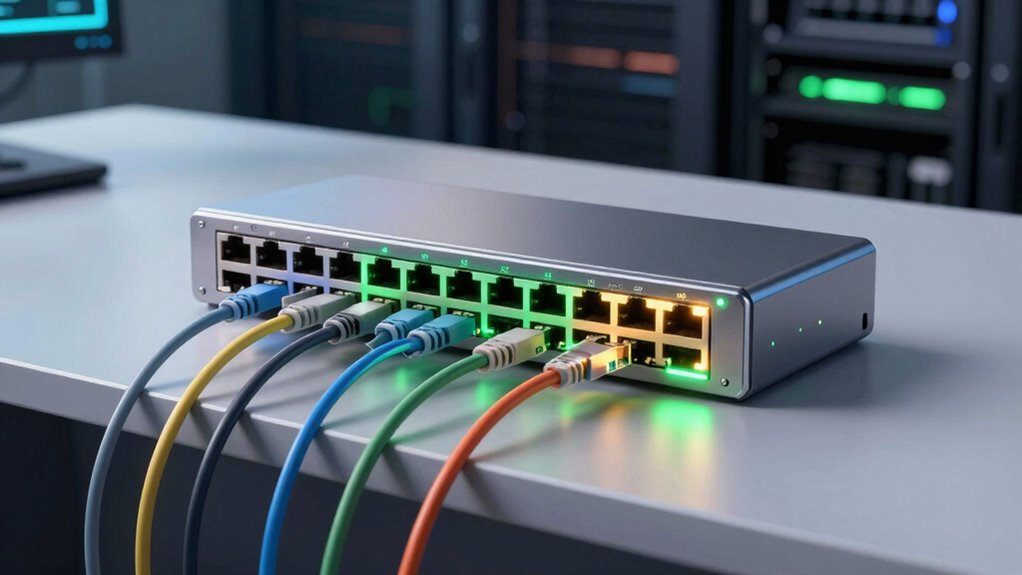

Searching for the best 24 port PoE switches in 2026? The NETGEAR GS724TP stands out as the top overall choice, offering a smart managed experience with excellent performance. For budget-conscious buyers, the YuanLey 28-Port Gigabit PoE Switch provides high power and flexibility at a lower price. Meanwhile, the TP-Link TL-SG1428PE offers a balance of manageability and affordability for small business setups. These switches differ mainly in management features, power capacity, and form factor, which affects their suitability for different environments. Keep reading for a detailed breakdown of each option to find the best fit for your network.

Get the latest gadgets delivered free with Prime
- Fast, free delivery on millions of items
- Prime Video, Amazon Music and more included
- Member-only deals all year
Complete the kit



Key Takeaways
- Managed switches like the NETGEAR GS724TP deliver advanced features but come at a higher cost compared to unmanaged options.
- Power budget (Wattage) is a key factor, especially for large deployments with many powered devices.
- Form factor choices (rackmount vs. desktop) influence installation flexibility and space considerations.
- Higher port counts often mean increased price and complexity; balance your needs with your budget.
- The best switch depends heavily on your network’s management needs and future scalability plans.
| NETGEAR 26-Port PoE Gigabit Ethernet Smart Managed Network Switch (GS724TP) |  | Best Overall for Versatile Managed Networks | Number of Ethernet Ports: 24 | Ethernet Speed: 1.0Gbps | PoE+ Ports: 24 | VIEW ON AMAZON | See Our Full Breakdown |
| MokerLink 24 Port PoE Switch with 2 Gigabit Uplink Ethernet Ports, 400W Power, Rackmount Unmanaged Plug and Play | 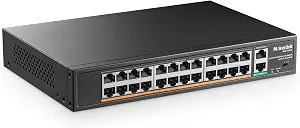 | Best for High-Power, Easy Deployment | Ports: 24 PoE, 2 gigabit uplink | Power: 400W | Standards: IEEE 802.3af/at | VIEW ON AMAZON | See Our Full Breakdown |
| HPE Networking Instant On Switch Series 1930 24-Port Gb Smart-Managed Layer 2+ Ethernet Switch with PoE |  | Best for Managed Security and Business-Grade Features | Ports: 24x 1G Ethernet, 4x SFP+ | PoE Power: 195W | Management: Mobile app, web interface | VIEW ON AMAZON | See Our Full Breakdown |
| Omada SL2428P 24-Port Fast Ethernet Smart Managed PoE Switch |  | Best for Cloud-Managed Flexibility and Security | Number of Ports: 24 PoE+, 4 non-PoE | PoE Power Budget: 250W | Management: Omada SDN, Cloud | VIEW ON AMAZON | See Our Full Breakdown |
| NETGEAR 24-Port PoE Gigabit Ethernet Unmanaged Network Switch (GS524PP) |  | Best for Simple, High-Speed PoE Networks | Ports: 24 x 1.0Gbps Ethernet | PoE: Yes, 24 PoE+ ports | PoE Power: 300W | VIEW ON AMAZON | See Our Full Breakdown |
| TP-Link 24 Port Gigabit Ethernet Switch Desktop/Rackmount Shielded Ports |  | Best Budget Unmanaged Switch for Small Networks | Ports: 24 RJ45 Gigabit ports | Form Factor: Desktop/Rackmount | Dimensions: 11.6″L x 7.1″W x 1.7″H | VIEW ON AMAZON | See Our Full Breakdown |
| Omada SG2428LP, 24 Port Gigabit PoE+ Managed Switch |  | Best Managed PoE+ Switch for Business Environments | Number of Ports: 24 | Port Type: Gigabit PoE+ | Management: Web GUI, CLI, SNMP, RMON | VIEW ON AMAZON | See Our Full Breakdown |
| 24-Port Unmanaged Gigabit PoE+ Switch with 2 Uplink Ports, 400W, VLAN Support, Desktop/Wall Mount |  | Best Compact PoE+ Switch with VLAN for Small to Medium Networks | Number of Ports: 24 PoE/PoE+ | Uplink Ports: 2 Gigabit | Power Output: 400W | VIEW ON AMAZON | See Our Full Breakdown |
| TRENDnet 24-Port Gigabit PoE+ Switch, TPE-TG240g |  | Best Rugged Professional-Grade PoE+ Switch | Device Interface: 24 x Gigabit PoE+ | PoE Power Budget: 370 W | Max PoE per Port: 30 W | VIEW ON AMAZON | See Our Full Breakdown |
| YuanLey 28-Port Gigabit PoE Switch with Uplink and SFP Ports, Rackmount, 400W Power, Unmanaged |  | Best High-Capacity Unmanaged PoE Switch with SFP Flexibility | Number of Ports: 28 | PoE Ports: 24 | Uplink Ports: 2 Gigabit | VIEW ON AMAZON | See Our Full Breakdown |
| Yuanley 24 Port PoE Switch with 2 Gigabit Ethernet Uplink Ports, Unmanaged 26 Port 802.3af/at 400W Power PoE+ Network Switch, Rackmount Plug and Play |  | Best for Industrial-Grade Power and Simplicity | Number of Ports: 26 | PoE Ports: 24 | Uplink Ports: 2 Gigabit Ethernet | VIEW ON AMAZON | See Our Full Breakdown |
| NETGEAR 24-Port PoE Gigabit Ethernet Unmanaged Network Switch (GS324P) |  | Best for High-Speed, Power-Hungry Networks | Number of Ports: 24 | PoE Ports: 16 | Total PoE Power Budget: 190W | VIEW ON AMAZON | See Our Full Breakdown |
| TP-Link TL-SG1428PE 24-Port Gigabit Easy Smart Managed PoE+ Switch |  | Best for Managed Networks with Flexible Security | Number of Ports: 24 PoE+ ports, 2 non-PoE | PoE Power Budget: 250W | PoE Power per Port: Up to 30W | VIEW ON AMAZON | See Our Full Breakdown |
| port poe switch | Number of Ports |
|---|---|
| NETGEAR 26-Port PoE Gigabit Et | — |
| MokerLink 24 Port PoE Switch w | — |
| HPE Networking Instant On Swit | — |
| Omada SL2428P 24-Port Fast Eth | 24 PoE+, 4 non-PoE |
| NETGEAR 24-Port PoE Gigabit Et | — |
| TP-Link 24 Port Gigabit Ethern | — |
| Omada SG2428LP | 24 |
| 24-Port Unmanaged Gigabit PoE+ | 24 PoE/PoE+ |
| TRENDnet 24-Port Gigabit PoE+ | — |
| YuanLey 28-Port Gigabit PoE Sw | 28 |
| Yuanley 24 Port PoE Switch wit | 26 |
| NETGEAR 24-Port PoE Gigabit Et | 24 |
| TP-Link TL-SG1428PE 24-Port Gi | 24 PoE+ ports, 2 non-PoE |
More Details on Our Top Picks
NETGEAR 26-Port PoE Gigabit Ethernet Smart Managed Network Switch (GS724TP)
This switch stands out for its combination of high-speed Gigabit Ethernet ports and comprehensive management features, making it ideal for small to medium-sized businesses that need control and flexibility. Unlike the unmanaged GS524PP, it offers remote management via NETGEAR Insight, which is a significant advantage for network administrators. The inclusion of 2 SFP ports adds fiber connectivity options, supporting future expansion. However, it lacks advanced security features and may be more complex for users unfamiliar with managed switches. Its compact metal design allows flexible placement, whether desktop or rack-mount. The 190W PoE budget supports most devices without overspending on power capacity.
Pros:- High-speed Gigabit Ethernet ports with PoE+ support
- Includes fiber optic SFP ports for network extension
- Remote management via NETGEAR Insight
Cons:- Limited security features and advanced management options
- Potential complexity may be overwhelming for non-technical users
Best for: IT professionals managing scalable, manageable networks in SMB environments.
Not ideal for: Small offices or home setups needing simple plug-and-play solutions without management complexity.
- Number of Ethernet Ports:24
- Ethernet Speed:1.0Gbps
- PoE+ Ports:24
- PoE Total Power Budget:190W
- SFP Ports:2
- Management:SNMP, NETGEAR Insight
- Mounting Options:Desktop or rack-mount
Our verdict“This pick is best suited for network professionals seeking a versatile, managed switch with fiber support.”
MokerLink 24 Port PoE Switch with 2 Gigabit Uplink Ethernet Ports, 400W Power, Rackmount Unmanaged Plug and Play
This unmanaged switch offers a remarkable 400W PoE power budget, making it suitable for deploying multiple high-power devices like wireless access points and surveillance cameras. It simplifies installation with a plug-and-play approach, unlike the managed options such as the HPE 1930, which require configuration. Its compact, durable metal housing and cooling fans support reliable operation in various environments. However, the switch does not support passive 24V PoE, limiting its compatibility with some devices. Additionally, it only provides 10/100 Mbps speeds on PoE ports, which could bottleneck high-bandwidth setups. The extend mode, while useful for long-range PoE, reduces port speed to 10Mbps, which might impact performance.
Pros:- High power output supports multiple PoE devices
- Plug-and-play setup for quick deployment
- Durable metal housing with good heat dissipation
Cons:- Limited to 10/100 Mbps speeds on PoE ports
- Does not support passive 24V PoE
Best for: Small businesses or security setups needing simple, high-power PoE deployment without management overhead.
Not ideal for: Organizations requiring gigabit speeds over PoE or advanced network management features.
- Ports:24 PoE, 2 gigabit uplink
- Power:400W
- Standards:IEEE 802.3af/at
- Max Power per Port:30W
- Extend Mode:Yes, up to 250 meters at 10Mbps
- Housing:Metal
- Size:Small and compact
Our verdict“Ideal for quick, high-power PoE setups in small-scale environments where managed switching isn’t necessary.”
HPE Networking Instant On Switch Series 1930 24-Port Gb Smart-Managed Layer 2+ Ethernet Switch with PoE
This switch provides a balanced mix of manageability and performance, especially for businesses that need security and network control. Its Layer 2+ capabilities and 4 SFP+ uplinks set it apart from simpler unmanaged switches like the GS524PP. The mobile app and web interface streamline setup, and PoE support on all ports with a 195W budget covers most small to medium deployments. However, the switch is limited to Layer 2+ features, lacking full Layer 3 routing, which could be a drawback for more advanced networks. It’s designed for rack or desktop placement, so it might not fit in all environments, especially those preferring compact or wall-mounted solutions.
Pros:- Easy setup via mobile app or web interface
- Supports PoE on all 24 ports with a 195W budget
- Includes 4 SFP+ uplink ports for fiber connectivity
Cons:- Limited to Layer 2+ features, no Layer 3 routing
- No advanced security features detailed
Best for: Small to medium businesses needing manageable, secure, and high-performance PoE switches.
Not ideal for: Home users or very small offices that don’t require management or security features.
- Ports:24x 1G Ethernet, 4x SFP+
- PoE Power:195W
- Management:Mobile app, web interface
- Form Factor:Rack-mount or desktop
Our verdict“This switch is best for businesses that require manageable, secure, and reliable PoE networking with high performance.”
Omada SL2428P 24-Port Fast Ethernet Smart Managed PoE Switch
This switch offers a flexible 28-port configuration, combining 24 PoE+ ports with 4 non-PoE gigabit ports, and supports Omada SDN for centralized cloud management. Compared to the unmanaged GS524PP, it provides advanced control and security features, making it suitable for network environments that need both management and PoE support. The 250W PoE budget comfortably powers multiple devices simultaneously. However, the switch is limited to 10/100 Mbps speeds on non-Gigabit ports, which could be a bottleneck for high-bandwidth applications. Additionally, SDN features require compatible devices and setup complexity might be a hurdle for smaller operations.
Pros:- Flexible port configuration with PoE+ support
- Cloud management via Omada SDN
- Supports advanced security features
Cons:- Limited to 10/100 Mbps on non-Gigabit ports
- SDN features require compatible devices and setup
Best for: Managed network setups in small to medium enterprises requiring cloud control and security.
Not ideal for: Home users or small offices with minimal management needs and no SDN infrastructure.
- Number of Ports:24 PoE+, 4 non-PoE
- PoE Power Budget:250W
- Management:Omada SDN, Cloud
- Standards:802.3af/at
- Speed:10/100 Mbps
- SFP Slots:2
Our verdict“Ideal for organizations seeking scalable, managed, and cloud-controlled PoE solutions with security focus.”
NETGEAR 24-Port PoE Gigabit Ethernet Unmanaged Network Switch (GS524PP)
This unmanaged switch focuses on plug-and-play ease, offering 24 Gigabit Ethernet ports with PoE+ support and a 300W power budget. It excels in environments where straightforward connectivity is needed without management complexity, such as retail or small offices. Compared to managed options like the HPE 1930, it lacks control and security features but compensates with simplicity and silent operation, thanks to its fanless design. Its energy-efficient operation and versatile mounting options add to its appeal. However, the absence of management features means it can’t be integrated into complex network policies or security setups, limiting its use to basic deployments.
Pros:- High-speed 24 Gigabit ports with PoE+ support
- Plug-and-play installation with no setup required
- Energy-efficient, fanless, and silent operation
Cons:- Lacks management features for advanced control
- Limited to unmanaged, basic network environments
Best for: Small businesses or retail outlets needing high-speed, managed PoE without configuration hassle.
Not ideal for: Environments requiring network management, security, or advanced configurations.
- Ports:24 x 1.0Gbps Ethernet
- PoE:Yes, 24 PoE+ ports
- PoE Power:300W
- Design:Fanless, compact metal
- Operation:Silent, energy-efficient
Our verdict“Best suited for users prioritizing quick, reliable Gigabit PoE connectivity over management capabilities.”
TP-Link 24 Port Gigabit Ethernet Switch Desktop/Rackmount Shielded Ports
This model stands out for its straightforward, plug-and-play setup and durable metal casing, making it highly suitable for small to medium networks that require reliable connectivity without extensive management. Compared to the Omada SG2428LP, it lacks PoE support and advanced management features, but it compensates with a more affordable price and simplicity. Its energy-efficient design helps reduce power bills, while the fanless operation keeps noise levels minimal. The tradeoff is that it offers no PoE support, so it’s not suitable for powering network devices directly. Ideal for users who need a dependable, unmanaged switch with no fuss.
Pros:- Plug-and-play setup simplifies deployment
- Energy-efficient technology reduces power consumption
- Solid metal casing offers durability and EMI protection
- Fanless design ensures silent operation
Cons:- Limited to unmanaged switch functionality
- No PoE support for powering devices
Best for: Small businesses or home users who want an easy-to-install switch without PoE features.
Not ideal for: Environments requiring PoE, advanced management, or network segmentation—those needing more control should look elsewhere.
- Ports:24 RJ45 Gigabit ports
- Form Factor:Desktop/Rackmount
- Dimensions:11.6″L x 7.1″W x 1.7″H
- Warranty:3 years
Our verdict“This switch is best for small networks needing basic, reliable, and silent connectivity without PoE or management features.”
Omada SG2428LP, 24 Port Gigabit PoE+ Managed Switch
This switch excels where network control and security are priorities, supporting remote management via Omada Cloud, SNMP, and CLI. It’s better suited for office, healthcare, or more complex setups compared to the unmanaged TP-Link. The fanless design and 5-year warranty add to its appeal for long-term use. However, it doesn’t specify its PoE power budget, which could be a concern for users needing to power many high-wattage devices simultaneously. Its advanced features require some network expertise, making it less ideal for beginners. It makes the most sense for tech-savvy administrators seeking comprehensive control and security in a PoE environment.
Pros:- Supports remote management via Omada Cloud
- Fanless design keeps operation quiet
- Includes failover connectivity for reliability
- Long 5-year warranty provides peace of mind
Cons:- Lacks specific PoE power budget details
- Requires network expertise for configuration
Best for: IT professionals managing business or healthcare networks needing advanced features.
Not ideal for: Home users or small setups that don’t require management features or extensive security options.
- Number of Ports:24
- Port Type:Gigabit PoE+
- Management:Web GUI, CLI, SNMP, RMON
- Cooling:Fanless
- Warranty:5 years
Our verdict“This switch is ideal for professional environments where network control and security outweigh plug-and-play simplicity.”
24-Port Unmanaged Gigabit PoE+ Switch with 2 Uplink Ports, 400W, VLAN Support, Desktop/Wall Mount
This switch offers a robust 400W PoE power budget and VLAN support, making it well-suited for expanding network device deployment like cameras and access points. It’s more feature-rich than the unmanaged TP-Link but less flexible than the Omada SG2428LP’s management options. Its plug-and-play approach simplifies installation, yet the lack of managed features limits fine-tuning and security controls. The 100Mbps speed per PoE port might be restrictive for bandwidth-intensive devices. Its compact design with wall-mount capability makes it ideal for space-limited environments. This pick makes the most sense for small to medium networks needing PoE and VLAN segmentation without complex management.
Pros:- High 400W PoE budget supports multiple devices
- VLAN support enhances security and network segmentation
- Plug-and-play setup simplifies installation
- Compact with wall-mount option for space efficiency
Cons:- Limited to 100Mbps on PoE ports
- No management features for advanced control
Best for: Small to medium-sized businesses or security installers who want easy PoE expansion with VLAN support.
Not ideal for: Large enterprise deployments or environments needing detailed network management and higher PoE speeds.
- Number of Ports:24 PoE/PoE+
- Uplink Ports:2 Gigabit
- Power Output:400W
- Mounting Options:Desktop/Wall
Our verdict“This switch is ideal for users needing simple PoE expansion with VLAN support in space-constrained environments.”
TRENDnet 24-Port Gigabit PoE+ Switch, TPE-TG240g
This switch stands out for its high 370W power budget and long-range PoE capabilities, supporting device placement up to 250 meters on some ports—ideal for professional or outdoor applications. Its rugged metal enclosure and port isolation make it suitable for demanding environments like government facilities or outdoor installations. Compared to YuanLey’s model, it emphasizes long-range PoE but has a slightly lower total power budget. Its technical complexity and lack of wireless features make it less suitable for typical office setups. This option is best for professionals needing rugged, long-distance PoE deployment.
Pros:- High 370W PoE power budget supports multiple high-wattage devices
- Long-range PoE up to 250 meters extends device placement options
- Rugged metal build for durability in tough environments
- Supports Jumbo Frames for large data transfers
Cons:- Limited to U.S. and Canada for lifetime protection
- Requires technical knowledge for setup
Best for: Government, industrial, or outdoor installations requiring long-range PoE and rugged build quality.
Not ideal for: Small office or home networks where simplicity and Wi-Fi integration are priorities.
- Device Interface:24 x Gigabit PoE+
- PoE Power Budget:370 W
- Max PoE per Port:30 W
- Switch Capacity:48 Gbps
- Jumbo Frame Support:10 Kb
- Operating Temperature:0 – 45 °C
Our verdict“This switch is best suited for professional outdoor or long-distance PoE applications requiring rugged hardware.”
YuanLey 28-Port Gigabit PoE Switch with Uplink and SFP Ports, Rackmount, 400W Power, Unmanaged
This switch offers a substantial 400W PoE budget across 24 PoE+ ports, plus 2 uplink Gigabit and 2 SFP ports for versatile network expansion. It’s more feature-rich than the TP-Link unmanaged switch, especially with its inclusion of SFP ports for fiber connectivity. The heavy-duty metal housing and lightning protection make it suitable for robust, high-demand environments. Yet, its unmanaged status limits control, and its size may require dedicated space. Compared to the unmanaged TP-Link, it provides more expansion options but demands more technical knowledge for setup. This makes the most sense for large-scale, high-capacity network deployments that require fiber connectivity and PoE power.
Pros:- High 400W PoE power budget supports many devices
- Includes uplink and SFP ports for flexible network expansion
- Heavy-duty metal housing with lightning protection
- Plug-and-play setup simplifies installation
Cons:- Unmanaged operation limits network control
- Bulkier size requires dedicated space
Best for: Large enterprises or integrators needing high PoE capacity with fiber uplink options and unmanaged simplicity.
Not ideal for: Small offices or home users seeking plug-and-play ease without advanced management or fiber needs.
- Number of Ports:28
- PoE Ports:24
- Uplink Ports:2 Gigabit
- SFP Ports:2
- Power Budget:400W
Our verdict“This switch is ideal for high-capacity, fiber-ready networks where unmanaged simplicity and power are priorities.”
Yuanley 24 Port PoE Switch with 2 Gigabit Ethernet Uplink Ports, Unmanaged 26 Port 802.3af/at 400W Power PoE+ Network Switch, Rackmount Plug and Play
This Yuanley switch stands out for its high power budget of 400W, making it ideal for larger PoE deployments like multiple IP cameras or wireless access points. Compared to the NETGEAR GS324P, which offers a slightly lower PoE budget but more gigabit ports, Yuanley prioritizes raw power and durability, especially with its metal construction suited for harsher environments. The tradeoff is that it does not support gigabit speeds on PoE ports—limiting data transfer rates to 10/100 Mbps—so it’s less suitable where high throughput is needed for connected devices. Its plug-and-play ease and VLAN support make it accessible for unmanaged network setups, but lack of advanced management features means less control over traffic prioritization.
Pros:- High 400W power budget supports many PoE devices simultaneously
- Durable metal construction for industrial environments
- Simple plug-and-play setup with VLAN support
Cons:- Limited to 10/100 Mbps speeds on PoE ports
- Lacks managed features for detailed network control
- No passive PoE support
Best for: Buyers needing a rugged, high-power PoE switch for industrial or security applications with straightforward setup.
Not ideal for: Small office networks requiring gigabit speeds on all ports or advanced network management features.
- Number of Ports:26
- PoE Ports:24
- Uplink Ports:2 Gigabit Ethernet
- Power Budget:400W
- Supported Standards:IEEE 802.3af/at
- Maximum Power per Port:30W
- Transmission Range:250m with VLAN
- Data Transfer Rate:1000 Mbps
- Material:Metal
Our verdict“This switch is ideal for users prioritizing power and durability over gigabit speeds and advanced management.”
NETGEAR 24-Port PoE Gigabit Ethernet Unmanaged Network Switch (GS324P)
This NETGEAR GS324P is a solid choice for those who need gigabit speeds across all ports combined with a decent PoE power budget of 190W. While it doesn’t match the Yuanley’s higher power capacity, it excels in delivering fast, reliable data transfer with 24 Gigabit ports, making it suitable for media-heavy or bandwidth-critical environments. Compared to the TP-Link TL-SG1428PE, which offers managed features, the NETGEAR’s unmanaged setup simplifies deployment but limits network control. It also benefits from energy-efficient, fanless operation, reducing noise and maintenance. However, its lower PoE budget constrains the number or power of connected devices—limiting use cases involving high-wattage IP cameras or access points.
Pros:- 24 Gigabit ports for fast data transfer
- 16 PoE+ ports with a 190W budget for multiple devices
- Fanless, silent, energy-efficient design
Cons:- Limited PoE power budget for high-wattage devices
- Unmanaged switch lacks advanced configuration options
- No stacking or advanced network features
Best for: Buyers needing high-speed connectivity and reliable power for a sizable number of PoE devices in a small-to-medium business setting.
Not ideal for: Environments requiring detailed network management or supporting very high wattage PoE devices.
- Number of Ports:24
- PoE Ports:16
- Total PoE Power Budget:190W
- Ethernet Speed:Gigabit (1.0Gbps)
- Design:Fanless, metal enclosure
- Mounting Options:Desktop or rack-mount
Our verdict“This model makes the most sense for users prioritizing gigabit speeds and straightforward deployment over advanced management or higher PoE capacity.”
TP-Link TL-SG1428PE 24-Port Gigabit Easy Smart Managed PoE+ Switch
The TP-Link TL-SG1428PE offers a balanced mix of high PoE power and management features, supporting up to 250W across 24 ports. Compared with unmanaged options like the NETGEAR GS324P, it grants more control over traffic and security through its web interface, making it suitable for small to medium businesses with evolving network needs. It’s also easier to configure for PoE auto recovery, ensuring devices reconnect after power interruptions. The main tradeoff is the need for initial setup and configuration, which could be a barrier for users seeking plug-and-play simplicity. Its 3-year warranty adds peace of mind, but it lacks stacking capabilities, which limits expansion options for larger setups.
Pros:- Supports high PoE power output for various devices
- Web-based management simplifies setup and control
- Network segmentation enhances security
Cons:- Requires configuration for PoE auto recovery
- Limited to 3-year warranty
- No stacking support for larger network expansion
Best for: Buyers seeking a manageable, secure network with high PoE capacity and future scalability in mind.
Not ideal for: Small networks that prefer simple, unmanaged switches or users who want plug-and-play setup without configuration.
- Number of Ports:24 PoE+ ports, 2 non-PoE
- PoE Power Budget:250W
- PoE Power per Port:Up to 30W
- Management:Web-based interface
- Warranty:3 years
- Additional Features:Smart configuration utility
Our verdict“This switch is well-suited for users needing a manageable, secure network with moderate PoE power and planned growth.”

How We Picked
To evaluate the best 24 port PoE switches, I prioritized performance, build quality, and feature set. Managed switches with advanced configuration options and higher power budgets earned higher scores, as they suit more complex networks. Unmanaged models were assessed for ease of use and value, especially for smaller setups. Power capacity, uplink options, and expandability also played key roles, ensuring each switch could handle real-world workloads. The ranking reflects a careful balance between affordability, versatility, and feature richness, aiming to guide different types of buyers effectively.Factors to Consider When Choosing 24 Port Poe Switches
Choosing the right 24 port PoE switch involves understanding several critical factors. Beyond basic port count, consider how management features, power capacity, and installation options align with your current and future network needs. Making an informed decision requires balancing these aspects against your budget and technical skills. Here are the main factors to keep in mind:Management Features
Managed switches offer advanced control over network traffic, VLAN setup, and security features, making them ideal for larger or more complex networks. Unmanaged switches are simpler, plug-and-play devices suited for small businesses or home use. Decide based on whether you need granular control or prefer straightforward operation, remembering that managed options typically cost more and require more configuration knowledge.
Power Budget and Uplink Options
The total PoE power budget determines how many devices can be powered simultaneously without overloading. Larger deployments require switches with higher wattage. Uplink ports, especially if fiber or higher-speed options are needed, also influence future scalability and performance. Consider your current device count and potential expansion when evaluating these features.
Form Factor and Installation
Rackmount models save space in professional environments, but desktop or wall-mount options offer greater flexibility for smaller or temporary setups. Think about your available space and how easy it is to access or move the switch. This choice impacts convenience and long-term maintenance.
Build Quality and Reliability
Look for switches with sturdy construction and good ventilation, especially if they’ll operate continuously in a busy environment. Reliable hardware prevents network downtime and reduces maintenance costs. Cheaper models may cut corners on materials, so weigh cost against durability.
Future Scalability and Compatibility
Assess whether a switch’s features will support your network as it grows. Compatibility with existing equipment, support for newer standards like 802.3at/af or 802.3bt, and SFP uplink support can extend the lifespan of your investment. Planning ahead helps avoid costly upgrades down the line.
Frequently Asked Questions
How do I determine the right power budget for my PoE switch?
To choose the appropriate power budget, start by calculating the total power consumption of all your PoE devices, including IP cameras, wireless access points, and VoIP phones. Add a buffer for future expansion, typically 20-30%. Selecting a switch with a higher wattage capacity ensures you won’t run into power limitations as your network grows. Always verify the maximum power per port to match your device requirements and avoid underpowering or overloading the switch.
Should I prioritize managed or unmanaged switches for my setup?
The decision hinges on your network complexity and control needs. Managed switches provide detailed configuration options, VLAN support, and enhanced security, making them suitable for business environments or networks with multiple subnets. Unmanaged switches are simpler and faster to deploy, ideal for small offices or home use where advanced control isn’t necessary. Consider your technical skills and future growth plans before choosing.
Is rackmount essential, or can I use desktop models?
Rackmount switches are designed for professional installations, offering better cooling, organization, and space efficiency in server rooms or equipment racks. Desktop models are portable, easier to set up in small spaces, and often less expensive. If your deployment is temporary or space is limited, a desktop model might suffice, but for long-term or high-density setups, rackmount options tend to be more reliable and scalable.
How important is the brand when choosing a PoE switch?
Brand reputation often correlates with build quality, reliability, and support services. Leading brands like NETGEAR, TP-Link, and HPE invest in R&D and quality assurance, which can translate into fewer failures and better customer support. However, lesser-known brands might offer competitive prices but could lack long-term firmware updates or robust warranties. Weigh brand reputation against your budget and support needs.
Can I use a 24 port PoE switch for both office and outdoor environments?
While many 24 port PoE switches are versatile, outdoor or harsh environments require switches with specific ingress protection (IP) ratings and ruggedized construction. Check if the switch is rated for outdoor use or has weatherproof enclosures. For indoor use, standard models suffice, but outdoor deployments demand more durable hardware to withstand elements like dust, moisture, and temperature fluctuations.
Conclusion
For most small to medium-sized networks, the NETGEAR GS724TP offers the best overall experience with a balance of management features, power capacity, and reliability. Budget-conscious buyers will appreciate the value in the YuanLey 28-Port Gigabit PoE Switch, especially if they need high power and expandability without breaking the bank. Those seeking premium features and future scalability should consider the TP-Link TL-SG1428PE or similar managed switches. Beginners or smaller setups benefit from unmanaged or simpler models, while larger enterprises should prioritize managed, rackmount options with higher wattage. Matching your specific needs with these insights will ensure a network that’s both robust and future-proof.
Fall Picks
fall essentials
As an affiliate, we earn on qualifying purchases.