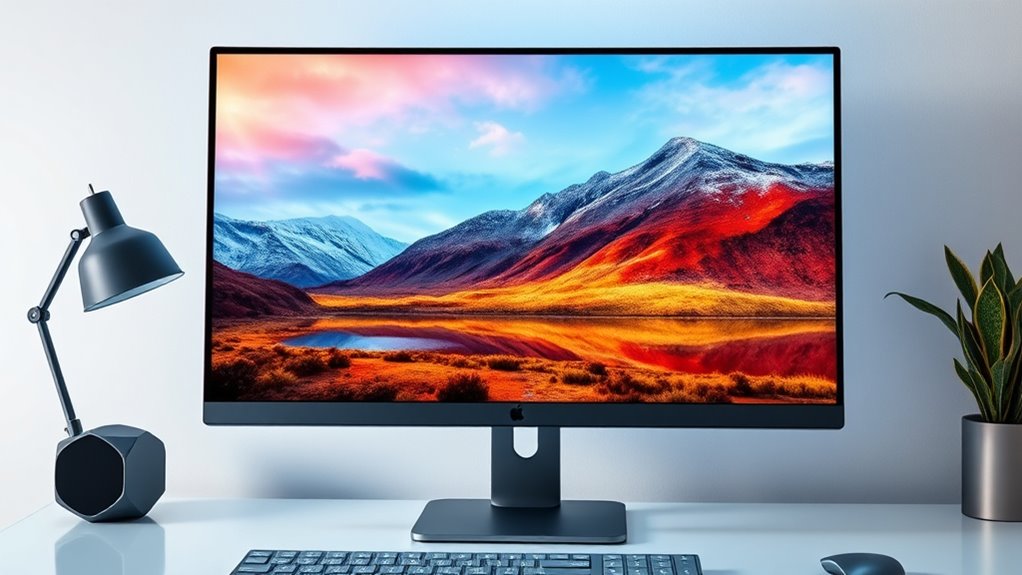
Finding the right 4k monitor for Mac can be challenging with so many options available. The best choices deliver crisp, vibrant visuals, excellent color accuracy, and seamless compatibility with macOS. The BenQ MA320UP stands out as the overall best for its large display and adjustable stand, while the ASUS ProArt PA279CRV excels in color accuracy for professional workflows. Many monitors in this category face tradeoffs like higher price versus better features, or size versus compatibility. Continue reading for a detailed breakdown to find the perfect fit for your Mac setup.

Get the latest gadgets delivered free with Prime
- Fast, free delivery on millions of items
- Prime Video, Amazon Music and more included
- Member-only deals all year
Complete the kit



Key Takeaways
- Size and resolution are essential; larger screens with 4k resolution enhance productivity but require more desk space.
- USB-C and Thunderbolt ports are vital for seamless Mac integration and minimal cable clutter.
- Color accuracy and HDR support vary significantly, impacting creative work quality.
- Refresh rates above 60Hz are beneficial for smooth visuals, especially for video editing or gaming.
- Build quality and ergonomic adjustments, like height and tilt, improve comfort during long work sessions.
| BenQ MA320UP 32” 4K Monitor for MacBook – USB-C, P3 Color, Adjustable Stand |  | Best Overall for Mac Professionals | Display Size: 32 inches | Resolution: 3840×2160 (4K) | Color Gamut: P3 | VIEW ON AMAZON | See Our Full Breakdown |
| LG 32UR500K-B 32-inch 4K UHD HDR Monitor with Built-in Speakers |  | Best for Entertainment and All-Around Use | Display Size: 32 inches | Resolution: 3840 x 2160 (4K UHD) | HDR: HDR10 | VIEW ON AMAZON | See Our Full Breakdown |
| Dell 32 Monitor S3225QS 4K UHD VA, 120Hz, FreeSync Premium, Eye Comfort |  | Best for Smooth Visuals and Eye Comfort | Display Size: 32 inches | Resolution: 3840 x 2160 (4K UHD) | Refresh Rate: 120Hz | VIEW ON AMAZON | See Our Full Breakdown |
| BenQ MA270U 27″ 4K Monitor for MacBook with USB-C, P3 Color Gamut, Adjustable Stand | 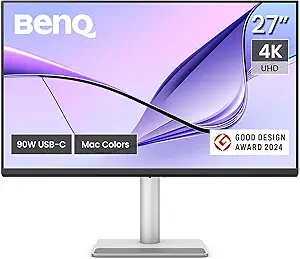 | Best Compact for Mac Creatives | Screen Size: 27 inches | Resolution: 3840×2160 (4K) | Color Gamut: P3 | VIEW ON AMAZON | See Our Full Breakdown |
| LG 32UP83AK-W 32-inch 4K UHD IPS Computer Monitor with HDR10, USB-C, Adjustable Stand |  | Best for Versatile Professional Use | Display Size: 32 inches | Resolution: 3840 x 2160 (4K UHD) | HDR: HDR10 | VIEW ON AMAZON | See Our Full Breakdown |
| Dell 27 Monitor S2725QC 4K UHD IPS with 120Hz Refresh Rate |  | Best Overall for Versatile Performance | Display Size: 27 inches | Resolution: 4K UHD | Panel Type: IPS | VIEW ON AMAZON | See Our Full Breakdown |
| Sceptre Prime 4K IPS 27″ Monitor with HDMI, DisplayPort, Built-in Speakers |  | Best for Gaming and Professional Use on a Budget | Screen Size: 27 inches | Resolution: 3840 x 2160 (4K UHD) | Refresh Rate: 70+Hz | VIEW ON AMAZON | See Our Full Breakdown |
| ViewSonic VX3276-4K-MHD 32 Inch 4K UHD Monitor with HDR10 and HDMI |  | Best for Large-Size Immersive Content and Creative Work | Display Size: 32 inches | Resolution: 3840 x 2160 (4K UHD) | HDR: HDR10 | VIEW ON AMAZON | See Our Full Breakdown |
| LG 27US500-W Ultrafine Monitor 27-Inch 4K UHD HDR10 IPS Borderless Design |  | Best for Creative Professionals and Precise Color Work | Display Size: 27 inches | Resolution: 3840×2160 (4K UHD) | Color Gamut: 90% DCI-P3 | VIEW ON AMAZON | See Our Full Breakdown |
| Dell 27 Monitor S2725QS 4K UHD IPS, 120Hz, FreeSync Premium |  | Best for Smooth Gaming and Versatile Work | Display Size: 27 inches | Resolution: 3840 x 2160 (4K UHD) | Refresh Rate: 120Hz | VIEW ON AMAZON | See Our Full Breakdown |
| ASUS ProArt PA279CRV 27-Inch 4K UHD HDR Professional Monitor for Mac |  | Best Overall for Professionals Needing Accurate Color | Display Size: 27 inches | Resolution: 3840 x 2160 (4K UHD) | Display Technology: LED LCD | VIEW ON AMAZON | See Our Full Breakdown |
| LG 27UP650K-W 27-inch 4K UHD IPS Computer Monitor |  | Best for Vivid Visuals and Versatile Use | Display Size: 27 inches | Resolution: 3840 x 2160 (4K UHD) | Panel Type: IPS | VIEW ON AMAZON | See Our Full Breakdown |
| LG 27UP850K-W 27-inch 4K UHD IPS Monitor with HDR 400 and USB-C |  | Best for Versatile Professional Use and Multitasking | Display Size: 27 inches | Resolution: 3840 x 2160 (4K UHD) | Color Gamut: 95% DCI-P3 | VIEW ON AMAZON | See Our Full Breakdown |
| 4k monitors for mac | Resolution | Display Size | Connectivity | Color Gamut |
|---|---|---|---|---|
| BenQ MA320UP 32” 4K Monitor fo | 3840×2160 (4K) | 32 inches | 2 HDMI, 2 USB-C | P3 |
| LG 32UR500K-B 32-inch 4K UHD H | 3840 x 2160 (4K UHD) | 32 inches | HDMI x2, DisplayPort | 90% DCI-P3 |
| Dell 32 Monitor S3225QS 4K UHD | 3840 x 2160 (4K UHD) | 32 inches | DisplayPort, HDMI | — |
| BenQ MA270U 27" 4K Monitor for | 3840×2160 (4K) | — | 2 HDMI, 2 USB-C | P3 |
| LG 32UP83AK-W 32-inch 4K UHD I | 3840 x 2160 (4K UHD) | 32 inches | HDMI, DisplayPort, USB-C (60W PD) | 99% sRGB, 95% DCI-P3 |
| Dell 27 Monitor S2725QC 4K UHD | 4K UHD | 27 inches | USB-C (up to 65W) | — |
| Sceptre Prime 4K IPS 27" Monit | 3840 x 2160 (4K UHD) | — | — | — |
| ViewSonic VX3276-4K-MHD 32 Inc | 3840 x 2160 (4K UHD) | 32 inches | HDMI, DisplayPort, Mini DisplayPort | — |
| LG 27US500-W Ultrafine Monitor | 3840×2160 (4K UHD) | 27 inches | — | 90% DCI-P3 |
| Dell 27 Monitor S2725QS 4K UHD | 3840 x 2160 (4K UHD) | 27 inches | DisplayPort, HDMI | — |
| ASUS ProArt PA279CRV 27-Inch 4 | 3840 x 2160 (4K UHD) | 27 inches | — | 99% DCI-P3, 99% Adobe RGB |
| LG 27UP650K-W 27-inch 4K UHD I | 3840 x 2160 (4K UHD) | 27 inches | — | 95% DCI-P3 |
| LG 27UP850K-W 27-inch 4K UHD I | 3840 x 2160 (4K UHD) | 27 inches | USB-C, HDMI, DisplayPort, USB 3.0 | 95% DCI-P3 |
More Details on Our Top Picks
BenQ MA320UP 32” 4K Monitor for MacBook – USB-C, P3 Color, Adjustable Stand
This BenQ model stands out for its vibrant P3 wide color gamut, specifically calibrated for MacBook users who need true-to-life visuals. Compared with the LG 32UP83AK-W, it offers more precise color calibration tailored for creative workflows. The single USB-C port simplifies connectivity by delivering display signal and 90W power, reducing cable clutter—ideal for MacBook users. However, its focus on MacBook compatibility limits its versatility with other devices, and it lacks built-in speakers. The adjustable stand enhances ergonomic comfort, making it suitable for long work sessions. The high price might be a concern for budget-conscious buyers, but the premium calibration and seamless MacBook integration justify the cost for professionals.
Pros:- Vibrant P3 wide color gamut calibrated for MacBook accuracy
- Single USB-C connection for display and 90W power delivery
- Adjustable stand for ergonomic comfort
- MacBook control integration for brightness and volume
Cons:- Limited compatibility outside MacBook ecosystem
- No mention of built-in speakers
- Potentially high price for casual users
Best for: MacBook users who prioritize accurate color and streamlined connectivity for creative or professional work
Not ideal for: Users seeking a universal monitor for multiple platforms or those on a tight budget, as it offers limited compatibility and may be costly
- Display Size:32 inches
- Resolution:3840×2160 (4K)
- Color Gamut:P3
- Connectivity:2 HDMI, 2 USB-C
- Power Delivery:90W
- Stand Adjustments:Height, tilt, swivel, pivot
Our verdict“This monitor is perfect for MacBook users needing precise color and minimal cable clutter, despite its higher price and limited device compatibility.”
LG 32UR500K-B 32-inch 4K UHD HDR Monitor with Built-in Speakers
This LG monitor offers a vivid 4K UHD display with HDR10 support and a wide DCI-P3 color gamut, making it ideal for entertainment and general productivity. Unlike the Dell S3225QS, it includes built-in stereo speakers, which add convenience for multimedia use. The adjustable ergonomic stand helps achieve comfortable viewing angles during long sessions. While it provides multiple connectivity options like HDMI and DisplayPort, it lacks dedicated USB ports, which may limit peripheral connections. The 60Hz refresh rate makes it less suited for high-end gaming or fast-paced editing but provides smooth visuals for everyday tasks. Its vibrant display and built-in audio make it a versatile choice for users seeking a well-rounded monitor for both work and entertainment.
Pros:- Vivid 4K UHD image quality with HDR10 support
- Built-in stereo speakers for multimedia
- Fully adjustable ergonomic stand
- Multiple connectivity options including USB-C with 60W PD
Cons:- Limited to 60Hz refresh rate, not ideal for competitive gaming
- High power consumption typical of 4K displays
- Lack of dedicated USB ports for peripherals
Best for: Content creators, casual gamers, and home office users who want a versatile 4K display with decent audio
Not ideal for: High-end gamers or professionals requiring ultra-fast response times or extensive USB connectivity
- Display Size:32 inches
- Resolution:3840 x 2160 (4K UHD)
- HDR:HDR10
- Color Gamut:90% DCI-P3
- Connectivity:HDMI x2, DisplayPort
- Stand Adjustments:Tilt, Height, Pivot
Our verdict“A solid all-around option for multimedia and productivity, especially for those valuing built-in audio and wide color range over gaming performance.”
Dell 32 Monitor S3225QS 4K UHD VA, 120Hz, FreeSync Premium, Eye Comfort
The Dell S3225QS features a 32-inch VA panel with a high contrast ratio, delivering deep blacks and vibrant colors, especially compared to IPS panels like the LG 32UP83AK-W. Its 120Hz refresh rate and FreeSync Premium make it suitable for smooth gaming and fast-paced content, a rarity in 4K monitors. Eye comfort features such as blue light reduction and flicker-free technology are ideal for prolonged use. However, its limited connectivity options—no USB-C—may require additional adapters for Mac users, and the absence of built-in speakers might be a downside for multimedia tasks. The ultra-thin bezel design maximizes screen real estate, making it a sleek addition to any workspace, especially for gamers and cinephiles.
Pros:- High contrast VA panel with deep blacks
- 120Hz refresh rate for smooth motion
- FreeSync Premium support for tear-free gaming
- Blue light reduction and flicker-free technology for eye comfort
Cons:- No USB-C port, limiting direct MacBook connection
- No built-in speakers, requiring external audio
- Higher price point due to advanced features
Best for: Gamers and multimedia enthusiasts who need smooth visuals and eye comfort in a 4K monitor
Not ideal for: Mac users needing seamless USB-C connectivity or those with a tight budget, as it may require extra accessories and is generally pricier
- Display Size:32 inches
- Resolution:3840 x 2160 (4K UHD)
- Refresh Rate:120Hz
- Response Time:0.03ms
- Contrast Ratio:1500:1
- Connectivity:DisplayPort, HDMI
Our verdict“Ideal for gamers or multimedia users prioritizing smooth visuals and eye comfort over multi-device compatibility or built-in audio.”
BenQ MA270U 27″ 4K Monitor for MacBook with USB-C, P3 Color Gamut, Adjustable Stand
The BenQ MA270U offers a 27-inch 4K display calibrated for MacBook with vibrant P3 color coverage, making it suitable for creative professionals. Its single USB-C port delivers both display and 90W power, reducing cable clutter, and the integrated MacBook controls streamline workflow. Compared with the larger MA320UP, it saves space while maintaining high-quality visuals. The adjustable stand adds ergonomic flexibility, but its smaller size may not satisfy users needing expansive screen real estate. Its reliance on USB-C for full functionality means it’s less flexible with other devices. The price is reasonable for a professional-grade monitor, but the limited size makes it less ideal for multi-window workflows or extensive multitasking.
Pros:- Vibrant P3 wide color gamut calibrated for MacBook
- Single USB-C connection with 90W power support
- Adjustable stand for ergonomic comfort
- Integrated MacBook controls for ease of use
Cons:- Limited size for extensive multitasking
- Requires USB-C port for full functionality
- No built-in speakers
Best for: MacBook owners seeking a compact, high-quality display for creative work or detailed editing
Not ideal for: Users needing a large screen for multitasking or those with devices lacking USB-C capabilities
- Screen Size:27 inches
- Resolution:3840×2160 (4K)
- Color Gamut:P3
- Connectivity:2 HDMI, 2 USB-C
- Power Delivery:90W
- Stand Adjustments:Height, tilt, swivel, pivot
Our verdict“A compact yet powerful choice for Mac creatives needing color accuracy and minimal cable clutter in a smaller workspace.”
LG 32UP83AK-W 32-inch 4K UHD IPS Computer Monitor with HDR10, USB-C, Adjustable Stand
The LG 32UP83AK-W combines a 32-inch IPS panel with HDR10 support, providing wide viewing angles and vibrant color reproduction suitable for content creation and professional work. Its USB-C port supports 60W power delivery, simplifying cable management for MacBook users. The fully adjustable stand enhances comfort, and the multiple input options support diverse setups. Compared to the Dell S3225QS, it offers a higher refresh rate of 60Hz, which is sufficient for most tasks but less ideal for high-speed gaming. The lack of built-in speakers might be a drawback for some, but overall, this monitor balances image quality, connectivity, and ergonomic features well for professional environments.
Pros:- IPS panel with vibrant 4K UHD and HDR10 support
- USB-C with 60W power delivery reduces clutter
- Fully adjustable ergonomic stand
- Multiple input options including HDMI and DisplayPort
Cons:- Limited to 60Hz refresh rate, not suited for fast gaming
- No high-end built-in speakers
- Price details unspecified, potential cost for premium features
Best for: Professionals and content creators who prioritize color accuracy, good ergonomics, and flexible connectivity
Not ideal for: Gamers or users needing ultra-fast response times or high refresh rates for competitive gaming
- Display Size:32 inches
- Resolution:3840 x 2160 (4K UHD)
- HDR:HDR10
- Color Gamut:99% sRGB, 95% DCI-P3
- Connectivity:HDMI, DisplayPort, USB-C (60W PD)
- Stand Adjustments:Tilt, Height, Pivot
Our verdict“A well-rounded monitor ideal for professionals seeking color fidelity and flexible setup options with moderate gaming capabilities.”
Dell 27 Monitor S2725QC 4K UHD IPS with 120Hz Refresh Rate
This Dell model stands out for combining stunning 4K visuals with a smooth 120Hz refresh rate, making it suitable for both detailed work and casual gaming. Its 99% sRGB coverage ensures vibrant, accurate colors that satisfy creative workflows, while the low blue light technology reduces eye strain during long sessions. Compared with the ViewSonic VX3276-4K-MHD, it offers a higher refresh rate and USB-C with power delivery, streamlining workspace setup. The main tradeoff is its 27-inch size, which might feel limiting for those wanting a larger display.
Pros:- Vivid 4K visuals with excellent color accuracy
- High refresh rate for smooth performance
- Low blue light technology for eye comfort
- USB-C with power delivery simplifies desk setup
Cons:- Limited to 27 inches, which may not suit all workspace sizes
- Response time of 4ms may not satisfy competitive gamers
Best for: Creative professionals and casual gamers who need a versatile monitor with excellent color accuracy and smooth performance.
Not ideal for: Competitive gamers seeking ultra-low response times or users needing more than 27 inches of workspace.
- Display Size:27 inches
- Resolution:4K UHD
- Panel Type:IPS
- Refresh Rate:120Hz
- Response Time:4ms
- Connectivity:USB-C (up to 65W)
Our verdict“This monitor offers a balanced mix of vivid visuals and smooth performance, ideal for creative work and light gaming.”
Sceptre Prime 4K IPS 27″ Monitor with HDMI, DisplayPort, Built-in Speakers
This 27-inch 4K monitor provides vibrant colors and wide viewing angles thanks to its IPS panel. Its 70+Hz refresh rate via DisplayPort makes it more suitable for casual gaming and professional tasks than ultra-fast competitive gaming, especially when compared to the Dell S2725QC’s 120Hz. Built-in speakers add convenience, but the lack of detailed stand adjustments might be a downside for ergonomic positioning. Its price point tends to be higher relative to basic 4K IPS displays, but it balances this with versatile features.
Pros:- Vivid 4K resolution with accurate colors
- Wide viewing angles with IPS panel
- Built-in speakers for convenience
Cons:- Limited stand adjustment features
- No mention of HDR support
- Potentially higher price for a 27″ IPS monitor
Best for: Budget-conscious users who want a decent 4K display for work and light gaming with built-in audio.
Not ideal for: Hardcore gamers or users requiring extensive ergonomic adjustments or HDR support.
- Screen Size:27 inches
- Resolution:3840 x 2160 (4K UHD)
- Refresh Rate:70+Hz
- Panel Type:IPS
- Color Coverage:100% sRGB
- Built-in Speakers:Yes
Our verdict“This monitor blends affordability with decent 4K visuals and gaming-friendly refresh rates, suitable for casual use.”
ViewSonic VX3276-4K-MHD 32 Inch 4K UHD Monitor with HDR10 and HDMI
The ViewSonic VX3276-4K-MHD stands out for its spacious 32-inch screen, delivering immersive 4K visuals with HDR10 support for vibrant, lifelike content. Its eye care technology helps reduce fatigue during extended sessions, making it suitable for long creative projects or entertainment. Compared with smaller monitors like the LG 27US500-W, its larger size enhances multitasking and immersion, though its limited stand adjustability and lack of detailed connectivity options may be drawbacks for ergonomic setups. The absence of built-in speakers might also be a concern for some users.
Pros:- Large 32-inch 4K display for immersive viewing
- HDR10 support enhances visual quality
- Eye care technology reduces fatigue
Cons:- No built-in speakers mentioned
- Limited stand adjustment options
- Potentially higher price due to size and HDR support
Best for: Creative professionals and media enthusiasts who prioritize size, HDR, and eye comfort for extended use.
Not ideal for: Desk users needing extensive ergonomic adjustments or those who want built-in audio as a primary feature.
- Display Size:32 inches
- Resolution:3840 x 2160 (4K UHD)
- HDR:HDR10
- Connectivity:HDMI, DisplayPort, Mini DisplayPort
- Features:Flicker-Free, Blue Light Filter
Our verdict“This large, HDR-capable monitor excels for media consumption and creative work, especially where screen size matters most.”
LG 27US500-W Ultrafine Monitor 27-Inch 4K UHD HDR10 IPS Borderless Design
The LG 27US500-W offers a 27-inch 4K UHD display with HDR10 support and a wide color gamut, making it well suited for creative tasks requiring color accuracy. Its ergonomic stand allows flexible positioning, and the borderless design enhances visual immersion. Compared to the Dell S2725QC, it emphasizes color precision and ergonomic comfort, though it lacks detailed connectivity options and built-in speakers, which might be limiting for some setups. Its price is not specified but is generally positioned for users seeking color fidelity.
Pros:- Vivid 4K UHD display with wide color spectrum
- HDR10 support boosts visual detail
- Ergonomic, adjustable stand for comfort
Cons:- No built-in speakers mentioned
- Limited connectivity details
- Price not specified
Best for: Creative professionals requiring accurate colors and ergonomic flexibility for detailed editing work.
Not ideal for: Gamers seeking high refresh rates or users needing extensive connectivity options or integrated audio.
- Display Size:27 inches
- Resolution:3840×2160 (4K UHD)
- Color Gamut:90% DCI-P3
- HDR:HDR10
- Stand:Ergonomic, adjustable tilt
Our verdict“Ideal for creatives needing precise color reproduction and comfortable ergonomic features in a 4K display.”
Dell 27 Monitor S2725QS 4K UHD IPS, 120Hz, FreeSync Premium
This Dell S2725QS combines 4K clarity with a rapid 120Hz refresh rate and FreeSync Premium, making it a compelling choice for users who want both sharp visuals and smooth motion. Its IPS panel provides wide viewing angles and accurate colors, aligning well with the needs of creative professionals. Compared to the LG 27US500-W, it offers a higher refresh rate and AMD adaptive sync, though it lacks mention of built-in speakers or extensive ergonomic features. The sleek, modern design makes it a stylish addition to any desk.
Pros:- Vivid 4K visuals with accurate colors
- 120Hz refresh rate for smooth motion
- Enhanced eye comfort with ComfortView Plus
- Sleek, modern design
Cons:- No built-in speakers
- Limited connectivity options (only HDMI and DisplayPort)
- No detailed ergonomic stand features
Best for: Mixed-use users who want high-quality visuals for work and smoother motion for gaming without sacrificing color accuracy.
Not ideal for: Those seeking extensive stand adjustments or integrated audio as a primary feature.
- Display Size:27 inches
- Resolution:3840 x 2160 (4K UHD)
- Refresh Rate:120Hz
- Response Time:0.03ms
- Connectivity:DisplayPort, HDMI
- Special Features:FreeSync Premium
Our verdict“This monitor balances high-quality visuals with smooth motion, making it suitable for creative and casual gaming setups.”
ASUS ProArt PA279CRV 27-Inch 4K UHD HDR Professional Monitor for Mac
The ASUS ProArt PA279CRV stands out for its exceptional color accuracy, with factory calibration covering 99% DCI-P3 and Adobe RGB, making it ideal for creative professionals working on color-critical projects. Compared with the LG 27UP850K-W, it offers more precise color reproduction, though at a higher price and with a slightly bulkier design. Its versatile connectivity, including USB-C with 96W power delivery, simplifies desk setup, while ergonomic adjustments support long hours of comfortable use. However, its 60Hz refresh rate limits its appeal for fast-paced gaming or high-refresh workflows, and its weight makes portability impractical. If your work demands top-tier color fidelity and you prioritize professional-grade features over gaming or casual use, this monitor is a solid choice.
Pros:- Exceptional color accuracy with factory calibration
- Wide color gamut covering 99% DCI-P3 and Adobe RGB
- Versatile connectivity including USB-C with 96W power delivery
- Ergonomic stand with tilt, swivel, pivot, and height adjustments
Cons:- Limited to 60Hz refresh rate, not suitable for gaming
- Relatively heavy and less portable
- Price may be prohibitive for casual users
Best for: Professional creators and designers who need color accuracy, factory calibration, and extensive connectivity.
Not ideal for: Casual users or gamers seeking high refresh rates, as this monitor’s 60Hz refresh rate offers no advantage for fast action.
- Display Size:27 inches
- Resolution:3840 x 2160 (4K UHD)
- Display Technology:LED LCD
- Contrast Ratio:3,000:1
- Brightness:400 cd/m²
- Color Gamut:99% DCI-P3, 99% Adobe RGB
Our verdict“This monitor is ideal for professionals who need highly accurate colors and flexible connectivity, accepting some tradeoffs in refresh rate and portability.”
LG 27UP650K-W 27-inch 4K UHD IPS Computer Monitor
The LG 27UP650K-W offers vibrant 4K visuals with a 95% DCI-P3 coverage and HDR 400 support, making it well-suited for general professional tasks, content creation, and entertainment. Its IPS panel provides wide viewing angles and consistent color, which is an advantage over the ASUS PA279CRV for users prioritizing vivid images. The adjustable stand and multiple input options add flexibility, though the 60Hz refresh rate limits its appeal for gamers or high-frame-rate workflows. Its 5ms response time is acceptable for most tasks, but not ideal for high-speed gaming. This monitor makes sense for users who want a bright, colorful display for multiuse environments without the higher price tag of pro-grade color accuracy.
Pros:- Vivid 4K display with high color accuracy
- Wide viewing angles from IPS panel
- HDR 400 support enhances visual contrast
- Adjustable stand for ergonomic comfort
Cons:- Limited to 60Hz refresh rate, not ideal for high-end gaming
- Response time of 5ms may be sluggish for fast action
- Not as color precise as professional-grade monitors
Best for: Content creators and multimedia enthusiasts seeking vivid visuals with good ergonomic flexibility on a budget.
Not ideal for: High-end professional color workflows or competitive gamers who need higher refresh rates and lower response times.
- Display Size:27 inches
- Resolution:3840 x 2160 (4K UHD)
- Panel Type:IPS
- HDR:DisplayHDR 400
- Color Gamut:95% DCI-P3
- Response Time:5ms
Our verdict“This monitor is a strong pick for users wanting vibrant visuals and flexible ergonomics without breaking the bank, accepting some limitations for gaming and professional color work.”
LG 27UP850K-W 27-inch 4K UHD IPS Monitor with HDR 400 and USB-C
The LG 27UP850K-W combines impressive color and connectivity features, including HDR 400 support and a wide 95% DCI-P3 gamut, with USB-C charging up to 60W. Its ergonomic stand with height, tilt, and pivot adjustments makes it adaptable for long work sessions. The inclusion of stereo speakers and smart multitasking via the Switch app adds convenience for multimedia and productivity tasks. Compared to the LG 27UP650K-W, it offers more comprehensive connectivity options and built-in audio, though at a higher price. The complex set of features may be overwhelming for casual users, but for professionals who want a single monitor that handles work, gaming, and streaming, it offers notable value. However, its premium features come at a cost, making it less accessible for budget-conscious buyers.
Pros:- Vivid 4K display with wide color coverage and HDR support
- Multiple connectivity options including USB-C with 60W charging
- Ergonomic stand with height, tilt, and pivot adjustments
- Built-in stereo speakers and smart multitasking features
Cons:- Higher price point may deter budget buyers
- Complex features could require a learning curve
- While versatile, it may include unnecessary features for some users
Best for: Creatives and professionals who need versatile connectivity, ergonomic comfort, and multimedia features in a single 4K monitor.
Not ideal for: Budget-conscious users or those seeking a simple display without extra features like built-in speakers or extensive connectivity.
- Display Size:27 inches
- Resolution:3840 x 2160 (4K UHD)
- Color Gamut:95% DCI-P3
- HDR:VESA DisplayHDR 400
- Connectivity:USB-C, HDMI, DisplayPort, USB 3.0
- Speakers:Stereo with Waves MaxxAudio
Our verdict“This monitor is ideal for professionals seeking a multi-purpose display with advanced connectivity and ergonomic features, accepting a higher price for added versatility.”

How We Picked
To determine the best 4k monitors for Mac, I focused on key factors such as display quality, compatibility, build durability, and usability. Performance metrics like color accuracy, HDR support, and refresh rate were prioritized for creative tasks, while connectivity options like USB-C and Thunderbolt were crucial for Mac integration. Ease of adjustment and ergonomic features influenced comfort, especially during extended use. Monitors were ranked based on a balanced combination of these criteria, with an emphasis on value for different use cases—professional, casual, or budget-conscious users.Factors to Consider When Choosing 4k Monitors For Mac
Choosing a 4k monitor for Mac involves more than just checking resolution. It’s important to consider compatibility, display quality, and ergonomic features to ensure your setup is both efficient and comfortable. Understanding these factors helps prevent common mistakes, such as buying a monitor with poor color accuracy or lacking sufficient ports, which can hinder your workflow or cause frustration.Compatibility with macOS and Connectivity
Ensuring your monitor supports macOS features like True Tone and Night Shift can significantly improve your experience. USB-C or Thunderbolt ports are highly recommended for clean, single-cable connections that deliver power, data, and video. Avoid monitors that rely solely on HDMI unless you have adapters, as this can add clutter and potentially reduce display quality. Compatibility issues can cause flickering or color discrepancies, so verify port types and macOS support before purchasing.
Color Accuracy and HDR Support
For creative professionals, color precision is paramount. Look for monitors with high color gamut coverage, such as DCI-P3 or AdobeRGB, to ensure accurate editing. HDR support, especially HDR 400 or higher, enhances visual vibrancy for multimedia consumption. Be cautious, however, as some displays claim HDR support but deliver limited real-world performance. Calibration options and factory color accuracy also influence whether a monitor truly meets professional standards.
Size, Resolution, and Desk Space
While larger screens with 4k resolution provide more workspace, they also demand more desk space and can be more expensive. 27-inch models are a popular sweet spot for many Mac users, balancing size and pixel density. Larger monitors, like 32-inch displays, improve multitasking but require careful consideration of your workspace. Think about your typical workflow and whether you prefer a compact or expansive screen to avoid clutter or discomfort.
Ergonomics and Build Quality
Adjustable stands, tilt, swivel, and height adjustments are vital for long-term comfort. A sturdy build ensures stability, especially if you frequently change your setup. Some budget monitors compromise on ergonomics, which can lead to neck or back strain over time. Investing in a monitor with good ergonomic features can boost productivity and reduce fatigue during extended work sessions.
Refresh Rate and Response Time
For everyday use and media editing, a standard 60Hz refresh rate suffices. However, if you engage in gaming or video editing, higher refresh rates like 120Hz or more can deliver smoother motion. Response time impacts how quickly pixels change, affecting fast-paced visuals. For most Mac users focused on productivity or creative work, prioritizing resolution, color, and connectivity makes more sense than high refresh rates, though they add flexibility for multimedia tasks.
Frequently Asked Questions
Will all 4k monitors work seamlessly with my Mac?
Most modern 4k monitors support macOS, but compatibility issues can still arise, especially with features like True Tone or Night Shift. Monitors with USB-C or Thunderbolt ports tend to integrate more smoothly, providing a single-cable connection for video, data, and power. It’s wise to verify the monitor’s specifications and ensure it supports macOS before purchase, especially if you rely on color accuracy or specific workflows.
Is HDR support necessary for my Mac monitor?
HDR support is particularly valuable if you work with multimedia content or want enhanced visual quality for entertainment. While many monitors advertise HDR, not all deliver true HDR performance—look for higher HDR standards like HDR 400 or HDR 600 for noticeable benefits. For general productivity, HDR isn’t essential, but it can elevate media consumption and creative editing when supported properly.
How important is size versus pixel density for my workflow?
Size and pixel density directly influence clarity and workspace. A 27-inch 4k monitor offers a sharp image with ample screen real estate for most tasks, making it a popular choice. Larger screens like 32 inches can boost multitasking but may require more desk space and a higher budget. Consider your typical tasks—professional editing benefits from larger, high-resolution screens, while casual use can suffice with smaller sizes.
Should I prioritize color accuracy or refresh rate?
If your work involves photo or video editing, color accuracy and wide gamuts are more critical than high refresh rates. Conversely, if you’re into gaming or fast-paced multimedia editing, higher refresh rates might be more beneficial. For most Mac users focused on productivity and creative tasks, color fidelity and connectivity options should take precedence over refresh rate.
Are built-in speakers worth considering in a Mac monitor?
Integrated speakers can be convenient, but their quality varies widely. For professional work, external speakers or headphones generally provide better sound clarity. However, if desk space is limited and casual media consumption is common, a monitor with decent built-in speakers can be a practical feature. Weigh how much you value audio quality versus dedicated audio equipment for your setup.
Conclusion
The best overall pick for most users remains the BenQ MA320UP thanks to its large size, excellent color support, and adjustable stand—ideal for professional and creative workflows. The LG 27UP850K-W makes a strong case for those seeking a balanced mix of features and affordability, especially with HDR 400 and USB-C. For those willing to invest in top-tier color accuracy and build quality, the ASUS ProArt PA279CRV suits professionals demanding precise calibration. Beginners or casual users should consider more affordable models like the Dell S2725QC, which still offers solid performance at a lower price point. Ultimately, your choice depends on your specific needs, workspace, and budget—this guide helps clarify which features matter most for your ideal Mac setup.
Columbus Day / Indigenous Peoples' Day Picks
long weekend sales
As an affiliate, we earn on qualifying purchases.