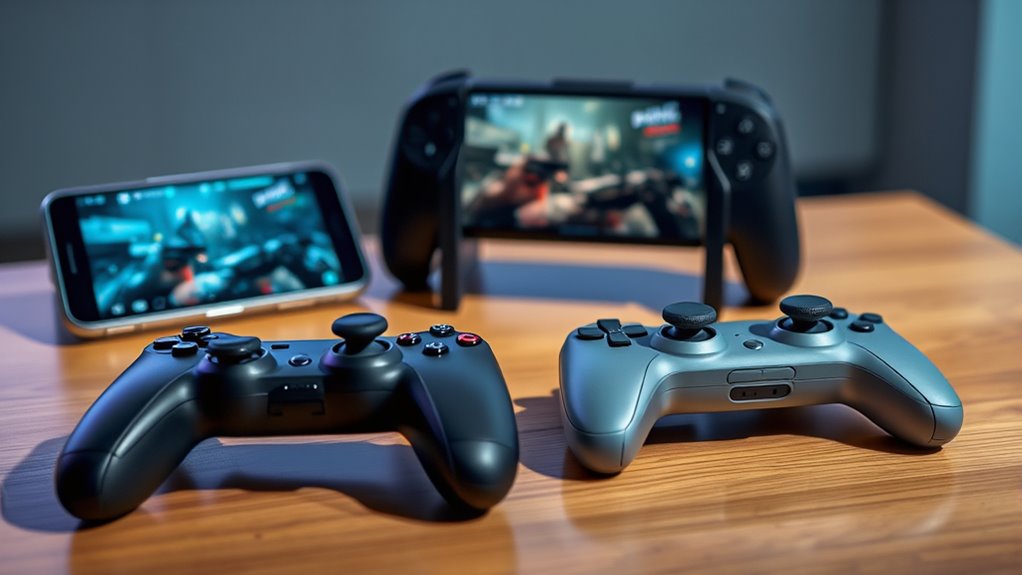

Finding the right mobile gaming controller for Android can significantly enhance your gaming sessions, offering better comfort, control, and responsiveness. The best options balance performance, build quality, and versatility, but often come with tradeoffs like price or compatibility. The GameSir X5 Lite stands out as the overall best for most users thanks to its solid performance and compatibility. Meanwhile, the 8Bitdo Ultimate offers premium features for serious gamers, and the abxylute S8 Lite provides a budget-friendly yet capable alternative. Continue reading for a detailed breakdown of the top controllers and what makes each unique.

Get the latest gadgets delivered free — and shop member deals
- Fast, free delivery on millions of items
- Access to Prime Big Deal Days deals on October 6–7
- Prime Video, Amazon Music and more included
Complete the kit



Key Takeaways
- The most versatile controllers balance compatibility across Android, iOS, and other platforms, but may sacrifice specialized features.
- Build quality and ergonomics are often better in premium models, but they come with higher costs.
- Controllers with Hall effect joysticks tend to offer longer-lasting precision, especially for competitive gaming.
- Price varies widely; budget options can suffice for casual play, but serious gamers might prefer investing in premium builds.
- Ease of setup and Bluetooth stability are critical for seamless gameplay, especially for cloud gaming and fast-paced titles.
| GameSir X5 Lite Mobile Gaming Controller for Android & iPhone 15/16 Series (USB-C) |  | Best Overall for Versatile, Lag-Free Gaming | Compatibility: Android & iPhone 15/16 Series, iPad Mini 6/7, Android tablets | Connection: USB-C | Weight: 135.4g | VIEW ON AMAZON | See Our Full Breakdown |
| abxylute S8 Lite Type-C Mobile Gaming Controller for iPhone 15/16/17, iPad Mini 6/7, Android Phones & Tablets |  | Best for Wide Device Compatibility with Precision Controls | Compatibility: iPhone 15/16/17, iPad Mini 6/7, Android phones/tablets up to 8.5 inches | Connection: USB-C, wireless | Joystick Type: Hall effect | VIEW ON AMAZON | See Our Full Breakdown |
| GameSir G8 Galileo Type-C Mobile Gaming Controller for Android & iPhone 15 Series |  | Best for Precision and Customization with Multi-Platform Support | Compatibility: Android, iPhone 15 series | Controller Type: Mobile Controller | Connectivity Technology: Type-C | VIEW ON AMAZON | See Our Full Breakdown |
| GameSir X5s Bluetooth Mobile Gaming Controller for Android/iPhone/iPad mini |  | Best for Motion-Enhanced Gaming and Portability | Compatibility: Switch 2, Switch, Android Phones, iPhone, iPad mini (105–213mm) | Weight: 174g | Features: Hall Effect Joysticks, Hall Effect Triggers, HD Vibration, 6-Axis Gyro, Swappable Buttons | VIEW ON AMAZON | See Our Full Breakdown |
| abxylute M4 Snap-On Mobile Gaming Controller for Android & iPhone, Portable Bluetooth Retro Arcade Phone Gamepad with Kickstand |  | Best for Retro Gaming and Quick Sessions on the Go | Platform: Android, Nintendo Switch, iOS | Input Device: Gamepad | Connectivity Technology: Bluetooth | VIEW ON AMAZON | See Our Full Breakdown |
| Turtle Beach Atom Mobile Game Controller with Bluetooth for Android |  | Best Compact and Ergonomic for Cloud Gaming | Connectivity: Bluetooth | Compatibility: Android Mobile Devices | Battery Life: 20 hours | VIEW ON AMAZON | See Our Full Breakdown |
| 8Bitdo Ultimate Mobile Gaming Controller for iPhone, Android & Xbox Cloud Gaming, Bluetooth Gamepad with Hall Effect Joysticks, 2 Pro Back Buttons, Officially Licensed |  | Best Versatile Controller for Multi-Device Gaming | Compatible Devices: Android, iPhone, Xbox Cloud Gaming | Controller Type: Gamepad | Connectivity Technology: Bluetooth | VIEW ON AMAZON | See Our Full Breakdown |
| 8BitDo Ultimate Mobile Gaming Controller for Android Devices |  | Best for Durability and Precision on Android | Compatibility: Android devices | Device length support: 100mm to 170mm | Joystick type: Hall Effect | VIEW ON AMAZON | See Our Full Breakdown |
| Aghi Bluetooth Game Controller with Hall Joysticks and Phone Clip |  | Best Versatile Controller with Wired and Wireless Options | Connection: Bluetooth and wired USB | Battery Life: 15 hours | Compatibility: Nintendo Switch, PC Windows 7-11, Android, iOS | VIEW ON AMAZON | See Our Full Breakdown |
| Bluetooth Mobile Game Controller for Nintendo Switch, iOS, Android & Tablets | 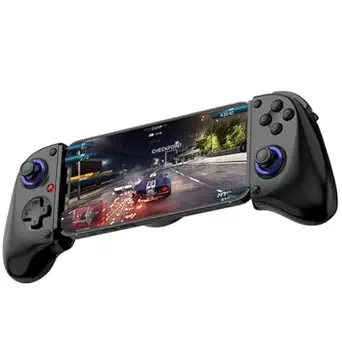 | Best for Versatile and Competitive Gaming | Compatibility: Nintendo Switch, iOS, Android, Tablets up to 11 inches | Supports Devices: iPhone, iPad, Samsung, Lenovo, Amazon, Huawei | Connectivity: Bluetooth | VIEW ON AMAZON | See Our Full Breakdown |
| Wireless Phone Controller for iPhone/Android with Hall Joystick, Compatible with Xbox Game Pass, Steam Link, Call of Duty, Roblox, Handheld Gaming, Nintendo DS |  | Best for Versatile Cloud Gaming and Phone Compatibility | Connection: Bluetooth | Battery Capacity: 600mAh | Play Time: Over 8 hours | VIEW ON AMAZON | See Our Full Breakdown |
| GameSir X5 Lite Mobile Gaming Controller for Android and iOS with Hall Effect Joystick |  | Best for Lightweight, Ergonomic Mobile Gaming | Compatible Devices: Android, iOS | Controller Type: Gamepad | Connectivity Technology: USB-C | VIEW ON AMAZON | See Our Full Breakdown |
| Mocagen MC1 Phone Controller for iPhone & Android |  | Best for Case-Friendly, Customizable On-the-Go Gaming | Compatibility: iPhone (including 17/16 series), Android | Joystick lifespan: 5 million cycles | Battery: 600mAh, up to 6 hours | VIEW ON AMAZON | See Our Full Breakdown |
| GameSir X5 Lite Mobile Gaming Controller for Android and iPhone 15/16, iPad Mini 7 |  | Best for Device Compatibility and Long Gaming Comfort | Compatible Devices: iPhone 15/16, iPad Mini 7, Android | Controller Type: Joystick | Connectivity Technology: USB-C | VIEW ON AMAZON | See Our Full Breakdown |
| mobile gaming controllers for android | Compatibility |
|---|---|
| GameSir X5 Lite Mobile Gaming | Android & iPhone 15/16 Series, iPad Mini 6/7, Android tablets |
| abxylute S8 Lite Type-C Mobile | iPhone 15/16/17, iPad Mini 6/7, Android phones/tablets up to 8.5 inches |
| GameSir G8 Galileo Type-C Mobi | Android, iPhone 15 series |
| GameSir X5s Bluetooth Mobile G | Switch 2, Switch, Android Phones, iPhone, iPad mini (105–213mm) |
| abxylute M4 Snap-On Mobile Gam | — |
| Turtle Beach Atom Mobile Game | Android Mobile Devices |
| 8Bitdo Ultimate Mobile Gaming | — |
| 8BitDo Ultimate Mobile Gaming | Android devices |
| Aghi Bluetooth Game Controller | Nintendo Switch, PC Windows 7-11, Android, iOS |
| Bluetooth Mobile Game Controll | Nintendo Switch, iOS, Android, Tablets up to 11 inches |
| Wireless Phone Controller for | — |
| GameSir X5 Lite Mobile Gaming | — |
| Mocagen MC1 Phone Controller f | iPhone (including 17/16 series), Android |
| GameSir X5 Lite Mobile Gaming | — |
More Details on Our Top Picks
GameSir X5 Lite Mobile Gaming Controller for Android & iPhone 15/16 Series (USB-C)
The GameSir X5 Lite stands out as the most adaptable option thanks to its ultra-stable USB-C connection and support for a wide range of devices, including Android and iPhone 15/16 series. Unlike the abxylute S8 Lite, which offers wireless flexibility, the X5 Lite’s pass-through charging ensures uninterrupted gameplay during long sessions. While it requires a download for full customization, this process is straightforward compared to the more complex setup of the GameSir X5s. Its lightweight, ergonomic design makes it comfortable for extended use, and its compatibility with popular games like Genshin Impact makes it a versatile choice. The main tradeoff is that it’s limited to mobile devices and not compatible with consoles or PCs, which might be a drawback for those seeking multi-platform use.
Pros:- Ultra-stable USB-C connection for lag-free gameplay
- Supports a wide range of devices including iPhones and Android tablets
- Pass-through charging allows uninterrupted gaming
- Customizable buttons and Turbo function
Cons:- Requires app download for full customization
- Limited to mobile devices, not suitable for console or PC
Best for: Gamers seeking a reliable, lag-free experience with broad device compatibility and customizable controls.
Not ideal for: Those who prefer wireless controllers or want a multi-platform setup including PC or console gaming.
- Compatibility:Android & iPhone 15/16 Series, iPad Mini 6/7, Android tablets
- Connection:USB-C
- Weight:135.4g
- Screen Compatibility:Stretchable up to 213mm
- Features:Hall Effect joysticks, Turbo, pass-through charging, customizable controls
Our verdict“This controller is best for players who prioritize stability and wide device support in mobile gaming.”
abxylute S8 Lite Type-C Mobile Gaming Controller for iPhone 15/16/17, iPad Mini 6/7, Android Phones & Tablets
The abxylute S8 Lite excels for users who own multiple devices, thanks to its support for iPhones, Android phones, and tablets up to 8.5 inches. It offers high-precision Hall effect joysticks and triggers, which surpass the standard analog controls found on many budget controllers and are comparable to the GameSir G8’s advanced controls. Its wired and wireless modes provide flexibility, but unlike the GameSir X5 Lite, it doesn’t support pass-through charging, which could interrupt long gaming sessions. The app support adds features like cloud gaming and emulators, but setup can be complex, especially for those unfamiliar with app-based controllers. Its device size limit makes it less ideal for larger tablets or foldable phones.
Pros:- Supports a wide range of devices including iPhones and Android phones
- High-precision Hall effect joysticks and triggers
- Wired and wireless modes for versatile use
- App supports cloud gaming and emulators
Cons:- No support for foldable phones
- Setup can be complex due to app requirements
- Limited to devices up to 8.5 inches
Best for: Gamer owners with multiple mobile devices seeking precise control and flexible connection options.
Not ideal for: Users with larger or foldable smartphones who need broader device compatibility or simpler setup.
- Compatibility:iPhone 15/16/17, iPad Mini 6/7, Android phones/tablets up to 8.5 inches
- Connection:USB-C, wireless
- Joystick Type:Hall effect
- Trigger Type:Hall trigger
- Button Customization:Yes
- Device Mounting:Yes
Our verdict“This controller suits those who want accurate controls across multiple device types and don’t mind app setup complexity.”
GameSir G8 Galileo Type-C Mobile Gaming Controller for Android & iPhone 15 Series
The GameSir G8 Galileo is a strong choice for gamers who want high control accuracy, thanks to its Hall Effect joysticks and triggers. Compared to the GameSir X5 Lite, which focuses on simplicity, the G8 offers magnetic detachable faceplates for a personalized look and feel, making it ideal for users who enjoy customizing their gear. Its pass-through charging and headphone support ensure uninterrupted gaming sessions. However, it requires a specific firmware to unlock full app features, and its compatibility is limited to Android and iPhone 15 series, unlike the GameSir X5s that supports more platforms. The need to remove thick cases or use very slim ones can be a hassle for some users, and firmware updates may complicate use.
Pros:- High-precision Hall effect joysticks and triggers
- Magnetic detachable faceplates for customization
- Supports pass-through charging and headphone use
- Multi-platform compatibility for phones within specific size ranges
Cons:- Requires specific firmware version for full app features
- Limited compatibility to certain Android and iPhone models
- May need to remove thick phone cases for optimal fit
Best for: Enthusiast gamers who value precise controls, customization, and multi-platform compatibility in a sleek design.
Not ideal for: Casual players or those who need broad device compatibility beyond the latest iPhones and Android models.
- Compatibility:Android, iPhone 15 series
- Controller Type:Mobile Controller
- Connectivity Technology:Type-C
- Additional Features:Magnetic detachable faceplates
- Power Source:Corded Electric
- Item Dimensions:7.28 x 3.54 x 1.57 inches
Our verdict“This controller is best for dedicated gamers seeking precision control and customization on supported devices.”
GameSir X5s Bluetooth Mobile Gaming Controller for Android/iPhone/iPad mini
The GameSir X5s offers a versatile, portable option with full Bluetooth connectivity, making it ideal for gamers who want motion controls alongside traditional gameplay. Its Hall Effect joysticks and triggers, combined with HD vibration and a full gyroscope, provide a rich and responsive gaming experience—comparable to the GameSir G8 in control accuracy but with added motion support. The lightweight design and included protective case make it perfect for gaming on the go. However, its device size limitations (105–213mm) mean it’s less suitable for larger or foldable phones, and Bluetooth latency could affect highly competitive gameplay. Button swapping can also be a bit cumbersome for some users.
Pros:- Full Bluetooth support for wireless gaming
- Includes gyroscope and HD vibration for enhanced gameplay
- Swappable buttons for custom layouts
- Compact, portable design with protective case
Cons:- Limited device size compatibility (105–213mm)
- Potential Bluetooth latency issues for competitive gaming
- Button swapping can be somewhat cumbersome
Best for: Mobile gamers who prioritize motion controls, portability, and multi-device compatibility within size limits.
Not ideal for: Players with larger or foldable phones who need a broader device fit or prefer wired connections for zero latency.
- Compatibility:Switch 2, Switch, Android Phones, iPhone, iPad mini (105–213mm)
- Weight:174g
- Features:Hall Effect Joysticks, Hall Effect Triggers, HD Vibration, 6-Axis Gyro, Swappable Buttons
- Connectivity:Bluetooth
Our verdict“This controller is ideal for gamers who want motion support and portability for mid-sized devices with wireless freedom.”
abxylute M4 Snap-On Mobile Gaming Controller for Android & iPhone, Portable Bluetooth Retro Arcade Phone Gamepad with Kickstand
The abxylute M4 offers a pocket-sized, magnetic clip-on design tailored for retro gaming enthusiasts and emulator fans. Its simple Bluetooth setup and compatibility with both Android and iOS devices make it a straightforward choice for quick gaming sessions. Unlike more feature-rich controllers like the GameSir X5 Lite, the M4 emphasizes portability and ease of use, with a kickstand for tabletop play. However, its design may feel top-heavy on larger iPhones, and it lacks advanced features like motion controls or customizable buttons found in higher-end models. It’s primarily suited for casual or retro gaming rather than intensive modern titles.
Pros:- Extremely portable, pocket-sized design
- Compatible with a wide range of devices and emulators
- Easy magnetic attachment for quick setup
- Multiple gaming modes including HID, PS, and NS
Cons:- May feel unbalanced on larger phones
- Limited to retro and casual gaming
- Lacks modern gaming features like motion controls
Best for: Casual gamers and retro enthusiasts seeking a portable, simple controller for quick gaming fixes.
Not ideal for: Serious mobile gamers who want advanced controls, motion support, or compatibility with modern AAA titles.
- Platform:Android, Nintendo Switch, iOS
- Input Device:Gamepad
- Connectivity Technology:Bluetooth
- Dimensions:74.8 × 69.5 × 15 mm
- Battery Life:12 hours
Our verdict“This controller is perfect for casual gamers who want a portable retro gaming experience on mobile devices.”
Turtle Beach Atom Mobile Game Controller with Bluetooth for Android
The Turtle Beach Atom stands out for its compact, ergonomic design, making it ideal for gamers who want comfort during long mobile sessions. Its low latency Bluetooth connection is well-suited for cloud gaming, providing smoother gameplay compared to bulkier controllers. With a long-lasting 20-hour battery and quick charge, it supports extended play without frequent interruptions. However, its exclusive Android compatibility limits versatility, and the reliance on an app for full features can add complexity. Compared to larger controllers like the Bluetooth Mobile Game Controller for Nintendo Switch, iOS, Android & Tablets, the Atom is more portable but offers fewer advanced features. This pick makes the most sense for Android gamers seeking a lightweight, reliable controller for casual to moderate gaming sessions, especially when portability is a priority.
Pros:- Compact and ergonomic design for comfortable gaming
- Low latency Bluetooth connection suitable for cloud gaming
- Long-lasting 20-hour battery with quick charge
Cons:- Limited to Android devices; not compatible with iOS or PC
- Requires app for accessing full features, adding setup complexity
Best for: Android gamers who prioritize portability and comfort for cloud gaming sessions
Not ideal for: Players who use multiple platforms or need extensive customization features, as it is limited to Android and requires an app for full functionality
- Connectivity:Bluetooth
- Compatibility:Android Mobile Devices
- Battery Life:20 hours
- Control Style:Console-style controls
- Shape:Compact, ergonomic
- Additional Features:Atom Companion App
Our verdict“This controller is perfect for Android users seeking a portable, comfortable option for casual cloud gaming sessions.”
8Bitdo Ultimate Mobile Gaming Controller for iPhone, Android & Xbox Cloud Gaming, Bluetooth Gamepad with Hall Effect Joysticks, 2 Pro Back Buttons, Officially Licensed
The 8Bitdo Ultimate stands out for its multi-platform compatibility, supporting Android, iPhone, and Xbox Cloud Gaming, making it ideal for gamers who switch between devices. Its Hall Effect joysticks deliver high sensitivity and durability, outperforming standard potentiometer-based sticks found in other controllers like the 8BitDo Ultimate Mobile Gaming Controller for Android Devices. The inclusion of pro back paddle buttons enhances competitive gameplay, yet the reliance on Bluetooth introduces potential latency issues, especially during fast-paced games. Its stretchable design fits most phones, but may not comfortably accommodate all phone sizes, which could impact control precision for some users. Compared to more specialized controllers, this is best for gamers who need a flexible solution across multiple devices rather than dedicated performance on a single platform. It’s suited for multi-device gamers who value durability and customization over ultra-low latency.
Pros:- Supports multiple devices including Android, iPhone, and Xbox Cloud Gaming
- Hall Effect joysticks for high sensitivity and long-term durability
- Includes pro back paddle buttons for enhanced control
Cons:- Bluetooth connection may cause latency issues during fast gameplay
- Stretchable design might not fit all phone sizes comfortably
- Limited info on battery life, which could affect usage planning
Best for: Gamers who switch between Android, iPhone, and cloud gaming platforms and want a durable, customizable controller
Not ideal for: Casual players or those seeking the lowest latency, as Bluetooth may introduce slight delays and stretchable design might not fit all phones perfectly
- Compatible Devices:Android, iPhone, Xbox Cloud Gaming
- Controller Type:Gamepad
- Connectivity Technology:Bluetooth
- Additional Features:Hall Effect joysticks, pro back buttons
- Button Quantity:16
- Item Weight:280 g
Our verdict“This controller is ideal for multi-device gamers seeking durability and flexibility, accepting slight latency tradeoffs for versatility.”
8BitDo Ultimate Mobile Gaming Controller for Android Devices
The 8BitDo Ultimate for Android is designed specifically for serious Android gamers, offering wide device support from 100mm to 170mm in length. Its Hall Effect joysticks and triggers deliver exceptional durability and precision, outperforming typical analog sticks in longevity and responsiveness. Back paddle buttons and turbo functionality add to its appeal for competitive play, but the device’s focus on high-end features makes it less accessible for casual users who may find the complex setup daunting. Its limited compatibility—only Android—means it isn’t suitable for multi-platform use like the Bluetooth Mobile Game Controller for Nintendo Switch, iOS, Android & Tablets. This controller is best for players who want reliable, high-performance control with advanced customization on Android devices, willing to handle a steeper learning curve.
Pros:- Compatible with a wide range of Android devices from 100mm to 170mm
- Hall Effect joysticks and triggers for durability and precision
- Includes back paddle buttons and turbo for competitive advantage
Cons:- Limited to Android devices, reducing cross-platform flexibility
- No mention of rechargeable battery or long battery life
- Setup may be complex for casual gamers unfamiliar with advanced controls
Best for: Dedicated Android gamers seeking a high-durability, feature-rich controller for competitive gaming
Not ideal for: Casual users or those who want a simple plug-and-play experience, as it requires setup and is Android-only
- Compatibility:Android devices
- Device length support:100mm to 170mm
- Joystick type:Hall Effect
- Features:Back paddle buttons, turbo function
Our verdict“This controller suits Android gamers dedicated to high-end, durable controls, accepting some complexity for top-tier performance.”
Aghi Bluetooth Game Controller with Hall Joysticks and Phone Clip
The Aghi Bluetooth Game Controller offers a flexible choice with both Bluetooth and wired connectivity, making it suitable for a variety of setups. Its Hall Effect joysticks ensure precise control and durability, comparable to higher-end options like the 8Bitdo Ultimate Mobile Gaming Controller for Android Devices. The rechargeable battery provides up to 15 hours of gameplay, which is respectable for extended sessions, though slightly less than some competitors. Its compatibility across Nintendo Switch, PC, and mobile devices adds versatility, but the complex feature set might overwhelm casual gamers, and the wired option limits mobility. Compatibility issues may also arise with certain devices, requiring troubleshooting. This controller is best for users who want a high-precision, multi-platform device with customizable features, willing to navigate setup complexities.
Pros:- High-precision Hall Effect joysticks for durability and accuracy
- Supports both Bluetooth wireless and wired USB connections
- Long battery life up to 15 hours with rechargeable battery
Cons:- Wired connection requires a USB cable, reducing wireless freedom
- Feature set may be overwhelming for casual gamers
- Potential compatibility issues with certain devices
Best for: Multiplatform gamers who need a precise, durable controller for Switch, PC, and Android, and can handle setup complexity
Not ideal for: Casual players or those seeking purely wireless, plug-and-play controllers, due to its wired option and complex features
- Connection:Bluetooth and wired USB
- Battery Life:15 hours
- Compatibility:Nintendo Switch, PC Windows 7-11, Android, iOS
- Joystick Type:Hall Effect
- Additional Features:Programmable buttons, gyro sensor
Our verdict“This controller is best for multiplatform enthusiasts who value durability and precision over simplicity and wireless-only use.”
Bluetooth Mobile Game Controller for Nintendo Switch, iOS, Android & Tablets
The Bluetooth Mobile Game Controller excels in supporting multiple platforms, including Nintendo Switch, Android, iOS, and tablets up to 11 inches, making it highly versatile. Its high-precision Hall Effect joysticks and linear triggers provide responsive control, ideal for FPS and competitive titles. Turbo functions and macro programming enhance gameplay, giving skilled players an edge. Its ergonomic design ensures comfort during extended sessions, but it isn’t compatible with larger tablets like the 12.9-inch iPad Pro, limiting its scope for tablet gamers. Connection stability can sometimes require customer support, which might frustrate less tech-savvy users. This controller suits gamers who want a scalable, feature-rich device for intense, competitive play across multiple platforms, accepting some limitations in device size compatibility.
Pros:- Supports multiple platforms including Nintendo Switch, iOS, Android, and tablets
- High-precision Hall Effect joysticks and linear triggers
- Ergonomic design with turbo and macro features for competitive edge
Cons:- Not compatible with 12.9-inch iPad Pro or 13-inch iPad Air
- Connection issues may require support, affecting ease of use
- Limited to devices up to 11 inches, restricting some tablet users
Best for: Competitive gamers who play across Nintendo Switch, Android, and iOS devices and need customizable controls
Not ideal for: Casual players or users with larger tablets like the iPad Pro, due to size incompatibility and potential connection issues
- Compatibility:Nintendo Switch, iOS, Android, Tablets up to 11 inches
- Supports Devices:iPhone, iPad, Samsung, Lenovo, Amazon, Huawei
- Connectivity:Bluetooth
- Trigger Type:Hall effect joystick and linear trigger
- Features:Turbo, macro programming, ergonomic design
- Dimensions:9.92 x 2.13 x 4.02 inches
Our verdict“This controller is ideal for competitive gamers seeking a versatile, feature-rich device for multiple platforms, willing to accept some device size limitations.”
Wireless Phone Controller for iPhone/Android with Hall Joystick, Compatible with Xbox Game Pass, Steam Link, Call of Duty, Roblox, Handheld Gaming, Nintendo DS
This wireless controller stands out for its precise Hall effect joystick, which eliminates drift—a common issue with traditional analog sticks—making it ideal for long gaming sessions. Its extendable design allows it to fit phones from 10 to 17.5cm, including those with bulky cases, unlike some fixed-size controllers. Compatibility with popular cloud platforms like Xbox Game Pass and Steam Link broadens its appeal, though it requires a stable high-speed internet connection for optimal cloud gaming. Setup can be complex for some users, especially if unfamiliar with Bluetooth pairing or device-specific instructions. Compared to the GameSir X5 Lite, it offers better phone compatibility and longer battery life but at the expense of slightly bulkier design and a more involved setup process.
Pros:- Precise Hall effect joystick with no drift for accurate control
- Supports a broad array of cloud gaming services and mobile games
- Extendable design fits phones with cases and offers comfortable grip
- Long battery life exceeding 8 hours for extended play
Cons:- Stable high-speed internet is necessary for smooth cloud gaming experience
- Setup instructions can be complex for less tech-savvy users
Best for: Gamers who want a versatile, precise controller compatible with a wide range of cloud services and phone sizes.
Not ideal for: Casual players who prefer plug-and-play simplicity or use devices outside the supported phone size range.
- Connection:Bluetooth
- Battery Capacity:600mAh
- Play Time:Over 8 hours
- Charging Time:2-3 hours
- Phone Compatibility:10-17.5cm phones with case
- Joystick:Hall effect, no drift
- Supported Platforms:iPhone, Android, Xbox Game Pass, Steam Link, GeForce NOW, Apple Arcade, mobile games
Our verdict“This controller is best suited for dedicated cloud gaming enthusiasts who want broad device compatibility and precise control.”
GameSir X5 Lite Mobile Gaming Controller for Android and iOS with Hall Effect Joystick
The GameSir X5 Lite makes a strong case for gamers seeking an ergonomic, portable controller that works seamlessly with both Android and iOS devices, including tablets. Its lightweight build (135.4g) and ergonomic shape help reduce fatigue during long sessions, especially when compared to bulkier options. The Hall Effect sticks ensure consistent, precise control, which is a significant advantage over standard analog sticks, especially for competitive gaming. However, it requires the GameSir app for full customization, which can be a hurdle for some. Unlike the Wireless Phone Controller with its extendable phone holder, the X5 Lite is primarily designed for fixed phone sizes, making it less flexible if your device varies in size. Its plug-and-play approach makes it ideal for quick setup but limits some advanced features.
Pros:- Lightweight and ergonomic for comfortable long gaming sessions
- Supports a wide range of smartphones and tablets
- Hall Effect sticks deliver precise, durable control
- Pass-through charging enables continuous gameplay
Cons:- Full customization depends on downloading the app, adding setup complexity
- Limited to mobile devices, not compatible with consoles or non-mobile platforms
Best for: Mobile gamers who prioritize comfort and precision without the need for extensive customization or large phone support.
Not ideal for: Players who want maximum device flexibility or prefer controllers with built-in phone clips, as this model is more fixed in design.
- Compatible Devices:Android, iOS
- Controller Type:Gamepad
- Connectivity Technology:USB-C
- Additional Features:Ergonomic, pass-through charging
- Button Quantity:12
- Hardware Platform:Smartphone
- Weight:135.4 g
Our verdict“This pick suits mobile gamers seeking a lightweight, comfortable controller with precise Hall Effect sticks for extended sessions.”
Mocagen MC1 Phone Controller for iPhone & Android
The Mocagen MC1 stands out for its compatibility with a wide array of iPhone and Android devices, including newer models like the iPhone 16 and 17 series. Its ergonomic grip and long-lasting 600mAh battery support up to 6 hours of continuous gaming, making it suitable for mobile players who want a reliable, portable option. The RGB lighting adds a customizable aesthetic, appealing to gamers who enjoy visual flair. Unlike the GameSir X5 Lite, which focuses on simplicity, the MC1 offers adjustable RGB effects and dual motors, enhancing immersion. A notable tradeoff is that the controller supports only games that recognize controller input, and the app for customization may require additional setup time. Its case-friendly design makes it a good choice for users who want to keep their phone in a case during gaming.
Pros:- Compatible with a wide range of iPhone and Android models
- Long-lasting battery with up to 6 hours of use
- Ergonomic design reduces fatigue during extended play
- Supports case-friendly and camera-friendly phone placement
Cons:- Limited to games supporting controller input, reducing compatibility
- Requires an app for full customization, adding extra step
Best for: Mobile gamers who want a versatile, case-friendly controller with long battery life and customizable lighting.
Not ideal for: Casual players who only game occasionally, as setup and customization may be more involved.
- Compatibility:iPhone (including 17/16 series), Android
- Joystick lifespan:5 million cycles
- Battery:600mAh, up to 6 hours
- Lighting:7-color RGB
- Phone Case Compatibility:Supports phones up to 0.47 inches thick
- Vibration:Dual motors, adjustable
Our verdict“This controller is ideal for mobile gamers seeking a versatile, case-compatible option with added visual and tactile customization.”
GameSir X5 Lite Mobile Gaming Controller for Android and iPhone 15/16, iPad Mini 7
The GameSir X5 Lite for iPhone 15/16, iPad Mini 7, and Android devices offers a balanced mix of compatibility and comfort. Its Hall Effect sticks provide notable precision, especially compared to standard analog sticks, making it a good choice for demanding mobile games. Its lightweight, ergonomic design ensures comfort during long gaming sessions, and the pass-through charging feature keeps devices powered without interruption. The controller’s reliance on an app for full customization means setup can be somewhat involved, and it only works with games supporting controller input. Compared with the Wireless Phone Controller, the X5 Lite is more focused on device compatibility, though it supports a narrower range of device sizes, which could be limiting for users with larger phones or tablets outside specified dimensions.
Pros:- Compatible with multiple devices including iPhone 15/16, iPad Mini 7, Android phones
- Hall Effect sticks for accurate and durable control
- Lightweight and ergonomic for extended use
- Supports pass-through charging for uninterrupted gaming
Cons:- Limited to games that support controller input, reducing versatility
- Requires app for full customization, which adds setup time
Best for: Players who want a reliable, precise controller compatible with a variety of recent iPhones, iPads, and Android phones.
Not ideal for: Gamers with very large or non-standard phones outside the supported size range or those seeking plug-and-play simplicity.
- Compatible Devices:iPhone 15/16, iPad Mini 7, Android
- Controller Type:Joystick
- Connectivity Technology:USB-C
- Additional Features:Plug and play, customizable app, turbo
- Button Quantity:12
- Hardware Platform:Android, iOS
- Item Weight:130 g
Our verdict“This controller fits mobile gamers seeking device versatility and precise control in a lightweight, comfortable package.”

How We Picked
To determine the best mobile gaming controllers for Android, I evaluated each model based on performance, build quality, and usability. Compatibility with various Android devices and ease of connection were essential factors, along with ergonomic comfort for extended play. I also considered the durability of key components like joysticks and triggers, as well as value relative to price. The ranking reflects a combination of these criteria, prioritizing models that offer the best overall experience for a broad range of users, from casual players to competitive gamers.Factors to Consider When Choosing Mobile Gaming Controllers For Android
Choosing the right mobile gaming controller for Android involves more than just looking at features. It’s important to consider compatibility with your device, comfort during long gaming sessions, and the responsiveness of controls. Understanding the tradeoffs between wired and wireless options can also impact your gaming experience. Price is a key factor, but spending more doesn’t always guarantee better performance. The following sections highlight the main factors to weigh before making your decision, ensuring you get the best fit for your gaming style.Compatibility and Device Support
Before buying, verify that the controller supports your specific Android device, especially if you plan to use features like Bluetooth or USB-C connections. Some controllers are also compatible with iPhones or tablets, which can be a bonus if you own multiple devices. Consider controllers that support a wide range of devices to maximize versatility, but be aware that broader compatibility might lead to slightly increased complexity in setup or performance compromises.
Connectivity Options and Latency
Wireless Bluetooth controllers offer convenience, especially for portable gaming, but may introduce slight latency. For fast-paced games, low latency is critical, so look for models with Bluetooth 5.0 or higher. Wired controllers, typically via USB-C, eliminate lag entirely and can provide a more stable connection, but limit mobility. Decide based on your gaming environment and whether cable-free freedom outweighs the marginal performance benefits of wired setups.
Build Quality and Ergonomics
Durability is key, especially if you carry your controller around or game extensively. Premium materials like metal joysticks and reinforced shells can extend lifespan, particularly in high-use scenarios. Ergonomic design also matters—well-shaped grips and button placement reduce fatigue and improve precision during long sessions. Cheaper models may cut corners on comfort or durability, which can impact your overall gaming experience.
Control Precision and Features
Look for controllers with Hall effect joysticks if you want long-lasting precision, especially for competitive play. Additional features like back buttons, customizable controls, or adjustable triggers can enhance gameplay but often come at higher prices. Balance your need for advanced features with your typical gaming style—casual players might not need all the bells and whistles, while competitive gamers should prioritize responsiveness and control fidelity.
Price and Value
Price ranges widely, from budget-friendly options to premium controllers costing over $100. Cheaper models can be perfectly adequate for casual gaming, but they might lack durability or advanced features. Investing in a higher-quality controller can improve comfort, responsiveness, and longevity, especially if you game regularly or competitively. Consider how often you’ll use the controller to decide if a premium investment makes sense for your gaming habits.
Frequently Asked Questions
Can I use a wireless controller with cloud gaming on Android?
Yes, most Bluetooth controllers are compatible with cloud gaming services on Android, such as Xbox Cloud Gaming and Steam Link. However, latency can vary depending on your device and Bluetooth version, so for fast-paced titles, a controller with low latency support is preferable. Setting up the controller usually involves pairing via Bluetooth, which is straightforward on most modern Android devices. Keep in mind that a stable Bluetooth connection is key for a smooth cloud gaming experience.
Are wired controllers better than wireless for Android gaming?
Wired controllers generally offer lower latency and a more stable connection, which benefits fast-paced or competitive gaming. However, they limit mobility and can be less convenient for portable gaming setups. Wireless controllers provide greater freedom of movement and easier setup, but may experience minor lag or connection drops if Bluetooth interference occurs. The choice depends on your gaming environment and priorities—if responsiveness is critical, wired might be the better option.
Do I need a special phone clip or mount for my controller?
Many controllers come with built-in clips or mounts to hold your phone securely, which can improve comfort and control during gameplay. If not included, compatible phone clips are usually inexpensive and easy to attach. Using a mount helps prevent accidental drops and aligns the phone for better button access, especially during intense gaming sessions. Be sure to select a clip that fits your phone size and is compatible with your controller model.
How important are extra buttons or back paddles in a mobile controller?
Additional buttons and back paddles can provide a competitive edge by enabling faster responses or more complex control schemes. They are especially useful in FPS, battle royale, or fighting games where quick access to certain actions matters. However, for casual players, these features might not justify the higher cost or added complexity. Consider your gaming needs and whether extra controls will genuinely enhance your experience.
Is it worth investing in a premium mobile controller?
Premium controllers often feature better build quality, longer-lasting components like Hall effect joysticks, and advanced features such as back paddles or customizable controls. If you game frequently or competitively, these upgrades can significantly improve your experience and durability. However, for occasional gaming, a more affordable model might suffice. Weigh how much you value longevity, responsiveness, and extra features against the higher price tag.
Conclusion
For most Android gamers, the GameSir X5 Lite offers a balanced mix of performance, compatibility, and price, making it the best overall choice. Serious players or those seeking premium features should consider the 8Bitdo Ultimate, which provides advanced controls and build quality. Budget-conscious users will find the abxylute S8 Lite a capable option without breaking the bank. Beginners or casual gamers should prioritize ease of use and affordability, while competitive players should focus on controllers with low latency and precise controls. Ultimately, your ideal controller depends on your specific gaming style and device setup, but this list covers the best options available in 2026.
As an affiliate, we earn on qualifying purchases.Halloween Picks
halloween