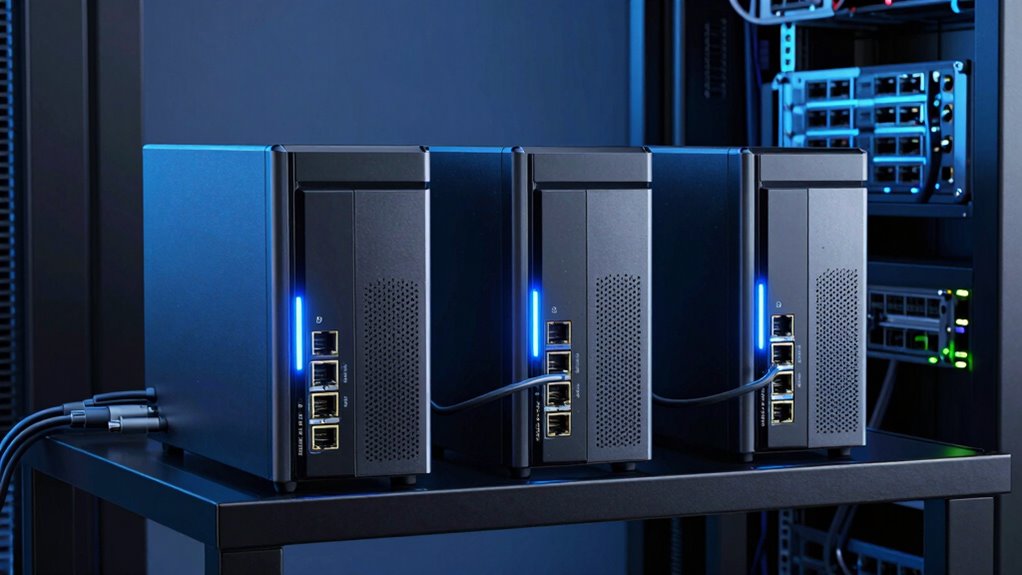

For those seeking a NAS with 10GbE built-in, the options vary widely in performance, capacity, and price. The MINISFORUM N5 MAX stands out as the best overall for its robust hardware and expandability, ideal for demanding workloads. The Synology DS1525+ offers excellent multi-user performance suited for professional workflows. Meanwhile, the UGREEN NAS DXP6800 Plus balances power and affordability for advanced users. However, tradeoffs such as cost, complexity, and upgrade options mean buyers need to weigh their priorities carefully. Keep reading for a full breakdown of these top contenders and what to consider before choosing your NAS in 2026.

Get the latest gadgets delivered free with Prime
- Fast, free delivery on millions of items
- Prime Video, Amazon Music and more included
- Member-only deals all year
Complete the kit



Key Takeaways
- Performance and scalability heavily influence top-tier NAS choices, especially with 10GbE integration.
- Build quality and expandability differentiate premium models from more budget-friendly options.
- Compatibility with existing networks and workflows is crucial for seamless integration.
- Higher price often correlates with more powerful hardware and advanced features, but not always.
- Ease of setup and user interface can make or break the experience for less technical users.
| MINISFORUM N5 MAX 5-Bay Desktop NAS, AMD Ryzen AI Max+ 395, 200TB Capacity, 64GB RAM, 128GB SSD, Dual 10GbE, HDMI, M.2 Slots, Network Attached Storage |  | Best Overall for Power Users and Content Creators | Processor: AMD Ryzen AI Max+ 395 | Cores/Threads: 16 cores, 32 threads | Max Turbo Frequency: 5.1GHz | VIEW ON AMAZON | See Our Full Breakdown |
| UGREEN NAS DXP480T Plus 4-Bay All-Flash SSD for Creators & Video Editors |  | Best for Creators and Video Editors | Processor: Intel Core i5 12th Gen | Memory: 8GB DDR5 | Storage Capacity: Up to 32TB | VIEW ON AMAZON | See Our Full Breakdown |
| UGREEN NAS DXP4800 Pro 4-Bay for IT Professionals, Developers & Power Users |  | Best for IT Professionals and Developers | Processor: Intel Core i3-1315U | Cores/Threads: 6 cores, 8 threads | Max RAM: 96GB DDR5 | VIEW ON AMAZON | See Our Full Breakdown |
| UGREEN NAS DXP6800 Plus 6-Bay Desktop NAS with Intel Core i3 Processor |  | Best for Demanding Business Use | Processor: 12th Gen Intel Core i3 | Storage Capacity: Up to 208TB | Number of Bays: 6 | VIEW ON AMAZON | See Our Full Breakdown |
| UGREEN DXP4800 Plus 4-Bay NAS for Families, Creators & Small Teams |  | Best for Small Teams and Families | Storage Capacity: Up to 144TB | Number of Bays: 4 | Connectivity: 10GbE, USB 3.2 | VIEW ON AMAZON | See Our Full Breakdown |
| 6-Bay Desktop NAS with Intel i5-1235U, 16GB DDR5, 256GB NVMe, Dual PCIe 4.0 |  | Best High-Performance Desktop NAS for Demanding Workflows | Number of Bays: 6 | Processor: Intel i5-1235U | RAM: 16GB DDR5 | VIEW ON AMAZON | See Our Full Breakdown |
| Synology DS1525+ Video Editing & Production Server – 5-Bay NAS, Scale to 300TB, 10GbE Ready, Multi-User Workflows |  | Best Scalable NAS for Video Editors and Media Teams | Number of Bays: 5 | Maximum Storage Capacity: 300TB | Networking: 10GbE Ready, 2.5GbE built-in | VIEW ON AMAZON | See Our Full Breakdown |
| nas with 10gbe built in | Processor | Network Ports | Storage Capacity | Number of Bays |
|---|---|---|---|---|
| MINISFORUM N5 MAX 5-Bay Deskto | AMD Ryzen AI Max+ 395 | 2x 10GbE | — | — |
| UGREEN NAS DXP480T Plus 4-Bay | Intel Core i5 12th Gen | 10GbE, Wi-Fi 6 | Up to 32TB | — |
| UGREEN NAS DXP4800 Pro 4-Bay f | Intel Core i3-1315U | 10GbE + 2.5GbE | 144TB | — |
| UGREEN NAS DXP6800 Plus 6-Bay | 12th Gen Intel Core i3 | 1x 10GbE, 1x 2.5GbE | Up to 208TB | 6 |
| UGREEN DXP4800 Plus 4-Bay NAS | — | — | Up to 144TB | 4 |
| 6-Bay Desktop NAS with Intel i | Intel i5-1235U | — | — | 6 |
| Synology DS1525+ Video Editing | — | — | — | 5 |
More Details on Our Top Picks
MINISFORUM N5 MAX 5-Bay Desktop NAS, AMD Ryzen AI Max+ 395, 200TB Capacity, 64GB RAM, 128GB SSD, Dual 10GbE, HDMI, M.2 Slots, Network Attached Storage
The MINISFORUM N5 MAX stands out for its exceptional processing power with the AMD Ryzen AI Max+ 395, making it ideal for demanding workflows like 4K editing, AI projects, or large-scale data hosting. Compared with the UGREEN DXP6800 Plus, it offers significantly more CPU performance and RAM, but this comes with a larger footprint and a higher price. Its dual 10GbE ports ensure rapid data transfer across networks, while the modular design supports easy upgrades. The tradeoff is that setup is more complex for non-technical users, and the premium features push the cost higher than simpler NAS options. This pick makes the most sense for users needing serious compute and storage flexibility in a desktop form factor.
Pros:- Outstanding CPU performance with AMD Ryzen AI Max+ 395
- Massive storage support up to 200TB with flexible RAID options
- Dual 10GbE ports for ultra-fast network connectivity
- Modular design for easy RAM and SSD upgrades
Cons:- Setup can be complex for users without technical knowledge
- Size and premium price may be prohibitive for smaller spaces or budgets
Best for: Power users, content creators, and AI researchers needing high-performance local and network processing
Not ideal for: Casual users or small offices with basic storage needs, due to its complexity and cost
- Processor:AMD Ryzen AI Max+ 395
- Cores/Threads:16 cores, 32 threads
- Max Turbo Frequency:5.1GHz
- Total Storage Capacity:200TB
- RAM:64GB LPDDR5x
- Network Ports:2x 10GbE
Our verdict“This is the best choice for power users who need high processing and large capacity in a desktop NAS.”
UGREEN NAS DXP480T Plus 4-Bay All-Flash SSD for Creators & Video Editors
The UGREEN NAS DXP480T Plus is tailored for creative professionals who need fast, reliable access to large media files. Its all-flash design and Intel Core i5 processor deliver impressive read/write speeds, especially when compared with traditional HDD-based NAS units like the DXP6800 Plus. The inclusion of 10GbE and Wi-Fi 6 ensures rapid data movement for editing workflows. However, its maximum capacity of 32TB requires careful planning for large media libraries, and the need to purchase SSDs separately adds to initial costs. Its user-friendly interface makes it appealing for those transitioning from consumer NAS or direct-attached storage but may challenge beginners during setup. This device makes the most sense for creators prioritizing speed and ease of access over raw capacity.
Pros:- Fast data transfer with 10GbE and Wi-Fi 6
- All-flash architecture for superior read/write speeds
- Powerful Intel i5 processor for editing and processing tasks
- Multiple RAID options for data security
Cons:- Limited maximum capacity of 32TB, not suitable for massive archives
- SSD drives need to be purchased separately, increasing total cost
Best for: Video editors and content creators needing fast access to media files in a compact, all-flash system
Not ideal for: Large-scale enterprise or users with huge storage needs, given its 32TB limit and additional SSD costs
- Processor:Intel Core i5 12th Gen
- Memory:8GB DDR5
- Storage Capacity:Up to 32TB
- Network Ports:10GbE, Wi-Fi 6
- M.2 NVMe Slots:4
Our verdict“This NAS is ideal for creators who need fast, reliable media access in a compact, all-flash package.”
UGREEN NAS DXP4800 Pro 4-Bay for IT Professionals, Developers & Power Users
The UGREEN NAS DXP4800 Pro offers robust hardware for demanding IT environments, with an Intel Core i3-1315U and support for VMs and Docker, making it a versatile choice for developers and power users. Its support for large storage (up to 144TB) and extensive security features surpass simpler NAS units like the DXP480T Plus, but the setup process can be intimidating for less experienced users. The inclusion of 10GbE and dual Ethernet ports enables fast, flexible network configurations, though its physical size and complexity might be overkill for small teams or casual users. This device is best suited for those who need a reliable, expandable platform for virtualization, development, or complex data workflows.
Pros:- High-performance with Intel Core i3 and support for Docker/VMs
- Massive storage capacity up to 144TB
- Supports advanced security and encryption features
- Flexible RAID options
Cons:- Setup and configuration require advanced technical knowledge
- Larger physical footprint and higher cost may deter casual users
Best for: IT professionals, developers, and power users needing advanced security, virtualization, and large storage capacity
Not ideal for: Home users or small offices with basic storage needs, due to its complexity and higher cost
- Processor:Intel Core i3-1315U
- Cores/Threads:6 cores, 8 threads
- Max RAM:96GB DDR5
- Storage Capacity:144TB
- Network Ports:10GbE + 2.5GbE
Our verdict“This NAS is best for professionals demanding virtualization, security, and large-scale storage in a flexible platform.”
UGREEN NAS DXP6800 Plus 6-Bay Desktop NAS with Intel Core i3 Processor
The UGREEN DXP6800 Plus provides substantial storage capacity and solid performance for small to medium-sized business environments, with up to 208TB of raw space. Its 12th Gen Intel Core i3 processor ensures capable multitasking, especially compared to less powerful NAS options. The inclusion of dual 10GbE and 2.5GbE ports supports high-speed local networks, but the drive bays are sold separately, adding initial setup costs. Its lack of Wi-Fi limits flexibility for wireless access, and the physical size may require dedicated space. This model is best suited for organizations that need large, fast storage with enterprise-style network connectivity but are prepared for additional drive costs and configuration complexity.
Pros:- High storage capacity up to 208TB with RAID flexibility
- Fast network connectivity with dual 10GbE ports
- Powerful 12th Gen Intel Core i3 processor for multitasking
- Supports multiple RAID configurations for redundancy
Cons:- Drives are not included, requiring additional purchase
- No built-in Wi-Fi, limiting wireless flexibility
- Setup may be complex for non-technical users
Best for: Small to medium businesses requiring large, fast storage and reliable network connectivity
Not ideal for: Home users or small teams on tight budgets, due to the need for separate drives and network-only connectivity
- Processor:12th Gen Intel Core i3
- Storage Capacity:Up to 208TB
- Number of Bays:6
- Network Ports:1x 10GbE, 1x 2.5GbE
- Included Storage:Diskless
Our verdict“This NAS is tailored for businesses needing large, fast, and reliable storage with enterprise-grade networking.”
UGREEN DXP4800 Plus 4-Bay NAS for Families, Creators & Small Teams
The UGREEN DXP4800 Plus offers a balanced mix of capacity, speed, and features suited for small offices, families, or creative groups. Its 10GbE port and USB 3.2 ports support rapid data transfers, and support for Docker and virtual machines provides flexibility for different use cases. Unlike the all-flash UGREEN DXP480T Plus, this model uses traditional drives, which can be more cost-effective but slower for intensive workflows. Its maximum capacity of 144TB makes it suitable for media libraries or backups, but the drives are sold separately, adding to total cost. Its security features and remote access make it a solid choice for protecting and sharing data in a small team environment.
Pros:- Large storage capacity up to 144TB
- Fast transfer speeds with 10GbE and USB ports
- Supports Docker, VMs, and AI features
- Secure remote access with encryption
Cons:- Drives are not included, requiring additional investment
- Speed may depend heavily on drive configuration and network setup
- Wired Ethernet only, no Wi-Fi support
Best for: Small teams, families, or content creators needing large storage with versatile features
Not ideal for: Power users or enterprise environments requiring ultra-fast access or virtualized workloads, due to its HDD-based architecture
- Storage Capacity:Up to 144TB
- Number of Bays:4
- Connectivity:10GbE, USB 3.2
- Compatibility:Windows, macOS, Linux, iOS, Android
- Hard Drives Included:No
Our verdict“This NAS offers ample storage and advanced features for small teams needing reliable, flexible data management.”
6-Bay Desktop NAS with Intel i5-1235U, 16GB DDR5, 256GB NVMe, Dual PCIe 4.0
This desktop NAS combines substantial storage capacity with impressive processing power, making it ideal for users running intensive applications or large media libraries. Compared to the Synology DS1525+, it offers a more robust CPU and faster internal storage options, which translate into smoother media streaming and faster data handling. However, its setup can be complex, especially for those unfamiliar with enterprise-level hardware, and the lack of included drives adds extra cost. The dual PCIe 4.0 slots enable future upgrades, but this flexibility may be overkill for users with simpler needs. This model suits advanced users needing high throughput and expandability, but less so for beginners or those on a tight budget who don’t require such power.
Pros:- Supports up to 212TB of total storage for large media libraries
- Powerful Intel i5-1235U processor handles demanding tasks smoothly
- Supports self-hosted applications with advanced expansion options
Cons:- Complex setup process requiring technical knowledge
- No included drives or accessories, increasing initial cost
- Higher price point compared to simpler NAS options
Best for: Power users and media pros who need high capacity and fast workflows with room for future upgrades
Not ideal for: Home users or beginners who prefer plug-and-play solutions or have limited technical skills
- Number of Bays:6
- Processor:Intel i5-1235U
- RAM:16GB DDR5
- Built-in Storage:256GB NVMe SSD
- Total Capacity:Up to 212TB
- Networking:10GbE, dual 2.5GbE, dual TBT4 ports
Our verdict“This NAS is best suited for tech-savvy professionals needing high capacity and processing power, despite its complex setup and higher cost.”
Synology DS1525+ Video Editing & Production Server – 5-Bay NAS, Scale to 300TB, 10GbE Ready, Multi-User Workflows
The Synology DS1525+ excels in collaborative media environments, offering scalable storage up to 300TB and high-speed networking that can support 4K and even 8K editing workflows. Unlike the 6-bay desktop NAS, its support for expansion units via DX525 modules provides a clear advantage for growing media libraries. The user interface is more accessible for those unfamiliar with enterprise hardware, but the system’s more complex setup and higher price tag may deter casual users. Its built-in 10GbE connectivity ensures smooth multi-user access, making it ideal for professional editing teams. This device is perfect for media professionals and studios that need scalable, high-performance storage, but less ideal for small offices or home use where simplicity and lower cost are priorities.
Pros:- Supports up to 300TB with expansion units, ideal for large media collections
- High-speed 10GbE networking suitable for 4K and 8K editing
- Excellent multi-user management and media organization features
Cons:- Requires a capable network infrastructure for full performance
- Higher cost due to enterprise features and scalability
- May be complex for users unfamiliar with NAS systems
Best for: Media production teams, video editors, and collaborative workflows requiring scalable high-speed storage
Not ideal for: Home users or small businesses with limited budgets or less complex storage needs
- Number of Bays:5
- Maximum Storage Capacity:300TB
- Networking:10GbE Ready, 2.5GbE built-in
- Expansion Support:Yes, via DX525 units
- Supported Workflows:Video editing, media library, data sharing
- Warranty:3 Years
Our verdict“This NAS is tailored for media professionals needing scalable, high-speed storage and collaborative capabilities, despite its complexity and cost.”

How We Picked
To evaluate these NAS options, I focused on performance benchmarks, build quality, and expandability, especially regarding 10GbE capabilities. I also considered user interface simplicity, software features, and overall value based on price. Devices that offer reliable, high-speed connections with room for growth ranked higher, while those with limited upgrade paths or complex setups fell lower. This approach ensures the recommendations suit different user needs, from power users to newcomers, emphasizing real-world usability and long-term viability.Factors to Consider When Choosing Nas With 10gbe Built In
Choosing a NAS with 10GbE built in involves evaluating several key factors that influence performance, usability, and future-proofing. Understanding these considerations helps avoid common pitfalls like overpaying for features you don’t need or selecting a device incompatible with your network setup. The right choice depends on your specific workload, network environment, and budget. Here are the most important factors to keep in mind.Performance and Processor Power
High-performance processors, such as Intel Core or AMD Ryzen series, ensure your NAS can handle demanding tasks like 4K video editing or large data transfers. Cheaper models with lower-tier CPUs may struggle under load, leading to slower transfer speeds or bottlenecks. Consider your primary use case—if you plan to run multiple services or heavy workloads, investing in a more powerful CPU is worthwhile, even if it costs more upfront.
Expandability and Storage Capacity
Look for models with multiple drive bays and support for expansion units. This flexibility allows your NAS to grow with your data needs, especially if you’re working with large media files or enterprise data. Additionally, check whether the NAS supports NVMe SSD caching or other performance-enhancing features—these can significantly improve responsiveness without requiring additional storage capacity.
Network Interface and 10GbE Integration
Not all 10GbE ports are created equal—consider whether the NAS has a dedicated 10GbE port or requires an expansion card. Also, verify compatibility with your existing network infrastructure. For environments with multiple users or high data throughput needs, a dedicated 10GbE port can drastically reduce transfer times, but ensure your switches and cabling support 10GbE speeds to realize these benefits fully.
Software Ecosystem and Usability
The software platform determines how easily you can set up, manage, and expand your NAS. Brands like Synology and QNAP offer intuitive interfaces and app ecosystems that simplify complex tasks, making them ideal for less technical users. Conversely, more advanced models may require a steeper learning curve but provide greater customization and control—important for IT professionals or power users.
Price and Total Cost of Ownership
Premium hardware and features come at a cost, but higher price tags don’t always guarantee better value for every user. Consider long-term expenses such as energy consumption, maintenance, and potential future upgrades. Budget models may suffice for small-scale uses, but if you require enterprise-level performance or scalability, investing more can prevent costly upgrades or replacements down the line.
Frequently Asked Questions
Is a built-in 10GbE port worth the extra cost?
Yes, especially if your workflow involves large data transfers, high-resolution video editing, or multi-user access. A built-in 10GbE port ensures you get maximum throughput without additional hardware, simplifying setup and minimizing points of failure. However, to realize its benefits, your entire network—including switches and cabling—must support 10GbE speeds, which can increase overall setup costs.
Can I upgrade a NAS’s network interface later if it doesn’t have 10GbE built in?
Many NAS devices support expansion cards, allowing you to add a 10GbE port later. This can be a cost-effective way to upgrade if initial budget constraints prevent buying a model with built-in 10GbE. However, compatibility varies, so it’s essential to choose a device that supports such upgrades and ensure your existing infrastructure can support the higher speeds.
Are all 10GbE NAS devices suitable for small home setups?
Not necessarily. While some compact NAS models include 10GbE, their performance may be limited by processor power or storage capacity. For small home use, a model with integrated 10GbE can offer fast data access, but the expense and complexity might outweigh the benefits unless you plan to handle large files regularly. For casual or light use, gigabit Ethernet might suffice, saving costs and complexity.
How important is software support for 10GbE features?
Software support is critical because it determines how well your NAS can utilize the 10GbE port. Features like link aggregation, QoS, and traffic management enhance performance and reliability. A well-supported platform ensures you can configure your network optimally and troubleshoot issues effectively, making the hardware investment more worthwhile.
Should I prioritize hardware expandability over raw speed?
It depends on your future plans. If you anticipate growing storage needs or evolving workflows, prioritize expandability to avoid replacing your NAS prematurely. Conversely, if your current needs are high but unlikely to grow significantly, investing in a faster, more powerful unit now can deliver immediate benefits. Balancing both factors based on your specific use case is the best approach.
Conclusion
For buyers seeking the best overall performance and future-proofing, the MINISFORUM N5 MAX offers exceptional hardware with expansive capabilities. Those prioritizing multi-user workflows and scalability should consider the Synology DS1525+. Budget-conscious users or those new to NAS might find the UGREEN NAS DXP6800 Plus provides a compelling balance of power and affordability. Power users or professionals handling demanding workloads should focus on models with robust processors and extensive RAM options, while casual users can settle for simpler, less expensive options. Carefully matching your needs with the right features will ensure your investment pays off long-term.