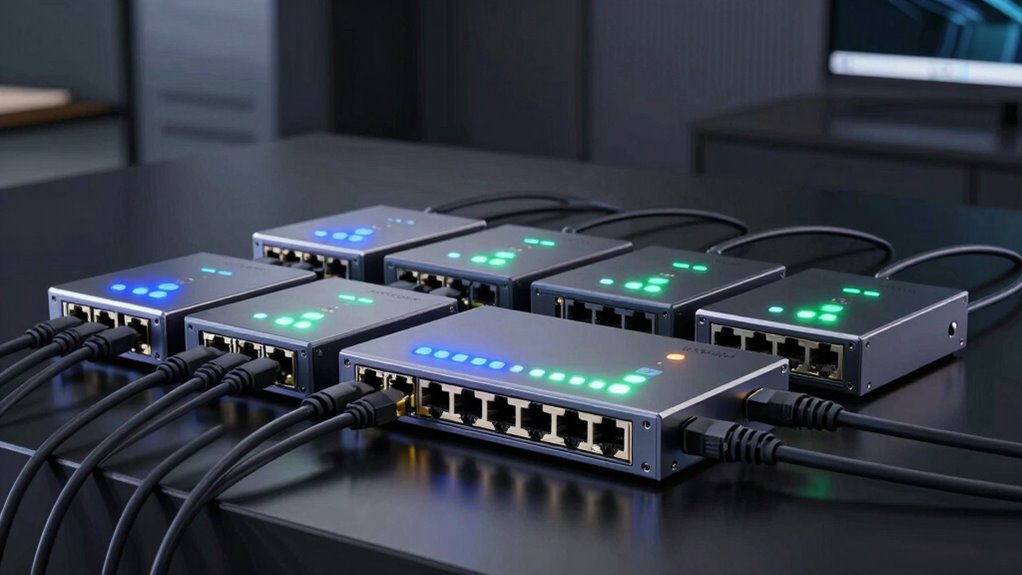

PoE switches for cameras are essential for building reliable, scalable surveillance systems. The best options balance power delivery, number of ports, and manageability, but tradeoffs exist—more ports often mean higher cost, unmanaged models are simpler but less flexible, and premium switches offer advanced features at a higher price. The NETGEAR GS305P stands out as a solid unmanaged choice for small setups, while the REOLINK PoE Switch offers a good balance of ports and performance for mid-sized systems. Keep reading to explore the full lineup and find the right fit for your camera network.

Get the latest gadgets delivered free with Prime
- Fast, free delivery on millions of items
- Prime Video, Amazon Music and more included
- Member-only deals all year
Complete the kit



Key Takeaways
- Managed switches provide greater control over network traffic, making them ideal for larger or complex camera setups.
- Port count varies from 5 to 24, and choosing the right number depends on your current and future camera needs.
- Power budgets differ significantly, which impacts how many cameras can be powered simultaneously without additional equipment.
- Unmanaged switches are more budget-friendly and easier to set up, but lack advanced features needed for larger networks.
- Build quality and cooling features like fanless designs contribute to quieter operation and longer lifespan.
| 5-Port Ethernet PoE Switch with Extend Function, Managed, Fanless Metal Design, VLAN, QoS, Desktop/Wall Mount |  | Best Overall for Managed Home and Office Networks | Number of Ports: 5 | PoE Ports: 4 | Uplink Port: 1 | VIEW ON AMAZON | See Our Full Breakdown |
| NETGEAR 5-Port PoE Gigabit Ethernet Unmanaged Switch (GS305P) |  | Best for Simple, High-Speed PoE Deployment | Number of Ports: 5 | PoE Ports: 4 | Total PoE Power Budget: 63W | VIEW ON AMAZON | See Our Full Breakdown |
| NETGEAR 24-Port PoE Gigabit Ethernet Unmanaged Network Switch (GS324P) |  | Best for Large-Scale Camera Deployments | Number of Ports: 24 | PoE Ports: 16 | Total PoE Power Budget: 190W | VIEW ON AMAZON | See Our Full Breakdown |
| REOLINK PoE Switch with 8 PoE and 2 Gigabit Uplink Ports |  | Best for Compact, Intelligent Camera Networks | Number of PoE Ports: 8 | Number of Uplink Ports: 2 | PoE Standard: IEEE802.3af/at | VIEW ON AMAZON | See Our Full Breakdown |
| TP-Link TL-SG1005P 5-Port Gigabit PoE Switch |  | Best for Budget-Friendly, Basic PoE Power | Number of Ports: 5 | PoE Ports: 4 | PoE Power Budget: 65W | VIEW ON AMAZON | See Our Full Breakdown |
| Intellinet 5-Port Gigabit PoE+ Switch with PoE Passthrough, 65W Power |  | Best for Quiet Office Environments | Number of Ports: 5 | PoE Budget: 65 W | PoE Standards Supported: IEEE 802.3bt, IEEE 802.3at, IEEE 802.3af | VIEW ON AMAZON | See Our Full Breakdown |
| TP-Link LS108GP 8-Port PoE Gigabit Ethernet Switch |  | Best for Larger Camera Networks | Number of Ports: 8 | PoE Power Budget: 62 W | PoE+ Ports: 8 | VIEW ON AMAZON | See Our Full Breakdown |
| poe switches for camera | Number of Ports | PoE Ports | Mounting Options |
|---|---|---|---|
| 5-Port Ethernet PoE Switch wit | 5 | 4 | Desktop/Wall Mount |
| NETGEAR 5-Port PoE Gigabit Eth | 5 | 4 | Desktop or wall-mount |
| NETGEAR 24-Port PoE Gigabit Et | 24 | 16 | Desktop or rack-mount |
| REOLINK PoE Switch with 8 PoE | — | — | — |
| TP-Link TL-SG1005P 5-Port Giga | 5 | 4 | Desktop |
| Intellinet 5-Port Gigabit PoE+ | 5 | — | — |
| TP-Link LS108GP 8-Port PoE Gig | 8 | — | — |
More Details on Our Top Picks
5-Port Ethernet PoE Switch with Extend Function, Managed, Fanless Metal Design, VLAN, QoS, Desktop/Wall Mount
This managed switch stands out for its combination of advanced features like VLAN, QoS, and cloud management, making it ideal for those who need more control over their camera network. Compared with the NETGEAR GS305P, it offers better network segmentation and traffic management but is limited to 100 Mbps speeds, which may bottleneck high-bandwidth streams. The fanless design ensures silent operation, and lightning protection adds reliability in various environments. However, its slower data transfer rate could hinder live HD feeds or data-heavy backups. This switch makes the most sense for users who value customization, security, and future-proofing over raw speed.
Pros:- Supports VLAN and QoS for traffic management
- Cloud management enables remote control
- Fanless design ensures silent operation
- Lightning protection enhances durability
Cons:- Limited to 100 Mbps data transfer speeds
- Requires compatible PoE devices to utilize power features
Best for: Small to medium-sized businesses or tech-savvy homeowners seeking manageable, feature-rich PoE switches.
Not ideal for: Those needing ultra-fast gigabit speeds or simple plug-and-play solutions without configuration complexity.
- Number of Ports:5
- PoE Ports:4
- Uplink Port:1
- PoE Standard:IEEE802.3af/at
- Max Power per Port:30W
- Data Transfer Rate:100 Mbps
- Mounting Options:Desktop/Wall Mount
Our verdict“This switch suits users who need advanced network features and manageability, accepting slower data rates for greater control.”
NETGEAR 5-Port PoE Gigabit Ethernet Unmanaged Switch (GS305P)
The GS305P offers a straightforward plug-and-play setup with gigabit speeds, making it ideal for users who prioritize speed and ease of use. Unlike the more feature-rich B099PKV69M, it lacks management capabilities but compensates with a 63W power budget across its four PoE+ ports, supporting high-bandwidth cameras and devices. Its compact, fanless design ensures silent operation, and its flexible mounting options suit various environments. The tradeoff is the absence of network segmentation or traffic prioritization, which could be limiting in larger or more complex setups. This switch makes sense for users who want reliable gigabit performance at a reasonable price without advanced features.
Pros:- Gigabit speeds support high-bandwidth devices
- Plug-and-play setup with no configuration
- Compact, silent metal design
- Flexible mounting options
Cons:- No management features to control traffic or security
- PoE power budget may be insufficient for high-power devices
Best for: Small offices or home setups needing fast, unmanaged PoE for multiple cameras and devices.
Not ideal for: Organizations requiring detailed network control or segmentation, as it offers no management interface.
- Number of Ports:5
- PoE Ports:4
- Total PoE Power Budget:63W
- Ethernet Speed:Gigabit (1.0Gbps)
- Design:Fanless, compact metal
- Mounting Options:Desktop or wall-mount
Our verdict“Ideal for users seeking quick, high-speed PoE connections without network management complexity.”
NETGEAR 24-Port PoE Gigabit Ethernet Unmanaged Network Switch (GS324P)
This 24-port switch is designed for larger networks needing many PoE ports, like security camera systems in commercial settings. Its 16 PoE+ ports with a 190W budget outperform smaller models like the B076HZFY3F, enabling powering multiple high-capacity cameras simultaneously. The high port count simplifies network expansion without additional switches. While it lacks management features, its fanless, energy-efficient design keeps noise and heat down. The primary tradeoff is limited PoE power relative to the number of ports, which could restrict high-power camera setups. This switch is best suited for installations where large camera arrays require straightforward, high-speed connectivity without management complexity.
Pros:- High port density simplifies large deployments
- 16 PoE+ ports support multiple cameras
- Gigabit speeds ensure smooth video streaming
- Fanless design for silent operation
Cons:- Unmanaged, no advanced network control
- PoE power limited to 190W, potentially limiting high-power devices
Best for: Commercial security setups with numerous PoE cameras needing reliable gigabit connectivity.
Not ideal for: Small home installations or setups requiring detailed network control and segmentation.
- Number of Ports:24
- PoE Ports:16
- Total PoE Power Budget:190W
- Port Speed:1.0Gbps
- Design:Fanless, metal
- Mounting Options:Desktop or rack-mount
Our verdict“This switch is ideal for large-scale camera networks where high port count and speed matter more than management options.”
REOLINK PoE Switch with 8 PoE and 2 Gigabit Uplink Ports
The REOLINK RLA-PS1 offers a balanced mix of 8 PoE ports and 2 gigabit uplinks, making it suitable for smaller, intelligent camera setups. Unlike the larger NETGEAR GS324P, it provides enough power for around 8 cameras and supports intelligent power management, auto detection, and plug-and-play ease. Its 120W total power budget limits the number of high-power cameras, but for typical security setups, it provides a good balance of power and simplicity. Its wall or desktop mounting options add versatility. The main limitation is the lack of advanced management or configuration features, which could be a concern for future expansion or sophisticated network needs. This pick is best for straightforward, reliable camera installations in limited spaces.
Pros:- Supports up to 30W per port
- Automatic PoE device detection prevents damage
- Plug-and-play setup is quick and easy
- Versatile mounting options
Cons:- Limited to 8 PoE devices due to power budget
- No advanced network management features
- Power budget may restrict high-power cameras
Best for: Small to medium-sized security setups requiring easy installation and intelligent power management.
Not ideal for: Large, complex networks needing detailed traffic control or extensive customization.
- Number of PoE Ports:8
- Number of Uplink Ports:2
- PoE Standard:IEEE802.3af/at
- Max Power per Port:30W
- Total Power Budget:120W
- Connectivity:Gigabit Ethernet
- Setup:Plug and Play
Our verdict“This switch is well-suited for users who want a simple, reliable PoE solution for a moderate number of cameras.”
TP-Link TL-SG1005P 5-Port Gigabit PoE Switch
The TL-SG1005P offers a simple, unmanaged gigabit switch with 4 PoE+ ports, making it a strong choice for basic camera setups. It provides a total power budget of 65W, supporting cameras that require up to 30W per port, which is less than the 120W offered by REOLINK or NETGEAR’s large switches. Its sturdy metal case and fanless design ensure durability and quiet operation, but its unmanaged nature means no traffic control or segmentation options. While it’s ideal for straightforward installations, the limited power budget and lack of management features may restrict its use in larger, more demanding setups. This switch is best for those seeking an affordable, no-fuss solution for powering a few cameras efficiently.
Pros:- Easy plug-and-play setup
- Sturdy metal construction
- Fanless, silent operation
- Supports high power PoE+ ports up to 30W
Cons:- Limited to unmanaged features
- Power budget may be insufficient for multiple high-power cameras
Best for: Home or small business users needing simple, reliable PoE power without configuration complexity.
Not ideal for: Large networks or setups requiring traffic prioritization, segmentation, or management.
- Number of Ports:5
- PoE Ports:4
- PoE Power Budget:65W
- Port Speed:10/100/1000 Mbps
- Case Material:Metal
- Mounting Options:Desktop
Our verdict“Perfect for budget-conscious users with small, straightforward PoE camera needs, accepting limited expandability.”
Intellinet 5-Port Gigabit PoE+ Switch with PoE Passthrough, 65W Power
This Intellinet switch stands out for its silent, fanless operation, making it ideal for noise-sensitive office or home setups. Its support for multiple PoE standards and a robust 65W budget ensures reliable power delivery to multiple cameras or access points, surpassing smaller switches with limited power. The device’s extended PoE passthrough allows for longer cable runs, which is advantageous in larger spaces. Compared with unmanaged switches that lack electrical protections, this model offers comprehensive safeguards, though it doesn’t include advanced management features, which could limit scalability for future upgrades. Its physical design offers flexible mounting options and electrical protections, but the weight is not specified, which might concern those with strict installation constraints.
Pros:- Supports multiple PoE standards with a 65W total budget for diverse device compatibility
- Fanless design ensures silent operation suitable for noise-sensitive spaces
- Extended PoE passthrough allows for longer cable runs
Cons:- Lacks advanced management features for network customization
- No detailed weight or device management capabilities
Best for: Small to medium-sized installations in quiet environments needing reliable PoE passthrough and silent operation
Not ideal for: Large-scale enterprise setups requiring advanced management or detailed network configurations
- Number of Ports:5
- PoE Budget:65 W
- PoE Standards Supported:IEEE 802.3bt, IEEE 802.3at, IEEE 802.3af
- Port Speed:Gigabit
- Jumbo Frame Support:9 kBytes
- Switch Fabric:10 Gbps
Our verdict“This switch is best suited for small setups that prioritize silent operation and reliable power delivery without complex management needs.”
TP-Link LS108GP 8-Port PoE Gigabit Ethernet Switch
The TP-Link LS108GP makes a compelling case for users needing more ports and higher power per port than some smaller switches like the Intellinet. Its 8 PoE+ ports, each supporting up to 30W, provide ample power for multiple high-power cameras or access points, though the total power budget of 62W may limit high-demand devices. Its unmanaged design simplifies setup, making it ideal for straightforward deployments, and the extended PoE transmission distance of up to 820 feet is a significant advantage over smaller switches with limited cable runs. However, the lack of management features could be a drawback for network administrators looking for detailed control or monitoring. The fanless, metal case ensures durability and silent operation, but the maximum power budget might restrict future expansion with high-power devices.
Pros:- Supports 8 PoE+ ports with up to 30W per port for high-power devices
- Silent, fanless operation suitable for any environment
- Extended PoE transmission distance up to 820 ft
Cons:- Limited to unmanaged switch functionality without advanced management controls
- Maximum PoE power budget of 62W may limit high-demand devices
Best for: Small to medium-sized business or residential setups with multiple cameras needing easy, reliable PoE power
Not ideal for: Large, enterprise-level networks requiring managed switches with VLAN or QoS features
- Number of Ports:8
- PoE Power Budget:62 W
- PoE+ Ports:8
- PoE Power per Port:Up to 30 W
- Maximum Transmission Distance:820 ft
- Switch Type:Unmanaged
Our verdict“This switch is well-suited for expanding camera networks where ease of use and higher port count are priorities, even if advanced features are not needed.”

How We Picked
I evaluated these PoE switches based on performance, build quality, ease of setup, and value for money. Priority was given to models that support the power requirements of typical security cameras, with a focus on reliability and future-proofing. Managed versus unmanaged options were considered to match different user needs—from simple home setups to more complex systems requiring VLANs and QoS. The ranking reflects a balance between cost, features, and scalability, with special attention to power budgets and port flexibility.| poe switches for camera | Mounting Options |
|---|---|
| 5-Port Ethernet PoE Switch wit | Desktop/Wall Mount |
| NETGEAR 5-Port PoE Gigabit Eth | Desktop or wall-mount |
| NETGEAR 24-Port PoE Gigabit Et | Desktop or rack-mount |
| REOLINK PoE Switch with 8 PoE | — |
| TP-Link TL-SG1005P 5-Port Giga | Desktop |
| Intellinet 5-Port Gigabit PoE+ | — |
| TP-Link LS108GP 8-Port PoE Gig | — |
Factors to Consider When Choosing Poe Switches For Cameras
Choosing the right PoE switch for your camera system involves more than just counting ports. It’s important to consider power delivery, manageability, network speed, and future expandability. Understanding these factors helps avoid common pitfalls like underpowered switches or incompatible ports, ensuring your security setup remains reliable and scalable.Number of Ports and Scalability
Assess your current camera count and anticipate future growth. Small setups can often get by with 5 ports, but larger systems need 8, 16, or even 24 ports. Investing in a switch with extra ports allows room for expansion without replacing hardware later, saving time and money. Keep in mind that more ports can also mean higher cost and complexity, so match the switch size to your actual needs.
Power Budget and Compatibility
The total power available on each port determines how many cameras can be powered simultaneously. Check the switch’s power budget—particularly important for high-power cameras like PTZs or those with IR capabilities. An underpowered switch can cause cameras to malfunction or drop offline. Always verify that the switch’s power output matches or exceeds your cameras’ requirements.
Manageability and Features
Managed switches offer features like VLANs, QoS, and remote management, which are valuable for larger or security-focused networks. However, they’re typically more expensive and require some technical knowledge to set up. Unmanaged switches are simpler, plug-and-play, and often sufficient for small or less complex systems. Consider your technical comfort and future needs when choosing between these options.
Build Quality and Cooling
Durability and noise levels matter, especially if your setup is in a residential or quiet environment. Fanless models tend to operate silently and last longer due to fewer moving parts, but may run hotter under heavy loads. Metal enclosures typically provide better heat dissipation and durability. Think about where you’ll install the switch and select a model that balances build quality with thermal management.
Price and Value
Balance your budget against the features you need. Budget models may lack advanced management or higher power budgets, but they can be perfectly suitable for small, simple systems. Investing a bit more often ensures future-proofing and smoother operation, especially if you plan to expand or upgrade your cameras later. Avoid overspending on features you won’t use, but also steer clear of underpowered switches that could limit your system’s performance.
Frequently Asked Questions
Can I connect different brands of PoE cameras to the same switch?
Yes, most PoE switches support standard Ethernet protocols, which means you can mix and match cameras from different brands. However, it’s wise to verify that the cameras are compatible with the switch’s power output and network features. Using switches that support VLANs and QoS can also improve performance when connecting multiple brands or types of devices, ensuring smooth operation across your entire system.
Do I need a managed switch for a small home camera setup?
For small, simple setups, unmanaged switches are usually sufficient. They are plug-and-play, cost-effective, and easy to set up, making them ideal for basic home security systems. Managed switches become more relevant if you need advanced features like network segmentation, remote management, or prioritization of camera traffic. For most home users, unmanaged switches strike a good balance between affordability and functionality.
How much power do I need on my switch for high-power cameras?
High-power cameras, such as PTZ or IR night vision models, can consume up to 30W each. To support multiple such cameras, choose a switch with a high total power budget—ideally 150W or more. Always check the camera specifications and compare them to the switch’s power capacity. Underpowered switches may cause cameras to malfunction or reset, so matching power needs is critical for reliable operation.
Is a fanless PoE switch suitable for outdoor or hot environments?
Fanless switches are typically quieter and more durable in indoor environments, especially where noise is a concern. However, they tend to run hotter, which can be problematic in outdoor or hot indoor spaces without proper ventilation. For outdoor or high-temperature environments, a switch with active cooling or a rugged enclosure is often a better choice to prevent overheating and ensure longevity.
Should I prioritize port count or power budget when choosing a switch?
Both are important, but your priority depends on your needs. If you have many cameras, a higher port count ensures future expansion. Conversely, if your cameras require high power, like PTZs, then a switch with a larger power budget is essential. For most setups, balancing both—selecting a switch with enough ports and a sufficient power capacity—provides the best long-term reliability and flexibility.
Conclusion
For small home systems or those just starting, an unmanaged switch like the NETGEAR GS305P offers simplicity and good value. Larger or more complex setups benefit from managed switches such as the 5-Port Ethernet PoE Switch with Extend Function, which provides greater control and scalability. Budget-conscious buyers should focus on power capacity and port count, while those seeking durability and quiet operation may prefer models with fanless designs. For users with high-power cameras or future expansion plans, investing in a higher-end switch with robust features makes sense. Ultimately, match your choice to your current needs and growth plans to ensure a reliable, scalable camera network.
As an affiliate, we earn on qualifying purchases.Halloween Picks
halloween