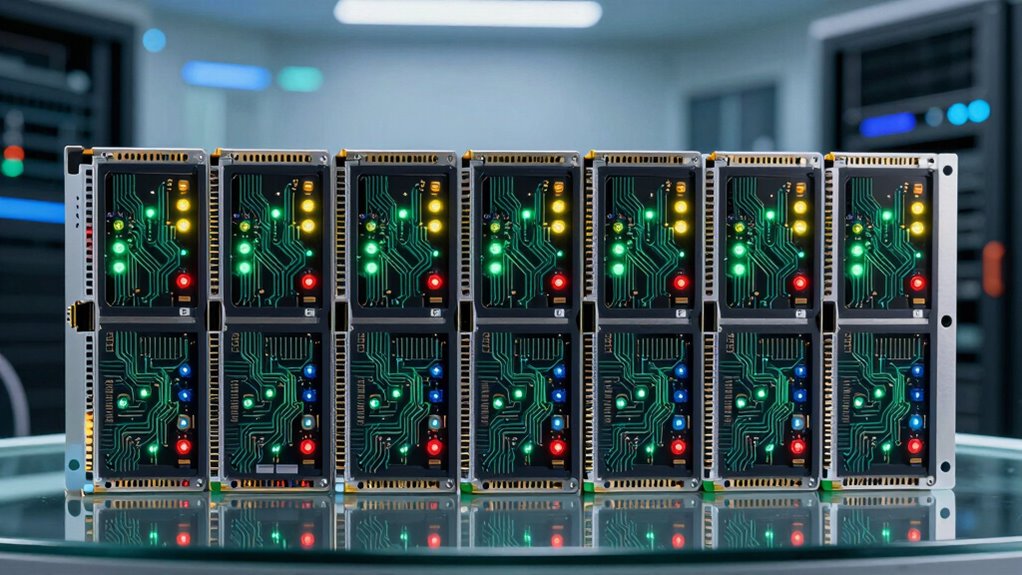
If you’re searching for a UPS network management card, you’re likely looking to enhance your power system’s control and monitoring capabilities. The APC AP9631 UPS Network Management Card 2 stands out as the best overall due to its robust environmental monitoring and comprehensive features. For those prioritizing simplicity and cost-efficiency, the APC AP9620 offers solid basic oversight, while the APC AP9640 provides seamless integration for Schneider Electric UPS units. The main tradeoffs include balancing features like environmental sensors or out-of-band management against ease of use and price. Continue reading for a detailed breakdown of these top options, their strengths, and their limitations.

Get the latest gadgets delivered free with Prime
- Fast, free delivery on millions of items
- Prime Video, Amazon Music and more included
- Member-only deals all year
Complete the kit



Key Takeaways
- The top-ranked models excel in environmental monitoring and out-of-band management, making them suitable for critical infrastructure.
- Pricing often correlates with feature sets; more advanced options tend to have better security and remote management capabilities.
- Compatibility with different UPS brands varies; some cards are optimized for APC units, while others offer broader support.
- Ease of setup and user interface quality differ, impacting ongoing usability for non-technical users.
- Tradeoffs between cost and advanced features mean buyers should prioritize their specific management needs over extras.
| APC AP9631 UPS Network Management Card 2 with Environmental Monitoring |  | Best Overall for Comprehensive Management and Monitoring | Supports multiple user access: up to 8 users via web, 3 via CLI | Compatibility: Standard UPS RFC 1628 MIB | Firmware update: Web-based, seamless updates | VIEW ON AMAZON | See Our Full Breakdown |
| APC AP9630 UPS Network Management Card 2 |  | Best for Secure Remote Management with Advanced Security Features | Device Encryption: HTTPS/SSL, SSH (up to 2048-bit), SNMPv3 | Command Line Interface: Telnet or SSH | Scheduling: Shutdown and reboot automation | VIEW ON AMAZON | See Our Full Breakdown |
| APC by Schneider Electric AP9640 UPS Management Adapter |  | Best for Local and Remote Management of Compatible APC UPS Units | Compatibility: APC UPS units | Connection: Micro-USB, Ethernet (Telnet/SSH) | Features: Remote monitoring, control, local configuration | VIEW ON AMAZON | See Our Full Breakdown |
| UPS Network Management Card AP9641 |  | Best for Basic Remote Monitoring with Easy Setup | Brand: Generic | Number of Items: 1 | Manufacturer Part Number: 7534285469571 | VIEW ON AMAZON | See Our Full Breakdown |
| APC AP9617 UPS Network Management Card |  | Best for Basic Remote Management with Compatibility Assurance | VIEW ON AMAZON | See Our Full Breakdown | |||
| APC AP9620 |  | Best Basic Power Management and Surge Protection | Outlets: Multiple | Surge Protection: Yes | Power Backup: Yes | VIEW ON AMAZON | See Our Full Breakdown |
| APC AP9631 Network Management Card 2 with Environmental Monitoring | 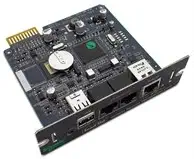 | Best for Remote Management and Environmental Oversight | Management Type: Network Management Card 2 | Environmental Monitoring: Yes | Ethernet: 10/100 | VIEW ON AMAZON | See Our Full Breakdown |
| APC UPS Network Management Card with Environmental Monitoring and Out-of-Band Management |  | Best Compact, Out-of-Band Management Solution | Port: RJ-45 10/100Base-TX | Dimensions: 1.50″ H x 4.75″ W x 4.25″ D | Weight: 4.80 oz | VIEW ON AMAZON | See Our Full Breakdown |
More Details on Our Top Picks
APC AP9631 UPS Network Management Card 2 with Environmental Monitoring
This management card stands out for its extensive remote management capabilities, supporting multiple protocols like SNMP, Telnet, and SSH, and offering detailed battery health insights that enable proactive maintenance. Compared with the APC AP9630, it adds environmental monitoring, making it ideal for data centers or facilities where environmental factors matter. However, its complexity may overwhelm casual users, and it’s limited to compatible APC models, meaning it’s not a universal solution. Its web-based firmware updates and multi-user access make it a versatile choice for IT teams managing multiple units simultaneously.
Pros:- Supports multiple remote management protocols for flexibility
- Provides detailed battery health and fault analysis
- Supports seamless web-based firmware updates
Cons:- Limited to compatible APC UPS models, restricting flexibility
- Requires network setup and configuration, which can be complex
Best for: IT professionals overseeing large-scale APC UPS deployments needing detailed insights and environmental monitoring
Not ideal for: Small office users with simple backup needs who prefer plug-and-play solutions without environmental features
- Supports multiple user access:up to 8 users via web, 3 via CLI
- Compatibility:Standard UPS RFC 1628 MIB
- Firmware update:Web-based, seamless updates
- Battery management:Detailed battery info and fault analysis
- Management interfaces:Web, SNMP, Telnet, SSH
Our verdict“This card is ideal for enterprise environments where detailed management and environmental data are priorities, and users have technical expertise.”
APC AP9630 UPS Network Management Card 2
This network management card shines in environments demanding high security, supporting encrypted connections via HTTPS, SSL, and SSH with up to 2048-bit encryption, making it more secure than the APC AP9640. It also offers scheduling features for automated shutdowns and reboots, which are valuable for automated maintenance routines. However, its reliance on network configuration expertise and lack of local management options mean it’s less suited for users seeking a simple, standalone device. Compared with the APC AP9640, it provides a security edge, but at the cost of potentially more complex setup.
Pros:- Supports encrypted remote connections for secure management
- Includes scheduling for automated shutdowns and reboots
- User-friendly password protection enhances security
Cons:- Requires network configuration expertise
- No local management interface, limiting physical access
Best for: Security-conscious IT teams managing sensitive data center UPS systems
Not ideal for: Small businesses or casual users who want straightforward management without deep security concerns
- Device Encryption:HTTPS/SSL, SSH (up to 2048-bit), SNMPv3
- Command Line Interface:Telnet or SSH
- Scheduling:Shutdown and reboot automation
- Remote Management:Network connection
- Password Security:User-defined password protection
Our verdict“This card suits organizations prioritizing security and automation, with the tradeoff of needing network management skills.”
APC by Schneider Electric AP9640 UPS Management Adapter
Compared with the APC AP9630, the AP9640 offers local configuration through a Micro-USB console, making it more accessible for initial setup or troubleshooting without full network reliance. It supports remote management via Telnet or SSH, providing secure access similar to the APC AP9630 but with easier local access. Its main limitation is that it requires compatible APC UPS units, so it’s not a universal management solution, and the setup process may be complex for users unfamiliar with network configurations. This makes it well-suited for small to medium deployments where local management is needed alongside remote control.
Pros:- Supports remote management via secure Telnet or SSH
- Enables local configuration through Micro-USB console
- Provides secure remote access with password protection
Cons:- Requires compatible APC UPS units, limiting flexibility
- Setup can be complex for users unfamiliar with network configuration
Best for: Small to medium-sized organizations needing flexible local and remote management of APC UPS units
Not ideal for: Users seeking a universal management solution compatible with non-APC UPS systems or with minimal technical setup experience
- Compatibility:APC UPS units
- Connection:Micro-USB, Ethernet (Telnet/SSH)
- Features:Remote monitoring, control, local configuration
- Security:Password protection
Our verdict“This adapter offers a good balance of local and remote management for APC UPS units, ideal for users comfortable with network setups.”
UPS Network Management Card AP9641
Compared to the more feature-rich APC cards, the AP9641 offers straightforward remote monitoring and management, making it suitable for users who need real-time data without the complexity of advanced security or environmental features. Its simple installation and configuration are appealing for smaller environments, but the limited warranty and basic feature set mean it’s less suitable for enterprise or highly secure deployments. If your needs are primarily monitoring and basic management, this card offers a dependable, no-fuss solution.
Pros:- Enables remote monitoring and management
- Provides real-time data for better power oversight
- Simple to install and configure
Cons:- Limited warranty of just 1 year
- Requires compatible UPS hardware
Best for: Small businesses or remote sites needing simple, reliable UPS management
Not ideal for: Large data centers or environments requiring advanced security or environmental monitoring features
- Brand:Generic
- Number of Items:1
- Manufacturer Part Number:7534285469571
- Warranty:1 year
Our verdict“This card is best suited for straightforward remote monitoring needs where simplicity and quick setup are priorities.”
APC AP9617 UPS Network Management Card
The APC AP9617 offers fundamental remote management capabilities similar to the APC AP9641 but with less detailed specifications available. It’s designed primarily for environments already using APC UPS units, providing a reliable way to monitor and control without extra complexity. Compared with the APC AP9631, it’s a more basic, cost-effective option for users who don’t need advanced features or environmental monitoring but still want remote oversight. Its limited info suggests it’s suited for straightforward setups, though you should verify compatibility before purchase.
Pros:- Enables remote monitoring and management
- Compatible with APC UPS units for seamless integration
Cons:- Limited product details, making full evaluation difficult
- Requires compatible APC UPS for complete functionality
Best for: Organizations already invested in APC UPS systems seeking reliable remote control without advanced features
Not ideal for: Users requiring detailed management, environmental data, or security features beyond basic remote control
Our verdict“This card provides basic remote management for APC UPS units, fitting simple setups where advanced features are unnecessary.”
APC AP9620
The APC AP9620 stands out for offering reliable backup power and surge suppression in a straightforward package. Unlike more advanced network management cards, it focuses solely on protecting connected equipment without remote management capabilities. This makes it a solid choice for users who need dependable power backup and surge protection without the complexity of network features. The absence of detailed specifications and user reviews makes assessing its performance difficult, but its multiple outlets and surge protection are definite advantages. The main tradeoff is that it lacks remote management, which limits control for larger or distributed setups. This pick is ideal for small offices or home setups where basic power protection is sufficient.
Pros:- Reliable power backup ensures equipment safety during outages
- Effective surge protection guards against power fluctuations
- Multiple outlets allow for versatile device connections
Cons:- Limited technical specifications make performance assessment difficult
- No network management or remote access features
Best for: Small business owners or home users seeking reliable surge protection and backup power without remote management features.
Not ideal for: IT professionals managing multiple UPS units remotely, as it lacks network management capabilities.
- Outlets:Multiple
- Surge Protection:Yes
- Power Backup:Yes
- Connectivity:N/A
- Management Features:None
- Dimensions:Not specified
- Weight:Not specified
Our verdict“This device is best suited for users needing straightforward power backup and surge protection without remote management complexity.”
APC AP9631 Network Management Card 2 with Environmental Monitoring
The APC AP9631 Network Management Card 2 offers robust remote control combined with environmental monitoring, making it ideal for managing multiple UPS units in distributed environments. Compared with the simpler APC AP9620, it adds network connectivity via 10/100 Ethernet and supports remote troubleshooting and monitoring. This makes it well-suited for IT setups that require centralized oversight. The need for network configuration and its restriction to specific UPS models are tradeoffs that could complicate deployment for less tech-savvy users. Nonetheless, its environmental sensors help prevent overheating or humidity issues that could damage sensitive equipment. This model is perfect for data centers or facilities where remote access and environmental monitoring are priorities.
Pros:- Enables remote management of UPS systems for centralized control
- Includes environmental monitoring to prevent equipment damage
- Compatible with a wide range of Smart-UPS models
Cons:- Requires network setup, which could be complex for some users
- Limited to specific UPS models, reducing flexibility
Best for: IT managers or data center operators managing multiple UPS units remotely with environmental concerns.
Not ideal for: Small offices or home users without network infrastructure, since setup complexity may outweigh benefits.
- Management Type:Network Management Card 2
- Environmental Monitoring:Yes
- Ethernet:10/100
- Compatible Models:Smart-UPS 1000, 1500, 2200, 300
- Management Features:Remote monitoring and control
- Dimensions:Not specified
- Weight:Not specified
Our verdict“This card is best for organizations that need centralized, remote management with environmental oversight for multiple UPS units.”
APC UPS Network Management Card with Environmental Monitoring and Out-of-Band Management
The APC UPS Network Management Card with Environmental Monitoring offers a compact and lightweight solution for out-of-band management, making it suitable for space-constrained installations. Unlike the APC AP9631, which relies on in-band network access, this card supports out-of-band management, providing access even during network outages. Its small footprint and simple RJ-45 port make installation straightforward, but its feature set is limited primarily to environmental monitoring and basic network access, lacking some advanced remote management functions found in higher-end cards. If your priority is a lightweight, out-of-band management option with environmental sensors, this device makes an excellent choice. However, it may fall short for those requiring extensive remote control features. This pick is best for small-scale setups needing reliable out-of-band access and environmental oversight.
Pros:- Supports out-of-band management for reliable access during network issues
- Provides environmental monitoring to prevent equipment damage
- Compact and lightweight design simplifies installation
Cons:- Limited management features compared to full network management cards
- Lacks detailed technical specs, which may hinder advanced troubleshooting
Best for: Small IT setups or remote sites needing out-of-band management with environmental monitoring in a compact form.
Not ideal for: Larger enterprise environments requiring comprehensive remote management features beyond environmental monitoring.
- Port:RJ-45 10/100Base-TX
- Dimensions:1.50″ H x 4.75″ W x 4.25″ D
- Weight:4.80 oz
- Environmental Monitoring:Yes
- Out-of-Band Management:Supported
- Management Features:Limited
Our verdict“This device is ideal for small-scale or remote installations prioritizing out-of-band access and environmental monitoring without complex management needs.”

How We Picked
These products were evaluated based on performance, compatibility, ease of installation, feature set, and value. Priority was given to how well each card enables remote management, environmental monitoring, and security features. We also considered build quality, user interface, and ongoing support. Products with broader compatibility or extra features like out-of-band access were rated higher, but affordability and simplicity kept some models in the mid-range. The ranking reflects a balance between advanced capabilities and user-friendliness for different types of buyers.Factors to Consider When Choosing Ups Network Management Card
Choosing the right UPS network management card depends on your specific needs and environment. Beyond basic features, understanding compatibility, security, and manageability can prevent costly mistakes. Carefully evaluating these factors will help you select a card that scales with your infrastructure and offers reliable remote oversight.Compatibility With Your UPS System
Not all management cards support every UPS brand or model. Some are optimized for APC units, offering seamless integration, while others work with a broader range. Confirm compatibility before purchase to avoid the inconvenience of incompatible hardware or limited functionality. This consideration impacts long-term flexibility, especially if you plan to expand or upgrade your power management system.
Features and Monitoring Capabilities
Look beyond basic remote access. Features like environmental sensors, power event logging, and out-of-band management can significantly improve your ability to troubleshoot and prevent downtime. However, more features often come with increased complexity and cost. Clarify which capabilities are essential for your environment to avoid overpaying for unnecessary extras or missing critical functions.
Security and Access Control
Remote management introduces security risks, especially if your network is accessible externally. Choose cards with robust security protocols, including encrypted connections and user access controls. Out-of-band management options are an excellent addition, providing secure access even during network outages. Failing to prioritize security can expose your infrastructure to potential threats, so evaluate these protections carefully.
Ease of Setup and User Interface
An intuitive user interface and straightforward setup process can save time and reduce errors, especially for users unfamiliar with network management. Some cards offer comprehensive dashboards with detailed analytics, while others provide simpler controls. Weigh your technical expertise against your management needs to avoid frustration or overspending on features you won’t use.
Cost and Total Value
Prices vary widely, often reflecting the feature set and brand reputation. While it may be tempting to choose the lowest-cost option, consider the total value—reliability, support, and future-proofing—over initial savings. Investing in a higher-quality card can provide peace of mind and reduce maintenance costs over time, especially in critical environments where uptime matters most.
Frequently Asked Questions
Can I use a management card with non-APC UPS systems?
Many management cards are designed primarily for APC UPS units, but some offer broader compatibility. If you operate a mix of brands, look for models explicitly supporting multiple manufacturers or with open standards. Compatibility can be a limiting factor, so verify this before purchase to ensure seamless integration and avoid additional adapters or replacements later.
Is out-of-band management necessary for my setup?
Out-of-band management provides a secure, dedicated connection that works even during network failures, which is crucial for critical infrastructure. If your environment demands maximum uptime and security, this feature adds significant value. However, it may increase cost and complexity, so consider your operational needs carefully before opting for it.
How difficult is it to install and configure these cards?
Most management cards are designed for straightforward installation, often fitting into standard network or serial ports. Configuration complexity varies; some offer simple web interfaces suitable for non-technical users, while others require command-line setup. Ensuring the card matches your technical skill level will help prevent setup headaches and ensure reliable operation.
Do I need environmental monitoring capabilities?
Environmental sensors help track temperature, humidity, and other factors that affect UPS performance and lifespan. If your system operates in a sensitive environment or critical data center, these features can preempt hardware failures. For less critical setups, basic remote management may suffice, making environmental monitoring a secondary consideration.
Is investing in a higher-priced management card worth it?
Higher-priced cards often include advanced security, comprehensive management features, and better compatibility. If your operation depends on continuous uptime or involves complex infrastructure, paying more can reduce risks and simplify ongoing management. Conversely, smaller setups with less critical needs might find mid-range or budget options more appropriate, balancing cost and functionality.
Conclusion
If you need a reliable, feature-rich solution and have a complex infrastructure, the APC AP9631 UPS Network Management Card 2 is the best overall choice. For those on a budget or with straightforward needs, the APC AP9620 offers solid basic management. Power users seeking advanced environmental controls and security features should consider the APC AP9640. Beginners and small setups will benefit from simple, easy-to-configure options, while large data centers or critical systems should opt for cards with out-of-band management and extensive monitoring. Match your specific needs with these profiles to choose the best UPS network management card for 2026.
As an affiliate, we earn on qualifying purchases.Halloween Picks
halloween