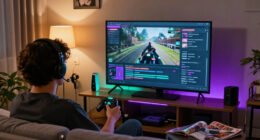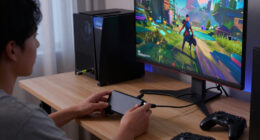

The best AR glasses for most people are the XREAL One Pro, combining a 120Hz display with native 3DoF tracking for a steadier virtual screen. The VITURE Luma Ultra stands out for buyers who want 6DoF and gesture support, while the VITURE Pro 2 is a more targeted choice for users who need built-in myopia adjustment. The main tradeoffs are display brightness and clarity versus comfort, tracking capability, device compatibility, and fit. Features such as 6DoF can matter for spatial interaction but may be unnecessary if you only want a large screen for video. Continue reading for the full comparison of 15 options and guidance on which compromises make sense for your setup.

Get the latest gadgets delivered free with Prime
- Fast, free delivery on millions of items
- Prime Video, Amazon Music and more included
- Member-only deals all year
Complete the kit



Key Takeaways
- Native 3DoF tracking is the clearest separator among the XREAL picks: the XREAL One Pro is a stronger fit for a screen that stays anchored in space than models specified mainly by virtual display size.
- The VITURE Luma Ultra models target spatial interaction rather than simple screen mirroring: their listed 6DoF support, and gesture support on one version, suit buyers who want more than a floating video display.
- Brightness claims do not settle the buying decision: several products list high-nit figures, but fit, display behavior, and the conditions in which you use the glasses also shape comfort.
- Vision support can outweigh headline display specs: the VITURE Pro 2’s -5.00D myopia adjustment addresses a specific need that many competing models do not list.
- The lineup includes closely related and repeated model names: check the exact version, fit or IPD designation, and feature set before choosing, especially among the XREAL One Pro and VITURE Luma Ultra entries.
| XREAL 1 Pro+ AR Glasses with 1200-Nit Brightness and 171-Inch Virtual Display |  | Best Overall for Built-In Spatial Tracking | Chip: X1 spatial computing chip | Tracking: Native 3DoF; optional 6DoF with XREAL Eye | Virtual screen: 171 inches | VIEW LATEST PRICE | See Our Full Breakdown |
| XREAL One Pro AR Glasses with X1 Chip, 171-Inch 120Hz FHD Display and Native 3DoF | 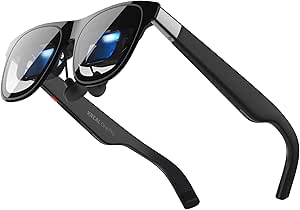 | Best for Low-Latency Viewing | Chip: XREAL X1 | Tracking: Native 3DoF; optional 6DoF with XREAL Eye | Motion-to-photon latency: 3 ms | VIEW LATEST PRICE | See Our Full Breakdown |
| VITURE Beast XR/AR Glasses |  | Best for Lightweight, High-Brightness Viewing | Display size: 174 inches | Resolution: 1200p per eye | Panel type: Sony Micro-OLED | VIEW LATEST PRICE | See Our Full Breakdown |
| Rokid Max2 Black AR Glasses |  | Best for Built-In Myopia Adjustment | Display type: Micro-OLED | Virtual screen size: 215 inches | Field of view: 50° | VIEW LATEST PRICE | See Our Full Breakdown |
| XREAL a01+ AR Glasses with 147-Inch Virtual Display |  | Best Lightweight Pick for Portable Viewing | Virtual display size: 147 inches | Display type: Micro-OLED | Resolution: 1920 × 1080 per eye | VIEW LATEST PRICE | See Our Full Breakdown |
| RayNeo Air 4 Pro AR/XR Glasses |  | Best for HDR Entertainment | Display: HDR10 AR display | Virtual screen: 201 inches | Refresh rate: 120Hz | VIEW LATEST PRICE | See Our Full Breakdown |
| RayNeo GT Max AR Glasses | 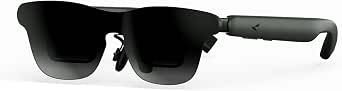 | Best for a Wide Field of View | Field of view: 59° | Refresh rate: 120Hz | Tracking: Native 3DoF | VIEW LATEST PRICE | See Our Full Breakdown |
| XREAL 1S AR Glasses with X1 Chip, 500″ Virtual Screen, Native 3DoF, and Bose Audio |  | Best for Low-Latency Spatial Viewing | Display: OLED, 1920 × 1200 | Refresh rate: 120Hz in 3DoF; 90Hz global | Field of view: 52° | VIEW LATEST PRICE | See Our Full Breakdown |
| VITURE Luma Ultra XR Glasses with 1200p Display and 6DoF Support |  | Best for a Flexible Viewing Workspace | Display: Sony Micro-OLED, 1200p | Virtual screen: 152 inches | Brightness: Up to 1500 nits | VIEW LATEST PRICE | See Our Full Breakdown |
| TOZO VIZO Z1 Pro AR Glasses |  | Best for Adjustable Focus | Weight: 63g | Display: Micro-OLED, 1920 × 1080 per eye | Refresh rate: 120Hz | VIEW LATEST PRICE | See Our Full Breakdown |
| XREAL One Pro AR Glasses with X1 Chip, 3DoF Tracking, 57° FOV, 120Hz OLED Display, M (57–66mm IPD) |  | Best for a Wide, Stable Virtual Screen | Display: Sony Micro-OLED, 1920 × 1080 | Refresh rate: 120 Hz | Field of view: 57° | VIEW LATEST PRICE | See Our Full Breakdown |
| VITURE Luma Ultra XR Glasses, 1200p Micro-OLED Display, 6DoF Tracking and Hand Gesture Support |  | Best for Built-In 6DoF Tracking | Display resolution: 1200p Micro-OLED | Refresh rate: 120 Hz | Peak brightness: 1500 nits | VIEW LATEST PRICE | See Our Full Breakdown |
| RayNeo Air 3s AR/XR Glasses |  | Best for Movies and Console Gaming | Virtual screen: 201 inches | Refresh rate: 120 Hz | Color accuracy: 98% DCI-P3, ΔE < 2 | VIEW LATEST PRICE | See Our Full Breakdown |
| VITURE Luma Ultra XR Glasses 152″ 1500 Nits 6DoF AR Glasses |  | Best for Multi-Screen Productivity | Virtual screen: 152 inches | Display: 1200p Sony Micro-OLED | Brightness: 1500 nits | VIEW LATEST PRICE | See Our Full Breakdown |
| VITURE Pro 2 XR Glasses with -5.00D Myopia Adjustment, 120Hz |  | Best for Myopic Viewers | Display: Sony Micro-OLED | Resolution: 1080p | Virtual screen: 146 inches | VIEW LATEST PRICE | See Our Full Breakdown |
| AR glasse | Refresh rate | Field of view | Virtual screen | Tracking |
|---|---|---|---|---|
| XREAL 1 Pro+ AR Glasses with 1 | 120 Hz | 57 degrees | 171 inches | Native 3DoF; optional 6DoF with XREAL Eye |
| XREAL One Pro AR Glasses with | 120 Hz | 57° | — | Native 3DoF; optional 6DoF with XREAL Eye |
| VITURE Beast XR/AR Glasses | 120 Hz | 58 degrees | — | Built-in 3DoF (VisionPair) |
| Rokid Max2 Black AR Glasses | 120 Hz | 50° | — | — |
| XREAL a01+ AR Glasses with 147 | — | — | — | — |
| RayNeo Air 4 Pro AR/XR Glasses | 120Hz | — | 201 inches | — |
| RayNeo GT Max AR Glasses | 120Hz | 59° | — | Native 3DoF |
| XREAL 1S AR Glasses with X1 Ch | 120Hz in 3DoF; 90Hz global | 52° | 500 inches | — |
| VITURE Luma Ultra XR Glasses w | Up to 120Hz | 52° | 152 inches | 3DoF on supported platforms; full 6DoF requires VITURE Pro Neckband |
| TOZO VIZO Z1 Pro AR Glasses | 120Hz | — | — | — |
| XREAL One Pro AR Glasses with | 120 Hz | 57° | 171 inches at four meters | Native 3DoF; optional 6DoF with XREAL Eye |
| VITURE Luma Ultra XR Glasses | 120 Hz | 52° | Up to 152 inches | 6DoF with front RGB camera and dual depth cameras |
| RayNeo Air 3s AR/XR Glasses | 120 Hz | — | 201 inches | — |
| VITURE Luma Ultra XR Glasses 1 | Up to 120 Hz | 52° | 152 inches | Full 6DoF with Pro Neckband |
| VITURE Pro 2 XR Glasses with – | 120 Hz | 50° | 146 inches | — |
More Details on Our Top Picks
XREAL 1 Pro+ AR Glasses with 1200-Nit Brightness and 171-Inch Virtual Display
The XREAL 1 Pro+ is my strongest all-around pick for buyers who want spatial features without adding a tracking accessory. Its built-in X1 chip handles native 3DoF, while the 171-inch virtual screen, 57° field of view, and 120Hz refresh rate make it a capable personal display for gaming and video. Brightness reaches 1200 nits, and three-level electrochromic dimming gives you a way to adjust lens tint as surroundings change. Compared with the XREAL One Pro, this model lists higher peak brightness and REAL 3D conversion, but the One Pro specifies 3ms motion-to-photon latency and Bose-tuned audio. The key limitation is that 6DoF anchoring requires the optional XREAL Eye; USB-C video output is also needed, and the listed 0.47 kg weight is substantial beside lighter glasses such as the XREAL a01+.
Pros:- Built-in X1 chip provides native 3DoF tracking.
- 171-inch virtual screen combines a 57° field of view with 39 PPD clarity.
- Up to 1200 nits brightness, AI HDR, and REAL 3D conversion at 60 fps.
- Three-level electrochromic dimming lets users adjust lens tint.
Cons:- 6DoF spatial anchoring requires the optional XREAL Eye.
- USB-C connection limits use to devices with compatible video output.
- Listed weight of 0.47 kg is heavier than the 62 g XREAL a01+.
Best for: USB-C device owners who want native 3DoF, a large virtual screen, and brighter viewing without relying on a separate tracking accessory.
Not ideal for: Buyers seeking full 6DoF tracking out of the box, a lightweight frame, or a display that connects to devices without USB-C video output.
- Chip:X1 spatial computing chip
- Tracking:Native 3DoF; optional 6DoF with XREAL Eye
- Virtual screen:171 inches
- Field of view:57 degrees
- Resolution:1920 × 1080
- Brightness:Up to 1200 nits
- Refresh rate:120 Hz
- Connectivity:USB Type-C
Our verdict“Choose the XREAL 1 Pro+ for a bright, feature-rich personal display with native 3DoF, but budget for an accessory if you want 6DoF anchoring.”
XREAL One Pro AR Glasses with X1 Chip, 171-Inch 120Hz FHD Display and Native 3DoF
The XREAL One Pro is a strong fit for buyers who prioritize responsive screen positioning and a clear fit range. Its X1 chip provides native 3DoF tracking, and the listed 3ms motion-to-photon latency is a useful distinction for motion-sensitive viewing and gaming. A 171-inch FHD Micro-OLED display runs at 120Hz, while the adjustable electrochromic tint helps manage different lighting conditions. Compared with the XREAL 1 Pro+, the One Pro specifies Bose-tuned sound and two IPD size ranges, but its stated peak brightness is lower at 700 nits and it does not list the Pro+’s AI HDR or 60 fps REAL 3D conversion. Neither model provides 6DoF anchoring without the optional XREAL Eye. USB-C devices need video output, and some HDMI sources require an additional Beam or adapter.
Pros:- X1 chip delivers native 3DoF tracking with listed 3ms motion-to-photon latency.
- 171-inch FHD Micro-OLED display supports 120Hz refresh.
- Two IPD size ranges and three-stage arms provide fit options.
- Bose-tuned sound chamber and adjustable electrochromic lens tint are built in.
Cons:- 6DoF spatial anchoring requires the optional XREAL Eye.
- 700-nit peak brightness is lower than the 1200-nit XREAL 1 Pro+.
- Some HDMI devices require a Beam or adapter.
Best for: USB-C video-device owners who value low motion-to-photon latency, built-in 3DoF, and a choice of IPD fit ranges.
Not ideal for: Buyers who need high peak brightness, 6DoF anchoring included, or a direct connection to HDMI devices without extra hardware.
- Chip:XREAL X1
- Tracking:Native 3DoF; optional 6DoF with XREAL Eye
- Motion-to-photon latency:3 ms
- Display:FHD Micro-OLED
- Refresh rate:120 Hz
- Field of view:57°
- Brightness:Up to 700 nits
- Audio:Bose-tuned sound chamber
Our verdict“Pick the XREAL One Pro if responsive native 3DoF and fit flexibility matter more to you than the higher listed brightness and 3D features of the XREAL 1 Pro+.”
VITURE Beast XR/AR Glasses
The VITURE Beast stands out for combining high listed brightness with a notably light 88 g frame. Its 174-inch virtual display is slightly larger than the 171-inch screens on the XREAL 1 Pro+ and XREAL One Pro, while 1200p-per-eye Sony Micro-OLED panels and a 120Hz refresh rate suit detailed, fluid viewing. Built-in VisionPair 3DoF and real-time 2D-to-3D conversion work without an external dongle, making the feature set less accessory-dependent than XREAL’s optional 6DoF route. The tradeoff is that tracking remains 3DoF only, so it does not provide the spatial freedom of a 6DoF model. Fit also deserves care: buyers must choose between Regular and Large by IPD, and prescription-lens wearers need separate lenses.
Pros:- 88 g frame is lighter than the listed XREAL 1 Pro+ and Rokid Max2.
- 174-inch screen, 1200p per eye, and 1250 nits brightness.
- Built-in 3DoF and real-time 2D-to-3D conversion work without external software or dongles.
- 120Hz Sony Micro-OLED display with HARMAN AudioEFX.
Cons:- Tracking is limited to 3DoF, unlike 6DoF-capable setups using an optional XREAL Eye.
- Regular and Large fit options require buyers to match their IPD.
- Prescription lenses are an additional requirement for glasses wearers.
Best for: Viewers who want a lightweight, bright Micro-OLED display with built-in 3DoF and automatic 2D-to-3D conversion.
Not ideal for: Buyers who need 6DoF spatial tracking, wear prescription glasses without adding prescription lenses, or cannot match either listed IPD size.
- Display size:174 inches
- Resolution:1200p per eye
- Panel type:Sony Micro-OLED
- Field of view:58 degrees
- Brightness:1250 nits
- Refresh rate:120 Hz
- Weight:88 g
- Tracking:Built-in 3DoF (VisionPair)
Our verdict“Choose the VITURE Beast for a bright, lightweight viewing setup with built-in 3DoF, provided its fit options suit you and 6DoF is not a requirement.”
Rokid Max2 Black AR Glasses
The Rokid Max2 takes a practical approach for buyers with myopia: its built-in adjustment supports prescriptions up to 600 diopters, avoiding separate prescription inserts within that range. The 75 g frame is also lighter than the 88 g VITURE Beast, and USB-C power means the glasses can run without an internal battery to manage. Its headline 215-inch virtual screen is larger on paper than the 171-inch XREAL displays, but that number comes with a narrower 50° field of view and lower 600-nit brightness than the Beast or XREAL 1 Pro+. The supplied information does not list spatial tracking, so I would choose this as a straightforward personal display rather than for anchored AR content. It also cannot correct astigmatism or presbyopia, and compatible USB-C video output is required.
Pros:- Built-in myopia adjustment supports up to 600 diopters.
- 75 g design is lighter than the VITURE Beast.
- Micro-OLED display supports a 120Hz refresh rate.
- USB-C power avoids the need for an internal battery.
Cons:- Myopia adjustment does not correct astigmatism or presbyopia.
- 600-nit brightness is lower than the VITURE Beast and XREAL 1 Pro+.
- 50° field of view is narrower than the 57° XREAL models.
Best for: Myopic users within the supported adjustment range who want lightweight USB-C display glasses without separate prescription inserts.
Not ideal for: People with astigmatism or presbyopia, prescriptions beyond 600 diopters, or older devices without compatible USB-C video output.
- Display type:Micro-OLED
- Virtual screen size:215 inches
- Field of view:50°
- Brightness:600 nits
- Refresh rate:120 Hz
- Weight:75 g
- Connectivity:USB-C
- Myopia adjustment:Up to 600 diopters
Our verdict“Pick the Rokid Max2 if built-in myopia adjustment and low weight matter more than brighter output, a wider field of view, or listed spatial tracking.”
XREAL a01+ AR Glasses with 147-Inch Virtual Display
At 62 g, the XREAL a01+ is the lightest option in this group, making it the natural choice for buyers who want portable viewing without a heavier frame. Its dual 1080p-per-eye Micro-OLED panels, HDR10, and up to 1600 nits brightness give it a compelling image specification, while stabilized tracking helps keep the virtual screen centered. Compared with the Rokid Max2, the a01+ is lighter and lists higher maximum brightness; Rokid counters with built-in myopia adjustment, which this XREAL does not list. Its 147-inch virtual screen is smaller than the 171-inch XREAL One Pro and 174-inch VITURE Beast, so it gives up some apparent scale for lower weight. USB-C DisplayPort is required, and some devices need an adapter.
Pros:- 62 g frame is the lightest among these five products.
- Dual 1920 × 1080 Micro-OLED panels support HDR10 and up to 1600 nits.
- Stabilized tracking helps keep the virtual screen centered.
- Three nose-pad sizes and flexible temples offer fit adjustments.
Cons:- 147-inch virtual display is smaller than the screens listed for the XREAL One Pro and VITURE Beast.
- USB-C DisplayPort is required, and some devices need an adapter.
- Prescription inserts are sold separately, and the glasses are not water resistant.
Best for: Travelers and portable-device owners who prioritize a very light frame, sharp dual Full HD panels, and a bright display.
Not ideal for: Buyers who need built-in myopia adjustment, water resistance, or a direct connection to older Lightning devices and Nintendo Switch without adapters.
- Virtual display size:147 inches
- Display type:Micro-OLED
- Resolution:1920 × 1080 per eye
- Maximum brightness:1600 nits
- Connectivity:USB-C DisplayPort
- Weight:62 g
- Audio:Built-in directional speakers with four modes
- Water resistance:Not water resistant
Our verdict“Choose the XREAL a01+ if low weight and bright, sharp viewing are your priorities, but look to Rokid Max2 for built-in myopia correction.”
RayNeo Air 4 Pro AR/XR Glasses
I’d put the RayNeo Air 4 Pro on the shortlist for buyers who want a vivid personal screen for movies and games without adding a tracking accessory. Its HDR10 display, 120Hz refresh rate, and 201-inch virtual screen make it a more entertainment-focused choice than the VITURE Luma Ultra, which leans more toward workspace features and adjustable myopia correction. The Vision 4000 chip can upscale SDR content and convert some content to 3D, though that 3D feature is limited to specific iPhone models. At 2.72 ounces, it is light, and USB-C plug-and-play keeps setup simple with compatible devices. The tradeoff is that it has no battery or standalone operation: a compatible device must power it. Its open-ear audio also leaves less isolation in noisy surroundings.
Pros:- HDR10 display supports vivid, high-contrast entertainment.
- 120Hz refresh rate suits smooth gaming and video playback.
- Light 2.72-ounce design needs no internal battery.
- USB-C plug-and-play works with a range of listed devices.
Cons:- Requires a compatible connected device for power and video.
- Open-ear audio provides limited isolation in noisy places.
- 3D conversion is limited to specific iPhone models.
Best for: Movie and console gamers who want HDR viewing from a compatible USB-C phone, tablet, handheld, or computer.
Not ideal for: Buyers who need standalone glasses, broad 3D conversion support, or audio that blocks surrounding noise.
- Display:HDR10 AR display
- Virtual screen:201 inches
- Refresh rate:120Hz
- Processor:Vision 4000 chip
- Audio:Four speakers, tuned by Bang & Olufsen
- Connectivity:USB-C
- Weight:2.72 ounces
Our verdict“Choose the Air 4 Pro for portable HDR entertainment if you have a compatible USB-C device and do not need standalone use.”
RayNeo GT Max AR Glasses
The RayNeo GT Max stands out for its 59° field of view, the widest stated here, which can make a simulated screen feel more enveloping than the 52° views listed for the XREAL 1S and VITURE Luma Ultra. It pairs that broad view with a 120Hz refresh rate and native 3DoF tracking, so the image can stay anchored as you move your head rather than behaving only like a fixed display. RayNeo cites a 267-inch equivalent screen, but that figure describes a virtual viewing experience, not a screen you can use like a room-scale display. Compared with the Air 4 Pro, this model emphasizes field of view and tracking over its rival’s specified HDR10 display and lightweight design. Full Dolby Vision features depend on pairing with specific accessories, and 3DoF offers less spatial freedom than 6DoF.
Pros:- 59° field of view is wider than the 52° listed for several alternatives here.
- 120Hz refresh rate supports smooth motion.
- Native 3DoF tracking anchors the view as the wearer moves their head.
- AI-assisted SDR-to-HDR processing can enhance standard content.
Cons:- Full Dolby Vision features require specific accessories.
- Native 3DoF does not offer the movement freedom of 6DoF.
- The supplied details do not specify resolution or connectivity.
Best for: Entertainment viewers who prioritize a broad, head-tracked virtual screen and are comfortable checking accessory requirements.
Not ideal for: Buyers seeking full 6DoF movement, complete standalone functionality, or Dolby Vision without additional compatible hardware.
- Field of view:59°
- Refresh rate:120Hz
- Tracking:Native 3DoF
- Equivalent screen size:267 inches
- Video support:Dolby Vision, with full features requiring specific accessories
- Image processing:AI-assisted SDR-to-HDR
Our verdict“Pick the GT Max if a wide, head-tracked entertainment view matters more to you than 6DoF interaction or accessory-free Dolby Vision.”
XREAL 1S AR Glasses with X1 Chip, 500″ Virtual Screen, Native 3DoF, and Bose Audio
I’d choose the XREAL 1S for a combination of native 3DoF and 3ms motion-to-photon latency, rather than for its headline 500-inch virtual screen alone. The X1 chip handles spatial viewing without an external tracking app, giving it a more self-contained tracking setup than the VITURE Luma Ultra, whose full 6DoF and gesture controls require a separate Pro Neckband. The 1S also adds Bose-tuned open-ear audio and TÜV Rheinland low-blue-light and flicker-free certifications, which may appeal to people watching for long stretches. Its 52° field of view is narrower than the RayNeo GT Max’s 59°, and 3D conversion runs at up to 30fps rather than the listed 120Hz 2D rate. A USB-C DisplayPort-capable source is required, and the IPD range may not fit every face.
Pros:- X1 chip supports native 3DoF with 3ms motion-to-photon latency.
- Bose-tuned open-ear speakers provide integrated audio.
- TÜV Rheinland certifications cover low blue light and flicker-free viewing.
- Instant 2D-to-3D conversion adds a spatial viewing option.
Cons:- Requires a USB-C device with DisplayPort Alt Mode.
- 3D mode runs at up to 30fps, below the 2D refresh rate.
- The 59.5–70.5 mm IPD range may not suit every wearer.
Best for: Portable gaming and movie viewers who want low-latency 3DoF tracking, built-in spatial conversion, and a compatible USB-C DisplayPort device.
Not ideal for: People who need 6DoF room-scale interaction, a wider view than 52°, or 3D playback at the standard 2D refresh rate.
- Display:OLED, 1920 × 1200
- Refresh rate:120Hz in 3DoF; 90Hz global
- Field of view:52°
- Virtual screen:500 inches
- Processor:X1 chip
- Motion-to-photon latency:3ms
- Connectivity:USB-C with DisplayPort Alt Mode
- IPD range:59.5–70.5 mm
Our verdict“Choose the XREAL 1S for responsive native 3DoF viewing if your source supports USB-C DisplayPort and you can accept its narrower view than the RayNeo GT Max.”
VITURE Luma Ultra XR Glasses with 1200p Display and 6DoF Support
The VITURE Luma Ultra suits buyers who want more than a personal cinema screen: SpaceWalker can support multi-screen workspaces and 3DoF tracking on compatible platforms. Its Sony Micro-OLED display is specified at 1200p with up to 1500 nits brightness and 120Hz, giving it a strong display-focused case against the XREAL 1S. The key distinction is that the VITURE’s full 6DoF tracking and hand gestures require the Pro Neckband; without that accessory, do not treat it as a complete 6DoF system. Electrochromic lenses and built-in myopia adjustment up to -4.0D are practical advantages over the XREAL 1S, which instead emphasizes low-latency native 3DoF and 2D-to-3D conversion. Compatibility varies by device and connection, while open-ear audio will not screen out nearby sound.
Pros:- 1200p Sony Micro-OLED display with brightness up to 1500 nits.
- SpaceWalker supports multi-screen workspaces on compatible platforms.
- Electrochromic lenses can darken with a tap.
- Built-in myopia adjustment supports up to -4.0D.
Cons:- Full 6DoF tracking and hand gestures require the separate Pro Neckband.
- Features and compatibility vary by device, app, operating system, and connection.
- Open-ear audio does not block surrounding noise.
Best for: Mobile professionals and multitaskers who want a compatible multi-screen workspace and may value built-in myopia adjustment.
Not ideal for: Buyers who expect full 6DoF and gesture controls without buying the Pro Neckband, or who need enclosed audio.
- Display:Sony Micro-OLED, 1200p
- Virtual screen:152 inches
- Brightness:Up to 1500 nits
- Refresh rate:Up to 120Hz
- Field of view:52°
- Tracking:3DoF on supported platforms; full 6DoF requires VITURE Pro Neckband
- Myopia adjustment:Up to -4.0D
- Connectivity:USB-C video output; other devices may need a compatible VITURE dock or adapter
Our verdict“Pick the Luma Ultra for a configurable work-and-view setup if you accept platform limits and the extra hardware needed for full 6DoF.”
TOZO VIZO Z1 Pro AR Glasses
The TOZO VIZO Z1 Pro is a straightforward pick for viewers who want built-in focus adjustment instead of prescription inserts. Its 0–600° diopter adjustment addresses a practical fit issue that the XREAL 1S does not list as an equivalent adjustment, while the TOZO’s 63g weight and 120Hz Micro-OLED display keep the focus on personal gaming and streaming. The stated 1800 nits of perceived brightness and 98% DCI-P3 color gamut point to a vivid image, though brightness alone does not tell me how it will look in every lighting condition. Compared with the RayNeo Air 4 Pro, the TOZO specifies Full HD per eye and diopter adjustment, while RayNeo lists HDR10 and a lighter 2.72-ounce weight. The Z1 Pro still depends on a USB-C DisplayPort source and has integrated speakers rather than more immersive dedicated audio.
Pros:- Adjustable diopters from 0–600° can reduce reliance on prescription inserts.
- 120Hz Micro-OLED display supports smooth video and gaming.
- 63g weight is designed for extended wear.
- 98% DCI-P3 color gamut and high stated contrast support vivid viewing.
Cons:- Requires a compatible USB-C DisplayPort device.
- No standalone processing or internal battery is specified.
- Integrated speakers may not satisfy viewers seeking immersive audio.
Best for: Myopic phone, tablet, or laptop users who want adjustable focus and a high-refresh-rate private display.
Not ideal for: People without a USB-C DisplayPort video source, or viewers who need standalone operation or isolated, high-end audio.
- Weight:63g
- Display:Micro-OLED, 1920 × 1080 per eye
- Refresh rate:120Hz
- Brightness:1800 nits perceived; 6000 nits peak
- Color gamut:98% DCI-P3
- Contrast ratio:200,000:1
- Diopter adjustment:0–600°
- Connectivity:USB Type-C with DisplayPort
Our verdict“Choose the TOZO VIZO Z1 Pro if adjustable focus is a priority and your device supports USB-C DisplayPort video.”
XREAL One Pro AR Glasses with X1 Chip, 3DoF Tracking, 57° FOV, 120Hz OLED Display, M (57–66mm IPD)
The XREAL One Pro is a strong fit for buyers who want a roomy virtual display without relying on an external processing accessory for basic spatial tracking. Its X1 chip and native 3DoF keep the screen anchored as you move your head, while the 57° field of view gives it a broader viewing area than the 52° VITURE Luma Ultra. A 120Hz, 1080p Micro-OLED image also suits fast-moving games and video. The tradeoff is that this is still 3DoF: adding 6DoF spatial anchoring requires the optional XREAL Eye, unlike the VITURE Luma Ultra’s built-in camera-based tracking. Check the stated 57–66mm fit range, too. Some HDMI setups need an extra Beam or adapter, and the glasses are not water resistant.
Pros:- 57° field of view provides a wider viewing area than the 52° VITURE Luma Ultra.
- Native 3DoF tracking runs through the X1 chip without an additional tracking accessory.
- 120Hz, 1920 × 1080 Sony Micro-OLED display suits smooth video and gaming.
- Adjustable arms and multiple nose-pad sizes allow fit adjustments.
Cons:- 6DoF spatial anchoring requires the optional XREAL Eye.
- Some HDMI devices need an additional Beam or adapter.
- Not water resistant.
Best for: USB-C device owners who want a wider-than-average virtual screen and native 3DoF for gaming, films, or general viewing.
Not ideal for: Buyers who want full 6DoF tracking out of the box, need water resistance, or plan to connect HDMI devices without extra accessories.
- Display:Sony Micro-OLED, 1920 × 1080
- Refresh rate:120 Hz
- Field of view:57°
- Virtual screen:171 inches at four meters
- Tracking:Native 3DoF; optional 6DoF with XREAL Eye
- Motion-to-photon latency:3 ms
- IPD fit:57–66 mm (M)
- Compatibility:USB-C devices with video output
Our verdict“Choose the XREAL One Pro if you value a broad 120Hz display and built-in 3DoF more than out-of-box 6DoF.”
VITURE Luma Ultra XR Glasses, 1200p Micro-OLED Display, 6DoF Tracking and Hand Gesture Support
The VITURE Luma Ultra stands apart from simpler screen-viewing glasses by using three cameras for 6DoF tracking, so it can respond to movement through space rather than only head direction. That makes it a better match than the XREAL One Pro for buyers who want spatial anchoring without adding a separate tracking camera. Its 1200p, 120Hz display, 1500-nit peak brightness, and SpaceWalker multi-screen modes also make it the more work-oriented choice here. The distinction has limits: hand gestures require the optional Pro Neckband, and the stated 58–70mm IPD range may not suit every face. Compared with the RayNeo Air 3s, it offers more spatial features, but asks buyers to navigate a more accessory- and software-dependent setup.
Pros:- Triple-camera system provides 6DoF tracking without an optional tracking camera.
- 1200p Micro-OLED display combines 120Hz refresh with up to 1500 nits brightness.
- SpaceWalker supports up to three virtual screens on Mac and PC.
- Built-in myopia adjustment and electrochromic film add viewing flexibility.
Cons:- Hand gesture recognition requires the optional VITURE Pro Neckband.
- The 58–70mm IPD range excludes some buyers.
- The XR USB-C Adapter Pro is described as charging-only, without expanded XR features.
Best for: XR users who want camera-based 6DoF tracking and Mac or PC multi-screen workflows in one glasses platform.
Not ideal for: Buyers who want gesture controls without an extra neckband, have an IPD outside 58–70mm, or prefer straightforward plug-and-play screen glasses.
- Display resolution:1200p Micro-OLED
- Refresh rate:120 Hz
- Peak brightness:1500 nits
- Field of view:52°
- Virtual screen:Up to 152 inches
- Tracking:6DoF with front RGB camera and dual depth cameras
- Myopia adjustment:Up to -4.0D
- IPD range:58–70 mm
- Compatibility:iPhone, Android, Mac, PC, Nintendo Switch, and Switch 2
Our verdict“Pick the VITURE Luma Ultra if built-in 6DoF and multi-screen work matter more than a simpler accessory-free setup.”
RayNeo Air 3s AR/XR Glasses
The RayNeo Air 3s is the straightforward pick in this group for a private, large-screen viewing setup. Its claimed 201-inch virtual screen, 120Hz refresh rate, and color specs are aimed at films and games, while USB connectivity supports a broad mix of phones, computers, and consoles. Unlike the VITURE Luma Ultra, it does not offer camera-based 6DoF tracking or multi-screen work modes; its appeal is a simpler theater-style experience rather than spatial computing. The dual opposing acoustic chambers give audio more emphasis than a basic display-only setup, and eye-comfort features are included. Still, USB connections may call for adapters depending on the source device. RayNeo also recommends periodic breaks, so this is not a reason to watch for extended stretches without pause.
Pros:- Large 201-inch virtual screen is suited to films and games.
- 120Hz refresh rate supports smooth motion.
- 98% DCI-P3 color gamut and stated ΔE below 2 target accurate color.
- Dual opposing acoustic chambers provide an audio feature beyond basic display glasses.
Cons:- No 6DoF tracking or multi-screen work features are listed.
- USB-only connectivity may require adapters for some devices.
- Not water resistant, and the product guidance calls for regular viewing breaks.
Best for: Movie watchers and console players who want a portable virtual screen and broad device compatibility without prioritizing 6DoF.
Not ideal for: Buyers seeking spatially anchored screens, productivity-focused multi-display software, or glasses for wet conditions.
- Virtual screen:201 inches
- Refresh rate:120 Hz
- Color accuracy:98% DCI-P3, ΔE < 2
- Contrast ratio:200,000:1
- Connectivity:USB
- Compatible devices:iPhone, Android, Mac, Switch, PS5, and PC
- Weight:2.88 ounces
- Water resistance:Not water resistant
Our verdict“Choose the RayNeo Air 3s for a portable theater experience, not for spatial tracking or desk-based virtual screens.”
VITURE Luma Ultra XR Glasses 152″ 1500 Nits 6DoF AR Glasses
This VITURE Luma Ultra variant makes the most sense for buyers who want a bright virtual display as part of a larger XR workflow. Its 1200p Sony Micro-OLED panel and 1500-nit brightness pair with a 52° field of view, while SpaceWalker supports multi-screen work on compatible Mac and Windows devices. The front RGB camera and dual depth cameras underpin 6DoF features, but full 6DoF and hand-gesture control require the optional Pro Neckband; those capabilities are not available through the mobile SpaceWalker versions described here. Compared with the RayNeo Air 3s, this model offers more productivity and spatial features, while the RayNeo’s simpler theater focus may be easier for entertainment-first buyers. Compatibility also depends on USB-C video output, and consoles may need an extra dock or adapter.
Pros:- 1200p Sony Micro-OLED display combines 1500-nit brightness with up to 120Hz refresh.
- SpaceWalker supports multi-screen workflows on compatible Mac and Windows devices.
- Camera hardware supports 6DoF features when paired with the required accessory.
- HARMAN-tuned open-ear audio leaves users aware of their surroundings.
Cons:- Full 6DoF and gesture control require the optional Pro Neckband.
- Advanced features are not supported on iOS or Android SpaceWalker versions.
- Some consoles and non-USB-C devices require an additional dock or adapter.
Best for: Mac and Windows users who want a bright XR display for multi-screen work and are prepared to add the Pro Neckband for advanced controls.
Not ideal for: Buyers who need 6DoF or gestures without optional hardware, rely on unsupported phones, or want easy HDMI console connections.
- Virtual screen:152 inches
- Display:1200p Sony Micro-OLED
- Brightness:1500 nits
- Refresh rate:Up to 120 Hz
- Field of view:52°
- Tracking:Full 6DoF with Pro Neckband
- Cameras:Front RGB camera and dual depth cameras
- Audio:HARMAN-tuned open-ear
Our verdict“Choose this Luma Ultra configuration for a bright Mac or Windows multi-screen setup if you accept the optional hardware and compatibility limits.”
VITURE Pro 2 XR Glasses with -5.00D Myopia Adjustment, 120Hz
The VITURE Pro 2 is the most targeted choice here for glasses buyers who need vision correction: its independent 0 to -5.00D myopia adjustment may let some users view without prescription inserts. That practical advantage sets it apart from the XREAL One Pro, whose listed fit adjustments focus on nose pads and arms rather than diopter correction. The Pro 2 still provides a capable private screen, with 1080p Sony Micro-OLED panels and 120Hz refresh, and its 63g frame plus seven nose-pad sizes support fit tuning. The tradeoff is a narrower 50° field of view than the XREAL One Pro’s 57°, and it does not list native spatial tracking. Some consoles and older devices need separately sold accessories, and the glasses may feel warm during use.
Pros:- Independent per-eye myopia adjustment may remove the need for prescription inserts for some users.
- 63g frame and seven nose-pad sizes support a more tailored fit.
- 120Hz 1080p Sony Micro-OLED display suits video and gaming.
- Compatible software can convert 2D content to 3D in real time.
Cons:- 50° field of view is narrower than the XREAL One Pro’s 57°.
- Some consoles, HDMI devices, and older phones require separately sold accessories.
- The glasses may feel warm during use.
Best for: Myopic viewers with prescriptions within the built-in 0 to -5.00D range who want a lightweight USB-C virtual screen.
Not ideal for: Buyers who need 6DoF spatial tracking, have stronger or different vision-correction needs, or use devices without USB-C video output.
- Display:Sony Micro-OLED
- Resolution:1080p
- Virtual screen:146 inches
- Refresh rate:120 Hz
- Peak brightness:1600 nits
- Field of view:50°
- Myopia adjustment:0 to -5.00D, independent per eye
- Weight:63 g
- Compatibility:USB-C devices with video output; some devices require compatible accessories
Our verdict“Pick the VITURE Pro 2 if built-in myopia adjustment is your priority and you can work within its USB-C compatibility limits.”

How We Picked
I compared the 15 listed products by the factors that change how an AR glasses setup works day to day: display resolution and refresh rate where specified, brightness claims, field of view, spatial tracking, vision adjustment, audio, fit details, and the intended level of interaction. I also treated compatibility and comfort as buying questions rather than assuming that a larger virtual screen or a higher specification automatically makes a better choice.
The ranking favors models whose listed features support a clear use case and make meaningful distinctions from other options in this lineup. The XREAL One Pro leads as a balanced personal-screen pick because it combines a 120Hz display with native 3DoF; the Luma Ultra variants rank highly for buyers seeking 6DoF interaction. Other models remain relevant when a simpler screen, different fit, or a specific vision feature matters more. Where product names overlap or listings describe variants differently, I call attention to checking the precise model rather than treating them as interchangeable.
Factors to Consider When Choosing Best AR Glasses
Choosing AR glasses is less about finding the biggest number on a listing and more about matching the glasses to your devices, eyesight, and intended use. These factors help separate a personal viewing screen from a setup designed for spatial interaction.
Decide Whether You Need a Floating Screen or Spatial Tracking
Many buyers want AR glasses mainly to watch films, play handheld games, or view a laptop display on a larger virtual screen. For those uses, basic display mirroring may be enough, and paying for 6DoF or gesture input may add features you rarely use. Spatial tracking becomes more relevant when you want a screen to remain anchored as you move your head or want to interact with objects in a virtual space. Do not assume that the term AR means every model offers the same kind of spatial computing. Check whether a listing specifies 3DoF, 6DoF, or neither, and think about the apps you will run. A more advanced tracking system can be a poor fit if your main goal is uncomplicated video viewing.
Check Device Compatibility Before Comparing Displays
AR glasses depend on the device sending them video and, in some cases, the software that manages the virtual display. A phone, handheld console, laptop, and tablet can differ in video output, port support, and compatibility with spatial features. Before choosing, verify the exact connection method for each device you plan to use, not only the device category named in a product listing. A connection adapter can add cost and clutter, and it may not provide the same experience as direct support. Buyers who switch between devices should prioritize a setup that works with their actual mix rather than one that excels with a single source. This check can matter more than a modest difference in advertised screen size.
Treat Brightness and Virtual Screen Size as Contextual Specs
Brightness figures and virtual screen measurements can help compare products, but they do not describe the full viewing experience. A bright display may be useful in a well-lit room, while dimming or light-blocking accessories can matter more in other settings. A very large virtual screen can feel immersive, yet it may not improve comfort if the image is difficult to position or the fit is wrong. Ask whether a listing specifies how its brightness is measured and how the display size is presented. If you plan to use the glasses on a commute or in shared spaces, think about visibility and privacy as well as image scale. Choose for the environment you expect to use most, not the most dramatic number on the page.
Make Fit and Vision Correction Part of the Decision
Even a strong display is frustrating if the glasses do not sit securely or the image does not align with your eyes. Look for stated IPD or fit information, and check what adjustment options are available for your prescription. Diopter adjustment can help some nearsighted users, but it is not a universal substitute for prescription inserts or other vision solutions. Glasses wearers should check whether their frames fit comfortably under the headset and whether the manufacturer offers a compatible correction option. A product’s listed fit range may help narrow choices, but individual comfort still depends on facial shape and how long you wear the glasses. Do not treat vision support as a minor extra if clear focus depends on it.
Pay More for Features You Will Use Repeatedly
Higher-end features make sense when they solve a recurring problem, such as needing spatially anchored screens, more interaction options, or vision adjustment built into the glasses. They are harder to justify if you only want occasional media viewing and will not use the added tracking or controls. Compare the exact model variant because similar names can refer to different display, fit, or tracking specifications. Also account for any accessories, prescription solutions, or adapters required for your setup when weighing value. A less feature-rich pair that works directly with your devices can be a better purchase than a more ambitious model that needs extra equipment. Prioritize reliable fit and compatibility before paying for features that look impressive on a spec sheet.
Frequently Asked Questions
Are AR glasses a good replacement for a monitor?
They can work as a personal display for video, gaming, or occasional laptop use, but they are not automatically a full replacement for a desktop monitor. Screen positioning, text clarity, fit, and how long you can comfortably wear the glasses all affect whether they suit extended work. A model with tracking can help keep a virtual screen in place, but it does not guarantee a monitor-like workspace with multiple windows. Check compatibility with your computer and the software needed for your preferred layout. If your work depends on precise color or long sessions, compare the glasses with a conventional monitor before switching.
Do I need 6DoF tracking, or is 3DoF enough?
For watching content or keeping a virtual display oriented as you turn your head, 3DoF may cover what you need. 6DoF adds awareness of movement through space, which can support more interactive spatial experiences. That extra capability matters only if the apps and devices you use support it. It can also make setup and compatibility more important than they are for straightforward screen mirroring. Choose based on the tasks you plan to do rather than assuming a higher tracking specification is always better.
Can I use AR glasses with my prescription lenses?
Possibly, but the answer depends on the glasses’ fit and available vision-correction options. Some models may accommodate prescription inserts or separate lens solutions, while listed diopter adjustment helps only within its stated range and for the relevant type of correction. Check the product details for prescription support before ordering, especially if you have astigmatism or a prescription outside the listed adjustment. Wearing regular glasses underneath can be uncomfortable or affect alignment. If clear focus is essential, confirm the correction method with the manufacturer or an optical provider before choosing.
Will these glasses work with my phone, laptop, or handheld console?
Compatibility varies by source device, port, and the glasses’ connection requirements, so the product category alone is not enough to answer. Confirm that your specific phone, computer, or console can send video through the required connection and check whether an adapter is needed. Some spatial features may require additional software or may work only with particular devices. Buyers planning to use several sources should verify each one rather than relying on a general compatibility statement. This check can prevent buying glasses that display content from one device but not the rest of your setup.
How should I choose between similar versions with nearly identical names?
Start by matching the full model name and listed specifications, not just the family name. The products in this roundup include repeated XREAL One Pro and VITURE Luma Ultra listings with differences in fit details or how features are described. Compare tracking, display resolution and refresh rate, field of view, vision support, and any stated IPD range line by line. Then confirm that the seller’s exact variant matches the version you intend to buy. When a listing leaves a key feature unclear, treat that as a reason to verify it before checkout rather than assuming the more capable version is included.
Conclusion
For the best overall balance, I recommend the XREAL One Pro for buyers who want a 120Hz personal display with native 3DoF. For a premium spatial experience, choose a VITURE Luma Ultra if 6DoF—and gesture support on the relevant version—fits your intended use. For beginners, I would start with a simpler screen-focused model, such as the XREAL a01+ or RayNeo Air 3s, after confirming compatibility with your device. For value, compare the less feature-heavy options against your actual needs instead of paying for tracking you will not use; the lineup does not establish a single value winner from specifications alone. For a specific vision need, the VITURE Pro 2 merits attention for its listed -5.00D myopia adjustment. Before choosing any model, verify the exact variant, fit, and connection support so the glasses suit your eyes and devices as well as your preferred features.