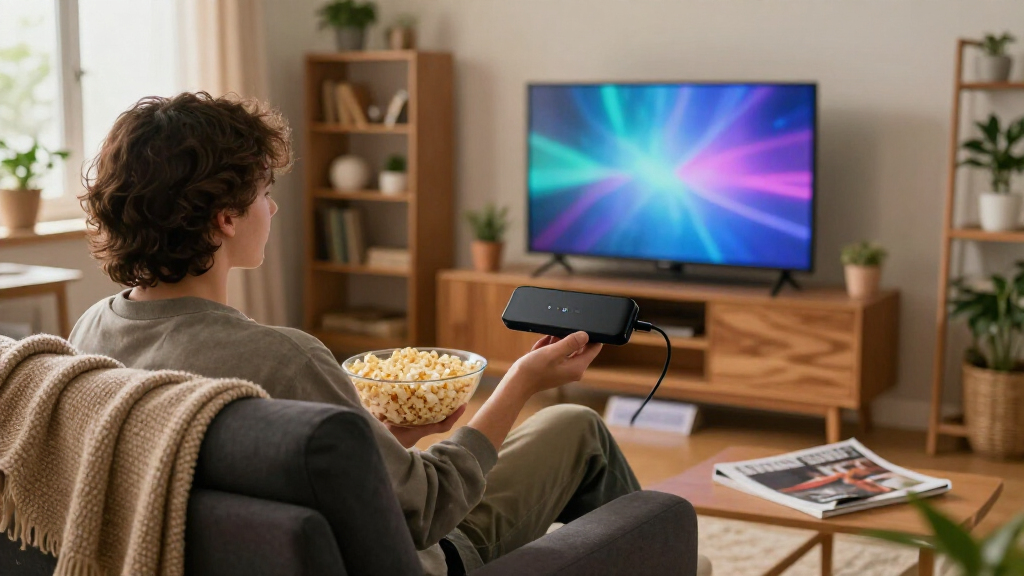
The best streaming sticks make it easier to find and watch shows without replacing your TV. I rank the Roku Streaming Stick 4K as the best overall for its 4K-focused feature set and straightforward Roku interface; the Amazon Fire TV Stick 4K Max stands out for shoppers who want a more capable Fire TV option, while the onn Android TV 4K UHD is a strong value-minded alternative. The main tradeoffs are HD versus 4K, platform preference, wireless performance, and how much control you want over recommendations and voice features. Older and renewed models can suit a tighter setup or a spare TV, but their generation and condition deserve closer scrutiny. Read on for the full comparison, buying advice, and picks by buyer type.

Get the latest gadgets delivered free with Prime
- Fast, free delivery on millions of items
- Prime Video, Amazon Music and more included
- Member-only deals all year
Complete the kit



Key Takeaways
- The Roku Streaming Stick 4K is the all-around pick: it pairs 4K support with a simple platform, while Roku’s HD sticks are better matches for older 1080p TVs.
- Amazon’s lineup spans more than resolution: the Fire TV Stick 4K Max is the premium-feature choice, while the HD model makes more sense for a basic television without 4K.
- 4K labels do not make every device interchangeable: the onn and Xiaomi 4K options bring different platform experiences, so app discovery and voice control may matter as much as picture format.
- Model year and condition change the buying decision: renewed Roku 4K and Plus devices may offer useful capabilities, but buyers should weigh return terms and generation details against new models.
- Several entries serve narrow roles rather than replacing the leading picks: the 2K onn stick and older Roku 3600R can fit modest TVs, while duplicate Xiaomi listings call for careful feature verification.
| Roku Streaming Stick+ HD/4K/HDR Streaming Device with Long-Range Wi-Fi and Voice Remote |  | Best for Long-Range Wi-Fi | Connectivity: Wi-Fi | Resolution and formats: HD, 4K, HDR | Supported services: Apple TV, HBO, Hulu with Live TV, Netflix, Prime Video, Showtime, Google Play, The Roku Channel | VIEW LATEST PRICE | See Our Full Breakdown |
| Roku Streaming Stick (3600R) HD Streaming Player |  | Best for HD-Only TVs | Model: 3600R | Connectivity: Dual-band Wi-Fi | Connector: HDMI | VIEW LATEST PRICE | See Our Full Breakdown |
| onn Android TV 4K UHD Streaming Device with Voice Remote and HDMI Cable |  | Best for Google Casting | Operating system: Android TV | Video output: 3840 × 2160 pixels | Connectivity: HDMI, Wi-Fi | VIEW LATEST PRICE | See Our Full Breakdown |
| Roku Streaming Stick 4K with Voice Remote |  | Best Overall Roku Stick | Model: 3820CA2 | Connectivity: Wi-Fi | Connector: HDMI | VIEW LATEST PRICE | See Our Full Breakdown |
| Amazon Fire TV Stick 4K with Alexa+ and Wi-Fi 6 |  | Best for Alexa and Bluetooth Headphones | Resolution: 4K | HDR: HDR10+ | Wi-Fi: Wi-Fi 6 | VIEW LATEST PRICE | See Our Full Breakdown |
| Xiaomi TV Stick 4K (2nd Gen) Streaming Device |  | Best for Google Casting | Resolution: 4K (3840 × 2160) | Operating system: Android TV 11 | RAM: 2 GB | VIEW LATEST PRICE | See Our Full Breakdown |
| Xiaomi TV Stick 4K (2nd Gen) with Google TV, Dolby Vision and Atmos, Wi-Fi 6, and Bluetooth Voice Remote |  | Best for Dolby Format Support | Resolution: 4K (3840 × 2160 pixels) | Operating system: Google TV | Processor: 6 nm, 2.5 GHz quad-core | VIEW LATEST PRICE | See Our Full Breakdown |
| Roku Streaming Stick (2025), HD Streaming Device with Voice Remote |  | Best for HD TVs and Travel | Resolution: 1080p (1920 × 1080), upscales from 720p | Connectivity: Wi-Fi | Connector: HDMI | VIEW LATEST PRICE | See Our Full Breakdown |
| Roku Streaming Stick Plus 4K HDR10+ Streaming Device with Voice Remote (Renewed) |  | Best Renewed Roku 4K Pick | Resolution: 4K | HDR: HDR10+ | Connectivity: HDMI, Wi-Fi | VIEW LATEST PRICE | See Our Full Breakdown |
| Amazon Fire TV Stick 4K Plus with Alexa Voice Remote |  | Best for a Feature-Rich 4K Setup | Output resolutions: 2160p, 1080p, and 720p up to 60 fps | Processor: Quad-core 1.7 GHz | Storage: 8 GB | VIEW LATEST PRICE | See Our Full Breakdown |
| onn Android TV 2K FHD Streaming Stick with Voice Remote |  | Best for Google Casting on a Full HD TV | Resolution: 1080p | HDR format: HDR10 | Audio: Dolby Audio | VIEW LATEST PRICE | See Our Full Breakdown |
| Amazon Fire TV Stick 4K Max (2nd Gen) Streaming Device |  | Best Premium Streaming Stick | Supported resolution: 2160p, 1080p, and 720p up to 60 fps | Processor: Quad-core 2.0 GHz | Storage: 16GB | VIEW LATEST PRICE | See Our Full Breakdown |
| Amazon Fire TV Stick HD with Alexa Voice Remote |  | Best for Simple Full HD Streaming | Resolution: Full HD | Wi-Fi: Wi-Fi 6 | Power: TV-powered via included USB-C cable | VIEW LATEST PRICE | See Our Full Breakdown |
| Roku Streaming Stick 4K with Voice Remote (Renewed) | 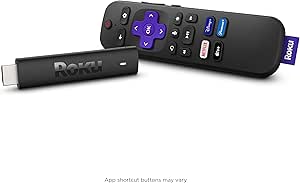 | Best for Roku Fans Seeking a Renewed 4K Stick | Model: 3820R | Video resolution: 4K | Supported formats: Dolby Vision and HDR10+ | VIEW LATEST PRICE | See Our Full Breakdown |
| Amazon Fire TV Stick 4K Select Streaming Device |  | Best Value 4K Fire TV Stick | Output resolution: 2160p, 1080p, and 720p up to 60 fps | Processor: Quad-core 1.7 GHz | Storage: 8GB | VIEW LATEST PRICE | See Our Full Breakdown |
| streaming stick | Connectivity | Storage |
|---|---|---|
| Roku Streaming Stick+ HD/4K/HD | Wi-Fi | 16 GB |
| Roku Streaming Stick | Dual-band Wi-Fi | — |
| onn Android TV 4K UHD Streamin | HDMI, Wi-Fi | 8 GB |
| Roku Streaming Stick 4K with V | Wi-Fi | — |
| Amazon Fire TV Stick 4K with A | HDMI, Bluetooth | — |
| Xiaomi TV Stick 4K | Bluetooth, USB, Wi-Fi | 8 GB |
| Xiaomi TV Stick 4K | Wi-Fi 6, Bluetooth, HDMI, USB | 8 GB |
| Roku Streaming Stick | Wi-Fi | — |
| Roku Streaming Stick Plus 4K H | HDMI, Wi-Fi | — |
| Amazon Fire TV Stick 4K Plus w | — | 8 GB |
| onn Android TV 2K FHD Streamin | HDMI and Wi-Fi | — |
| Amazon Fire TV Stick 4K Max | — | 16GB |
| Amazon Fire TV Stick HD with A | HDMI and Bluetooth | — |
| Roku Streaming Stick 4K with V | Wi-Fi and HDMI | 4GB |
| Amazon Fire TV Stick 4K Select | — | 8GB |
More Details on Our Top Picks
Roku Streaming Stick+ HD/4K/HDR Streaming Device with Long-Range Wi-Fi and Voice Remote
The Roku Streaming Stick+ suits viewers who want 4K and HDR playback but need extra help reaching a router farther from the TV. Its long-range wireless receiver is the main distinction from the older HD-only Roku Streaming Stick (3600R), which cannot match its listed 4K and HDR support. The voice remote also handles TV power and volume, while Roku’s mobile app adds private listening when you want audio through a phone. That makes this a flexible fit for a shared living room or a TV in a less convenient spot.
The tradeoff is that it lacks the newer Roku Streaming Stick 4K’s listed support for Dolby Vision and HDR10+. Streaming also depends on an internet connection, and the supplied connector specification is unusual enough that buyers should confirm their TV connection needs. Choose this model for Wi-Fi reach and broad picture-format support, not for the newest HDR formats.
Pros:- Long-range wireless receiver is designed to help maintain a signal farther from the router.
- Supports HD, 4K, and HDR content.
- Voice remote controls TV power, volume, and streaming searches.
- Roku mobile app supports private listening.
Cons:- Does not list Dolby Vision or HDR10+ support, unlike the Roku Streaming Stick 4K.
- Streaming requires an internet connection.
- The listed 4-Pin Mini DIN connector specification may warrant checking before purchase.
Best for: Viewers with a 4K or HDR television in a room where the router is relatively far away, especially those who want private listening through the Roku app.
Not ideal for: Dolby Vision or HDR10+ television owners seeking those specific formats; the Roku Streaming Stick 4K lists support for both.
- Connectivity:Wi-Fi
- Resolution and formats:HD, 4K, HDR
- Supported services:Apple TV, HBO, Hulu with Live TV, Netflix, Prime Video, Showtime, Google Play, The Roku Channel
- Remote:Voice remote with TV power and volume controls
- Storage:16 GB
- Dimensions:3.7 × 0.8 × 0.47 in
- Listed connector type:4-Pin Mini DIN
Our verdict“Choose the Streaming Stick+ for long-range Wi-Fi and 4K/HDR support, but pick the Roku Streaming Stick 4K if Dolby Vision or HDR10+ matters to you.”
Roku Streaming Stick (3600R) HD Streaming Player
The Roku Streaming Stick (3600R) is the straightforward choice for an HDTV that does not need 4K. It connects through HDMI, uses dual-band Wi-Fi, and includes a voice remote with TV power and volume controls. That keeps everyday control simple, while the Roku mobile app provides phone-based control and private listening. Compared with the Roku Streaming Stick+, this model gives up 4K and HDR support, so it makes more sense for a secondary screen or an older HDTV than for a newer 4K setup.
Its portability is useful for moving between compatible TVs, but each location still needs an HDMI port and Wi-Fi. The listed video output resolution is not stated in a conventional format, so I would treat this as an HD streaming pick, not a way to add dependable 4K capability. Buyers who want 4K should step up to the Streaming Stick+ or Roku Streaming Stick 4K; this model’s appeal is its simpler fit for HD viewing.
Pros:- Portable stick design can move between compatible HDTVs.
- Dual-band Wi-Fi supports wireless streaming.
- Voice remote controls TV power and volume.
- Roku mobile app supports private listening and phone-based control.
Cons:- Does not list 4K or HDR support, unlike the Roku Streaming Stick+.
- Requires both an HDMI connection and Wi-Fi.
- The listed output resolution is ambiguous, so buyers seeking a specific format should check compatibility.
Best for: People streaming on a secondary or older HDTV who want a portable Roku device, voice controls, and app-based private listening without needing 4K.
Not ideal for: Owners of 4K televisions who want 4K or HDR playback; the Roku Streaming Stick+ and Roku Streaming Stick 4K list those formats.
- Model:3600R
- Connectivity:Dual-band Wi-Fi
- Connector:HDMI
- Listed video output resolution:3840 pixels
- Video codecs:H.265/HEVC, H.264
- Supported services:Amazon Instant Video, Google Play, Hulu, Vudu, Netflix
- Included items:Roku Streaming Stick, Point Anywhere Remote, 2 AAA batteries
Our verdict“Pick this older Roku for portable HD streaming on a non-4K TV, and choose the Streaming Stick+ if you want 4K and HDR.”
onn Android TV 4K UHD Streaming Device with Voice Remote and HDMI Cable
The onn Android TV 4K UHD Streaming Device is the strongest fit here for viewers who want Google TV-style app access and frequent casting from a phone or tablet. It supports 4K output, runs Android TV apps from Google Play, and has Chromecast built in for casting from Android and iOS devices. The included HDMI cable can help with a TV setup where a direct plug-in stick is awkward, while Google Assistant voice control gives the remote another way to search and command.
Compared with the Roku Streaming Stick 4K, this onn device leans more heavily on Google’s ecosystem and casting rather than Roku’s straightforward channel interface. Its stated U.S.-only region compatibility narrows its audience, and the 8 GB storage is less than its 2 GB RAM might suggest for app-heavy use. It also requires Wi-Fi and an HDMI-equipped TV. Choose it for casting and Google apps, not for a broadly region-flexible stick.
Pros:- Supports 4K Ultra HD output.
- Chromecast built in supports casting from Android and iOS devices.
- Google Assistant voice control is included with the remote.
- HDMI cable is included for TV connection.
Cons:- Designed for use in the United States and listed as incompatible with other regions.
- Requires a TV with HDMI and a Wi-Fi connection for streaming.
- Its 8 GB storage may limit room for apps compared with more storage-heavy setups.
Best for: U.S. viewers who use Google Play apps and regularly cast video from Android or iOS devices to a 4K television.
Not ideal for: Buyers outside the United States, or anyone seeking a plug-in stick without a separate HDMI cable; this device is specified for U.S. use and includes a cable-based connection.
- Operating system:Android TV
- Video output:3840 × 2160 pixels
- Connectivity:HDMI, Wi-Fi
- RAM:2 GB
- Storage:8 GB
- Video codecs:H.264, H.265/HEVC
- Included accessories:Voice remote control, HDMI cable
- Region compatibility:United States
Our verdict“Choose onn for 4K streaming with Google apps and frequent casting in the U.S.; choose the Roku Streaming Stick 4K if you prefer Roku’s platform and listed Dolby Vision support.”
Roku Streaming Stick 4K with Voice Remote
The Roku Streaming Stick 4K earns my overall Roku pick because it combines a compact HDMI-stick design with the broadest listed HDR format support among the Roku models in this batch. It handles 4K, Dolby Vision, and HDR10+, giving owners of compatible TVs more ways to use the picture features they already have. Its long-range Wi-Fi receiver is designed to help with streaming in a less convenient spot, and the voice remote controls the stick as well as TV power and volume.
Compared with the Streaming Stick+, this version adds Dolby Vision and HDR10+, making it the better match for newer compatible TVs. The onn Android TV device also offers 4K, but is better suited to Google casting and is listed for U.S. use. Roku’s tradeoffs are familiar: the TV, content, and channel must support the chosen format, channel availability varies by region, and some channels require payment.
Pros:- Supports 4K, Dolby Vision, and HDR10+.
- Long-range Wi-Fi receiver is designed to support streaming farther from the router.
- Voice remote controls streaming, TV power, and volume.
- Compact design connects directly through HDMI.
Cons:- Picture formats depend on TV compatibility and the channel or content.
- Channel availability varies by region.
- Some channels require payment.
Best for: Roku users with a compatible 4K television who want Dolby Vision or HDR10+, long-range Wi-Fi, and a remote that also controls TV power and volume.
Not ideal for: HD-only TV owners or viewers who do not need advanced HDR formats; the Roku Streaming Stick (3600R) is a more fitting HD-only option.
- Model:3820CA2
- Connectivity:Wi-Fi
- Connector:HDMI
- Video resolution:3840 × 2160
- Video formats:H.265/HEVC, Dolby Vision, HDR10+
- Remote control:Voice control with TV power and volume controls
- Dimensions:0.45 × 0.83 × 3.72 inches
- Weight:9.12 ounces
Our verdict“For a compatible 4K TV, choose this Roku for Dolby Vision, HDR10+, and a simple all-in-one voice remote.”
Amazon Fire TV Stick 4K with Alexa+ and Wi-Fi 6
The Amazon Fire TV Stick 4K with Alexa+ is the pick for buyers who want Amazon’s voice assistant and Bluetooth headphone support in one compact HDMI device. Its 4K and HDR10+ playback covers key high-resolution viewing needs, while Wi-Fi 6 is a useful match for a compatible home network. The remote handles TV power and volume and adds dedicated shortcut and Live TV buttons, which can make common commands and viewing options easier to reach than on the Roku Streaming Stick 4K remote.
Compared with Roku’s 4K stick, this Fire TV model stands out for Alexa+ features and Bluetooth audio; Roku lists Dolby Vision support, while this product’s supplied data names HDR10+ only. Its Wi-Fi 6 support helps only when the network also supports that standard, and some content or apps may involve subscription fees. Choose it for Alexa and wireless headphone use, not for Dolby Vision.
Pros:- Supports 4K resolution and HDR10+.
- Wi-Fi 6 support suits compatible home networks.
- Bluetooth supports headphone connection for private listening.
- Remote includes voice control, TV power and volume, shortcuts, and a Live TV button.
Cons:- The supplied video specifications do not list Dolby Vision, unlike the Roku Streaming Stick 4K.
- Some content and apps may require subscriptions.
- Wi-Fi 6 benefits depend on having a compatible network.
Best for: Amazon ecosystem users with a Wi-Fi 6 network who want Alexa+ voice features, 4K HDR10+ streaming, and Bluetooth headphone listening.
Not ideal for: Viewers whose priority is Dolby Vision; the Roku Streaming Stick 4K explicitly lists that format, while this Fire TV model’s supplied specs list HDR10+.
- Resolution:4K
- HDR:HDR10+
- Wi-Fi:Wi-Fi 6
- Connectivity:HDMI, Bluetooth
- Power:Direct power from TV
- Voice assistant:Alexa+
- Remote features:Voice control, TV power and volume controls, navigation ring, dedicated shortcut and Live TV buttons
Our verdict“Choose this Fire TV Stick for Alexa+, Wi-Fi 6, and Bluetooth headphones; choose the Roku Streaming Stick 4K if Dolby Vision support is your priority.”
Xiaomi TV Stick 4K (2nd Gen) Streaming Device
The Xiaomi TV Stick 4K (2nd Gen) suits viewers who want Android TV and a straightforward way to cast from a phone or tablet. Its built-in Chromecast gives it a useful advantage over the Roku Streaming Stick (2025), which focuses on Roku’s own interface and offers only HD output. This Xiaomi stick also supports 4K playback, Google Assistant voice control, and an IR-equipped remote that can operate a compatible TV or soundbar.
The tradeoff is modest hardware: 2 GB of RAM and 8 GB of storage leave limited room for apps and may suit lighter use better than a large app collection. Unlike the Roku Streaming Stick Plus 4K HDR10+ Streaming Device (Renewed), the supplied details do not list HDR formats. I’d pick this for Google casting and Android TV rather than advanced picture features.
Pros:- 4K output supports high-resolution playback on a compatible TV.
- Built-in Chromecast makes casting from compatible devices convenient.
- Google Assistant voice control and Bluetooth/IR remote support voice search and compatible TV or soundbar controls.
- Compact stick form is easy to carry between TVs.
Cons:- 8 GB of storage limits how many apps and games can be kept installed.
- 2 GB of RAM is modest compared with buyers seeking stronger hardware for heavier use.
- The provided specs do not list HDR format support.
Best for: Viewers who cast videos from Android phones or other compatible devices and want a compact 4K Android TV stick.
Not ideal for: People seeking listed Dolby Vision or HDR10+ support, or anyone who plans to install many apps on limited storage.
- Resolution:4K (3840 × 2160)
- Operating system:Android TV 11
- RAM:2 GB
- Storage:8 GB
- Bluetooth:Bluetooth 5.2
- Connectivity:Bluetooth, USB, Wi-Fi
- Remote:Bluetooth with IR
- Video codecs:AV1, VP9, H.265, H.264, MPEG-2, MPEG-1
Our verdict“Choose this Xiaomi if Chromecast and Android TV matter more to you than expanded storage or specified HDR formats.”
Xiaomi TV Stick 4K (2nd Gen) with Google TV, Dolby Vision and Atmos, Wi-Fi 6, and Bluetooth Voice Remote
This Xiaomi makes the strongest case for viewers who want a small stick with Google TV and broad listed AV formats. Dolby Vision and HDR10+ cover two major HDR formats, while Dolby Atmos and DTS:X add support for compatible audio setups. Compared with the other Xiaomi TV Stick 4K (2nd Gen) in this roundup, this listing specifically names Wi-Fi 6, Dolby Vision, HDR10+, and Dolby Atmos, giving buyers clearer guidance on picture and sound compatibility.
It also includes Google Cast and a Bluetooth voice remote, but its 2 GB of RAM and 8 GB of storage match the limits of the other Xiaomi. The Roku Streaming Stick Plus 4K HDR10+ Streaming Device (Renewed) also offers 4K and HDR10+, but this Xiaomi adds Google TV and Dolby Vision to its listed formats. Choose it for format support, not a large app library.
Pros:- Supports 4K, Dolby Vision, and HDR10+ for compatible displays.
- Dolby Atmos and DTS:X support suit compatible sound systems.
- Wi-Fi 6 and a Bluetooth voice remote are included.
- Google Cast supports casting from compatible devices.
Cons:- 8 GB of storage can restrict app and game installs.
- 2 GB of RAM is a modest allocation for users with heavier streaming-device workloads.
- Requires an HDMI port and an internet connection.
Best for: Google TV users with a Dolby Vision-capable 4K television and compatible Atmos or DTS:X audio equipment.
Not ideal for: People who need generous onboard storage, or viewers with an HD-only TV who cannot use its 4K and HDR features.
- Resolution:4K (3840 × 2160 pixels)
- Operating system:Google TV
- Processor:6 nm, 2.5 GHz quad-core
- RAM:2 GB
- Storage:8 GB
- Connectivity:Wi-Fi 6, Bluetooth, HDMI, USB
- Video and HDR formats:H.265, Dolby Vision, HDR10+
- Audio formats:Dolby Atmos, DTS:X
Our verdict“Pick this Xiaomi over the other Xiaomi stick if Dolby Vision, named HDR formats, and Google TV are your priorities.”
Roku Streaming Stick (2025), HD Streaming Device with Voice Remote
The Roku Streaming Stick (2025) is the simple pick for an HD television, especially when a compact, TV-powered device matters more than 4K. Its 1080p output is a clear step below the Roku Streaming Stick Plus 4K HDR10+ Streaming Device (Renewed) and Amazon Fire TV Stick 4K Plus, but it avoids paying for resolution an HD set cannot display. The voice remote handles streaming, TV power, and volume, while the stick’s small HDMI form keeps the setup unobtrusive.
Roku’s support for Alexa, Apple AirPlay and HomeKit, and Google Home gives it a broader set of listed smart-home connections than the Xiaomi TV Stick 4K models. The main compromise is fixed: no 4K playback. I’d favor it for a bedroom or travel TV; owners of a 4K set should move up to one of the 4K Roku or Fire TV options instead.
Pros:- 1080p output is a practical match for HD televisions.
- Powered by the TV, reducing the need for a separate power outlet.
- Voice remote controls the streaming device, TV power, and volume.
- Compact form is convenient for travel and keeps the setup unobtrusive.
Cons:- Output is limited to 1080p, unlike the 4K Roku and Fire TV choices in this roundup.
- Wi-Fi is the listed network connection, with no wired networking option specified.
Best for: Travelers and owners of secondary 1080p TVs who want a compact Roku device with a voice remote and no separate wall plug.
Not ideal for: Viewers with a 4K television who want 4K playback or HDR formats.
- Resolution:1080p (1920 × 1080), upscales from 720p
- Connectivity:Wi-Fi
- Connector:HDMI
- Video codecs:H.264, H.265/HEVC
- Smart home compatibility:Alexa, Apple AirPlay and HomeKit, Google Home
- Remote:Voice remote control
- Dimensions:5.51 × 1.65 × 0.79 in
- Included accessories:Two pre-installed batteries, USB-C to USB-A power cable, user guide, voice remote
Our verdict“Choose this Roku for a travel or secondary HD television, but select the Roku Streaming Stick Plus 4K if you need 4K.”
Roku Streaming Stick Plus 4K HDR10+ Streaming Device with Voice Remote (Renewed)
This renewed Roku is aimed at viewers who want 4K with HDR10+ and prefer Roku’s straightforward streaming setup. It stays compact, draws power from the TV, and includes a voice remote with TV power and volume controls. Compared with the Roku Streaming Stick (2025), it makes the more suitable choice for a 4K screen; compared with the Amazon Fire TV Stick 4K Plus, the supplied details list HDR10+ but not Dolby Vision or Dolby Atmos.
The biggest caveat is the renewed condition, which means this is not the same choice as buying a new device. Its listed services cover common apps, but the supplied data does not name a Wi-Fi generation or codec support, so buyers seeking those specifics may prefer the Fire TV Stick 4K Plus. I’d choose this when Roku, 4K, and HDR10+ matter more than new condition or a broader list of supported formats.
Pros:- 4K output and HDR10+ support suit compatible displays.
- TV-powered design avoids a separate power outlet.
- Compact body is designed to avoid blocking neighboring HDMI ports.
- Voice remote supports device search and basic TV power and volume controls.
Cons:- Renewed condition may not suit buyers who want a new device.
- The supplied specs do not list Dolby Vision or Dolby Atmos support.
- Requires an HDMI-equipped TV and Wi-Fi connection.
Best for: Roku fans seeking a compact 4K stick with HDR10+ who are comfortable buying a renewed device.
Not ideal for: Buyers who want a new device or need listed Dolby Vision, Dolby Atmos, or detailed Wi-Fi specifications.
- Resolution:4K
- HDR:HDR10+
- Connectivity:HDMI, Wi-Fi
- Supported services:Apple TV+, Disney+, Hulu, Netflix, Prime Video, YouTube
- Controls:Remote control, voice control
- Power:Powered from TV
- Dimensions:3.7 × 0.8 × 0.5 in
- Condition:Renewed
Our verdict“Pick this renewed Roku if you want a compact 4K HDR10+ setup and accept renewed condition over the Fire TV Stick 4K Plus’s listed Dolby formats.”
Amazon Fire TV Stick 4K Plus with Alexa Voice Remote
The Amazon Fire TV Stick 4K Plus earns its place for buyers who want several picture and audio formats in one compact device. It supports 4K, Dolby Vision, HDR10+, and Dolby Atmos, while Wi-Fi 6 can help when a compatible router and other active devices share the network. Alexa voice search and remote controls for compatible TVs add convenience beyond basic playback. Against the renewed Roku Streaming Stick Plus, this Fire TV lists Dolby Vision, Dolby Atmos, and Wi-Fi 6, making its feature set more explicit.
That breadth has limits: 8 GB of storage leaves little room for a large app collection, and Wi-Fi 6 requires a Wi-Fi 6 router. Cloud gaming also depends on supported services, a subscription, and a separate compatible controller. Unlike the HD-only Roku Streaming Stick (2025), this makes sense for a 4K home setup, but not for buyers who only need simple HD streaming.
Pros:- Supports 4K, Dolby Vision, HDR10+, and Dolby Atmos.
- Wi-Fi 6 dual-band connectivity is available with a compatible router.
- Alexa Voice Remote can control compatible TV power and volume.
- Cloud gaming is supported through compatible services and equipment.
Cons:- 8 GB of storage limits space for apps and games.
- Wi-Fi 6 benefits require a Wi-Fi 6 router.
- Cloud gaming requires a separate subscription and compatible controller, and some content also requires subscriptions.
Best for: Viewers with a 4K Dolby Vision television, compatible Atmos audio equipment, and a Wi-Fi 6 router who want Alexa controls.
Not ideal for: Owners of HD-only TVs, buyers without a compatible Wi-Fi 6 router seeking that network benefit, or anyone wanting ample app storage.
- Output resolutions:2160p, 1080p, and 720p up to 60 fps
- Processor:Quad-core 1.7 GHz
- Storage:8 GB
- Wi-Fi:Wi-Fi 6 dual-band, 2.4 GHz and 5 GHz
- Bluetooth:Bluetooth 5.2 + BLE
- Video formats:Dolby Vision, HDR 10, HDR10+, HLG, H.265, H.264, VP9, AV1
- Audio support:Dolby Atmos, 7.1 surround sound, stereo, HDMI audio pass-through up to 5.1
- Voice control:Alexa Voice Remote included; Fire TV app also supported
Our verdict“Choose the Fire TV Stick 4K Plus for a 4K setup that can use its Dolby formats and Wi-Fi 6, not for a basic HD television.”
onn Android TV 2K FHD Streaming Stick with Voice Remote
The onn Android TV 2K FHD Streaming Stick makes the most sense for viewers who want Google Play apps and phone-to-TV casting without needing 4K. Its built-in Chromecast handles photos, videos, and music from compatible phones, tablets, and PCs, while the voice remote offers a quick way to search and launch entertainment. Compared with the Amazon Fire TV Stick HD, this pick leans into Google’s app and casting ecosystem rather than Alexa features and private Bluetooth listening. It also supports HDR10 and Dolby Audio, but its 1080p ceiling makes it a weaker fit for a 4K television than the Fire TV Stick 4K Select. The short three-month warranty is another drawback for buyers who want longer coverage.
Pros:- Built-in Chromecast supports casting from phones, tablets, and PCs
- Voice remote provides microphone access for virtual assistant control
- Google Play Store and YouTube access
- HDR10 and Dolby Audio support
Cons:- Maximum output is 1080p, unlike the 4K Fire TV Stick 4K Select
- Three-month warranty is limited
Best for: Viewers with a Full HD TV who use Android phones, Google Play apps, or Chromecast casting
Not ideal for: Owners of 4K TVs who want 4K playback, or buyers who prefer a longer warranty
- Resolution:1080p
- HDR format:HDR10
- Audio:Dolby Audio
- Connectivity:HDMI and Wi-Fi
- Screen mirroring:Miracast
- Included cable:11.8-inch HDMI cable
- Remote batteries:Two AAA batteries included
- Warranty:Three months
Our verdict“Choose this stick for Google casting and apps on a Full HD TV, but look to a 4K model if you want higher-resolution playback.”
Amazon Fire TV Stick 4K Max (2nd Gen) Streaming Device
For a buyer who wants a full-featured 4K stick, the Fire TV Stick 4K Max (2nd Gen) combines broad HDR support with the most capable networking and storage in this group. Its Wi-Fi 6E can make a difference on a compatible router, while 16GB gives apps and games more room than the 8GB in the Fire TV Stick 4K Select. Dolby Vision, HDR10+, and Dolby Atmos suit a compatible home theater, and the included Alexa remote can operate compatible TVs and audio gear. Those advantages come with dependencies: a Wi-Fi 6E router is needed to use its newer bands, and 4K or HDR playback depends on the TV and streaming service. Compared with the simpler Fire TV Stick HD, this is a much better match for a 4K setup, but overkill for a Full HD screen.
Pros:- Supports 4K, Dolby Vision, HDR10+, and Dolby Atmos
- 16GB of storage for apps, games, and downloads
- Wi-Fi 6E and a quad-core processor support responsive streaming and navigation
- Remote can control compatible TVs and audio devices
Cons:- Wi-Fi 6E benefits require a compatible router
- 4K and HDR availability depends on compatible equipment, services, and subscriptions
- Some remote functions may not work with every compatible device
Best for: Viewers with a 4K HDR TV, compatible audio equipment, and a Wi-Fi 6E router who want extra app storage
Not ideal for: Full HD TV owners or people who do not need advanced HDR, Atmos, or Wi-Fi 6E features
- Supported resolution:2160p, 1080p, and 720p up to 60 fps
- Processor:Quad-core 2.0 GHz
- Storage:16GB
- Wi-Fi:Wi-Fi 6E tri-band, 2.4, 5, and 6 GHz
- Bluetooth:Bluetooth 5.2 with BLE
- Video formats:Dolby Vision, HDR10, HDR10+, HLG, H.265, H.264, VP9, and AV1
- Audio:Dolby Atmos, 7.1 surround, stereo, and HDMI passthrough up to 5.1
- Warranty:One-year limited warranty
Our verdict“Pick the 4K Max for a capable 4K home theater and newer Wi-Fi setup; for basic Full HD streaming, the Fire TV Stick HD is a more fitting choice.”
Amazon Fire TV Stick HD with Alexa Voice Remote
The Amazon Fire TV Stick HD keeps the job straightforward: connect it to an HDMI port, stream in Full HD, and use Alexa voice search instead of typing titles. Its Wi-Fi 6 support is a useful modern touch, and the included USB-C cable can power the stick from a compatible TV, reducing the need for a separate wall adapter. The remote also controls power and volume on compatible equipment, and Bluetooth headphone support allows private listening. Compared with the Google-focused onn Android TV 2K FHD Streaming Stick, this model is a stronger fit for Alexa households and adds private listening, while onn offers built-in Chromecast casting. The tradeoff is its 1080p limit: buyers with a 4K set should choose a model such as the Fire TV Stick 4K Select instead.
Pros:- Compact stick connects directly to an HDMI port
- Wi-Fi 6 support
- USB-C cable can power it from a compatible TV
- Alexa remote supports compatible TV controls and Bluetooth private listening
Cons:- Full HD resolution does not take advantage of a 4K television
- Some content requires separate subscriptions
- Requires an HDMI-equipped TV
Best for: Alexa users with a Full HD TV who want voice search, TV controls, and Bluetooth headphone listening
Not ideal for: 4K TV owners or viewers who want Chromecast casting and a Google-centered interface
- Resolution:Full HD
- Wi-Fi:Wi-Fi 6
- Power:TV-powered via included USB-C cable
- Connectivity:HDMI and Bluetooth
- Remote:Alexa Voice Remote with power and volume buttons
- Voice and smart features:Voice search, live TV, and smart home controls
- Private listening:Bluetooth headphones
Our verdict“Choose the Fire TV Stick HD for Alexa-friendly Full HD streaming and private listening, but select the 4K Select if your TV supports 4K.”
Roku Streaming Stick 4K with Voice Remote (Renewed)
This renewed Roku Streaming Stick 4K is the Roku-oriented choice for buyers who want 4K, Dolby Vision, and HDR10+ in a compact HDMI device. Its voice remote handles device functions and TV power and volume, while compatibility with Siri, Alexa, and Google Assistant gives smart-home users more flexibility than the Alexa-centered Fire TV options. Roku’s long-range Wi-Fi is intended to help when the TV sits farther from a router, though streaming still depends on a dependable connection. Compared with the Amazon Fire TV Stick 4K Max (2nd Gen), this Roku has less listed storage and lacks the Max’s Wi-Fi 6E and Dolby Atmos specifications. The main caveat is its renewed condition and 90-day warranty, which may not suit buyers who prioritize longer coverage.
Pros:- Supports 4K, Dolby Vision, and HDR10+
- Compact stick plugs into HDMI and sits out of view
- Voice remote controls streaming functions and compatible TV power and volume
- Works with Siri, Alexa, and Google Assistant
Cons:- Renewed device comes with a 90-day limited warranty
- Requires a strong Wi-Fi connection for streaming
- Listed storage is 4GB, below the 16GB in the Fire TV Stick 4K Max
Best for: Roku users who want 4K HDR playback, broad voice-assistant compatibility, and a stick that hides behind the TV
Not ideal for: Buyers who want a new device, longer warranty coverage, or the Fire TV 4K Max’s Wi-Fi 6E and Atmos features
- Model:3820R
- Video resolution:4K
- Supported formats:Dolby Vision and HDR10+
- Storage:4GB
- Connectivity:Wi-Fi and HDMI
- Voice assistant compatibility:Siri, Alexa, and Google Assistant
- Weight:25.54g
- Warranty:90-day limited warranty
Our verdict“Choose this renewed Roku for a compact 4K setup and flexible voice control if its shorter warranty is acceptable.”
Amazon Fire TV Stick 4K Select Streaming Device
The Fire TV Stick 4K Select is a sensible step up from Full HD when you want 4K and HDR10+ without the 4K Max’s extra storage and Wi-Fi 6E. Alexa voice search can find and launch shows across apps, and its remote controls compatible TVs and audio devices. Dual-band MIMO Wi-Fi is designed to support steady streaming, while cloud gaming adds an extra use for buyers with a compatible controller and subscription. Compared with the Fire TV Stick 4K Max (2nd Gen), the Select has half the listed storage at 8GB and a less advanced Wi-Fi specification; it also lacks the Max’s listed Dolby Vision support. It still handles 4K output and HDR10+, but playback depends on compatible equipment and services, and its 90-day warranty is shorter than the Max’s one-year coverage.
Pros:- Supports 4K Ultra HD and HDR10+
- Alexa voice search finds and launches shows across apps
- Dual-band MIMO Wi-Fi is designed for steady streaming
- Remote controls compatible TVs, soundbars, and receivers
Cons:- 8GB storage is less than the 16GB in the Fire TV Stick 4K Max
- 90-day limited warranty
- Cloud gaming requires a subscription and compatible controller
Best for: Fire TV users upgrading to 4K who want HDR10+, Alexa search, and TV controls without needing Wi-Fi 6E
Not ideal for: Buyers seeking Dolby Vision, Wi-Fi 6E, more app storage, or longer warranty coverage
- Output resolution:2160p, 1080p, and 720p up to 60 fps
- Processor:Quad-core 1.7 GHz
- Storage:8GB
- Wi-Fi:Dual-band, dual-antenna MIMO; 802.11a/b/g/n/ac
- Bluetooth:Bluetooth 5.0 and Bluetooth Low Energy
- Video formats:HDR10, HDR10+, HLG, H.265, H.264, VP9, and AV1
- Audio:HDMI passthrough for Dolby-encoded audio
- Warranty:90-day limited warranty
Our verdict“Choose the 4K Select for Alexa-driven 4K and HDR10+ streaming, but opt for the 4K Max if you need Dolby Vision, Wi-Fi 6E, or more storage.”
How We Picked
I ranked these sticks around the job buyers actually need done: reliable streaming on the TV they already own, with a platform they can comfortably use. The main criteria were resolution and HDR support, the stated wireless and voice-remote features, platform familiarity, and the practical fit for 4K or HD televisions. I also considered how clearly each product’s listed features distinguish it from other models in this lineup; a 4K label alone does not make a stick a better pick if its platform or feature set is a poor match.
The ranking favors versatility and easy decision-making first, then separates specialist picks by value, simplicity, and advanced features. Newer models generally rank ahead of older or renewed versions when their role is otherwise similar, while HD-only options remain useful for televisions that cannot show 4K. The two Xiaomi listings have closely overlapping names, so I treat their stated features cautiously rather than assuming they are distinct upgrades. Product naming alone cannot confirm performance or software support; buyers should verify the exact model and included features before choosing.
Factors to Consider When Choosing Best Streaming Sticks
Choosing among streaming sticks is less about collecting the most features and more about matching the device to your TV, home network, and viewing habits. These broader checks can prevent a common mismatch: paying for capabilities your screen cannot display or choosing a platform that makes everyday viewing feel harder.
Match Resolution to the TV You Own
Check your television’s native resolution before paying extra for a 4K stick. A 4K device can still stream to an HD television, but the screen cannot show the added detail, so the benefit may be limited to other features or future use. HDR support also depends on the TV and the content, not just the stick. If you plan to replace your TV soon, a 4K model may reduce the need to buy another streamer later. For a secondary bedroom television that will remain HD, a simpler HD model is often the more sensible match. Avoid treating resolution labels as a guarantee of better menus or faster app performance.
Choose the Platform You Will Want to Use Every Day
The interface shapes the whole experience: where apps appear, how search works, and how much the home screen promotes recommendations. Roku, Fire TV, and Google TV-based options organize content differently, so familiarity may matter more than a small hardware advantage. Think about who will use the television, especially if several household members share it or need an uncomplicated remote. Voice search can reduce typing, but it is most useful when its assistant and content discovery fit your habits. A device with a longer feature list can still be frustrating if its menus feel crowded or its app layout is unfamiliar. Pick a platform for daily comfort, not only for a spec-sheet comparison.
Treat Wi-Fi Features as a Home-Network Match
A stick’s wireless specification cannot fix a weak router signal or congestion in a busy home. Before choosing a model based on Wi-Fi features, check whether the TV sits far from the router, behind walls, or in a spot where other devices also struggle. A compact stick hidden behind the screen can be convenient, but placement and nearby electronics may affect reception. If streaming pauses, test the network in that room before assuming the device is at fault. A newer wireless standard may help in a compatible setup, yet it is not a substitute for solid coverage. Buyers with persistent dead zones may get more from improving the network than upgrading the stick.
Pay for Features You Can Actually Use
Higher-end models make the most sense when their extra capabilities solve a real need, such as using a 4K HDR television or wanting a more feature-rich streaming device. If your TV is HD or you mainly watch a few familiar apps, those upgrades may have little effect on what you see. Check the complete setup too: TV compatibility, available HDMI space, remote needs, and whether the device’s voice functions suit your household. Dolby Vision, HDR10+, and Dolby Atmos require compatible displays or audio equipment and supported content. A feature that cannot be used across your setup should not drive the purchase. Compare the actual listed capabilities rather than relying on a model name that implies a simple progression.
Check Generation, Condition, and Exact Model
Similar product names can hide meaningful differences in year, resolution, remote, and software generation. This roundup includes older Roku models, renewed Roku devices, and two Xiaomi listings with overlapping descriptions, so verify the exact model identifier before ordering. For renewed hardware, read the seller’s condition description, warranty, and return policy; these affect how comfortable the purchase is if the device arrives with wear or does not suit your setup. An older model may remain a practical fit for a spare television, but do not assume it has the same support or features as a newer version. Compare the included remote and connectivity details, not just the family name. Careful model checking is especially useful when listings use similar titles.
Plan for the Whole Household and Setup
Think past the person who chooses the device: children, guests, or less tech-confident viewers may need a simple home screen and remote. If you use voice control, check whether its assistant can handle the searches and controls you actually want. Also check whether the TV has an accessible HDMI port and whether the stick’s placement could be cramped by adjacent cables or wall mounting. A compact design is useful in tight spaces, but convenience should not outweigh wireless or remote needs. Households with different viewing preferences may value broad app access more than a tightly integrated ecosystem. The best fit is the one everyone can operate without turning routine viewing into troubleshooting.
Frequently Asked Questions
Should I buy a 4K streaming stick for an HD television?
You can use a 4K stick with an HD television, but the TV will display at its supported resolution rather than showing 4K detail. The upgrade may still make sense if you expect to move the device to a 4K TV later or want other features offered by that model. If this stick will stay on an HD screen, an HD option such as a Roku Streaming Stick or Fire TV Stick HD may be a more direct fit. HDR benefits also require a compatible television and content. Base the choice on your current screen and likely next setup, not on the resolution label alone.
Which platform should I choose if my household wants the simplest interface?
Start with the interface your household already recognizes, since familiarity can make everyday use easier than switching for a feature you may rarely use. Roku models in this lineup are the clearest fit for buyers who want a straightforward streaming-focused experience, while Fire TV and Google TV options present different discovery and voice-control approaches. Consider who will search for shows, switch apps, and use the remote, rather than judging only by the person making the purchase. If possible, look at screenshots or a store demo before deciding. A platform that feels natural to the least tech-confident viewer is often the better shared-TV choice.
Is a renewed Roku 4K stick a sensible choice over a new model?
A renewed Roku 4K option can suit buyers who have confirmed the exact model and are comfortable with its condition and support terms. Compare its listed remote, HDR formats, and generation with the new Roku Streaming Stick 4K rather than assuming the names mean the same thing. Read the seller’s return policy and warranty details before deciding, since these matter more when a device is not sold as new. For a main television, the newer model may be the simpler choice if the feature differences or condition are unclear. A renewed unit is easier to justify for a spare TV when its verified capabilities match the job.
Will Wi-Fi 6 make streaming reliable in a room with a weak signal?
Not by itself. Wi-Fi 6 can be useful when the router and streaming stick support it, but distance, walls, interference, and network congestion still affect the signal. A weak connection in one room can cause buffering even with a newer stick. Check whether other devices also struggle in that location and test the connection near the TV before upgrading hardware. Improving router placement or coverage may solve the problem more directly. Choose Wi-Fi features as part of a compatible setup, not as a promise that dead zones will disappear.
How can I tell which of the similarly named Xiaomi or Roku listings is right?
Compare the full model identifier and the exact listed features, not just the brand and product family. The Xiaomi entries have overlapping names, while this lineup also includes renewed Roku devices and several generations of Roku sticks. Confirm resolution, HDR formats, remote type, wireless details, and the item’s condition where relevant. If a listing omits a feature you need, do not assume another version’s description applies to it. When details remain unclear, choose a listing with a transparent specification and return policy rather than guessing from the title.
Conclusion
For most buyers, I recommend the Roku Streaming Stick 4K as the best overall balance of 4K capability and approachable streaming. The onn Android TV 4K UHD is my value-minded pick for shoppers who prefer its platform and want 4K support, while the Amazon Fire TV Stick 4K Max is the best premium choice for those seeking the more feature-rich Fire TV option. Beginners who want a simple HD setup should look first at the Roku Streaming Stick (2025); buyers already comfortable with Alexa can choose the Fire TV Stick HD for an HD television. For specific needs, pick the Xiaomi TV Stick 4K if its Google TV and stated Dolby features match your setup, or an HD-only Roku or onn stick for a secondary 1080p screen. I would treat renewed models and overlapping listings as model-checking purchases, not automatic upgrades.