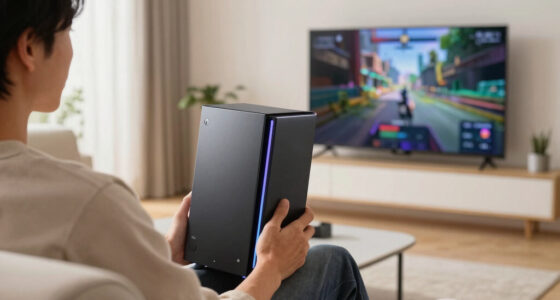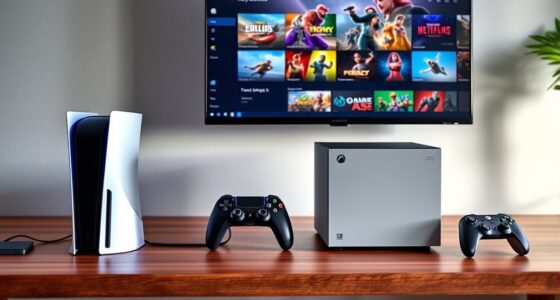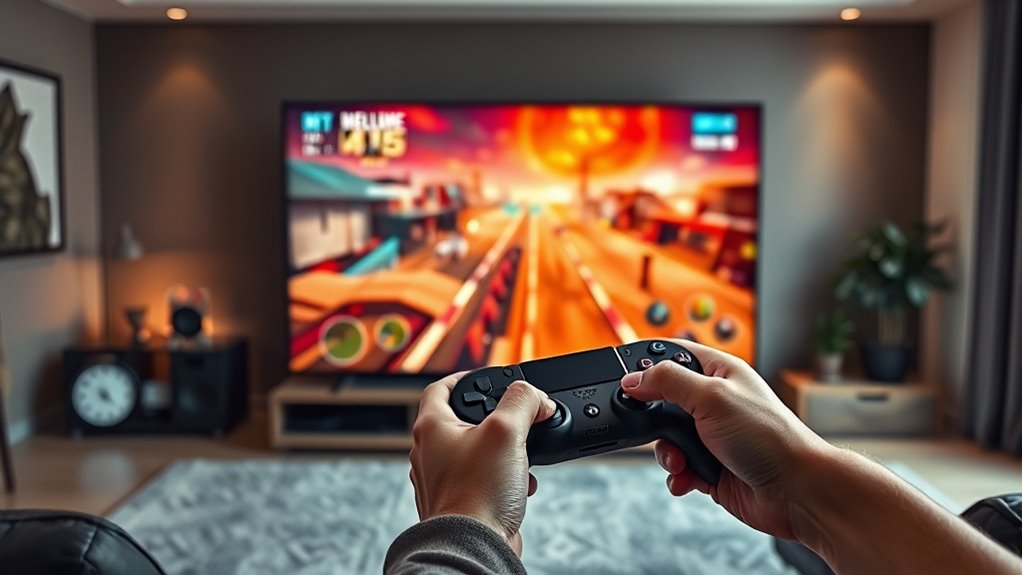

To get a smooth picture and low lag when streaming games to your TV, guarantee your controller is compatible for seamless gameplay. Use a wired Ethernet connection instead of Wi-Fi to boost stability, and keep bandwidth high—aim for at least 15-25 Mbps for HD. Minimize network congestion by limiting heavy activities during gaming sessions. Modern devices offer performance-optimizing features to reduce lag further. Keep these tips in mind, and you’ll experience better game streaming performance that keeps you engaged longer.
Key Takeaways
- Use a wired Ethernet connection to ensure stable, low-latency streaming to your TV.
- Select compatible controllers for responsive gameplay without delays.
- Ensure your internet speed is at least 15-25 Mbps for HD or higher for 4K streaming.
- Optimize your network by limiting bandwidth-heavy activities during gaming sessions.
- Choose modern streaming devices with lag-reducing features for smoother picture and lower input lag.

Streaming your favorite games to your TV has become easier than ever, allowing you to enjoy high-quality gameplay on a larger screen. Whether you’re into fast-paced shooters or immersive RPGs, the key is guaranteeing a smooth picture with minimal lag. To achieve this, you need to pay attention to a few critical factors, starting with controller compatibility. Having a controller that works seamlessly with your streaming setup means you won’t experience delays or disconnections during intense moments. Many modern streaming platforms support popular controllers like Xbox or PlayStation, but double-check compatibility before buying or setting up. Proper controller compatibility ensures you can enjoy your games without frustration, providing a natural, responsive feel that rivals playing directly on a console.
Along with controller compatibility, your internet bandwidth plays a pivotal role in delivering a smooth gaming experience. Streaming high-quality content requires a stable, fast internet connection. If your bandwidth is too low or inconsistent, you’ll notice pixelation, stuttering, or input lag that can ruin the experience. For peak performance, aim for at least 15-25 Mbps download speeds for HD streaming, and even higher if you’re streaming in 4K. A wired Ethernet connection is preferable over Wi-Fi, as it provides a more stable link and reduces latency. You should also minimize network congestion by limiting other bandwidth-heavy activities during gaming sessions. This ensures your stream has enough data flow to maintain high picture quality and low latency, keeping your gameplay fluid and responsive. Additionally, modern streaming devices often include features to optimize performance and reduce lag, further enhancing your gaming experience.

TP-Link USB to Ethernet Adapter (UE306), Supports Nintendo Switch, 1Gbps Gigabit RJ45 to USB 3.0 Network Adapter, Foldable & Portable Design, Plug and Play, Compatible with Windows, macOS, and Linux
𝐇𝐢𝐠𝐡-𝐒𝐩𝐞𝐞𝐝 𝐔𝐒𝐁 𝐄𝐭𝐡𝐞𝐫𝐧𝐞𝐭 𝐀𝐝𝐚𝐩𝐭𝐞𝐫 – UE306 is a USB 3.0 Type-A to RJ45 Ethernet adapter that adds a…
As an affiliate, we earn on qualifying purchases.
As an affiliate, we earn on qualifying purchases.
Frequently Asked Questions
What Devices Are Compatible for Game Streaming to TV?
You can stream games to your TV using devices like Chromecast, Apple TV, or gaming consoles such as PlayStation and Xbox. These devices are compatible with various streaming protocols like Miracast, AirPlay, or proprietary services, ensuring smooth gameplay with low lag. Make sure your device supports the specific streaming protocol required for your setup, and you’ll enjoy seamless game streaming directly on your TV.
How Can I Reduce Lag During Game Streaming?
To reduce lag during game streaming, focus on minimizing controller latency and network congestion. Use a wired connection instead of Wi-Fi to guarantee a stable, faster network. Close other devices and apps that may be hogging bandwidth. Keep your firmware and streaming app updated, and position your router closer to your streaming device. These steps help create a smoother experience with lower latency, so your gameplay feels more responsive.
Does Internet Speed Affect Streaming Quality?
Internet speed is like the highway for your streaming; if it’s slow, your quality drops. Higher bandwidth guarantees smoother gameplay, while low speeds cause buffering and lag. Bandwidth limitations and network congestion can severely affect streaming quality, making your experience frustrating. To get the best picture and low lag, make certain your internet connection is fast and stable, reducing the risk of interruptions during your gaming sessions.
Are There Any Subscription Costs for Streaming Services?
Yes, streaming services often have subscription fees, but many also offer free options. You might pay monthly or annual fees for premium features, higher quality, or ad-free experiences. However, there are platforms that let you stream games without any cost, though they may have limited content or ads. It’s best to check each service’s pricing structure to decide what fits your budget and gaming needs.
Can I Stream Multiplayer Games Seamlessly?
Yes, you can stream multiplayer games seamlessly if you have a strong wireless connection and compatible controllers. A stable Wi-Fi network minimizes lag, ensuring smooth gameplay with low latency. Make sure your controller works well with your streaming device, and consider using wired controllers for even better performance. With these factors in check, you’ll enjoy multiplayer gaming on your TV without frustrating delays or disconnects.

Xbox Wireless Gaming Controller | Electric Volt | Consoles, PCs, TVs, mobile, and more | Textured Grip | Wireless, Bluetooth, USB-C Connectivity
XBOX ELECTRIC VOLT WIRELESS CONTROLLER: Experience the modernized design of the Xbox Wireless Controller, featuring sculpted surfaces and…
As an affiliate, we earn on qualifying purchases.
As an affiliate, we earn on qualifying purchases.
Conclusion
With the right setup, streaming your games to the TV becomes as smooth as a gentle river flowing, filling your living room with vibrant action and low lag. You’ll feel like you’re right in the game, not just watching it on a screen. Just remember, a little patience and the right equipment turn your gaming space into a seamless playground. So go ahead, plunge in, and let your gaming adventures shine brighter than ever.

Roku Ultra, Ultimate Streaming Player – 4K Streaming Device for TV
Ultra-speedy streaming: Roku Ultra is 30% faster than any other Roku player, delivering a lightning-fast interface and apps…
As an affiliate, we earn on qualifying purchases.
As an affiliate, we earn on qualifying purchases.

acer USB 3.0 HDMI Capture Card, 4K HDMI Loop-Out, 1080P 60Hz for Streaming
【4K Clarity, 1080P Performance】Enjoy stunning clarity with our USB 3.0 Video Capture Card—featuring 4K input and smooth 1080P@60Hz…
As an affiliate, we earn on qualifying purchases.
As an affiliate, we earn on qualifying purchases.