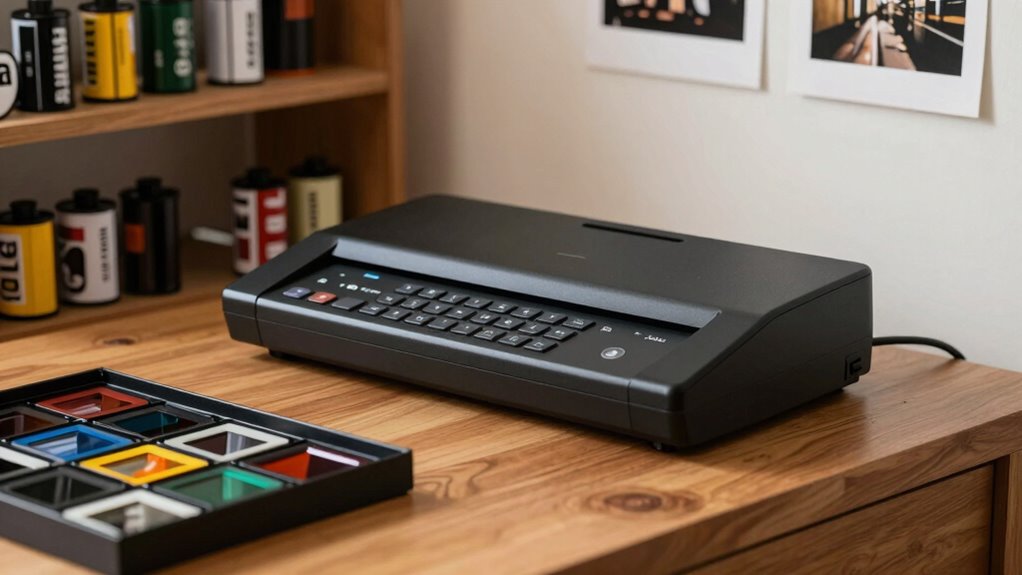

If you’re looking for film scanners for home use, you’re likely balancing quality, ease of operation, and cost. The Magnasonic All-in-One 24MP Film Scanner stands out as the best overall, offering a balance of high resolution and user-friendly features. The PORTTA Film Scanner is a strong choice for those who want a standalone device with a large LCD screen, while the Plustek OpticFilm 8200i SE appeals to serious users seeking professional-grade results. Every option involves tradeoffs—some prioritize simplicity, others focus on advanced features or compatibility with different film formats. Continue reading for an in-depth comparison that helps you find the best fit for your needs.

Get the latest gadgets delivered free with Prime
- Fast, free delivery on millions of items
- Prime Video, Amazon Music and more included
- Member-only deals all year
Complete the kit



Key Takeaways
- High-resolution scanners like the Magnasonic 24MP offer excellent detail but may come at a higher price point.
- Standalone devices with LCD screens simplify the digitization process without needing a computer, ideal for beginners.
- Professional-grade scanners like the Plustek OpticFilm provide superior image quality but require more technical know-how.
- Compatibility with various film formats varies; choose a scanner that supports your specific negatives or slides.
- Ease of use and interface design significantly impact the overall user experience, especially for casual users.
| Magnasonic All-in-One 24MP Film Scanner with 5″ Display & HDMI |  | Best Overall for Versatility and High-Resolution Output | Scanner Type: Film, Photo | Connection Type: HDMI, USB | Resolution: 24MP | VIEW ON AMAZON | See Our Full Breakdown |
| PORTTA Film Scanner with 5″ LCD Screen, 22MP Slide & Negative Scanner, Converts 135, 126, 110 Film & Slides to Digital Photos, HDMI Output, SD Card Storage, No Computer Required |  | Best for Easy, High-Resolution Conversion without a Computer | Screen Size: 5 inches | Resolution Options: 16MP / 22MP | Supported Film Types: 135, 126, 110, Super 8 (photo only) | VIEW ON AMAZON | See Our Full Breakdown |
| KODAK SCANZA Film & Slide Scanner, 3.5″ LCD, 35mm, 126, 110, Super 8 & 8mm |  | Best Compact Entry-Level Scanner for Beginners | Screen Size: 3.5 inches | Resolution: 14 MP (up to 22 MP with interpolation) | Supported Films: 35mm, 126, 110, Super 8, 8mm negatives and slides | VIEW ON AMAZON | See Our Full Breakdown |
| KODAK Slide N Scan Max Film Scanner |  | Best for High-Resolution Archiving of Slides and Negatives | Resolution: 4208×3120 | Sensor: 13MP CMOS with 22MP interpolation | SD Card Support: up to 32GB | VIEW ON AMAZON | See Our Full Breakdown |
| 22MP Film & Slide Scanner with 5-inch LCD, Converts 35mm, 126, 110 Negatives & Slides |  | Best for All-in-One Digital Conversion with Practical Features | Resolution: 22MP | Display: 5-inch LCD | Memory: 128MB internal, supports SD up to 64GB | VIEW ON AMAZON | See Our Full Breakdown |
| Plustek OpticFilm 8200i SE 35mm Film & Slide Scanner with Silverfast SE Plus 9 Bundle |  | Best Overall for High-Resolution Film Scanning | Resolution: 7200 x 7200 dpi | Output Bit Depth: 48-bit | Supported Media: 35mm negatives and mounted slides | VIEW ON AMAZON | See Our Full Breakdown |
| HP Film & Slide Scanner HPFS500, Negative Scanner, Slide Viewer, USB-C |  | Best for Simplicity and Versatility in Film Digitization | Scanner Type: Film | Resolution: 13 MP | Color Depth: 24 bits | VIEW ON AMAZON | See Our Full Breakdown |
| 35mm Slide Scanner, Converts 135 Film Negative & Slides with 2.4” Screen |  | Best for Simple, Standalone Scanning with Instant Preview | Scanner Type: 35mm Film Negatives & Slides | Resolution: 1800 dpi | Media Type: Negative | VIEW ON AMAZON | See Our Full Breakdown |
| KODAK REELS 8mm & Super 8 Film Digitizer, 1080p MP4, 5″ LCD, 8MP Scanner |  | Best for Reels to HD Video Conversion | Scanner Type: Film | Resolution: 1080p | Media Type: SD Card | VIEW ON AMAZON | See Our Full Breakdown |
| KODAK Slide N Scan Film & Slide Scanner, 22MP, 5″ LCD Screen, Supports 135/110/126mm Slides and Negatives |  | Best for High-Resolution Versatile Film Digitizing | Scanner Type: Film | Resolution: 22 Megapixels | Screen Size: 5 inches | VIEW ON AMAZON | See Our Full Breakdown |
| ClearScan T7 7” Touch Screen Film Scanner, 24MP Digitizer for 35mm/135/126/110 & Super 8, Includes SD Card |  | Best for Beginners and Family Use | Screen Size: 7 inches | Resolution: 24 MP | Supported Films: 35mm, 135, 126, 110, Super 8 | VIEW ON AMAZON | See Our Full Breakdown |
| film scanners for home | Resolution | Screen Size |
|---|---|---|
| Magnasonic All-in-One 24MP Fil | 24MP | — |
| PORTTA Film Scanner with 5" LC | — | 5 inches |
| KODAK SCANZA Film & Slide Scan | 14 MP (up to 22 MP with interpolation) | 3.5 inches |
| KODAK Slide N Scan Max Film Sc | 4208×3120 | — |
| 22MP Film & Slide Scanner with | 22MP | — |
| Plustek OpticFilm 8200i SE 35m | 7200 x 7200 dpi | — |
| HP Film & Slide Scanner HPFS50 | 13 MP | — |
| 35mm Slide Scanner | 1800 dpi | 2.4 inches |
| KODAK REELS 8mm & Super 8 Film | 1080p | 5 inches |
| KODAK Slide N Scan Film & Slid | 22 Megapixels | 5 inches |
| ClearScan T7 7” Touch Screen F | 24 MP | 7 inches |
More Details on Our Top Picks
Magnasonic All-in-One 24MP Film Scanner with 5″ Display & HDMI
The Magnasonic All-in-One 24MP Film Scanner stands out for its ability to handle multiple formats, including 35mm, 126, 110, and Super 8 film negatives and slides, all in a compact design. Its high-resolution 24MP output surpasses many competitors like the KODAK Slide N Scan Max, delivering sharper images suitable for enlargements. The large 5-inch LCD makes previewing and editing straightforward, and the built-in HDMI output allows viewing on bigger screens without needing a computer. However, it requires an SD card (not included) and an HDMI cable for external viewing, which adds to the initial cost. Compared with the KODAK SCANZA, it offers better resolution and format flexibility but at a slightly higher price. This model is ideal for hobbyists or archivists wanting a comprehensive, high-quality, all-in-one device, though those seeking built-in storage or Wi-Fi should look elsewhere.Pros:- High-resolution 24MP digital images for sharp detail
- Large 5-inch LCD for easy preview and editing
- Supports SD cards up to 128GB for ample storage
- No computer required for operation
Cons:- SD card and HDMI cable not included, increasing initial setup costs
- Limited to specific film and slide formats, not raw film or photos
Best for: Amateurs or small-scale archivists who want a versatile, high-resolution scanner with easy viewing options without needing a computer
Not ideal for: Users who prefer Wi-Fi connectivity or internal storage, or those digitizing large volumes frequently
- Scanner Type:Film, Photo
- Connection Type:HDMI, USB
- Resolution:24MP
- Wattage:5 watts
- Color Depth:24 bits_per_pixel
- Media Type:SD Card, USB
- Item Dimensions:4.44″D x 5.43″W x 4.91″H
- Item Weight:13.44 ounces
- Supported Media:35mm, 126, 110, Super 8 film negatives & slides
Our verdict“This scanner offers excellent versatility and resolution for users who want a standalone device capable of handling multiple formats with simple operation.”
PORTTA Film Scanner with 5″ LCD Screen, 22MP Slide & Negative Scanner, Converts 135, 126, 110 Film & Slides to Digital Photos, HDMI Output, SD Card Storage, No Computer Required
The PORTTA Film Scanner makes digitizing multiple film formats straightforward with its 22MP resolution and 5-inch LCD. It compares favorably to the KODAK SCANZA by offering a higher 22MP scan quality, suitable for those wanting detailed images without investing in high-end flatbed scanners. Its built-in tools for brightness, color, and orientation adjustments mean you can fine-tune images before saving, all without a computer. The downside is it’s limited to photo scans of Super 8 films, not video, and it lacks automatic or batch scanning features that could speed up larger projects. Its reliance on SD cards (up to 128GB) for storage can be restrictive for extensive archives. Overall, it suits hobbyists who need a dedicated, portable solution for converting film negatives and slides quickly.Pros:- High-resolution 22MP scans provide detailed images
- Large 5-inch LCD for real-time preview and adjustments
- Supports multiple film formats and SD card storage
- No computer needed, highly portable
Cons:- Limited to photo scans, no video or raw film processing
- No automatic batch scanning features for bulk work
Best for: Home archivists or hobbyists seeking a simple, high-quality, stand-alone device for converting film negatives and slides into digital files
Not ideal for: Those needing video digitization of Super 8 films or large-volume batch processing
- Screen Size:5 inches
- Resolution Options:16MP / 22MP
- Supported Film Types:135, 126, 110, Super 8 (photo only)
- Storage:SD card up to 128GB
- Outputs:HDMI
- No Computer Required:Yes
Our verdict“A flexible, high-quality scanner perfect for casual users who want quick, detailed digitization without reliance on a computer.”
KODAK SCANZA Film & Slide Scanner, 3.5″ LCD, 35mm, 126, 110, Super 8 & 8mm
The KODAK SCANZA offers a compact and straightforward solution, featuring a small 3.5-inch LCD and a simple one-touch operation. It’s best suited for casual users who want a quick way to digitize old negatives and slides without fuss. While its 14MP resolution (up to 22MP with interpolation) is adequate for general viewing or small prints, it falls short compared to higher-resolution options like the Magnasonic or PORTTA for larger enlargements. Its support for multiple formats and included accessories make it versatile in a compact form, but it’s not designed for raw film or high-detail archiving. Its lower resolution and limited screen size mean it’s more suitable for occasional use than frequent, detailed digitization projects.Pros:- Simple to operate with large LCD and one-touch buttons
- Supports multiple film formats with adapters
- Includes cleaning brush and various cables
- Affordable entry point for beginners
Cons:- Lower resolution than larger scanners, limiting print size quality
- Limited to scanning negatives and slides, not raw film or photos
- Does not support video digitization
Best for: Beginners and casual users needing an easy, affordable way to digitize negatives and slides at home
Not ideal for: Archivists or photographers requiring high-resolution scans or large-format enlargements
- Screen Size:3.5 inches
- Resolution:14 MP (up to 22 MP with interpolation)
- Supported Films:35mm, 126, 110, Super 8, 8mm negatives and slides
- Connectivity:USB, HDMI
- Supports SD cards up to:128GB
- Power:AC Adapter, USB cable
Our verdict“A good starter scanner for casual users wanting quick digitization of negatives and slides without high resolution demands.”
KODAK Slide N Scan Max Film Scanner
The KODAK Slide N Scan Max is geared toward users seeking detailed, high-resolution scans of slides and negatives. Its 13MP CMOS sensor offers a native 4208×3120 resolution, with interpolation boosting to 22MP, making it suitable for archiving or enlarging images. Compared to the smaller, less specialized scanners, it provides a streamlined tray for efficient batch scans, and direct SD card saving enhances portability. However, its SD card support is limited to 32GB, which may require frequent data transfers for large projects. It lacks Wi-Fi or Bluetooth, so connectivity options are basic. This scanner fits best for hobbyists or small archives needing consistent, high-quality digital copies without the complexity of professional-grade equipment.Pros:- High-resolution image capture with 4208×3120 output
- Supports multiple formats including slide and negative films
- Direct SD card saving enhances portability and ease of transfer
- Efficient tray for batch scanning
Cons:- SD card support limited to 32GB, restricting storage
- No wireless connectivity options
- Requires SD cards for storage, not suitable for large archives without frequent data transfer
Best for: Archivists, hobbyists, or hobbyists who prioritize high-res scans and ease of use in a dedicated device
Not ideal for: Those needing Wi-Fi connectivity or larger internal memory for extensive digitization projects
- Resolution:4208×3120
- Sensor:13MP CMOS with 22MP interpolation
- SD Card Support:up to 32GB
- Film Formats Supported:135mm, 110mm, 126mm
Our verdict“A solid choice for users needing high-resolution scans and efficient batch processing in a dedicated, straightforward device.”
22MP Film & Slide Scanner with 5-inch LCD, Converts 35mm, 126, 110 Negatives & Slides
This 22MP film and slide scanner offers a balanced package, with a 5-inch LCD for real-time preview and simple one-touch operation. Its broad format support, including 35mm, 126, 110 negatives, and slides, makes it versatile for casual preservation efforts. Unlike dedicated high-res scanners, its internal storage is limited to 128MB, requiring an SD card (up to 64GB) for larger collections, which could be inconvenient for extensive digitization. It’s not designed for advanced editing or raw film processing, but it provides enough quality for everyday archiving and sharing. The inclusion of a full accessory kit adds value, making it a practical, all-in-one solution for home use, especially for users who prioritize ease of use over maximum resolution.Pros:- Real-time preview on a 5-inch LCD with one-touch operation
- Supports multiple film formats and includes accessory kit
- Outputs via USB and HDMI for flexible viewing and sharing
- Simple to use for non-technical users
Cons:- Limited internal memory, requiring external SD cards for larger collections
- No advanced editing features or raw film support
- Requires external SD card for expanded storage
Best for: Home users seeking an easy, all-in-one scanner for casual digitization of negatives and slides with minimal fuss
Not ideal for: Professional archivists or those needing high-resolution, large-format scans or extensive batch processing
- Resolution:22MP
- Display:5-inch LCD
- Memory:128MB internal, supports SD up to 64GB
- Supported formats:35mm/135, 110, 126 negatives, slides, Super 8 film
- Connectivity:USB Type-C, HDMI
- Warranty:12 months
Our verdict“A convenient, user-friendly scanner perfect for casual home digitization of various film formats, balancing quality with simplicity.”
Plustek OpticFilm 8200i SE 35mm Film & Slide Scanner with Silverfast SE Plus 9 Bundle
The Plustek OpticFilm 8200i SE stands out for its exceptional 7200 dpi resolution, making it ideal for archiving fine details in negatives and slides. Compared to the KODAK Slide N Scan, it offers superior image quality and advanced dust and scratch removal, although it demands more technical setup and space. Its included Silverfast software enhances image quality, but the complexity may challenge casual users. This scanner is better suited for enthusiasts or professionals who prioritize detail and image fidelity over ease of use.
Pros:- Exceptional 7200 dpi resolution for detailed scans
- Infrared dust and scratch removal improves image clarity
- Includes powerful Silverfast SE Plus 9 software
Cons:- Requires some technical knowledge for optimal operation
- Bulkier design needs dedicated space
- Higher price point may deter casual users
Best for: Photographers and archivists who need high-resolution scans and are comfortable with technical setup
Not ideal for: Casual hobbyists seeking quick, plug-and-play solutions without extensive calibration
- Resolution:7200 x 7200 dpi
- Output Bit Depth:48-bit
- Supported Media:35mm negatives and mounted slides
- Dynamic Range:Up to 3.6
- Software:Silverfast SE Plus 9, Plustek QuickScan
- Compatibility:Windows 7/8/10/11, Mac OS 10.7 to 14.x
Our verdict“This pick makes the most sense for serious hobbyists or professionals demanding maximum detail and quality in film scans.”
HP Film & Slide Scanner HPFS500, Negative Scanner, Slide Viewer, USB-C
The HP Film & Slide Scanner HPFS500 offers a straightforward, computer-free approach with a built-in 5-inch touchscreen and a 13MP sensor, making it easy to digitize slides and negatives quickly. Compared to the KODAK Slide N Scan, it lacks the high megapixel resolution but compensates with a simple interface and USB-C power, perfect for users who prefer mobility and minimal setup. Its support for multiple film formats and direct preview simplifies the process, but it’s limited to film and slide formats only and requires an SD card for storage. This model suits hobbyists who want quick results without technical fuss.
Pros:- High-quality 13MP CMOS sensor for clear images
- 5-inch touchscreen for on-device preview and editing
- Supports multiple film formats with quick load tray
Cons:- Limited to film and slide formats only
- No wireless connectivity options
- Requires SD card for saving images
Best for: Casual users or families wanting a portable, all-in-one device for occasional slide and negative digitization
Not ideal for: Professional archivists needing maximum resolution or extensive editing features
- Scanner Type:Film
- Resolution:13 MP
- Color Depth:24 bits
- Media Type:SD Card
- Connection Type:USB-C
- Dimensions:4.66″D x 5.7″W x 3.54″H
Our verdict“This scanner makes great sense for casual users seeking a simple, portable way to digitize old film collections without fuss.”
35mm Slide Scanner, Converts 135 Film Negative & Slides with 2.4” Screen
The 35mm Slide Scanner offers a compact, standalone device with a built-in LCD screen, making it ideal for quick archiving of negatives and slides. Its 1800 dpi resolution is suitable for casual sharing and basic digitization, but falls short for professional-quality prints—especially when compared to higher-res options like the Plustek OpticFilm 8200i SE. Its plug-and-play setup and immediate preview capabilities are appealing, but the limited resolution and need for SD cards (sold separately) are tradeoffs for convenience. It’s best suited for casual users or those with limited space who want quick, straightforward scans.
Pros:- Simple plug-and-play operation
- Built-in LCD for instant preview
- Compatible with TVs and computers for sharing
Cons:- Limited resolution at 1800 dpi
- SD card not included, requires separate purchase
- No advanced editing features
Best for: Beginners or casual hobbyists needing an easy, portable scan solution
Not ideal for: Photographers requiring high-res images or detailed editing
- Scanner Type:35mm Film Negatives & Slides
- Resolution:1800 dpi
- Media Type:Negative
- Connection Type:USB
- Screen Size:2.4 inches
- Compatibility:TVs, computers
Our verdict“This scanner makes the most sense for casual users who prioritize ease of use over professional-grade quality.”
KODAK REELS 8mm & Super 8 Film Digitizer, 1080p MP4, 5″ LCD, 8MP Scanner
The KODAK REELS Digitizer excels at turning 8mm and Super 8 reels into 1080p MP4 videos, making it a standout for preserving motion footage. Its large 5-inch LCD provides straightforward operation, and its support for multiple reel sizes adds versatility. Compared to the Plustek OpticFilm 8200i SE, it sacrifices resolution for motion, focusing instead on easy reel-to-video conversion. While it lacks audio in the output videos and doesn’t support older Windows systems, it offers a hassle-free way to digitize film reels into shareable digital formats, ideal for family memories or vintage film collectors.
Pros:- Converts reels to HD MP4 videos easily
- Large, intuitive 5-inch LCD screen
- Supports multiple reel sizes with included accessories
Cons:- SD card not included, purchase separately
- No audio output in videos
- Limited to Windows 7 systems
Best for: Film enthusiasts wanting to convert reels into digital videos without needing a computer
Not ideal for: Those seeking high-resolution still images or detailed photo editing
- Scanner Type:Film
- Resolution:1080p
- Media Type:SD Card
- User Guide:Included
- Minimum System Requirements:Windows 7
- Screen Size:5 inches
Our verdict“This device makes the most sense for users who want quick, simple reel-to-video conversion without high-res still image needs.”
KODAK Slide N Scan Film & Slide Scanner, 22MP, 5″ LCD Screen, Supports 135/110/126mm Slides and Negatives
The KODAK Slide N Scan offers a high-resolution 22MP sensor, making it ideal for users who want detailed digital representations of slides and negatives. Its 5-inch LCD provides a clear preview, and it supports various formats with adapters, surpassing the resolution of most standalone scanners in this roundup. Compared to the HP FS500, it provides higher image detail but requires an external power source and SD cards (sold separately). It’s best suited for dedicated hobbyists or small-scale professionals who need quality and versatility in one device.
Pros:- High-resolution 22MP sensor for detailed images
- Large 5-inch LCD for easy preview and editing
- Supports multiple formats with adapters
Cons:- SD card not included, additional purchase needed
- Requires external power supply
- One sheet at a time during scanning
Best for: Photographers or hobbyists seeking high-quality, versatile film and slide digitization
Not ideal for: Users with limited space or needing a simple, low-cost device for casual use
- Scanner Type:Film
- Resolution:22 Megapixels
- Screen Size:5 inches
- Optical Sensor Technology:CMOS
- Media Type:Negatives, Slide
- Minimum System Requirements:Windows 7
Our verdict“This scanner makes sense for users prioritizing high-resolution scans and format versatility over simplicity and portability.”
ClearScan T7 7” Touch Screen Film Scanner, 24MP Digitizer for 35mm/135/126/110 & Super 8, Includes SD Card
The ClearScan T7 stands out for its large 7-inch touch screen, which makes previewing and adjusting scans straightforward without needing a computer. Compared to the Magnasonic All-in-One, which offers a smaller display and HDMI output, the T7’s intuitive interface is ideal for those new to film digitization. However, its scan quality can fluctuate based on film condition, and it only outputs JPEG files without advanced settings, limiting control for more experienced users. This model is best suited for casual preservation of family movies and snapshots, not high-detail archival work.
Pros:- Large, user-friendly 7-inch touch screen for easy operation
- No computer needed; saves directly to SD card
- Supports multiple film formats including Super 8
Cons:- Scan quality depends heavily on film condition, which can affect clarity
- Limited to JPEG output, restricting editing flexibility
- Lacks adjustable scan settings for fine-tuning
Best for: Beginners, families wanting simple, quick digitization of old negatives and slides at home
Not ideal for: Professional archivists or users seeking detailed control over scan settings or higher resolution outputs
- Screen Size:7 inches
- Resolution:24 MP
- Supported Films:35mm, 135, 126, 110, Super 8
- Included Storage:16GB SD Card
- Output Format:JPEG
- Connectivity:SD Card
Our verdict“This scanner is perfect for casual users and families who prioritize ease of use over advanced control or maximum resolution.”

How We Picked
We evaluated these film scanners based on a combination of image quality, ease of use, build quality, versatility, and value. Priority was given to resolution (measured in MP or dpi), as higher detail captures are crucial for preserving vintage film. Usability factors, such as LCD screens, standalone operation, and software simplicity, also played a key role, especially for home users without professional editing skills. We considered the variety of film formats supported, since compatibility broadens the scanner’s usefulness. Cost was factored in, balancing features against affordability, to recommend options for different budgets and user levels. This approach ensures a balanced selection that caters to casual hobbyists and serious archivists alike.Factors to Consider When Choosing Film Scanners For Home
Choosing a film scanner for home use involves more than just image quality. Understanding key factors can help you avoid common pitfalls and select a device that truly meets your needs. From format compatibility to usability, each consideration impacts your overall satisfaction and the longevity of your investment.Resolution and Image Quality
Higher resolution scanners deliver more detailed images, which is especially important if you plan to enlarge or print your digitized photos. Look for scanners offering at least 22MP or 4800 dpi for good quality results. However, keep in mind that higher resolution often comes with increased cost and larger file sizes, so balance your needs with your storage capacity and budget.
Ease of Use and Interface
Home users often prefer scanners with built-in screens and standalone operation, which eliminate the need for complex software setups. Devices with intuitive interfaces and straightforward workflows reduce the learning curve and make digitizing a quick, hassle-free process. Consider whether you want a device that connects directly to your computer or one that operates independently with an SD card or USB output.
Format Compatibility
Not all scanners support every film format — some are limited to 35mm slides, while others handle negatives, Super 8, or larger formats. Determine the types of film you own or plan to digitize, and choose a scanner that supports those formats. This prevents frustration and the need for multiple devices later.
Build Quality and Durability
Since you’ll be handling fragile negatives or slides, a sturdy, well-built scanner minimizes the risk of damage. Look for robust construction and reliable components, especially if you plan to digitize large batches. A good build also ensures consistent performance over time, making your investment more worthwhile.
Value and Cost
While premium models offer superior image quality and features, they come with higher price tags. Budget-friendly options can be sufficient for casual archiving but may lack advanced features like high resolution or versatile format support. Assess your needs carefully—spending more might be justified if you require professional results or plan to digitize large collections regularly.
Frequently Asked Questions
Do I need a computer to use these film scanners?
Many modern film scanners for home use either operate as standalone devices with built-in screens or require a computer connection. Standalone models with LCD screens, like the PORTTA or KODAK Slide N Scan, allow you to digitize directly to an SD card or USB without a computer, simplifying the process for casual users. Conversely, higher-end scanners such as the Plustek OpticFilm often need software installed on a computer to achieve maximum quality, which can add complexity but offers more control over the results.
Are these scanners suitable for professional-quality archiving?
Some scanners in this list, like the Plustek OpticFilm 8200i SE, are designed with professional or serious hobbyist use in mind, offering high resolution and advanced color correction. However, for truly archival-quality results, dedicated professional scanners or flatbed scanners with transparency adapters might be preferred. For most home users, the top-rated models strike a good balance between quality and ease of use, but they may not match the finest professional-grade equipment in detail and dynamic range.
How important is film format support when choosing a scanner?
Format support is critical, especially if you own a variety of negatives and slides. Some scanners only handle 35mm formats, while others support larger formats like 126, 110, or Super 8 films. Choosing a device that supports your specific formats saves time and reduces the need for multiple scanners. Always verify the compatibility with your collection before making a purchase.
Should I prioritize resolution over ease of use?
It depends on your primary goal. If you want detailed, high-quality digital copies for printing or large displays, resolution should be a top priority. However, if you prefer quick results and minimal setup, a more user-friendly, lower-resolution model may be better. Many home users find a good balance by selecting a scanner with sufficient resolution and a straightforward interface, ensuring satisfactory quality without overwhelming complexity.
Is it worth investing in a dedicated film scanner versus a flatbed scanner with film attachments?
Dedicated film scanners generally produce higher quality, higher resolution images optimized for negatives and slides, making them ideal for archiving or printing. Flatbed scanners with transparency adapters can be more versatile, handling various media beyond film, but often sacrifice some image quality and resolution. If your primary goal is to digitize film collections with fidelity, a dedicated scanner is usually worth the investment, particularly for larger or more valuable archives.
Conclusion
Choosing the right film scanner depends heavily on your specific needs. For casual hobbyists or those new to digitizing film, the PORTTA Film Scanner offers simplicity and good quality at an accessible price.
Serious archivists or those requiring professional results should consider the Plustek OpticFilm 8200i SE for its high resolution and detailed imaging capabilities.
The Magnasonic All-in-One 24MP Scanner makes a solid overall choice for its balance of quality, ease of use, and affordability. Beginners or those with limited budgets will find models like the KODAK Slide N Scan straightforward and effective. Advanced users needing extensive format support may prefer dedicated, high-end scanners. Ultimately, your selection should align with your collection size, desired quality, and technical comfort level, ensuring your investment provides lasting value.
Columbus Day / Indigenous Peoples' Day Picks
long weekend sales
As an affiliate, we earn on qualifying purchases.