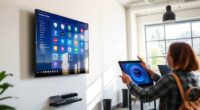
If you struggle to distinguish colors on your screen, display filters can help markedly. They enhance contrast, making important elements stand out more clearly, and adjust hues to compensate for different types of color blindness. These tools are easy to activate and customize, working seamlessly in the background without disrupting your workflow. By using them, you can improve both readability and visual comfort. Keep exploring to discover how these filters can make your digital experience more accessible.
Key Takeaways
- Display filters enhance color contrast and differentiate interface elements for easier recognition by color blind users.
- They adjust hues and tones to compensate for specific types of color blindness, improving clarity.
- Activation is simple, often integrated into device settings or downloadable apps for seamless use.
- Contrast enhancement helps users identify buttons, icons, and text more quickly and accurately.
- These filters promote accessibility, reducing visual strain and making digital content more inclusive.
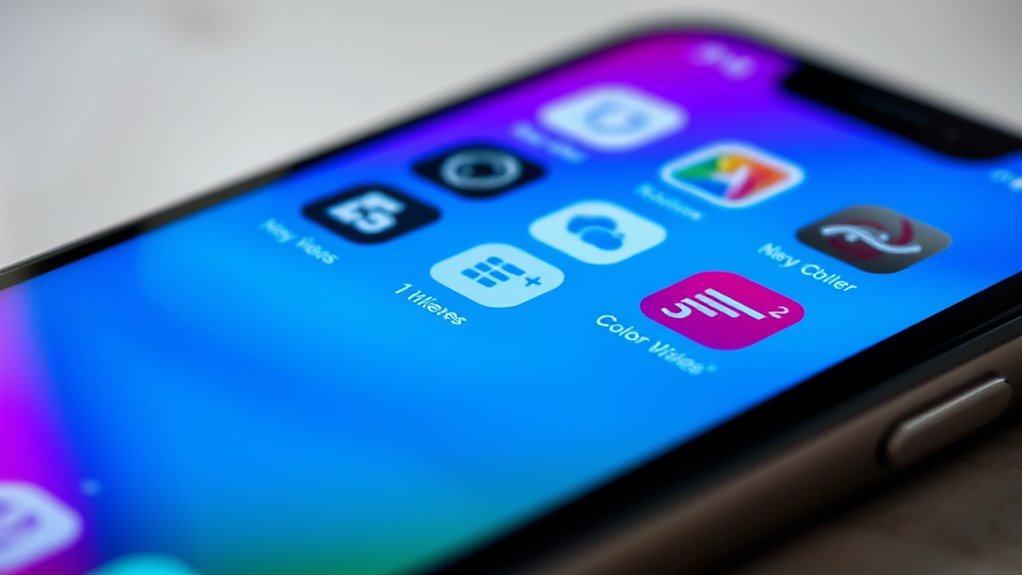
Color blindness can make it difficult to distinguish certain colors on screens, but display filters offer an effective solution. These filters are designed to improve your viewing experience by making colors more distinguishable and easier to interpret. One of the primary ways they achieve this is through contrast enhancement, which boosts the difference between various elements on the screen. When contrast is improved, it becomes easier to see buttons, text, and icons, even if the colors themselves are hard to differentiate. This feature is especially helpful for users with red-green color blindness, where similar hues can blend together, causing confusion and frustration. By increasing contrast, display filters help you identify important information quickly and accurately without straining your eyes or wasting time trying to decipher muted or ambiguous colors.
Display filters improve visibility by boosting contrast, making buttons, text, and icons easier to see for color blind users.
In addition to contrast enhancement, color correction plays a crucial role in making screen content more accessible. Color correction adjusts the hues on your display to compensate for your specific type of color blindness. For instance, if you struggle with distinguishing reds and greens, a filter can subtly alter these colors to make them more distinct without substantially changing how they appear to someone with typical vision. This tailored approach ensures that the visual cues you rely on are clearer, helping you navigate websites, apps, and documents more confidently. Many display filters also offer customizable options, allowing you to fine-tune the level of color correction to suit your needs. This flexibility means you can optimize your viewing experience based on your unique color perception and preferences.
Using display filters with contrast enhancement and color correction doesn’t require advanced technical skills. Most are simple to activate and adjust, often through easy-to-use settings or downloadable apps. Once enabled, these filters work seamlessly in the background, improving your visual experience without disrupting your workflow. Whether you’re browsing social media, working on a project, or watching videos, the enhanced contrast and corrected colors make everything more legible and less stressful for your eyes. It’s a practical solution that empowers you to access digital content more comfortably and confidently, reducing the frustration that often comes with color-related visual challenges.
Ultimately, incorporating display filters that focus on contrast enhancement and color correction helps you see the digital world more clearly. They adapt your screen’s presentation to better match your perceptual needs, making every interaction more accessible. With these tools, you won’t have to struggle with confusing colors or low contrast anymore. Instead, you’ll enjoy a smoother, more inclusive visual experience that keeps you connected and engaged with the content you care about. Improving your visual accessibility can significantly enhance your overall digital experience and reduce eye strain during extended use.

Color Close Up Lens Filter Set for Mini 12, 6Pcs, Blue Red Green Orange
COMPATIBLE MODEL: Lens filter set for mini 12 camera, with a standard size, can be perfectly adapted to…
As an affiliate, we earn on qualifying purchases.
As an affiliate, we earn on qualifying purchases.
Frequently Asked Questions
Do Display Filters Work on All Operating Systems?
Display filters generally work across most operating systems, but their effectiveness can vary depending on your device and software. If you have color vision deficiencies, these filters can help improve your viewing experience by adjusting color schemes. Keep in mind that filter effectiveness depends on the compatibility with your OS and application. You might need to try different filters or settings to find what works best for your specific needs.
Can Display Filters Be Customized for Specific Color Deficiencies?
Think of display filters as a tailor-made suit for your vision. Yes, you can customize filters for specific color deficiencies, allowing you to fine-tune your display to match your unique needs. Filter customization offers a personalized approach, making colors clearer and more distinguishable. This adaptability guarantees that your screen becomes a helpful tool rather than a barrier, empowering you to navigate digital worlds with confidence and ease.
Are Display Filters Compatible With All Web Browsers?
Display filters generally work across most popular web browsers, but browser compatibility can differ. You should check if your browser supports the specific filter customization features you need. Many filters are designed to be compatible with Chrome, Firefox, and Edge, but some may have limited functionality on others. To guarantee seamless use, update your browser regularly and verify that the filter settings are supported in your chosen browser.
How Do I Troubleshoot if Filters Don’t Activate Properly?
If filters don’t activate properly, first check your browser’s compatibility and confirm the filters are enabled. Then, verify your color calibration settings to make sure your display accurately shows color differences. Refresh the page or restart your browser to see if the filters activate correctly. Clearing cache or disabling conflicting extensions can also help. These steps will help troubleshoot activation issues and ensure your display filters work as intended.
Do Display Filters Affect Screen Performance or Battery Life?
Display filters generally have minimal performance impact and don’t substantially affect battery consumption. Modern devices efficiently handle these filters, so you likely won’t notice a slowdown or quicker battery drain. However, if your device is older or running multiple demanding apps, you might see slight performance effects. To keep things ideal, use filters sparingly and close unnecessary background apps, ensuring smooth performance and longer battery life.

UPERFECT Y Portable Monitor Freestanding Touchscreen, 15.6''FHD 1080P IPS Screen with Adjust Stand, 2000:1 Contrast Ratio, 100% sRGB w/Standard HDMI/USB 3.0/Type C, Built-in Speaker/Ambient Light
2025 Innovative Adjustable stand: The First monitor achieving freeswitching between landscape and portrait mode in 0-110°adjustable viewing angle,…
As an affiliate, we earn on qualifying purchases.
As an affiliate, we earn on qualifying purchases.
Conclusion
By using display filters designed for color blind users, you make digital content more inclusive and accessible. Imagine over 350 million people worldwide living with some form of color blindness—think about how many visuals could become clearer for them. Applying these filters not only improves their experience but also promotes a more equitable online environment. So, next time you customize your display, remember that a simple tweak can make a huge difference for someone else’s digital world.

Calibrite Video Photo Kit with Display Plus HL Colorimeter and ColorChecker Passport Video 2, 10,000 Nit Monitor Calibration, Camera Reference System for Photo and Video Accuracy (CCPLHL-PPV2)
SPECIFICATIONS; Includes Calibrite Display Plus HL colorimeter measuring up to 10,000 nits plus ColorChecker Passport Video 2 for…
As an affiliate, we earn on qualifying purchases.
As an affiliate, we earn on qualifying purchases.
KNKA Air Purifier for Home Bedroom Large Room Up to 1,695 Ft² in 1 Hr, HEPA Air Cleaner with Washable Pre-Filter, AQI Display, ECO Mode, Sleep Mode, Pet Mode for Pets, Dust, Pollen, APH4000
𝐇𝐢𝐠𝐡 𝐂𝐀𝐃𝐑 𝐕𝐚𝐥𝐮𝐞: This air purifier provides reliable performance with a Smoke/Dust/PM2.5 CADR of 226 CFM (384 m³/h)…
As an affiliate, we earn on qualifying purchases.
As an affiliate, we earn on qualifying purchases.