
Wireless audio quality depends on several factors like interference, device compatibility, and environmental conditions that can cause dropouts, lag, or reduced sound clarity. Your device’s Bluetooth version and codecs play a role in how well your audio performs, along with placement and obstacles in your surroundings. High-quality hardware and interference mitigation techniques can improve your listening experience. Keep exploring, and you’ll discover more ways to optimize your wireless sound setup.

Get the latest gadgets delivered free — and shop member deals
- Fast, free delivery on millions of items
- Access to Prime Big Deal Days deals on October 6–7
- Prime Video, Amazon Music and more included
Key Takeaways
- Wireless audio quality depends on Bluetooth version, codecs, and device hardware, not just the wireless connection.
- Environmental factors like interference and physical barriers can cause audio dropouts and reduce sound clarity.
- Modern Bluetooth devices with adaptive features and advanced codecs offer improved stability and sound quality.
- Proper device placement and minimizing obstacles enhance signal strength and overall listening experience.
- High-quality headphones with noise-canceling features can mitigate interference effects and improve sound clarity.
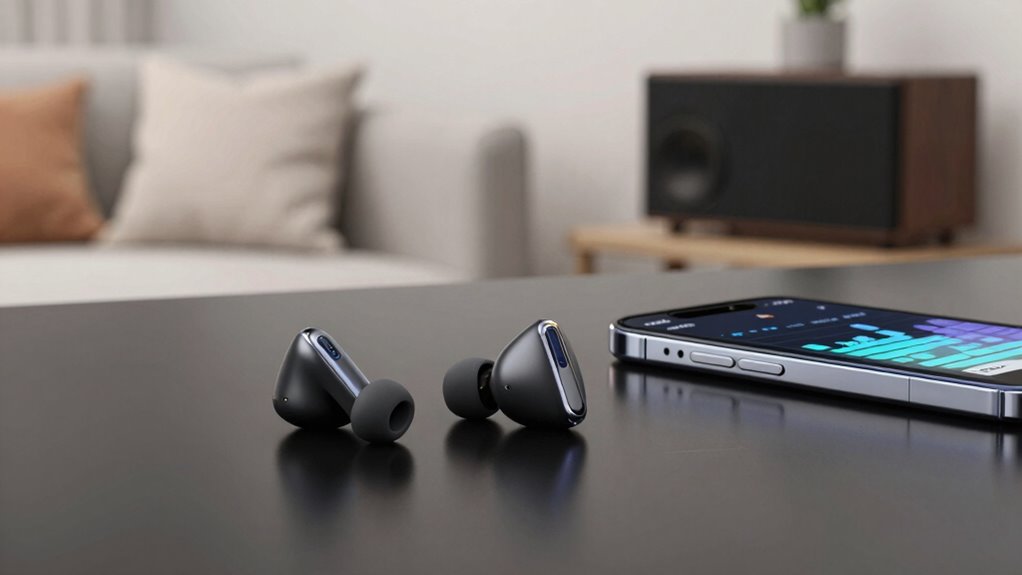
While the technology has advanced, there’s still the challenge of signal interference, which can impact your listening quality. Signal interference occurs when other wireless devices, Wi-Fi networks, or even physical barriers disrupt the Bluetooth connection. This can cause audio dropouts, lag, or reduced sound quality, especially in crowded environments or places with many electronic devices. To minimize these issues, modern Bluetooth devices often include adaptive features that automatically switch between different codecs or adjust transmission power to maintain a stable connection. Still, it’s good to be aware that environmental factors can influence your wireless audio experience.
Another aspect that influences sound quality is the Bluetooth version used by your devices. Newer versions, like Bluetooth 5.0 and above, offer wider bandwidth, faster data transfer, and greater range, which can help mitigate some signal interference problems. The increased bandwidth allows for higher-quality audio streams and more stable connections over longer distances. When choosing wireless audio gear, paying attention to both the Bluetooth version and the supported codecs can make a significant difference in your overall experience. Additionally, the signal strength and device placement can greatly impact connection stability, especially in complex environments. Improving your understanding of wireless signal propagation can help you optimize your listening setup.
Additionally, the building materials and physical environment can also impact wireless signal strength and quality, affecting your listening experience. Incorporating interference mitigation techniques, such as using dual-band Wi-Fi, can further enhance the stability of wireless connections in busy settings. Hardware quality also plays a role. High-quality headphones and speakers with good drivers and noise-canceling features can enhance your listening experience, regardless of the Bluetooth technology in use. But even the best hardware can be hampered by poor connections or incompatible codecs, so it’s essential to select devices that work well together. Keep in mind that maintaining a clear line of sight between your device and the receiver can reduce signal interference and improve sound clarity.
Bluetooth 5.0 wireless headphones
As an affiliate, we earn on qualifying purchases.
As an affiliate, we earn on qualifying purchases.
Frequently Asked Questions
How Does Wireless Audio Compare to Wired Sound Quality?
Wireless audio can match wired sound quality, but it depends on your device and environment. You might experience some signal interference that affects clarity, especially in busy areas. Battery life also plays a role; shorter battery life can lead to degraded performance over time. For the best experience, choose high-quality wireless gear, keep your devices charged, and stay away from potential sources of signal interference.
What Are the Best Wireless Audio Codecs Available?
You’ll want to look for the best wireless audio codecs like aptX, AAC, and LDAC, which offer high-quality sound with efficient Bluetooth range and good battery life. aptX provides low latency, perfect for videos, while LDAC offers near-lossless audio. AAC is widely compatible and reliable. Choosing the right codec depends on your device’s capabilities, ensuring you get ideal sound quality without sacrificing Bluetooth range or battery life.
Does Bluetooth Version Impact Audio Quality?
You might notice that Bluetooth version impacts audio quality more than you’d expect, especially when Bluetooth interference occurs. Newer versions, like 5.0 or above, offer better stability and reduced interference, ensuring clearer sound. Plus, they optimize battery life, so you get longer listening sessions without sacrificing quality. It’s a coincidence—upgrading Bluetooth can improve your audio experience while also extending your device’s battery life, making your wireless listening smoother and more reliable.
How Significant Is Latency in Wireless Audio Devices?
Latency in wireless audio devices can be quite noticeable, especially during gaming or video calls, causing a lag between sound and action. You might experience delays if interference reduction isn’t effective or if battery life is low, affecting performance. To minimize latency, choose devices with good interference reduction features and guarantee your battery is fully charged, so you enjoy synchronized audio without frustrating delays.
Can Wireless Audio Be as Durable as Wired Options?
Imagine you’re at a busy gym, and your wireless headphones suddenly disconnect. Wireless audio can be as durable as wired options if you choose models with strong battery longevity and robust signal interference resistance. To guarantee durability, look for devices with quality build and advanced tech that minimize interference and battery wear. Proper care and selecting high-quality products help your wireless gear withstand daily use, making it a reliable alternative to wired options.
noise-canceling wireless earbuds
As an affiliate, we earn on qualifying purchases.
As an affiliate, we earn on qualifying purchases.
Conclusion
Remember, just like a chef fine-tuning a recipe, your wireless audio experience depends on the ingredients—your device, signal strength, and earbuds. I once tried listening to music on a crowded train, and the poor connection made everything sound muffled—like hearing through a tunnel. But with the right setup, your sound can be crystal clear, turning a noisy commute into a concert hall. Don’t settle for less; quality is worth the effort.
wireless audio interference mitigation devices
As an affiliate, we earn on qualifying purchases.
As an affiliate, we earn on qualifying purchases.
high-quality Bluetooth speakers with aptX
As an affiliate, we earn on qualifying purchases.
As an affiliate, we earn on qualifying purchases.
Halloween Picks
halloween
As an affiliate, we earn on qualifying purchases.