
📊 Full opportunity report: Build vs Buy a Prebuilt AI Workstation on ThorstenMeyerAI.com — validation score, market gap, and execution plan.

Get the latest gadgets delivered free — and shop member deals
- Fast, free delivery on millions of items
- Access to Prime Big Deal Days deals on October 6–7
- Prime Video, Amazon Music and more included
TL;DR
In 2026, prebuilt AI workstations often match or beat DIY costs due to shortages and bulk buying. The decision depends on speed, control, and long-term needs, with hybrid options gaining popularity.
In 2026, the landscape for acquiring AI workstations has shifted, with prebuilt systems often matching or surpassing the cost-efficiency of DIY builds due to component shortages and price fluctuations, as detailed in the original analysis. This change impacts organizations and individuals deciding whether to assemble their own hardware or purchase ready-made solutions, emphasizing factors like deployment speed, reliability, and long-term control.
Prebuilt AI workstations arrive fully assembled, tested, and ready to deploy, often including high-end GPUs, optimized cooling, pre-installed software, and support warranties. For more on this, see Build vs Buy a Prebuilt AI Workstation. Vendors like Lambda and Puget provide systems with validated thermals and noise reduction, reducing setup time and hardware failure risks. These prebuilt options typically ship within 1–2 weeks, enabling rapid deployment for urgent projects.
In contrast, building a custom workstation remains a choice for those prioritizing control over hardware, software, and security configurations. However, the process involves sourcing parts, assembling, tuning, and troubleshooting, which can extend timelines to several weeks or months. The costs for DIY setups have increased, with component prices rising due to global shortages, often making them comparable or more expensive than prebuilt systems when factoring in time and expertise.
Operational and hidden costs, such as maintenance, upgrades, troubleshooting, and compliance, significantly influence the total cost of ownership. Support contracts and warranties can mitigate risks but add recurring expenses. The decision often hinges on whether speed and reliability outweigh customization and long-term control.
Build vs buy
an AI workstation.
The real question behind this whole series: do you pull the five heat-and-noise levers yourself, or buy a prebuilt where the vendor pulled them for you? And in 2026, the old “building is cheaper” rule has broken. Match your situation in Part 3.
Impact of Market Shifts on Build vs Buy Decisions
The changing market conditions in 2026 mean organizations must carefully evaluate their priorities. Prebuilt systems now offer faster deployment and reduced operational risks, which can be critical for time-sensitive projects. Meanwhile, building allows for tailored hardware and security but requires significant technical expertise and time investment. The choice affects operational efficiency, costs, and strategic flexibility, making it essential for decision-makers to weigh immediate needs against long-term control.
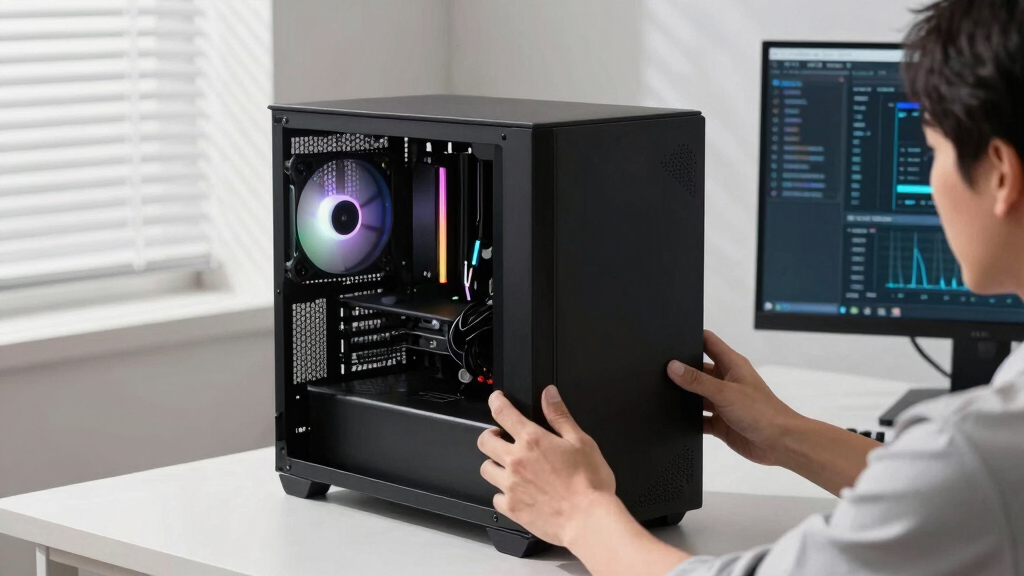
prebuilt AI workstation with high-end GPU
As an affiliate, we earn on qualifying purchases.
As an affiliate, we earn on qualifying purchases.
2026 Market Dynamics and Hardware Supply Challenges
Global chip shortages and price spikes have persisted into 2026, increasing the cost and complexity of sourcing components for DIY workstations. This situation has made build vs buy decisions more critical than ever. Historically, building was cheaper, but recent market conditions have shifted the balance, with prebuilt systems often offering better value due to bulk purchasing and validated configurations. Major vendors now provide ready-to-run systems with extensive testing, reducing the risk of hardware failures and setup delays.
This environment prompts a reevaluation of the build versus buy decision, especially for organizations needing rapid deployment or those lacking in-house hardware expertise. The trend toward hybrid solutions combining prebuilt reliability with custom upgrades is also emerging as a popular compromise.
"Our systems undergo extensive validation, including thermal testing and noise reduction, ensuring consistent performance right out of the box."
— A vendor representative from Lambda
customizable AI workstation support warranty
As an affiliate, we earn on qualifying purchases.
As an affiliate, we earn on qualifying purchases.
Unresolved Questions About Long-Term Cost and Upgrades
It remains unclear how future market fluctuations will impact component prices and the availability of prebuilt systems. Additionally, the long-term cost-effectiveness of building versus buying, especially regarding upgrades and maintenance, is still under debate. Further data is needed to assess how these factors will influence decision-making over multiple years.
prebuilt deep learning workstation
As an affiliate, we earn on qualifying purchases.
As an affiliate, we earn on qualifying purchases.
Emerging Trends and Future Market Developments
In the coming months, vendors are expected to introduce more hybrid solutions and flexible upgrade options, blurring the lines between build and buy. Market analysts anticipate continued volatility in component pricing, which will likely reinforce the appeal of prebuilt systems for many users. Organizations should monitor these developments and consider flexible strategies to adapt to changing conditions.
As an affiliate, we earn on qualifying purchases.
Key Questions
Is it more cost-effective to build or buy an AI workstation in 2026?
In 2026, prebuilt systems often match or beat DIY costs due to market shortages and bulk purchasing, especially when considering time and support costs. The best choice depends on your need for speed, customization, and long-term control.
How long does it typically take to deploy a prebuilt AI workstation?
Most prebuilt AI workstations can be delivered and ready to use within 1–2 weeks, whereas DIY builds can take several weeks to months depending on sourcing and assembly.
What are the main advantages of prebuilt AI workstations?
Prebuilt systems offer validated hardware, optimized cooling, reduced setup time, warranty, and technical support, making them ideal for rapid deployment and reducing operational risks.
What are the risks of building a custom AI workstation?
Building requires sourcing parts, technical expertise, and ongoing maintenance. It also involves potential delays, hidden costs, and higher operational risks if not properly managed.
Will the build vs buy landscape change in the near future?
Yes, ongoing market volatility and new hybrid solutions suggest that the balance will continue to evolve, with more flexible options emerging to meet diverse needs.
Source: ThorstenMeyerAI.com
Evergreen bestsellers Picks
bestsellers
As an affiliate, we earn on qualifying purchases.