
TL;DR

Get the latest gadgets delivered free with Prime
- Fast, free delivery on millions of items
- Prime Video, Amazon Music and more included
- Member-only deals all year
Building an AI workstation used to be cheaper, but component shortages and price spikes now often make buying a prebuilt just as cost-effective. Your decision depends on speed, control, and long-term needs, not just initial price.
Imagine this: you’re ready to run cutting-edge AI models, but your options aren’t as clear-cut as they used to be. Building a workstation from scratch was once the cheaper route — a DIY hero with control, customization, and savings. Now, the tide has turned. Component prices are sky-high, and suppliers have locked in bulk discounts.
Choosing between build and buy isn’t just about saving money anymore — it’s about speed, reliability, and control. This guide cuts through the noise, showing you how the landscape has shifted in 2026 and helping you decide what makes the most sense based on your workload, budget, and long-term goals.
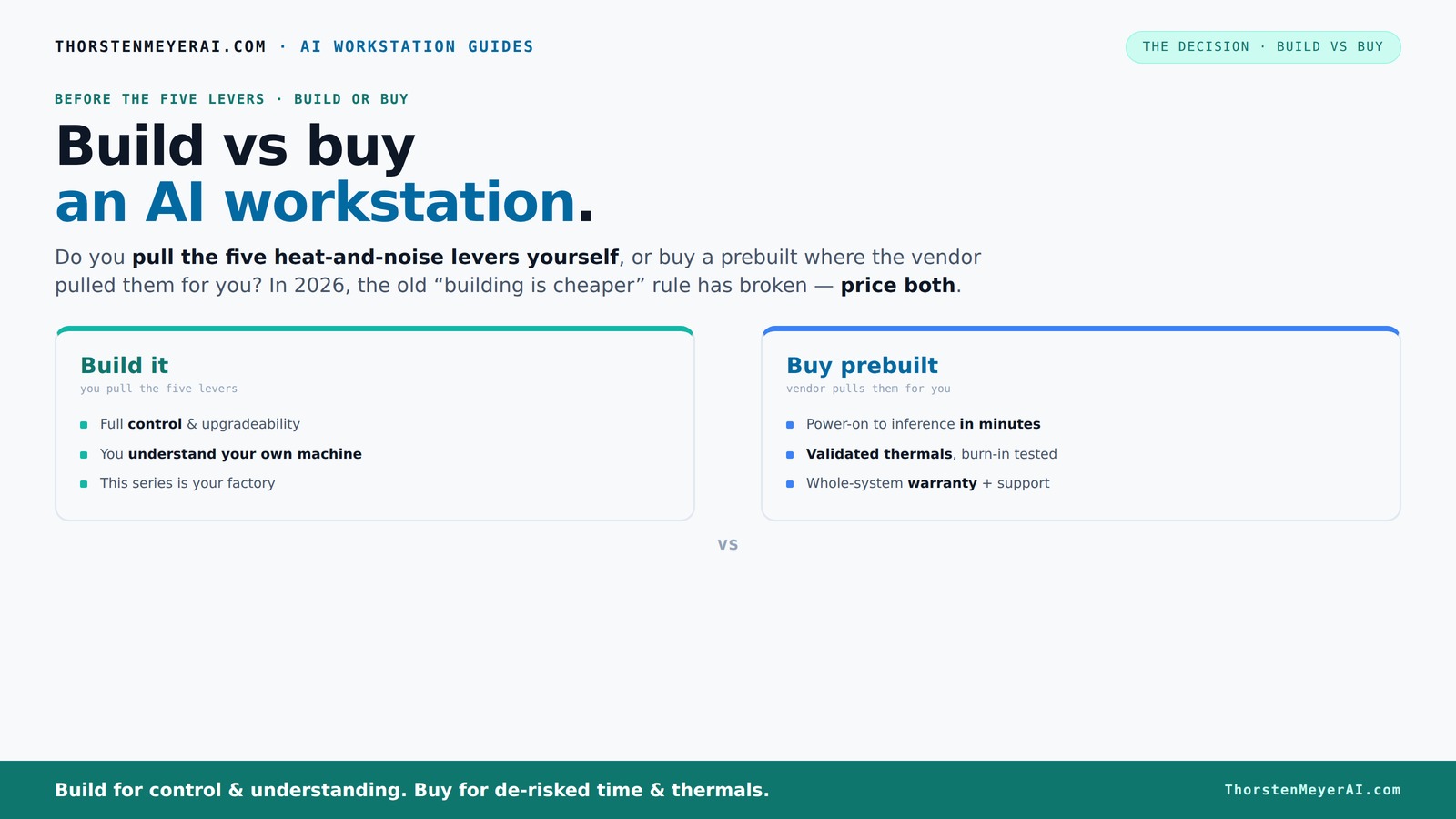
Build vs buy
an AI workstation.
The real question behind this whole series: do you pull the five heat-and-noise levers yourself, or buy a prebuilt where the vendor pulled them for you? And in 2026, the old “building is cheaper” rule has broken. Match your situation in Part 3.
Key Takeaways
- Component shortages and bulk buying have made prebuilt AI workstations often as affordable as DIY builds in 2026.
- Prebuilts offer validated thermals, warranties, and support—crucial for high-stakes AI workloads.
- Building gives you precise control over hardware selection, cooling, and noise, but requires more time and expertise.
- Compare total cost of ownership carefully; upfront price isn't the whole story over 3–5 years.
- Your choice depends on your need for speed, customization, long-term flexibility, and support.
Products Worth Considering

Sony WH-1000XM6 Wireless Noise-Canceling Over-Ear Headphones, Blue, Bundle

LG UltraGear 32GX850A-B 32-Inch 4K UHD Glossy OLED Gaming Monitor

Bose QuietComfort Headphones (2nd Gen), Wireless Noise-Cancelling Over-Ear Headphones, Eucalyptus Green
As an affiliate, we earn on qualifying purchases.
Why Building Your Own AI Workstation Is No Longer a Cheap Win
Building used to be the clear winner for cost. Today? Not so much. Supply chain issues have driven up prices for key components like high-end GPUs, DDR5 RAM, and SSDs. For example, a top-tier GPU that once cost around $800 now often exceeds $1,200 due to scarcity and demand spikes. You can explore build vs buy options for AI workstations. Similarly, DDR5 RAM modules have surged in price, making a full build significantly more expensive than before.
This shift means that even if you assemble the parts yourself, you might pay more than expected, especially if you’re sourcing premium components. The implication? Your budget needs to be flexible, and you should compare current market prices carefully—what was a bargain last year might now be prohibitively expensive.
Furthermore, bulk discounts that prebuilt vendors secure allow them to offer systems at prices that can rival or beat DIY costs. For instance, a prebuilt AI workstation with multiple GPUs, robust cooling, and validation can be assembled at a cost comparable to or even less than a DIY build, thanks to their purchasing power and optimized supply chains. The tradeoff? You lose some control over specific component choices and customizations but gain in reliability and time savings.
In practical terms, this means that the traditional advantage of building cheaply has diminished. Your decision now hinges on whether you value the customization and control of a DIY build or the convenience and validation of a prebuilt system. The key is understanding that cost is just one factor in a complex equation involving time, reliability, and long-term flexibility.
Who Should Buy Prebuilt? When Speed and Support Matter Most
If your project has tight deadlines or requires immediate deployment, a prebuilt AI workstation becomes especially valuable. Imagine you’re a data scientist working on a critical model that needs to be operational within days. Building from scratch could take weeks—ordering parts, waiting for delivery, assembling, and troubleshooting. In contrast, a prebuilt system from vendors like Lambda or BIZON arrives ready to run, saving precious time.
For example, a research team racing to analyze large datasets might opt for a prebuilt with validated thermals and optimized cooling to ensure stability during prolonged computations. These vendors often include pre-installed AI frameworks like CUDA, PyTorch, and TensorFlow, which reduces setup time and minimizes configuration errors. Additionally, their warranties—sometimes up to five years—offer peace of mind that support is available if hardware issues arise.
In scenarios like a university lab needing to quickly scale up AI capabilities or a startup preparing for a product launch, the speed and support provided by prebuilt systems can be the decisive factor. The tradeoff here is cost versus time and reliability: paying a premium for systems that are pre-validated, tested, and ready to go, ensuring your project stays on schedule without the delays associated with DIY assembly and troubleshooting.
When Building Your Own AI Workstation Makes Sense
If you thrive on customization, enjoy the process of assembling hardware, or need a machine tailored to unique requirements, building your own remains compelling. For instance, a researcher experimenting with custom cooling setups or a hobbyist who wants a silent, energy-efficient system might prefer to handpick each component—selecting a low-noise GPU, a specialized CPU for AI workloads, and bespoke cooling solutions.
Imagine a university researcher who wants to undervolt the GPU to reduce power consumption during long training runs, or a developer who wants to tune fan profiles for maximum silence in a shared office environment. Building allows these granular adjustments, which might be impossible or costly to replicate in prebuilt systems.
Moreover, if you already possess some technical skills, you can plan for future upgrades—such as swapping out GPUs or adding additional drives—without the constraints imposed by proprietary designs. However, keep in mind that in 2026, component shortages and fluctuating prices mean sourcing parts may take longer, and some upgrades might require patience and additional troubleshooting. The tradeoff is control versus complexity and time investment.
Compare the Costs: Build vs Buy in 2026
| Factor | Build |
|---|---|
| Initial Cost | Often higher or comparable, due to component shortages and price spikes. For example, a DIY build with high-end GPUs and fast storage might cost over $2,000, whereas prebuilt options with similar specs are priced around $2,000–$2,200, thanks to bulk discounts. |
| Time to Deploy | Longer, depending on sourcing and assembly. Building a system from scratch could take several weeks, especially if some components are backordered or delayed due to supply chain issues. |
| Long-term Cost | Variable — includes maintenance, upgrades, and downtime. A well-maintained prebuilt with validated hardware might experience fewer failures, reducing downtime costs. Conversely, DIY systems might require more troubleshooting, which can be costly in time and effort. |
| Support & Warranty | Limited unless you buy from a high-end boutique or do it yourself. Prebuilts often come with warranties and support, which can save money and hassle during hardware failures or troubleshooting. |
| Customization | Complete, tailored to your exact needs. Building allows you to select each component based on workload, noise preferences, and future upgrade plans, enabling a finely tuned system. |
In practice, current market conditions mean that prebuilt systems often offer a better total cost of ownership due to validated hardware, warranties, and bulk discounts. For example, a startup needing rapid deployment might find that the cost difference between building and buying narrows significantly. However, if you have specific customization needs or enjoy the process, building can still be a rewarding choice, provided you’re prepared for potential delays and higher upfront effort.
Upgradeability and Maintenance: Which Holds Up Longer?
Prebuilt workstations in 2026 often come with limited upgrade paths. Vendors design them for stability, not necessarily for future expansion. For example, a prebuilt might have a non-removable GPU or proprietary cooling solutions that complicate upgrades. Sometimes, attempting to upgrade a GPU can void the warranty or require professional service, which adds cost and complexity.
In contrast, building your own machine gives you the freedom to swap out components as needed. For instance, if a new generation of GPUs is released, you can plan to upgrade only the GPU without replacing the entire system. Similarly, adding more RAM or storage becomes straightforward—just open the case and swap parts.
This flexibility is crucial if your workload is expected to grow or change over time. However, ongoing maintenance—such as cleaning dust, managing cooling, and updating drivers—remains your responsibility. For example, a DIY system with custom cooling may require periodic re-tuning to maintain optimal noise and temperature levels. The tradeoff is control and future-proofing versus convenience and warranty coverage.
Support, Warranty, and Security: What You Need to Know
Prebuilt vendors typically offer warranties up to 5 years, with support covering hardware failures, troubleshooting, and sometimes even remote diagnostics. For example, a system purchased from a reputable vendor might include on-site support or advanced replacement services, reducing downtime during hardware issues. They also perform validated thermal management and stress testing, which helps prevent thermal throttling and hardware failures—crucial for sustained AI workloads.
Building your own system means you’re responsible for troubleshooting hardware issues, driver conflicts, and BIOS updates. While this offers control, it also introduces risks—if a component fails, you must diagnose and replace it yourself, potentially incurring additional costs and delays. Extended support plans are available but add to the overall expense.
Security considerations are also vital. Prebuilt systems often come with standardized configurations, making it easier to ensure compliance with security policies or industry standards. Custom builds allow you to choose components with specific security features or certifications, which can be critical in sensitive environments such as healthcare or finance. For example, selecting a motherboard with hardware-based security modules can enhance data protection.
Your Decision Checklist: Build or Buy?
- Do you need to deploy quickly or have time to tinker?
- Is guaranteed support and validated thermals critical for your work?
- Are you comfortable managing ongoing maintenance and upgrades?
- Do you have a flexible budget, or are you trying to minimize upfront costs?
- Will your workload benefit from bespoke hardware or require multi-GPU setups?
If your answers lean toward speed, support, and reliability, prebuilt is likely the way. If you crave control and enjoy DIY, building remains compelling—even in 2026.
Conclusion
In 2026, the build-vs-buy choice for AI workstations isn’t just about saving a few bucks. It’s about what you value most—speed, control, or support. The industry has shifted, and so should your thinking. If you want rapid deployment with peace of mind, a prebuilt might be your best bet. But if you love tinkering and customizing, building can still give you that edge—and the satisfaction of knowing it’s exactly what you need.
Remember, the best choice aligns with your project timeline, technical skills, and long-term goals. The right system isn’t just a machine; it’s a partner in your AI journey. So, what will it be—build or buy?