
To make your smart gadgets work together smoothly, start by checking device compatibility and choosing a central hub that supports your gadgets’ protocols like Zigbee or Z-Wave. Set up a secure Wi-Fi network with segmentation for IoT devices, and use apps or platforms that support multiple brands. Incorporate voice assistants for easier control, create routines for automation, and keep firmware updated for security and performance. Keep exploring these tips to build a truly unified smart home.
Key Takeaways
- Use compatible apps and platforms that support device interoperability for seamless control.
- Choose a central hub supporting multiple protocols like Zigbee, Z-Wave, or Wi-Fi for unified automation.
- Optimize your network with strong Wi-Fi standards and segmentation to ensure reliable device communication.
- Implement routines and automations that trigger multiple devices simultaneously for a cohesive smart home experience.
- Regularly update device firmware, apps, and permissions to maintain security, compatibility, and smooth operation.

Aeotec Smart Home Hub2 – V4, Works as a SmartThings Hub, Zigbee, Matter Gateway, Compatible with Alexa, Google Assistant, WiFi (No Z-Wave)
Powered by SmartThings – Connect, monitor, and automate your home through the SmartThings app. Build a reliable, unified…
As an affiliate, we earn on qualifying purchases.
As an affiliate, we earn on qualifying purchases.
Assessing Compatibility Among Your Devices

Before integrating new smart home gadgets, it’s vital to assess their compatibility with your existing devices. Device interoperability is essential to ensure everything works smoothly together. Check if your current gadgets support cross platform compatibility, meaning they can communicate across different brands and ecosystems. Some devices use proprietary protocols that limit integration, so verifying compatibility prevents frustration later. Look at the specifications and manufacturer details to see if your devices can connect seamlessly or require additional tools. This step helps you avoid purchasing gadgets that won’t interact properly. By prioritizing compatibility, you guarantee your smart home functions cohesively, making daily routines easier and more efficient. Taking the time to evaluate these factors upfront saves you headaches and additional costs down the line. Additionally, understanding protocol interoperability can help you choose devices that work well across various systems, further simplifying your smart home setup. Considering standardized communication protocols can also enhance your device integration experience, especially those that support interoperable standards, ensuring more reliable connections. Being aware of brand compatibility can also prevent issues that arise from incompatible ecosystems, streamlining your setup process. Moreover, exploring cloud-based compatibility options can provide increased flexibility and easier updates across devices.
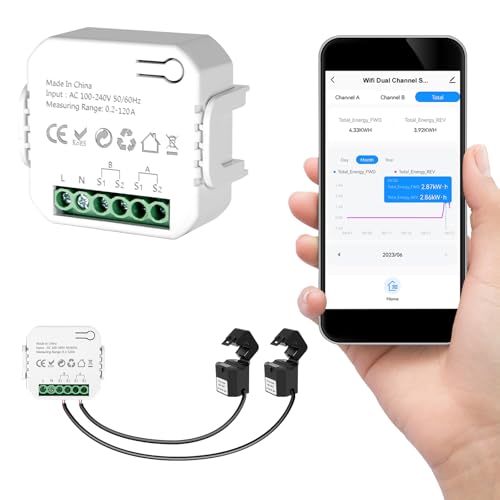
Smart Home Energy Monitor 2×120A, Dual-Channel Real-Time Electricity Usage Monitoring for Household Power, WiFi Energy Meter with App Control, Compatible with Tuya/Smart Life
【Dual-Channel Energy Monitoring】 This smart home energy monitor features two independent high-capacity sensing channels, allowing you to track…
As an affiliate, we earn on qualifying purchases.
As an affiliate, we earn on qualifying purchases.
Choosing a Central Hub or Controller
Selecting a central hub or controller is a crucial step in creating a unified smart home system because it acts as the brain that manages all your devices. When choosing, consider how the hub fits with your smart home aesthetics, ensuring it blends seamlessly into your space. Think about device placement to optimize connectivity and functionality; a well-placed hub reduces lag and improves response times. Look for a controller that supports your devices’ protocols and offers a user-friendly interface. Compatibility is key, so verify that it works with your existing gadgets. A good hub should also allow easy expansion as you add more smart gadgets. Additionally, consider local automation capabilities to ensure your system can operate efficiently even without internet access. It’s also helpful to evaluate the hub’s connectivity options, such as Wi-Fi, Zigbee, or Z-Wave, to match your device ecosystem. To further enhance your system’s reliability, look for a hub with robust security features that protect your connected devices from vulnerabilities. Incorporating easy-to-use management apps can make controlling your system more straightforward. To support future growth, ensure the hub provides firmware updates that keep your system secure and up-to-date. By selecting the right central controller, you set a solid foundation for a cohesive, efficient smart home experience.

TP-Link Deco X55 AX3000 WiFi 6 Mesh System – Covers up to 6500 Sq.Ft, Replaces Wireless Router and Extender, 3 Gigabit Ports per Unit, Supports Ethernet Backhaul, Deco X55(3-Pack)
Wi-Fi 6 Mesh Wi-Fi – Next-gen Wi-Fi 6 AX3000 whole home mesh system to eliminate weak Wi-Fi for…
As an affiliate, we earn on qualifying purchases.
As an affiliate, we earn on qualifying purchases.
Utilizing Voice Assistants for Integration
Voice assistants like Alexa, Google Assistant, and Siri can seamlessly integrate your smart home devices, but compatibility varies. You can also create customizable voice commands to control specific functions, making your setup more intuitive. Plus, using voice control across multiple devices lets you manage your entire home hands-free and efficiently. Additionally, selecting compatible devices ensures optimal home automation performance and a cohesive user experience. To maximize these benefits, understanding how smart device compatibility works can help you choose the right products for your system.
Compatible Voice Platforms
Ever wondered how your smart home devices work seamlessly together? The key is choosing compatible voice platforms. Different voice assistants, like Alexa, Google Assistant, and Siri, have voice platform differences that can affect device compatibility. To maximize cross platform integration, select a voice platform that supports your devices. Here’s a quick comparison:
| Voice Platform | Compatibility | Cross Platform Support |
|---|---|---|
| Alexa | Wide range | Good |
| Google Assistant | Moderate | Excellent |
| Siri | Limited | Limited |
Matching your devices to a versatile platform ensures smoother interactions. By understanding the differences, you create a unified smart home that responds effortlessly across all your gadgets.
Customizable Voice Commands
Customizable voice commands empower you to tailor your smart home interactions, making everyday tasks more intuitive and efficient. With voice command customization, you can create specific phrases that suit your preferences, simplifying how you control devices. For example, you might set a personalized automation like saying “Good morning” to turn on lights, adjust the thermostat, and start your coffee maker. This flexibility allows you to streamline routines and eliminate the need for multiple commands. Many voice assistants support custom commands, so you can design a set of personalized automations that fit your lifestyle. By modifying your voice commands, you ensure a seamless, natural interaction with your smart home, enhancing convenience and making technology work smarter for you.
Multi-Device Voice Control
Utilizing voice assistants to control multiple devices simultaneously simplifies managing your smart home. With multi-device voice control, you can issue a single command and have it activate several gadgets at once. Customizable voice command options let you tailor commands for specific routines, making your interactions more efficient. For example, saying “Good morning” can turn on the lights, start the coffee maker, and adjust the thermostat. If your smart speakers support multi-room audio, you can effortlessly play music throughout your house with a simple command, creating a seamless audio experience. This integration reduces the need to control each device individually and enhances your overall smart home experience. By mastering voice command customization, you make managing multiple devices quick, easy, and intuitive.

AI VoiceWriter – Smart Dictation & AI Writing Assistant for Windows & Mac | USB Dongle & Mobile App for Voice Input, Proofreading, Rewriting & Multilingual Support
🎙️ Hands-Free Voice Typing for Windows & Mac – Powered by iOS & Android dictation technology, AI VoiceWriter…
As an affiliate, we earn on qualifying purchases.
As an affiliate, we earn on qualifying purchases.
Setting Up a Unified Network Environment
Are you ready to create a seamless smart home experience? Setting up a unified network environment is key. First, verify your Wi-Fi router supports the latest standards like Wi-Fi 6 for faster, more reliable connections. Second, position your router centrally to enhance coverage and reduce dead zones, keeping smart home aesthetics in mind. Third, segment your network with a dedicated IoT subnet to improve device energy efficiency and security. Fourth, use a mesh Wi-Fi system if you have a large space, ensuring all gadgets stay connected effortlessly. A robust, unified network simplifies device management, reduces lag, and keeps your smart home running smoothly, all while maintaining a sleek look and promoting energy efficiency across your gadgets.
Leveraging Compatible Apps and Platforms
To maximize your smart home’s potential, choosing compatible apps and platforms is essential. When your devices support the same ecosystem, you improve device interoperability, allowing gadgets to communicate seamlessly. Opt for platforms that unify control over multiple device brands, reducing the need for separate apps. App synchronization ensures your smart home remains responsive and consistent across all devices, so commands are executed swiftly and accurately. Many platforms now offer centralized dashboards, making it easier to monitor and manage everything from one interface. By selecting compatible apps and platforms, you simplify your setup, enhance reliability, and create a more cohesive smart home experience. This foundation makes future integrations smoother and helps you avoid frustrating compatibility issues down the line. Additionally, understanding device interoperability can help you troubleshoot and expand your system more effectively.
Automating Tasks With Routines and Scenes
Automating tasks with routines and scenes transforms your smart home into a more efficient and responsive environment. You can set up routines to trigger multiple devices simultaneously, saving energy and enhancing comfort. Use sensor calibration to guarantee sensors accurately detect motion, light, or temperature, making automations more reliable. Proper home safety and accessibility features can further enhance your automations by reducing fall risks and improving ease of use for all household members. Additionally, integrating household cleaning robots into your routines can help maintain a clean environment effortlessly, especially when scheduled to operate during times when you are away or asleep. Regularly updating your device firmware and software integrations can also improve automation performance and compatibility. Incorporating smart home hubs can also streamline device management and improve automation coordination across different brands and protocols. Ensuring your devices are compatible and properly configured is crucial for seamless operation and avoiding automation conflicts.
Here are four ways to optimize your automations:
- Schedule lights to turn off when rooms are unoccupied.
- Calibrate sensors regularly for precise detection.
- Create scenes for morning, evening, or movie time.
- Use automations to adjust thermostats for energy optimization.
These tips help your smart home run smoothly and efficiently.
Ensuring Security and Privacy Across Devices
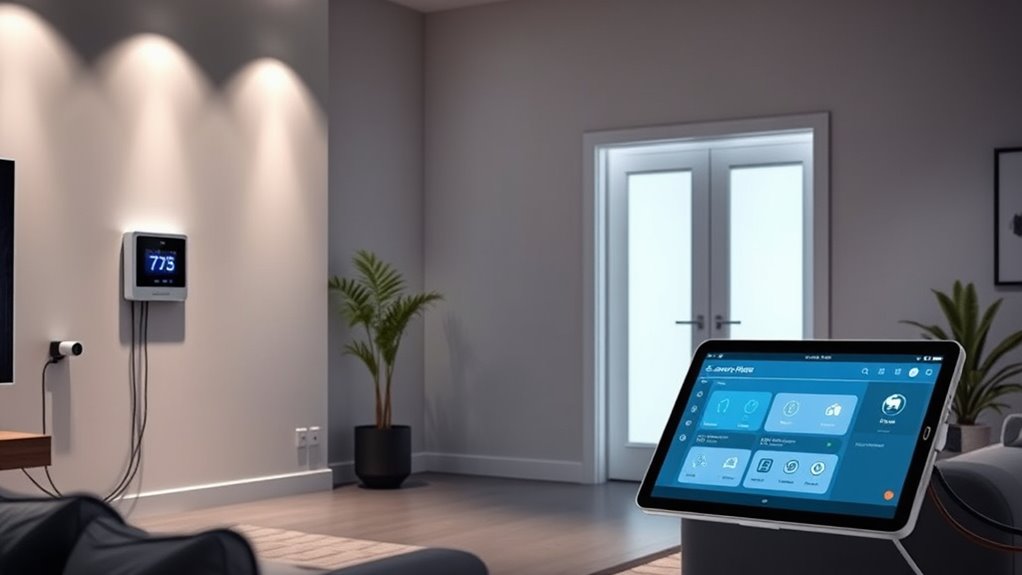
To keep your smart home secure, you should follow best network practices like changing default passwords and setting up strong Wi-Fi encryption. Managing data permissions carefully guarantees that each device only accesses what it needs, reducing privacy risks. By staying vigilant with these steps, you can better protect your devices and personal information. Additionally, understanding the importance of privacy compliance can help you ensure that your smart home setup adheres to relevant data protection regulations. Being aware of cookie categories and how they impact your privacy can further enhance your security measures. Awareness of dark psychology tactics can also help you recognize and prevent manipulation attempts that could compromise your security or privacy. Implementing security protocols across all devices ensures a comprehensive approach to safeguarding your smart home environment.
Secure Network Practices
Ensuring security and privacy across your smart home devices requires implementing strong network practices. First, use encryption protocols like WPA3 to protect your Wi-Fi network from unauthorized access. Second, manage passwords carefully; avoid default passwords and use unique, complex ones through good password management habits. Third, regularly update your device firmware to patch security vulnerabilities. Fourth, segment your network by creating separate networks for your smart devices and personal devices, reducing potential access points. By following these steps, you minimize risks and protect your privacy. Strong encryption, diligent password management, updates, and network segmentation form the core of secure network practices, keeping your smart home safe from cyber threats.
Manage Data Permissions
Controlling data permissions across your smart home devices helps safeguard your privacy and prevent unauthorized access. Start by reviewing each device’s permission management settings, ensuring they only share data with trusted sources. Limit data sharing to what’s necessary for functionality, avoiding excessive access that could compromise your privacy. Regularly update permissions to reflect any changes in your preferences or device capabilities. Keep an eye on apps and integrations that request access to your data, and revoke permissions for those that aren’t essential. By managing data sharing carefully, you reduce the risk of breaches and protect sensitive information. Proper permission management keeps your smart home secure and ensures your data remains private, giving you peace of mind as your devices work seamlessly together. Additionally, understanding the security features of your devices can help you better configure permissions to prevent vulnerabilities. Staying informed about privacy best practices can further enhance your overall home security and data protection.
Regularly Updating Firmware and Software

Regularly updating the firmware and software on your smart home gadgets is crucial for maintaining security, improving functionality, and fixing bugs. Firmware updates and software patches ensure your devices stay protected against vulnerabilities and operate smoothly. Here are four key tips:
Regularly update your smart home devices to boost security and performance.
- Check for updates weekly via device apps or settings.
- Enable automatic updates when available to save time.
- Read update notes to understand new features or fixes.
- Restart devices after updates to ensure changes take effect.
- Use load‑planning tools to accurately determine the necessary updates and avoid compatibility issues.
Keeping your gadgets current prevents security breaches and compatibility issues, making your smart home more reliable. Don’t ignore firmware updates—they’re indispensable for peak performance and security. Staying proactive with updates guarantees your smart home functions seamlessly and securely.
Frequently Asked Questions
How Can I Troubleshoot Device Connectivity Issues in My Smart Home?
To troubleshoot device connectivity issues, start by checking your signal strength; weak signals can cause problems. Move devices closer to your Wi-Fi router or use range extenders if needed. Also, make sure your gadgets have the latest firmware updates, as these often fix bugs and improve stability. Restart your devices and router to refresh connections. If issues persist, reset devices or reconfigure network settings to restore proper connectivity.
What Are the Best Practices for Managing Multiple Smart Home Accounts?
You should regularly synchronize your smart home accounts to keep everything seamless. Use a password manager to securely store and manage your login credentials, reducing the risk of security breaches. Keep your accounts updated with the latest software and review permissions periodically. Linking your accounts through a unified app can simplify control. These best practices help you manage multiple accounts efficiently, ensuring smooth operation across all your smart devices.
How Do I Integrate New Devices Into My Existing Smart Home Setup?
Think of integrating new devices into your smart home as fitting the last piece into a puzzle. First, check device compatibility to guarantee it plays nicely with your existing setup. Then, update firmware to the latest version, so everything communicates smoothly. Once ready, follow the manufacturer’s instructions to add the device, and you’ll have a seamless, harmonious smart home where everything works together like a well-conducted orchestra.
Can I Control My Smart Home Remotely Without Internet Access?
Yes, you can control your smart home remotely without internet access through offline control and local automation. By setting up devices that support local control, such as hubs or controllers with Zigbee or Z-Wave, you can manage your gadgets directly via a local network. This way, even if the internet is down, you can still operate your smart devices seamlessly, ensuring continuous security and convenience.
What Should I Consider When Expanding My Smart Home Ecosystem?
When expanding your smart home ecosystem, consider device compatibility to guarantee new gadgets work seamlessly with your existing setup. Think about ecosystem expansion by choosing devices that support common standards like Zigbee or Z-Wave. Also, evaluate your network’s capacity to handle additional devices and ensure your hub or controller can manage multiple connections. Prioritize user-friendly interfaces and reliable brands to create a cohesive, efficient smart home experience.
Conclusion
To make your smart home truly seamless, focus on compatibility, secure connections, and regular updates. Using voice assistants and central hubs simplifies control, while automating routines enhances convenience. Remember, a chain is only as strong as its weakest link—so prioritize security and consistency across devices. Stay proactive, keep everything updated, and your smart home will work harmoniously, proving that “United we stand, divided we fall” even in the digital world.