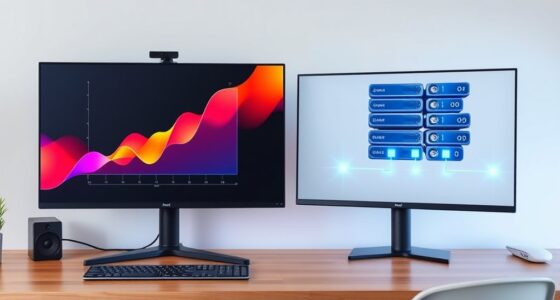
Today, SSDs offer you much faster transfer speeds, so your files load almost instantly, and your applications launch quickly. They use less power, which means longer battery life and lower energy costs, and they’re more durable, resisting shocks and drops better than hard drives. As technology advances, SSDs become more reliable and affordable, closing the price gap. If you want to understand how these differences impact your choices, keep exploring what sets them apart.

Get the latest gadgets delivered free with Prime
- Fast, free delivery on millions of items
- Prime Video, Amazon Music and more included
- Member-only deals all year
Key Takeaways
- SSDs offer significantly faster data transfer rates, reducing boot times and enabling quick application launches.
- They consume less power and generate less heat, extending battery life and improving energy efficiency.
- SSDs are more durable and resistant to physical shocks due to the absence of moving parts.
- Technological advancements continue to improve SSD performance, reliability, and affordability.
- The price gap between SSDs and traditional hard drives is narrowing, making SSDs more accessible for everyday use.
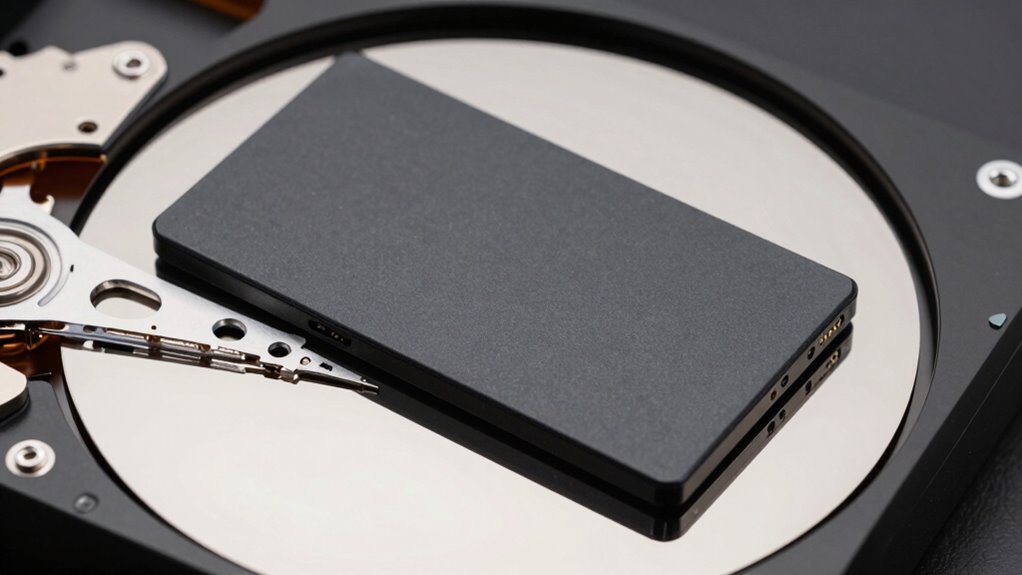
If you’re choosing between an SSD and a traditional hard drive today, understanding their key differences is essential. One major factor to think about is data transfer rates. SSDs (Solid State Drives) use flash memory to store data, allowing them to access information almost instantly. This results in markedly faster data transfer rates compared to hard drives. With an SSD, boot times drop dramatically, and applications launch almost instantly, giving you a smooth and responsive experience. Hard drives, on the other hand, rely on spinning magnetic disks, which take longer to read and write data. This means you’ll notice longer wait times when starting up your computer or opening large files. If speed is a priority, especially for gaming, video editing, or intensive tasks, an SSD provides a clear advantage.
SSDs offer faster data access, drastically reducing boot times and improving responsiveness for gaming and editing tasks.
Power consumption is another critical difference. SSDs generally consume less power than traditional hard drives. Since they lack moving parts, they operate more efficiently and generate less heat. This lower power draw not only extends your laptop’s battery life but also reduces the overall energy costs for desktop setups. Hard drives, with their spinning disks and mechanical arms, require more power to keep the disks spinning and to move the read/write heads. This additional power usage can lead to quicker battery drain on laptops and increased electricity bills over time. If you’re conscious of energy efficiency or looking to maximize battery life, an SSD is the better choice.
Beyond speed and power, you also need to think about durability and reliability. SSDs have no moving parts, making them less vulnerable to physical shocks, drops, or vibrations. This resilience makes them ideal for portable devices or environments where hardware might experience rough handling. In addition, advancements in emerging storage technologies are continuously improving the performance and reliability of SSDs, further widening the gap between the two storage options. Moreover, the increasing adoption of SSDs in enterprise settings underscores their reliability and longevity, which continues to improve with ongoing technological developments. This ongoing innovation contributes to the ongoing trend of shifting towards faster and more durable storage solutions in various industries. Additionally, the affordability of SSDs is gradually improving, making them more accessible for everyday users. The improvements in manufacturing processes are also helping to drive down costs, making SSDs an increasingly viable option for all users.
As an affiliate, we earn on qualifying purchases.
Frequently Asked Questions
How Do SSDS Impact Gaming Performance Compared to HDDS?
SSDs markedly boost gaming performance compared to HDDs by reducing load times and providing faster data access. You’ll notice quicker game launches, smoother shifts, and reduced lag during gameplay. While SSDs often have smaller storage capacities, they excel in speed, unlike HDDs which are cheaper with larger capacities. The price comparison favors HDDs for storage, but for gaming, investing in an SSD offers a noticeable performance upgrade that enhances your gaming experience.
Are SSDS More Energy-Efficient Than Traditional Hard Drives?
Yes, SSDs are more energy-efficient than traditional hard drives. They consume less power because they have no moving parts, which reduces overall power consumption and helps with energy savings. This not only extends your device’s battery life but also decreases heat output, making your system run cooler. So, if you’re looking to save energy and improve efficiency, upgrading to an SSD is a smart move.
Can SSDS Be Upgraded or Replaced Easily in Laptops?
Think of upgrading your SSD like swapping out RAM or replacing a battery—you can often do it yourself with a little care. Many laptops offer easy access panels for SSD upgrades or replacements, making it straightforward. However, some ultrabooks hide their drives, requiring professional help. Always check your device’s manual before attempting an upgrade, just as you’d research battery replacement steps or RAM upgrades.
What Are the Environmental Impacts of Manufacturing SSDS Versus HDDS?
Manufacturing SSDs generally produces fewer emissions compared to HDDs because they involve less energy-intensive processes. However, SSDs use more rare materials, which can be harder to recycle, impacting environmental sustainability. Recycling materials from both drives reduces waste and conserves resources. By choosing drives with better recycling programs and lower manufacturing emissions, you help lessen environmental impacts, making your tech choices more eco-friendly.
How Does Data Recovery Differ Between SSDS and HDDS?
You’ll find data recovery differs markedly between SSDs and HDDs. With HDDs, recovery is often straightforward because data is stored on spinning disks, and tools can often retrieve lost info. SSDs pose more challenges due to data encryption and wear leveling, which distribute data across cells to prolong lifespan. These features complicate recovery, making professional help necessary, especially when data is encrypted or cells are worn out.
fast solid state drive for gaming
As an affiliate, we earn on qualifying purchases.
As an affiliate, we earn on qualifying purchases.
Conclusion
So, as you weigh your options, remember that while SSDs and hard drives serve the same purpose, their differences can feel surprisingly intertwined. Sometimes, a quick upgrade might seem like a small choice, but it can unexpectedly transform your entire experience—just like how a simple coincidence can reveal deeper truths. In the end, understanding these subtle distinctions helps you make smarter decisions, turning everyday technology into tools that truly work for you.
high capacity SSD for video editing
As an affiliate, we earn on qualifying purchases.
As an affiliate, we earn on qualifying purchases.
As an affiliate, we earn on qualifying purchases.
Halloween Picks
halloween
As an affiliate, we earn on qualifying purchases.