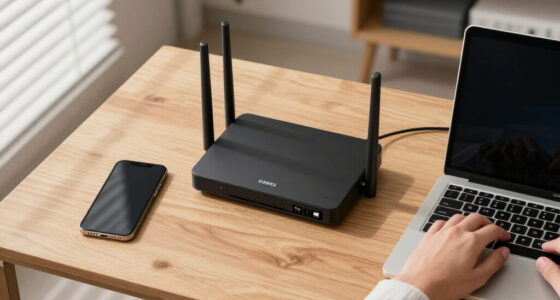

Technology moves quickly, but making a good technology decision rarely requires chasing every announcement. The useful approach is to understand what a device or service is meant to accomplish, identify the features that matter for your situation, and look beyond launch-day excitement. Whether you are choosing an app, building a PC, experimenting with electronics, expanding your storage, or rediscovering classic games, the same principle applies: begin with your needs and use specifications as evidence rather than as a shopping list.

Get the latest gadgets delivered free — and shop member deals
- Fast, free delivery on millions of items
- Access to Prime Big Deal Days deals on October 6–7
- Prime Video, Amazon Music and more included
GadgetFee covers the practical side of technology news and gadgets. This hub brings its major topics together, giving newcomers a place to start and experienced readers clear paths to deeper guides. Use it to understand the landscape, narrow your choices, and decide which details deserve closer attention.
How to Follow Technology News Without Getting Overwhelmed
Technology news includes product launches, software updates, security developments, industry shifts, research, and changes to online services. Not every story has the same practical importance. A redesigned device may attract attention without changing what most people can do, while a quiet operating-system update might affect compatibility, privacy, or daily workflows.
When reading a technology story, separate the announcement from the outcome. An announcement describes what a company intends to release. The outcome becomes clearer after documentation, independent reporting, long-term use, and software support reveal how the product behaves outside a presentation. Early information can still be useful, but it should not be treated as a complete buying guide.
Questions to ask about any tech announcement
- Is the product available now, or has it only been announced?
- Does it solve a meaningful problem or mainly offer incremental changes?
- Will it work with the devices, software, accessories, and file formats you already use?
- Are important features dependent on subscriptions, accounts, or internet access?
- What information is confirmed, and what remains based on demonstrations or promotional material?
- Could waiting reveal more about reliability, support, and real-world compatibility?
This framework is especially helpful when headlines focus on a single specification. Processor speed, storage capacity, display resolution, and artificial-intelligence features may matter, but their value depends on the entire system. A balanced product with suitable software and dependable connectivity can be more useful than one built around an impressive headline number.
portable external hard drive for backups
As an affiliate, we earn on qualifying purchases.
As an affiliate, we earn on qualifying purchases.
Choosing Gadgets Around Real Needs
Start a gadget search by defining the task. “I need a device for weekly backups while traveling” is more actionable than “I want a new drive.” “I want to capture and organize meeting notes across my phone and laptop” is clearer than “I need the best productivity app.” A precise use case helps eliminate features that add complexity without adding value.
Next, consider the product’s place in your existing setup. A gadget is rarely isolated: it connects to ports, chargers, operating systems, cloud services, wireless networks, and other accessories. Compatibility deserves attention before performance comparisons because an otherwise capable device may be inconvenient if it requires adapters or disrupts a familiar workflow.
A practical buying checklist
- Define the main task and any secondary uses.
- List the devices and operating systems that must be supported.
- Identify non-negotiable requirements such as size, portability, repairability, or offline access.
- Distinguish essential features from conveniences.
- Check update policies, warranty terms, and available documentation.
- Consider the complete setup, including cables, enclosures, adapters, subscriptions, and replacement parts.
- Plan for data migration, backups, and responsible disposal of the old device.
Good buying decisions also account for friction. A technically advanced product may go unused if it is difficult to carry, slow to set up, or awkward to integrate. The best choice is often the one that fits naturally into the routine you already have.
laptop stand for ergonomic workspace
As an affiliate, we earn on qualifying purchases.
As an affiliate, we earn on qualifying purchases.
Apps, Productivity, and Digital Organization
Software can influence daily life as much as physical hardware. Note-taking tools, task managers, calendars, cloud storage services, and communication platforms all shape how information moves between people and devices. Choosing an app therefore involves more than comparing feature lists.
Begin with the type of material you expect to save. Short reminders, handwritten notes, research excerpts, meeting records, scanned documents, and collaborative projects place different demands on an app. Then consider capture speed, search, organization, export formats, collaboration, offline access, and synchronization. The guide to the best note-taking apps is a useful next step for comparing approaches to capturing and organizing information.
Portability is particularly important. An application may feel convenient today but become limiting if your notes are difficult to export later. Before committing substantial work to a service, inspect its export options and understand whether attachments, tags, links, and formatting survive the process. No organizational system is permanent, so a reasonable exit path is part of a resilient workflow.
As an affiliate, we earn on qualifying purchases.
Storage, Backups, and Portable Data
Storage products are easy to compare by capacity alone, yet capacity is only the beginning. Port type, operating-system compatibility, physical size, power requirements, durability, encryption options, and expected workload can all affect suitability. Someone moving large project files has different priorities from someone maintaining an occasional archive of family documents.
The portable external hard drive guide provides a focused route into current options. Before choosing, estimate how much data you have now and how quickly it is growing. Leave room for future files, but avoid treating a larger drive as a substitute for a backup strategy.
A single external drive is not a complete backup if it is the only place where important files exist. Keep independent copies, and consider separating them physically or using a suitable remote service. Periodically confirm that backups can actually be restored. Encryption may protect sensitive portable data, but it also makes careful password and recovery-key management essential.
wireless noise-canceling earbuds
As an affiliate, we earn on qualifying purchases.
As an affiliate, we earn on qualifying purchases.
PC Building and Upgrade Planning
Building a PC turns a broad technology purchase into a set of connected decisions. The processor, motherboard, memory, storage, graphics hardware, power supply, cooling, and case must work together physically and electrically. Compatibility should be established before individual performance is considered.
The PC building components guide offers a starting point for exploring the major categories. As you plan, think in terms of the full workload. Gaming, software development, media creation, office work, and home-server use may emphasize different components. Spending heavily in one area can produce little benefit if another component or the target software becomes the limiting factor.
Compatibility checks before assembling a PC
- Confirm that the processor socket and motherboard chipset are appropriate.
- Check the motherboard’s supported memory type and configuration.
- Verify case clearance for the graphics card, cooler, power supply, and storage devices.
- Make sure the power supply has suitable capacity and connectors.
- Review storage interfaces, expansion slots, networking, and external ports.
- Check operating-system, firmware, and driver availability.
- Plan airflow and cable routing before installation begins.
Upgrading an existing computer calls for the same discipline. Identify the actual bottleneck before replacing parts. Storage, memory, cooling, or software configuration may sometimes be more relevant than a platform-wide rebuild. Back up important files before hardware work and keep component documentation available during installation.
Development Boards and Hands-On Electronics
Development boards make it possible to explore embedded programming, sensors, automation, networking, and prototypes without designing every circuit from scratch. Board selection depends on the project: required input and output pins, wireless connectivity, physical dimensions, power consumption, programming environment, documentation, and accessory compatibility can matter more than raw processing specifications.
For projects centered on this platform, the ESP32-C3 development board guide can help narrow the field. Before choosing a board, sketch the entire project. List the sensors, displays, motors, relays, or other modules you intend to connect, along with their voltage and communication requirements.
Beginners benefit from starting small: verify the toolchain, upload a basic program, test one component, and then add features incrementally. This makes wiring, code, and power problems easier to isolate. When projects involve mains electricity, batteries, high current, heat, or moving parts, use appropriate enclosures and established safety practices rather than treating a prototype board as a complete finished product.
Gaming Technology: New Experiences and Old Favorites
Gaming sits at the intersection of hardware, software, displays, controllers, online services, and preservation. A useful setup does not have to be the newest one; it needs to support the games and social experience you value. Players interested in older libraries can explore the retro gaming console guide, which focuses on ways to revisit classic styles and catalogs.
When considering retro gaming hardware, examine display connections, controller support, save handling, library availability, and the legal source of game software. Authentic hardware, licensed collections, modern recreations, and emulation-oriented devices offer different balances of convenience, accuracy, and maintenance.
Sports games form another substantial part of the landscape. Readers focused on association football can begin with the soccer video games guide. Broader comparisons are available in the 11-title football video game roundup and the separate 13-title football video game guide.
Before selecting a sports game, decide whether you prefer simulation, arcade-style play, management, solo progression, or online competition. Also check platform support, controller requirements, local multiplayer, account dependencies, and whether the modes you want require continued online services.
Wearables, Sneakers, and Tech-Adjacent Culture
Gadget culture extends beyond processors and screens. Sneakers, collectibles, branded collaborations, and gaming-inspired fashion often appeal to the same audiences because they express connections to sport, design, and entertainment. These products should still be assessed with ordinary practical questions: intended use, materials, sizing information, care requirements, seller credibility, and return terms.
Readers exploring character-themed footwear can visit the Pokémon sneaker guide. Those comparing a broader athletic and lifestyle brand selection can use the Nike sneaker guide. When appearance and collecting are central, distinguish items meant for regular wear from those you expect to preserve, as each goal changes how you should think about fit, maintenance, and storage.
Build a Technology Setup That Can Evolve
The most useful technology setup is not a frozen collection of “best” products. It is a system that can adapt as your work, interests, and devices change. Open file formats, replaceable accessories, standard connections, reliable backups, and clear documentation can all reduce the cost and frustration of future transitions.
Use GadgetFee’s focused guides when you are ready to compare a particular category, but keep the larger picture in view. Start with the problem, verify compatibility, account for the entire ownership experience, and preserve a route for your data. Technology news can show you what is arriving; thoughtful selection determines what deserves a place in your life.
Fall Picks
fall essentials
As an affiliate, we earn on qualifying purchases.