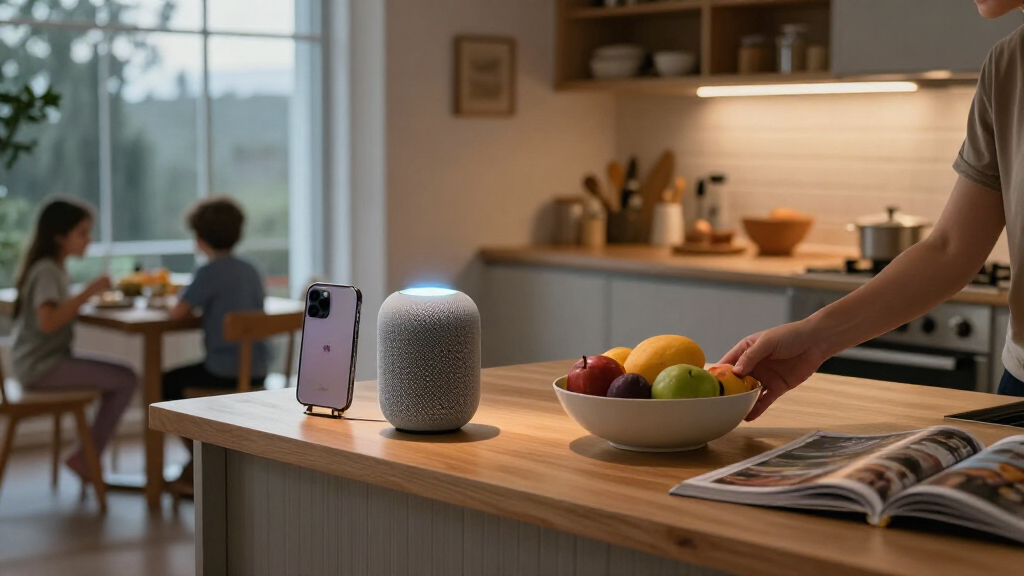

Choosing the best Apple smart home products requires balancing seamless Siri integration with reliable hardware performance. The Apple HomePod (2nd Generation) stands out as the best overall choice for those wanting a central hub that doubles as a high-fidelity speaker. For lighting control, the Kasa KS200P3 Smart Light Switch offers a direct replacement for traditional wall switches without the need for extra hubs, while the Lutron Caséta Smart Hub provides superior reliability for complex lighting scenes. The main tradeoff in this category involves choosing between native Apple hardware, which offers deeper integration but higher cost, and third-party Matter-compatible devices, which offer flexibility but may lack some advanced HomeKit features. Continue reading to see how these options compare on price, setup ease, and ecosystem compatibility.

Get the latest gadgets delivered free with Prime
- Fast, free delivery on millions of items
- Prime Video, Amazon Music and more included
- Member-only deals all year
Complete the kit



Key Takeaways
- Native Apple hardware like the HomePod acts as a superior local hub compared to third-party bridges, reducing latency for Siri commands.
- Matter compatibility is now standard on most new plugs and bulbs, allowing cross-ecosystem use, but HomeKit-specific features like Adaptive Lighting often require Apple-certified chips.
- Wall switches provide a better user experience than smart bulbs for fixed lighting because they control power at the source, preventing bulbs from becoming ‘offline’ when physically switched off.
- Security cameras with local storage options, like the Aqara G100, reduce reliance on cloud subscriptions, which is a significant long-term cost factor for HomeKit Secure Video.
- Energy monitoring in smart plugs, such as the Kasa EP25P4, adds utility beyond simple automation by providing data on high-draw appliances, helping users identify energy waste.
| Kasa KS200P3 Apple HomeKit Smart Light Switch, Single Pole |  | Best for Replacing a Standard Light Switch | Model: KS200P3 | Switch type: Single-pole, one-way | Operation: On-off | VIEW LATEST PRICE | See Our Full Breakdown |
| Aqara G100 2K Indoor/Outdoor Security Camera, White |  | Best Apple Home Camera for Flexible Placement | Resolution: 2304 × 1296 (3 MP) | Field of view: 140 degrees | Night vision: Spotlight color and 940 nm infrared | VIEW LATEST PRICE | See Our Full Breakdown |
| meross Smart Plug, 2-Pack, 15A Wi-Fi Outlet, Apple HomeKit Compatible |  | Best Value for Two HomeKit Outlets | Model: MSS110 | Pack size: 2 smart plugs | Maximum current: 15 A | VIEW LATEST PRICE | See Our Full Breakdown |
| Apple HomePod (2nd Generation) Smart Speaker with Siri, Midnight |  | Best Premium Apple Home Hub and Speaker | Model: MDEW4LL/A | Color: Midnight | Woofer: One 4-inch woofer | VIEW LATEST PRICE | See Our Full Breakdown |
| Linkind Matter Smart Plug, 4-Pack |  | Best for Expanding a Matter-Based Apple Home | Model: LC09003256 | Pack size: 4 plugs | Power capacity: 15 A / 1800 W | VIEW LATEST PRICE | See Our Full Breakdown |
| Lutron Caséta Smart Hub | 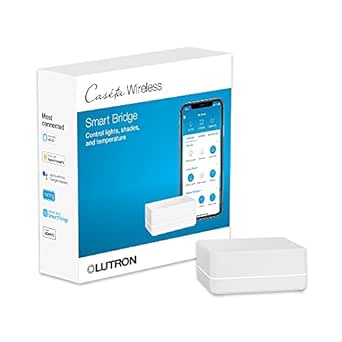 | Best for Expanding a Lighting System | Maximum supported devices: 75 Caséta devices | Connectivity technology: Clear Connect | Compatible platforms and devices: Apple HomeKit, Amazon Alexa, Google Assistant, Ring, Serena shades, Sonos | VIEW LATEST PRICE | See Our Full Breakdown |
| Kasa Smart Plug Mini 15A with Energy Monitoring, Apple HomeKit Support (EP25P4) |  | Best for Energy Monitoring | Model: EP25P4 | Connectivity: 2.4 GHz Wi-Fi | Maximum current and load: 15 A; 1800 W | VIEW LATEST PRICE | See Our Full Breakdown |
| Aqara Smart Thermostat W200 with Apple Adaptive Temperature |  | Best Premium Apple Home Climate Upgrade | Display: 4-inch full-color touchscreen | HVAC compatibility: About 85% of HVAC systems, including furnaces, air conditioners, heat pumps, boilers, and PTAC units | Connectivity: Dual-band Wi-Fi, 2.4 GHz and 5 GHz | VIEW LATEST PRICE | See Our Full Breakdown |
| Meross MSG100HK Smart Garage Door Opener Remote |  | Best for Apple Home Garage Access | Model: MSG100HK | Connectivity: 2.4 GHz Wi-Fi | Compatible platforms: Apple HomeKit, Siri, CarPlay, Amazon Alexa, Google Assistant, SmartThings | VIEW LATEST PRICE | See Our Full Breakdown |
| TP-Link Tapo P125M Matter Smart Plug, 15A/1800W, 3-Pack |  | Best Multi-Platform Plug Pack | Pack size: 3 plugs | Maximum current and power: 15 A; 1800 W | Operating voltage: 120 V AC | VIEW LATEST PRICE | See Our Full Breakdown |
| Tapo P125 Mini Smart Plug, 15A, 2-Pack |  | Best Compact Indoor Plug Pair | Model: P125 | Pack size: 2 plugs | Maximum power: 1800 W | VIEW LATEST PRICE | See Our Full Breakdown |
| Kasa EP40A Outdoor Smart Plug with Apple HomeKit, 2 Outlets |  | Best Outdoor Apple HomeKit Plug | Model: EP40A | Outlets: 2 independently controlled AC outlets | Maximum load per outlet: 15 A / 1875 W | VIEW LATEST PRICE | See Our Full Breakdown |
| Apple HomePod (2nd Generation, White) |  | Best Premium Apple Home Hub and Speaker | Generation: 2nd Generation (2023) | Color: White | Woofer: 4-inch high-excursion | VIEW LATEST PRICE | See Our Full Breakdown |
| Kasa Smart Ceiling Fan Control and Dimmer Switch (KS240, Single Pole) |  | Best for Smart Ceiling Fan Control | Model: KS240 | Switch type: Single-pole dimmer | Fan speeds: 4 | VIEW LATEST PRICE | See Our Full Breakdown |
| Linkind Matter Smart LED Light Bulbs, A19 E26, 60W Equivalent, 800 Lumens, 6-Pack |  | Best Multi-Room Smart Lighting Starter Set | Quantity: 6 bulbs | Bulb shape and base: A19, E26 | Wattage: 9 W | VIEW LATEST PRICE | See Our Full Breakdown |
| Apple smart home product | Connectivity | Model |
|---|---|---|
| Kasa KS200P3 Apple HomeKit Sma | 2.4 GHz Wi-Fi | KS200P3 |
| Aqara G100 2K Indoor/Outdoor S | 2.4 GHz Wi-Fi 6 and Bluetooth | — |
| meross Smart Plug | 2.4 GHz Wi-Fi only | MSS110 |
| Apple HomePod | — | MDEW4LL/A |
| Linkind Matter Smart Plug | Matter, 2.4 GHz Wi-Fi, and IPv6 | LC09003256 |
| Lutron Caséta Smart Hub | — | — |
| Kasa Smart Plug Mini 15A with | 2.4 GHz Wi-Fi | EP25P4 |
| Aqara Smart Thermostat W200 wi | Dual-band Wi-Fi, 2.4 GHz and 5 GHz | — |
| Meross MSG100HK Smart Garage D | 2.4 GHz Wi-Fi | MSG100HK |
| TP-Link Tapo P125M Matter Smar | 2.4 GHz Wi-Fi, Bluetooth, Matter | — |
| Tapo P125 Mini Smart Plug | 2.4 GHz Wi-Fi and Bluetooth | P125 |
| Kasa EP40A Outdoor Smart Plug | — | EP40A |
| Apple HomePod | Bluetooth 5.0, Wi-Fi 4, AirPlay, Thread, Matter | — |
| Kasa Smart Ceiling Fan Control | 2.4 GHz Wi-Fi | KS240 |
| Linkind Matter Smart LED Light | Matter and 2.4 GHz Wi-Fi | — |
More Details on Our Top Picks
Kasa KS200P3 Apple HomeKit Smart Light Switch, Single Pole
The Kasa KS200P3 is a practical choice when I want Siri control for a ceiling light or fixture without changing the bulbs or adding a hub. It connects directly to 2.4 GHz Wi-Fi and supports schedules, timers, and Away Mode, so ordinary wall lighting can join Apple Home routines. Unlike the meross Smart Plug, which controls only devices plugged into an outlet, this switch operates a wired light fixture and keeps its existing wall control.
The tradeoff is installation: this is a single-pole switch that requires a neutral wire, so it will not suit every electrical box or multi-location setup. Its on-off operation also cannot dim lights. I’d choose it for straightforward fixture control, but look at a dimmer or smart bulb when brightness adjustment matters.
Pros:- Works with Apple HomeKit and Siri without a separate hub
- Controls wired lights from the wall, unlike a plug-in smart outlet
- Supports schedules, timers, and Away Mode
- Also supports Alexa and Google Assistant
Cons:- Requires a neutral wire, which some older switch boxes lack
- On-off control does not provide dimming
- Requires a 2.4 GHz Wi-Fi network
Best for: Apple Home users replacing a single-pole wall switch who have a neutral wire and want scheduled, Siri-controlled lighting.
Not ideal for: Renters, homes without a neutral wire at the switch, or anyone needing dimming or control from multiple switch locations.
- Model:KS200P3
- Switch type:Single-pole, one-way
- Operation:On-off
- Connectivity:2.4 GHz Wi-Fi
- Apple integration:Apple HomeKit and Siri
- Installation:Neutral wire required; no hub required
- Dimensions:5.04 × 3.33 × 1.41 inches
Our verdict“Choose the KS200P3 if you want simple Siri control of a wired, single-pole light and have a neutral wire available.”
Aqara G100 2K Indoor/Outdoor Security Camera, White
The Aqara G100 stands apart from the plugs and switches in this roundup by adding a meaningful security layer to Apple Home. Its 2K video, 140-degree view, and spotlight color or infrared night vision cover more detail and lighting conditions than a basic indoor-only camera. The IP65-rated housing gives me the option to mount it indoors or outdoors, while HomeKit Secure Video support ties it into an Apple-centered setup.
Unlike the Apple HomePod (2nd Generation), which acts as a smart-home controller and speaker, the G100 is focused on monitoring and recorded footage. Local microSD or NAS storage can reduce reliance on cloud services, but the card is not included and some recognition or event features require a subscription. I also need to supply its 5 V power adapter, and night-vision modes must be enabled manually.
Pros:- 2K resolution with a wide 140-degree field of view
- IP65 housing supports indoor and outdoor placement
- Offers spotlight color and infrared night vision
- Supports HomeKit Secure Video plus microSD or NAS storage
Cons:- 5 V power adapter and microSD card are not included
- Some cloud recognition and event features require a subscription
- Night-vision modes must be enabled manually
Best for: Apple Home households wanting one camera for indoor or sheltered outdoor monitoring, with local storage options and HomeKit Secure Video.
Not ideal for: Buyers seeking a battery-powered camera, included power supply, or subscription-free access to every recognition feature.
- Resolution:2304 × 1296 (3 MP)
- Field of view:140 degrees
- Night vision:Spotlight color and 940 nm infrared
- Weather resistance:IP65
- Connectivity:2.4 GHz Wi-Fi 6 and Bluetooth
- Apple integration:HomeKit Secure Video
- Storage:microSD up to 512 GB (not included) or NAS
- Power:DC 5 V/1 A adapter required; not included
Our verdict“Pick the G100 if flexible placement, HomeKit camera support, and local storage matter more than battery power or an included adapter.”
meross Smart Plug, 2-Pack, 15A Wi-Fi Outlet, Apple HomeKit Compatible
For adding basic outlet control to two lamps or small appliances, the meross Smart Plug 2-Pack keeps the setup simple: plug in, connect over 2.4 GHz Wi-Fi, and add schedules, timers, or sunrise and sunset routines. It supports Apple HomeKit as well as Alexa and SmartThings. Compared with the four-plug Linkind Matter Smart Plug, this pack is a smaller commitment for buyers who only need a couple of switched outlets and prefer direct HomeKit compatibility.
The compact shape is useful when I want to stack two plugs at one receptacle, and the 15 A rating covers a broad range of ordinary plug-in devices. The limitation is remote access: HomeKit remote control needs an Apple home hub on the network. It also lacks Matter support, so it is less flexible across platforms than Linkind’s option, and its 2.4 GHz-only Wi-Fi rules out 5 GHz connections.
Pros:- Two-plug pack supports Apple HomeKit, Alexa, and SmartThings
- Compact design can leave room for a second plug at the same receptacle
- Schedules, timers, and sunrise or sunset settings support routine automation
- 15 A maximum rating for compatible plug-in devices
Cons:- Remote HomeKit control requires a compatible Apple home hub
- Works only with 2.4 GHz Wi-Fi
- Does not offer Matter compatibility
Best for: Apple Home users who need two compact, schedule-ready outlets for lamps or other compatible plug-in devices.
Not ideal for: Buyers who need four outlets, Matter-based platform flexibility, 5 GHz Wi-Fi, or remote HomeKit control without an Apple home hub.
- Model:MSS110
- Pack size:2 smart plugs
- Maximum current:15 A
- Connectivity:2.4 GHz Wi-Fi only
- Apple integration:Apple HomeKit; remote control requires a compatible home hub
- Other platforms:Amazon Alexa and SmartThings
- Plug type:Type A
- Certifications and warranty:ETL and FCC certified; 2-year warranty
Our verdict“Choose the meross pair for two compact, HomeKit-compatible outlets, but pick the Linkind pack if you want more plugs and Matter support.”
Apple HomePod (2nd Generation) Smart Speaker with Siri, Midnight
The Apple HomePod (2nd Generation) is the strongest all-in-one pick here for people building around Apple: it combines Siri voice control, smart-home functions, and room-filling audio in a tabletop speaker. Its Matter and Thread compatibility helps it connect with newer smart-home devices, while built-in sound, temperature, and humidity sensors can feed context into automations. Compared with the Kasa KS200P3, which handles one wired light circuit, HomePod can serve as a broader voice and automation point for a connected home.
That reach comes with a different tradeoff: it is a substantial speaker, not a low-cost way to add one controlled outlet or switch. Buyers who only need basic device control may get more practical coverage from the Linkind Matter Smart Plug. HomePod makes the most sense when audio quality and hands-free Siri use are part of the plan; the supplied product details also list inconsistent warranty information, so I would confirm coverage before buying.
Pros:- Combines Siri voice control with a high-fidelity speaker
- Matter and Thread support broadens smart-home device compatibility
- Built-in sound, temperature, and humidity sensors can support automations
- Can pair with another HomePod for stereo sound
Cons:- More speaker than many buyers need for basic smart-home control
- Warranty details in the supplied product information are inconsistent
- Tabletop placement requires room for a dedicated speaker
Best for: Apple-focused households wanting a premium Siri speaker that can anchor Matter and Thread smart-home control and contribute sensor data to automations.
Not ideal for: Buyers who only need inexpensive control for one light or outlet, or who prioritize a clearly specified warranty.
- Model:MDEW4LL/A
- Color:Midnight
- Woofer:One 4-inch woofer
- Tweeters:Five beamforming tweeters
- Microphones:4
- Smart-home compatibility:Matter and Thread
- Sensors:Sound, temperature, and humidity
- Mounting:Tabletop
Our verdict“Choose the HomePod if you want premium audio and Siri-led Matter and Thread control in one Apple-centered device.”
Linkind Matter Smart Plug, 4-Pack
The Linkind Matter Smart Plug 4-Pack is my pick when several lamps or appliances need a place in Apple Home and I want the option to use other platforms later. Matter support spans Apple Home, Alexa, Google Home, and SmartThings, while local network control can keep compatible commands working through an internet outage. Compared with the two-plug meross Smart Plug, this pack covers more outlets and adds Matter; that makes it a better fit for outfitting multiple rooms.
The tradeoff is setup: supported platforms need a Matter-certified hub, and the plugs also require 2.4 GHz Wi-Fi and IPv6. The AiDot app can provide control without that hub, but it is not the same as adding the plugs directly to every supported ecosystem. A 15 A/1800 W capacity and overload protection add practical safeguards, though these remain plug-in switches rather than energy-monitoring devices.
Pros:- Four plugs cover more outlets than the meross two-pack
- Matter support spans Apple Home and several other smart-home platforms
- Local network control can work during internet outages
- Includes short-circuit and overload protection
Cons:- A Matter-certified hub is required for several platform integrations
- Requires both 2.4 GHz Wi-Fi and IPv6
- Does not provide energy monitoring
Best for: Households adding several lamps or compatible devices to Apple Home while keeping the option to manage them through other Matter platforms.
Not ideal for: Buyers without a Matter-certified hub who want direct Apple Home integration, or anyone whose network lacks 2.4 GHz Wi-Fi or IPv6.
- Model:LC09003256
- Pack size:4 plugs
- Power capacity:15 A / 1800 W
- Connectivity:Matter, 2.4 GHz Wi-Fi, and IPv6
- Apple integration:Apple Home; Matter-certified hub required
- Other platforms:Alexa, Google Home, SmartThings, and AiDot
- Plug type:Type A
- Protection and certifications:Short-circuit and overload protection; FCC and ETL
Our verdict“Pick Linkind to add multiple outlets to a Matter-ready Apple Home, provided your network and hub meet its requirements.”
Lutron Caséta Smart Hub
I’d choose the Lutron Caséta Smart Hub when the goal is to build a coordinated system for lights and shades, rather than add a single smart outlet. It connects up to 75 Caséta devices with Apple HomeKit and other platforms, while Clear Connect keeps those devices from adding to Wi-Fi congestion. Scheduling, scenes, and geofencing also give it a wider role than a plug such as the Kasa Smart Plug Mini EP25, which is easier for controlling one appliance and tracking its energy use. The tradeoff is that this hub is only the foundation: compatible switches, dimmers, or shades must be purchased separately. It also needs a router connection and setup through Lutron’s app, so it makes less sense for someone seeking a quick, standalone smart-home upgrade.
Pros:- Connects up to 75 Caséta devices
- Works with Apple HomeKit and several other smart-home platforms
- Supports scenes, schedules, and geofencing
- Clear Connect avoids adding Caséta devices to Wi-Fi traffic
Cons:- Compatible switches, dimmers, and other controlled devices are sold separately
- Requires a router connection and setup through the Lutron app
Best for: Apple Home households planning to add multiple Caséta switches, dimmers, or Serena shades and automate them together
Not ideal for: Renters or buyers who only want to control one lamp or appliance without buying compatible Caséta devices
- Maximum supported devices:75 Caséta devices
- Connectivity technology:Clear Connect
- Compatible platforms and devices:Apple HomeKit, Amazon Alexa, Google Assistant, Ring, Serena shades, Sonos
- Operating voltage:120 V
- Temperature range:32–104 °F
- Dimensions:1.44 × 2.94 × 4.69 inches
- Material and color:Plastic; white
Our verdict“Choose this hub to coordinate a growing Caséta lighting and shade system; skip it if you only need a standalone smart plug.”
Kasa Smart Plug Mini 15A with Energy Monitoring, Apple HomeKit Support (EP25P4)
The Kasa Smart Plug Mini EP25 suits Apple Home users who want more than on-and-off control: it tracks real-time and historical energy use while handling schedules, timers, and remote commands. Unlike the Tapo P125M, it doesn’t rely on Matter for its listed platform connections, but it does support Apple HomeKit alongside Alexa, Google Assistant, and SmartThings. Its compact design helps keep a neighboring outlet accessible, and the 15A rating covers compatible devices up to 1800W. There are limits: it needs 2.4 GHz Wi-Fi, and HomeKit remote control requires a networked Apple device at home. I’d pick it over a basic smart plug when usage data matters, but choose a multi-plug pack like the Tapo if outfitting several outlets is the priority.
Pros:- Reports real-time and historical energy usage
- Supports Apple HomeKit, Alexa, Google Assistant, and SmartThings
- Compact form helps preserve access to nearby outlets
- Offers scheduling, timers, and remote control without a hub
Cons:- Requires a 2.4 GHz Wi-Fi network
- HomeKit remote control requires a networked Apple device at home
Best for: Apple Home users who want to automate a compatible appliance and monitor its electricity use
Not ideal for: Buyers who need 5 GHz-only Wi-Fi, or HomeKit remote access without a networked Apple device at home
- Model:EP25P4
- Connectivity:2.4 GHz Wi-Fi
- Maximum current and load:15 A; 1800 W
- Operating voltage:120 V AC
- Energy monitoring:Real-time and historical usage
- Compatible assistants:Apple HomeKit, Siri, Amazon Alexa, Google Assistant, SmartThings
- Hub required:No
- Safety and warranty:UL-certified flame-retardant design; 2-year warranty
Our verdict“Pick this plug when energy tracking matters more than Matter-based local control or outfitting several outlets at once.”
Aqara Smart Thermostat W200 with Apple Adaptive Temperature
The Aqara Smart Thermostat W200 is the most ambitious climate-control pick here: it combines a 4-inch touchscreen, built-in mmWave presence detection, and support for Matter, Thread, and Zigbee. That breadth makes it more than a thermostat, with a built-in hub that can connect compatible smart-home devices. Compared with the Lutron Caséta Smart Hub, which focuses on Caséta lighting and shades, the W200 centers on HVAC while also reaching across multiple platforms. Apple Adaptive Temperature adds an Apple-specific reason to choose it, but that feature needs a compatible home hub and an iPhone or Apple Watch running version 26 or later. HVAC coverage is broad, not universal, and a C-wire adapter may be needed separately. I’d skip this model if a basic thermostat swap is the only goal.
Pros:- Works with about 85% of HVAC systems, including several heating and cooling types
- Built-in mmWave presence detection can inform comfort and energy automations
- Matter, Zigbee, and Thread support broadens smart-home compatibility
- Large touchscreen and built-in hub add local control options
Cons:- A C-wire adapter is sold separately if the installation needs one
- Apple Adaptive Temperature requires compatible Apple hardware and version 26 or later
- Clean Energy Guidance is limited to the contiguous United States
Best for: Apple Home households with compatible HVAC that want presence-aware temperature control and a multi-protocol smart-home hub
Not ideal for: Buyers with an unsupported HVAC setup, no compatible Apple devices for Adaptive Temperature, or no interest in its added hub features
- Display:4-inch full-color touchscreen
- HVAC compatibility:About 85% of HVAC systems, including furnaces, air conditioners, heat pumps, boilers, and PTAC units
- Connectivity:Dual-band Wi-Fi, 2.4 GHz and 5 GHz
- Smart-home protocols:Matter 1.4, Zigbee, Thread
- Presence detection:Built-in mmWave radar
- Compatible platforms:Apple Home, Google Home, Amazon Alexa, Samsung SmartThings, Home Assistant
- Apple Adaptive Temperature:Requires a compatible home hub and iPhone or Apple Watch running version 26 or later
- C-wire:Adapter sold separately if needed
Our verdict“Choose the W200 for an Apple-centered climate system that can benefit from presence sensing and multi-protocol hub features.”
Meross MSG100HK Smart Garage Door Opener Remote
The Meross MSG100HK brings an existing compatible garage door into Apple Home, adding remote control, door-status checks, history, and automatic closing without a hub or subscription. Its wired sensor provides a status signal, which matters when a voice command alone can’t tell whether the door actually moved. Compared with the Kasa Smart Plug Mini EP25, this is a more specialized purchase: it solves one access-control job rather than automating a range of household devices. It also supports Siri, CarPlay, Alexa, Google Assistant, and SmartThings. The main hurdle is opener compatibility: some models need an adapter, and Security+ 3.0 is not supported. I’d verify the opener model before buying, and skip it if the garage uses 5 GHz Wi-Fi only.
Pros:- Adds Apple HomeKit, Siri, and CarPlay control to compatible garage doors
- Wired sensor reports door status and supports status history
- Offers scheduling and automatic closing
- Needs no hub or subscription, and existing remotes and wall buttons continue to work
Cons:- Some opener models require a separate adapter
- Does not support Security+ 3.0
- Requires 2.4 GHz Wi-Fi
Best for: Apple Home households with a compatible existing garage opener that want remote status checks and automatic closing
Not ideal for: Owners of Security+ 3.0 openers, garages with only 5 GHz Wi-Fi, or opener models requiring an unavailable adapter
- Model:MSG100HK
- Connectivity:2.4 GHz Wi-Fi
- Compatible platforms:Apple HomeKit, Siri, CarPlay, Amazon Alexa, Google Assistant, SmartThings
- Opener compatibility:200+ brands and 1,600+ models; adapter may be required
- Protocol support:Security+ 1.0 and 2.0; not Security+ 3.0
- Control features:App and voice control, status history, scheduling, automatic closing
- Dimensions and weight:3 × 2 × 1 inches; 311 g
- Subscription fees:None
Our verdict“Choose this for app-based Apple Home access to a compatible garage door, after checking the opener model and Wi-Fi band.”
TP-Link Tapo P125M Matter Smart Plug, 15A/1800W, 3-Pack
The Tapo P125M three-pack is my pick for adding several smart outlets to an Apple Home setup while keeping the option to use other platforms. Its Matter support connects it with Apple Home, Alexa, Google Home, and SmartThings, while local communication between configured Matter devices can continue when the internet is down. That’s a useful distinction from the Kasa Smart Plug Mini EP25, which adds energy monitoring but requires a networked Apple device for HomeKit remote control. The Tapo plugs are compact and support schedules, timers, and voice control, though they still need 2.4 GHz Wi-Fi. Local control during an internet outage is limited to configured Matter devices on the local network, not a guarantee of remote access. Choose this pack for multiple outlets; pick the Kasa when energy data is the draw.
Pros:- Three plugs support Matter across Apple Home and other major smart-home platforms
- Compact design helps keep adjacent outlets accessible
- Supports app control, voice commands, schedules, and timers
- Configured Matter devices can communicate locally without internet access
Cons:- Requires 2.4 GHz Wi-Fi
- Offline local control applies to configured Matter devices on the local network, not remote access
- Does not list energy monitoring, unlike the Kasa EP25
Best for: Apple Home users who want to automate several outlets across Matter-compatible platforms
Not ideal for: Buyers who need energy monitoring, rely on 5 GHz-only Wi-Fi, or expect internet-outage local control to provide remote access
- Pack size:3 plugs
- Maximum current and power:15 A; 1800 W
- Operating voltage:120 V AC
- Connectivity:2.4 GHz Wi-Fi, Bluetooth, Matter
- Compatible platforms:Apple Home, Amazon Alexa, Google Home, Samsung SmartThings
- Control methods:App, voice, scheduling, timers
- Safety certification:UL certified
- Warranty:2-year limited warranty
Our verdict“Choose the Tapo three-pack to add multiple Matter-compatible outlets across Apple Home and other platforms, not for energy tracking.”
Tapo P125 Mini Smart Plug, 15A, 2-Pack
The Tapo P125 is a practical Apple HomeKit pick for adding control to ordinary indoor devices without giving up much outlet space. Its compact shape can leave an adjacent socket accessible, while scheduling, timers, and Away Mode cover everyday routines such as lamps turning on while you are away. Unlike the Kasa EP40A, this is designed for indoor use and does not offer independently controlled outdoor outlets; its advantage is a simpler, smaller fit for rooms and shared outlet plates. It also works with Siri and several non-Apple platforms, so it suits mixed-device homes. The tradeoffs are 2.4 GHz-only Wi-Fi and the need for a networked Apple device at home for remote HomeKit control. I’d choose it for basic indoor automation, not outdoor equipment or advanced power tracking.
Pros:- Compact body helps preserve access to an adjacent outlet
- Works with Apple HomeKit, Siri, and other major smart home platforms
- Scheduling, timers, and Away Mode support routine automation
- Two plugs are included and neither requires a separate hub
Cons:- Remote Apple HomeKit control requires a networked Apple device at home
- Connects only to 2.4 GHz Wi-Fi
- Indoor design is not intended for exposed outdoor use
Best for: Apple HomeKit households that want to automate lamps or small indoor appliances while keeping neighboring outlets usable.
Not ideal for: Buyers needing outdoor-rated control, energy monitoring, or Wi-Fi support beyond 2.4 GHz.
- Model:P125
- Pack size:2 plugs
- Maximum power:1800 W
- Operating voltage:120 V AC
- Connectivity:2.4 GHz Wi-Fi and Bluetooth
- Compatible platforms:Apple HomeKit, Siri, Amazon Alexa, Google Home, Samsung SmartThings
- Operating temperature:32°F to 104°F
- Certifications:UL, FCC, RoHS
Our verdict“Choose the Tapo P125 pair for compact, straightforward indoor HomeKit control; pick the Kasa EP40A instead when outdoor use is the priority.”
Kasa EP40A Outdoor Smart Plug with Apple HomeKit, 2 Outlets
The Kasa EP40A earns its place by bringing Apple HomeKit control to two outdoor outlets, with each outlet managed independently. That separation is useful when one plug powers seasonal lights and the other runs a separate outdoor device on its own schedule. Its IP64 weather resistance makes it better suited to outdoor conditions than the indoor Tapo P125, while grouping and remote control help simplify recurring lighting routines. The EP40A also works with Siri, Alexa, and Google Assistant, making it a flexible choice for households that use more than one platform. It is still dependent on 2.4 GHz Wi-Fi, and remote HomeKit access requires a networked Apple device at home. I’d skip it for indoor outlet needs where a smaller plug is easier to place, or where a smart-home setup depends on another Wi-Fi band.
Pros:- Two outlets can be controlled independently
- IP64 weather resistance suits outdoor lighting and appliances
- Supports Apple HomeKit, Siri, Alexa, and Google Assistant
- Remote control, grouping, and schedules support flexible routines
Cons:- Requires a 2.4 GHz Wi-Fi network
- Remote HomeKit control requires a networked Apple device at home
- Larger outdoor format is less suited to compact indoor outlet setups
Best for: HomeKit users controlling two separate outdoor lighting or appliance circuits from one weather-resistant plug.
Not ideal for: Buyers seeking a compact indoor plug, 5 GHz Wi-Fi support, or remote HomeKit access without a networked Apple device at home.
- Model:EP40A
- Outlets:2 independently controlled AC outlets
- Maximum load per outlet:15 A / 1875 W
- Voltage:125 V AC
- Wi-Fi:2.4 GHz, 802.11 b/g/n
- Weather resistance:IP64
- Wi-Fi range:Up to 300 ft
- Warranty:2 years
Our verdict“Pick the EP40A when you need two independently scheduled outdoor outlets; the Tapo P125 is a better fit for compact indoor use.”
Apple HomePod (2nd Generation, White)
The Apple HomePod (2nd Generation) is the most capable all-in-one Apple pick here: it combines room-filling audio with Siri and smart-home connectivity, including Thread and Matter. Its room sensing adjusts sound to placement, so it can work as a central listening speaker without requiring a particular position in the room. Compared with the Tapo P125, which adds control to a single outlet, the HomePod is a broader investment in Apple’s home setup: it handles music, messages, reminders, and compatible smart-home commands. Stereo pairing and whole-home playback add flexibility if you later build out an audio system. The tradeoff is that it is a substantial tabletop speaker, and some features depend on compatible Apple devices. Its listed Bluetooth 5.0 and Wi-Fi 4 connectivity also feel less current than newer wireless standards. I’d choose it for Apple households that want sound and smart-home control in one device.
Pros:- Room-filling audio from a high-excursion woofer and five beamforming tweeters
- Room sensing adjusts sound based on speaker placement
- Siri handles music, reminders, messages, and compatible smart-home tasks
- Thread, Matter, stereo pairing, and whole-home audio support broader setups
Cons:- Some features require compatible Apple devices
- At 6.4 pounds, it is a substantial tabletop speaker
- Listed connectivity includes Wi-Fi 4 and Bluetooth 5.0
Best for: Apple households seeking a premium room speaker that can also handle Siri requests and compatible smart-home control.
Not ideal for: Buyers who only need a low-profile smart-home controller, rely on non-Apple devices, or want newer listed Wi-Fi standards.
- Generation:2nd Generation (2023)
- Color:White
- Woofer:4-inch high-excursion
- Tweeters:Five beamforming tweeters
- Connectivity:Bluetooth 5.0, Wi-Fi 4, AirPlay, Thread, Matter
- Dimensions:5.6 x 5.6 x 6.6 inches
- Weight:6.4 pounds
- Mounting type:Tabletop
Our verdict“Choose the HomePod if you want premium Apple audio alongside Siri and smart-home features, rather than a single-purpose plug like the Tapo P125.”
Kasa Smart Ceiling Fan Control and Dimmer Switch (KS240, Single Pole)
The Kasa KS240 stands apart from the plug-and-bulb options in this roundup by controlling both a ceiling fan and its light from one wall switch. Four fan speeds and 1–100 brightness adjustment give more useful room control than a simple on/off switch, while schedules and timers can automate both functions. For Apple HomeKit users, it offers a built-in control point rather than adding a separate plug like the Tapo P125 or replacing bulbs with the Linkind Matter bulbs. That integration comes with a bigger installation commitment: this is a wired, single-pole switch that requires a neutral wire and 2.4 GHz Wi-Fi. App-guided setup may help, but it does not remove the need to confirm the wiring and fan compatibility before buying. I’d choose it when one switch should manage both fan speed and light output; renters and homes without a neutral wire should pass.
Pros:- Combines ceiling fan speed and light dimming in one switch
- Four fan speeds provide more control than a basic on/off switch
- Brightness adjusts from 1–100
- Works with Apple HomeKit, Alexa, Google Assistant, schedules, and timers
Cons:- Requires a neutral wire and compatible single-pole wiring
- Requires 2.4 GHz Wi-Fi
- Installation involves replacing a wired wall switch rather than plugging in a device
Best for: Homeowners with a compatible single-pole ceiling fan circuit and neutral wire who want HomeKit control of fan speed and light brightness.
Not ideal for: Renters, homes without a neutral wire, or buyers who only need smart control of a lamp or bulb.
- Model:KS240
- Switch type:Single-pole dimmer
- Fan speeds:4
- Brightness adjustment:1–100
- Connectivity:2.4 GHz Wi-Fi
- Neutral wire:Required
- Operating voltage:120 V AC
- Dimensions:4.13 x 1.75 x 1.64 inches
Our verdict“Choose the KS240 for a wired ceiling fan and light that need coordinated HomeKit control; use Linkind bulbs instead for simpler room-light upgrades.”
Linkind Matter Smart LED Light Bulbs, A19 E26, 60W Equivalent, 800 Lumens, 6-Pack
This six-bulb Linkind set is the strongest fit in this group for outfitting several rooms with color-capable Apple Home lighting. Matter support lets the bulbs work with Apple Home and other listed platforms, while 16 million colors and 104 preset scenes make them more expressive than the white-light control you get from a basic smart plug such as the Tapo P125. Each bulb provides 800 lumens, a useful output for everyday indoor lighting, and the 25,000-hour rated lifespan reduces the need for frequent replacement. The main catch is that these bulbs are not a universal retrofit: they require 2.4 GHz Wi-Fi and are generally incompatible with traditional dimmer switches. They also make most sense where the wall switch can remain on, since cutting power there interrupts smart control. I’d pick them for multi-room color scenes, not for fixtures on conventional dimmer circuits.
Pros:- Six bulbs help extend smart lighting across multiple rooms
- Matter support works with Apple Home, Alexa, and Google Home
- 16 million colors and 104 preset scenes allow flexible lighting choices
- 800 lumens per bulb with a rated 25,000-hour lifespan
Cons:- Generally incompatible with traditional dimmer switches
- Requires 2.4 GHz Wi-Fi
- Indoor-use design is not intended for outdoor fixtures
Best for: Apple Home users furnishing several indoor A19 fixtures who want color scenes and Matter compatibility across multiple platforms.
Not ideal for: Buyers with traditional dimmer switches, a need for outdoor bulbs, or a Wi-Fi network that lacks 2.4 GHz support.
- Quantity:6 bulbs
- Bulb shape and base:A19, E26
- Wattage:9 W
- Incandescent equivalent:60 W
- Light output:800 lumens
- Color temperature:6500 K
- Connectivity:Matter and 2.4 GHz Wi-Fi
Our verdict“Choose the Linkind set for multi-room color lighting through Apple Home; choose the Tapo P125 when you want to automate existing lamps without replacing bulbs.”
How We Picked
I evaluated these products based on their integration depth with Apple HomeKit, not just basic compatibility. Products were ranked higher if they supported advanced features like Adaptive Lighting, HomeKit Secure Video, or Scene activation without requiring external bridges or complex setups. I also prioritized devices with Matter support, as this ensures longevity and interoperability with future smart home standards, though I penalized devices that required proprietary hubs when a direct Wi-Fi or Thread connection was possible.
Reliability and setup friction were critical factors. I favored products with clear documentation and stable firmware histories, as smart home devices are often installed once and rarely updated. Price-to-performance ratios were analyzed relative to the specific utility provided; for example, a smart plug was judged on its amperage handling and monitoring capabilities, while a speaker was judged on audio quality and hub functionality. This approach highlights which products truly enhance the Apple ecosystem versus those that merely connect to it.
Factors to Consider When Choosing Best Apple Smart Home Products
Selecting the right smart home gear for an Apple ecosystem involves more than just checking for a ‘Works with Apple HomeKit’ badge. The following factors determine whether a device will feel like a seamless extension of your iPhone or a frustrating bottleneck.HomeKit vs. Matter vs. Proprietary Ecosystems
Understanding the protocol is the first step to avoiding compatibility headaches. HomeKit is Apple’s native framework, offering the deepest integration with Siri and Home app automation. Matter is a newer cross-platform standard that allows devices to work with Apple, Google, and Amazon, but it sometimes strips away advanced HomeKit-specific features for the sake of universality. Proprietary ecosystems like Lutron Caséta use their own radio frequencies for reliability, requiring a bridge to connect to HomeKit, which adds a point of failure but often results in faster response times. Choose HomeKit-certified devices for maximum feature set, and Matter for future-proofing and multi-ecosystem households.
The Importance of a Local Hub
Apple devices rely on a home hub for remote access and voice control when you are away from Wi-Fi. The Apple HomePod or Apple TV serves this function, processing automations locally to reduce lag and maintain privacy. Third-party devices often require their own bridges (like the Lutron Hub) to connect to HomeKit, which can complicate the network topology. Ensure you have a strong local hub before expanding your device count, as a weak hub can cause delays in scene execution. If you do not own an Apple TV, investing in a HomePod is often the most efficient way to establish a robust smart home foundation.
Smart Switches vs. Smart Bulbs
Many beginners start with smart bulbs, but they introduce a common flaw: if a physical wall switch is turned off, the bulb loses power and becomes unreachable. Smart light switches replace the wall control entirely, ensuring the bulb always receives power and remains online. This makes switches the better long-term investment for main room lighting. Smart bulbs are better suited for lamps or fixtures where you cannot easily replace the switch, or for users who want color-changing capabilities without rewiring. Prioritize switches for fixed lighting to maintain consistent automation reliability.
Privacy and Local Storage for Cameras
Security cameras are a privacy-sensitive category. Apple’s HomeKit Secure Video encrypts footage end-to-end and stores it in iCloud, requiring a paid iCloud+ subscription. Some third-party cameras offer local storage via SD cards or NVRs, which avoids subscription fees but may lack the seamless interface integration of HomeKit. Consider your privacy tolerance and budget when choosing; if you prefer not to pay monthly fees, look for cameras with robust local recording options, even if they require a separate app for viewing. Weigh the convenience of unified Home app viewing against the cost of cloud storage.
Power Requirements and Amperage
Not all smart plugs are created equal. Standard 15A plugs handle most household appliances, but high-draw devices like space heaters, air conditioners, or EV chargers require specific ratings. Check the amperage rating of any smart plug before connecting heavy appliances to avoid tripping breakers or damaging the device. Some plugs, like the Kasa EP25P4, include energy monitoring, which is useful for auditing power usage but may require a higher-end model. Match the plug’s capacity to your appliance’s maximum draw, not just its average usage, to ensure safety and longevity.
Frequently Asked Questions
Do I need an Apple HomePod to use these products?
You do not need a HomePod for basic local control via your iPhone while on your home Wi-Fi. However, to control devices remotely, receive notifications, or use Siri when away from home, you need a Home Hub, which can be a HomePod, HomePod mini, or Apple TV. Without a hub, your smart home is limited to local proximity control, which significantly reduces its utility. Investing in a hub is recommended for any serious smart home setup to unlock remote access and automated scenes.
What is the difference between Matter and HomeKit?
HomeKit is Apple’s proprietary smart home framework, offering deep integration with Siri and the Home app. Matter is a universal standard that allows devices to work across Apple, Android, and Alexa ecosystems. While Matter devices work with HomeKit, they may not support all HomeKit-specific features like Adaptive Lighting or HomeKit Secure Video. Choose HomeKit-certified devices if you want the full Apple experience, and Matter if you plan to mix ecosystems or want broader compatibility.
Can I use non-Apple smart home devices with Siri?
Yes, many third-party devices are certified ‘Works with Apple HomeKit,’ allowing them to connect to the Home app and be controlled by Siri. Look for the HomeKit logo on packaging to ensure compatibility. Some devices require a separate bridge or hub (like Lutron or Philips Hue) to connect to HomeKit, adding a layer of complexity. Verify if a bridge is required before purchasing, as it may increase the total cost and setup time compared to direct Wi-Fi or Bluetooth devices.
Are smart light switches difficult to install?
Installing smart light switches typically requires basic electrical knowledge, including working with line, load, and neutral wires. Most HomeKit switches require a neutral wire, which may not be present in older homes, necessitating an electrician. Unlike smart bulbs, which screw in, switches must be wired into the junction box. Check your wiring configuration before buying; if you lack a neutral wire, you will need specific models designed for no-neutral installations or opt for smart bulbs instead.
Do smart home devices slow down my Wi-Fi network?
Most modern smart home devices use low-power protocols like Zigbee, Thread, or Bluetooth LE, which have minimal impact on Wi-Fi bandwidth. However, a large number of Wi-Fi-based devices (like many smart plugs) can clutter the 2.4GHz band, potentially causing interference. Use a dedicated hub for Zigbee or Thread devices to offload traffic from your router. If you experience lag, consider upgrading your router to one that supports Thread border routing, which helps manage mesh networks efficiently.
Conclusion
Choosing the best Apple smart home products depends largely on your current setup and budget. For best overall reliability and integration, the Apple HomePod (2nd Generation) serves as the ideal hub and audio center. If you are looking for the best value entry point, the Linkind Matter Smart Plug 4-Pack offers affordable control for existing lamps and fans. For beginners wanting to upgrade lighting without rewiring, the Kasa Smart LED Light Bulbs are the easiest starting point. Homeowners seeking premium, whole-home lighting control should prioritize the Lutron Caséta Smart Hub for its unmatched reliability. Finally, for security-focused users, the Aqara G100 Camera provides a strong balance of local storage and HomeKit compatibility. Evaluate your specific needs—whether it is convenience, privacy, or cost—to select the products that best fit your lifestyle.