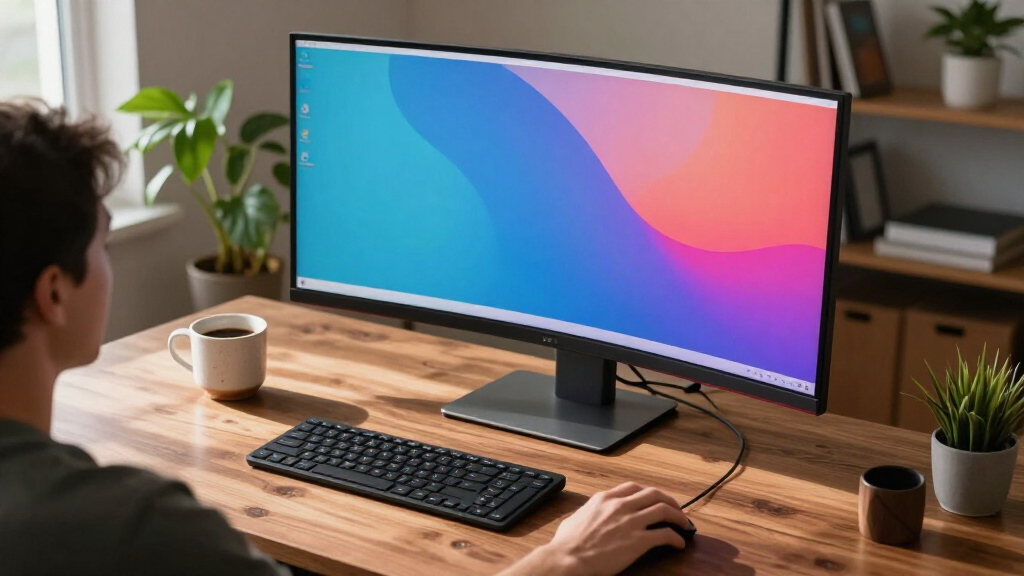

The best ultrawide monitors under $1000 balance workspace, gaming performance, and screen quality without paying for features you will not use. My best overall pick is the LG 34WR55QK-B, a practical 34-inch curved WQHD option with an adjustable stand; the Dell S3425DW stands out for smooth everyday use, while the Alienware AW3425DWM is a stronger fit for high-refresh gaming. The main tradeoffs are between OLED contrast and burn-in considerations, larger 49-inch screens and desk space, and gaming speed versus work-focused connections. Read on for the full comparison, selection criteria, and advice on matching a monitor to your setup.

Get the latest gadgets delivered free with Prime
- Fast, free delivery on millions of items
- Prime Video, Amazon Music and more included
- Member-only deals all year
Complete the kit



Key Takeaways
- 34-inch WQHD models are the most balanced category: they offer a broad workspace and immersive gaming without the desk demands of a 49-inch display.
- The Alienware AW3425DW and Samsung OLED G9 are specialist gaming choices: OLED contrast and fast response suit visually rich play, but OLED care and long static-work sessions deserve attention.
- Refresh rate alone does not make a gaming monitor the best buy: the Sceptre and SANSUI advertise high refresh rates, while buyer fit also depends on panel behavior, connections, support, and ergonomics.
- USB-C changes the work setup more than HDR branding: the ViewFinity S65UA and Samsung 49-inch business model offer connectivity advantages that can reduce cable clutter.
- 49-inch 32:9 screens need a deliberate desk plan: they can replace a two-monitor layout, but their width and the graphics performance needed for gaming make them less suitable for every setup.


| ultrawide monitors under $1000 | Refresh rate | Resolution | Response time | Screen size |
|---|---|---|---|---|
| Samsung 34" ViewFinity S50GC S | 100Hz | Ultra-WQHD | 5ms | 34 inches |
| Samsung 34′ Odyssey G5 Ultra-W | 165Hz | WQHD | 1ms (MPRT) | 34 inches |
| Samsung 49" Odyssey G93SC Seri | 240Hz | Dual QHD (5120 x 1440) | 0.03ms (GTG) | 49 inches |
| Samsung 49-Inch Odyssey G9 | 144Hz | DQHD (5120 x 1440) | 1ms | 49 inches |
| LG 34WR55QK-B 34-inch UltraWid | 100Hz | 3440 x 1440 | 5ms | 34 inches |
| Alienware 34 240Hz QD-OLED Cur | 240Hz | 3440 x 1440 (WQHD) | — | 34.2 inches |
| Samsung 49" Odyssey OLED G9 | 144Hz | 5120 x 1440 (Dual QHD) | 0.03ms | 49 inches |
| Alienware 34 Curved Gaming Mon | 180Hz | 3440 x 1440 (WQHD) | 1ms | — |
| Samsung ViewFinity S65UA Serie | 100Hz | — | — | 34 inches |
| Dell 34 Monitor S3425DW WQHD V | 120Hz | 3440 x 1440 (WQHD) | — | — |
| LG 34U60ZB-B 34-inch UltraWide | 120Hz | 3440 × 1440 (WQHD) | 5ms | — |
| Sceptre 34-Inch Curved Ultrawi | 165Hz | 3440 × 1440 | 1ms MPRT | — |
| Samsung 40-inch Odyssey G7 | 180Hz | WUHD 4K | 1ms GtG | — |
| Samsung 49-Inch Business Curve | 120Hz | Dual QHD | — | 49 inches |
| SANSUI 34-Inch Curved Ultrawid | 200Hz | 3440 × 1440 | 1ms | 34 inches |
More Details on Our Top Picks
Samsung 34″ ViewFinity S50GC Series Ultra-WQHD Monitor, 100Hz, HDR10, AMD FreeSync, Black
The ViewFinity S50GC is a sensible pick for buyers who want a spacious work display that can also handle casual gaming. Its 34-inch, 21:9 screen gives you room to keep documents and a browser visible together, while PIP and PBP let you view multiple sources at once. Compared with the LG 34WR55QK-B, it offers a similar 100Hz refresh rate and HDR10 support, but the supplied specs do not list the LG’s USB-C connectivity or adjustable stand. The Samsung’s 3000:1 contrast ratio can add depth to dark scenes, though 300 cd/㎡ brightness and HDR10 alone are not a substitute for a high-end HDR display. Its 5ms response time also suits relaxed play better than the faster Odyssey G5.
Pros:- 34-inch Ultra-WQHD format provides useful space for multitasking
- PIP and PBP support lets users display multiple sources
- 100Hz refresh rate is a step beyond basic 60Hz office screens
- 3000:1 contrast ratio and HDR10 support add depth to compatible content
Cons:- No USB-C input or adjustable stand is listed in the supplied specs
- 5ms response time is less suited to fast competitive gaming than the Odyssey G5
- No built-in speakers are specified
Best for: Home-office users who want a wide screen for side-by-side windows, occasional gaming, and multiple video sources.
Not ideal for: Laptop users seeking a single-cable USB-C setup or competitive gamers prioritizing very high refresh rates and faster response.
- Screen size:34 inches
- Aspect ratio:21:9
- Resolution:Ultra-WQHD
- Refresh rate:100Hz
- Response time:5ms
- HDR:HDR10
- Contrast ratio:3000:1
- Inputs:2 x HDMI 2.2, 1 x DisplayPort 1.2
Our verdict“Choose the ViewFinity S50GC for mixed office work and casual entertainment when PIP/PBP matter more than USB-C convenience or competitive gaming speed.”
Samsung 34′ Odyssey G5 Ultra-Wide Gaming Monitor with 1000R Curved Screen
The 34-inch Odyssey G5 is the gaming-first choice among the 34-inch models here. Its 165Hz refresh rate, 1ms MPRT response specification, and FreeSync Premium support target smoother motion and reduced tearing—advantages over the 100Hz ViewFinity S50GC and LG 34WR55QK-B. The tight 1000R curve wraps the screen around the viewer, which can make games feel more immediate, but it may be less comfortable for buyers who prefer a flatter workspace or frequently share the screen. WQHD resolution gives games a broad view without the heavier pixel load of the 49-inch Dual QHD Odyssey G9 models. The tradeoff is versatility: the supplied specs emphasize gaming, and they do not list the productivity connections or stand adjustments found on the LG.
Pros:- 165Hz refresh rate supports smoother motion in fast games
- 1000R curvature creates a pronounced, immersive viewing shape
- AMD FreeSync Premium helps reduce screen tearing
- WQHD resolution offers an ultrawide view without a 49-inch display’s footprint
Cons:- Gaming-focused feature set is less compelling for office-first buyers than the ViewFinity S50GC
- The 1000R curve may not suit shared viewing or precision work with straight lines
- No stand adjustment or USB-C connectivity is specified
Best for: PC gamers who want a curved 34-inch ultrawide with a high refresh rate and adaptive sync for fast-paced play.
Not ideal for: Desk workers who prioritize adjustable ergonomics and USB-C, or gamers who need the expansive Dual QHD canvas of a 49-inch display.
- Screen size:34 inches
- Curvature:1000R
- Resolution:WQHD
- Refresh rate:165Hz
- Response time:1ms (MPRT)
- Adaptive sync:AMD FreeSync Premium
- HDR:HDR10
Our verdict“Pick the Odyssey G5 if gaming motion and a strongly curved 34-inch screen matter more than workstation connectivity and flexibility.”
Samsung 49″ Odyssey G93SC Series QD-OLED Curved Gaming Monitor
The Odyssey G93SC is the performance-led option for buyers who want a 49-inch, 32:9-class workspace with gaming-grade speed and QD-OLED contrast. Its 5120 x 1440 resolution provides the equivalent of two QHD screens side by side, while 240Hz and a stated 0.03ms GTG response time suit high-frame-rate gaming far better than the 144Hz Odyssey G9 G91F. QD-OLED and DisplayHDR True Black 400 also distinguish it from that model’s DisplayHDR 600 rating: the G93SC emphasizes deep blacks and pixel response, rather than simply a higher HDR tier number. That performance comes with practical costs. The huge panel demands ample desk width, and its OLED technology may be a less comfortable fit for buyers who leave static work interfaces on screen for long stretches. It is also the most specialized pick here.
Pros:- QD-OLED panel delivers deep blacks and vibrant color
- 240Hz refresh rate exceeds the G91F’s 144Hz for high-frame-rate gaming
- 5120 x 1440 resolution provides a broad, detailed canvas
- HDMI 2.1, DisplayPort, and a USB hub support a range of devices
Cons:- 49-inch width requires substantial desk space
- OLED may be a poor match for long sessions dominated by static desktop elements
- The gaming-focused feature set may be unnecessary for everyday office work
Best for: Enthusiast PC gamers with a roomy desk who want a very wide OLED display, high refresh rate, and strong dark-scene contrast.
Not ideal for: Office users who keep static windows on screen for extended sessions, or gamers whose setup cannot accommodate a 49-inch monitor.
- Screen size:49 inches
- Resolution:Dual QHD (5120 x 1440)
- Curvature:1800R
- Panel technology:QD-OLED
- Refresh rate:240Hz
- Response time:0.03ms (GTG)
- HDR:DisplayHDR True Black 400
- Connectivity:HDMI 2.1, DisplayPort, USB hub
Our verdict“Choose the G93SC for an expansive OLED gaming setup where 240Hz performance matters more than desk space or a work-first feature balance.”
The Odyssey G9 G91F makes the most sense for buyers who want one screen for panoramic gaming and side-by-side work, without prioritizing OLED’s 240Hz performance. Its 49-inch DQHD panel gives two QHD screens’ worth of horizontal space, and the 1000R curve draws that width toward the viewer. At 144Hz, it is slower than the Odyssey G93SC but still offers a high refresh rate; DisplayHDR 600 and FreeSync Premium Pro give it a different balance of HDR capability and adaptive sync. Compared with the LG 34WR55QK-B, this Samsung offers far more screen area and gaming speed, but it needs a much larger desk and does not list USB-C power delivery. The ergonomic adjustable stand helps with positioning, though it cannot solve the monitor’s substantial footprint.
Pros:- 32:9 DQHD screen offers room for broad game views and multiple work windows
- 144Hz refresh rate and 1ms response time support responsive gameplay
- DisplayHDR 600 and FreeSync Premium Pro add gaming-focused display features
- Adjustable ergonomic stand helps position the large curved panel
Cons:- 49-inch width takes considerably more desk space than the 34-inch options
- Refresh rate is lower than the Odyssey G93SC’s 240Hz
- USB-C connectivity is not listed in the supplied specs
Best for: Gamers and multitaskers with wide desks who want a single display for broad desktop layouts and immersive play.
Not ideal for: Small-desk users, laptop-first workers needing USB-C charging, or competitive players seeking the G93SC’s 240Hz refresh rate.
- Screen size:49 inches
- Aspect ratio:32:9
- Resolution:DQHD (5120 x 1440)
- Curvature:1000R
- Refresh rate:144Hz
- Response time:1ms
- HDR:DisplayHDR 600
- Adaptive sync:AMD FreeSync Premium Pro
Our verdict“Buy the G91F if you have space for a 49-inch screen and want broad gaming and multitasking utility rather than OLED-level refresh performance.”
LG 34WR55QK-B 34-inch UltraWide WQHD Curved Monitor with Adjustable Stand
The LG 34WR55QK-B is the most workstation-friendly 34-inch choice in this group, especially for someone connecting a laptop. Its USB-C with up to 65W power delivery can carry video and charge a compatible laptop over one cable, reducing desk clutter; the height-adjustable stand also gives it an ergonomic advantage over the Samsung ViewFinity S50GC, whose supplied specs do not list stand adjustment. Both deliver a 100Hz refresh rate and HDR10, so the LG is not a major gaming upgrade over the Samsung. Its 5ms response time is better suited to everyday play than competitive gaming, where the Odyssey G5’s 165Hz panel is the clearer choice. OnScreen Control features require software installation, and no built-in speakers are listed, so this is best viewed as a practical display rather than an all-in-one desk hub.
Pros:- USB-C supports up to 65W power delivery for compatible laptops
- Height and tilt adjustments help tailor the viewing position
- 3440 x 1440 resolution and 21:9 format support side-by-side work
- 100Hz refresh rate and HDR10 cover casual gaming and compatible media
Cons:- 100Hz refresh rate and 5ms response time lag behind the Odyssey G5 for competitive gaming
- OnScreen Control features require software installation
- No built-in speakers are specified
Best for: Laptop-based professionals who want a curved ultrawide, adjustable positioning, and USB-C charging from one monitor.
Not ideal for: Competitive gamers seeking refresh rates above 100Hz or buyers who need built-in speakers and software-free screen controls.
- Screen size:34 inches
- Resolution:3440 x 1440
- Aspect ratio:21:9
- Refresh rate:100Hz
- Response time:5ms
- HDR:HDR10
- Connectivity:2 x HDMI, DisplayPort, USB-C (up to 65W), USB ports, headphone jack
- Stand adjustments:Tilt and height
Our verdict“Choose the LG 34WR55QK-B for a laptop-centered workstation where USB-C power delivery and stand adjustment matter more than high-end gaming speed.”
Alienware 34 240Hz QD-OLED Curved Gaming Monitor – AW3425DW
The AW3425DW is the strongest fit here for PC gamers who want a fast 34-inch ultrawide without giving up OLED contrast. Its 240Hz QD-OLED panel pairs vivid color and deep blacks with a high refresh rate, so fast motion stays clear while games retain a rich, cinematic look. Compared with the less costly-positioned AW3425DWM, this model adds OLED and another 60Hz of refresh, a meaningful upgrade for competitive play, but a less compelling one for office-first use. The 3440 x 1440 resolution is easier to drive at high frame rates than the Samsung Odyssey OLED G9’s 5120 x 1440, though it offers much less desktop width. HDR peak brightness reaches 1000 nits, but OLED’s burn-in risk with persistent static content and the premium gaming focus are real compromises.
Pros:- QD-OLED delivers deep blacks and vivid color
- 240Hz refresh rate suits fast-paced gaming
- Supports G-SYNC Compatible, FreeSync Premium Pro, and VESA AdaptiveSync
- 99.3% DCI-P3 coverage and Delta E<2 color accuracy
Cons:- OLED can be vulnerable to burn-in from persistent static content
- 34.2-inch footprint and curved panel need a suitable desk setup
- Gaming-focused strengths may not justify its premium for routine office work
Best for: PC gamers who prioritize fast, high-contrast play at 34 inches and have a graphics card capable of feeding a 240Hz display.
Not ideal for: Office users who keep static windows on screen for long periods, or multitaskers who want the Samsung Odyssey OLED G9’s much wider desktop.
- Screen size:34.2 inches
- Resolution:3440 x 1440 (WQHD)
- Display technology:QD-OLED
- Refresh rate:240Hz
- Curve radius:1800R
- HDR:DisplayHDR TrueBlack 400
- Peak HDR brightness:1000 nits
- Color coverage:99.3% DCI-P3
- Adaptive sync:NVIDIA G-SYNC Compatible, AMD FreeSync Premium Pro, VESA AdaptiveSync
Our verdict“Choose the AW3425DW for 34-inch ultrawide OLED gaming at very high refresh rates, but pick a more work-oriented model if static desktop use is your priority.”
Samsung 49″ Odyssey OLED G9 (G91SD) Dual QHD Curved Gaming Monitor
The Odyssey OLED G9 G91SD takes a different route from the 34-inch models: its 49-inch, 32:9 Dual QHD display puts two broad work areas side by side, making it useful for simulation games, split-screen workflows, and immersive titles. Its 144Hz refresh rate and 0.03ms response time keep motion quick, while OLED brings deep blacks and vivid color. Compared with the Alienware AW3425DW, the Samsung offers far more horizontal workspace but runs at a lower refresh rate and demands substantially more desk width. The height- and tilt-adjustable stand helps with positioning, yet the wide panel can still be awkward in compact setups. OLED also carries a burn-in concern for people who leave static taskbars or application panels visible for long stretches.
Pros:- 49-inch Dual QHD format provides extensive horizontal workspace
- OLED produces deep blacks and vibrant colors
- 144Hz refresh rate and 0.03ms response time support responsive gameplay
- Stand offers height and tilt adjustment
Cons:- Requires considerably more desk width than a 34-inch ultrawide
- 144Hz is below the Alienware AW3425DW’s 240Hz refresh rate
- OLED may be a less suitable choice for prolonged static desktop use
Best for: Sim-racing and flight-sim players, or multitaskers who want a single extra-wide screen for multiple side-by-side windows.
Not ideal for: Buyers with shallow or narrow desks, or users who leave fixed desktop elements on screen throughout the workday.
- Screen size:49 inches
- Resolution:5120 x 1440 (Dual QHD)
- Display technology:OLED
- Refresh rate:144Hz
- Response time:0.03ms
- Adaptive sync:G-Sync and FreeSync
- Stand adjustment:Tilt and height adjustment
Our verdict“Pick the Odyssey OLED G9 if maximum width and OLED immersion matter more than desk space or the 240Hz speed of the Alienware 34.”
Alienware 34 Curved Gaming Monitor – AW3425DWM – 34-inch WQHD 180Hz 1ms Display, 1500R, AMD FreeSync Premium, VESA AdaptiveSync
The AW3425DWM is the more measured Alienware choice for gamers who want a fast ultrawide but do not need the AW3425DW’s 240Hz QD-OLED panel. This model instead uses a 34-inch WQHD display with a 180Hz refresh rate, 1ms response time, and 1500R curve—enough speed and wraparound feel for many gaming setups, without making OLED the defining feature. Its 95% DCI-P3 coverage and DisplayHDR 400 support add color range, though HDR certification alone does not promise the contrast of the QD-OLED alternative. Compared with the Dell S3425DW, the Alienware is more gaming-oriented and refreshes faster; the Dell is a more natural fit for mixed work and entertainment thanks to USB-C power delivery. This Alienware’s size and limited connectivity details may also constrain compact or port-heavy setups.
Pros:- 180Hz refresh rate and 1ms response time target responsive gaming
- 1500R curve supports an enveloping view at 34 inches
- 95% DCI-P3 coverage and DisplayHDR 400 support
- Low blue light feature is suited to extended sessions
Cons:- Does not offer the OLED contrast or 240Hz refresh of the AW3425DW
- Connectivity details list only a limited set of ports
- Large panel may be difficult to fit into smaller gaming spaces
Best for: PC gamers seeking a curved 34-inch WQHD display with a high refresh rate, but who do not need OLED or 240Hz.
Not ideal for: Laptop-first workers who need USB-C charging, or players who want the Alienware AW3425DW’s OLED contrast and 240Hz refresh.
- Display size:34 inches
- Resolution:3440 x 1440 (WQHD)
- Refresh rate:180Hz
- Response time:1ms
- Curvature:1500R
- Color coverage:95% DCI-P3
- HDR certification:VESA DisplayHDR 400
- Brightness:400 nits
- Connectivity:3 USB ports; 1 component output
Our verdict“Choose the AW3425DWM for a high-refresh 34-inch gaming screen when OLED and 240Hz are not worth prioritizing over a more restrained feature set.”
Samsung ViewFinity S65UA Series 34-Inch Ultrawide QHD Curved Monitor, 100Hz, USB-C, HDR10, Height Adjustable, Eye Care, Black
The ViewFinity S65UA is the work-first pick in this group: its 34-inch 21:9 screen gives spreadsheets and side-by-side apps more room, while USB-C with 90W charging can power a compatible laptop through one cable. Its 100Hz refresh rate is a step up from basic office displays, but it is far below the 180Hz AW3425DWM and 240Hz AW3425DW for gaming. The 1000R curve wraps the broad panel toward the viewer, which can feel immersive, though it is a pronounced shape for some desk arrangements. HDR10 and eye-care features add everyday versatility, but the supplied details do not establish a gaming-grade HDR experience or spell out the full port selection. Buyers focused on laptop docking will get more from this Samsung than from the gaming-first Alienware options.
Pros:- USB-C provides up to 90W laptop charging
- 34-inch 21:9 panel supports side-by-side work
- 100Hz refresh rate is suited to general use and casual gaming
- Height-adjustable stand and eye-care features support desk use
Cons:- 100Hz refresh rate trails both Alienware gaming monitors
- Strong 1000R curve may not suit every workspace
- Available product details do not specify a complete port list
Best for: Laptop users who want a 34-inch workspace, single-cable USB-C charging, and a height-adjustable screen for office tasks and casual entertainment.
Not ideal for: Competitive gamers who need a high refresh rate, or shoppers who need a clearly specified selection of video and peripheral ports.
- Screen size:34 inches
- Aspect ratio:21:9
- Refresh rate:100Hz
- Connectivity:USB Type-C with up to 90W charging
- Curvature:1000R
- HDR:HDR10
- Stand:Height adjustable
Our verdict“Choose the ViewFinity S65UA for a USB-C-centered laptop workspace, not for high-refresh competitive gaming.”
Dell 34 Monitor S3425DW WQHD VA, 120Hz, FreeSync Premium, Eye Comfort
The Dell S3425DW makes the most sense for a mixed-use desk: it pairs 3440 x 1440 resolution and a 120Hz VA panel with USB-C charging up to 65W, so laptop work and casual gaming can share one display. Its 99% sRGB and 95% DCI-P3 coverage give it broad color support, while FreeSync Premium helps smooth compatible gameplay. Compared with Samsung’s ViewFinity S65UA, Dell’s listed 120Hz refresh rate is higher, but its USB-C delivery is lower at 65W rather than 90W. It also falls well short of the Alienware AW3425DWM’s 180Hz gaming focus. The 300-nit brightness and VA technology are more practical for general desktop use than a promise of standout HDR, and the available details leave stand adjustment and built-in audio unclear.
Pros:- USB-C supports up to 65W power delivery
- 120Hz refresh rate and FreeSync Premium suit casual gaming
- 99% sRGB and 95% DCI-P3 color coverage
- Four USB ports and two HDMI ports offer useful connectivity
Cons:- Refresh rate is lower than the Alienware AW3425DWM and AW3425DW
- 65W USB-C charging is less than the ViewFinity S65UA’s 90W
- Stand adjustability and built-in speakers are not specified in the provided details
Best for: Laptop and desktop users who split time between productivity, media, and casual gaming and want USB-C charging with an ultrawide resolution.
Not ideal for: Competitive gamers seeking 180Hz or 240Hz, or laptop owners whose setup needs more than 65W USB-C power delivery.
- Display size:34 inches
- Resolution:3440 x 1440 (WQHD)
- Panel type:VA
- Refresh rate:120Hz
- Contrast ratio:3000:1
- Brightness:300 nits
- Color gamut:99% sRGB, 95% DCI-P3
- Connectivity:2 HDMI ports, 4 USB ports, USB-C with up to 65W power delivery
- Aspect ratio:21:9
Our verdict“Pick the Dell S3425DW if you want one ultrawide for laptop work and casual gaming, and its 65W USB-C charging suits your computer.”
LG 34U60ZB-B 34-inch UltraWide WQHD Curved Monitor, Black
The LG 34U60ZB-B is a sensible middle ground for buyers who split their screen between office work, streaming, and casual gaming. Its 3440 × 1440 resolution gives you room for side-by-side windows, while 120Hz makes scrolling and motion feel smoother than on the 100Hz Samsung ViewFinity S50GC. The height-adjustable stand and one-click mounting also make it easier to fit into a changing desk setup than a tilt-only option such as the SANSUI 34-inch. Its 99% sRGB coverage and HDR10 support suit everyday media and general creative tasks, though they do not make it a dedicated HDR display. The tradeoff is a more modest 5ms response time than the faster gaming-focused Sceptre and SANSUI models, and some screen-splitting features require software installation.
Pros:- 3440 × 1440 resolution provides useful room for multiple windows.
- 120Hz refresh rate smooths motion beyond standard 60Hz displays.
- Height adjustment and tilt help tailor the screen to a desk setup.
- 99% sRGB coverage supports general-purpose color work.
Cons:- 5ms response time is less gaming-focused than the Sceptre’s 1ms MPRT or SANSUI’s stated 1ms.
- Some screen-splitting features require separate software.
- The 1800R curve will not suit every workspace or viewing preference.
Best for: People who want one adjustable 34-inch screen for multitasking, everyday media, and occasional gaming.
Not ideal for: Competitive gamers prioritizing the fastest response and refresh rates, or users who dislike curved displays.
- Display size:34 inches
- Resolution:3440 × 1440 (WQHD)
- Aspect ratio:21:9
- Curve radius:1800R
- Refresh rate:120Hz
- Response time:5ms
- Color coverage:Up to 99% sRGB
- HDR support:HDR10
- Connectivity:DisplayPort, HDMI, headphone jack
Our verdict“Choose the LG for an adjustable, all-purpose 34-inch ultrawide; pick the Sceptre or SANSUI instead if gaming speed is your main priority.”
Sceptre 34-Inch Curved Ultrawide WQHD Monitor, 165Hz
The Sceptre pairs 3440 × 1440 resolution with a 165Hz refresh rate, making it a strong fit for gamers who want ultrawide immersion without giving up smooth motion. Its 1500R curve wraps the picture more closely than the LG 34U60ZB-B’s 1800R design, while the VA panel’s stated 99% sRGB gamut also suits everyday work and media. Two HDMI and two DisplayPort inputs make it convenient to connect more than one system, but there is no USB hub for accessories. The built-in speakers are handy for basic audio, not a substitute for a dedicated sound setup. Its 280 cd/m² brightness may struggle in sunlit rooms, and the 165Hz ceiling trails the 200Hz SANSUI for buyers chasing the highest listed refresh rate. Check the power requirements and local compatibility before buying.
Pros:- 165Hz refresh rate and 1ms MPRT are geared toward responsive gameplay.
- WQHD ultrawide resolution balances desktop space with game detail.
- Two HDMI and two DisplayPort inputs support multiple connected devices.
- Built-in speakers provide basic audio without extra desk hardware.
Cons:- 280 cd/m² brightness may be limiting in a bright room.
- No built-in USB hub for peripherals.
- 165Hz is below the SANSUI’s stated 200Hz refresh rate.
Best for: PC gamers who want a high-refresh 34-inch ultrawide, multiple video inputs, and simple built-in audio.
Not ideal for: Buyers with bright, sunlit workspaces, those needing USB hub connectivity, or anyone who needs a compact travel-friendly monitor.
- Display size:34 inches
- Resolution:3440 × 1440
- Panel type:VA
- Refresh rate:165Hz
- Response time:1ms MPRT
- Curvature:1500R
- Brightness:280 cd/m²
- Color gamut:99% sRGB
- Connectivity:2 × HDMI, 2 × DisplayPort
Our verdict“Pick the Sceptre for a gaming-focused 34-inch screen with plentiful video inputs, but choose the LG for a more adjustable stand or the SANSUI for a higher stated refresh rate.”
Samsung 40-inch Odyssey G7 (G75F) Series WUHD Curved Gaming Monitor
The 40-inch Samsung Odyssey G7 is the resolution-and-scale choice in this group: its WUHD display gives more room and detail than the 34-inch WQHD Sceptre and SANSUI, while 180Hz supports fast gameplay. DisplayHDR 600 also sets it apart from the HDR10 LG 34U60ZB-B and the DisplayHDR 400 Samsung 49-inch Business model, though the spec alone cannot promise the same result in every scene. The 1000R curve is pronounced, helping the broad screen feel more enveloping but demanding a suitable viewing position and generous desk space. This is a better match for someone building a gaming setup around a large, detailed display than for a buyer seeking efficient everyday office use. Power draw may also be higher, particularly when using HDR features.
Pros:- 40-inch WUHD screen offers more display area and resolution than the 34-inch WQHD models here.
- 180Hz refresh rate supports smooth fast-paced gameplay.
- Stated 1ms GtG response time targets quick pixel transitions.
- DisplayHDR 600 specification distinguishes it from the HDR10 and DisplayHDR 400 options in this batch.
Cons:- Large footprint may not fit smaller desks or viewing distances.
- Pronounced 1000R curve may not suit every user’s preferred setup.
- Potentially higher power use with HDR features.
Best for: Gamers with a spacious desk who want a large curved ultrawide, higher resolution, and a fast refresh rate.
Not ideal for: Small-desk users, people who prefer a mild curve, or buyers seeking a clearly specified USB-C and peripheral setup.
- Display size:40 inches
- Resolution:WUHD 4K
- Aspect ratio:21:9
- Refresh rate:180Hz
- Response time:1ms GtG
- Curvature:1000R
- HDR:VESA DisplayHDR 600
Our verdict“Choose the Odyssey G7 if screen scale and WUHD detail matter more than desk space; the 34-inch Sceptre is a more compact gaming alternative.”
Samsung 49-Inch Business Curved Ultrawide Dual QHD Monitor
This Samsung’s defining advantage is its 49-inch, 32:9 Dual QHD canvas: it can replace a two-monitor arrangement for people who keep several work windows visible at once. Its USB-C connection with 90W charging can also carry a compatible laptop’s display signal and power, reducing cable clutter in a way the LG 34U60ZB-B and Sceptre do not offer. The height-adjustable stand and built-in speakers make it more office-ready than the tilt-only SANSUI. At 120Hz, it is smooth enough for general use and casual gaming, but it is not the fastest gaming pick here; the Sceptre reaches 165Hz and the SANSUI lists 200Hz. The expansive footprint needs a wide desk, and DisplayHDR 400 is a more modest HDR specification than the Samsung Odyssey G7’s DisplayHDR 600.
Pros:- 49-inch 32:9 Dual QHD workspace can reduce the need for separate monitors.
- USB-C supports up to 90W charging for compatible laptops.
- Height-adjustable stand helps fit the large display to a seated workstation.
- Built-in speakers and additional USB connectivity simplify a basic office setup.
Cons:- Very wide screen requires substantial desk space.
- 120Hz is lower than the gaming-focused Sceptre and SANSUI refresh rates.
- DisplayHDR 400 is a more modest HDR tier than the Odyssey G7’s DisplayHDR 600.
Best for: Laptop-based professionals who need multiple work areas on one screen and want USB-C charging with fewer desk cables.
Not ideal for: Competitive gamers seeking the highest refresh rates, or buyers whose desks cannot accommodate a 49-inch display.
- Screen size:49 inches
- Aspect ratio:32:9
- Resolution:Dual QHD
- Display technology:Curved VA
- Refresh rate:120Hz
- HDR:VESA DisplayHDR 400
- USB-C charging:Up to 90W
- Connectivity:USB-C, USB, HDMI, DisplayPort
- Stand:Height adjustable
Our verdict“Choose this Samsung for a wide, laptop-friendly productivity workspace; opt for the Sceptre or SANSUI if gaming responsiveness takes priority.”
SANSUI 34-Inch Curved Ultrawide Gaming Monitor UWQHD 3440 × 1440P 200Hz
The SANSUI makes the strongest refresh-rate claim among these 34-inch options, listing 200Hz and 1ms response time for players with hardware that can take advantage of them. Its 3440 × 1440 VA panel keeps the broad workspace and game view comparable to the LG 34U60ZB-B and Sceptre, while HDMI 2.1 inputs add flexibility for compatible devices. The listed 131% sRGB and 96% DCI-P3 coverage give it broader color-gamut figures than the LG’s stated 99% sRGB, though those measurements are not directly interchangeable. The tradeoffs are practical: the stand offers tilt but not height adjustment, and there are no built-in speakers. Compared with the more office-oriented Samsung 49-inch Business monitor, this is much more focused on gaming and takes less horizontal desk space.
Pros:- Listed 200Hz refresh rate is the highest among the 34-inch models in this batch.
- UWQHD resolution supports detailed gaming and side-by-side windows.
- Two HDMI 2.1 inputs add flexibility for compatible gaming devices.
- Stated color coverage includes 131% sRGB and 96% DCI-P3.
Cons:- Stand adjusts for tilt only, unlike the height-adjustable LG and Samsung business models.
- No built-in speakers.
- The 200Hz refresh rate depends on compatible hardware and connection settings.
Best for: PC and console gamers who want a 34-inch ultrawide with a very high listed refresh rate and HDMI 2.1 inputs.
Not ideal for: People who need height-adjustable ergonomics, built-in speakers, or a monitor primarily for office productivity.
- Screen size:34 inches
- Resolution:3440 × 1440
- Aspect ratio:21:9
- Refresh rate:200Hz
- Response time:1ms
- Display type:VA LED
- Brightness:300 cd/m²
- Color gamut:131% sRGB, 96% DCI-P3
- Connectivity:DisplayPort 1.4, 2 × HDMI 2.1, 3.5mm audio
Our verdict“Pick the SANSUI if your priority is the highest listed refresh rate in a 34-inch ultrawide, but choose the LG or Samsung Business model for easier ergonomic adjustment.”
How We Picked
I compared the 15 listed monitors by how well their features serve distinct buyer needs: everyday productivity, gaming, premium image quality, and a wide single-screen workspace. The ranking gives weight to resolution and usable screen area, refresh rate and sync support, panel type, connection options, stand adjustment, eye-comfort features, and practical fit. A high refresh rate or OLED panel can improve the right setup, but it does not automatically outrank a more flexible monitor for mixed use.
I also considered tradeoffs that affect ownership, including desk space, GPU demands at ultrawide resolutions, static-image exposure on OLED, and whether the listed features support a clear use case. Because the lineup spans curved VA, OLED, and work-oriented monitors, I rank each by its likely buyer fit rather than treating every model as a direct substitute. The suggested title sets a budget ceiling, but current selling prices and availability can change; buyers should confirm the exact configuration and price before purchase.
| ultrawide monitors under $1000 | HDR |
|---|---|
| Samsung 34" ViewFinity S50GC S | HDR10 |
| Samsung 34′ Odyssey G5 Ultra-W | HDR10 |
| Samsung 49" Odyssey G93SC Seri | DisplayHDR True Black 400 |
| Samsung 49-Inch Odyssey G9 | DisplayHDR 600 |
| LG 34WR55QK-B 34-inch UltraWid | HDR10 |
| Alienware 34 240Hz QD-OLED Cur | DisplayHDR TrueBlack 400 |
| Samsung 49" Odyssey OLED G9 | — |
| Alienware 34 Curved Gaming Mon | — |
| Samsung ViewFinity S65UA Serie | HDR10 |
| Dell 34 Monitor S3425DW WQHD V | — |
| LG 34U60ZB-B 34-inch UltraWide | — |
| Sceptre 34-Inch Curved Ultrawi | — |
| Samsung 40-inch Odyssey G7 | VESA DisplayHDR 600 |
| Samsung 49-Inch Business Curve | VESA DisplayHDR 400 |
| SANSUI 34-Inch Curved Ultrawid | — |
Factors to Consider When Choosing Best Ultrawide Monitors Under $1000
Choosing an ultrawide is less about finding the longest spec sheet and more about matching screen shape, workload, and setup. These checks can help avoid paying for gaming features you will not use or buying a screen that overwhelms your desk.
Choose Screen Width and Resolution Together
A 34-inch 3440 × 1440 display is a useful starting point for most desks because it gives room for side-by-side windows without demanding the space of a 49-inch model. A 49-inch 32:9 screen can replace a dual-monitor layout, but its full width may require a deeper or wider desk and careful viewing distance. Resolution matters as much as diagonal size: a larger display with similar pixel density may not look as sharp up close. For gaming, rendering at an ultrawide resolution also asks more of the graphics card than standard 1440p. Before choosing, measure the desk and check that your main apps and games handle the aspect ratio well.
Set Refresh Rate Around Your Actual Workload
For office work, browsing, and video, a moderate refresh rate is often enough; smoother scrolling is pleasant, but it may not justify paying for a gaming-focused panel. Competitive games benefit more from higher refresh rates and responsive motion, provided the computer can produce enough frames to use them. A monitor’s maximum refresh rate is not a guarantee that every connection or resolution supports it, so check the port and cable requirements. Adaptive sync can help reduce tearing when frame rates vary, though supported graphics hardware and game settings still matter. Choose based on the games you play and the performance your PC can sustain, not the largest number printed in a listing.
Treat OLED as an Image-Quality Choice With Upkeep
OLED is appealing for rich contrast and vivid-looking scenes, especially in games and films with dark content. That advantage comes with a different ownership profile: static interface elements displayed for long periods can raise burn-in concerns, so check the maker’s care guidance and warranty terms. Users who spend the day in spreadsheets or editing timelines may prefer a non-OLED display if they want fewer usage precautions. HDR labels also vary in practical impact, so do not assume a badge alone means a dramatic improvement. Pay for OLED when its contrast and response benefits suit your routine, rather than treating it as an automatic upgrade for every desk.
Check Connections Before Planning a One-Cable Desk
USB-C can simplify a laptop setup, but the presence of a USB-C port does not by itself confirm that the monitor can charge a laptop or provide the power you need. Verify power delivery, video input support, and whether the monitor includes the hub features your peripherals require. A desktop gaming PC may benefit more from suitable DisplayPort support and enough ports for other devices. If you switch between a work laptop and a gaming system, list the devices and cables you expect to connect before choosing. This small check can prevent buying a screen that looks right but leaves you reaching for extra adapters or a separate dock.
Plan for Stand, Curve, and Viewing Position
An adjustable stand can be more useful day to day than a small bump in refresh rate, especially if several people share the monitor or you work for long sessions. Check whether height and tilt adjustment are included, and whether the display supports the mounting option you use. Curvature can make a wide screen easier to view near its edges, but the effect is personal and may feel pronounced on a strongly curved model. A large 49-inch panel also needs enough viewing distance to take in the full width without frequent head movement. Match curve and stand features to your seating position rather than assuming one design suits everyone.
Compare the Whole Setup, Not Just the Monitor
A lower-cost display can be a better purchase if it leaves room in your budget for a monitor arm, a dock, or a graphics upgrade that improves the complete setup. Conversely, paying more for OLED, extra width, or a higher refresh rate makes sense only when those features address a clear need. Check the monitor’s warranty and return terms, especially for OLED or less familiar brands, because panel issues and fit are easier to judge at home. Include cables, desk space, and the computer’s graphics capability in your budget calculation. The best value is the monitor that fits your daily tasks without creating extra costs or compromises elsewhere.
Frequently Asked Questions
Is a 49-inch ultrawide a better replacement for two monitors?
It can be, if you want one continuous workspace and your desk can accommodate the width. A 49-inch 32:9 screen avoids a bezel between windows, but it does not automatically match every two-monitor workflow; separate screens can be easier for independent positioning or sharing. Check whether your operating system and apps support window layouts that suit the wide format. For gaming, confirm that the titles you play support the aspect ratio and that your graphics card can drive the resolution smoothly. If you are unsure, a 34-inch model is the less demanding starting point.
Should I choose OLED or a non-OLED ultrawide for a monitor used all day?
Choose based on how much of your day involves static content and how much you value contrast in games or video. OLED can produce deep blacks and striking image contrast, but long sessions with fixed interface elements call for attention to the manufacturer’s care recommendations and warranty coverage. A non-OLED screen may be a more relaxed choice for spreadsheets, dashboards, and other persistent layouts. Neither panel type is automatically best for every user. If your work is mostly static and your leisure use is secondary, prioritize comfort, connectivity, and stand adjustment over OLED contrast.
Will my laptop or gaming PC run an ultrawide at its full refresh rate?
That depends on the computer’s graphics hardware, the monitor’s resolution, the connection used, and the game or application. High-resolution ultrawide gaming can demand substantially more graphics performance than a standard display, so a powerful monitor cannot make a system render frames faster. Check the monitor’s supported refresh rates for each input and confirm that your graphics card and cable meet those requirements. For work, a laptop may handle desktop tasks comfortably but still need a compatible USB-C connection or dock. Match expectations to the complete system rather than relying on the monitor specification alone.
Does USB-C on an ultrawide mean I can charge my laptop through it?
Not always. USB-C can carry video and data, while laptop charging depends on whether the monitor supports power delivery and provides enough wattage for your computer. Check the product’s detailed specifications for charging output, not just the port list. You may still need your laptop’s power adapter or a separate dock if the monitor cannot supply sufficient power. Also confirm that the cable supports the video and data features you intend to use. This is especially useful to verify before choosing a display for a one-cable work setup.
What should I prioritize if I split my time between work and gaming?
Start with the tasks that occupy the most hours, then choose gaming features that improve the rest of your routine without disrupting it. A 34-inch WQHD display is a flexible middle ground for multitasking and immersive play, while a higher refresh rate matters more if fast-paced games are a regular priority. For laptop-based work, suitable USB-C connectivity and an adjustable stand may add more daily value than a headline HDR label. If gaming image quality is the main attraction, OLED may be worth the additional care considerations. Also check that your PC can drive the chosen resolution and refresh rate in the games you play.
Conclusion
For most mixed-use buyers, I recommend the LG 34WR55QK-B as the best overall because its 34-inch curved WQHD format and adjustable stand make a sensible everyday starting point. For best value, compare the Samsung ViewFinity S50GC, LG 34U60ZB-B, and Sceptre 34-inch against the features you will actually use; the Sceptre is the more gaming-oriented route, while the office-focused Samsung suits simpler needs. My best premium gaming picks are the Alienware AW3425DW and Samsung OLED G9 for buyers who prioritize OLED contrast and can accommodate OLED care. Beginners should start with a 34-inch WQHD model such as the Dell S3425DW, which keeps the format manageable without jumping straight to 49 inches. For a specific need, choose the ViewFinity S65UA or Samsung 49-inch business monitor for a work setup where USB-C matters, or a 49-inch Odyssey when a very wide gaming canvas is the goal. Before buying, check current pricing, exact model specifications, desk fit, and your computer’s display support.
Halloween Picks
halloween
As an affiliate, we earn on qualifying purchases.