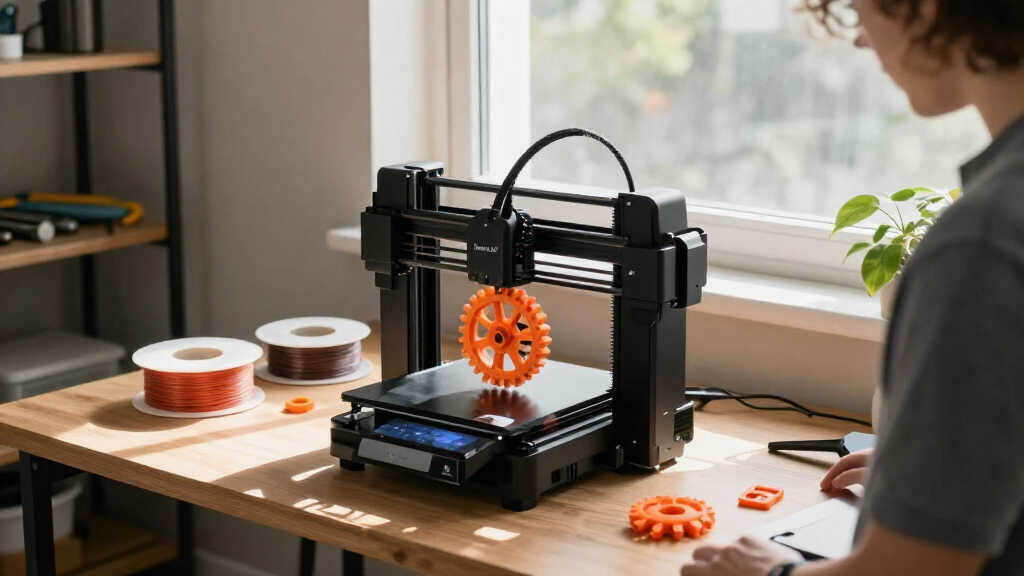

Bambu Lab has reshaped what hobbyists expect from a desktop 3D printer. The lineup for 2027 spans three distinct options that each serve a different buyer: the P2S Combo with AMS 2 Pro is my pick for anyone who wants multi-color printing and advanced materials straight out of the box, the A1 mini is the most approachable compact model for beginners and decorative projects, and the A1 strikes the best balance between price, build volume, and upgrade potential. The main tradeoff you’ll face is whether you need the AMS system for multi-color and multi-material work, and how much build space you actually require. This guide breaks down each model’s strengths and weaknesses so you can match the right printer to your workflow.

Get the latest gadgets delivered free with Prime
- Fast, free delivery on millions of items
- Prime Video, Amazon Music and more included
- Member-only deals all year
Complete the kit


Key Takeaways
- The P2S Combo is the only model here that includes the AMS 2 Pro, making it the easiest path to multi-color printing and active filament drying.
- The A1 mini is the most compact and quiet option, ideal for tight desks and beginners who want to print small decorative objects like LED lamps.
- The A1 offers the largest build volume of the three and supports multicolor via the separate AMS lite, but that adds to the total cost.
- All three printers include automatic calibration, so manual bed leveling is a thing of the past regardless of which model you choose.
- If you plan to print engineering materials like ABS or nylon, the P2S’s heated chamber and adaptive airflow give it a clear advantage over the open-frame A1 and A1 mini.
| Bambu Lab P2S 3D Printer Combo with AMS 2 Pro |  | Best Overall for Multi-Color and Advanced Materials | Print speed: Up to 600 mm/s | Filament drying temperature: Up to 65 °C | Chamber temperature: Up to 50 °C | VIEW LATEST PRICE | See Our Full Breakdown |
| Bambu Lab A1 mini 3D Printer with LED Lamp Kit |  | Best Compact Printer for Beginners and Decorative Projects | Product type: 3D printer | Included accessory: LED lamp kit | Dimensions: 15.21 x 16.77 x 17.94 inches | VIEW LATEST PRICE | See Our Full Breakdown |
| Bambu Lab A1 FDM 3D Printer |  | Best Value for Hobbyists Who Want a Larger Build Volume | Printing technology: FDM | Acceleration: 10,000 mm/s² | Multicolor printing: Supported with AMS lite (required, sold separately) | VIEW LATEST PRICE | See Our Full Breakdown |
| Bambu Lab 3D printer | Dimensions | Weight | Model number | ASIN |
|---|---|---|---|---|
| Bambu Lab P2S 3D Printer Combo | 18 × 22 × 18 inches | 46.3 pounds | PF004-U+SA007-AU | B0FT818HCH |
| Bambu Lab A1 mini 3D Printer w | 15.21 x 16.77 x 17.94 inches | 12.1 pounds | PF002-M-EU | — |
| Bambu Lab A1 FDM 3D Printer | 21.76 × 20.83 × 12.87 inches | 22 pounds | PF002-A | B0D17TMWFB |
More Details on Our Top Picks
Bambu Lab P2S 3D Printer Combo with AMS 2 Pro
The P2S Combo is the flagship of this lineup, and it earns that position for one simple reason: it includes the AMS 2 Pro, which unlocks multi-color and multi-material printing without any additional purchases. Unlike the A1, which requires a separate AMS lite, the P2S arrives ready to print with up to four filaments at once. The AMS 2 Pro also dries filament at up to 65 °C, so hygroscopic materials like nylon and PETG stay in optimal condition even during long prints. That built-in drying feature is a game changer if you live in a humid climate or want to print with engineering materials.
Speed is another area where the P2S stands out. With a top print speed of 600 mm/s and active flowrate compensation, it maintains consistent extrusion even during rapid direction changes. The heated chamber, which can reach 50 °C, reduces warping for ABS and ASA, something the open-frame A1 and A1 mini simply cannot do. This makes the P2S the only model here that can handle a broad range of filaments reliably, from PLA to polycarbonate.
Compared with the A1, the P2S offers a more enclosed design and a higher degree of automation. The AI failure detection monitors the print in real time and pauses the job if it spots a problem, which saves you from wasting hours on a failed part. Automatic calibration covers bed leveling, Z-offset, and flow rate, so you can start printing almost immediately after setup. The tradeoff is that the P2S is heavier and larger, and it costs more than the A1. But for someone who wants a serious multi-material workhorse, the P2S Combo is the most complete option in this list.
Pros:- High-speed printing up to 600 mm/s with active flowrate compensation
- AMS 2 Pro enables multi-color and multi-material printing with built-in filament drying
- AI failure detection and automatic calibration reduce failed prints
- Heated chamber supports ABS and other engineering materials
Cons:- Multi-color printing requires the Combo version with the AMS 2 Pro, which raises the price
- Larger footprint and heavier weight than the A1 mini, so it needs more desk space
Best for: Hobbyists and professionals who want multi-color printing, advanced material support, and a self-contained drying system without buying extra accessories.
Not ideal for: Beginners on a tight budget or those who only print small decorative items in PLA, where the A1 mini is more affordable and compact.
- Print speed:Up to 600 mm/s
- Filament drying temperature:Up to 65 °C
- Chamber temperature:Up to 50 °C
- Dimensions:18 × 22 × 18 inches
- Weight:46.3 pounds
- Model number:PF004-U+SA007-AU
- ASIN:B0FT818HCH
Our verdict“The P2S Combo is the best choice for anyone who wants a future-proof multi-material printer with minimal hassle.”
Bambu Lab A1 mini 3D Printer with LED Lamp Kit
The A1 mini is the smallest printer in this roundup, and that’s exactly what makes it so appealing. It weighs just 12.1 pounds and fits in a corner of a desk, yet it still delivers the automatic calibration and active flow rate compensation that Bambu Lab is known for. The included LED lamp kit is a clever addition that lets you print functional decorative lights, gifts, and other creative projects right away. This is the only model here that comes with a purpose-built accessory, making it the most beginner-friendly option for someone who wants to see immediate results.
Noise is another area where the A1 mini shines. At ≤48 dB, it operates quietly enough to run in a bedroom or office without being disruptive. The A1 also claims the same noise level, but the mini’s smaller motors and lighter frame tend to produce less vibration in practice. If you plan to print overnight or in a shared space, the A1 mini is the more considerate choice.
Compared with the A1, the A1 mini sacrifices build volume. Its build area is roughly 180 × 180 × 180 mm, which is fine for phone stands, miniatures, and lamp shades, but it will feel limiting if you want to print larger functional parts. The A1 also supports multicolor printing with the AMS lite, while the A1 mini does not support that accessory at all. So if multicolor is a must-have, the A1 mini will disappoint. However, for a first printer or a secondary machine for small projects, the A1 mini’s simplicity and low footprint make it the easiest to live with.
Pros:- Includes an LED lamp kit for printing functional decorative lights
- Automatic calibration and simple setup are beginner-friendly
- Supports high-speed printing with active flow rate compensation
- Quiet operation at ≤48 dB and lightweight design
Cons:- Compact build volume limits the size of projects it can print
- No support for the AMS lite, so multicolor printing is not possible
Best for: Total beginners, students, and hobbyists who want a quiet, compact printer for small decorative items like LED lamps, miniatures, and desk organizers.
Not ideal for: Makers who need a large build volume or plan to expand to multicolor printing later, since the A1 mini cannot use the AMS system.
- Product type:3D printer
- Included accessory:LED lamp kit
- Dimensions:15.21 x 16.77 x 17.94 inches
- Weight:12.1 pounds
- Model number:PF002-M-EU
- Noise level:≤48 dB
- Features:Automatic calibration; active flow rate compensation
Our verdict“The A1 mini is the best pick for beginners who want a small, quiet, and creative printer that produces immediate results.”
Bambu Lab A1 FDM 3D Printer
The Bambu Lab A1 sits in the middle of this lineup, and for many buyers it will be the sweet spot. It offers a larger build volume than the A1 mini—roughly 256 × 256 × 256 mm—while keeping the same automatic calibration and active flow rate compensation as the more expensive P2S. The acceleration of 10,000 mm/s² makes it extremely quick for a printer in this class, and the active motor noise cancellation keeps operation down to ≤48 dB. If you’re coming from an older printer that required manual bed leveling, the A1’s fully automatic Z-offset and bed leveling will feel like a huge upgrade.
Where the A1 differs from the P2S is in its open-frame design and lack of a heated chamber. That means it’s best suited for PLA, PETG, and TPU, but you’ll struggle with ABS or ASA because the ambient temperature isn’t controlled. The P2S, with its enclosed chamber, handles those materials far more reliably. So if you only print PLA and want to save money, the A1 is a smart choice, but if you plan to explore engineering materials, the P2S is worth the extra cost.
Multicolor printing is possible on the A1, but you’ll need to purchase the AMS lite separately. That’s a notable difference from the P2S Combo, which includes the AMS 2 Pro in the box. The A1’s quick-swap nozzle is a practical touch that makes maintenance easy, and the touchscreen interface is intuitive. Compared with the A1 mini, the A1 offers more room for functional parts and the option to go multicolor later, but it costs more and takes up more desk space. For a hobbyist who wants one printer that can handle a variety of projects without breaking the bank, the A1 is the balanced pick.
Pros:- Automatic calibration simplifies setup
- Active flow rate compensation supports accurate extrusion
- Quick-swap nozzle makes maintenance convenient
- Active motor noise cancellation supports quieter printing
Cons:- AMS lite is required for multicolor printing and sold separately
- Open frame means limited support for high-temperature materials
Best for: Hobbyists and makers who want a large build volume, fast printing, and the option to add multicolor later without paying for the premium P2S.
Not ideal for: Users who need to print ABS or nylon, or who want multicolor printing immediately without buying an extra accessory.
- Printing technology:FDM
- Acceleration:10,000 mm/s²
- Multicolor printing:Supported with AMS lite (required, sold separately)
- Calibration:Automatic, including Z-offset and bed leveling
- Noise level:≤48 dB
- Dimensions:21.76 × 20.83 × 12.87 inches
- Weight:22 pounds
- Model number:PF002-A
- ASIN:B0D17TMWFB
Our verdict“The A1 is the best value for hobbyists who want a versatile, fast printer with room to grow, as long as they stick to common filaments.”
How We Picked
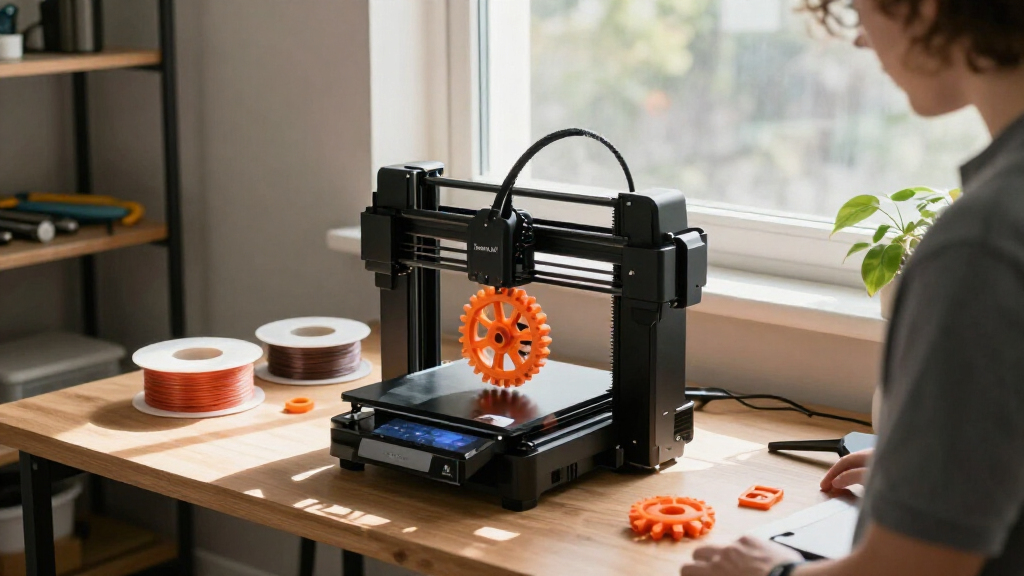
To rank these three Bambu Lab printers, I focused on the factors that actually change the buying decision: print speed, build volume, calibration automation, material compatibility, and the AMS ecosystem. I also weighed ease of use for newcomers versus the flexibility that experienced makers demand. The P2S Combo earned the top spot because it bundles the most advanced features—active flowrate compensation, a heated chamber, and the AMS 2 Pro with drying—into a single package. The A1 mini took second because it delivers the core Bambu experience in a smaller, quieter, and more affordable frame that suits beginners perfectly. The A1 rounds out the list as the value pick for those who want a larger build area and are willing to buy the AMS lite separately. I did not rely on user reviews or ratings; instead, I compared the technical specifications and how they translate into real printing outcomes.
| Bambu Lab 3D printer | Model number | ASIN |
|---|---|---|
| Bambu Lab P2S 3D Printer Combo | PF004-U+SA007-AU | B0FT818HCH |
| Bambu Lab A1 mini 3D Printer w | PF002-M-EU | — |
| Bambu Lab A1 FDM 3D Printer | PF002-A | B0D17TMWFB |
Factors to Consider When Choosing Best Bambu Lab 3D Printers
Choosing between these three Bambu Lab printers comes down to how you plan to use the machine. Here are the key factors to consider before making a decision.
What to Look For in a Bambu Lab Printer
All Bambu Lab printers share the same core DNA: automatic calibration, active flow rate compensation, and fast print speeds. The differences lie in build volume, enclosure, and AMS compatibility. If you want to print large functional parts, the A1’s 256 mm cube is the minimum you should consider. If you only make small decorative items, the A1 mini’s 180 mm cube will suffice. The P2S adds a heated chamber, which is essential for materials like ABS and nylon that warp in open-air printers. Also consider the noise level—all three are rated at ≤48 dB, but the A1 mini is physically smaller and tends to produce less vibration on a desk.
Understanding the AMS System
The AMS (Automatic Material System) is Bambu Lab’s multi-color and multi-material solution. The P2S Combo includes the AMS 2 Pro, which not only switches between four filaments but also dries them at up to 65 °C. The A1 supports the AMS lite, a simpler version that lacks drying, but it must be purchased separately. The A1 mini does not support any AMS, so multicolor printing is off the table. If you think you’ll want multicolor down the road, choose the P2S or plan to buy the AMS lite for the A1. The cost difference is significant, so decide early whether multi-color is a must-have or a nice-to-have.
Speed and Build Volume Tradeoffs
Speed is a headline spec, but it doesn’t tell the whole story. The P2S’s 600 mm/s top speed and active flowrate compensation mean it can maintain quality at high velocities, but the A1’s 10,000 mm/s² acceleration makes it feel just as quick for smaller parts. Build volume is more important for functional prints. The A1 mini is the only model that will feel cramped if you want to print a full-size helmet or a large vase. The P2S and A1 offer similar build volumes, but the P2S’s enclosure and AMS 2 Pro add weight and cost. For most hobbyists, the A1’s open frame is perfectly fine as long as you stick to PLA and PETG.
Frequently Asked Questions
What is the difference between the AMS 2 Pro and the AMS lite?
The AMS 2 Pro, included with the P2S Combo, is a fully enclosed unit that holds four filament spools and actively dries them at temperatures up to 65 °C. This prevents moisture absorption in hygroscopic materials like nylon and PETG, which can cause stringing and weak prints. The AMS lite, which works with the A1, is a simpler open-frame feeder that also holds four spools but lacks drying capability. If you print mostly PLA, the AMS lite is sufficient, but if you want to print engineering materials or live in a humid area, the AMS 2 Pro’s drying feature is a clear advantage.
Do I need a heated chamber to print ABS?
Yes, for reliable ABS printing, a heated chamber is strongly recommended. ABS shrinks as it cools, and in an open-frame printer like the A1 or A1 mini, the temperature difference between the hot nozzle and the cooler ambient air causes warping and layer separation. The P2S’s heated chamber maintains a consistent temperature up to 50 °C, which reduces these issues significantly. You can sometimes print small ABS parts on an open printer with a brim and an enclosure you build yourself, but the P2S makes the process far more dependable out of the box.
Can the A1 mini print multicolor?
No, the A1 mini does not support the AMS lite or any other multicolor system. Its print head is designed for a single filament, and there is no upgrade path to add multicolor later. If multicolor printing is a feature you want, you should choose the A1 with the separate AMS lite or go with the P2S Combo, which includes the AMS 2 Pro. The A1 mini is best viewed as a dedicated single-color printer for small projects.
How fast are these printers in real-world use?
All three printers are fast compared to older desktop models. The P2S has a top speed of 600 mm/s, while the A1 and A1 mini rely on acceleration up to 10,000 mm/s² to achieve quick print times. In practice, you’ll see print speeds of 200–300 mm/s for most models, which is still several times faster than a typical hobbyist printer from a few years ago. Active flow rate compensation ensures that extrusion stays accurate even when the print head changes direction quickly, so you don’t have to slow down to maintain quality.
Which Bambu Lab printer is best for a complete beginner?
For a complete beginner, the A1 mini is the best starting point. Its small footprint makes it easy to place, the automatic calibration removes the most intimidating part of 3D printing, and the included LED lamp kit gives you a fun first project. The noise level is low, so you can run it in a shared space. The A1 is also beginner-friendly, but its larger size and the option to add multicolor later might be more than you need at first. The P2S Combo, while the most capable, is overkill for someone just getting started and carries a higher cost.
Conclusion
If you want a printer that can do everything—multi-color, engineering materials, and high speed—the P2S Combo is the one to get. Its included AMS 2 Pro with filament drying and heated chamber make it a self-contained workhorse. For beginners or anyone with limited desk space, the A1 mini with its LED lamp kit is the most approachable and fun option, though you’ll be limited to small single-color prints. And for hobbyists who want a larger build volume and the flexibility to add multicolor later without spending extra upfront, the A1 is the balanced value pick. Match your choice to your space, your budget, and the types of projects you plan to print, and you’ll end up with a printer that fits your needs perfectly.