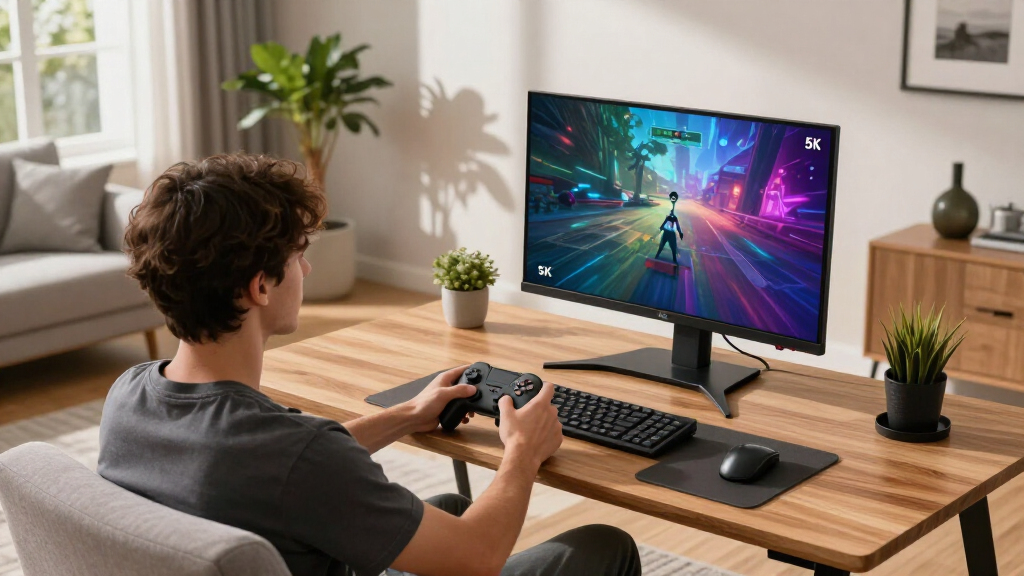

If you’re searching for the best 5K gaming monitors, you’re likely balancing breathtaking resolution with high refresh rates and smooth gameplay. The LG 27GM950B-B stands out for its impressive HDR and versatile connectivity, ideal for gamers who want a premium experience. The ASUS ROG XG27JCG offers excellent G-SYNC support for competitive players, while the LG 45GX950A-B elevates immersion with its curved OLED panel. Each option brings tradeoffs—higher performance often means a higher price or more complex setup. Keep reading for a detailed breakdown to find the best fit for your gaming needs.

Get the latest gadgets delivered free with Prime
- Fast, free delivery on millions of items
- Prime Video, Amazon Music and more included
- Member-only deals all year
Complete the kit



Key Takeaways
- High refresh rates and low response times are vital for smooth 5K gaming experiences.
- OLED panels, like the LG 45GX950A-B, excel in contrast and black levels but come with a premium price.
- Connectivity options, especially USB-C and HDMI, vary significantly and impact ease of use with modern devices.
- Not all 5K monitors have equal HDR support; HDR1000 or HDR True Black make a noticeable difference in visuals.
- Price varies widely; balanced features often deliver the best value, but premium models prioritize performance and build quality.


| 5K gaming monitor | Resolution | Refresh Rate | Connectivity | HDR |
|---|---|---|---|---|
| LG 27GM950B-B 27-inch Ultragea | 5120 x 2880 (5K) | 165Hz | HDMI 2.1, DisplayPort 2.1, USB-C with 90W | DisplayHDR 1000 |
| ASUS ROG XG27JCG 27-Inch 5K HD | 5120 x 2880 (5K) | 180Hz (OC) | DisplayPort 1.4, HDMI 2.1, USB-C | VESA DisplayHDR 600 |
| LG 45GX950A-B 45-inch Ultragea | 5120 x 2160 (5K2K WUHD) | 165Hz | DisplayPort 2.1, HDMI 2.1 x 2, USB-C 90W | — |
| Samsung 27" Odyssey G8 | 5120 x 2880 (5K) | 180Hz (QHD 360Hz) | DisplayPort 2.1, HDMI 2.1, USB-C | HDR10+ |
| KTC 27 Inch 5K2K Dual Mode Mon | 5120 x 2880 (5K) | 60Hz (5K), 120Hz (2K) | USB-C PD65W, DisplayPort 1.4, HDMI 2.0 | HDR400 |
| KTC 27 Inch 5K Monitor with HD | 5120 x 2880 (5K2K) | 60Hz (5K mode), 120Hz (2K mode) | Type-C 65W, HDMI 2.0, DisplayPort 1.4 | HDR 400 |
More Details on Our Top Picks
LG 27GM950B-B 27-inch Ultragear evo 5K IPS Mini-LED Gaming Monitor, 165Hz, 1ms, G-Sync, FreeSync Premium, HDR1000, HDMI, DP, USB-C, Adjustable Stand
The LG 27GM950B-B stands out as the best choice for gamers seeking a balanced combination of high resolution, vibrant visuals, and versatile features. Its 5K resolution provides crisp, detailed imagery that surpasses many competitors like the Samsung Odyssey G8, especially in color accuracy and HDR support. The 165Hz refresh rate and 1ms response time deliver smooth gameplay, while the mini-LED IPS panel ensures excellent color consistency and wide viewing angles. Its connectivity options—including USB-C with 90W power—add to its appeal for modern setups. However, this monitor commands a premium price, and its extensive feature set may intimidate users less familiar with high-end tech. The large size could also be a challenge for limited desk space. This monitor is ideal for gamers who want top-tier picture quality and flexible connectivity, willing to invest in a premium product.
Pros:- Exceptional 5K resolution with sharp, detailed visuals
- High peak brightness and HDR1000 support for vibrant images
- Versatile connectivity including USB-C and HDMI 2.1
Cons:- Premium price may be prohibitive for some users
- Large size may not fit all desks or setups
- Complex features require technical familiarity
Best for: High-end gamers and creative professionals demanding detailed visuals and versatile connectivity.
Not ideal for: Budget-conscious users or those with compact desk setups who find the size or price prohibitive.
- Display Size:27 inches
- Resolution:5120 x 2880 (5K)
- Refresh Rate:165Hz
- Response Time:1ms
- Brightness:1250 nits peak
- HDR:DisplayHDR 1000
- Panel Type:IPS Mini-LED
- Connectivity:HDMI 2.1, DisplayPort 2.1, USB-C with 90W
Our verdict“This monitor suits gamers and creative users seeking premium image quality and flexible features, despite its higher cost and size.”
ASUS ROG XG27JCG 27-Inch 5K HDR G-SYNC Gaming Monitor
The ASUS ROG XG27JCG offers a compelling high-refresh-rate experience with its 180Hz overclocked refresh rate and 0.3ms response time, making it an excellent pick for competitive gamers. Its 5K resolution rivals the LG 27GM950B-B in clarity but adds the benefit of a higher refresh rate for smoother motion. The monitor’s dual-mode capability allows toggling between 5K and 2K modes, catering to both high-detail work and fast-paced gaming. Its AI-powered features and adaptive sync support enhance gameplay and usability. Nevertheless, the premium price and large size could be limiting for some users, and the high resolution demands a powerful GPU. This monitor is better suited for gamers who prioritize speed and flexibility without sacrificing resolution.
Pros:- High-resolution 5K display with vibrant colors and HDR support
- Ultra-fast 180Hz refresh rate with low response time
- Supports dual modes for versatility in gaming and work
Cons:- High price point may be a barrier
- Requires a powerful GPU for optimal performance
- Large size may not fit all setups
Best for: Competitive gamers and streamers wanting a high-performance, fast display with high resolution.
Not ideal for: Casual gamers or users with limited GPU power, as the high resolution and features require substantial hardware support.
- Display Size:27 inches
- Resolution:5120 x 2880 (5K)
- Refresh Rate:180Hz (OC)
- Response Time:0.3ms GTG
- HDR:VESA DisplayHDR 600
- Connectivity:DisplayPort 1.4, HDMI 2.1, USB-C
- Additional Features:AI features, Dual Mode
Our verdict“Ideal for gamers who want both high resolution and fast response times in a flexible, feature-rich package.”
LG 45GX950A-B 45-inch Ultragear 5K2K WUHD OLED Curved Gaming Monitor, Dual-Mode, 165Hz, 0.03ms, G-Sync, FreeSync Premium Pro, HDR True Black 400, USB-C 90W, DP2.1
The LG 45GX950A-B is a standout for users seeking an ultra-wide, curved OLED experience that transforms gaming into a cinematic event. Its 5K2K resolution offers expansive visuals, with deep blacks and exceptional contrast thanks to OLED technology—far surpassing traditional LCDs like the Samsung Odyssey G8 in black levels and color depth. The 0.03ms response time and 165Hz refresh rate ensure smooth, responsive gameplay, while the curved 800R screen enhances immersion. Support for multiple adaptive sync technologies and HDR True Black 400 makes it ideal for immersive storytelling and fast-paced action. However, its premium price and large footprint limit accessibility, and OLED technology can be more delicate and costly to repair or replace. This monitor is best for gamers who prioritize visual immersion and cinematic quality over cost or space constraints.
Pros:- Ultra-wide 5K2K OLED with deep blacks and high contrast
- Fast 0.03ms response and 165Hz for smooth gaming
- Supports multiple adaptive sync technologies
Cons:- High price and large size may be prohibitive
- OLED panels can be more fragile and costly to repair
- Limited port options compared to some competitors
Best for: Enthusiasts wanting a large, immersive display with deep blacks and vibrant contrast for gaming and multimedia.
Not ideal for: Budget-conscious users or those with limited space, due to its size and cost.
- Size:45 inches
- Resolution:5120 x 2160 (5K2K WUHD)
- Refresh Rate:165Hz
- Response Time:0.03ms
- Contrast Ratio:1.5M:1
- Brightness:1300 nits
- Curvature:800R
- Connectivity:DisplayPort 2.1, HDMI 2.1 x 2, USB-C 90W
Our verdict“This monitor excels for those seeking a cinematic, immersive gaming experience with top-tier visuals, despite its high cost and size.”
Samsung 27″ Odyssey G8 (G80HF) Gaming Monitor – 5K Resolution, Fast IPS
The Samsung Odyssey G8 G80HF offers a compelling mix of high resolution, fast response, and ergonomic flexibility, making it a versatile choice for both gaming and creative work. Its 5K resolution ensures crisp visuals similar to the LG 27GM950B-B, but with the added benefit of a 180Hz refresh rate, delivering smoother motion especially in fast-paced games. The Fast IPS panel provides wide viewing angles and vivid colors, while HDR10+ support enhances visual depth. The stand’s adjustability and multiple connectivity options, including USB-C with charging, add to its appeal. Still, the high resolution demands a powerful GPU, and the relatively high price might be a constraint for budget buyers. This monitor is best for users who want a high-performance display with flexible ergonomic options and speed.
Pros:- High-resolution 5K display with vivid, accurate colors
- Fast IPS panel with 180Hz refresh rate
- Multiple ergonomic adjustments and versatile connectivity
Cons:- Requires a powerful GPU for optimal performance
- High cost compared to standard 5K monitors
- Limited built-in features beyond core gaming performance
Best for: Gamers who need a balance of high resolution, fast refresh, and ergonomic flexibility for varied gaming styles.
Not ideal for: Casual players or those with limited graphics hardware, due to high GPU demands and cost.
- Display Size:27 inches
- Resolution:5120 x 2880 (5K)
- Refresh Rate:180Hz (QHD 360Hz)
- Response Time:1ms
- HDR:HDR10+
- Connectivity:DisplayPort 2.1, HDMI 2.1, USB-C
- Stand Features:Height-adjustable, pivots, tilts, swivels
Our verdict“This monitor suits gamers who want high resolution and speed without sacrificing comfort or flexibility, at a premium price.”
KTC 27 Inch 5K2K Dual Mode Monitor with 65W Type-C Port
The KTC 27-inch dual-mode monitor provides flexibility with its 5K@60Hz and 2K@120Hz options, making it a strong contender for creative professionals who also game. Its 99% DCI-P3 coverage and HDR400 brightness ensure accurate colors and vibrant images, comparable to the LG 27GM950B-B but with added versatility. The USB-C port supports 65W power delivery, reducing cable clutter and supporting laptops well. However, its gaming performance at 5K is limited to 60Hz, which may not satisfy fast-paced gamers, and the price can be high for a dual-mode display. It’s best suited for users balancing professional work and occasional gaming. This monitor is ideal for creatives needing accurate color and multi-use functionality, less so for fast-action gaming.
Pros:- High-quality 5K resolution with professional color coverage
- Dual-mode for creative work and gaming
- Includes USB-C with 65W charging support
Cons:- Limited to 60Hz at 5K, not ideal for fast gaming
- High price for a dual-mode monitor
- No built-in speakers mentioned
Best for: Creative professionals who value color accuracy and dual-mode operation for work and light gaming.
Not ideal for: Hardcore gamers seeking ultra-fast refresh rates or high-end gaming features.
- Display Size:27 inches
- Resolution:5120 x 2880 (5K)
- Refresh Rate:60Hz (5K), 120Hz (2K)
- Color Coverage:99% DCI-P3
- Brightness:500 cd/m²
- HDR:HDR400
- Connectivity:USB-C PD65W, DisplayPort 1.4, HDMI 2.0
Our verdict“This monitor provides excellent color accuracy and multi-functionality for creatives, but falls short for high-speed gaming enthusiasts.”
KTC 27 Inch 5K Monitor with HDR 400, IPS Panel, and Multiple Connectivity Options
This KTC 27-inch 5K monitor stands out for its stunning 5120×2880 resolution combined with vibrant colors and HDR 400 support, making it ideal for creators who need detailed visuals and excellent color accuracy. Unlike the LG 27GM950B-B, which offers higher refresh rates for gaming, this model prioritizes image quality and versatility, making it less suited for fast-paced gaming where 60Hz may feel limiting. Its dual-mode display allows switching between 5K and 2K resolutions, enhancing usability across professional and entertainment tasks. The multiple connectivity options, including Type-C with 65W power delivery, HDMI, and DisplayPort, provide compatibility with a variety of devices, but it lacks built-in speakers and adjustable stand features, which could impact ergonomic comfort. The IPS panel and 500 cd/㎡ brightness ensure vivid images and wide viewing angles, enhancing creative workflows. However, the 60Hz refresh rate in 5K mode restricts gaming smoothness, and requiring a VESA mount could be inconvenient for some users.
Pros:- Exceptional 5K resolution with vivid, true-to-life colors
- HDR 400 support enhances contrast and detail in media
- Versatile dual mode for different usage scenarios
- Multiple connectivity options including Type-C 65W
Cons:- Limited to 60Hz in 5K mode, which may feel sluggish for gaming
- No built-in speakers or stand adjustments included
- Requires VESA mount for ergonomic positioning
Best for: Creative professionals and multimedia editors who prioritize high-resolution visuals and color accuracy over fast refresh rates.
Not ideal for: Competitive gamers seeking ultra-fast response times or high refresh rates for smooth gameplay.
- Size:27 inches
- Resolution:5120 x 2880 (5K2K)
- Refresh Rate:60Hz (5K mode), 120Hz (2K mode)
- Color Gamut:135% sRGB
- Brightness:500 cd/㎡
- Connectivity:Type-C 65W, HDMI 2.0, DisplayPort 1.4
- Panel Type:IPS
- HDR:HDR 400
- VESA Compatibility:75x75mm
Our verdict“This monitor is best suited for creative professionals who need a detailed, color-accurate display and can accept lower refresh rates for gaming.”
How We Picked
To select these monitors, I evaluated key factors that matter most for 5K gaming: resolution clarity, refresh rate, response time, adaptive sync support, and HDR performance. Build quality, connectivity options, and price were also considered to ensure a well-rounded lineup. I prioritized models that balance high performance with usability, focusing on whether they are suitable for gaming rather than just professional or general use. The ranking reflects a mix of flagship features, overall value, and real-world gaming capabilities, aiming to help different types of gamers find a fitting choice.
| 5K gaming monitor | HDR | Connectivity |
|---|---|---|
| LG 27GM950B-B 27-inch Ultragea | DisplayHDR 1000 | HDMI 2.1, DisplayPort 2.1, USB-C with 90W |
| ASUS ROG XG27JCG 27-Inch 5K HD | VESA DisplayHDR 600 | DisplayPort 1.4, HDMI 2.1, USB-C |
| LG 45GX950A-B 45-inch Ultragea | — | DisplayPort 2.1, HDMI 2.1 x 2, USB-C 90W |
| Samsung 27" Odyssey G8 | HDR10+ | DisplayPort 2.1, HDMI 2.1, USB-C |
| KTC 27 Inch 5K2K Dual Mode Mon | HDR400 | USB-C PD65W, DisplayPort 1.4, HDMI 2.0 |
| KTC 27 Inch 5K Monitor with HD | HDR 400 | Type-C 65W, HDMI 2.0, DisplayPort 1.4 |
Factors to Consider When Choosing Best 5K Gaming Monitors
Choosing the best 5K gaming monitor involves more than just pixel count. You’ll want to consider performance factors, display quality, and connectivity, all aligned with your gaming style and setup. Understanding these factors can help you avoid common pitfalls like overpaying for features you don’t need or settling for a display that doesn’t meet your expectations in fast-paced games.Performance and Refresh Rate
For gaming at 5K resolution, a high refresh rate—ideally 144Hz or above—is essential to maintain smooth motion. Response time also plays a role; lower response times reduce ghosting and motion blur, which can make a noticeable difference in fast shooters or racing games. Keep in mind that not all 5K monitors support high refresh rates, so check compatibility before purchasing.
Display Technology and HDR
OLED screens like the LG 45GX950A-B deliver exceptional contrast and true blacks, elevating visual quality for immersive gaming. However, they often come with a higher price tag. For LCD options, look for HDR support labeled HDR1000 or higher, which significantly enhances color accuracy and dynamic range. Avoid models with limited HDR support if you prioritize visual fidelity.
Connectivity and Compatibility
Modern gaming setups benefit from versatile connectivity options such as USB-C, HDMI, and DisplayPort. Ensure your graphics card and peripherals can match the monitor’s ports to avoid compatibility issues. Additionally, some monitors support power delivery via USB-C, simplifying cable management and reducing desk clutter.
Build Quality and Ergonomics
Adjustability features like height, tilt, and swivel are often overlooked but crucial for comfortable gaming sessions. A sturdy build ensures longevity, especially for high-end models. Consider monitors with adjustable stands and VESA compatibility if you plan to customize your setup or mount the display for better ergonomics.
Price and Value
While premium features like OLED panels and high refresh rates come at a premium, it’s wise to assess whether these upgrades justify the cost for your gaming style. Budget-conscious gamers might find solid options with good HDR and decent refresh rates that still deliver an excellent 5K experience. Balance your budget with your performance expectations to select the best overall value.
Frequently Asked Questions
Is 5K gaming worth it over 4K or lower resolutions?
5K gaming offers sharper images and more detailed visuals, especially on large screens, but demands more from your graphics hardware. For competitive gaming, higher refresh rates and lower response times often matter more than resolution, so 4K might be more practical for some gamers. However, if you value visual fidelity and have a powerful GPU, 5K can provide a stunning experience without significant compromises, especially for immersive single-player titles.
Can I use a 5K monitor with my existing gaming PC?
Compatibility depends on your graphics card’s capabilities. Not all GPUs can handle 5K resolution at high refresh rates, so check your hardware specifications first. You’ll also need the right cables, typically DisplayPort 1.4 or HDMI 2.1, to support the bandwidth required. Upgrading your GPU might be necessary to fully leverage a 5K gaming monitor’s potential, especially for demanding titles.
What’s more important for gaming—HDR or refresh rate?
Both matter but serve different purposes. A high refresh rate ensures smooth gameplay, which is vital in fast-paced games. HDR, on the other hand, enhances visual realism through better contrast and color. If you’re primarily competitive or play fast games, prioritize refresh rate. For immersive, visually-rich experiences, HDR support becomes more significant, especially if the monitor has a high peak brightness and good local dimming.
Are OLED 5K monitors suitable for long gaming sessions?
OLED panels deliver amazing contrast and vibrant colors but can be susceptible to burn-in with static images over extended periods. For gaming, this risk is generally manageable with varied content and proper screen management. Many users find OLED monitors comfortable for long sessions due to their excellent contrast and viewing angles, but it’s wise to follow manufacturer guidelines to maximize longevity.
Should I prioritize connectivity options or image quality when choosing a 5K monitor?
Ideally, you want a balance of both. Connectivity options like USB-C, HDMI, and DisplayPort facilitate easier integration with your devices, while image quality features like HDR, contrast, and color accuracy directly impact your gaming experience. Consider your setup and gaming preferences—if you plan to connect multiple peripherals or use a laptop, prioritize connectivity. If your main concern is visual fidelity and immersion, focus on display technology and HDR support.
Conclusion
For most gamers, the LG 27GM950B-B offers the best overall blend of performance, features, and value, making it ideal for those who want a versatile high-end 5K experience. The ASUS ROG XG27JCG is a strong choice for competitive players needing G-SYNC support, while the LG 45GX950A-B appeals to immersive gamers who prioritize stunning visuals and OLED quality. Budget-conscious buyers or those new to 5K gaming might find the KTC 27 Inch 5K2K Dual Mode Monitor a suitable starting point. Ultimately, your choice depends on your gaming style, setup, and how much you’re willing to invest in visual fidelity and performance.