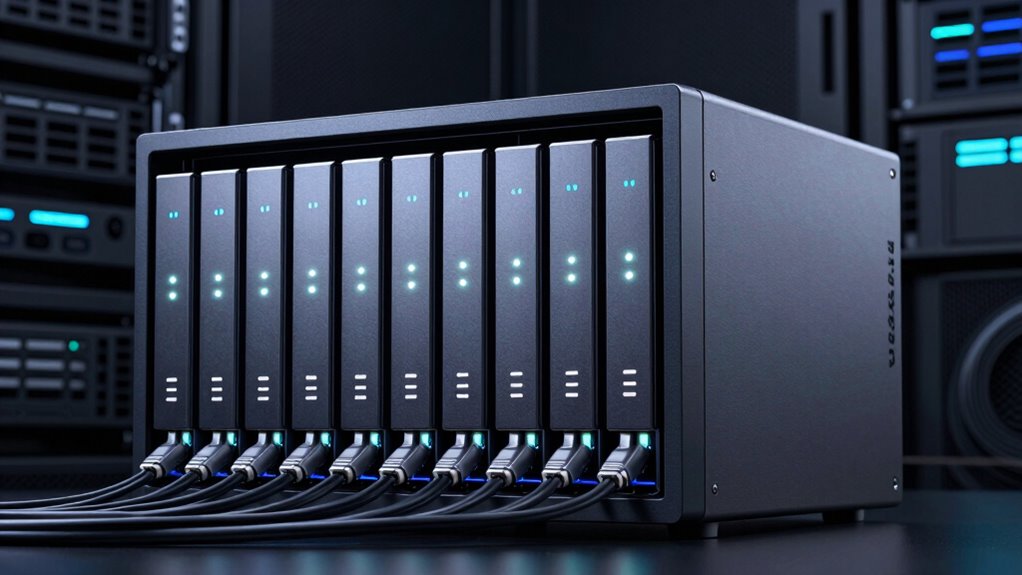

For anyone seeking high-speed networking and reliable storage, a 10GbE NAS offers a powerful solution. The Synology DS1525+ stands out as the best overall for its scalability and user-friendly interface, while the LincStation N2 provides excellent performance with a flexible design, perfect for tech-savvy users. The QNAP TS-h973AX-32G offers a balanced mix of speed and expandability, making it a versatile choice. However, choosing the right NAS involves tradeoffs between price, performance, and ease of setup. Continue reading for a detailed breakdown of these options and what to consider before buying.

Get the latest gadgets delivered free with Prime
- Fast, free delivery on millions of items
- Prime Video, Amazon Music and more included
- Member-only deals all year
Complete the kit



Key Takeaways
- The top-ranked NAS balances performance, expandability, and ease of use, making it suitable for most users.
- Higher port counts and faster processors generally mean a higher price but better future-proofing.
- Build quality and software ecosystem significantly influence long-term satisfaction and maintenance.
- Most budget-friendly options sacrifice some performance or scalability but are suitable for smaller workloads.
- Careful consideration of network connectivity and expansion options can prevent bottlenecks and upgrade issues.
| LincStation N2 6-Bay NAS Server with Intel N100, 16GB RAM, 10GbE, 2 SATA Bays, 4 M.2 NVMe Slots, Unraid OS Starter License Included, Diskless |  | Best Overall for Power Users and Media Enthusiasts | Processor: Intel Alder Lake-N N100, 4-core, up to 3.4GHz | Memory: 16GB LPDDR5 | Storage Bays: 2 SATA, 4 M.2 NVMe | VIEW ON AMAZON | See Our Full Breakdown |
| QNAP TS-h973AX-32G 9-Bay QuTS Hero NAS with 10GbE/2.5GbE Connectivity |  | Best for Reliability and High-Speed Networking | Processor: AMD Ryzen Embedded V1500B 2.2 GHz | RAM: 32GB DDR4 (max 64GB, ECC support) | Drive Bays: 9 | VIEW ON AMAZON | See Our Full Breakdown |
| Synology DS1525+ Video Editing & Production Server – 5-Bay NAS, Scale to 300TB, 10GbE Ready, Multi-User Workflows |  | Best for Professional Media Production and Collaboration | Number of Bays: 5 | Maximum Storage Capacity: 300TB | Network Speed: 10GbE Ready | VIEW ON AMAZON | See Our Full Breakdown |
| QNAP TS-855X-8G-US 8-Bay NAS |  | Best for Virtualization and Business Storage | Processor: Intel Atom C5125 8-core 2.8GHz | RAM: 8GB U-DIMM DDR4 (up to 128GB) | Drive Bays: 8 | VIEW ON AMAZON | See Our Full Breakdown |
| Synology 2-Bay DiskStation DS223j (Diskless) |  | Best Budget Friendly for Home Cloud and Basic Backup | Storage Bays: 2 | Model: DS223j | Type: Diskless | VIEW ON AMAZON | See Our Full Breakdown |
| QNAP TS-632X 6-Bay NAS with 10GbE |  | Best Overall for Versatile High-Speed Storage | Processor: AnnapurnaLabs Alpine AL524 Quad-core 2.0GHz | RAM: 4 GB (expandable to 16 GB) | Storage Bays: 6 | VIEW ON AMAZON | See Our Full Breakdown |
| UGREEN NAS DXP6800 Plus 6-Bay Desktop NAS with Intel Core i3 Processor |  | Best for Demanding Business Environments | Processor: 12th Gen Intel Core i3 6-core 8-thread | RAM: 8GB DDR5 | Storage Capacity: Up to 208TB | VIEW ON AMAZON | See Our Full Breakdown |
| QNAP TS-832PX-4G 8-Bay NAS |  | Best for High-Performance Multi-User Environments | Processor: AnnapurnaLabs Alpine AL324 ARM Cortex-A57 quad-core 1.7GHz | RAM: 4 GB DDR4 (expandable to 16 GB) | Storage Bays: 8 x 3.5-inch SATA | VIEW ON AMAZON | See Our Full Breakdown |
| 10gbe na | Processor | RAM | Storage Bays |
|---|---|---|---|
| LincStation N2 6-Bay NAS Serve | Intel Alder Lake-N N100, 4-core, up to 3.4GHz | — | 2 SATA, 4 M.2 NVMe |
| QNAP TS-h973AX-32G 9-Bay QuTS | AMD Ryzen Embedded V1500B 2.2 GHz | 32GB DDR4 (max 64GB, ECC support) | — |
| Synology DS1525+ Video Editing | — | — | — |
| QNAP TS-855X-8G-US 8-Bay NAS | Intel Atom C5125 8-core 2.8GHz | 8GB U-DIMM DDR4 (up to 128GB) | — |
| Synology 2-Bay DiskStation DS2 | — | — | 2 |
| QNAP TS-632X 6-Bay NAS with 10 | AnnapurnaLabs Alpine AL524 Quad-core 2.0GHz | 4 GB (expandable to 16 GB) | 6 |
| UGREEN NAS DXP6800 Plus 6-Bay | 12th Gen Intel Core i3 6-core 8-thread | 8GB DDR5 | — |
| QNAP TS-832PX-4G 8-Bay NAS | AnnapurnaLabs Alpine AL324 ARM Cortex-A57 quad-core 1.7GHz | 4 GB DDR4 (expandable to 16 GB) | 8 x 3.5-inch SATA |
More Details on Our Top Picks
LincStation N2 6-Bay NAS Server with Intel N100, 16GB RAM, 10GbE, 2 SATA Bays, 4 M.2 NVMe Slots, Unraid OS Starter License Included, Diskless
The LincStation N2 stands out for its combination of a robust Intel N100 processor, 16GB RAM, and extensive storage options, making it ideal for users who need high-speed data transfers and multitasking. Its 10GbE connectivity ensures rapid backups and media streaming, outperforming many competitors like the Synology DS1525+ in raw network speed. However, being diskless means users must invest in drives separately, and the setup can be complex for those unfamiliar with Unraid. Compared to the QNAP TS-855X, it offers greater flexibility for media and virtualized workloads but at a higher initial setup effort. This pick makes the most sense for power users who want a customizable, high-performance NAS with versatile storage and networking features.
Pros:- High-speed 10GbE network connectivity for rapid data transfer
- Supports diverse storage configurations with SATA and NVMe bays
- Powerful processor and ample RAM for multitasking and media streaming
- Includes Unraid OS license for flexible storage management
Cons:- Diskless setup requires users to buy drives separately
- Setup complexity might be overwhelming for beginners
- Limited hardware compatibility for some drives
Best for: Tech-savvy home media collectors and small businesses needing fast, flexible storage.
Not ideal for: Beginners or users seeking an all-in-one, plug-and-play solution with pre-installed drives.
- Processor:Intel Alder Lake-N N100, 4-core, up to 3.4GHz
- Memory:16GB LPDDR5
- Storage Bays:2 SATA, 4 M.2 NVMe
- Network:10GbE Ethernet port
- Connectivity:USB-C (10G), USB 3.2 Gen2, HDMI 2.0
- Included Software:Unraid OS Starter License
Our verdict“This NAS is best suited for experienced users who need maximum performance and customization options.”
QNAP TS-h973AX-32G 9-Bay QuTS Hero NAS with 10GbE/2.5GbE Connectivity
The QNAP TS-h973AX is designed for demanding enterprise environments with its AMD Ryzen V1500B processor and support for up to 64GB ECC RAM, making it a solid choice for reliability and intensive workloads. Its dual 2.5GbE ports combined with a 10GbE port provide flexible high-speed networking, surpassing the basic 10GbE offered by Synology DS1525+. While it lacks included drives, its support for ECC RAM and virtualization makes it suitable for data integrity-focused users. Compared to the QNAP TS-855X, it offers more RAM and advanced networking, but at a higher cost. This model appeals to businesses and power users who require robust hardware and scalable performance for critical applications.
Pros:- Supports up to 64GB ECC RAM for data integrity
- Multiple high-speed network options including 10GbE and 2.5GbE
- Powerful AMD Ryzen embedded processor for demanding tasks
- Expandable storage with 9 bays
Cons:- No included drives, increasing initial cost
- Higher price point for enterprise-level features
- Setup may require technical expertise
Best for: Small to medium enterprises needing reliable, scalable, high-speed storage for mission-critical workloads.
Not ideal for: Casual users or home users who don’t require ECC memory or enterprise-grade features.
- Processor:AMD Ryzen Embedded V1500B 2.2 GHz
- RAM:32GB DDR4 (max 64GB, ECC support)
- Drive Bays:9
- Network:2 x 2.5GbE, 1 x 10GbE
- Connectivity:USB 3.2 Gen2 Type-C
- Warranty:3 years
Our verdict“Ideal for organizations seeking a scalable, high-performance NAS with enterprise reliability features.”
Synology DS1525+ Video Editing & Production Server – 5-Bay NAS, Scale to 300TB, 10GbE Ready, Multi-User Workflows
The Synology DS1525+ excels as a media-focused NAS, supporting high-speed transfers suitable for 4K and 8K video editing. Its 5 bays, expandable up to 300TB with additional units, make it a strong choice for collaborative workflows, especially compared to smaller-capacity options like the Synology DS223j. While it requires some technical knowledge to optimize and expand, the investment pays off for professional users who need reliable, scalable storage with advanced media features. It’s less suited for casual users due to its complexity and higher price. This NAS is tailor-made for creative teams that demand both performance and flexibility for large media files.
Pros:- Supports high-speed network transfers for large media files
- Expandable storage capacity up to 300TB
- Designed for multi-user workflows with advanced media management
- Reliable and scalable for professional environments
Cons:- Requires technical setup and expansion knowledge
- Higher upfront cost than smaller NAS units
- Primarily aimed at enterprise or professional users
Best for: Professional video editors and media teams managing large, collaborative projects.
Not ideal for: Home users or small offices with modest storage needs and less technical expertise.
- Number of Bays:5
- Maximum Storage Capacity:300TB
- Network Speed:10GbE Ready
- Supported Protocols:Data sharing, synchronization, backup
- Warranty:3 Years
Our verdict“This NAS is best for media professionals needing scalable, high-performance storage for large multimedia projects.”
QNAP TS-855X-8G-US 8-Bay NAS
The QNAP TS-855X offers a powerful 8-core Intel Atom processor and versatile connectivity options, including a dedicated 10GbE port, making it suited for virtualization and intensive data tasks. Its support for both HDDs and SSDs, plus dual PCIe slots, provides flexibility that outperforms many 8-bay NAS devices like the Ugreen NAS DXP6800 Plus. While its setup can be complex, it suits users who need a reliable platform for business continuity and long-term deployment. Compared to the QNAP TS-632X, it offers more expansion options, though potentially at a higher complexity. This NAS appeals to small business environments requiring a balance of performance, expandability, and network speed.
Pros:- Supports high-speed 10GbE and 2.5GbE networks
- Supports both HDDs and SSDs for flexible storage
- Dual PCIe slots for expansion or additional network cards
- Robust 8-core Intel Atom processor for virtualization
Cons:- Setup may require technical knowledge
- Price and accessory details are not specified
- Limited information on included hardware accessories
Best for: Small businesses looking for a reliable, expandable storage solution with virtualization capabilities.
Not ideal for: Home users or those seeking simple, out-of-the-box solutions without extensive configuration.
- Processor:Intel Atom C5125 8-core 2.8GHz
- RAM:8GB U-DIMM DDR4 (up to 128GB)
- Drive Bays:8
- Network Ports:Single 10Gbase-T, dual 2.5GbE
- SSD Slots:Dual M.2 PCIe Gen 3 x4
- Supported OS:QTS, ZFS-based QuTS hero (optional)
Our verdict“Best suited for small enterprises needing expandable, high-performance virtualization storage.”
Synology 2-Bay DiskStation DS223j (Diskless)
The Synology DS223j provides a simple, secure way to create a private cloud with just two bays, making it ideal for home users or small offices needing reliable backups and file sharing. Although its limited capacity and only two bays restrict expandability, its user-friendly interface and ongoing software updates make it accessible even for less technical users. When compared with larger or more feature-rich NAS options like the LincStation N2, it sacrifices some performance and versatility for affordability and ease of use. This device is best for those who want basic private cloud features without the complexity of enterprise setups.
Pros:- Secure private cloud with multi-platform access
- Automated backups for multiple devices
- Supports home security integrations, like IP cameras
- Reliable hardware with a two-year warranty
Cons:- Requires additional drives for storage capacity
- Limited to 2 bays, restricting upgrade options
- Not suitable for large-scale or high-demand workflows
Best for: Home users or small families seeking a straightforward, secure storage solution with easy access.
Not ideal for: Power users or media professionals needing large capacity or high-speed network performance.
- Storage Bays:2
- Model:DS223j
- Type:Diskless
- Warranty:2 years
Our verdict“A practical choice for home and small office users prioritizing simplicity and security over expansion.”
QNAP TS-632X 6-Bay NAS with 10GbE
The QNAP TS-632X stands out for its balance of performance and expandability, making it ideal for users who need reliable 10GbE connectivity without overpaying for enterprise features. Compared to the Ugreen DXP6800 Plus, it offers a simpler setup process and a more user-friendly interface, though it sacrifices the raw processing power and large storage capacity of the Ugreen model. Its quad-core ARM processor and ability to expand RAM up to 16GB make it suitable for secure backups, container deployment, and media serving. The main tradeoff is its limited base RAM, which might hinder performance in heavy multitasking if not upgraded. For users seeking a cost-effective, flexible NAS that balances features and ease of use, this is a strong choice, especially with its dual 2.5GbE ports and multiple USB options. However, beginners should note that initial setup can be complex without prior NAS experience.
Pros:- High-speed 10GbE connectivity supports fast data transfer
- Expandable RAM up to 16GB enhances multitasking
- Supports container applications and secure backups
- Versatile I/O options including dual USB ports
Cons:- Limited to 4GB RAM out of the box, requiring upgrade for optimal performance
- Setup can be complex for users unfamiliar with NAS configurations
Best for: Small to medium-sized businesses or tech-savvy home users needing a flexible, expandable 10GbE NAS.
Not ideal for: Complete beginners or users seeking plug-and-play simplicity without the need to expand or configure advanced features.
- Processor:AnnapurnaLabs Alpine AL524 Quad-core 2.0GHz
- RAM:4 GB (expandable to 16 GB)
- Storage Bays:6
- Connectivity:Single 10GbE SFP+ port, Dual 2.5GbE ports
- Expansion Slots:PCIe Gen 3 x4
- USB Ports:Dual USB 3.2 Gen 1
Our verdict“This NAS is best suited for users comfortable with setup and expansion, seeking a flexible, high-performance device for demanding applications.”
UGREEN NAS DXP6800 Plus 6-Bay Desktop NAS with Intel Core i3 Processor
The UGREEN DXP6800 Plus offers a significant step up in processing and capacity, making it ideal for larger businesses needing serious storage and fast data handling. Its 12th Gen Intel Core i3 processor and 8GB DDR5 RAM provide robust performance for multitasking, file sharing, and media management—outperforming the more modest processors found in QNAP TS-632X. With support for up to 208TB storage and multiple RAID configurations, it caters to users with large data needs and privacy concerns, especially when paired with its high-speed 10GbE port. The main drawback is its reliance on compatible HDDs/SSDs, which adds to initial costs, and its complexity may overwhelm casual users. This NAS makes the most sense for professionals managing large datasets and requiring fast, secure network storage, but novices might find the setup intimidating.
Pros:- Powerful 12th Gen Intel Core i3 processor handles demanding tasks
- Large capacity up to 208TB with flexible RAID options
- High-speed 10GbE port for quick data transfer
- Supports multiple drive types including M.2 NVMe
Cons:- Requires compatible HDDs/SSDs, increasing initial cost
- More complex setup process for less experienced users
- No included drives, adding to overall expense
Best for: IT professionals or small business owners needing high-capacity, high-performance storage with strong processing power.
Not ideal for: Casual users or home users who prefer simple, plug-and-play solutions with minimal configuration.
- Processor:12th Gen Intel Core i3 6-core 8-thread
- RAM:8GB DDR5
- Storage Capacity:Up to 208TB
- Network Ports:1x 10GbE, 1x 2.5GbE
- Drive Bays:6 SATA, 2 M.2 NVMe
- Included Accessories:Power cable, quick start guide, screwdriver kit, USB cable
Our verdict“This NAS is best for users who need serious performance, large capacity, and are comfortable with detailed configuration and hardware upgrades.”
QNAP TS-832PX-4G 8-Bay NAS
The QNAP TS-832PX-4G distinguishes itself with its 8-bay capacity and dual high-speed Ethernet ports, making it a solid choice for multi-user environments that demand scalable storage and fast network throughput. Its quad-core ARM Cortex-A57 processor and DDR4 RAM provide enough power for file sharing, media streaming, and backup tasks, although it falls behind the UGREEN DXP6800 Plus in raw processing power. The multiple Ethernet options, including dual 10GbE, allow for flexible networking setups, but the device is diskless, requiring users to purchase drives separately, which can add to costs. It’s an ideal choice for medium-sized teams needing expandable storage and reliable network performance, yet beginners may find the initial setup and configuration somewhat intimidating.
Pros:- Powerful quad-core ARM processor supports demanding workloads
- Multiple high-speed Ethernet ports, including dual 10GbE
- Expandable memory up to 16GB DDR4
- Supports up to 8 drives for scalable storage
Cons:- Diskless, requiring additional drives for use
- More complex setup for users unfamiliar with enterprise NAS configurations
- No included drives, increasing initial investment
Best for: Medium-sized teams or organizations requiring scalable, high-speed storage with flexible networking options.
Not ideal for: Home users or casual users who do not need extensive multi-user support or high network throughput.
- Processor:AnnapurnaLabs Alpine AL324 ARM Cortex-A57 quad-core 1.7GHz
- RAM:4 GB DDR4 (expandable to 16 GB)
- Storage Bays:8 x 3.5-inch SATA
- Ethernet Ports:2 x 2.5 Gigabit, 2 x 10 Gigabit
- Max RAM:16 GB
Our verdict“This NAS is best suited for organizations needing expandable, high-speed storage with flexible networking but requires some technical knowledge to set up properly.”

How We Picked
These products were selected based on their connectivity features, performance benchmarks, usability, build quality, and expandability. Priority was given to models with native 10GbE support and versatile configurations, ensuring they can handle demanding data transfer rates. We also considered software ecosystem, user interface, and overall value for different user needs, from beginners to enterprise users. The ranking reflects a balance between raw speed, ease of setup, future-proofing, and cost, helping buyers identify options that best match their specific requirements.Factors to Consider When Choosing 10gbe Nas
Choosing the right 10GbE NAS involves evaluating several key factors beyond raw speed. It’s important to consider your current storage needs, future expansion plans, and network environment. Compatibility with existing hardware, ease of setup, and ongoing maintenance also play roles in making a satisfying purchase. Understanding these broader considerations can help prevent costly mistakes and ensure your investment remains relevant for years to come.Performance and Speed
While 10GbE connectivity enables fast data transfer, the NAS processor and RAM determine real-world performance. Look for systems with ample processing power and memory for your workload, especially if you plan to run multiple services or virtual machines. Remember, the highest advertised speeds often require optimal network conditions and proper configuration; actual speeds may vary based on your setup.
Expandability and Scalability
Many users underestimate future storage needs. Choose a model with enough drive bays and compatibility with expansion units if you anticipate growth. Consider whether the NAS supports NVMe SSD caching or additional network ports, which can significantly boost performance and flexibility over time. Investing in scalable hardware can save costs and hassle later.
Software Ecosystem and Usability
The software interface and ecosystem influence how easily you can manage your data and services. Popular options like Synology DiskStation Manager and QNAP QTS offer intuitive interfaces and extensive app support. However, more advanced users might prefer open-source solutions like Unraid, which offer greater customization but require more technical know-how. Balance ease of use with your comfort level and desired features.
Build Quality and Reliability
Durability and quality of components matter, especially if the NAS will run continuously. Look for models with good ventilation, solid chassis construction, and reliable power supplies. User reviews often reveal common issues or durability concerns that aren’t immediately obvious from specifications alone. A well-built NAS can prevent costly downtime and maintenance.
Cost and Total Value
Pricing varies widely in this category, often reflecting differences in performance, expandability, and brand reputation. Avoid choosing solely based on initial cost—consider the total investment, including drives, accessories, and maintenance. Sometimes paying more upfront for a model with better software support or expandability results in greater savings and satisfaction over time.
Frequently Asked Questions
Do I really need 10GbE for my NAS?
If you regularly transfer large files, work with high-resolution media, or run multiple users simultaneously, 10GbE can drastically reduce transfer times and improve workflow efficiency. For casual or small-scale use, Gigabit Ethernet may suffice, but it can become a bottleneck as your data demands grow. Assess your current and future needs carefully before investing in 10GbE hardware.
Can I upgrade my existing NAS to 10GbE later?
Upgrading a NAS to 10GbE depends on its hardware capabilities. Some models support PCIe expansion cards or have built-in 10GbE ports, making upgrades straightforward. Others may require replacing the entire unit if they lack expansion options. Evaluate your current device’s compatibility and potential upgrade paths before making a purchase.
Is a 10GbE NAS worth the extra cost over Gigabit models?
For users handling large files, running virtualization, or needing quick backups, the speed advantage justifies the higher price. However, if your workflow involves mostly small files or infrequent transfers, a Gigabit NAS may deliver sufficient performance at a lower cost. Consider your data volume and speed requirements to determine if the investment aligns with your needs.
What should I look for in terms of hardware reliability?
Prioritize models with robust build quality, good ventilation, and reputable components. Reliable power supplies and warranties also matter, especially for 24/7 operation. Reading user reviews can reveal common issues and long-term durability insights, helping you choose a model that withstands continuous use without frequent repairs.
How important is the software ecosystem in my decision?
The software ecosystem determines how easily you can manage storage, backups, and additional services. Synology’s DSM and QNAP’s QTS are known for their user-friendly interfaces and extensive app support, which can simplify setup and ongoing maintenance. For advanced users, open-source options may offer more customization, but require a steeper learning curve.
Conclusion
For general users seeking reliable, easy-to-manage performance, the Synology DS1525+ remains the best overall choice thanks to its balance of speed, expandability, and user-friendly software. Budget-conscious buyers or small setups can consider the Synology DS223j for basic needs, while tech enthusiasts needing maximum speed may prefer the LincStation N2 or the QNAP TS-h973AX-32G. For those with specific expansion or enterprise needs, models like the QNAP TS-973AX or TS-832PX provide scalable options. Ultimately, your choice should align with your current workload, future growth plans, and technical comfort level.