
If you’re looking for the best G-SYNC Ultimate monitors in 2026, I recommend the ASUS ROG Swift PG32UQX for stunning 4K visuals, the LG Ultragear for immersive ultrawide gameplay, the Alienware 27 for smooth QHD performance, and the LG UltraGear for high refresh rates with vibrant colors. These models blend top-tier tech like mini LED, high brightness, and fast response times. Keep exploring, and you’ll discover more details to elevate your gaming experience.
Key Takeaways
- Prioritize monitors with 4K resolution and mini LED or OLED panels for vibrant, detailed visuals and superior HDR performance.
- Look for high refresh rates (144Hz or higher) combined with G-SYNC ULTIMATE support for smooth, tear-free gameplay.
- Consider models with extensive local dimming zones and high peak brightness (1000+ nits) to enhance contrast and HDR realism.
- Ensure multiple connectivity options like HDMI 2.1 and DisplayPort 1.4 for versatile device compatibility and optimal G-SYNC performance.
- Choose ergonomic features such as height, tilt, and pivot adjustments to maximize comfort during extended gaming sessions.
| ASUS ROG Swift PG32UQX 32″ 4K Gaming Monitor | 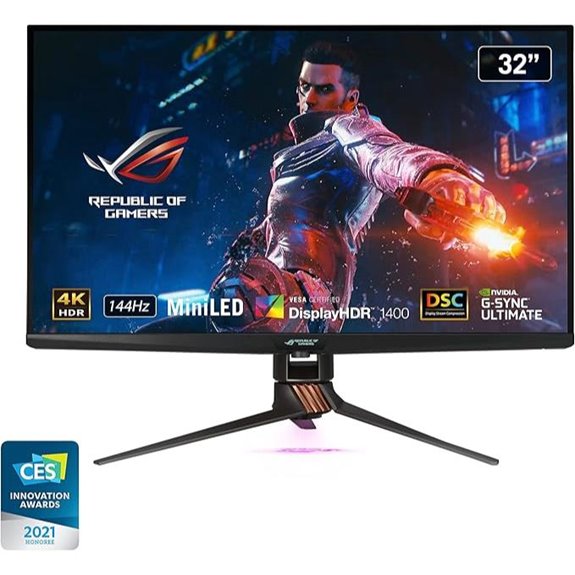 | Ultimate Visual Precision | Screen Size: 32 inches | Resolution: 4K UHD (3840 x 2160) | Refresh Rate: 144 Hz | VIEW LATEST PRICE | See Our Full Breakdown |
| LG 34 Inch Ultragear Curved Gaming Monitor | 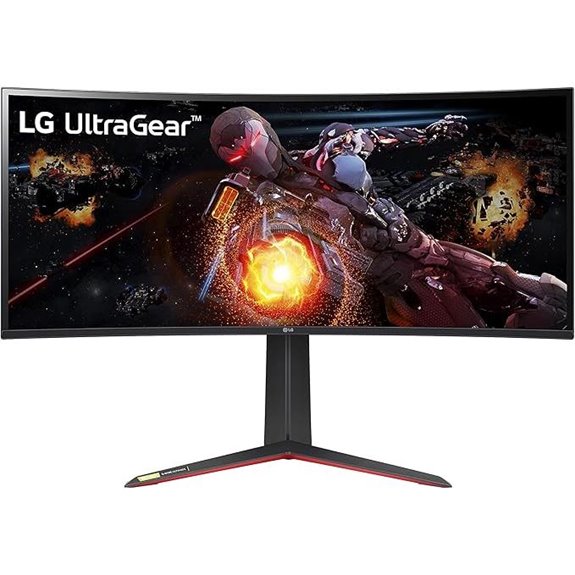 | Immersive Wide Experience | Screen Size: 34 inches | Resolution: Ultrawide QHD (3440 x 1440) | Refresh Rate: 144Hz (overclockable to 180Hz) | VIEW LATEST PRICE | See Our Full Breakdown |
| Alienware 27 Gaming Monitor – QHD 180Hz G-SYNC VESA | 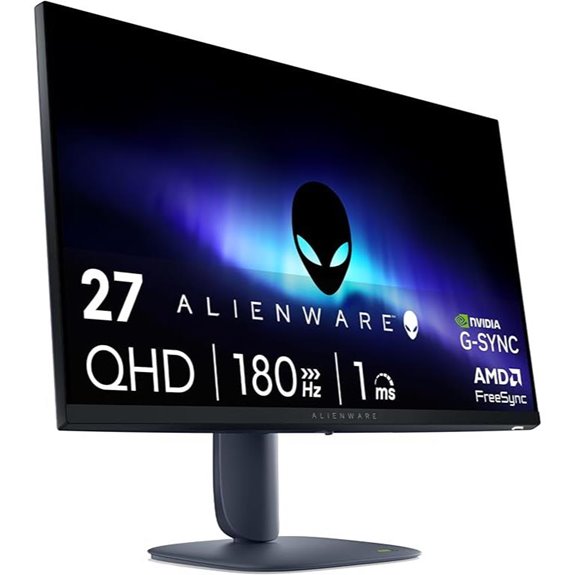 | Fast-Paced Clarity | Screen Size: 27 inches | Resolution: QHD (2560 x 1440) | Refresh Rate: 180Hz | VIEW LATEST PRICE | See Our Full Breakdown |
| LG 27-inch UltraGear QHD Gaming Monitor | 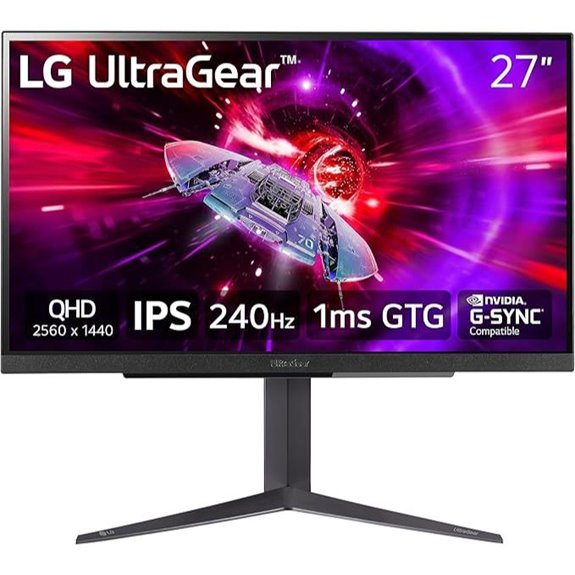 | Competitive Edge | Screen Size: 27 inches | Resolution: QHD (2560 x 1440) | Refresh Rate: Up to 240Hz | VIEW LATEST PRICE | See Our Full Breakdown |

More Details on Our Top Picks
-
LG 34GP950G-B 34 Inch Ultragear QHD (3440 x 1440) Nano IPS Curved Gaming Monitor with 1ms Response Time and 144HZ Refresh Rate and NVIDIA G-SYNC Ultimate with Tilt/Height Adjustable Stand - Black
34” Curved UltraWide QHD (3440 x 1440) Nano IPS Display.Specific uses for product - Gaming
As an affiliate, we earn on qualifying purchases.
ASUS ROG Swift PG32UQX 32″ 4K Gaming Monitor
If you’re a serious gamer or a professional content creator seeking top-tier visuals, the ASUS ROG Swift PG32UQX is an excellent choice. Its 32-inch 4K UHD mini LED display delivers stunning clarity and vibrant colors, thanks to a quantum-dot panel covering 98% DCI-P3. The 144 Hz refresh rate ensures smooth gameplay, while Full Array Local Dimming with 1152 zones enhances contrast. With a peak brightness of 1400 nits and DisplayHDR 1400 certification, it offers incredible HDR performance. The IPS panel guarantees wide viewing angles and accurate color reproduction. Plus, G-SYNC ULTIMATE minimizes tearing for seamless, immersive gaming experiences.
- Screen Size:32 inches
- Resolution:4K UHD (3840 x 2160)
- Refresh Rate:144 Hz
- G-SYNC Technology:G-SYNC ULTIMATE
- HDR Support:DisplayHDR 1400
- Color Gamut:98% DCI-P3
- Additional Feature:LiveDash OLED front bar
- Additional Feature:DisplayHDR 1400 certification
- Additional Feature:Multiple included accessories
-

Alienware 27 Gaming Monitor - AW2725DM - 27-inch QHD 180Hz 1ms Display, IPS, NVIDIA G-SYNC, AMD Freesync, VESA AdaptiveSync.
Essential QHD performance for any game: Explore detailed worlds in high definition with QHD resolution, fluid visuals, and...
As an affiliate, we earn on qualifying purchases.
LG 34 Inch Ultragear Curved Gaming Monitor
The LG 34 Inch Ultragear Curved Gaming Monitor stands out as an excellent choice for serious gamers who demand immersive visuals and smooth performance. Its 34-inch Nano IPS curved display delivers a sharp QHD resolution of 3440 x 1440, with vibrant DCI-P3 98% color coverage and VESA DisplayHDR 600 support, ensuring stunning visuals. The 1ms response time and 144Hz refresh rate (overclockable to 180Hz) combined with NVIDIA G-SYNC Ultimate provide tear-free, fluid gameplay. Its 178° viewing angles, high brightness, and curved design enhance immersion and comfort, making it perfect for intense gaming sessions. Plus, adjustable tilt and height support ergonomic positioning.
- Screen Size:34 inches
- Resolution:Ultrawide QHD (3440 x 1440)
- Refresh Rate:144Hz (overclockable to 180Hz)
- G-SYNC Technology:NVIDIA G-SYNC Ultimate
- HDR Support:VESA DisplayHDR 600
- Color Gamut:98% DCI-P3
- Additional Feature:Curved 178° viewing angles
- Additional Feature:Ergonomic tilt/height stand
- Additional Feature:180Hz overclockable refresh rate
-

LG 27GR83Q-B 27-inch Ultragear QHD (2560x1440) IPS Gaming Monitor, 240Hz, 1ms, DisplayHDR 400, G-Sync AMD FreeSync Premium, HDMI 2.1 DisplayPort, 4-Pole HP Out DTS GP:X, Tilt/Height/Pivot Stand, Black
QHD at 240Hz by DisplayPort or HDMI - Enjoy smoother, vivid colors and high-resolution graphics thanks to HDMI...
As an affiliate, we earn on qualifying purchases.
Alienware 27 Gaming Monitor – QHD 180Hz G-SYNC VESA
Gamers seeking a high-performance display that combines stunning visuals with smooth gameplay will find the Alienware 27 Gaming Monitor an excellent choice, thanks to its 180Hz refresh rate and G-SYNC technology. Its 27-inch QHD screen delivers detailed, sharp visuals, while VESA DisplayHDR 400 certification guarantees vibrant colors. The monitor’s 1ms response time minimizes motion blur, making fast-paced action crystal clear. With support for NVIDIA G-SYNC, AMD FreeSync, and VESA AdaptiveSync, it assures tear-free gameplay. Its sleek design, dedicated console mode, and low blue light technology make it comfortable for long gaming sessions and immersive enough for exploring open worlds or intense battles.
- Screen Size:27 inches
- Resolution:QHD (2560 x 1440)
- Refresh Rate:180Hz
- G-SYNC Technology:G-SYNC
- HDR Support:DisplayHDR 400
- Color Gamut:95% DCI-P3
- Additional Feature:1ms gray-to-gray response
- Additional Feature:Dedicated console mode
- Additional Feature:Iconic new design
LG 27-inch UltraGear QHD Gaming Monitor
For gamers seeking a high-performance monitor that balances fast response times with stunning visuals, the LG 27-inch UltraGear QHD Gaming Monitor stands out as an excellent choice. Its 27-inch IPS display offers crisp QHD resolution (2560×1440) with support for up to 240Hz via HDMI 2.1 and DisplayPort 1.4, ensuring smooth gameplay. With a 1ms (GtG) response time and HDR400, colors are vibrant and contrast-rich. It’s G-SYNC compatible and AMD FreeSync Premium certified, reducing tearing and stutter. Plus, features like Black Stabilizer and Dynamic Action Sync make this monitor ideal for competitive gaming, all wrapped in a sleek, adjustable design.
- Screen Size:27 inches
- Resolution:QHD (2560 x 1440)
- Refresh Rate:Up to 240Hz
- G-SYNC Technology:G-SYNC Compatible
- HDR Support:DisplayHDR 400
- Color Gamut:95% DCI-P3
- Additional Feature:Dynamic Action Sync mode
- Additional Feature:Black Stabilizer feature
- Additional Feature:DTS Headphone:X spatial audio
Factors to Consider When Choosing G-Sync Ultimate Monitors
When choosing a G-Sync Ultimate monitor, I consider factors like display size and resolution to match my workspace and gaming needs. I also look at refresh rates and color accuracy to guarantee smooth visuals and vibrant images. Additionally, I check connectivity options and panel technology to make sure the monitor fits my setup and performance preferences.
Display Size and Resolution
Choosing the right display size and resolution is essential to getting the most out of a G-Sync Ultimate monitor. Larger screens, like 32 inches or more, boost immersion but need higher resolutions, such as 4K or QHD, to keep images sharp and clear. If the resolution doesn’t match the size, pixelation can ruin fast-paced gameplay. For ideal visuals, aim for a 4K resolution, especially when paired with advanced tech like mini LED or OLED, to fully leverage G-Sync Ultimate’s capabilities. Balancing size and resolution ensures vibrant, detailed images without sacrificing performance. Remember, a bigger display with lower resolution may look blurry, while a smaller screen with high resolution provides crisp visuals. Striking the right balance is key to an immersive and visually stunning gaming experience.
Refresh Rate Importance
A high refresh rate is indispensable for delivering smooth and responsive gameplay, especially in fast-paced titles. Monitors with 144Hz or higher reduce motion blur, making fast movements clearer and more fluid. G-Sync Ultimate monitors typically feature these high refresh rates to optimize gaming performance and responsiveness. Faster refresh rates are critical for ensuring real-time responsiveness and minimizing input lag, which is crucial for competitive gaming. Additionally, combining high refresh rates with G-Sync Ultimate technology helps eliminate screen tearing and stuttering, providing a seamless visual experience. Refresh rate plays a key role in syncing frame output with GPU rendering, enhancing overall fluidity. When choosing a monitor, prioritizing a high refresh rate ensures you get the smooth, lag-free gameplay that modern fast-paced games demand.
Color Accuracy Needs
High refresh rates guarantee your gameplay stays smooth and responsive, but if you’re using a G-Sync Ultimate monitor for professional work or content creation, color accuracy becomes equally important. Look for monitors that cover 98% DCI-P3 or higher, ensuring vibrant, true-to-life colors. Factory calibration reports help verify that the display meets strict standards right out of the box. Technologies like Quantum-dot and Nano IPS further boost vibrancy and consistency, essential for detailed color work. High peak brightness and HDR certifications, such as DisplayHDR 1400 or 600, improve color rendering in high dynamic range content. Remember, your specific needs matter—professional editing demands near-perfect accuracy, while gaming often emphasizes vivid visuals over absolute precision. Prioritize these factors for ideal visual fidelity.
Connectivity Options
When selecting a G-Sync Ultimate monitor, it’s essential to pay attention to its connectivity options, as these determine how easily you can connect your devices and optimize your gaming setup. Look for multiple ports like HDMI 2.0 or 2.1, DisplayPort 1.4 or higher, and USB hubs, which support various gaming consoles, PCs, and peripherals. Having at least one DisplayPort 1.4 guarantees you get the best G-SYNC performance and high refresh rates. HDMI 2.1 can open up higher resolutions and faster refresh rates, enhancing your visuals. Additional USB ports and audio jacks boost versatility, allowing you to connect headphones, microphones, or external drives seamlessly. A monitor with robust, varied connectivity options makes switching between devices smooth and helps maximize your gaming and multimedia experience.
Panel Technology Choice
Choosing the right panel technology is essential because it directly affects your monitor’s color accuracy, response time, and contrast — all critical for a seamless G-Sync Ultimate experience. IPS panels are popular for their wide viewing angles and precise color reproduction, which enhances immersion. If you prioritize contrast and deep blacks, VA panels with mini LED or full-array local dimming (FALD) are excellent, boosting HDR performance. OLED panels offer faster response times and exceptional motion clarity, ideal for fast-paced gaming. Meanwhile, panel technology also influences brightness levels and HDR capabilities; advanced panels can reach 1000 nits or higher, delivering stunning visuals. Your choice depends on whether you value color accuracy, contrast, response speed, or HDR performance, all crucial for an ideal G-Sync Ultimate display.
HDR Performance Levels
HDR performance levels on G-Sync Ultimate monitors are defined by standards like DisplayHDR 400, 600, and 1400, which reflect their peak brightness and contrast capabilities. Higher levels mean more vibrant visuals with better contrast, deeper blacks, and brighter highlights. Monitors with top-tier HDR support often feature local dimming zones, which improve contrast and reduce blooming, making images more lifelike. The effectiveness of HDR depends on both peak brightness and the precision of local dimming. This combination allows for detailed highlights and shadows, enhancing realism in gaming and multimedia content. When choosing a monitor, consider these HDR levels to ensure it can deliver the vivid, immersive visuals you want, especially if you’re aiming for the best possible gaming and viewing experience.
Ergonomic Adjustments
Ergonomic adjustments like tilt, height, and pivot options play a vital role in optimizing your gaming setup. They allow you to customize the monitor’s position for maximum comfort, reducing strain during long gaming sessions. G-Sync Ultimate monitors often come with adjustable stands that support these ergonomic features, making it easier to find the perfect viewing angle. Being able to modify the monitor’s height and tilt helps prevent neck and eye fatigue, especially during extended use. Pivot options are also valuable for switching between landscape and portrait modes, depending on your needs. These adjustments not only boost comfort but also enhance your overall experience, enabling you to tailor your setup to your preferences and workspace. Prioritizing ergonomic features guarantees both performance and comfort go hand in hand.
Price and Budget
G-Sync Ultimate monitors come with a premium price tag due to their advanced features like mini LED backlighting and high peak brightness. These enhancements considerably boost visual quality but also push prices into the $1,500 to over $3,000 range, depending on size and specs. If you’re budget-conscious, it’s wise to compare these monitors with other G-Sync or FreeSync options to assess their value. Keep in mind, investing in a G-Sync Ultimate display might mean balancing it with other hardware upgrades or waiting for sales, discounts, or bundles, which can help offset costs. While the higher price reflects top-tier performance, understanding your needs and budget will help you make a more informed decision and ensure you get the best value for your investment.
Frequently Asked Questions
How Do G-Sync Ultimate Monitors Improve Gaming Performance?
G-Sync Ultimate monitors improve gaming performance by syncing the display’s refresh rate directly with my GPU, eliminating screen tearing and minimizing input lag. This results in smooth, fluid visuals, even during fast-paced action. The technology also enhances contrast and color accuracy, making games look more vibrant and immersive. Overall, it creates a seamless experience, allowing me to react faster and enjoy stunning visuals without distractions.
Are G-Sync Ultimate Monitors Suitable for Professional Creative Work?
G-Sync Ultimate monitors are excellent for professional creative work, especially since 90% of top creators prefer high-quality displays. I find their ultra-smooth visuals and color accuracy essential for editing photos or videos, making my workflow more precise. Their low latency and vibrant displays help me see every detail clearly. If you need a monitor that combines stunning visuals with professional-grade performance, G-Sync Ultimate is definitely worth considering.
What Is the Typical Price Range for G-Sync Ultimate Monitors in 2026?
G-Sync Ultimate monitors in 2026 typically range from about $1,500 to over $3,000. I’ve noticed that the higher-end models with ultra-fast refresh rates, HDR capabilities, and top-tier color accuracy tend to be at the top of this price spectrum. If you’re aiming for the best gaming experience or professional visual work, expect to invest accordingly. Prices can vary based on features and brand reputation, so it’s worth comparing options.
How Do G-Sync Ultimate Monitors Compare to Other Adaptive Sync Technologies?
G-Sync Ultimate monitors generally outperform other adaptive sync tech because they offer superior image quality, minimal input lag, and smoother gameplay. I’ve noticed that they handle fast-moving scenes beautifully, reducing screen tearing effectively. While AMD’s FreeSync is more affordable and widely compatible, G-Sync Ultimate provides a higher-end experience with better HDR support and color accuracy. If you’re after top-tier visuals and seamless gaming, G-Sync Ultimate is definitely worth the investment.
What Are the Best Settings for Optimal G-Sync Performance?
To get the best G-Sync Ultimate performance, I recommend enabling G-Sync in your monitor’s settings and ensuring V-Sync is turned off in your game to prevent input lag. Adjust the refresh rate to match your monitor’s maximum, and set the response time to the fastest option. Also, tweak your in-game graphics for smoothness, and keep your GPU drivers updated for peak compatibility.
Conclusion
So, I get it—picking the perfect G-Sync Ultimate monitor can feel overwhelming. But trust me, with options like the ASUS ROG Swift or LG UltraGear, you’re set for incredible visuals and seamless gameplay. Even if you’re worried about price, think of it as an investment in your gaming experience. Once you see the stunning detail and smooth motion, you’ll wonder how you ever played without it. Happy gaming!