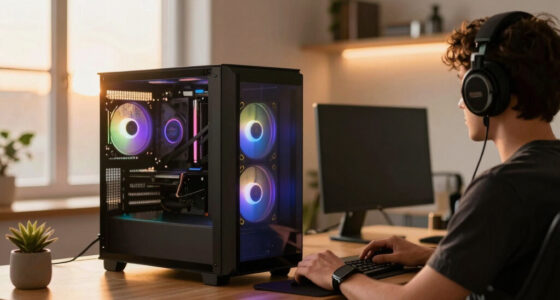
If you’re searching for gaming routers with QoS, you’re likely looking for a device that prioritizes your gaming traffic for smoother gameplay and reduced lag. The TP-Link Archer AXE75 stands out as the best overall pick thanks to its tri-band WiFi 6E support and robust QoS features. For high-end performance, the ASUS ROG Rapture GT-BE98 PRO offers WiFi 7 and advanced gaming optimizations, though at a higher price. Meanwhile, the NETGEAR Nighthawk RS90 delivers excellent dual-band WiFi 7 at a more accessible cost. Readers should consider tradeoffs such as price versus feature set and ease of setup when choosing a router. Continue reading for a detailed breakdown to find the best fit for your gaming setup.

Get the latest gadgets delivered free with Prime
- Fast, free delivery on millions of items
- Prime Video, Amazon Music and more included
- Member-only deals all year
Complete the kit



Key Takeaways
- Tri-band WiFi 6E routers generally offer better bandwidth management for gaming, especially with QoS enabled.
- WiFi 7 models provide the latest technology and lower latency but often come with a higher price tag.
- Premium routers like ASUS ROG models pack advanced features, but simpler dual-band options still support effective QoS for most gamers.
- Ease of setup and user interface quality can significantly impact your experience with configuring QoS features.
- Price-performance varies widely; investing in a higher-tier router often yields better latency and stability for competitive gaming.
| TP-Link AXE5400 Tri-Band WiFi 6E Router (Archer AXE75) |  | Best Overall for Versatile Home Networking with QoS | WiFi Speed: Up to 5400 Mbps | Bands: Tri-Band (6 GHz, 5 GHz, 2.4 GHz) | Processor: 1.0 GHz dual-core CPU | VIEW ON AMAZON | See Our Full Breakdown |
| MSI Radix AX6600 WiFi 6 Tri-Band Gaming Router with AI QoS, 1.8GHz Quad-Core Processor, MU-MIMO, High-Speed Long Range |  | Best for Gaming with AI-Optimized QoS and Extensive Coverage | Frequency Band: Tri-Band (2.4GHz + 5GHz + 6GHz) | Max Speed: 6.6 Gbps | Processor: 1.8 GHz Quad-Core | VIEW ON AMAZON | See Our Full Breakdown |
| ASUS ROG Rapture GT-BE98 PRO Quad-Band WiFi 7 Gaming Router (Renewed) |  | Best for Ultra-Fast Gaming with WiFi 7 and Multi-Gig Ports | Wireless Standard: WiFi 7 (802.11be) | Max Speed: 30 Gbps | Ports: 2x 10G, 4x 2.5G | VIEW ON AMAZON | See Our Full Breakdown |
| NETGEAR Nighthawk Dual-Band WiFi 7 Router (RS90) |  | Best for Large Homes with Reliable WiFi 7 and Easy Management | Speed: Up to 3.6 Gbps | Coverage: Up to 2,000 sq. ft. | Device Capacity: 50 devices | VIEW ON AMAZON | See Our Full Breakdown |
| TP-Link Tri-Band AXE5400 Wi-Fi 6E Gaming Router Archer GXE75 |  | Best for High-Speed Gaming with Extensive Device Support | Wi-Fi Speed: Up to 5.4 Gbps | Bands: Tri-band (2.4 GHz, 5 GHz, 6 GHz) | Ports: 1 x 2.5Gbps WAN/LAN, 3 x 1Gbps LAN, USB | VIEW ON AMAZON | See Our Full Breakdown |
| ASUS TUF Gaming BE6500 WiFi 7 Router – Dual-Band, Up to 6.5 Gbps Wireless, Game Accelerator, Multi-Link Operation, (x4) 2.5GbE Ports, Mesh + VPN Compatible, Subscription-Free Network Security |  | Best Overall for High-Speed Gaming and Advanced Security | WiFi Standard: WiFi 7 (802.11be) | Max Speed: 6.5 Gbps | Ports: 4 x 2.5GbE (1 WAN, 3 LAN) | VIEW ON AMAZON | See Our Full Breakdown |
| TP-Link BE6500 Dual-Band WiFi 7 Router (BE400) |  | Best Value for Wide Coverage and Multi-Device Use | Wi-Fi Technology: Wi-Fi 7 | Max Speed: up to 5764 Mbps | Coverage: Up to 2,400 sq. ft. | VIEW ON AMAZON | See Our Full Breakdown |
| ASUS RT-AC87U AC2400 Dual Band Gigabit WiFi Router with Lifetime Security |  | Best for Budget-Conscious Gaming with Reliable Security | Wi-Fi Standard: 802.11AC | Data Rate: 2334 Mbps | Bands: Dual Band | VIEW ON AMAZON | See Our Full Breakdown |
| TP-Link AX1800 WiFi 6 Router (Archer AX21 V5) |  | Best for Entry-Level WiFi 6 with Wide Coverage | Technology: Wi-Fi 6 (802.11ax) | Bands: Dual-band | Total Speed: 1.8 Gbps | VIEW ON AMAZON | See Our Full Breakdown |
| ASUS RT-AX3000 WiFi 6 Dual-Band Gigabit Router |  | Best for High-Speed Home and Small Office Use | Maximum Range: 3000 sq ft | WiFi Standard: WiFi 6 (802.11ax) | Total Network Speed: 3000 Mbps | VIEW ON AMAZON | See Our Full Breakdown |
| ASUS AC2900 WiFi Gaming Router (RT-AC86U) |  | Best Overall for Balanced Gaming Performance and Security | Max Data Transfer Speed: 2900 Mbps | Wireless Standard: 802.11ac | Processor: 1.8GHz dual-core | VIEW ON AMAZON | See Our Full Breakdown |
| ASUS ROG Strix GS-BE12000 WiFi 7 Gaming Router – Tri-Band, 12Gbps, Mesh |  | Best for Cutting-Edge Speed and Extensive Coverage | WiFi Standard: WiFi 7 (802.11be) | Maximum Speed: 12,000 Mbps | Processor: Quad-core 2.0GHz | VIEW ON AMAZON | See Our Full Breakdown |
| NETGEAR Nighthawk R7350 AC2400 WiFi Router with Beamforming, MU-MIMO, Dual Band, Gigabit Ethernet, USB 3.0 |  | Best for Easy Setup and Balanced Performance | WiFi Speed: 2400 Mbps | WiFi Standard: 802.11ac | Number of Ethernet Ports: 5 | VIEW ON AMAZON | See Our Full Breakdown |
| MSI Radix AXE6600 WiFi 6E Tri-Band Gaming Router with AI QoS, RGB, 1.8GHz Quad-Core Processor |  | Best for High-Speed Gaming with Customizable Aesthetics | WiFi Standard: WiFi 6E (802.11ax) | Max Speed: 6.6Gbps | Processor: 1.8GHz quad-core | VIEW ON AMAZON | See Our Full Breakdown |
| gaming routers with qo | Security | Ports |
|---|---|---|
| TP-Link AXE5400 Tri-Band WiFi | TP-Link HomeShield, VPN support | — |
| MSI Radix AX6600 WiFi 6 Tri-Ba | — | — |
| ASUS ROG Rapture GT-BE98 PRO Q | — | 2x 10G, 4x 2.5G |
| NETGEAR Nighthawk Dual-Band Wi | NETGEAR Armor, Advanced protection | 1x 2.5G WAN, 4x 1G Ethernet |
| TP-Link Tri-Band AXE5400 Wi-Fi | WPA3, VPN, parental controls | 1 x 2.5Gbps WAN/LAN, 3 x 1Gbps LAN, USB |
| ASUS TUF Gaming BE6500 WiFi 7 | Subscription-Free Network Security | 4 x 2.5GbE (1 WAN, 3 LAN) |
| TP-Link BE6500 Dual-Band WiFi | WPA3, HomeShield | 1x 2.5 Gbps WAN/LAN, 1x 2.5 Gbps LAN, 3x 1 Gbps LAN |
| ASUS RT-AC87U AC2400 Dual Band | Trend Micro Aiprotection | USB 2.0, USB 3.0 |
| TP-Link AX1800 WiFi 6 Router | Advanced security, VPN support | — |
| ASUS RT-AX3000 WiFi 6 Dual-Ban | AiProtection Pro | — |
| ASUS AC2900 WiFi Gaming Router | Trend Micro built-in protection | 1x USB 3.1 Gen1, 4x Gigabit LAN |
| ASUS ROG Strix GS-BE12000 WiFi | AiProtection Pro, WPA3 | — |
| NETGEAR Nighthawk R7350 AC2400 | WPA2 (no WPA3) | — |
| MSI Radix AXE6600 WiFi 6E Tri- | — | — |
More Details on Our Top Picks
TP-Link AXE5400 Tri-Band WiFi 6E Router (Archer AXE75)
The TP-Link AXE5400 stands out for delivering fast tri-band speeds up to 5400 Mbps, with the addition of the 6 GHz band reducing congestion and latency—an advantage over dual-band options like the NETGEAR RS90. Its support for EasyMesh enables seamless whole-home coverage, making it suitable for large households with multiple devices. While the setup involves some technical steps, its robust security features and VPN support make it a well-rounded choice for advanced users. Compared to the MSI Radix, it offers easier management and broader compatibility, though it lacks the raw processing power and gaming-specific features of the MSI. This router is ideal for users who want a high-performance, flexible network that can handle gaming, streaming, and smart home devices without sacrificing coverage or security.
Pros:- Fast tri-band speeds with dedicated 6 GHz band for low latency gaming
- Supports EasyMesh for expanded coverage in large homes
- Robust security features including VPN support
- Dual-core CPU and 512 MB high-speed memory for reliable performance
Cons:- Requires a compatible modem for most ISPs, adding complexity
- Advanced features may be overwhelming for non-technical users
Best for: Tech-savvy homeowners seeking a fast, reliable WiFi 6E network with flexible coverage and security options.
Not ideal for: Casual users or those unfamiliar with network setup who prefer plug-and-play simplicity without complex configuration.
- WiFi Speed:Up to 5400 Mbps
- Bands:Tri-Band (6 GHz, 5 GHz, 2.4 GHz)
- Processor:1.0 GHz dual-core CPU
- Memory:512 MB high-speed memory
- Supports EasyMesh:Yes
- Security:TP-Link HomeShield, VPN support
Our verdict“This router is best suited for power users who need high speed, extensive coverage, and advanced security features in their home network.”
MSI Radix AX6600 WiFi 6 Tri-Band Gaming Router with AI QoS, 1.8GHz Quad-Core Processor, MU-MIMO, High-Speed Long Range
The MSI Radix AX6600 excels in gaming environments thanks to its AI QoS, which automatically prioritizes gaming traffic, and its powerful 1.8 GHz quad-core processor that handles multiple demanding tasks smoothly. Its tri-band WiFi 6E setup offers speeds up to 6.6 Gbps, surpassing many competitors like the ASUS ROG GT-BE98 PRO in raw speed, though it faces a steeper learning curve during setup. The extensive 6-antenna array ensures broad coverage, making it suitable for large homes with many devices. However, with only two LAN ports, it’s less flexible for wired setups compared to the ASUS ROG or TP-Link GXE75. This model makes the most sense for gamers or streamers who prioritize traffic management and high-speed wireless connections over simplicity.
Pros:- High-speed tri-band WiFi 6E with up to 6.6 Gbps
- AI QoS for automatic traffic prioritization, ideal for gaming
- Powerful 1.8 GHz quad-core processor for reliability
- Extensive coverage with 6 antennas
Cons:- Complex setup process for non-technical users
- Limited LAN ports (only 2), restricting wired connections
- Premium price may be prohibitive for casual users
Best for: Hardcore gamers and streamers needing optimized traffic management and extensive coverage for multiple devices.
Not ideal for: Users seeking a simple, plug-and-play router without advanced setup or who need many wired connections.
- Frequency Band:Tri-Band (2.4GHz + 5GHz + 6GHz)
- Max Speed:6.6 Gbps
- Processor:1.8 GHz Quad-Core
- RAM:512 MB
- Number of Antennas:6
- Security Protocols:WPA2-PSK, WPA3-PSK
Our verdict“This router is perfect for gamers and streamers who need intelligent traffic management and extensive wireless coverage at high speeds.”
ASUS ROG Rapture GT-BE98 PRO Quad-Band WiFi 7 Gaming Router (Renewed)
The ASUS ROG Rapture GT-BE98 PRO offers blazing fast WiFi 7 speeds up to 30 Gbps, making it ideal for users who want the absolute fastest wireless connections and multiple wired options. Its quad-band setup, with dual 10G ports, surpasses the MSI Radix in wired versatility. The external dual-feeding antennas enhance coverage, but the setup process can be daunting for beginners. Its WiFi 7 features like 4096-QAM and 320 MHz channels ensure minimal lag, especially for competitive gaming. Compared with the TP-Link AXE5400, it emphasizes maximum wired and wireless speed, though the complexity and the fact it’s a renewed product may be drawbacks for some. This router suits enthusiasts who demand top-tier performance and are comfortable with advanced configuration.
Pros:- Supports WiFi 7 speeds up to 30 Gbps
- Dual 10G ports for maximum wired throughput
- External antennas for improved coverage
- Advanced gaming acceleration features
Cons:- Setup can be complex for newcomers
- Renewed product might have limited warranty
- High price may be unnecessary for average users
Best for: Enthusiast gamers and high-end users who prioritize maximum speeds and wired connectivity, and are comfortable with setup complexity.
Not ideal for: Casual users or those seeking a straightforward setup, as the router’s advanced features and renewal status may be challenging.
- Wireless Standard:WiFi 7 (802.11be)
- Max Speed:30 Gbps
- Ports:2x 10G, 4x 2.5G
- Antennas:2 external dual-feeding
- Security Protocol:WPA3
- Coverage:High efficiency with external antennas
Our verdict“This router is best for tech-savvy enthusiasts who need the fastest possible speeds and multiple wired connections for gaming or large data transfers.”
NETGEAR Nighthawk Dual-Band WiFi 7 Router (RS90)
The NETGEAR Nighthawk RS90 delivers dual-band WiFi 7 speeds up to 3.6 Gbps, focusing on ease of use and broad coverage—making it a strong choice for large homes. Its compatibility with most ISP types and straightforward setup via the Nighthawk app simplifies deployment, unlike the MSI Radix which demands more technical effort. Though it offers less raw speed than tri-band or WiFi 7 flagship models, its coverage area of up to 2,000 sq. ft. and support for 50 devices make it practical for bigger households. The optional NETGEAR Armor subscription adds security but incurs ongoing costs. This router makes sense for users who need a reliable, manageable WiFi 7 network without the highest speeds or advanced customization.
Pros:- Reliable WiFi 7 speeds up to 3.6 Gbps
- Wide coverage suitable for large homes
- Simple setup with the Nighthawk app
- Multi-gig wired ports for future-proofing
Cons:- Requires a compatible modem, adding complexity
- Limited maximum speed compared to tri-band WiFi 7 routers
- Optional Armor subscription adds ongoing cost
Best for: Large households or those looking for a reliable, easy-to-manage WiFi 7 network with good coverage and security features.
Not ideal for: Power users or gamers needing ultra-high speeds or specialized traffic management, who may find the dual-band setup limiting.
- Speed:Up to 3.6 Gbps
- Coverage:Up to 2,000 sq. ft.
- Device Capacity:50 devices
- Ports:1x 2.5G WAN, 4x 1G Ethernet
- Security:NETGEAR Armor, Advanced protection
- WiFi Bands:Dual-band
Our verdict“This router offers dependable WiFi 7 coverage and ease of use, making it ideal for large homes needing reliable wireless connectivity without demanding features.”
TP-Link Tri-Band AXE5400 Wi-Fi 6E Gaming Router Archer GXE75
The TP-Link Archer GXE75 combines Wi-Fi 6E’s high speeds with tri-band architecture, offering up to 5.4 Gbps and a dedicated 6 GHz band to minimize congestion during gaming sessions. Its 2.5G multi-gigabit port supports ultra-fast wired connections, making it suitable for heavy internet users or gamers who rely on low latency. Its extensive management features, including VPN and parental controls, add versatility. Compared to the MSI Radix, it offers a more straightforward setup and broader compatibility but falls short on advanced AI QoS and processing power. Its size and complexity may be overkill for casual users, yet for dedicated gamers or households with many connected devices, it delivers a balanced mix of speed, security, and device support.
Pros:- High-speed tri-band Wi-Fi 6E with dedicated 6 GHz band
- 2.5G multi-gigabit port for fast wired connections
- Advanced security including VPN and parental controls
- Supports up to 100 devices with extensive management options
Cons:- Setup process can be complex for non-technical users
- Large size may require ample space for placement
- Premium price might be high for casual users
Best for: Gamers and heavy internet users who need fast speeds, extensive device support, and reliable performance.
Not ideal for: Beginners or casual users who prefer simple, plug-and-play solutions and do not require high-end features.
- Wi-Fi Speed:Up to 5.4 Gbps
- Bands:Tri-band (2.4 GHz, 5 GHz, 6 GHz)
- Ports:1 x 2.5Gbps WAN/LAN, 3 x 1Gbps LAN, USB
- Processor:Quad-core CPU
- Security:WPA3, VPN, parental controls
- Maximum Devices:Up to 100
Our verdict“This router is ideal for gamers and power users who want fast, secure, and extensive device support with a straightforward wired and wireless setup.”
ASUS TUF Gaming BE6500 WiFi 7 Router – Dual-Band, Up to 6.5 Gbps Wireless, Game Accelerator, Multi-Link Operation, (x4) 2.5GbE Ports, Mesh + VPN Compatible, Subscription-Free Network Security
The ASUS TUF Gaming BE6500 stands out for delivering ultra-fast WiFi 7 speeds up to 6.5 Gbps, making it ideal for gamers who need low latency and seamless performance. Its multi-link operation and game acceleration features give it an edge over rivals like the TP-Link BE6500, which, while offering great coverage and security, doesn’t match the raw speed or gaming-specific optimizations. The BE6500’s four 2.5GbE ports support multiple wired devices, but its complex setup and premium price may deter casual users. This router is best suited for dedicated gamers or power users who prioritize speed and security over simplicity. However, its over-specification for average households means some might find it unnecessarily expensive and complicated.
Pros:- Exceptional WiFi 7 speeds up to 6.5 Gbps for lag-free gaming
- Game-specific optimizations and low latency performance
- Multiple 2.5GbE ports for fast wired connections
- Durable build with security features included
Cons:- Premium price may be outside budget for casual users
- Setup can be overly complex for non-technical buyers
Best for: Gamers and high-performance users who demand maximum speed, low latency, and robust security
Not ideal for: Casual internet users or those seeking a straightforward setup without advanced features
- WiFi Standard:WiFi 7 (802.11be)
- Max Speed:6.5 Gbps
- Ports:4 x 2.5GbE (1 WAN, 3 LAN)
- Security:Subscription-Free Network Security
- Compatibility:WiFi 6, WiFi 6E, WiFi 5
- Design:Durable with indivisible antennas and metal port protectors
Our verdict“This router suits gamers and tech enthusiasts who need top-tier speed and security without concern for ease of setup.”
TP-Link BE6500 Dual-Band WiFi 7 Router (BE400)
The TP-Link BE6500 offers reliable WiFi 7 performance with speeds up to nearly 5800 Mbps, making it a great choice for large households or busy environments. Its advanced features like Multi-Link Operation and MU-MIMO help it outperform older WiFi 6 routers, such as the ASUS RT-AX3000, especially in multi-device scenarios. Unlike the ASUS TUF BE6500, which is geared toward gamers and has a premium price, the TP-Link provides broad coverage and strong security with WPA3 and HomeShield at a more accessible price point. However, it isn’t compatible with mesh systems like Deco, and setting it up could be daunting for less tech-savvy users. This makes it ideal for large homes needing stable, fast WiFi across many devices, but less so for those who want simple plug-and-play solutions.
Pros:- Supports WiFi 7 with high speeds up to 5800 Mbps
- Wide coverage suitable for large homes
- Advanced security with WPA3 and HomeShield
- Multiple high-speed wired ports
Cons:- Not compatible with mesh WiFi systems
- Setup may be complex for beginners
Best for: Large households or small offices needing extensive coverage and multi-device reliability
Not ideal for: Users seeking mesh compatibility or simple, quick setup
- Wi-Fi Technology:Wi-Fi 7
- Max Speed:up to 5764 Mbps
- Coverage:Up to 2,400 sq. ft.
- Ports:1x 2.5 Gbps WAN/LAN, 1x 2.5 Gbps LAN, 3x 1 Gbps LAN
- Security:WPA3, HomeShield
- Dimensions:10.6 x 6 x 1.9 inches
Our verdict“Ideal for large homes or offices requiring high-speed coverage with advanced security and multiple wired options.”
ASUS RT-AC87U AC2400 Dual Band Gigabit WiFi Router with Lifetime Security
The ASUS RT-AC87U remains a solid choice for budget-conscious gamers who still want decent speed and security. With up to 2334 Mbps, it handles 4K streaming and gaming well, especially compared to older AC routers like the TP-Link AX1800, which offers similar speeds but with newer WiFi 6 tech. Its MU-MIMO antennas and beamforming ensure stable multi-device connections, while the lifetime Trend Micro security provides peace of mind. That said, setup can be intimidating for those less familiar with networking, and it lacks WiFi 6 support, making it less future-proof as devices increasingly adopt newer standards. This makes it suitable for gamers on a budget or households with existing AC devices, but not for those seeking cutting-edge WiFi 6/7 features.
Pros:- High-speed dual-band WiFi up to 2334 Mbps
- Lifetime security with Trend Micro Aiprotection
- Stable multi-device connections via MU-MIMO
- Multiple USB ports for device sharing
Cons:- No support for WiFi 6 or 7
- Setup may be complicated for non-technical users
Best for: Budget-conscious gamers or families with existing AC devices needing reliable WiFi security
Not ideal for: Early adopters or users wanting WiFi 6/7 future-proofing
- Wi-Fi Standard:802.11AC
- Data Rate:2334 Mbps
- Bands:Dual Band
- Security:Trend Micro Aiprotection
- Ports:USB 2.0, USB 3.0
- Antenna:4×4 MU-MIMO with beamforming
Our verdict“A budget-friendly choice for gamers prioritizing security and stability over the latest WiFi standards.”
TP-Link AX1800 WiFi 6 Router (Archer AX21 V5)
The TP-Link AX1800 offers an affordable entry into WiFi 6, with speeds up to 1.8 Gbps and broad coverage thanks to high-gain antennas. While it doesn’t match the raw speeds or advanced features of higher-end WiFi 6 routers like the ASUS RT-AX3000, it still supports OFDMA and MU-MIMO, ensuring multiple devices can connect smoothly. Compared to older WiFi 5 models, this device provides noticeable improvements in speed and efficiency, but it’s less suitable for heavy gaming or large smart home setups that demand more bandwidth and advanced QoS features. Setup is straightforward, making it suitable for users unfamiliar with networking, but its limited maximum bandwidth might bottleneck demanding activities.
Pros:- Supports WiFi 6 speeds up to 1.8 Gbps
- Good coverage with high-gain antennas
- Supports OFDMA and MU-MIMO for multiple devices
- Easy setup suitable for novices
Cons:- Limited maximum bandwidth for intensive gaming
- No support for WiFi 6E or 6 GHz band
Best for: Home users seeking affordable WiFi 6 with decent coverage and basic gaming performance
Not ideal for: Heavy gamers or households with many high-bandwidth devices requiring WiFi 6/7 features
- Technology:Wi-Fi 6 (802.11ax)
- Bands:Dual-band
- Total Speed:1.8 Gbps
- Max Speed (5 GHz):1200 Mbps
- Coverage:Long range with beamforming
- Security:Advanced security, VPN support
Our verdict“A budget-friendly WiFi 6 router suitable for small households or casual gamers needing wider coverage and decent speeds.”
ASUS RT-AX3000 WiFi 6 Dual-Band Gigabit Router
The ASUS RT-AX3000 is a well-rounded WiFi 6 router with speeds up to 2.7 Gbps, making it suitable for demanding home environments or small offices. Its support for OFDMA, MU-MIMO, and Adaptive QoS gives it an edge over older models like the ASUS RT-AC87U, especially in multi-device scenarios. Its coverage of up to 3000 square feet and AiMesh compatibility make it flexible for expanding networks. While setup can be complex for less tech-savvy users, its modern features and security with AiProtection Pro make it a good investment for those wanting future-proofing. It doesn’t support the 6 GHz band, which could limit speed gains as WiFi 6E becomes more widespread.
Pros:- Fast WiFi 6 speeds up to 2.7 Gbps
- Extensive coverage up to 3000 sq ft
- Supports AiMesh for mesh expansion
- Enhanced security with AiProtection Pro
Cons:- Setup can be complex for beginners
- No support for WiFi 6E or 6 GHz band
Best for: Home users and small offices needing fast, secure WiFi 6 with room to grow
Not ideal for: Users seeking WiFi 6E or the absolute latest in high-bandwidth WiFi tech
- Maximum Range:3000 sq ft
- WiFi Standard:WiFi 6 (802.11ax)
- Total Network Speed:3000 Mbps
- Ethernet Ports:1x WAN, 4x 1G LAN
- Security:AiProtection Pro
- Mesh Compatibility:AiMesh
Our verdict“A highly capable WiFi 6 router ideal for tech-savvy users seeking speed and future-proofing in a home or small office setting.”
ASUS AC2900 WiFi Gaming Router (RT-AC86U)
The ASUS RT-AC86U stands out for offering a reliable mix of high-speed dual-band WiFi with up to 2900 Mbps, making it suitable for demanding gaming and streaming. Its dual-core 1.8GHz processor and MU-MIMO support ensure smooth traffic handling, comparable to the more advanced ASUS ROG Strix GS-BE12000 but at a more accessible price. While setup may pose challenges for beginners and its size could be awkward in tight spaces, the built-in Trend Micro security provides peace of mind that many routers lack. This model is best suited for gamers who want solid performance without the complexity or premium cost of WiFi 7 routers.
Pros:- High-speed dual-band WiFi with up to 2900 Mbps
- Built-in Trend Micro security for protection
- Supports AiMesh for extended coverage
Cons:- Setup can be complicated for beginners
- Large size may not fit in small spaces
Best for: Gamers and streamers seeking a dependable, secure router that balances speed and ease of use.
Not ideal for: Users wanting the latest WiFi technology or ultra-wide coverage, as this model doesn’t support WiFi 6E or WiFi 7 and has limited coverage options.
- Max Data Transfer Speed:2900 Mbps
- Wireless Standard:802.11ac
- Processor:1.8GHz dual-core
- Antenna:External detachable x 3, Internal x 1
- Ports:1x USB 3.1 Gen1, 4x Gigabit LAN
- Security:Trend Micro built-in protection
Our verdict“This router suits gamers who prioritize reliable performance and security over cutting-edge WiFi standards.”
ASUS ROG Strix GS-BE12000 WiFi 7 Gaming Router – Tri-Band, 12Gbps, Mesh
The ASUS ROG Strix GS-BE12000 excels in delivering ultra-fast tri-band WiFi 7 speeds up to 12,000 Mbps, far surpassing the ASUS RT-AC86U’s capabilities. Its quad-core 2.0GHz processor and 8 internal antennas support extensive coverage and multiple device connections, making it ideal for large smart homes or gaming setups with multiple players. Unlike the RT-AC86U, its WiFi 7 support future-proofs connectivity, though setup can be daunting for less tech-savvy users, and its size requires ample space. This pick makes the most sense for those who need the highest speeds, maximum coverage, and advanced security features like WPA3, especially in a busy household or gaming environment.
Pros:- Tri-band WiFi 7 with up to 12Gbps speeds
- Extensive coverage up to 3000 sq. ft.
- Multiple SSIDs for IoT and VPN configurations
Cons:- Complex setup process for non-technical users
- High price point may be prohibitive
Best for: Power users demanding top-tier speeds, coverage, and WiFi 7 support for complex networks.
Not ideal for: Casual users or those with limited space, as its large size and complexity could be overkill for simple setups.
- WiFi Standard:WiFi 7 (802.11be)
- Maximum Speed:12,000 Mbps
- Processor:Quad-core 2.0GHz
- Antennas:8 internal
- Coverage:up to 3000 sq. ft.
- Security:AiProtection Pro, WPA3
Our verdict“This router is ideal for advanced users who need the latest WiFi tech combined with extensive coverage and blazing speeds.”
NETGEAR Nighthawk R7350 AC2400 WiFi Router with Beamforming, MU-MIMO, Dual Band, Gigabit Ethernet, USB 3.0
The NETGEAR Nighthawk R7350 offers a well-rounded mix of performance and user-friendliness, delivering up to 2400 Mbps across dual bands. Its MU-MIMO and beamforming technology help prioritize gaming traffic, comparable to the ASUS RT-AC86U but with a more straightforward setup process. While it lacks advanced security features like WPA3 and has only one USB port, its five Gigabit Ethernet ports support multiple wired devices, making it a strong choice for those who want simple, reliable performance with easy management through the Nighthawk app. This makes it suitable for moderate gaming households that value simplicity over cutting-edge WiFi standards.
Pros:- Supports WiFi speeds up to 2400 Mbps
- Easy setup with the Nighthawk app
- Multiple Gigabit Ethernet ports for wired connections
Cons:- Lacks WPA3 security protocols
- Limited to one USB port, restricting peripheral options
Best for: Home gamers and streaming households seeking a straightforward, reliable dual-band router with good QoS support.
Not ideal for: Users looking for WiFi 6E, advanced security features, or maximum future-proofing, as this model remains on WiFi 5 technology.
- WiFi Speed:2400 Mbps
- WiFi Standard:802.11ac
- Number of Ethernet Ports:5
- USB Ports:1 USB 3.0
- Coverage Area:2500 sq ft
- Security:WPA2 (no WPA3)
Our verdict“This router is best for users wanting reliable, easy-to-manage WiFi for gaming and streaming without the latest standards or advanced security features.”
MSI Radix AXE6600 WiFi 6E Tri-Band Gaming Router with AI QoS, RGB, 1.8GHz Quad-Core Processor
The MSI Radix AXE6600 combines tri-band WiFi 6E with AI-driven QoS to optimize gaming traffic effectively, making it a great choice for gamers who want both performance and style. Its support for speeds up to 6.6Gbps and wide coverage surpasses the capabilities of the ASUS RT-AC86U, especially with the addition of 6 antennas and WiFi 6E’s 6GHz band for less interference. However, the setup can be intimidating for less experienced users, and it offers only one Ethernet port, which could limit wired device connections. This router is best for enthusiasts seeking high speeds, modern WiFi standards, and aesthetic flair in a gaming setup, though at a premium price and complexity.
Pros:- Supports WiFi 6E with speeds up to 6.6Gbps
- AI QoS for intelligent traffic management
- RGB Mystic Light for customizable aesthetics
Cons:- Setup may be difficult for non-technical users
- Limited to one Ethernet port, restricting wired device connections
Best for: Tech-savvy gamers wanting ultra-fast WiFi 6E, AI QoS, and aesthetic customization for high-performance gaming environments.
Not ideal for: Less experienced users or households with simple needs, due to complicated setup and limited wired ports.
- WiFi Standard:WiFi 6E (802.11ax)
- Max Speed:6.6Gbps
- Processor:1.8GHz quad-core
- Antennas:6
- Coverage:Wide coverage
- Security Protocols:WPA3-PSK, WPA2-PSK
Our verdict“This router is ideal for gamers who prioritize cutting-edge WiFi 6E speeds and customizable style, despite setup complexity and port limitations.”

How We Picked
The routers in this roundup were selected based on their ability to deliver reliable, high-speed internet with effective QoS features tailored for gaming. We prioritized models with advanced WiFi standards (WiFi 6, 6E, 7), powerful processors, and customizable QoS settings. Ease of use, firmware stability, and manufacturer reputation also played roles in the ranking. Devices offering a clear balance of performance and value were favored, while high-end options were included for gamers seeking premium features. Overall, the goal was to identify routers that can handle demanding gaming traffic without sacrificing network stability or requiring complex setup processes.Factors to Consider When Choosing Gaming Routers With Qos
Choosing the right gaming router with QoS involves several key considerations beyond raw specs. Understanding these factors can help you avoid common pitfalls like overpaying for features you don’t need or selecting a device that doesn’t support your home network’s complexity. The following sections highlight important aspects to consider to make an informed purchase that aligns with your gaming habits and network environment.Performance and WiFi Standards
Prioritize routers supporting at least WiFi 6 or WiFi 6E, as these standards offer higher throughput and better handling of multiple devices, which is vital for gaming. WiFi 7 is the latest, promising even lower latency and improved efficiency, but it comes at a premium. If your devices are compatible, investing in WiFi 6E or 7 can future-proof your setup, especially for competitive gaming where every millisecond counts. Keep in mind that actual performance depends on your internet plan and home layout, so check for real-world reviews beyond specs.
QoS Capabilities and Customization
Effective QoS (Quality of Service) allows prioritization of gaming traffic over other network activities. Look for routers with user-friendly QoS settings, such as customizable rules or automatic prioritization based on device or application. Some models include AI-driven QoS that dynamically adjusts priority, which benefits less tech-savvy users. Be wary of routers that claim QoS but lack granular controls, as this can lead to suboptimal prioritization and lag during intense gaming sessions.
Processor Power and Memory
A potent CPU and ample RAM help ensure your router can handle multiple devices and heavy traffic without slowing down. Gaming routers with quad-core processors and dedicated hardware acceleration tend to maintain stability even during peak usage. Cheaper models often skimp on hardware, leading to bottlenecks and inconsistent performance. For serious gamers, investing in a router with higher processing power can translate into smoother gameplay and better overall network reliability.
Ease of Setup and User Interface
A complex setup process can turn a powerful router into a frustration. Choose models with intuitive apps or web interfaces that make configuring QoS and other settings straightforward. Features like step-by-step guides, preset gaming modes, and clear firmware updates matter more than raw features. If you’re less experienced with networking, prioritize routers with strong customer support and simplified controls to avoid misconfigurations that could impair your gaming experience.
Price and Future-Proofing
While premium routers often deliver superior performance and features, they come at a higher cost. Consider your current needs and whether investing in cutting-edge tech like WiFi 7 makes sense for your budget. Mid-range models can offer excellent QoS and reliable gaming performance at a more accessible price point. Keep in mind that opting for a slightly more expensive router now can extend the lifespan of your setup and save you money on upgrades later.
Frequently Asked Questions
Can I upgrade my current router to improve gaming performance?
Yes, upgrading to a newer router with advanced QoS features, higher WiFi standards, and better hardware can significantly improve gaming performance. Many recent routers support firmware updates that enhance QoS capabilities, but replacing the device ensures you get dedicated hardware designed for high demand. When choosing an upgrade, look for models with robust processing power and user-friendly QoS controls to maximize your gaming experience.
Is WiFi 6E worth it for gaming compared to WiFi 6?
WiFi 6E offers additional spectrum in the 6GHz band, which can reduce interference and congestion, leading to more stable and faster connections—especially in busy environments. For gaming, this translates into potentially lower latency and fewer dropped connections. However, to benefit fully, your devices also need WiFi 6E compatibility, and the router must support it. If you play competitively or have many devices, investing in WiFi 6E can provide a tangible performance boost.
How important is the router’s processor for gaming QoS?
The processor’s power directly impacts how well the router can handle multiple data streams and execute QoS rules. A faster CPU with more cores means smoother prioritization of gaming traffic, less lag, and fewer disconnects during intense sessions. Cheaper routers with weaker processors may struggle under load, causing lag spikes or reduced stability. For serious gamers, a high-performance processor is a worthwhile investment to ensure consistent network quality.
Should I prioritize routers with mesh capabilities for gaming?
Mesh systems can extend coverage across larger homes, reducing dead zones that might cause lag or disconnections during gaming. If your gaming setup spans multiple rooms or floors, a mesh-enabled router can improve network consistency. However, not all mesh systems support high-end QoS or WiFi 6/7, so check for models that combine both features. For smaller spaces or single-router setups, a powerful traditional router might suffice.
Is paying more for a gaming-specific router justified?
Premium gaming routers often include features like advanced QoS, higher processing power, and specialized gaming modes that can make a noticeable difference during competitive play. If you regularly experience lag or network instability, investing in a higher-end model can enhance your gaming performance. However, for casual players, mid-range routers with solid QoS and current WiFi standards may provide sufficient performance at a better value.
Conclusion
For most gamers seeking a reliable and user-friendly experience, the TP-Link Archer AXE75 offers a compelling blend of performance and value, making it the best overall choice. If you want to future-proof your setup and don’t mind the investment, the ASUS ROG Rapture GT-BE98 PRO provides top-tier features for premium gaming. Budget-conscious players should consider the TP-Link BE6500 or similar models for solid QoS and WiFi 6 support. Beginners will benefit from routers with simple setup and interface, like the ASUS RT-AX3000, while advanced users aiming for maximum performance should explore WiFi 7 options like the NETGEAR Nighthawk RS90. Matching your specific needs and budget will ensure your gaming network remains fast, stable, and responsive.
Halloween Picks

10.5 ft Lighted Pumpkin and Ghost Halloween Inflatable Archway

27FT Giant Inflatable Pumpkin Lighted Outdoor Halloween Decor

Halloween Inflatable Haunted House Maze – 20×20 ft with Removable Roof and Blower
As an affiliate, we earn on qualifying purchases.