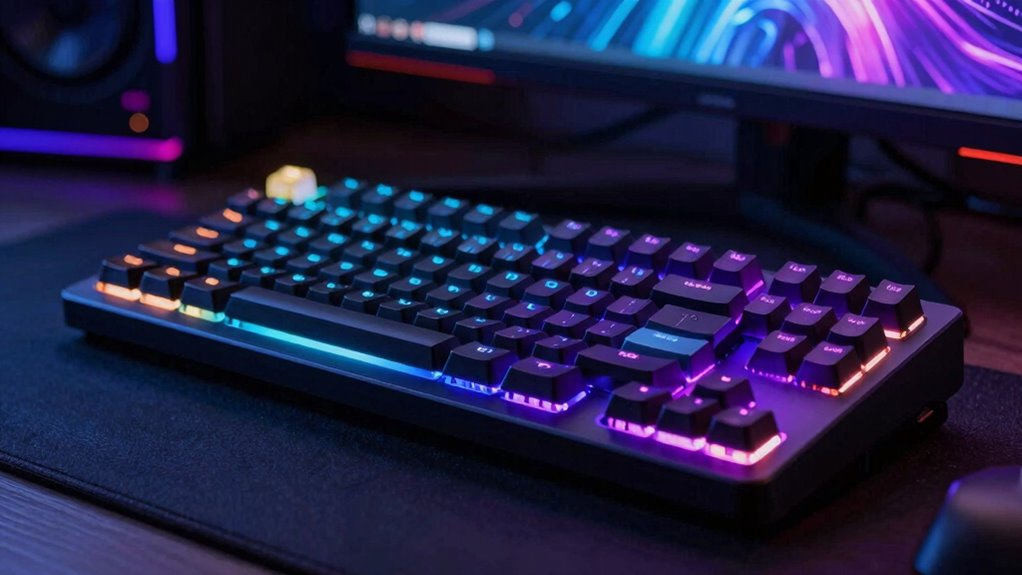

Mechanical gaming keyboards combine durability, responsiveness, and customization—key features for serious gamers. The Logitech G413 SE stands out as an excellent overall pick due to its solid build and reliable performance. For those seeking advanced features, the SteelSeries Apex Pro TKL Gen 3 offers adjustable switches and a sleek OLED display. Meanwhile, budget-conscious gamers might prefer the Redragon K580 for its affordability and full-feature set. Each of these options highlights different priorities, such as build quality, features, or price, which can make choosing the right keyboard challenging. Continue reading for a full breakdown of these options and how they compare to help you make an informed decision.

Get the latest gadgets delivered free with Prime
- Fast, free delivery on millions of items
- Prime Video, Amazon Music and more included
- Member-only deals all year
Complete the kit



Key Takeaways
- The top picks balance performance, build quality, and value, with the Logitech G413 SE leading as the best overall option.
- Features like hot-swappable switches and customizable keys are common among high-end models, but they often come with a higher price.
- Compact layouts like 65% and 75% keyboards are popular for saving desk space without sacrificing essential functions.
- Switch type (linear, tactile, or clicky) significantly impacts gaming experience, making it crucial to choose based on personal preference.
- Price ranges vary widely, but many budget models now include features once exclusive to premium options, offering good value for beginner or casual gamers.
| Logitech G413 SE Full-Size Mechanical Gaming Keyboard – Black |  | Best Overall for Durability and Classic Design | Keycaps: PBT, heat- and wear-resistant | Switches: Tactile mechanical switches | Backlighting: White LED | VIEW ON AMAZON | See Our Full Breakdown |
| RisoPhy Mechanical Gaming Keyboard, RGB Backlit, 104 Keys, Blue Switch, USB Wired |  | Best for Tactile Feedback and Custom RGB Effects | Switch Type: Blue | Backlight: RGB with 9 modes, adjustable brightness and speed | Number of Keys: 104 | VIEW ON AMAZON | See Our Full Breakdown |
| RK Royal Kludge R98 Pro Wired Mechanical Keyboard, RGB Backlit, Gasket Mount, 98 Keys, Volume Knob, Hot Swappable Linear Switches |  | Best for Customization and Compact Layout | Layout: QWERTY | Number of Keys: 98 | Connectivity: USB-C | VIEW ON AMAZON | See Our Full Breakdown |
| GEODMAER 65% Gaming Keyboard, Wired Backlit Mini Keyboard, 68 Keys, Anti-Ghosting, Compact Design for PC and Laptop |  | Best for Space-Saving Versatility | Connectivity: Wired | Number of Keys: 68 | Backlighting: RGB support, adjustable modes | VIEW ON AMAZON | See Our Full Breakdown |
| Logitech MX Mechanical Wireless Illuminated Keyboard Graphite |  | Best for Multi-Device and Quiet, Precise Typing | Weight: 29.2 oz (828 g) | Dimensions: 1.02 x 17.08 x 5.18 in | Battery: Rechargeable Li-Po 1500 mAh | VIEW ON AMAZON | See Our Full Breakdown |
| SteelSeries Apex Pro TKL Gen 3 Gaming Keyboard – OmniPoint 3.0 Analog Magnetic Switches, RGB, OLED, PBT Keycaps, USB-C, Black |  | Best Overall for Customization and Precision | Switch Type: OmniPoint 3.0 Hall Effect Magnetic | Actuation Levels: 40 (0.1mm to 4.0mm) | Bottom Out Force: 45g | VIEW ON AMAZON | See Our Full Breakdown |
| Razer BlackWidow V4 X Mechanical Gaming Keyboard, Yellow Switches, Black |  | Best for Quiet, Responsive Gaming with Macro Controls | Switch Type: Yellow Linear | Connectivity: Wired | Backlighting: RGB | VIEW ON AMAZON | See Our Full Breakdown |
| Logitech G213 Prodigy Wired RGB Gaming Keyboard – Black |  | Best for Versatile Budget Gaming and Productivity | Switch Type: Membrane | Lighting: RGB | Connectivity: Wired | VIEW ON AMAZON | See Our Full Breakdown |
| Redragon K580 Wired RGB Mechanical Gaming Keyboard with Macro Keys and Media Wheel |  | Best for Customization and Tactile Feedback on a Budget | Switch Type: Outemu Blue | Connectivity Technology: USB-C | Backlighting: RGB | VIEW ON AMAZON | See Our Full Breakdown |
| Womier SK80 75% Mechanical Gaming Keyboard with Color Multimedia Display |  | Best for Visual Customization and Compact Space-Saving Design | Display: Multimedia color screen | Layout: 75% | Switch Compatibility: 3Pin and 5Pin hot-swappable | VIEW ON AMAZON | See Our Full Breakdown |
| AULA F75 Pro Wireless Mechanical Keyboard, 75% Hot Swappable RGB Backlit Gaming Keyboard with Knob and Side Printed PBT Keycaps |  | Best Overall Wireless Mechanical Keyboard | Connection Modes: Bluetooth 5.0, 2.4GHz, USB-C | Battery Capacity: 4000mAh | Layout: 75% | VIEW ON AMAZON | See Our Full Breakdown |
| Redragon Mechanical Gaming Keyboard Wired, 11 Backlit Modes, Hot-Swappable Red Switch, Anti-Ghosting, Double-Shot PBT Keycaps |  | Best Value Mechanical Gaming Keyboard with Customizable Lighting | Compatible Devices: Most Wired Devices | Connectivity Technology: Wired | Backlit: Yes | VIEW ON AMAZON | See Our Full Breakdown |
| SteelSeries USB Apex 5 Hybrid Mechanical Gaming Keyboard with RGB and OLED Display |  | Best Premium Hybrid Mechanical Keyboard with Smart Display | Switch Type: Hybrid Blue Mechanical | Display: OLED Smart Display | Frame Material: Aircraft Grade Aluminum | VIEW ON AMAZON | See Our Full Breakdown |
| Redragon K668 108-Key Hot-Swap Wired RGB Gaming Keyboard, Extra 4 Hotkeys |  | Best Full-Size Wired Gaming Keyboard with Hot-Swap and Extra Keys | Compatibility: PC, Laptop | Connectivity: USB-C | Additional Features: 2 Sets Keycaps, Ergonomic, Hot-Swappable | VIEW ON AMAZON | See Our Full Breakdown |
| SteelSeries Apex 3 RGB Gaming Keyboard |  | Best Budget Water-Resistant RGB Keyboard | Water Resistance: IP32 | RGB Illumination: 10-zone | Switch Type: Whisper quiet gaming switches | VIEW ON AMAZON | See Our Full Breakdown |
| mechanical gaming keyboard | Switch Type | Number of Keys | Connectivity |
|---|---|---|---|
| Logitech G413 SE Full-Size Mec | — | — | — |
| RisoPhy Mechanical Gaming Keyb | Blue | 104 | USB Wired |
| RK Royal Kludge R98 Pro Wired | Linear | 98 | USB-C |
| GEODMAER 65% Gaming Keyboard | — | 68 | Wired |
| Logitech MX Mechanical Wireles | — | — | Bluetooth, Logi Bolt receiver |
| SteelSeries Apex Pro TKL Gen 3 | OmniPoint 3.0 Hall Effect Magnetic | — | USB-C |
| Razer BlackWidow V4 X Mechanic | Yellow Linear | 104 | Wired |
| Logitech G213 Prodigy Wired RG | Membrane | 19 | Wired |
| Redragon K580 Wired RGB Mechan | Outemu Blue | 104 | — |
| Womier SK80 75% Mechanical Gam | — | — | — |
| AULA F75 Pro Wireless Mechanic | Pre-lubricated Reaper switches, hot-swappable | 81 | — |
| Redragon Mechanical Gaming Key | Linear Cherry MX Red | 104 | — |
| SteelSeries USB Apex 5 Hybrid | Hybrid Blue Mechanical | — | — |
| Redragon K668 108-Key Hot-Swap | Red Switches | 108 | USB-C |
| SteelSeries Apex 3 RGB Gaming | Whisper quiet gaming switches | — | — |
More Details on Our Top Picks
Logitech G413 SE Full-Size Mechanical Gaming Keyboard – Black
The Logitech G413 SE stands out for combining a durable build with a sleek, minimalist aesthetic thanks to its brushed aluminum top case. Its PBT keycaps resist wear far better than standard ABS, making it ideal for long-term gaming or typing sessions. Unlike the RisoPhy, which offers RGB customization, the G413’s white LED backlighting is simpler but more stable and less distracting. While it lacks wireless capabilities, its wired connection ensures zero latency, a critical factor for competitive gamers. Compared to the RK R98 Pro, which offers hot-swappable switches and a volume knob, the G413’s straightforward design appeals to those prioritizing reliability over extensive customization. The tradeoff is that it misses out on advanced features like customizable macros or wireless connectivity, making it less versatile for some users.
Pros:- Durable PBT keycaps resistant to wear and shine
- Reliable anti-ghosting with 6-Key rollover
- Sleek, robust aluminum top case
Cons:- Limited to wired connection, no wireless option
- Higher price compared to membrane keyboards
Best for: Gamers and typists who want a durable, reliable, full-size keyboard with a professional look and straightforward performance.
Not ideal for: Users seeking wireless or fully customizable keyboards, or those on a tight budget due to its higher price point.
- Keycaps:PBT, heat- and wear-resistant
- Switches:Tactile mechanical switches
- Backlighting:White LED
- Layout:Full-size, Tenkeyless available
- Material:Brushed aluminum-magnesium alloy
- Features:6-Key rollover, anti-ghosting, media controls
Our verdict“This keyboard suits those who prioritize durability and a classic design over extensive customization or wireless features.”
RisoPhy Mechanical Gaming Keyboard, RGB Backlit, 104 Keys, Blue Switch, USB Wired
The RisoPhy keyboard excels for gamers who enjoy tactile, clicky blue switches that provide satisfying feedback with every keystroke. Its customizable RGB lighting with 9 modes allows users to tailor the aesthetic to their preferences, surpassing the simpler backlighting of the Logitech G413 SE. The spill-resistant design and anti-ghosting features enhance durability, especially for those who game intensively without worrying about accidental spills. However, the loud click of blue switches might be disruptive in quiet environments, unlike the quiet, low-profile switches of the Logitech MX Mechanical. Its wired connection ensures instant response, but limits portability, which could be a drawback for users needing a more mobile setup. Overall, this pick makes the most sense for gamers who want tactile feedback combined with visual flair.
Pros:- Responsive blue switches with a satisfying click
- Extensive RGB customization with multiple modes
- Anti-ghosting and spill-resistant design for durability
- Ergonomic design reduces hand fatigue
Cons:- Blue switches are loud, unsuitable for quiet environments
- Wired connection limits portability
Best for: Gamers who prioritize tactile, clicky switches and customizable RGB lighting for an immersive experience.
Not ideal for: Office workers or streamers who need a quieter keyboard, or those seeking wireless convenience.
- Switch Type:Blue
- Backlight:RGB with 9 modes, adjustable brightness and speed
- Number of Keys:104
- Connectivity:USB Wired
- Keycaps:Double injection ABS, pluggable
- Water Resistance:Hydrophobic holes for water flow
Our verdict“This keyboard is ideal for gamers who want tactile, clicky feedback paired with vibrant RGB effects and durability.”
RK Royal Kludge R98 Pro Wired Mechanical Keyboard, RGB Backlit, Gasket Mount, 98 Keys, Volume Knob, Hot Swappable Linear Switches
The RK Royal Kludge R98 Pro offers a full-sized experience in a surprisingly compact form, with a gasket mount for enhanced typing feel. Its hot-swappable linear switches make it a standout for users who love customizing their typing experience without soldering. The RGB backlighting with multiple modes rivals the RisoPhy’s, but the R98 Pro’s inclusion of a dedicated volume knob adds convenience for media control. Compared with the Logitech G413, which emphasizes build quality over customization, the R98 Pro targets users who want flexibility and a personalized touch. However, its reliance on a USB-C connection and absence of wireless options could limit compatibility with some devices, and its sound profile may be less ‘creamy’ than premium models. Still, it makes a compelling choice for enthusiasts seeking versatility.
Pros:- Supports hot-swappable linear switches for customization
- Compact yet full-sized layout with numpad and volume knob
- Vibrant RGB backlighting with multiple modes
- Durable PBT keycaps with ergonomic profile
Cons:- Requires USB-C connection, may not be compatible with older devices
- No wireless connectivity option
Best for: Power users who value switch customization, a compact full layout, and additional media controls.
Not ideal for: Those seeking a wireless setup or a keyboard with a more subdued sound profile for quiet environments.
- Layout:QWERTY
- Number of Keys:98
- Connectivity:USB-C
- Backlight:RGB
- Switch Type:Linear
- Additional Features:Hot-swappable, Volume Roller
Our verdict“This keyboard suits users who want a customizable, feature-rich full-sized experience in a compact form factor.”
GEODMAER 65% Gaming Keyboard, Wired Backlit Mini Keyboard, 68 Keys, Anti-Ghosting, Compact Design for PC and Laptop
The GEODMAER 65% keyboard is perfect for gamers and office users who need a highly compact setup without sacrificing essential features. Its 68-key layout omits the numpad and function row, making it ideal for tight spaces, similar in portability to the Redragon K580 but with mechanical feel elements. Its RGB backlit modes and anti-ghosting technology deliver a personalized gaming experience, comparable to larger gaming keyboards but in a smaller footprint. The membrane-like feel may disappoint purists who prefer true mechanical switches, unlike the tactile feedback of the RisoPhy or Logitech MX Mechanical. Its durability with over 10 million keystrokes and ergonomic design make it a sensible choice for those prioritizing portability and space efficiency, though at the cost of some tactile feedback.
Pros:- Compact 65% layout saves space for gaming and office use
- Customizable RGB backlit with multiple modes
- Durable with over 10 million keystrokes
- Anti-ghosting ensures reliable multi-key presses
Cons:- Membrane keys lack tactile feedback of true mechanical switches
- Limited key layout without numpad or dedicated function row
Best for: Gamers and users who need a compact, portable keyboard that still offers customization and durability.
Not ideal for: Users requiring full mechanical switches or a dedicated numpad for productivity tasks.
- Connectivity:Wired
- Number of Keys:68
- Backlighting:RGB support, adjustable modes
- Design:Compact 65% layout
- Material:UV coated keys for durability
- Additional Features:Anti-Ghosting, media buttons
Our verdict“This keyboard is a good choice for those who need a compact, durable gaming or work keyboard with customizable lighting.”
Logitech MX Mechanical Wireless Illuminated Keyboard Graphite
The Logitech MX Mechanical offers a refined blend of wireless convenience and high-quality typing, making it an appealing choice for multitaskers and professionals. Its low-profile mechanical switches deliver the tactile feedback of traditional switches but with quieter operation, setting it apart from the loud click of blue switches. The smart backlit keys automatically adjust to ambient lighting, reducing the need for manual adjustments that the RisoPhy or GEODMAER require. Multi-device connectivity and seamless OS switching make it suitable for users managing multiple systems, unlike the wired R98 Pro or the more gaming-focused RisoPhy. While it requires Logitech’s software for full customization and doesn’t support the Unifying receiver, its long battery life and eco-friendly materials make it ideal for everyday productivity. It strikes a balance between performance and convenience.
Pros:- Quiet, tactile low-profile mechanical switches
- Smart backlit keys that auto-adjust to lighting
- Multi-device connectivity with easy switching
- Long battery life up to 15 days
Cons:- Requires Logi Options+ software for full customization
- Not compatible with Logitech Unifying technology
Best for: Professionals and multitaskers who need a quiet, multi-device keyboard with reliable wireless connectivity.
Not ideal for: Enthusiasts seeking extensive RGB customization or hardcore gamers preferring wired setups.
- Weight:29.2 oz (828 g)
- Dimensions:1.02 x 17.08 x 5.18 in
- Battery:Rechargeable Li-Po 1500 mAh
- Connectivity:Bluetooth, Logi Bolt receiver
- Backlit Keys:Smart illumination with automatic adjustment
- Material:Includes 45% post-consumer recycled plastic
Our verdict“This keyboard offers a refined, quiet typing experience combined with smart lighting and multi-device support for everyday users.”
SteelSeries Apex Pro TKL Gen 3 Gaming Keyboard – OmniPoint 3.0 Analog Magnetic Switches, RGB, OLED, PBT Keycaps, USB-C, Black
The SteelSeries Apex Pro TKL Gen 3 stands out for its highly adjustable OmniPoint 3.0 switches, allowing gamers to tailor actuation points from 0.1mm to 4.0mm. This makes it ideal for those who want maximum control over their keystrokes—far more flexible than the fixed actuation of the Redragon K580 or Logitech G213. The OLED display offers quick access to settings without breaking immersion, while the durable PBT keycaps and aluminum top plate promise longevity. However, this advanced feature set and premium build come at a high price, and the lack of wireless connectivity may deter some. Compared with the Razer BlackWidow V4 X, which has simpler switches, the Apex Pro offers a more customizable experience but requires a steeper learning curve.
Pros:- Highly customizable actuation levels for tailored responsiveness
- Advanced features like Rapid Trigger and Protection Mode
- Premium build with durable PBT keycaps and aluminum top plate
- OLED display for quick adjustments
Cons:- Premium price may be prohibitive for budget-conscious buyers
- Complex feature set can be overwhelming for beginners
- No wireless option limits mobility
Best for: Competitive gamers and tech enthusiasts who want maximum customization and responsiveness.
Not ideal for: Casual gamers or users seeking a straightforward, plug-and-play experience at a lower cost.
- Switch Type:OmniPoint 3.0 Hall Effect Magnetic
- Actuation Levels:40 (0.1mm to 4.0mm)
- Bottom Out Force:45g
- Keycaps:Double Shot PBT
- Connectivity:USB-C
- Display:OLED Smart Display
Our verdict“This keyboard is best suited for gamers who prioritize customization and precision over simplicity and cost.”
Razer BlackWidow V4 X Mechanical Gaming Keyboard, Yellow Switches, Black
The Razer BlackWidow V4 X offers a streamlined experience with its yellow linear switches, which deliver quiet, rapid keystrokes ideal for fast-paced gaming. Unlike the Redragon K580’s blue switches, the Yellow switches provide a smoother, less noisy input, making it suitable for shared spaces or late-night gaming. The dedicated macro keys and multimedia controls add convenience, while the robust doubleshot ABS keycaps ensure durability. Still, its wired-only design and limited compatibility may restrict flexibility for some users. Compared to the Logitech G213, which has a more traditional membrane feel, the BlackWidow V4 X emphasizes responsiveness and customization, though at a higher price.
Pros:- Quiet, rapid yellow linear switches for fast response
- Dedicated macro and media keys enhance control
- Durable doubleshot ABS keycaps resist wear
- Customizable RGB lighting with over 16.8 million colors
Cons:- No wireless connectivity limits mobility
- Limited to PC, restricting cross-platform use
- Higher price compared to membrane keyboards
Best for: Gamers who need quick, quiet inputs combined with macro and media controls, especially on PC.
Not ideal for: Users seeking a wireless setup or a more tactile, clicky switch experience.
- Switch Type:Yellow Linear
- Connectivity:Wired
- Backlighting:RGB
- Number of Keys:104
- Additional Features:Macro keys, multimedia controls
- Compatibility:PC
Our verdict“This keyboard suits gamers who want fast, quiet input with extensive customization on a wired connection.”
Logitech G213 Prodigy Wired RGB Gaming Keyboard – Black
The Logitech G213 Prodigy offers a dependable full-sized design with spill resistance, making it a practical choice for gamers who also need a versatile keyboard. Its tactile keys with anti-ghosting technology deliver reliable feedback, and the customizable RGB zones allow for personalization without overwhelming complexity. Compared to more specialized mechanical options like the Womier SK80, the G213 emphasizes durability and ease of use, though its membrane switches lack the tactile and audible engagement of true mechanical switches. It’s an excellent entry point for gamers who prioritize a balance of features and affordability but may fall short for those seeking high-end mechanical feel.
Pros:- Spill-resistant, durable build suitable for long use
- Customizable RGB zones for personalized aesthetics
- Responsive keys with anti-ghosting technology
- Multimedia controls for quick media management
Cons:- No mechanical switches, resulting in less tactile feedback
- Limited upgrade options or advanced customization
- No wireless or Bluetooth support
Best for: Casual gamers and office users wanting a durable, versatile, and affordable gaming keyboard.
Not ideal for: Enthusiasts seeking premium mechanical switches and highly responsive input for competitive gaming.
- Switch Type:Membrane
- Lighting:RGB
- Connectivity:Wired
- Water Resistance:Yes
- Number of Keys:19
- Compatibility:PC
Our verdict“This keyboard provides a reliable, feature-rich experience for casual players and multitaskers at a budget-friendly price.”
Redragon K580 Wired RGB Mechanical Gaming Keyboard with Macro Keys and Media Wheel
The Redragon K580 blends affordability with solid mechanical features, thanks to its hot-swappable Outemu Blue switches that provide satisfying tactile feedback. Its dedicated macro keys and media wheel make it a versatile choice for gamers who want to optimize their controls without a hefty price tag. The water-resistant build and anti-ghosting ensure durability during intense gaming. However, the loud blue switches may be disruptive in shared environments, and the software required for full RGB customization can be somewhat cumbersome. Compared to the Womier SK80’s premium features, the K580 offers a more straightforward experience that appeals to budget-conscious gamers who still want mechanical feel and customization.
Pros:- Hot-swappable switches for easy customization
- Dedicated macro and media keys enhance gaming control
- Water-resistant and durable for long-term use
- Full anti-ghosting for fast, accurate input
Cons:- Blue switches can be loud and disruptive
- Requires software for advanced RGB effects
- Basic design may lack premium feel
Best for: Budget-conscious gamers who want switch flexibility and macro controls for competitive play.
Not ideal for: Quiet or office environments due to loud blue switches, or users seeking wireless connectivity.
- Switch Type:Outemu Blue
- Connectivity Technology:USB-C
- Backlighting:RGB
- Number of Keys:104
- Water Resistance Level:Water Resistant
- Additional Features:Hot-swappable, macro keys
Our verdict“This is an excellent choice for gamers who want tactile feedback and customization without overspending.”
Womier SK80 75% Mechanical Gaming Keyboard with Color Multimedia Display
The Womier SK80 offers a unique blend of visual flair and compactness, featuring a vibrant color multimedia display that shows GIFs, system info, and settings—an eye-catching feature not found on traditional keyboards like the Logitech G213. Its gasket mount design provides a softer, quieter typing experience, while the hot-swappable switches allow for easy customization. The extensive RGB lighting options enable personalized aesthetics, but the complex interface and display can be distracting during gaming or work. This keyboard is ideal for users who want a space-efficient, highly customizable mechanical keyboard with a visual twist, though it may be overkill for minimalists or those who prefer simple setups.
Pros:- Vibrant multimedia display enhances visual feedback
- Hot-swappable switches for easy customization
- Extensive RGB lighting options for personalization
- Gasket mount design offers a soft, quiet typing feel
Cons:- Display and complex features may distract during gaming
- Higher price point for premium features
- Setup and customization can be time-consuming
Best for: Gamers and content creators who value visual customization and a compact layout with multimedia flair.
Not ideal for: Purists seeking straightforward mechanical keyboards without additional distractions or complex features.
- Display:Multimedia color screen
- Layout:75%
- Switch Compatibility:3Pin and 5Pin hot-swappable
- Backlight:RGB with effects
- Connection:USB Type-C
- System Compatibility:Mac and Windows
Our verdict“This keyboard is perfect for users who want a compact, visually striking mechanical setup with extensive customization options.”
AULA F75 Pro Wireless Mechanical Keyboard, 75% Hot Swappable RGB Backlit Gaming Keyboard with Knob and Side Printed PBT Keycaps
This AULA F75 Pro stands out for its impressive versatility, combining wireless connectivity with wired options through Bluetooth 5.0, 2.4GHz, and USB-C, making it ideal for users who switch between devices like PCs, tablets, and consoles. The hot-swappable switches and customizable RGB lighting give it a high degree of personalization, surpassing wired-only options like the Redragon K668 in flexibility. However, its complex setup and the need for driver installation for advanced features can be a hurdle for beginners. The large battery capacity supports extended use, but RGB lighting can drain it faster. Overall, this keyboard fits those who want a space-saving, adaptable device with extensive customization, though it may require some technical patience.
Pros:- Versatile connectivity with Bluetooth, 2.4GHz, and wired options
- Hot-swappable switches for easy customization
- Rich RGB lighting with multiple effects and adjustable brightness
- Compact 75% layout saves desk space while retaining essential keys
Cons:- Complex setup with driver software for advanced customization
- Potential learning curve for new users unfamiliar with hot-swappable switches
- Battery life may vary depending on RGB lighting usage
Best for: Tech-savvy gamers and productivity users who need a portable, multi-device wireless keyboard
Not ideal for: Users seeking a plug-and-play experience without software or setup complexity
- Connection Modes:Bluetooth 5.0, 2.4GHz, USB-C
- Battery Capacity:4000mAh
- Layout:75%
- Number of Keys:81
- Backlight:RGB, 16.8 million colors, 16 preset effects
- Switch Type:Pre-lubricated Reaper switches, hot-swappable
Our verdict“This pick is best for users who prioritize wireless flexibility and customization without sacrificing essential keys.”
Redragon Mechanical Gaming Keyboard Wired, 11 Backlit Modes, Hot-Swappable Red Switch, Anti-Ghosting, Double-Shot PBT Keycaps
Compared with premium wired options like the SteelSeries Apex 5, the Redragon K668 offers a compelling balance of features at a more accessible price point. Its 11 backlit modes and hot-swappable switches make it easy to personalize your lighting and feel, while anti-ghosting ensures reliable multi-key presses for intense gaming. However, its size can feel bulky on small desks, and the switches, while satisfying for many, might not match the premium feel of higher-end models. The limited water resistance is a minor concern, but the overall feature set delivers strong value for gamers who want customization without premium costs. This keyboard is ideal for budget-conscious players who still want switch and lighting flexibility.
Pros:- 11 customizable backlit modes for personalized effects
- Hot-swappable switches for easy customization and repair
- Anti-ghosting technology for reliable gaming performance
- Includes macro editing and multimedia shortcuts
Cons:- Backlight colors limited to RGB support, no advanced effects
- Bulky size may be unsuitable for small desks
- Some may find the switches too sensitive for casual typing
Best for: Budget gamers seeking customizable lighting and switch flexibility without breaking the bank
Not ideal for: Casual typists or users preferring wireless or ultra-compact setups
- Compatible Devices:Most Wired Devices
- Connectivity Technology:Wired
- Backlit:Yes
- Switch Type:Linear Cherry MX Red
- Number of Keys:104
- Water Resistance Level:Water Resistant
Our verdict“This keyboard offers excellent customization at a budget, perfect for gamers who want more control over their lighting and switches.”
SteelSeries USB Apex 5 Hybrid Mechanical Gaming Keyboard with RGB and OLED Display
The SteelSeries Apex 5 elevates gaming with its hybrid blue switches that blend tactile feedback with smoothness, appealing to players who want a decisive click without harshness. Its OLED display offers a unique layer of customization, from game info to personalized messages, outperforming standard RGB setups like the SteelSeries Apex 3. The aircraft-grade aluminum frame boosts durability, but this premium build results in a larger size that might not suit limited desk space. The magnetic wrist rest adds comfort, yet the high price tag makes it less accessible for casual gamers. Overall, the Apex 5 suits those who prioritize advanced features and durability in a stylish, tactile package, accepting the size and cost as tradeoffs.
Pros:- Hybrid blue mechanical switches offer tactile feedback and smooth operation
- OLED smart display for gifs, game info, and messages
- Durable aircraft-grade aluminum frame for longevity
- Full palm support with magnetic wrist rest
Cons:- Large size may not fit small or cluttered desks
- Premium features come with a higher price tag
- Potentially overkill for users who prefer simple keyboards
Best for: Dedicated gamers who value tactile feedback, durability, and smart customization features
Not ideal for: Casual players or users with limited desk space seeking a lightweight, budget-friendly option
- Switch Type:Hybrid Blue Mechanical
- Display:OLED Smart Display
- Frame Material:Aircraft Grade Aluminum
- Key Count:Standard
- RGB Lighting:Per-key RGB
- Wrist Rest:Magnetic, full palm support
Our verdict“This keyboard is ideal for gamers seeking a blend of tactile feedback, durability, and smart customization at a premium level.”
Redragon K668 108-Key Hot-Swap Wired RGB Gaming Keyboard, Extra 4 Hotkeys
The Redragon K668 delivers a full-sized layout packed with features suitable for gaming and multitasking, including hot-swappable switches that allow quick customization without soldering—an advantage over non-swap models like the SteelSeries Apex 3. Its 108 keys and dedicated hotkeys for functions like mute and calculator enhance productivity, while the RGB lighting and ergonomic design boost long gaming sessions. However, its size can be unwieldy on cramped desks, and the stock switches, while functional, may not satisfy high-end switch enthusiasts. The water-resistant design offers some spill protection, but not enough for major accidents. Overall, the K668 offers a balanced mix of customization, size, and functionality for serious gamers needing a robust, full-size option.
Pros:- Hot-swappable switches for easy customization
- Dedicated hotkeys for quick access to key functions
- Vibrant RGB lighting with multiple preset modes
- Ergonomic design with adjustable feet
Cons:- Size may be too bulky for small spaces
- Stock switches are decent but may not satisfy high-end switch collectors
- Limited water resistance; spills could be problematic
Best for: Gamers who want a full-size, customizable keyboard with hot-swappable switches and dedicated hotkeys
Not ideal for: Users with limited desk space or those preferring a minimalist, compact keyboard
- Compatibility:PC, Laptop
- Connectivity:USB-C
- Additional Features:2 Sets Keycaps, Ergonomic, Hot-Swappable
- Backlighting:RGB
- Switch Type:Red Switches
- Number of Keys:108
Our verdict“This full-size keyboard is perfect for gamers who need a feature-rich, customizable layout with quick access to essential functions.”
SteelSeries Apex 3 RGB Gaming Keyboard
The SteelSeries Apex 3 offers a practical, budget-friendly option with its IP32 water resistance and 10-zone RGB lighting, making it suitable for casual gamers or those prone to spills. Its whisper-quiet switches support distraction-free gaming and typing, a feature often lacking in more aggressive mechanical models like the RisoPhy or Razer BlackWidow. While it lacks the advanced customization and build quality of higher-end models, its magnetic wrist rest and versatile compatibility with consoles and PCs make it a reliable choice for everyday gaming. However, the 10-zone lighting is less customizable than full RGB setups, and the absence of wired or wireless specifics can be confusing. This is an excellent entry-level option for gamers seeking durability and simplicity.
Pros:- Water-resistant design protects against spills
- Reactive RGB effects for lively lighting
- Quiet switches for distraction-free gaming
- Magnetic wrist rest adds comfort
Cons:- Limited to specific gaming consoles and OS
- No detailed connectivity options specified
- Less customizable RGB compared to premium models
Best for: Casual gamers and users who want water resistance and quiet operation at an affordable price
Not ideal for: High-end gaming or users who need extensive lighting customization or premium build quality
- Water Resistance:IP32
- RGB Illumination:10-zone
- Switch Type:Whisper quiet gaming switches
- Wrist Rest:Magnetic
- Compatibility:Windows, Mac, Xbox Series S/X, PS4/5
Our verdict“This keyboard suits gamers who prioritize durability, quiet operation, and affordability over advanced customization.”
How We Picked
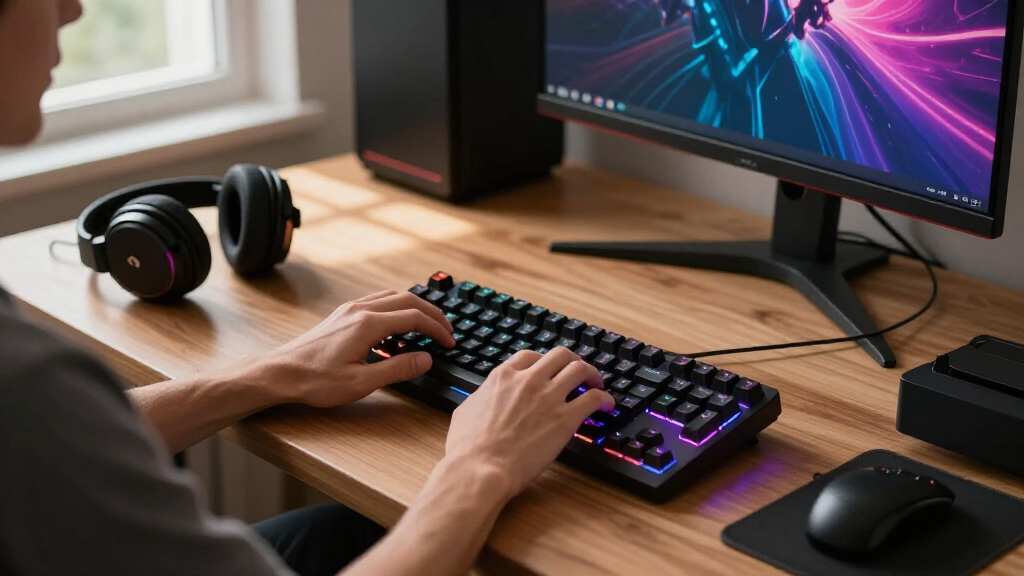
In selecting these mechanical gaming keyboards, I focused on a combination of performance, durability, and usability. Key criteria included switch responsiveness, build quality, and customization options, which are vital for gaming precision and comfort. I also considered value for money—how features compare relative to price—and versatility, such as compatibility with different devices or layout options. The ranking reflects how well each keyboard balances these factors, ensuring that both casual and competitive gamers can find suitable options. Products with notable tradeoffs, like higher cost for premium features or compact size limiting certain functionalities, were included to provide a comprehensive overview for different preferences.| mechanical gaming keyboard | Connectivity |
|---|---|
| Logitech G413 SE Full-Size Mec | — |
| RisoPhy Mechanical Gaming Keyb | USB Wired |
| RK Royal Kludge R98 Pro Wired | USB-C |
| GEODMAER 65% Gaming Keyboard | Wired |
| Logitech MX Mechanical Wireles | Bluetooth, Logi Bolt receiver |
| SteelSeries Apex Pro TKL Gen 3 | USB-C |
| Razer BlackWidow V4 X Mechanic | Wired |
| Logitech G213 Prodigy Wired RG | Wired |
| Redragon K580 Wired RGB Mechan | — |
| Womier SK80 75% Mechanical Gam | — |
| AULA F75 Pro Wireless Mechanic | — |
| Redragon Mechanical Gaming Key | — |
| SteelSeries USB Apex 5 Hybrid | — |
| Redragon K668 108-Key Hot-Swap | USB-C |
| SteelSeries Apex 3 RGB Gaming | — |
Factors to Consider When Choosing Mechanical Gaming Keyboards
Choosing the right mechanical gaming keyboard involves more than just brand or price. Understanding key factors can help you avoid common pitfalls and select a model that enhances your gaming experience. Consider how switch types affect feel and noise, as well as layout and size for your desk space. Build quality and customization options can influence durability and personalization, while connectivity features determine convenience. Being aware of these aspects ensures you get a keyboard that matches your gaming style and setup needs.Switch Type and Feel
Switches are the core of any mechanical keyboard, directly influencing typing and gaming feel. Linear switches, like Cherry MX Reds or equivalent, offer smooth keystrokes ideal for fast-paced gaming. Tactile switches provide feedback with a bump, which some gamers prefer for precision. Clicky switches, such as Cherry MX Blue, produce audible feedback, which can be satisfying but disruptive in shared spaces. Choosing the right switch depends on your preference for noise, feedback, and speed, making it a critical factor in your decision.
Layout and Size
Layout impacts both desk space and usability. Full-size keyboards include a number pad, which can be useful for some gaming scenarios or multitasking but take up more space. Compact options like 65% or 75% layouts remove some keys, offering a cleaner look and saving space, but may sacrifice dedicated function keys or a number pad. Hot-swappable switches are more common in smaller layouts, allowing easy customization without soldering. Consider your space and whether you frequently use the extra keys when choosing a layout.
Build Quality and Durability
For gaming, durability matters. Look for keyboards with sturdy frames, ideally metal or high-quality plastic, to withstand intense use. Keycaps made from PBT or double-shot plastic resist wear and shine less over time. Features like reinforced stabilizers and high-quality switches extend lifespan and maintain consistent performance. Budget models might cut corners here, leading to less satisfying feel or shorter lifespan. Investing in solid build quality can pay off in reliability and long-term satisfaction.
Customization and Features
Many gaming keyboards offer customization through programmable keys, RGB lighting, and software support. These features enhance gaming immersion and allow tailored setups for different games or workflows. Hot-swappable switches add flexibility for upgrades, while dedicated media controls and USB pass-throughs increase convenience. However, more features usually increase cost and complexity. Balance your desire for customization with your budget and technical comfort to avoid overpaying for features you won’t use.
Connectivity Options
Wired keyboards tend to provide the most reliable connection with minimal latency, which is crucial for competitive gaming. Wireless models offer freedom of movement and a cleaner setup but may introduce input lag or connectivity issues if not well-designed. Consider Bluetooth or proprietary wireless solutions based on your setup. Also, check for features like detachable cables or multi-device pairing for added convenience without sacrificing performance.
Frequently Asked Questions
Are mechanical gaming keyboards worth the extra cost over membrane keyboards?
Mechanical keyboards generally offer superior responsiveness, durability, and customization, making them worth the investment for serious gamers. The tactile feedback and faster actuation can improve gaming accuracy, especially in fast-paced titles. They tend to last longer due to higher-quality switches and robust build materials. While they cost more upfront, many gamers find the performance benefits and longevity justify the higher price, especially if gaming is a primary use.
How important is switch sound and noise level for gaming?
Sound level can influence your gaming environment, especially if you share a space or stream. Linear switches tend to be quieter, while tactile and clicky switches produce more noise. If noise concerns are significant, consider quieter switch options or models with sound-dampening features. Choosing the right switch type based on your environment helps maintain focus and avoids disturbing others, without sacrificing the responsiveness you need for competitive play.
Should I prioritize RGB lighting or performance features?
While RGB lighting adds aesthetic appeal and personalization, it does not impact gaming performance. Prioritize performance features like switch type, build quality, and layout first. RGB can be a bonus if you enjoy customizing your setup, but it should not come at the expense of core functionality. Look for models that balance both if you want visual flair alongside reliable performance.
Are hot-swappable switches worth it?
Hot-swappable switches provide flexibility to change or upgrade switches without soldering, which is beneficial for experimenting with feel or repairing. They can extend the lifespan of your keyboard and allow customization for different gaming styles. However, not all hot-swappable models are equally durable, so choosing a well-built version is important. For users interested in tinkering or upgrading over time, hot-swappable switches are a smart feature to consider.
What layout should I choose for gaming?
Most gamers prefer compact layouts like 65% or 75% for saving space and reducing clutter, especially if desk space is limited. Full-size keyboards provide dedicated function keys and a number pad, which can be useful for certain games or multitasking. Consider your gaming habits and workspace before selecting a layout—if you rely heavily on macro keys or number pads, a full-size might be better. For general gaming and a cleaner setup, smaller layouts often work well.
Conclusion
For dedicated gamers seeking the best overall experience, the Logitech G413 SE offers a reliable, well-rounded choice. Budget-conscious players will appreciate the Redragon K580 for its balance of features and affordability. Those who desire premium customization and advanced features should consider the SteelSeries Apex Pro TKL Gen 3. Beginners or casual gamers might find simpler models like the SteelSeries Apex 3 RGB sufficient. Ultimately, your ideal keyboard depends on your priorities—performance, features, or price—and understanding these differences helps you make the best choice for your gaming setup.
As an affiliate, we earn on qualifying purchases.Halloween Picks

Spirit Halloween 4 Ft. 6 In. Scary Sitting Scarecrow Animatronic

3 ft. Halloween Groundbreaker Skeleton for Outdoor Decoration

27FT Giant Inflatable Pumpkin Lighted Outdoor Halloween Decor