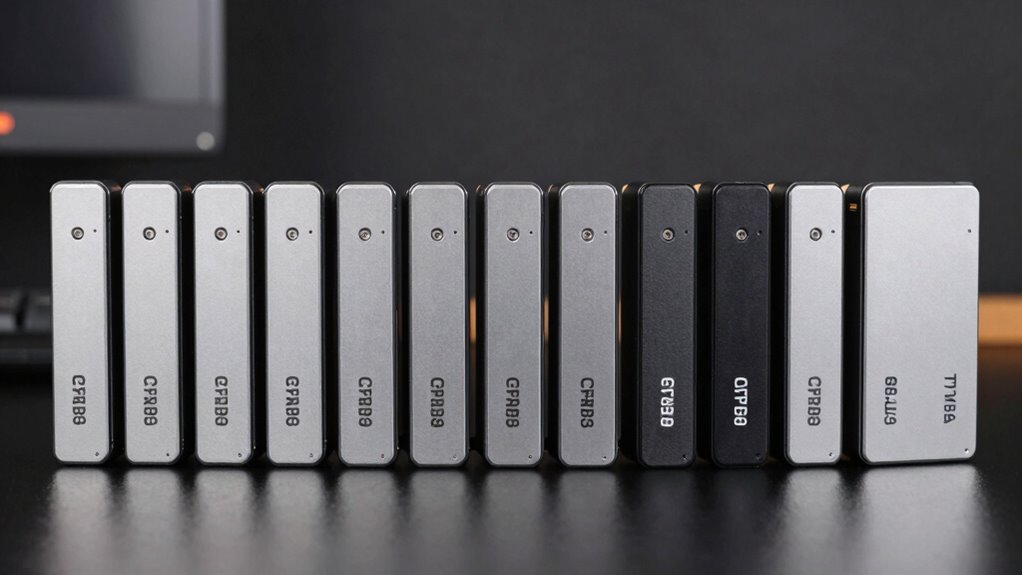

Finding a reliable SATA SSD on a budget can significantly boost your system’s performance without breaking the bank. The best overall pick, the Crucial BX500 500GB, offers a solid balance of speed and affordability, making it ideal for most users. For those seeking a more compact option, the KingSpec 128GB SSD provides decent performance at a lower price, perfect for lighter workloads. Keep in mind that in this category, you often face a tradeoff between capacity and speed—larger drives tend to offer better performance and longevity, but at a higher cost. Continue reading for a detailed comparison to help you find the right fit for your needs.

Get the latest gadgets delivered free with Prime
- Fast, free delivery on millions of items
- Prime Video, Amazon Music and more included
- Member-only deals all year
Complete the kit



Key Takeaways
- The Crucial BX500 emerges as the best overall choice, balancing capacity, speed, and price effectively.
- 128GB drives like the KingSpec are suitable for light use or upgrading older systems, but may lack longevity for heavy workloads.
- Brands like Patriot and Fanxiang offer reliable entry-level options, yet they often come with slightly lower performance metrics.
- Capacity differences significantly impact performance and lifespan; opting for 256GB or higher can be more cost-effective long-term.
- Price fluctuations within the budget range are often driven by NAND type and controller quality, not just brand names.
| Fanxiang 256GB SATA SSD 2.5” SATA III 6 Gb/s Internal Solid State Drive |  | Best Budget Entry-Level SSD | Capacity: 256GB | Form Factor: 2.5 inches | Interface: SATA III 6 Gb/s | VIEW ON AMAZON | See Our Full Breakdown |
| Silicon Power 256GB SSD A55 3D NAND SATA III 2.5″ Internal Solid State Drive |  | Best for Reliability & Power Efficiency | Capacity: 256GB | Form Factor: 2.5 inch | Interface: SATA III | VIEW ON AMAZON | See Our Full Breakdown |
| Patriot P220 256GB SATA 3 2.5″ SSD |  | Best for Speed & Compatibility | Capacity: 256GB | Sequential Read: up to 550MB/s | Sequential Write: up to 500MB/s | VIEW ON AMAZON | See Our Full Breakdown |
| 1TB 2.5″ SATA III SSD – Budget Internal Solid State Drive for Laptop & Desktop |  | Best for Large Capacity on a Budget | Storage Capacity: 1 TB | Read Speed: 300 MB/s | Data Transfer Rate: 300 MB/s | VIEW ON AMAZON | See Our Full Breakdown |
| PNY CS900 250GB 2.5″ SATA III Internal SSD |  | Best for Low Power & Basic Performance | Capacity: 250GB | Sequential Read Speed: 535MB/s | Sequential Write Speed: 500MB/s | VIEW ON AMAZON | See Our Full Breakdown |
| Crucial BX500 500 GB Solid State Drive – 2.5″ SATA |  | Best Overall for Value and Capacity | Capacity: 500 GB | Form Factor: 2.5 inch | Interface: SATA/600 | VIEW ON AMAZON | See Our Full Breakdown |
| RAOYI 256GB SATA III 2.5” Solid State Drive SSD with 3D NAND Flash |  | Best for Compatibility and Moderate Performance | Capacity: 256GB | Interface: SATA III 6Gb/s | Form Factor: 2.5 inch | VIEW ON AMAZON | See Our Full Breakdown |
| KingSpec 128GB 2.5 SSD SATA III Internal Drive – 550MB/s Read, 520MB/s Write with 3D NAND Flash |  | Best for Budget-Conscious Upgrades with Speed Focus | Capacity: 128 GB | Read Speed: 550 MB/s | Write Speed: 520 MB/s | VIEW ON AMAZON | See Our Full Breakdown |
| Internal 128GB SATA SSD 2.5 Inch SATA III 6Gb/s Solid State Drive |  | Best for Basic Upgrades and Compatibility | Capacity: 128 GB | Read Speed: 520 MB/s | Write Speed: not specified | VIEW ON AMAZON | See Our Full Breakdown |
| Bestoss 128GB SSD – 2.5″ SATA III 6Gb/s Internal Hard Drive, Up to 550MB/s |  | Best for Cost-Effective Speed and Compatibility | Capacity: 128 GB | Read Speed: 550 MB/s | Write Speed: not specified | VIEW ON AMAZON | See Our Full Breakdown |
| Patriot P210 128GB SATA 3 2.5 Inch SSD |  | Best Overall Budget SATA SSD | Capacity: 128GB | Interface: SATA 3 | Form Factor: 2.5 Inch | VIEW ON AMAZON | See Our Full Breakdown |
| fanxiang S101 128GB SATA SSD 2.5″ Internal Drive |  | Best for Broad Compatibility and Fast Reads | Capacity: 128GB | Interface: SATA 6.0 Gb/s | Form Factor: 2.5-inch | VIEW ON AMAZON | See Our Full Breakdown |
| Ediloca 128GB SATA III SSD Internal Solid State Drive 2.5″ |  | Best for Durability and Compatibility | Capacity: 128GB | Interface: SATA III | Form Factor: 2.5 inch | VIEW ON AMAZON | See Our Full Breakdown |
| Crucial BX500 240GB 3D NAND SATA 2.5-Inch Internal SSD |  | Best Budget Upgrade with Larger Capacity | Capacity: 240GB | Interface: SATA | Form Factor: 2.5-inch | VIEW ON AMAZON | See Our Full Breakdown |
| sata ssds budget | Capacity | Form Factor | Interface | Read Speed |
|---|---|---|---|---|
| Fanxiang 256GB SATA SSD 2.5” | 256GB | 2.5 inches | SATA III 6 Gb/s | — |
| Silicon Power 256GB SSD A55 3D | 256GB | 2.5 inch | SATA III | — |
| Patriot P220 256GB SATA 3 2.5" | 256GB | 2.5 inches | SATA 3 | — |
| 1TB 2.5" SATA III SSD | — | 2.5 inches | SATA | 300 MB/s |
| PNY CS900 250GB 2.5" SATA III | 250GB | 2.5 inch | SATA III | — |
| Crucial BX500 500 GB Solid Sta | 500 GB | 2.5 inch | SATA/600 | 550 MB/s |
| RAOYI 256GB SATA III 2.5” Soli | 256GB | 2.5 inch | SATA III 6Gb/s | up to 550MB/s |
| KingSpec 128GB 2.5 SSD SATA II | 128 GB | — | — | 550 MB/s |
| Internal 128GB SATA SSD 2.5 In | 128 GB | 2.5 inch | — | 520 MB/s |
| Bestoss 128GB SSD | 128 GB | — | SATA III | 550 MB/s |
| Patriot P210 128GB SATA 3 2.5 | 128GB | 2.5 Inch | SATA 3 | — |
| fanxiang S101 128GB SATA SSD 2 | 128GB | 2.5-inch | SATA 6.0 Gb/s | 550MB/s |
| Ediloca 128GB SATA III SSD Int | 128GB | 2.5 inch | SATA III | 500MB/s |
| Crucial BX500 240GB 3D NAND SA | 240GB | 2.5-inch | SATA | 540MB/s |
More Details on Our Top Picks
Fanxiang 256GB SATA SSD 2.5” SATA III 6 Gb/s Internal Solid State Drive
This Fanxiang 256GB SSD offers a compelling entry point for those seeking a quick upgrade from HDDs without breaking the bank. Its read speeds up to 530MB/s and write speeds of 420MB/s outperform traditional HDDs, making it suitable for everyday tasks. Compared to the Silicon Power A55, it provides comparable performance but lacks advanced features like SLC caching and a longer warranty. Its reliability is supported by 3D NAND technology, yet the limited capacity may be a constraint for users with larger storage needs. It’s an ideal choice for budget-conscious users who prioritize speed over capacity and advanced features, but those needing extensive storage or encryption should look elsewhere.
Pros:- Faster data transfer speeds improve system responsiveness
- Reliable with wear-leveling and ECC technology
- Compatible across multiple OS platforms
Cons:- Limited to 256GB capacity
- No mention of encryption or security features
Best for: Budget-conscious users upgrading older laptops or desktops who need faster performance without extra features.
Not ideal for: Power users requiring larger storage or encryption features, as this model is limited to 256GB and lacks security options.
- Capacity:256GB
- Form Factor:2.5 inches
- Interface:SATA III 6 Gb/s
- Max Read Speed:530MB/s
- Max Write Speed:420MB/s
- Technology:3D NAND, SLC Cache
- Compatibility:Windows, Linux, Mac OS
- Height:7mm
Our verdict“This pick makes the most sense for budget-minded users seeking a straightforward, reliable upgrade for basic computing tasks.”
Silicon Power 256GB SSD A55 3D NAND SATA III 2.5″ Internal Solid State Drive
The Silicon Power A55 offers a solid balance of performance and durability, with read speeds up to 550MB/s and efficient power use. Its 3D NAND technology and SLC Cache improve lifespan and stability, making it a step above basic drives like the Fanxiang. It also supports essential features like TRIM and ECC, and the included health monitoring software adds value. However, like the Fanxiang, its 256GB capacity limits its appeal for users with larger storage needs. Its 3-year warranty and focus on durability make it ideal for those who want a dependable drive that can handle daily use without additional bells and whistles. If you prioritize longevity and efficiency over capacity, this is a worthy choice.
Pros:- High transfer speeds for quick system startup
- Enhanced durability with 3D NAND and wear management
- Includes free SSD health monitoring software
Cons:- Limited to 256GB capacity
- Requires registration for full warranty
Best for: Users seeking a reliable, power-efficient SSD for everyday use with moderate data transfer needs.
Not ideal for: Power users or gamers needing larger storage or faster sustained write speeds, as capacity remains limited and performance is comparable to cheaper models.
- Capacity:256GB
- Form Factor:2.5 inch
- Interface:SATA III
- Technology:3D NAND
- Cache Technology:SLC Cache
- Warranty:3 years
Our verdict“Ideal for users who want a durable, efficient SSD that balances performance and reliability without extra features.”
Patriot P220 256GB SATA 3 2.5″ SSD
The Patriot P220 stands out for its impressive sequential read speed of up to 550MB/s and write speed of 500MB/s, making it a strong choice for users who want fast data access. Its performance is slightly superior to the Fanxiang, which maxes out at 530MB/s read, and it supports a broad range of operating systems including Windows 7 through 10. The 256MB cache helps sustain performance under load, and its backward compatibility with SATA 2 widens its usability. A potential drawback is its limited capacity, which may not suffice for users with large media libraries. Its reliable 3-year warranty and modern features make it suitable for those upgrading for speed, but capacity constraints could be a concern for some.
Pros:- Fast sequential read/write speeds for quick responsiveness
- Supports S.M.A.R.T and TRIM for health and efficiency
- Compatible with SATA 2 systems
Cons:- Limited to 256GB capacity
- No mention of encryption features
Best for: Performance-focused users upgrading systems for faster boot and file processing with moderate storage needs.
Not ideal for: Users requiring large capacity or security features, as this model focuses primarily on speed and basic reliability.
- Capacity:256GB
- Sequential Read:up to 550MB/s
- Sequential Write:up to 500MB/s
- Form Factor:2.5 inches
- Interface:SATA 3
- Cache Memory:256MB
Our verdict“Best suited for users who prioritize speed and compatibility over maximum storage capacity.”
1TB 2.5″ SATA III SSD – Budget Internal Solid State Drive for Laptop & Desktop
This 1TB SATA SSD offers a significant capacity boost over the 256GB options, making it suitable for users with larger storage needs. Its 300MB/s read and write speeds are modest compared to the 550MB/s speeds of the Patriot or Silicon Power drives, but for everyday use, it still provides a noticeable improvement over HDDs. Its straightforward design makes it suitable for users who want an affordable upgrade for basic systems, but performance may vary depending on the system hardware and workload. It does not support NVMe or advanced cache features, which limits its performance ceiling. This drive makes sense for those prioritizing capacity and affordability, but speed-conscious users should consider faster alternatives if their workload demands it.
Pros:- Large 1TB capacity for extensive storage
- Improves boot and load times over traditional HDDs
- Affordable upgrade option
Cons:- Limited transfer speeds compared to smaller-capacity SSDs
- Performance depends heavily on system hardware
Best for: Users needing affordable, high-capacity storage for general use or backups on laptops and desktops.
Not ideal for: Performance enthusiasts or gamers who require faster data transfer speeds and advanced features, as this drive offers only basic performance.
- Storage Capacity:1 TB
- Read Speed:300 MB/s
- Data Transfer Rate:300 MB/s
- Form Factor:2.5 inches
- Interface:SATA
- Weight:1.4 g
Our verdict“A solid choice for users who need lots of storage at a budget-friendly price for everyday tasks.”
PNY CS900 250GB 2.5″ SATA III Internal SSD
The PNY CS900 offers competitive speeds of up to 535MB/s read and 500MB/s write, making it a reliable option for users seeking quick system upgrades. Its ultra-low power consumption extends battery life, especially useful for laptops. Compared to the Fanxiang or Silicon Power, it provides similar performance but with a slight edge in power efficiency. Its 250GB capacity is suitable for lighter users or as a secondary drive, but it may fall short for those with large file libraries. The drive supports SATA II compatibility, broadening its usability across older systems. Overall, it’s a practical upgrade for users who want decent speed with low power draw, yet it isn’t ideal for those requiring large storage or enterprise-level security.
Pros:- Fast read/write speeds for responsive performance
- Ultra-low power consumption extends battery life
- Compatible with SATA II systems
Cons:- Limited to 250GB capacity
- Performance varies with system hardware
Best for: Laptop users seeking an energy-efficient upgrade for daily computing and light workloads.
Not ideal for: Heavy users or those with large media libraries, as capacity and performance may be limiting.
- Capacity:250GB
- Sequential Read Speed:535MB/s
- Sequential Write Speed:500MB/s
- Form Factor:2.5 inch
- Interface:SATA III
- Power Consumption:Ultra-low
Our verdict“Suitable for budget-conscious users prioritizing energy efficiency and decent speeds for everyday tasks.”
Crucial BX500 500 GB Solid State Drive – 2.5″ SATA
The Crucial BX500 500 GB stands out as the most versatile option in this lineup, offering a generous capacity combined with fast read speeds of 550 MB/s. Compared to smaller capacities like the KingSpec 128GB, it provides significantly more space for users who need more storage without sacrificing speed. Its reliable performance and energy efficiency make it suitable for upgrading aging laptops or desktops, especially when your workload demands both speed and capacity. The main tradeoff is its SATA interface, which won’t match NVMe drives for raw speed, but that’s a fair compromise at this price point. It’s best suited for users looking for a dependable, easy upgrade that balances size and performance in a budget-friendly package.
Pros:- Fast read and write speeds improve overall system responsiveness
- Reliable and energy-efficient design ensures long-term use
- Easy to install in standard 2.5-inch slots
Cons:- Limited to 500 GB capacity, which may be insufficient for large data needs
- SATA interface restricts maximum speed compared to NVMe options
Best for: Users who want a reliable, high-capacity SSD for everyday computing and system upgrades
Not ideal for: Power users needing ultra-fast data transfer speeds or large storage pools for intensive tasks
- Capacity:500 GB
- Form Factor:2.5 inch
- Interface:SATA/600
- Read Speed:550 MB/s
- Write Speed:500 MB/s
- Energy Efficiency:Reliable and energy-efficient
Our verdict“This drive is ideal for budget-conscious users seeking a solid balance of capacity and performance for everyday tasks.”
RAOYI 256GB SATA III 2.5” Solid State Drive SSD with 3D NAND Flash
The RAOYI 256GB SSD offers a practical upgrade for users needing more space and consistent speed, with read/write speeds up to 550MB/s. Compared with the Bestoss 128GB SSD, it provides double the capacity, making it better suited for users who store more applications or files on their system. It features durable 3D NAND flash technology, which enhances reliability and shock resistance. While it’s compatible across Windows, Linux, and Mac OS, performance may vary depending on your system’s configuration, and it doesn’t include advanced security features. This drive is a solid choice for those who want a reliable, compatible upgrade without the premium price of higher-capacity NVMe drives.
Pros:- Fast read/write speeds up to 550MB/s for quick responsiveness
- Wide OS compatibility ensures easy setup across platforms
- Durable 3D NAND flash enhances longevity
Cons:- Limited to 256GB capacity, less suitable for large data needs
- Performance may fluctuate depending on system configuration
Best for: Home users and office workers requiring increased storage with reliable performance
Not ideal for: Heavy gamers or content creators needing large capacity or high write endurance
- Capacity:256GB
- Interface:SATA III 6Gb/s
- Form Factor:2.5 inch
- Read Speed:up to 550MB/s
- Write Speed:up to 500MB/s
- Technology:3D NAND Flash
Our verdict“This SSD offers a balanced upgrade for users seeking compatibility and decent capacity without overspending.”
KingSpec 128GB 2.5 SSD SATA III Internal Drive – 550MB/s Read, 520MB/s Write with 3D NAND Flash
The KingSpec 128GB SSD delivers impressive speeds up to 550MB/s read and 520MB/s write, making it a good choice for upgrading older machines or adding a quick cache. Its 3D NAND flash technology improves reliability and shock resistance. Compared to the Bestoss 128GB SSD, it offers similar speed but emphasizes a 3-year warranty, providing peace of mind. However, the small 128GB capacity limits its use to lightweight storage or OS drives rather than large data repositories. It’s an excellent fit for users who need speed and dependability on a tight budget, but it’s less suited for those with substantial storage needs.
Pros:- High-speed data transfer with speeds up to 550MB/s
- Reliable 3D NAND technology ensures durability
- 3-year warranty adds confidence in longevity
Cons:- Limited to 128GB, not enough for large media or applications
- No advanced security features
Best for: Users upgrading older laptops or desktops needing fast OS or cache drives with limited storage requirements
Not ideal for: Users who need large capacity storage for media or large files
- Capacity:128 GB
- Read Speed:550 MB/s
- Write Speed:520 MB/s
- Technology:3D NAND flash
Our verdict“This SSD is perfect for speed-focused upgrades where storage capacity is a secondary concern.”
Internal 128GB SATA SSD 2.5 Inch SATA III 6Gb/s Solid State Drive
The Internal 128GB SATA SSD offers a straightforward upgrade for users with limited storage needs, providing read speeds up to 520MB/s. While it doesn’t feature advanced technologies like 3D NAND, it’s compatible with most devices, including gaming consoles like PS4 and Xbox One, making it versatile for various upgrade scenarios. Compared with the Bestoss 128GB SSD, it emphasizes broad device compatibility over warranty or advanced features. Its limited capacity makes it less suitable for users with large data requirements, but for basic system boosts or restoring older machines, it’s a cost-effective choice.
Pros:- Reliable performance with speeds up to 520MB/s
- Broad compatibility, including gaming consoles
- Shock resistant and energy-efficient
Cons:- Limited to 128GB, not suitable for large files
- Lacks advanced NAND technology for longevity
Best for: Owners of older laptops or gaming consoles seeking a simple, compatible storage boost
Not ideal for: Power users or those needing more than 128GB of storage
- Capacity:128 GB
- Read Speed:520 MB/s
- Write Speed:not specified
- Form Factor:2.5 inch
Our verdict“This drive provides a dependable, low-cost upgrade for basic users with modest storage needs.”
Bestoss 128GB SSD – 2.5″ SATA III 6Gb/s Internal Hard Drive, Up to 550MB/s
The Bestoss 128GB SSD combines fast read speeds up to 550MB/s with broad compatibility, making it a versatile choice for upgrading older laptops or desktops. Compared with the KingSpec 128GB SSD, it emphasizes affordability and ease of use, though both offer similar speeds. Its plug-and-play design and SATA III interface allow quick installation for users who need a straightforward performance boost. However, like others in this size range, its limited capacity restricts its use to lightweight operations or as a cache drive. It’s a viable option for budget-minded users who want quick responsiveness without large storage demands.
Pros:- Fast read speeds up to 550MB/s for quick system response
- Broad compatibility with most devices
- Simple to install with plug & play design
Cons:- Limited to 128GB capacity, not suitable for large files
- Performance may depend on system configuration
Best for: Budget-conscious users needing a fast, easy upgrade for light workloads
Not ideal for: Users with large media libraries or extensive data requirements
- Capacity:128 GB
- Read Speed:550 MB/s
- Write Speed:not specified
- Interface:SATA III
Our verdict“This SSD suits users who prioritize speed and compatibility over storage capacity in a tight budget.”
Patriot P210 128GB SATA 3 2.5 Inch SSD
The Patriot P210 stands out for its balanced combination of speed, reliability, and affordability. With read speeds up to 450MB/s and a 3-year warranty, it offers strong performance for everyday tasks, making it a solid choice for those upgrading older systems or boosting boot times. Compared with the Crucial BX500, which has a slightly higher read speed of 540MB/s but lacks advanced data protection features, the P210 emphasizes durability through built-in thermal throttling and data protection. Its limited 128GB capacity, however, makes it less suitable for users with large storage needs. Tradeoffs include slightly slower write speeds and no mention of encryption, which might matter for security-conscious buyers. Overall, this SSD is best suited for budget-conscious users seeking dependable performance without extra frills.
Pros:- Reliable read speeds up to 450MB/s for quick data access
- Built-in data protection and thermal management enhance durability
- 3-year warranty provides peace of mind
Cons:- Limited 128GB capacity restricts storage for large files
- No encryption or advanced security features
Best for: Budget-conscious users upgrading older desktops or laptops who need reliable performance with basic data protection.
Not ideal for: Power users or gamers needing larger storage or faster write speeds for demanding applications.
- Capacity:128GB
- Interface:SATA 3
- Form Factor:2.5 Inch
- Sequential Read Speed:450MB/s
- Sequential Write Speed:350MB/s
- Warranty:3 Years
Our verdict“This pick is ideal for budget buyers who want dependable, straightforward SSD performance for basic computing needs.”
fanxiang S101 128GB SATA SSD 2.5″ Internal Drive
The fanxiang S101 offers impressive read speeds up to 500MB/s, making it a good upgrade for users who prioritize quick system responsiveness. Its broad compatibility extends to desktops, laptops, and even gaming consoles like the PlayStation 4, providing versatile upgrade options. Unlike the Patriot P210, which emphasizes data protection, the S101 focuses on raw speed, although its write speeds are slightly lower at 400MB/s. The drive’s 128GB capacity may be limiting for large media libraries, and it doesn’t specify real-world write performance, which can differ under heavy loads. Its use of 3D NAND TLC chips enhances longevity, but it still lacks encryption features that security-focused users might need. This drive makes the most sense for users seeking fast data transfers across multiple devices without extra security concerns.
Pros:- Fast read speeds up to 500MB/s for quick data access
- Broad compatibility with desktops, laptops, and gaming consoles
- Uses 3D NAND TLC chips for increased durability
Cons:- Limited 128GB storage restricts large file storage
- Lack of detailed real-world write performance data
Best for: Users needing fast, compatible SSDs for various devices, including gaming consoles and older PCs.
Not ideal for: Those with large storage needs or requiring enterprise-level security features.
- Capacity:128GB
- Interface:SATA 6.0 Gb/s
- Form Factor:2.5-inch
- Read Speed:550MB/s
- Media Speed:350MB/s
- Warranty:3 Years
Our verdict“This drive is well-suited for users who prioritize speed and broad device compatibility on a budget.”
Ediloca 128GB SATA III SSD Internal Solid State Drive 2.5″
The Ediloca 128GB SSD emphasizes durability and broad compatibility, making it a versatile choice for users who need reliable performance with a shock-resistant design. Its read speeds up to 500MB/s and write speeds of 400MB/s outperform some competitors like the Patriot P210 in raw speed, but the limited capacity remains a key drawback for users with larger storage demands. Built with 3D TLC NAND, it’s designed to withstand shocks and drops, which appeals to users upgrading laptops or portable devices. However, initial setup requires formatting, adding a minor step for newcomers. The 3-year warranty and technical support are added benefits, but this drive’s capacity still limits its use for media-heavy workloads. It’s a good choice for those needing a durable, fast drive in a compact form.
Pros:- Fast read and write speeds enhance overall system responsiveness
- Shock and drop-proof design increases durability
- Universal compatibility with multiple operating systems
Cons:- Requires formatting before initial use
- Limited 128GB capacity for larger data needs
Best for: People upgrading portable laptops or needing a durable, shock-resistant SSD for daily use.
Not ideal for: Users with large media libraries or gaming enthusiasts requiring extensive storage space.
- Capacity:128GB
- Interface:SATA III
- Form Factor:2.5 inch
- Read Speed:500MB/s
- Write Speed:400MB/s
- Warranty:3 years
Our verdict“This SSD suits users seeking a durable, fast storage solution for portable or sensitive devices on a tight budget.”
Crucial BX500 240GB 3D NAND SATA 2.5-Inch Internal SSD
The Crucial BX500 offers a notable step up in capacity at 240GB, making it a smart choice for users who want more storage without significantly increasing costs. Its read speeds of up to 540MB/s rival higher-end SSDs, ensuring quick boot times and faster file access. Compared to the Patriot P210, which focuses on basic performance, the BX500’s larger capacity and slightly faster speeds make it ideal for users with moderate storage needs. However, it lacks encryption options and may have variable performance depending on the system configuration. Its energy efficiency extends battery life, making it suitable for laptops. This drive is best for users who need a straightforward, larger-capacity upgrade on a tight budget.
Pros:- Faster boot and load times with up to 540MB/s read speed
- Energy-efficient design benefits laptops
- Easy to upgrade with broad compatibility
Cons:- Limited to 240GB capacity, not suitable for heavy media libraries
- No included encryption or security features
Best for: Budget-conscious users needing a larger capacity SSD for everyday computing and moderate storage demands.
Not ideal for: Enthusiasts requiring high-end performance or security features for sensitive data.
- Capacity:240GB
- Interface:SATA
- Form Factor:2.5-inch
- Read Speed:540MB/s
- Media Speed:500MB/s
- Warranty:3-year limited
Our verdict“This SSD offers a larger capacity upgrade for budget users looking to improve system responsiveness without high costs.”

How We Picked
To determine the best budget SATA SSDs, I focused on key factors that matter most to everyday users: performance, durability, value, and ease of installation. Each drive was evaluated based on sequential read/write speeds, reliability, and user reviews. I also considered capacity options and price points to ensure a broad yet fair comparison, highlighting options suitable for different types of users—whether upgrading an old laptop or building a new budget system. The ranking reflects a balance between performance and affordability, prioritizing drives that deliver consistent results without unnecessary features or high costs.Factors to Consider When Choosing Sata Ssds Budget
Choosing a SATA SSD on a budget involves understanding several critical factors that influence both performance and longevity. While price is a primary concern, other elements like capacity, NAND type, and controller quality also play vital roles. Making the right tradeoffs depends on your specific needs—whether for everyday use, gaming, or data storage—so knowing what to prioritize can save you money and frustration in the long run.Capacity and Future-Proofing
It’s tempting to buy the smallest capacity to save money, but underestimating your storage needs can lead to frequent replacements or data management headaches. Opting for at least 256GB offers a better balance of space and performance, especially if you plan to install multiple applications or games. Larger drives tend to have better endurance and can handle more read/write cycles, extending their lifespan even with regular use. Consider your current storage needs and future expansion when selecting capacity to avoid bottlenecks or additional upgrades soon after purchase.
NAND Type and Longevity
The type of NAND flash memory used in a budget SSD influences both speed and lifespan. SLC and MLC NAND generally provide better durability and performance, but are less common in budget models. Most affordable drives now use 3D NAND, which offers a good compromise of cost and longevity. Be wary of drives with TLC NAND, as they can wear out faster under heavy use. Understanding NAND types helps you avoid drives that may fail prematurely, especially if you plan to use the SSD for demanding tasks.
Speed and Performance Expectations
Sequential read/write speeds are often touted in specs, but real-world performance also depends on controller quality and firmware. Budget drives typically max out around 550MB/s, which is adequate for most daily tasks but may fall short for intensive workloads like large file transfers or gaming. Recognize that the performance gap between budget and mid-range SSDs can be notable under certain conditions, but for general use, most drives in this roundup will meet expectations. Setting realistic performance expectations helps prevent disappointment and ensures you buy a drive suited to your needs.
Price-to-Value Ratio
Price is a major factor in budget SSDs, but the cheapest option isn’t always the best value. Look for drives that offer the most capacity and durability at their price point. Sometimes, spending a little more on a reputable brand or a slightly larger capacity can yield better longevity and performance, saving money over time. Watch for sales or bundled deals, which can make more capable drives affordable within your budget. Avoid overly cheap drives with questionable reliability, as they may lead to data loss or replacement costs sooner than expected.
Installation and Compatibility
Most SATA SSDs are straightforward to install, but verifying compatibility with your system is still essential. Check your device’s available drive bays and SATA ports—most budget drives use the common 2.5-inch form factor, making compatibility simple. Some drives might have slightly different connectors or firmware requirements, so ensure your motherboard supports the drive’s specifications. Additionally, consider whether your system BIOS needs updates to recognize newer SSDs. Proper installation and compatibility checks can prevent headaches and ensure smooth operation from day one.
Frequently Asked Questions
Is a 128GB SSD enough for my system?
A 128GB SSD can be suitable for a basic system or as a boot drive in an existing setup, but it limits your capacity for applications and files. If you plan to install only the OS and a few critical programs, it might suffice. However, for general use, gaming, or multimedia storage, larger capacities like 256GB or more are advisable. Keep in mind that small drives fill up quickly, which can degrade performance and reduce lifespan over time, especially with frequent read/write cycles.
Should I prioritize capacity or speed in a budget SSD?
For most users on a budget, capacity tends to be more impactful than peak speed because it directly affects usability and longevity. While sequential speeds around 550MB/s are standard in budget drives, the capacity determines how much data you can store and how long the drive will last under heavy use. If your workload is light, focusing on a larger capacity can provide better value, but if you use your system for tasks that benefit from faster access times, choose a drive with a reputable controller and NAND type even if it means slightly less capacity.
Are cheaper SSDs reliable enough for everyday use?
Many budget SSDs are quite reliable for everyday tasks such as web browsing, document editing, and light gaming. Reputable brands tend to produce drives that last for several years under normal conditions. However, very cheap or generic options may have inconsistent firmware or inferior NAND, leading to potential failures or data corruption. To mitigate this, always check user reviews and warranty policies before purchasing. Regular backups remain essential, especially when using lower-priced drives, to avoid data loss due to unforeseen failures.
How long do budget SATA SSDs typically last?
The lifespan of a budget SATA SSD depends on factors like NAND type, usage patterns, and build quality. Most drives are rated for a certain amount of terabytes written (TBW), often enough for several years of typical use. Drives with 3D NAND generally offer better endurance than older NAND types. Keep in mind that heavy workloads or continuous data transfer can shorten lifespan, so choosing a drive with higher TBW ratings can be a wise investment even within a budget. Regular monitoring of drive health can help catch issues early.
Can I upgrade my existing laptop with a budget SATA SSD?
Yes, most laptops with a 2.5-inch drive bay or available SATA port can be upgraded with a budget SATA SSD. The process is usually straightforward: remove the existing drive, clone your current system if needed, and install the new drive. Just verify your laptop’s specifications for drive size, interface, and compatibility before purchasing. Upgrading to an SSD can significantly improve boot times and overall responsiveness, making even budget models a worthwhile investment for older systems or those seeking better performance without a high price tag.
Conclusion
For most users seeking an affordable upgrade, the Crucial BX500 500GB stands out as the best overall choice, offering reliable performance and ample capacity. If you’re on a tight budget or need a small drive for light tasks, models like the KingSpec 128GB can serve well but with some performance tradeoffs. Budget-conscious builders or upgradeers who prioritize value should consider trusted brands such as Patriot or Fanxiang, which balance cost and quality effectively. Beginners or those upgrading older systems should focus on compatibility and ease of installation, while power users may want to invest slightly more for drives with higher endurance ratings. Ultimately, choosing the right SSD depends on your specific needs and how much you’re willing to invest for longevity and speed.”
Fall Picks
fall essentials
As an affiliate, we earn on qualifying purchases.