Shutter angle and shutter speed both control motion and exposure, but shutter angle offers a more intuitive way to maintain cinematic consistency across different frame rates. Shutter angle, measured in degrees, automatically adjusts with frame rate changes, helping you keep natural motion blur. Shutter speed is a direct measurement of exposure time, which can be trickier to manage. Understanding their relationship makes it easier to create smooth, professional footage—keep exploring to learn how these tools can elevate your filming style.
Key Takeaways
- Shutter angle provides an intuitive way to control exposure and motion by maintaining a consistent look across frame rates.
- Shutter speed is a direct measurement in seconds, affecting motion blur and exposure precisely.
- Using shutter angle simplifies matching cinematic motion styles when changing frame rates.
- Higher frame rates require faster shutter speeds, which are easily managed with shutter angle adjustments.
- Shutter angle ensures uniform motion portrayal, making cinematic effects more consistent and easier to achieve.
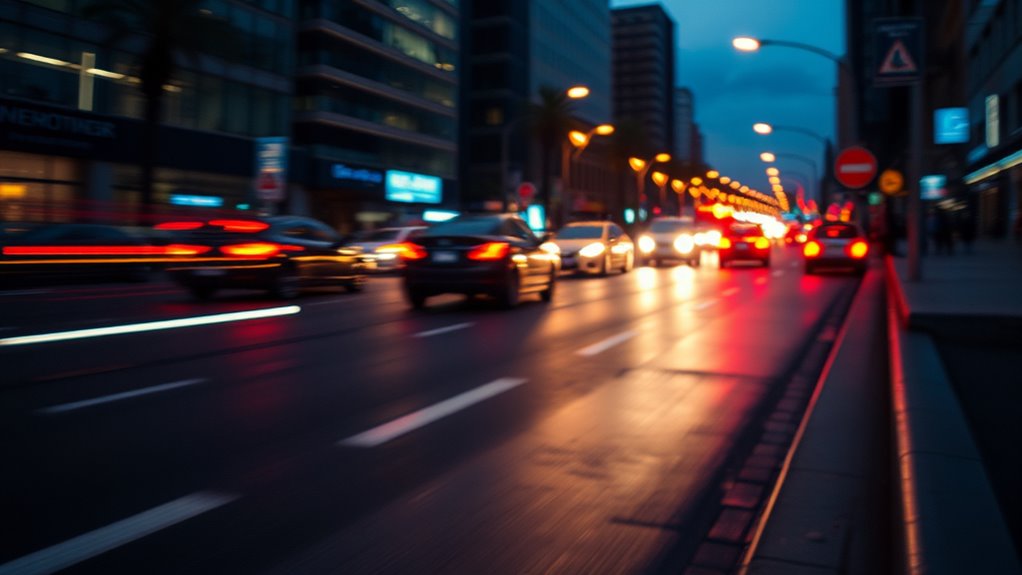
When it comes to capturing smooth, professional-looking footage, understanding the difference between shutter angle and shutter speed is essential. These two settings directly influence how motion appears on your camera, affecting the cinematic quality of your shots. To get it right, you need to consider frame rate considerations and utilize effective exposure control techniques. Shutter speed is a straightforward setting, typically expressed in fractions of a second, like 1/50 or 1/100. It controls how long each frame is exposed to light, impacting motion blur. A faster shutter speed produces crisper, staccato-like motion, while a slower shutter speed creates more motion blur, giving a sense of fluidity. However, simply adjusting shutter speed without contemplating your frame rate can lead to unnatural motion or inconsistent footage.
That’s where shutter angle comes into play, offering a more intuitive way to think about exposure and motion. Instead of setting a specific shutter speed, you choose a shutter angle, measured in degrees—commonly 180°, which is the industry standard. This method ties your shutter angle directly to your frame rate, making it easier to maintain consistent motion characteristics across different shoots. For example, at 24 fps, a 180° shutter angle equates to a shutter speed of 1/48 second, providing a natural motion blur. If you change your frame rate, the shutter speed automatically adjusts to maintain the same shutter angle, preserving the cinematic look.
Understanding how frame rate considerations influence your exposure control techniques is key. Higher frame rates, such as 60 fps or above, require faster shutter speeds to prevent overly blurry motion, which can make footage look less natural. Conversely, lowering your frame rate may allow slightly slower shutter speeds without sacrificing realism. Using shutter angle gives you a consistent framework to manage motion blur across various frame rates, simplifying your exposure control. It also helps you achieve a uniform cinematic aesthetic, regardless of the shooting conditions. Additionally, consistent motion portrayal is crucial for maintaining visual coherence throughout your footage, especially when combining shots shot at different frame rates.
In practice, mastering these concepts means you’ll be better equipped to balance motion and exposure creatively. When you choose your shutter angle, you’re effectively setting a rule for how your footage will look, ensuring consistent motion portrayal. Meanwhile, adjusting shutter speed directly impacts exposure, requiring you to tweak aperture or ISO to compensate. By understanding the relationship between shutter angle, shutter speed, and frame rate considerations, you gain precise control over your footage’s visual style, making your cinematic motion smooth and professional every time.
As an affiliate, we earn on qualifying purchases.
Frequently Asked Questions
How Does Shutter Angle Affect Exposure in Different Lighting Conditions?
Shutter angle directly impacts exposure in different lighting conditions by controlling how much light hits your sensor. A wider angle lets in more light, increasing exposure, which is ideal for low-light situations, but can reduce light sensitivity control. Conversely, a narrower angle limits light, helping you maintain exposure consistency in bright settings. Adjusting shutter angle helps you balance light sensitivity and exposure, ensuring your footage looks natural across varying lighting conditions.
Can Shutter Speed Influence the Perceived Motion Blur?
Yes, shutter speed can influence how viewers perceive motion blur, which impacts motion perception and visual storytelling. A faster shutter speed freezes motion, creating sharp, crisp images that convey speed or intensity, while a slower shutter speed introduces blur, emphasizing smoothness and fluidity. By adjusting shutter speed, you control the emotional tone and clarity, shaping how your audience interprets movement and enhancing the overall cinematic experience.
Is There a Standard Shutter Angle for Professional Filmmaking?
You’ll find that a standard shutter angle in filmmaking is 180°, which creates natural motion blur, much like classic film stock. This angle pairs perfectly with a 24 fps frame rate, ensuring smooth, cinematic motion. Deviating from this can produce a choppier or more stylized look, but sticking to 180° helps maintain that familiar, professional aesthetic, giving your footage a balanced, authentic feel.
How Do Shutter Angle and Shutter Speed Work Together in Digital Cameras?
You control shutter angle and shutter speed together to influence your digital camera’s sensor dynamics and motion blur. A wider shutter angle means a slower shutter speed, creating more motion blur for a cinematic look. You should coordinate aperture settings to balance exposure, ensuring your sensor captures the right light. This synergy helps you achieve smooth, natural motion while maintaining proper exposure and depth of field.
What Are Common Mistakes When Adjusting Shutter Angle and Speed?
Be mindful when modifying your shutter angle and speed, as mistakes can multiply. Avoid frame rate pitfalls by not adjusting shutter speed without considering frame rate, which can cause unnatural motion. Overexposure risks increase if you set shutter speeds too slow or angles too wide, flooding your shot with light. Double-check settings beforehand, stay steady, and keep your footage flawless by avoiding these common errors.
professional video camera with adjustable shutter speed
As an affiliate, we earn on qualifying purchases.
As an affiliate, we earn on qualifying purchases.
Conclusion
Understanding shutter angle and shutter speed is like mastering the rhythm and tempo of your cinematic heartbeat. When you sync them perfectly, your footage flows like a well-tuned melody, capturing motion with grace and precision. Think of shutter angle as your tempo, and shutter speed as your beat—together, they craft the dance of every scene. With this knowledge, you hold the baton to create visuals that pulse with life, turning your vision into cinematic poetry.
As an affiliate, we earn on qualifying purchases.
cinematic motion camera accessories
As an affiliate, we earn on qualifying purchases.
As an affiliate, we earn on qualifying purchases.