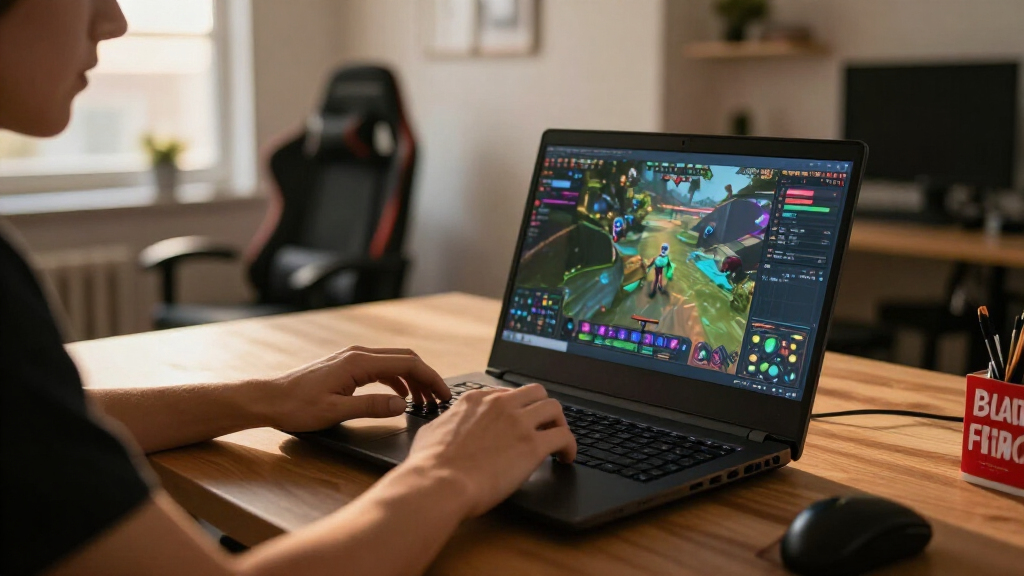

The best Black Friday gaming laptops balance graphics performance, screen quality, and useful everyday features without paying for power you will not use. I’d make the MSI Raider A16 HX my performance-first overall pick, while the GIGABYTE Gaming A16 stands out for shoppers who want an RTX 5070 and the Acer Nitro V 17 offers a more approachable entry point. The main tradeoff is between stronger graphics and a larger, more demanding machine versus a more modest laptop that may better fit your games and routine. Screen size, memory, storage, and upgrade options also affect whether a deal is a good match. Read on for how these ten options compare and which one fits your gaming needs.

Get the latest gadgets delivered free with Prime
- Fast, free delivery on millions of items
- Prime Video, Amazon Music and more included
- Member-only deals all year
Complete the kit



Key Takeaways
- The MSI Raider A16 HX has the highest listed graphics tier in this group: its RTX 5080, 32GB of memory, and 2TB SSD make it the most capable spec sheet here, though that level of hardware is more than casual play may require.
- The GIGABYTE Gaming A16 is the step-down performance pick: its RTX 5070 sits between the Raider’s RTX 5080 and the RTX 5060 models, offering a clearer middle ground for buyers who want stronger graphics without choosing the highest-spec machine.
- Several laptops share RTX 5050 graphics, but they are not interchangeable: compare screen, processor, storage, and chassis details rather than treating the GPU label as the whole buying decision.
- The Acer Nitro V 17 prioritizes a large display and a straightforward spec mix: its 17.3-inch screen may suit a desk-bound setup, while buyers who travel often may prefer a 16-inch model.
- Model names conceal meaningful differences: the two Alienware 15 listings use different graphics and processor combinations, and the two ASUS ROG Strix G16 listings should be checked by exact configuration before choosing.
| MSI Stealth 16 AI+ 16-Inch QHD+ OLED Gaming Laptop |  | Best Premium Display | Processor: Intel Core Ultra 9 386H | Graphics: NVIDIA GeForce RTX 5070 Ti, 16GB GDDR7 | Memory: 32GB DDR5 | VIEW LATEST PRICE | See Our Full Breakdown |
| Alienware 15 Gaming Laptop with AMD Ryzen 7 260 and NVIDIA GeForce RTX 5050 |  | Best for Buyers Who Prioritize Cooling | Processor: AMD Ryzen 7 260, 8 cores and 16 threads | Graphics: NVIDIA GeForce RTX 5050 Laptop GPU, 8GB GDDR7 | Memory: DDR5; configuration varies | VIEW LATEST PRICE | See Our Full Breakdown |
| Acer Nitro V 17.3-Inch Gaming Laptop, Ryzen 5 240, 16GB DDR5 RAM, 512GB SSD, GeForce RTX 5060 |  | Best Large-Screen Value | Processor: AMD Ryzen 5 240, 6 cores and 12 threads | Graphics: NVIDIA GeForce RTX 5060 Laptop GPU, 8GB GDDR6 | Memory: 16GB DDR5 | VIEW LATEST PRICE | See Our Full Breakdown |
| GIGABYTE Gaming A16 16-Inch Laptop with Intel Core i7-13620H and GeForce RTX 5070 |  | Best for Multitasking | Processor: Intel Core i7-13620H | Graphics: NVIDIA GeForce RTX 5070 Laptop GPU, 8GB GDDR7 | Memory: 32GB DDR5 5200MHz (16GB x 2) | VIEW LATEST PRICE | See Our Full Breakdown |
| Alienware 15 Gaming Laptop with RTX 4050 and Intel Core 7 240H |  | Best for Compact 15-Inch Gaming | Processor: Intel Core 7 240H, 10 cores, 1.8 GHz base and up to 5.2 GHz | Graphics: NVIDIA GeForce RTX 4050 | Memory: 16GB DDR5 5600MHz; listed maximum 32GB | VIEW LATEST PRICE | See Our Full Breakdown |
| MSI Raider A16 HX 16-Inch QHD+ 240Hz Gaming Laptop |  | Best Premium Performance | Processor: AMD Ryzen 9 8940HX | Graphics: NVIDIA GeForce RTX 5080 Laptop GPU, 16GB GDDR7 | Display: 16-inch QHD+, listed 240Hz option, 100% DCI-P3 | VIEW LATEST PRICE | See Our Full Breakdown |
| HP HyperX OMEN 15.3-Inch Gaming Laptop |  | Best for Competitive Gaming on a Midrange GPU | Display: 15.3-inch IPS, 1920 × 1200, up to 165Hz, 300 nits | Processor: Intel Core Ultra 7 356H, 16 cores, up to 4.7GHz | Graphics: NVIDIA GeForce RTX 5050 Laptop GPU, 8GB GDDR7 | VIEW LATEST PRICE | See Our Full Breakdown |
| Alienware 16 Aurora Gaming Laptop with RTX 5050 and Intel Core 7 240H |  | Best Higher-Resolution RTX 5050 Pick | Processor: Intel Core 7 240H | Graphics: NVIDIA GeForce RTX 5050 Laptop GPU | Display: 16-inch WQXGA (2560 × 1600), 120Hz, 300 nits, 16:10 | VIEW LATEST PRICE | See Our Full Breakdown |
| ASUS ROG Strix G16 (2025) 16-Inch Gaming Laptop |  | Best Cooling-Focused RTX 5060 Pick | Processor: Intel Core i7-14650HX | Graphics: NVIDIA GeForce RTX 5060 Laptop GPU, 8GB | Display: 16-inch 1920 × 1200, 165Hz | VIEW LATEST PRICE | See Our Full Breakdown |
| ASUS ROG Strix G16 Gaming Laptop, Ryzen 9 9955HX, RTX 5060 |  | Best for CPU-Heavy Gaming and Creation | Processor: AMD Ryzen 9 9955HX, 16 cores, 32 threads, up to 5.4GHz | Graphics: NVIDIA GeForce RTX 5060 Laptop GPU, 8GB GDDR7 | Display: 16-inch WUXGA (1920 × 1200), 165Hz, 3ms | VIEW LATEST PRICE | See Our Full Breakdown |
| Black Friday gaming laptop | Processor | Graphics | Memory | Storage |
|---|---|---|---|---|
| MSI Stealth 16 AI+ 16-Inch QHD | Intel Core Ultra 9 386H | NVIDIA GeForce RTX 5070 Ti, 16GB GDDR7 | 32GB DDR5 | 1TB NVMe SSD |
| Alienware 15 Gaming Laptop wit | AMD Ryzen 7 260, 8 cores and 16 threads | NVIDIA GeForce RTX 5050 Laptop GPU, 8GB GDDR7 | DDR5; configuration varies | 512GB SSD |
| Acer Nitro V 17.3-Inch Gaming | AMD Ryzen 5 240, 6 cores and 12 threads | NVIDIA GeForce RTX 5060 Laptop GPU, 8GB GDDR6 | 16GB DDR5 | 512GB PCIe Gen4 NVMe SSD |
| GIGABYTE Gaming A16 16-Inch La | Intel Core i7-13620H | NVIDIA GeForce RTX 5070 Laptop GPU, 8GB GDDR7 | 32GB DDR5 5200MHz (16GB x 2) | 1TB PCIe Gen4 NVMe M.2 SSD |
| Alienware 15 Gaming Laptop wit | Intel Core 7 240H, 10 cores, 1.8 GHz base and up to 5.2 GHz | NVIDIA GeForce RTX 4050 | 16GB DDR5 5600MHz; listed maximum 32GB | 1TB SSD |
| MSI Raider A16 HX 16-Inch QHD+ | AMD Ryzen 9 8940HX | NVIDIA GeForce RTX 5080 Laptop GPU, 16GB GDDR7 | 32GB DDR5 | 2TB NVMe SSD |
| HP HyperX OMEN 15.3-Inch Gamin | Intel Core Ultra 7 356H, 16 cores, up to 4.7GHz | NVIDIA GeForce RTX 5050 Laptop GPU, 8GB GDDR7 | 16GB DDR5-5600, single module | 1TB PCIe Gen4 NVMe M.2 SSD |
| Alienware 16 Aurora Gaming Lap | Intel Core 7 240H | NVIDIA GeForce RTX 5050 Laptop GPU | 16GB DDR5-5600; maximum 32GB | 1TB SSD |
| ASUS ROG Strix G16 | Intel Core i7-14650HX | NVIDIA GeForce RTX 5060 Laptop GPU, 8GB | 16GB DDR5-5600 | 1TB PCIe Gen 4 SSD |
| ASUS ROG Strix G16 Gaming Lapt | AMD Ryzen 9 9955HX, 16 cores, 32 threads, up to 5.4GHz | NVIDIA GeForce RTX 5060 Laptop GPU, 8GB GDDR7 | DDR5-5600; available configurations include 16GB, 32GB, and 64GB | PCIe Gen 4 NVMe SSD; available configurations include 1TB and 2TB |
More Details on Our Top Picks
MSI Stealth 16 AI+ 16-Inch QHD+ OLED Gaming Laptop
I’d put the MSI Stealth 16 AI+ near the top for buyers who want a sharp, fast screen alongside strong graphics hardware. Its 16-inch QHD+ OLED panel at 240Hz offers more detail and a higher listed refresh rate than the 165Hz WUXGA screen on the GIGABYTE Gaming A16, while the RTX 5070 Ti with 16GB GDDR7 gives it a stronger graphics specification than that model’s RTX 5070 with 8GB. That combination suits demanding games and creative workloads, and 32GB of memory plus a 1TB SSD make it ready for heavier multitasking. The tradeoff is the glossy display finish, which can reflect room lighting. It’s also a premium-leaning pick rather than a simple entry point, and the supplied Windows 11 Home edition may not suit buyers who need Pro features for work.
Pros:- 16-inch QHD+ OLED display with a 240Hz refresh rate
- RTX 5070 Ti graphics with 16GB GDDR7
- 32GB DDR5 memory and a 1TB NVMe SSD
- Wi-Fi 7 and a comparatively light 4.4-pound listed weight
Cons:- Glossy screen can reflect nearby lighting
- Ships with Windows 11 Home; MSI recommends Windows 11 Pro for business use
Best for: Players who want a high-resolution, high-refresh OLED screen and a strong GPU for demanding games, alongside enough memory for creative work.
Not ideal for: Gamers who play in bright, reflective rooms or buyers who need Windows 11 Pro for business use.
- Processor:Intel Core Ultra 9 386H
- Graphics:NVIDIA GeForce RTX 5070 Ti, 16GB GDDR7
- Memory:32GB DDR5
- Storage:1TB NVMe SSD
- Display:16-inch QHD+ OLED, 2560 x 1600, 240Hz
- Operating system:Windows 11 Home
- Wireless:Wi-Fi 7, Bluetooth 6
- Weight:4.4 pounds
Our verdict“Choose the MSI Stealth 16 AI+ if display quality and stronger graphics matter more than a matte screen or business-focused Windows edition.”
Alienware 15 Gaming Laptop with AMD Ryzen 7 260 and NVIDIA GeForce RTX 5050
The Alienware 15 with Ryzen 7 260 is a sensible fit for buyers who value a familiar gaming design and cooling features over the strongest graphics in this group. Its RTX 5050 with 8GB GDDR7 sits below the RTX 5060 in the Acer Nitro V 17 and the RTX 5070-class options, so I’d rank it for moderate gaming demands rather than maximum graphical headroom. The 165Hz matte WUXGA display should make motion look smoother than a standard-refresh panel, though its listed 300-nit brightness and 62.5% color gamut point to a screen that prioritizes speed over vivid color. One buyer-facing wrinkle: this unit was resealed for memory and SSD upgrades, and memory configuration varies. The included one-year warranty is from Prime Distributor Global, not identified as a manufacturer warranty.
Pros:- RTX 5050 graphics with 8GB GDDR7
- 165Hz matte WUXGA display
- Alienware Cryo-tech cooling design
- Backlit keyboard, numeric keypad, and Ethernet
Cons:- Resealed for memory and SSD upgrades, with memory configuration varying
- Listed 300-nit brightness and 62.5% color gamut limit the display’s appeal for bright rooms and color-focused work
- Warranty is provided for one year by Prime Distributor Global
Best for: Gamers seeking a 15-inch Alienware system with a high-refresh matte screen and cooling-focused design who are comfortable verifying the upgraded memory configuration.
Not ideal for: Buyers who want the strongest GPU in this lineup, wide-gamut display color, or an untouched factory-sealed unit.
- Processor:AMD Ryzen 7 260, 8 cores and 16 threads
- Graphics:NVIDIA GeForce RTX 5050 Laptop GPU, 8GB GDDR7
- Memory:DDR5; configuration varies
- Storage:512GB SSD
- Display:15.3-inch WUXGA, 1920 x 1200, 165Hz, matte
- Operating system:Windows 11 Home
- Wireless:Wi-Fi 6, Bluetooth 5.4
- Weight:5 pounds
- Condition and warranty:Resealed for memory/SSD upgrade; one-year warranty from Prime Distributor Global
Our verdict“Pick this Alienware if its cooling features and matte 165Hz display suit you, but skip it if you want a higher-tier GPU or a clearly specified factory configuration.”
Acer Nitro V 17.3-Inch Gaming Laptop, Ryzen 5 240, 16GB DDR5 RAM, 512GB SSD, GeForce RTX 5060
I’d shortlist the Acer Nitro V 17 for gamers who want a roomy screen and an RTX 5060 without stepping up to a more premium configuration. Its 17.3-inch Full HD IPS display is larger than the 15.3-inch panels on both Alienware models, giving games and everyday windows more space. The RTX 5060 also places it above the two RTX 5050 Alienware laptops on graphics tier, while the Ryzen 5 240 and 16GB DDR5 keep the overall setup more straightforward than the 32GB MSI Stealth 16 AI+ or GIGABYTE Gaming A16. There’s a specification inconsistency to resolve: the refresh rate is listed as 165Hz in the specs and 180Hz in the description. Its 512GB SSD may also fill quickly for players with a large installed library.
Pros:- RTX 5060 Laptop GPU with DLSS 4 and ray tracing support
- Large 17.3-inch Full HD IPS display
- 16GB DDR5 memory and PCIe Gen4 NVMe storage
- USB4, HDMI 2.1, and Wi-Fi 6E connectivity
Cons:- Refresh rate is inconsistent: 165Hz in specifications and 180Hz in the description
- 512GB SSD leaves less room for a large installed game library
- 17.3-inch size is less convenient to carry than the 15.3-inch Alienware options
Best for: Gamers who prefer a large 17.3-inch screen and RTX 5060 graphics for Full HD play, and who can manage a smaller game library or add storage.
Not ideal for: Frequent travelers who want a compact laptop, or players who need 1TB of storage and a confirmed refresh-rate specification out of the box.
- Processor:AMD Ryzen 5 240, 6 cores and 12 threads
- Graphics:NVIDIA GeForce RTX 5060 Laptop GPU, 8GB GDDR6
- Memory:16GB DDR5
- Storage:512GB PCIe Gen4 NVMe SSD
- Display:17.3-inch Full HD IPS, 1920 x 1080
- Display refresh rate:165Hz in specifications; 180Hz in product description
- Connectivity:USB4, HDMI 2.1, Wi-Fi 6E
- Cooling:Dual fans with quad-exhaust design
- Battery:76Wh lithium-ion
Our verdict“Choose the Acer Nitro V 17 if you want a larger gaming screen and RTX 5060 graphics, and can accept the refresh-rate discrepancy and 512GB drive.”
GIGABYTE Gaming A16 16-Inch Laptop with Intel Core i7-13620H and GeForce RTX 5070
The GIGABYTE Gaming A16 makes its case with a useful balance of memory, storage, and graphics: 32GB DDR5 and a 1TB SSD come alongside an RTX 5070. That gives it more multitasking capacity and a larger drive than the Acer Nitro V 17, which has 16GB and 512GB, while its 165Hz 16:10 screen is a more compact fit than Acer’s 17.3-inch panel. The 180-degree hinge can help when sharing the screen or adjusting its position, and Dolby Atmos audio adds a convenience for gaming without headphones. Its main compromise is the display itself: the listed 45% NTSC color gamut is limited for color-sensitive creative work, and the 25ms response-time figure is less reassuring for fast motion than the refresh-rate number alone. This is a practical spec-heavy pick, not a display-first one.
Pros:- RTX 5070 Laptop GPU with 8GB GDDR7
- 32GB DDR5 memory and a 1TB PCIe Gen4 SSD
- 16-inch 16:10 display with a 165Hz refresh rate
- 180-degree hinge and Dolby Atmos speakers
Cons:- Listed 45% NTSC color gamut is limited for color-focused work
- Listed 25ms display response time is a concern for buyers prioritizing fast pixel response
- Wi-Fi 6E is a step behind the MSI Stealth 16 AI+’s Wi-Fi 7
Best for: Players who keep several games and applications open, want 32GB memory and a 1TB drive, and value a flexible hinge over premium screen color.
Not ideal for: Color-sensitive creators or competitive players who prioritize display response characteristics over memory and storage capacity.
- Processor:Intel Core i7-13620H
- Graphics:NVIDIA GeForce RTX 5070 Laptop GPU, 8GB GDDR7
- Memory:32GB DDR5 5200MHz (16GB x 2)
- Storage:1TB PCIe Gen4 NVMe M.2 SSD
- Display:16-inch IPS LCD, 1920 x 1200, 165Hz, matte
- Operating system:Windows 11 Home
- Wireless:Wi-Fi 6E, Bluetooth 5.2
- Weight:4.9 pounds
- Hinge:180-degree hinge
Our verdict“Choose the GIGABYTE Gaming A16 if memory and storage capacity matter more to you than a wide-gamut, fast-response display.”
Alienware 15 Gaming Laptop with RTX 4050 and Intel Core 7 240H
This Alienware 15 with RTX 4050 is the more compact, lower-tier graphics option in this set, aimed at buyers who want a familiar 15.3-inch gaming format rather than the larger Acer Nitro V 17. Its 165Hz WUXGA display gives games roomier 16:10 framing than a standard 1080p panel, while the 1TB SSD offers twice the listed capacity of the 512GB drives in the Acer and the other Alienware 15. The RTX 4050 sits below the RTX 5050 in the other Alienware and the RTX 5060 in the Acer, so I’d choose this for less demanding gaming rather than for the highest graphics headroom. Cryo-tech cooling, Stealth mode, and customizable AlienFX lighting add useful gaming controls, but the 16GB memory is modest beside the GIGABYTE Gaming A16’s 32GB and is listed as upgradeable only to 32GB maximum.
Pros:- 15.3-inch WUXGA display with a 165Hz refresh rate
- 1TB SSD provides more listed storage than the 512GB Acer and Alienware alternatives
- Cryo-tech cooling and one-click Stealth mode
- Customizable AlienFX lighting and a numeric keypad
Cons:- RTX 4050 is a lower graphics tier than the RTX 5050, RTX 5060, and RTX 5070 options in this roundup
- 16GB DDR5 memory is less than the GIGABYTE Gaming A16’s 32GB
- Listed maximum memory is 32GB
Best for: Players who want a 15.3-inch Alienware laptop with a 1TB SSD, high-refresh display, and quieter-operation mode for less demanding gaming.
Not ideal for: Buyers seeking the strongest graphics performance in this group, more than 16GB of memory at purchase, or a larger screen.
- Processor:Intel Core 7 240H, 10 cores, 1.8 GHz base and up to 5.2 GHz
- Graphics:NVIDIA GeForce RTX 4050
- Memory:16GB DDR5 5600MHz; listed maximum 32GB
- Storage:1TB SSD
- Display:15.3-inch WUXGA, 1920 x 1200, 165Hz
- Operating system:Windows 11 Home
- Wireless:Wi-Fi 6
- Ports:4 USB ports, 1 HDMI, Ethernet
- Weight:4.9 pounds
Our verdict“Choose this Alienware for its 15.3-inch format, 1TB drive, and gaming controls, but opt for the Acer Nitro V 17 or a higher-tier GPU model if graphics headroom comes first.”
MSI Raider A16 HX 16-Inch QHD+ 240Hz Gaming Laptop
The MSI Raider A16 HX is the high-performance pick in this group, pairing an RTX 5080 with 16GB of GDDR7 and a Ryzen 9 8940HX for demanding games, creative work, and AI tasks. Its QHD+ panel is listed with a 240Hz option and 100% DCI-P3 coverage, giving it a sharper, more color-rich target than the FHD+ screens on the ASUS ROG Strix G16 models. A five-exhaust cooling design and quick-access upgrade panel add practical appeal for long sessions and future memory or storage changes. The tradeoff is that this performance-first configuration is more laptop than many casual players need, and the listing describes 240Hz as optional, so buyers should verify the display configuration before choosing it.
Pros:- RTX 5080 Laptop GPU with 16GB GDDR7 suits demanding games and graphics-heavy creative work.
- QHD+ display with listed 100% DCI-P3 coverage offers more detail and color range than the FHD+ ASUS ROG Strix G16 screens.
- Five-exhaust cooling design is intended to support sustained workloads.
- Quick-access panel makes memory and storage upgrades more convenient.
Cons:- The 240Hz display is described as optional, so the listed configuration needs verification.
- Its high-performance focus may be excessive for casual gaming and everyday use.
- The supplied specifications do not state the laptop’s weight or battery capacity, limiting portability comparisons.
Best for: Enthusiast gamers and creators who want high-end graphics, a color-rich QHD+ screen, and accessible memory and storage upgrades.
Not ideal for: Casual players or frequent travelers who would rather have a less performance-focused system; also skip it if the exact display refresh rate cannot be confirmed.
- Processor:AMD Ryzen 9 8940HX
- Graphics:NVIDIA GeForce RTX 5080 Laptop GPU, 16GB GDDR7
- Display:16-inch QHD+, listed 240Hz option, 100% DCI-P3
- Memory:32GB DDR5
- Storage:2TB NVMe SSD
- Cooling:Five-exhaust design
- Wireless:Wi-Fi 7
- Operating system:Windows 11 Home
Our verdict“Choose the Raider A16 HX for high-end gaming and creative workloads if you confirm the display configuration and do not need a lighter everyday laptop.”
HP HyperX OMEN 15.3-Inch Gaming Laptop
The HP HyperX OMEN puts a 165Hz refresh rate in a relatively compact 15.3-inch format, making it the pick here for players who value responsive motion in esports and other fast-paced games. Its RTX 5050 has 8GB of GDDR7 memory, while Wi-Fi 7, Tempest Cooling, and an FHD IR camera add useful everyday features. Compared with the Alienware 16 Aurora, this model offers a faster listed refresh rate; the Aurora instead gives you a larger, higher-resolution 16-inch screen. The OMEN’s main compromise is its panel: the listed 62.5% sRGB coverage is a limitation for color-sensitive creative work. Its 16GB memory is also configured as a single module, which may be less appealing to buyers planning memory upgrades.
Pros:- 165Hz anti-glare IPS display supports smooth motion in fast-paced games.
- RTX 5050 Laptop GPU includes 8GB of GDDR7 dedicated memory.
- Wi-Fi 7 and a useful selection of USB, HDMI, and Ethernet ports.
- FHD IR camera supports Windows Hello sign-in.
Cons:- Listed 62.5% sRGB coverage makes the display less suitable for color-critical work.
- Memory is supplied as a single 16GB module.
- The 1920 × 1200 panel has less resolution than the WQXGA display on the Alienware 16 Aurora.
Best for: Competitive-game players who want a high-refresh display, RTX 5050 graphics, and a smaller footprint for a desk or dorm room.
Not ideal for: Color-focused creators or buyers who prioritize a high-resolution screen; its listed 62.5% sRGB coverage and 1920 × 1200 resolution are limiting for those uses.
- Display:15.3-inch IPS, 1920 × 1200, up to 165Hz, 300 nits
- Processor:Intel Core Ultra 7 356H, 16 cores, up to 4.7GHz
- Graphics:NVIDIA GeForce RTX 5050 Laptop GPU, 8GB GDDR7
- Memory:16GB DDR5-5600, single module
- Storage:1TB PCIe Gen4 NVMe M.2 SSD
- Wireless:Wi-Fi 7 and Bluetooth 6.0
- Camera:FHD IR camera with HDR auto-switch
- Operating system:Windows 11 Home
Our verdict“Pick the OMEN if a 165Hz screen and gaming-focused features matter more to you than color coverage or higher display resolution.”
Alienware 16 Aurora Gaming Laptop with RTX 5050 and Intel Core 7 240H
The Alienware 16 Aurora stands out among the RTX 5050 options for its 2560 × 1600 WQXGA display. That 16:10 panel gives games and everyday work more vertical space and finer detail than the HP HyperX OMEN’s 1920 × 1200 screen, though its 120Hz refresh rate is slower than the OMEN’s 165Hz. Cryo-Chamber cooling directs airflow toward core components, and an anodized aluminum lid gives the streamlined chassis a more substantial feel. At 5.5 pounds, it is not a lightweight companion, and the listed 300-nit brightness may be limiting in bright rooms. With RTX 5050 graphics and 16GB of memory, this makes more sense for players who value screen resolution and Alienware’s design than for buyers chasing the highest frame rates in this lineup.
Pros:- WQXGA 2560 × 1600 resolution gives more screen detail than the HP HyperX OMEN’s 1920 × 1200 panel.
- 16:10 anti-glare screen provides extra vertical workspace.
- Cryo-Chamber cooling directs airflow toward core components.
- Anodized aluminum lid and one year of onsite service are included.
Cons:- 120Hz refresh rate is lower than the 165Hz display on the HP HyperX OMEN.
- 300-nit listed brightness may feel limited in brightly lit spaces.
- At 5.5 pounds, it is a substantial carry for a 16-inch laptop.
Best for: Gamers who want an RTX 5050 laptop with a sharper 16-inch 16:10 display for mixed gaming, study, and general use.
Not ideal for: Players who prioritize the highest refresh rate, strong performance in demanding games, or an easy-to-carry laptop.
- Processor:Intel Core 7 240H
- Graphics:NVIDIA GeForce RTX 5050 Laptop GPU
- Display:16-inch WQXGA (2560 × 1600), 120Hz, 300 nits, 16:10
- Memory:16GB DDR5-5600; maximum 32GB
- Storage:1TB SSD
- Connectivity:Wi-Fi 7, Bluetooth, Ethernet, HDMI, USB 3.2, USB Type-C
- Weight:5.5 pounds
- Service:One year onsite service
Our verdict“Choose the Alienware 16 Aurora if you prefer sharper 16:10 visuals over the faster refresh rate and smaller screen of the HP HyperX OMEN.”
ASUS ROG Strix G16 (2025) 16-Inch Gaming Laptop
The ASUS ROG Strix G16 (2025) is a strong middle ground for buyers who want RTX 5060 graphics without stepping up to the Raider A16 HX’s RTX 5080 class. Its vapor chamber, tri-fan cooling, and liquid metal form a more elaborate thermal setup than the cooling details listed for the HP HyperX OMEN, while tool-free access makes memory and SSD changes less of a chore. The 16-inch 165Hz screen is suited to smooth gameplay, but its 1920 × 1200 resolution is less sharp than the Alienware 16 Aurora’s WQXGA panel. The listed two-hour battery life is a serious limitation for unplugged use, and the 16GB memory and 1TB SSD are less generous than the Raider’s supplied capacities. This is best treated as a gaming-first, desk-oriented system.
Pros:- RTX 5060 graphics provide a step up from the RTX 5050 in the HP HyperX OMEN and Alienware 16 Aurora.
- Vapor chamber, tri-fan cooling, and liquid metal support the laptop’s gaming-focused thermal design.
- 165Hz anti-glare display supports smooth gameplay.
- Tool-free access simplifies RAM and SSD upgrades.
Cons:- Listed battery life is two hours, limiting use away from an outlet.
- 1920 × 1200 resolution is lower than the Alienware 16 Aurora’s WQXGA screen.
- 16GB RAM and 1TB storage are more limited than the MSI Raider A16 HX’s 32GB and 2TB.
Best for: Players seeking RTX 5060 graphics, a 165Hz screen, and easy access for memory or storage upgrades in a mostly desk-based setup.
Not ideal for: People who need long unplugged sessions, higher-resolution gaming, or more memory and storage out of the box.
- Processor:Intel Core i7-14650HX
- Graphics:NVIDIA GeForce RTX 5060 Laptop GPU, 8GB
- Display:16-inch 1920 × 1200, 165Hz
- Memory:16GB DDR5-5600
- Storage:1TB PCIe Gen 4 SSD
- Cooling:Vapor chamber, tri-fan technology, liquid metal
- Battery:90Wh; listed battery life is two hours
- Weight:2.65kg
Our verdict“Pick this Strix G16 for RTX 5060 gaming and accessible upgrades, but skip it if battery life or a higher-resolution panel is a priority.”
ASUS ROG Strix G16 Gaming Laptop, Ryzen 9 9955HX, RTX 5060
This Ryzen 9 ROG Strix G16 is the CPU-focused alternative to the Intel-based ROG Strix G16 (2025): its 16-core, 32-thread Ryzen 9 9955HX is better suited to heavily threaded creation tasks alongside gaming. Both listings pair RTX 5060 graphics with a 16-inch 165Hz, 1920 × 1200 screen, so the AMD version’s main distinction is processing headroom rather than a clearer display or stronger listed GPU. Configurable memory and SSD options can help buyers match capacity to their workload, but the exact configuration needs checking because the listing gives several possibilities. At 7.5 pounds, it is notably heavy to carry, and the WUXGA screen is less detailed than the Alienware 16 Aurora’s WQXGA panel. It makes the most sense as a powerful workstation-style gaming laptop that stays near a desk.
Pros:- Ryzen 9 9955HX has 16 cores and 32 threads for heavily threaded workloads.
- RTX 5060 graphics with 8GB GDDR7 supports gaming and GPU-accelerated tasks.
- 165Hz display with a listed 3ms response time targets smooth, responsive gameplay.
- Memory and PCIe Gen 4 SSD are available in multiple configurations.
Cons:- At 7.5 pounds, it is heavy to carry compared with the 5.5-pound Alienware 16 Aurora.
- 1920 × 1200 resolution is less detailed than the Aurora’s 2560 × 1600 display.
- The listing describes multiple memory and storage configurations, so the supplied capacity may vary.
Best for: Creators and multitaskers who want a high-core-count processor alongside RTX 5060 gaming and can confirm the memory and storage configuration they need.
Not ideal for: Frequent travelers or buyers who prioritize a lighter laptop, a higher-resolution screen, or a confirmed high-capacity configuration without checking listing details.
- Processor:AMD Ryzen 9 9955HX, 16 cores, 32 threads, up to 5.4GHz
- Graphics:NVIDIA GeForce RTX 5060 Laptop GPU, 8GB GDDR7
- Display:16-inch WUXGA (1920 × 1200), 165Hz, 3ms
- Memory:DDR5-5600; available configurations include 16GB, 32GB, and 64GB
- Storage:PCIe Gen 4 NVMe SSD; available configurations include 1TB and 2TB
- Operating system:Windows 11 Pro
- Audio:Dolby Atmos
- Weight:7.5 pounds
Our verdict“Choose this Strix G16 if a high-core-count Ryzen processor matters more than portability or screen resolution, and verify the exact configuration before buying.”
How We Picked
I ranked these laptops by the factors that change the ownership experience: listed graphics and processor class, memory and storage, display details, and the balance between performance and everyday practicality. I gave more weight to a well-rounded configuration than to a single headline spec, since a powerful GPU is less useful if the screen, memory, or storage does not suit the buyer’s games and routine. I also looked at whether the product information clearly identifies the configuration, because exact model details matter when several listings share a family name.
The MSI Raider A16 HX ranks first for its RTX 5080, 32GB RAM, 2TB SSD, and QHD+ 240Hz display, while the GIGABYTE Gaming A16 and the two RTX 5060 options give buyers alternatives at lower listed graphics tiers. The RTX 5050 systems follow as entry-oriented choices, with display size and configuration helping separate them. The MSI Stealth 16 AI+ and base ASUS ROG Strix G16 need closer configuration checks because the provided listings do not specify enough core hardware to compare them confidently. I treat Black Friday as a shopping occasion, not a reason to rank a laptop by a claimed deal: buyers should verify the exact model and its features before deciding.
| Black Friday gaming laptop | Operating system | Wireless |
|---|---|---|
| MSI Stealth 16 AI+ 16-Inch QHD | Windows 11 Home | Wi-Fi 7, Bluetooth 6 |
| Alienware 15 Gaming Laptop wit | Windows 11 Home | Wi-Fi 6, Bluetooth 5.4 |
| Acer Nitro V 17.3-Inch Gaming | — | — |
| GIGABYTE Gaming A16 16-Inch La | Windows 11 Home | Wi-Fi 6E, Bluetooth 5.2 |
| Alienware 15 Gaming Laptop wit | Windows 11 Home | Wi-Fi 6 |
| MSI Raider A16 HX 16-Inch QHD+ | Windows 11 Home | Wi-Fi 7 |
| HP HyperX OMEN 15.3-Inch Gamin | Windows 11 Home | Wi-Fi 7 and Bluetooth 6.0 |
| Alienware 16 Aurora Gaming Lap | — | — |
| ASUS ROG Strix G16 | — | — |
| ASUS ROG Strix G16 Gaming Lapt | Windows 11 Pro | — |
Factors to Consider When Choosing Best Black Friday Gaming Laptops
Black Friday can make several gaming laptops look like close substitutes when they are built for different priorities. I would start with the games and settings you actually want, then check the full configuration rather than relying on a family name or one prominent component. These factors help separate a useful deal from a spec sheet that does not fit your setup.
Match Graphics Power to the Games You Play
A faster graphics chip can support higher settings and more demanding games, but it may not improve every session equally. Competitive games often benefit from consistent frame rates and a fast display, while visually demanding single-player games put more pressure on graphics performance. Decide whether you value higher visual detail, smoother play, or portability before paying for a higher graphics tier. Also check the laptop’s exact GPU configuration, since a product family can be sold with different chips. A less powerful model may be the sensible choice if your games are modest or you play at a lower resolution. Avoid choosing by GPU name alone without checking the rest of the machine.
Read the Display as Part of the Performance
Resolution, refresh rate, panel type, and screen size shape what the laptop can deliver and how it feels to use. A high-refresh display is most useful when the laptop can produce frame rates that make that refresh rate worthwhile. Higher resolution can make games look sharper, but it also asks more of the graphics hardware. OLED can offer a different visual experience from a conventional panel, though buyers should check the specific panel details and their own preferences before making it the deciding factor. A larger screen can be comfortable at a desk but less convenient to carry. Compare the screen with the GPU rather than treating either spec as a standalone upgrade.
Check Memory and Storage for Your Game Library
Memory affects how comfortably a system handles games alongside voice chat, browsers, and other applications. Storage determines how many large games and personal files can stay installed without frequent housekeeping. A laptop with a large drive can be more convenient than one that forces regular deletions, even if both have similar graphics hardware. Check whether the listed memory and storage are the exact configuration you are buying, and look for clear information about upgrade access if future expansion matters to you. Do not assume a lower-capacity model is easy or inexpensive to expand. Your existing game library is a practical guide to the capacity you need.
Think About Desk Use, Travel, and Noise
Gaming laptops trade some portability for cooling capacity and screen space, so your usual setup matters. If the computer will mostly stay on a desk, a larger chassis may be easier to live with than a compact one, and an external display can shape which built-in screen matters most. For frequent travel, weight, charger size, battery needs, and the comfort of carrying the laptop deserve attention alongside performance. Powerful hardware can also make cooling and fan noise more noticeable during demanding play. Check manufacturer specifications and independent information for dimensions and battery details rather than guessing from the screen size. A good deal is less useful if the laptop is awkward for your routine.
Compare Exact Configurations, Not Product Families
Gaming laptop names often cover several combinations of processor, graphics, screen, memory, and storage. This roundup includes multiple Alienware listings and two ROG Strix G16 entries, so the family name alone does not identify the machine. Before buying, match the full model number and configuration against the listing details, including the graphics chip and screen. Check what ports, wireless features, and upgrade options are included if they affect your setup. Also review the seller’s return terms and warranty coverage, especially for a major purchase made during a short shopping window. Exact-spec checking is more reliable than assuming every laptop under one name is equivalent.
Spend More Only for a Benefit You Will Use
Higher-tier hardware makes most sense when your games, display resolution, or creative workloads can use it. Paying for performance you rarely tap can leave less room in your budget for a headset, mouse, external display, or larger SSD. On the other hand, stretching for stronger graphics may help if you want demanding games to remain playable as your library changes. Compare the full configuration and practical features, not just the most prominent component. During Black Friday, keep a short list of requirements before comparing offers so a dramatic-looking listing does not distract from a missing feature. The right choice is the one that meets your needs without buying excess capacity.
Frequently Asked Questions
Should I choose an RTX 5080 laptop over an RTX 5070 or RTX 5060 model?
I would choose the RTX 5080 Raider if you expect to play demanding games at high settings or want the strongest listed graphics configuration in this lineup. The RTX 5070 GIGABYTE and RTX 5060 options may make more sense if their performance tier fits your games and you would rather avoid paying for unused capacity. Compare the display resolution with the graphics chip, since higher-resolution gaming can place more demand on the GPU. Also check memory, storage, and the laptop’s physical design before deciding. The best match depends on your games and setup, not the largest GPU number alone.
Are the two Alienware 15 laptops basically the same choice?
No: the listed configurations differ, with one pairing an AMD Ryzen 7 260 and RTX 5050 and the other pairing an Intel Core 7 240H with RTX 4050. That difference can affect graphics capability and how the system suits your workload, so I would compare the exact model numbers rather than relying on “Alienware 15.” Check the display, memory, storage, ports, and dimensions on the specific listing too, since those details are not fully provided here. If either listing omits a spec that matters to you, confirm it before purchasing. A shared product-family name does not make two configurations interchangeable.
Is a 17.3-inch gaming laptop a poor choice for travel?
Not automatically, but a larger screen usually means a bigger laptop to carry and store. The Acer Nitro V 17 may suit someone who games mostly at a desk and values a roomy built-in display. For frequent trips, compare the full dimensions and weight, along with the charger and your bag, before choosing a large-screen model. You may find a 16-inch laptop easier to take along, but its real portability depends on the specific chassis. Decide how often you will carry it rather than assuming screen size alone settles the question.
Which specifications should I verify before buying a Black Friday listing?
Start with the exact model number, graphics chip, processor, memory, storage capacity, and display resolution and refresh rate. Then check details that can be easy to overlook, such as ports, wireless connectivity, upgrade access, and whether the listing’s photos match its written configuration. For models with several versions under one family name, confirm that every specification refers to the same configuration. Review the warranty and return policy as well, since a short shopping window is no reason to accept unclear terms. Save the listing details so you can compare like with like.
Is 16GB of RAM enough, or should I prioritize 32GB?
Sixteen gigabytes can suit many gaming setups, particularly when you keep background applications limited. Thirty-two gigabytes gives more room for multitasking and can be a better fit if you stream, create content, or tend to run several applications while gaming. The Raider’s listed 32GB is a clear advantage for those uses, but it may not justify choosing that entire laptop if you do not need its other high-end specifications. Check whether the memory can be upgraded and whether the listing specifies the installed amount. Choose based on your regular workload, not a larger number for its own sake.
Conclusion
For the strongest listed all-around gaming configuration, I’d choose the MSI Raider A16 HX: its RTX 5080, 32GB of memory, 2TB SSD, and QHD+ 240Hz display make it the best overall and best premium pick here. The GIGABYTE Gaming A16 is my best value-style performance choice for shoppers who want an RTX 5070 without stepping up to the Raider’s top-tier spec sheet; verify the complete configuration before buying. For a beginner-friendly starting point, I’d look at the Acer Nitro V 17 if a large screen and RTX 5060 fit your needs, while recognizing that its listed Ryzen 5 and 512GB SSD are more modest. The Alienware RTX 5050 and HP HyperX OMEN are alternatives for buyers weighing different processor, display, or storage combinations, while the RTX 4050 Alienware is the more entry-level graphics option. If screen technology or portability is your specific priority, compare the exact MSI Stealth and ASUS ROG Strix configurations before choosing; their supplied listing details leave important specs unclear.
Black Friday Picks

Bose TV Speaker Compact Soundbar with Bluetooth and HDMI-ARC, Black
As an affiliate, we earn on qualifying purchases.