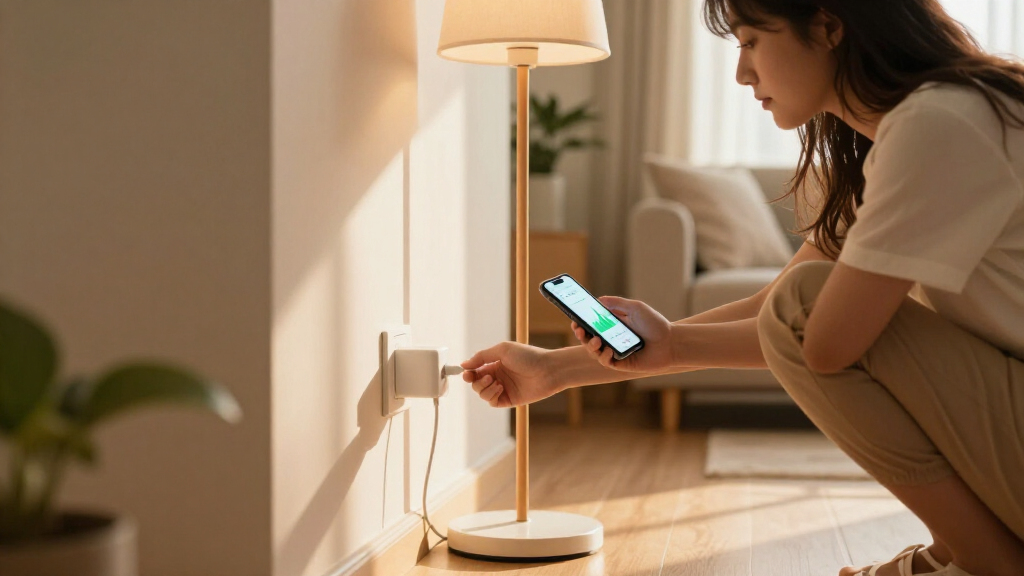

Smart plugs with energy monitoring do more than turn appliances on and off remotely — they show you exactly how much power each device consumes, in real time and over weeks and months, so you can spot energy-wasting equipment and cut your electric bill. After comparing the top options available in 2026, the TP-Link Kasa KP125MP4 stands out as the best overall pick thanks to its Matter compatibility, accurate power readings, and polished Kasa app. The Emporia 4-Pack is the strongest choice for whole-home energy tracking on a budget, while the THIRDREALITY Gen3 is the pick for anyone building a Zigbee hub setup that avoids crowded Wi-Fi networks. The main tradeoffs in this category come down to accuracy of monitoring data versus app quality, whether Matter support matters for your smart home platform, and whether you need instant wattage readouts or just daily and monthly totals. Keep reading for the full breakdown of all 12 plugs.
Complete the kit



Key Takeaways
- TP-Link‘s ecosystem (Kasa KP125MP4, Tapo P110M, P125M, P115) dominates the top of this comparison because its app presents energy data more clearly than any competitor — but accuracy and refresh rates vary between models, and buying a 4-pack of the wrong one locks you into that experience.
- Emporia‘s 4-pack delivers the best cost-per-monitored-outlet in the lineup and integrates with its whole-home energy monitor, making it the smartest choice if your goal is tracking total consumption rather than smart home automation.
- Every Matter-compatible plug here (Tapo P110M, SONOFF S61s, Kasa KP125M, Tapo P125M) trades some platform flexibility for slightly higher prices — worth it for Apple Home users, skippable if you only use Alexa or Google Home.
- The generic ‘Smart Plug Outlet 4-Pack’ and Govee options undercut brand-name plugs on price but rely on clunkier apps with less reliable historical data, which undermines the entire reason to buy an energy-monitoring plug.
- Zigbee options like the THIRDREALITY Gen3 need a separate hub but offload traffic from Wi-Fi — a meaningful advantage in large homes with 10+ smart devices, since Wi-Fi-only plugs can saturate a router’s connection limit.
| THIRDREALITY Smart Plug Gen3 (4 Pack) |  | Best for Zigbee Smart Home Setups | Connectivity: Zigbee 3.0 (hub required) | Monitoring Accuracy: ±1% | Max Current: 15A | VIEW LATEST PRICE | See Our Full Breakdown |
| Emporia Energy Monitoring Smart Plug (4 Pack) |  | Best for Whole-Home Energy Tracking | Connectivity: Wi-Fi 2.4GHz only | Max Current: 10A | Wattage: 1200W | VIEW LATEST PRICE | See Our Full Breakdown |
| Tapo P110M Smart Plug (4-Pack) |  | Best Overall | Model: P110M | Max Current: 15A | Certification: Matter | VIEW LATEST PRICE | See Our Full Breakdown |
| Smart Plug Outlet with Energy Monitoring, 15A 2.4 GHz Wi-Fi, 4-Pack |  | Best Budget Pick | Connectivity: Wi-Fi 2.4GHz | Max Current: 15A | Max Power: 1800W | VIEW LATEST PRICE | See Our Full Breakdown |
| Govee Smart Plug with Energy Monitoring, WiFi + Bluetooth Outlet, 4 Pack |  | Best for Energy History and Data | Connectivity: Wi-Fi 2.4GHz + Bluetooth | Max Load: 15A, 120V | Energy History: Daily/weekly/monthly, up to 1 year | VIEW LATEST PRICE | See Our Full Breakdown |
| SONOFF S61s Matter Smart Plug 15A Wi-Fi Outlet with Energy Monitoring, 4-Pack |  | Best Value for Multi-Platform Households | Max Load: 15A / 1875W | Connectivity: Matter over Wi-Fi (2.4GHz) | Compatible Platforms: Apple Home, Alexa, Google Home, SmartThings, eWeLink | VIEW LATEST PRICE | See Our Full Breakdown |
| TP-Link Tapo P125M Matter Smart Plug Mini (3-Pack) |  | Best Compact Pick for Tight Outlets | Max Load: 15A / 1800W | Connectivity: Wi-Fi 2.4GHz, Matter, Bluetooth onboarding | Compatible Platforms: Apple Home, Alexa, Google Home, Samsung SmartThings | VIEW LATEST PRICE | See Our Full Breakdown |
| Kasa Matter Smart Plug with Energy Monitoring (KP125MP4) |  | Best Overall | Max Load: 15A / 1800W | Connectivity: Wi-Fi, Matter | Compatible Platforms: Apple Home, Amazon Alexa, Google Home, Samsung SmartThings | VIEW LATEST PRICE | See Our Full Breakdown |
| TP-Link Tapo P115 Smart Plug Wi-Fi with Energy Monitoring (2-Pack), 15A |  | Best for Energy Analytics | Max Load: 15A | Connectivity: Wi-Fi (2.4GHz) | Energy Monitoring: Usage statistics and charts with cost estimation | VIEW LATEST PRICE | See Our Full Breakdown |
| Kasa Smart Plug Mini with Energy Monitoring (KP115) |  | Best for Beginners | Connectivity: 2.4GHz Wi-Fi | Voice Assistants: Alexa, Google Home | Energy Monitoring: Yes — consumption tracking | VIEW LATEST PRICE | See Our Full Breakdown |
| Kasa Matter Smart Plug with Energy Monitoring (KP125MP2) |  | Best for Multi-Ecosystem Households | Model: KP125MP2 | Protocol: Matter | Compatible Platforms: Apple Home, Amazon Alexa, Google Home, Samsung SmartThings | VIEW LATEST PRICE | See Our Full Breakdown |
| TP-Link Tapo P115 Wi-Fi Smart Plug with Energy Monitoring, 4-Pack, 15A | 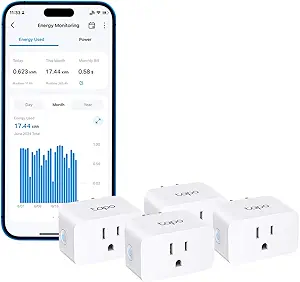 | Best Bulk Value for Alexa and Google Homes | Model: Tapo P115 | Pack Size: 4 plugs | Connectivity: Wi-Fi | VIEW LATEST PRICE | See Our Full Breakdown |
| smart plugs with energy monitoring | Connectivity | Certification | Pack Size | Max Current |
|---|---|---|---|---|
| THIRDREALITY Smart Plug Gen3 | Zigbee 3.0 (hub required) | ETL | — | 15A |
| Emporia Energy Monitoring Smar | Wi-Fi 2.4GHz only | — | 4 plugs | 10A |
| Tapo P110M Smart Plug | — | Matter | 4 plugs | 15A |
| Smart Plug Outlet with Energy | Wi-Fi 2.4GHz | FCC | 4 plugs | 15A |
| Govee Smart Plug with Energy M | Wi-Fi 2.4GHz + Bluetooth | — | — | — |
| SONOFF S61s Matter Smart Plug | Matter over Wi-Fi (2.4GHz) | ETL Listed | 4-pack | — |
| TP-Link Tapo P125M Matter Smar | Wi-Fi 2.4GHz, Matter, Bluetooth onboarding | UL Certified, flame-retardant housing | 3-pack | — |
| Kasa Matter Smart Plug with En | Wi-Fi, Matter | UL certified flame retardant | 4-pack | — |
| TP-Link Tapo P115 Smart Plug W | Wi-Fi (2.4GHz) | — | 2-pack | — |
| Kasa Smart Plug Mini with Ener | 2.4GHz Wi-Fi | UL certified | — | — |
| Kasa Matter Smart Plug with En | — | UL certified flame retardant | — | 15A |
| TP-Link Tapo P115 Wi-Fi Smart | Wi-Fi | — | 4 plugs | 15A |
More Details on Our Top Picks
THIRDREALITY Smart Plug Gen3 (4 Pack)
Most plugs in this roundup lean on Wi-Fi, but the THIRDREALITY Gen3 takes the Zigbee route — and that changes the math for anyone already running a hub-based home. Its ±1% power monitoring accuracy is tighter than anything else here, which matters if you’re using energy data to make decisions rather than just glance at graphs. Compared with the Tapo P110M, this option skips cloud dependency entirely once it’s paired with a hub like Home Assistant or SmartThings. The built-in Zigbee repeater is a genuine bonus: every plugged-in unit strengthens the mesh. The tradeoff is steep for everyone else, though — without a Zigbee hub, these are decorative plastic squares, and some advanced power-restoration settings only work on THIRDREALITY’s own Gen2 hub.
Pros:- ±1% monitoring accuracy is the most precise in this lineup
- Each plug doubles as a Zigbee repeater to strengthen mesh coverage
- Compact housing leaves the second outlet free
- Works locally with Home Assistant, SmartThings, Hubitat, and Echo devices
Cons:- Requires a Zigbee hub — no standalone operation at all
- Power-on state restoration only works on THIRDREALITY Hub Gen2 and Home Assistant
Best for: Home Assistant, Hubitat, or SmartThings users who already own a Zigbee hub and want precise, local energy data
Not ideal for: Buyers without any hub — this plug simply will not connect to Wi-Fi or work standalone
- Connectivity:Zigbee 3.0 (hub required)
- Monitoring Accuracy:±1%
- Max Current:15A
- Operating Voltage:110V
- Quantity:4 pack
- Certification:ETL
- Extra Feature:Built-in Zigbee mesh repeater
Our verdict“If you already live in a Zigbee household, this is the monitoring plug to get — everyone else should look at Wi-Fi options like the Tapo P110M.”
Emporia Energy Monitoring Smart Plug (4 Pack)
Emporia’s play isn’t just the plug — it’s the ecosystem. These plugs feed data into the same app that powers Emporia’s whole-home energy monitors, so if your goal is tracking consumption room by room alongside a circuit-level view, this option stands out from standalone alternatives like the Govee 4-pack. Scheduling is simple, remote control is reliable, and Alexa and Google integration cover voice basics. The catch is capacity: at 10A continuous, these are the weakest plugs in this batch. Where the Tapo P110M and THIRDREALITY handle 15A loads like space heaters, the Emporia tops out around 1200W — fine for lamps, fans, and humidifiers, risky for anything that heats. Pair it with Emporia’s ecosystem and it shines; use it alone and its limits show.
Pros:- Integrates with Emporia’s broader whole-home energy monitoring ecosystem
- Clean, simple app focused on energy usage and standby waste
- Works with Alexa and Google Assistant
- On/off scheduling automates appliances like coffee makers
Cons:- 10A / 1200W ceiling is the lowest capacity in this roundup
- 2.4GHz Wi-Fi only — no 5GHz support
Best for: Homeowners building an Emporia-based whole-home energy monitoring system who mostly run small devices
Not ideal for: Anyone wanting to monitor high-wattage appliances like space heaters or kettles — the 10A limit rules them out
- Connectivity:Wi-Fi 2.4GHz only
- Max Current:10A
- Wattage:1200W
- Operating Voltage:120V
- Compatibility:Alexa, Google Assistant, Emporia app
- Pack Size:4 plugs
- Operating Temperature:14°F to 140°F
Our verdict“Buy these if you’re already invested in Emporia’s energy platform; skip them if you need to plug in anything power-hungry.”
Tapo P110M Smart Plug (4-Pack)
This is the pick I’d point most buyers toward, and the reasoning is simple: it’s the only plug in this batch that combines Matter certification, full 15A capacity, and genuinely useful energy tooling. Unlike the generic SmartLife plug later in this list, the P110M’s app estimates your actual electricity bill from tracked usage and can schedule devices to run during off-peak hours — the difference between collecting data and acting on it. Safety features like overcharge protection and power cutoff thresholds also go beyond what the Emporia offers, automatically killing power if a device misbehaves. The main friction is Matter itself: full functionality assumes you have a controller like an Apple HomePod or Alexa hub, and energy history lives inside Tapo’s ecosystem rather than any open standard.
Pros:- Matter certified for cross-platform use with Apple Home, Alexa, Google, and SmartThings
- Electricity cost estimation turns raw data into actionable numbers
- Overcharge and overcurrent protection with configurable power cutoff
- Off-peak scheduling to shrink bills, not just track them
Cons:- Needs a smart home hub/platform for full Matter functionality
- Energy data is locked to the Tapo app ecosystem
Best for: Buyers who want one plug that works across Alexa, Google Home, and Apple Home today and won’t need replacing when they switch platforms
Not ideal for: Households with no smart home hub or platform — Matter’s cross-platform benefits largely pass them by
- Model:P110M
- Max Current:15A
- Certification:Matter
- Compatibility:Alexa, Apple HomeKit, Google Home, Samsung SmartThings
- Features:Energy monitoring, cost estimation, scheduling, overcharge protection
- Pack Size:4 plugs
Our verdict“The most future-proof, full-featured energy-monitoring plug in this lineup — worth it for anyone with even a basic smart home setup.”
Smart Plug Outlet with Energy Monitoring, 15A 2.4 GHz Wi-Fi, 4-Pack
Sometimes you just need four plugs that do the job without paying for ecosystems you won’t use. This unbranded 4-pack covers the essentials — real-time energy monitoring, 15A/1800W capacity, scheduling, and overload protection — at the lowest complexity in this batch. Setup skips hubs entirely via the SmartLife app, which is a real advantage over the hub-dependent THIRDREALITY Gen3. Compared with the Tapo P110M, though, the polish gap shows: no Matter, no cost estimation, and Alexa control runs through SmartLife rather than a direct connection, which occasionally means slower response. The compact housing leaves adjacent outlets free, and group control handles whole-room automation. For a first apartment or a rental, these tradeoffs are easy to accept.
Pros:- Hub-free setup through the SmartLife app
- Full 15A / 1800W capacity matches pricier plugs
- Overload and short-circuit protection in an FCC-certified design
- Group control and sharing features included
Cons:- No direct Alexa connection — everything routes through SmartLife
- 2.4GHz Wi-Fi only, and no Matter or HomeKit support
Best for: First-time smart plug buyers and renters who want basic energy tracking for the lowest commitment
Not ideal for: Buyers invested in Apple Home or planning platform changes — no Matter support means starting over later
- Connectivity:Wi-Fi 2.4GHz
- Max Current:15A
- Max Power:1800W
- Hub Required:No
- App:SmartLife
- Voice Control:Alexa, Google Assistant (via SmartLife)
- Certification:FCC
- Pack Size:4 plugs
Our verdict“A sensible budget buy for monitoring energy on everyday devices, as long as you accept a rougher app experience than Tapo or Kasa deliver.”
Govee Smart Plug with Energy Monitoring, WiFi + Bluetooth Outlet, 4 Pack
Where the generic SmartLife plug gives you a live readout, Govee commits to the long game: up to a full year of historical energy data broken into daily, weekly, and monthly views, plus voltage and current readings alongside wattage. That history is what makes seasonal patterns visible — like discovering your dehumidifier costs triple what you assumed each summer. The Bluetooth-assisted setup is also smoother than Wi-Fi-only rivals, which matters when pairing four plugs in one sitting. Build quality holds up too, with fire-resistant materials and dual FCC/ETL certification supporting the full 15A rating. The limitation is platform depth: unlike the Tapo P110M, there’s no Matter support and no bill estimation, so you’re analyzing raw data inside Govee’s app and doing the cost math yourself.
Pros:- Historical energy data stored for up to 1 year with daily, weekly, and monthly views
- Tracks voltage and current in addition to wattage
- Bluetooth pairing simplifies setup for all four plugs
- Fire-resistant materials with FCC and ETL certification
Cons:- 2.4GHz Wi-Fi only — no 5GHz or Matter support
- Requires Govee Home App for setup and full functionality
Best for: Data-minded buyers who want long-term historical trends on their power usage, not just a live wattage number
Not ideal for: Apple Home users and anyone wanting automatic cost calculations — Govee’s app tracks consumption but won’t translate it to dollars
- Connectivity:Wi-Fi 2.4GHz + Bluetooth
- Max Load:15A, 120V
- Energy History:Daily/weekly/monthly, up to 1 year
- Compatibility:Alexa, Google Assistant, Govee Home App
- Certifications:FCC, ETL
- Material:Fire-resistant housing
- Quantity:4 pack
Our verdict“The strongest choice in this batch for understanding your energy habits over time, provided you don’t need Matter or HomeKit.”
SONOFF S61s Matter Smart Plug 15A Wi-Fi Outlet with Energy Monitoring, 4-Pack
Matter certification at a four-pack price is what sets the SONOFF S61s apart from cheaper Wi-Fi plugs like the generic 4-pack options in this roundup. Instead of being locked into one ecosystem, this option talks to Apple Home, Alexa, Google Home, and SmartThings out of the box, which matters if your household mixes platforms. The real-time energy monitoring with electricity cost tracking goes a step further than basic consumption graphs — the eWeLink app converts watt-hours into actual dollars, which is the whole point of buying a monitoring plug rather than a dumb timer. Compared with the Kasa KP125MP4, the S61s handles a slightly higher 1875W load, though it lacks TP-Link’s polished app experience and relies on eWeLink, which some buyers find less refined. Tradeoffs are familiar: 2.4GHz-only Wi-Fi and a 40°C operating ceiling that rules out enclosed, hot spaces.
Pros:- Matter certified for Apple Home, Alexa, Google Home, and SmartThings
- Energy monitoring includes electricity cost tracking, not just raw wattage
- 1875W load capacity handles heaters and high-draw appliances
- Overload protection and fire-resistant housing with ETL listing
Cons:- 2.4GHz-only Wi-Fi with no 5GHz fallback
- eWeLink app feels less polished than Tapo or Kasa alternatives
- 40°C maximum operating temperature limits placement options
Best for: Mixed-ecosystem households who want Matter compatibility and cost tracking across four outlets without buying a premium brand
Not ideal for: Buyers who prioritize app polish — the eWeLink app is less refined than Tapo or Kasa, and hot environments exceed its 40°C rating
- Max Load:15A / 1875W
- Connectivity:Matter over Wi-Fi (2.4GHz)
- Compatible Platforms:Apple Home, Alexa, Google Home, SmartThings, eWeLink
- Energy Monitoring:Real-time usage and cost tracking
- Safety:Overload protection, fire-resistant housing
- Certification:ETL Listed
- Pack Size:4-pack
Our verdict“This pick makes the most sense for households that need four Matter-ready, cost-tracking plugs on a budget and can live with a utilitarian app.”
TP-Link Tapo P125M Matter Smart Plug Mini (3-Pack)
Not every smart plug earns its spot by cramming in features — the Tapo P125M wins on footprint and reliability. Its low-profile housing leaves the second outlet free in a standard duplex, something bulkier monitoring plugs like the Emporia 4-pack can’t claim. The standout capability here is local LAN control: schedules and automations keep running even when your internet drops, which the cheaper THIRDREALITY Zigbee plug can only match with a separate hub. The catch for this roundup’s specific lens is that the P125M is a three-pack slotting in alongside plugs whose energy monitoring is the headline feature — the Kasa KP125MP4 offers the same compact Matter body plus consumption tracking, so if wattage data is your priority, that model is the stronger buy. Matter setup also assumes a compatible controller, and it’s 2.4GHz only.
Pros:- Compact design leaves adjacent outlets unblocked
- Local LAN control keeps automations alive during internet outages
- Matter support spans Apple Home, Alexa, Google Home, and SmartThings
- Easy Bluetooth onboarding with a 2-year warranty
Cons:- Energy monitoring is limited compared with dedicated tracking plugs like the Tapo P115
- Matter features require a compatible hub/controller on some platforms
- 2.4GHz-only Wi-Fi
Best for: Renters and anyone with crowded power strips who need compact, internet-outage-proof plugs and only casual energy insight
Not ideal for: Buyers focused specifically on energy monitoring — the Kasa KP125MP4 adds tracking in a similarly compact body
- Max Load:15A / 1800W
- Connectivity:Wi-Fi 2.4GHz, Matter, Bluetooth onboarding
- Compatible Platforms:Apple Home, Alexa, Google Home, Samsung SmartThings
- Offline Control:Local LAN control
- Certification:UL Certified, flame-retardant housing
- Warranty:2-year limited
- Pack Size:3-pack
Our verdict“Choose this if outlet real estate and offline reliability matter more to you than detailed consumption charts.”
Kasa Matter Smart Plug with Energy Monitoring (KP125MP4)
This is the plug I’d point most buyers toward, because it combines the three things this roundup exists for: Matter cross-platform support, built-in energy monitoring, and offline local control — all in a compact UL-certified body. Compared with the SONOFF S61s, the KP125MP4 trades a bit of maximum wattage (1800W vs. 1875W) for a noticeably more mature app; Kasa’s energy history and scheduling feel like they were designed rather than bolted on. Against the Tapo P125M, it adds the consumption tracking that model lacks, in essentially the same space-saving footprint. Like every Matter plug here, full smart-home integration assumes a compatible hub or controller, so Apple Home users need a HomePod and Alexa users need a Matter-capable Echo. It won’t run a 20A workshop tool either — this is a household-appliance plug, full stop.
Pros:- Matter support across Apple Home, Alexa, Google Home, and SmartThings
- Built-in energy monitoring with Kasa’s well-designed app
- Local LAN control survives internet outages
- Compact, UL-certified flame-retardant housing that doesn’t block the second outlet
Cons:- Requires a Matter-compatible hub/controller for full integration
- Capped at 15A/1800W for high-draw devices
Best for: Mainstream smart-home owners who want reliable energy tracking, Matter flexibility, and polished software in one plug
Not ideal for: Anyone without a Matter controller, or users powering equipment beyond 15A/1800W
- Max Load:15A / 1800W
- Connectivity:Wi-Fi, Matter
- Compatible Platforms:Apple Home, Amazon Alexa, Google Home, Samsung SmartThings
- Energy Monitoring:Built-in consumption tracking
- Offline Control:Local LAN control
- Certification:UL certified flame retardant
- Warranty:2-year limited
- Pack Size:4-pack
Our verdict“The safest all-around choice for most homes — buy this unless you specifically need a hub-free Zigbee setup or ultra-detailed energy analytics.”
TP-Link Tapo P115 Smart Plug Wi-Fi with Energy Monitoring (2-Pack), 15A
If the reason you’re buying is understanding your electricity bill, not just automating a lamp, the Tapo P115 is the sharpest tool in this lineup. Its app serves up detailed usage statistics and charts that go deeper than the Kasa KP115’s basic monitoring, and two features stand out for real savings: off-peak scheduling that shifts high-power devices to cheaper rate windows, and a smart charging cutoff that stops overcharging phones and laptops. Auto-shutoff protection against overload rounds out a genuinely utility-focused package. The tradeoff versus the Kasa KP125MP4 is clear — no Matter support, so you’re choosing between Alexa and Google rather than spanning ecosystems. It also demands 2.4GHz Wi-Fi and the Tapo app from day one, and each unit covers a single outlet.
Pros:- Detailed energy tracking with usage charts and cost estimation
- Off-peak scheduling shifts high-power devices to cheaper rate windows
- Smart charging cutoff prevents battery overcharging
- Auto-shutoff protects against electrical overload
Cons:- No Matter support — limited to Alexa and Google Assistant
- Requires 2.4GHz Wi-Fi and Tapo app setup
- Single outlet per unit means larger rooms need multiple plugs
Best for: Bill-conscious buyers on time-of-use electricity rates who want charts, off-peak scheduling, and charging cutoffs
Not ideal for: Apple Home or SmartThings users — without Matter, this plug only speaks Alexa and Google Assistant
- Max Load:15A
- Connectivity:Wi-Fi (2.4GHz)
- Energy Monitoring:Usage statistics and charts with cost estimation
- Special Features:Off-peak scheduling, smart charging cutoff, auto-shutoff
- Voice Assistants:Alexa, Google Assistant
- App:Tapo app
- Pack Size:2-pack
Our verdict“This option stands out for energy data depth — pick it when reducing your bill matters more than ecosystem flexibility.”
Kasa Smart Plug Mini with Energy Monitoring (KP115)
The KP115 is the plug I’d hand to someone setting up their first smart home. It skips Matter, hubs, and controllers entirely — plug in, connect the Kasa app over 2.4GHz Wi-Fi, and talk to Alexa or Google. That simplicity is its strength compared with the Kasa KP125MP4, which is the better plug on paper but assumes you have a Matter controller to unlock its full value. Energy monitoring here covers the basics — you can see consumption and spot energy-hog devices — though it lacks the chart depth and cost tools of the Tapo P115. Where the KP115 quietly outclasses most of this lineup is safety: overheating protection, a fireproof shell, and a sliding child-safety cover that parents of toddlers will appreciate. It’s single-outlet, older-generation, and 2.4GHz-only, but it just works.
Pros:- Simple app-based setup with no hub or Matter controller needed
- Voice control via Alexa and Google Home
- Energy monitoring for identifying power-hungry devices
- Safety features include child-safety cover, fireproof shell, and overheating protection
Cons:- No Matter support limits future ecosystem choices
- Energy reporting is shallower than the Tapo P115’s charts and cost tools
- 2.4GHz-only Wi-Fi and one outlet per unit
Best for: First-time smart-home buyers and parents who want dead-simple setup with strong safety features
Not ideal for: Households planning to grow into Apple Home or SmartThings — no Matter support means this plug stays in the Alexa/Google lane
- Connectivity:2.4GHz Wi-Fi
- Voice Assistants:Alexa, Google Home
- Energy Monitoring:Yes — consumption tracking
- Safety Features:Overheating protection, fireproof shell, sliding child-safety cover
- Control:Kasa app remote control from anywhere
- Certification:UL certified
- Warranty:2 years
Our verdict“A dependable, safety-minded starter plug — buy it for easy setup, and look at the KP125MP4 if you want to future-proof.”
Kasa Matter Smart Plug with Energy Monitoring (KP125MP2)
Most smart plugs force you to commit to one ecosystem, but the Kasa KP125MP2 plays well with Apple Home, Alexa, Google Home, and SmartThings thanks to Matter certification. That flexibility is rare — the TP-Link Tapo P115 elsewhere in this roundup only speaks to Alexa and Google. The standout feature here is local LAN control: lights and appliances keep responding even when your internet drops, something Wi-Fi-only plugs like the Govee can’t manage. Energy monitoring is built into the Kasa app, so you can track consumption without adding a separate hub. The tradeoff is that full Matter functionality requires a compatible controller, which adds setup friction for Apple Home or SmartThings users. Compared with the Tapo P125M, the KP125MP2 wins on offline resilience but offers a smaller pack size for the money.
Pros:- Works across all four major Matter-certified ecosystems
- Local LAN control keeps working during internet outages
- Built-in energy monitoring in the Kasa app
- Compact design leaves adjacent outlets free
Cons:- Requires a Matter-compatible hub or controller for full functionality
- Capped at 15A/1800W, ruling out heavy appliances
Best for: Households mixing Apple Home, Alexa, and Google devices who want one plug that works everywhere
Not ideal for: Buyers without a Matter-compatible hub or controller, who won’t unlock the plug’s main advantage
- Model:KP125MP2
- Protocol:Matter
- Compatible Platforms:Apple Home, Amazon Alexa, Google Home, Samsung SmartThings
- Max Current:15A
- Max Power:1800W
- Energy Monitoring:Yes, via Kasa app
- Offline Control:Local LAN control
- Certification:UL certified flame retardant
- Warranty:2-year limited
Our verdict“This pick makes the most sense for mixed-platform smart homes that refuse to be locked into a single assistant.”
TP-Link Tapo P115 Wi-Fi Smart Plug with Energy Monitoring, 4-Pack, 15A
When the goal is outfitting a whole room on a budget, this 4-pack of Tapo P115 plugs gets you energy monitoring at every outlet without per-plug premium pricing. Unlike the Kasa KP125MP2, which leans on Matter for multi-platform flexibility, the P115 is a straightforward Wi-Fi plug aimed squarely at Alexa and Google Assistant households — no hub required, just the Tapo app. Energy stats are presented with clear statistics and charts, making it easy to spot which device is quietly inflating your bill. A useful safety extra is the automatic shutoff on overload, which protects both the plug and whatever’s plugged into it. The compromises: no Apple Home or SmartThings support, and remote control dies with your Wi-Fi. Compared with the SONOFF S61s 4-pack, the P115 trades Matter compatibility for simpler out-of-the-box setup.
Pros:- Four energy-monitoring plugs in one package
- Clear consumption statistics and charts in the Tapo app
- Automatic overload shutoff adds a safety layer
- Scheduling and remote control without any hub
Cons:- No Apple Home or SmartThings compatibility
- Fully dependent on Wi-Fi and the Tapo app for remote features
Best for: Alexa or Google households wanting to monitor energy on four devices without buying a hub
Not ideal for: Apple Home or SmartThings users, since the plug supports neither platform
- Model:Tapo P115
- Pack Size:4 plugs
- Connectivity:Wi-Fi
- Energy Monitoring:Yes, with statistics and charts
- Max Current:15A
- Voice Assistants:Amazon Alexa, Google Assistant
- App Control:Tapo app
- Safety Feature:Automatic overload shutoff
Our verdict“This option stands out for budget-conscious Alexa and Google users who need monitoring at multiple outlets in one purchase.”

How We Picked
My ranking logic starts with one question: how trustworthy and readable is the energy data? A monitoring plug fails at its job if the app buries consumption stats, rounds off small loads, or only shows daily totals when you needed real-time wattage. I weighted app interface quality, the granularity of reporting (real-time watts, hourly, daily, monthly, and yearly history), and how each platform exports or acts on that data — some plugs let you build automations triggered by energy thresholds, while others treat monitoring as a passive sidebar feature.
From there, I scored each plug on connectivity and ecosystem fit (Matter, Alexa, Google Home, Apple Home, Zigbee), physical design (whether a two-plug wall outlet can fit two of these side by side), hardware ratings (15A capacity covers most appliances, but some plugs still shouldn’t be used with high-wattage heaters), and value per outlet in multi-packs, since almost nobody buys a single monitoring plug. Finally, I factored in onboarding — plugs that pair in under five minutes and don’t demand a hub or a subscription rank higher for beginners, while hub-reliant Zigbee models earn their place only when the reliability payoff justifies the setup effort.
| smart plugs with energy monitoring | Energy Monitoring |
|---|---|
| THIRDREALITY Smart Plug Gen3 | — |
| Emporia Energy Monitoring Smar | — |
| Tapo P110M Smart Plug | — |
| Smart Plug Outlet with Energy | — |
| Govee Smart Plug with Energy M | — |
| SONOFF S61s Matter Smart Plug | Real-time usage and cost tracking |
| TP-Link Tapo P125M Matter Smar | — |
| Kasa Matter Smart Plug with En | Built-in consumption tracking |
| TP-Link Tapo P115 Smart Plug W | Usage statistics and charts with cost estimation |
| Kasa Smart Plug Mini with Ener | Yes — consumption tracking |
| Kasa Matter Smart Plug with En | Yes, via Kasa app |
| TP-Link Tapo P115 Wi-Fi Smart | Yes, with statistics and charts |
Factors to Consider When Choosing Smart Plugs With Energy Monitoring
Energy monitoring sounds like a single feature, but the twelve plugs in this roundup implement it very differently. Before committing to a multi-pack, these are the factors that actually determine whether you’ll love or regret your purchase six months from now.Real-Time Monitoring vs. Periodic Reporting
The biggest hidden difference between plugs is how often they sample power draw. Some models report instantaneous wattage every second, which lets you see a refrigerator’s compressor kick on, spot a phantom load drawing standby power, or verify a space heater’s cycling behavior. Others only log aggregated daily totals, which is fine for tracking a lamp’s monthly cost but useless for diagnosing when a device consumes power. Buyers frequently discover this limitation too late — the plug ‘has energy monitoring,’ but the data arrives too coarsely to answer their actual question. If your goal is understanding consumption patterns (like why your bill spiked), prioritize plugs with hourly history and real-time readouts. If you only want a rough monthly figure for one appliance, nearly any monitoring plug will do, and you can shop purely on price.
Matter Support: Future-Proofing or Unnecessary Premium?
Matter is the smart home standard meant to end platform lock-in, and plugs like the Tapo P110M, Kasa KP125M, and SONOFF S61s support it. The real question is whether you need it. Matter matters most for Apple Home users, who otherwise have very few plug options, and for households that switch voice assistants or run mixed ecosystems. For Alexa- or Google-only households, a cheaper non-Matter plug does the same job — Matter adds no energy-monitoring benefit today, and in some early implementations the energy data itself isn’t fully exposed through Matter, meaning you may still need the manufacturer’s app for consumption stats. Treat Matter as an insurance policy on platform flexibility, not as a feature that improves monitoring. A common mistake is paying extra for Matter on plugs destined for a single-assistant household, then never touching the compatibility that justified the premium.
Wi-Fi, Zigbee, and the Hub Question
Most plugs here connect directly to 2.4 GHz Wi-Fi, which means no hub and a simple setup — but every plug becomes another device on your router. In a home with smart bulbs, cameras, and thermostats, adding four to eight Wi-Fi plugs can push budget routers toward their connection limits, causing dropouts that make monitoring data gappy. Zigbee plugs like the THIRDREALITY Gen3 flip this tradeoff: they require a hub (SmartThings, Home Assistant, or THIRDREALITY’s own), but they form a mesh that scales gracefully and keeps energy data flowing reliably in large setups. There’s also a security and privacy angle — Zigbee devices keep traffic local, while cloud-dependent Wi-Fi plugs can lose remote monitoring when the manufacturer’s servers have issues. Match the connectivity to your home’s size and your tolerance for hubs, not to marketing claims.
App Quality Is the Product
The hardware inside these plugs is broadly similar; the software is where they diverge sharply. A monitoring plug is only as useful as its app’s charts, notification settings, and automation builder. Manufacturer apps range from clean interfaces with exportable data and per-device cost estimates (where you enter your electricity rate and see dollars, not just kilowatt-hours) to ad-cluttered apps that bury energy stats three menus deep. Before buying a multi-pack, download the manufacturer’s app and create an account — if the onboarding annoys you in five minutes, living with it for years will be worse. Also check whether the app supports grouping plugs into rooms, sharing access with family members, and setting energy-based automations (for example, alerting you when the dryer finishes because its draw drops to zero). These details separate a data tool from a gadget.
Physical Fit and Load Limits
Two practical issues cause most returns. First, bulk: some plugs are wide enough to block the second outlet in a standard duplex wall plate, which is frustrating when you bought a four-pack to instrument several rooms. Mini designs like the Tapo P125M and Kasa KP125M solve this and are worth seeking if outlets are tight. Second, load ratings: every plug here is rated 15A, but that rating covers resistance-heating appliances poorly in practice — many manufacturers explicitly exclude space heaters, hair dryers, and air conditioners from warranty coverage, and relay contacts in cheap plugs can weld shut under sustained high current. For monitoring a fridge, washer, TV setup, or entertainment center, all of these plugs are appropriate. For anything that makes heat, check the fine print and consider a heavy-duty monitoring outlet instead. Also note that some plugs lose calibration accuracy at very low draws (under 5W), where standby vampire loads live — check reviews of measurement floor if phantom-load hunting is your goal.
Multi-Pack Math and Where to Spend More
Energy monitoring is most valuable when applied systematically — measuring every major appliance for a month usually reveals one or two surprises worth far more than the plugs cost. That argues for multi-packs, but resist buying the cheapest 4-pack on spec. The generic and Govee options in this lineup cost less per outlet, yet weaker historical logging can leave you with incomplete data exactly when you need it. A sensible strategy: spend more on two or three brand-name plugs for your biggest loads (refrigerator, washer, entertainment center) where data quality matters, and fill in low-stakes outlets with budget plugs. If you already own or plan to buy a whole-home energy monitor like Emporia’s Vue, buying the same brand’s plugs creates a unified dashboard — that integration is worth a small premium over mixing brands and juggling multiple apps.
Frequently Asked Questions
How accurate are smart plugs with energy monitoring compared to a utility meter?
Quality plugs from TP-Link, Emporia, and THIRDREALITY typically report within 1–3% of calibrated references for loads above roughly 10 watts, which is accurate enough for spotting waste and comparing appliances. Accuracy degrades at very low standby draws, where some plugs read zero for loads under 2–5 watts — a real problem if you’re hunting phantom loads, since those small draws add up across a whole house. Also remember that a plug measures one outlet, while your utility meter measures everything, so discrepancies are expected when comparing directly. For most decisions (should I replace this old fridge, is the gaming PC the bill culprit), the precision these plugs offer is more than sufficient. If you need utility-grade data, pair a plug-level approach with a whole-home monitor rather than relying on either alone.
Do Matter smart plugs still show energy monitoring through Apple Home or Alexa?
This is where marketing and reality diverge. Matter’s specification has historically exposed basic power-sensing data inconsistently, so many Matter plugs — including the Tapo P110M and Kasa KP125M — still require the manufacturer’s own app for detailed energy history, charts, and cost calculations. Through Apple Home or Alexa you typically get on/off control and sometimes a current power reading, but not the month of historical data that made you buy a monitoring plug in the first place. This is improving as platforms adopt Matter’s energy-reporting features, but you shouldn’t assume full monitoring works natively today. The practical approach: buy the plug for its native app’s data quality first, and treat Matter compatibility as a bonus for setup and control, not as the monitoring interface.
Can I use energy-monitoring smart plugs with a refrigerator, washing machine, or space heater?
Refrigerators and washing machines are among the best use cases — both have cycling behavior that monitoring reveals clearly, and their compressor/motor loads stay within a 15A plug’s comfort zone. Space heaters are different: even though a 1,500W heater technically draws 12.5 amps at 120V, sustained resistive heating stresses relay contacts, and several manufacturers explicitly exclude heaters from warranty coverage. Motors with high inrush current (like some air conditioners or sump pumps) can also briefly exceed ratings at startup. A safe rule from this lineup: use any of these plugs for fridges, washers, dryers with proper ratings checked, entertainment systems, and office gear; think twice about anything that makes heat. If heater monitoring is your goal, look for a plug specifically rated for resistive loads rather than gambling on a general-purpose one.
Is a hub-required Zigbee plug like the THIRDREALITY worth it over Wi-Fi plugs?
It depends entirely on scale. For two to four plugs in an apartment, Wi-Fi models are simpler — plug in, connect to the app, done, with no extra hardware to buy or keep powered. Zigbee starts winning when you deploy many devices: each plug doesn’t consume a router connection, the mesh gets more reliable as you add devices, and data keeps flowing locally even if your internet drops or a manufacturer’s cloud has an outage. Zigbee plugs also tend to respond faster to automations because commands don’t round-trip through a cloud server. If you already run SmartThings, Home Assistant, or a THIRDREALITY hub, the Gen3 is an easy call. If you’d be buying a hub just for plugs, the math favors Wi-Fi unless reliability issues have already annoyed you.
How many energy-monitoring plugs do I actually need?
A month-long audit of your home’s biggest loads usually needs only three to five plugs: refrigerator, washing machine or dryer, entertainment center, desktop computer setup, and anything you suspect (that garage freezer, the fish tank). Cover those, review a month of data, and most households find one or two clear actions — replacing an aging appliance, putting standby loads on schedules — that pay for the plugs quickly. After the audit, some plugs get redeployed permanently as scheduled switches, so they keep earning their keep. Buying an 8- or 12-pack upfront rarely makes sense unless you’re instrumenting a rental property or integrating with a whole-home monitor like Emporia’s system, where per-circuit visibility complements the plug-level data. Start small, learn what the numbers tell you, then expand.
Conclusion
For most buyers, the Kasa KP125MP4 (4-pack) is the best overall choice — it combines Matter support, a genuinely excellent energy dashboard, mini housing that fits duplex outlets, and the reliability of TP-Link’s platform, which is why it tops this ranking. The best value pick is the Emporia 4-pack, which costs less per monitored outlet than anything else here while keeping data quality respectable, and becomes even stronger if you use or plan to add Emporia’s whole-home monitor. Best for beginners goes to the Tapo P115 2-pack: quick setup, simple charts, and a low-commitment way to learn what energy monitoring can do before buying more.
For specific needs: Apple Home users should choose the Tapo P125M or P110M for native Matter support; large Zigbee-based smart homes will get more reliable long-term performance from the THIRDREALITY Gen3 than from a fleet of Wi-Fi plugs; and budget-conscious buyers covering low-stakes outlets can accept the Govee or generic 4-packs, provided they understand the apps are the weak point. Whatever you choose, buy for the app and the data first — the plug is just the middleman between your appliances and the numbers you actually bought it to see.