

The best iPad for most people is the 11-inch iPad with A16: its 128GB of storage and current-generation everyday performance make it a practical starting point. The 11-inch iPad Air with M4 suits buyers who want more power for creative work, while the 13-inch iPad Pro with M5 is the premium choice for demanding workflows and a larger display. The main tradeoffs are screen size, chip capability, storage, and whether a renewed older model is worth its lower capabilities. An iPad that looks like a bargain can feel limiting if its storage or older hardware does not fit how you plan to use it. Read on for the full comparison and guidance by buyer type.

Get the latest gadgets delivered free with Prime
- Fast, free delivery on millions of items
- Prime Video, Amazon Music and more included
- Member-only deals all year
Complete the kit



Key Takeaways
- The 11-inch iPad with A16 is the strongest everyday fit in this lineup: it pairs a current mainstream chip with 128GB, avoiding the tight storage of several older renewed options.
- The M4 iPad Air is the step-up pick for buyers who want more headroom for demanding apps without moving to the Pro range.
- Screen size changes how an iPad fits your day: 11-inch models are easier to carry, while 13-inch Air and Pro models give more room for split-screen work, drawing, and media.
- Renewed models trade newer hardware for a lower-cost entry point; the 8th-generation 32GB and 2019 models carry the greatest risk of feeling constrained over time.
- Storage and connectivity can matter as much as the chip: the 1TB M2 Air with cellular favors large offline libraries and mobile access, while Wi-Fi-only models suit buyers who mostly work near a network.
| Apple iPad (10th Generation, 2022, 10.9-inch, Wi-Fi, 64GB) – Silver (Renewed) |  | Best for Everyday Basics | Display: 10.9-inch Liquid Retina with True Tone | Chip: A14 Bionic, 6-core CPU and 4-core GPU | Storage: 64GB | VIEW LATEST PRICE | See Our Full Breakdown |
| Apple 2022 iPad Pro 11-inch, Wi-Fi, 128GB, Space Gray (Renewed Premium) |  | Best Renewed Pro for Creative Work | Display: 11-inch Liquid Retina with ProMotion, True Tone, and P3 wide color | Chip: Apple M2, 8-core CPU and 10-core GPU | Storage: 128GB | VIEW LATEST PRICE | See Our Full Breakdown |
| Apple 2024 iPad Air 11-inch, Wi-Fi, 128GB – Space Gray (Renewed) |  | Best Renewed Air for Portability | Screen size: 11 inches | Storage: 128GB | Connectivity: Wi-Fi | VIEW LATEST PRICE | See Our Full Breakdown |
| Apple iPad (11-inch, Wi-Fi, 128GB, Silver, Renewed Premium) |  | Best Renewed Standard iPad for More Storage | Display size: 11 inches | Storage: 128GB | Connectivity: Wi-Fi | VIEW LATEST PRICE | See Our Full Breakdown |
| Apple iPad Air 13-inch (M4) — 128GB, Wi-Fi 7, Starlight |  | Best Large-Screen Air | Display: 13-inch Liquid Retina with P3 wide color and True Tone | Chip: Apple M4 | Storage: 128GB | VIEW LATEST PRICE | See Our Full Breakdown |
| Apple iPad Air 11-inch (M4) — 128GB, Wi-Fi, Space Gray |  | Best for Power in a Compact Size | Display: 11-inch Liquid Retina with P3 wide color and True Tone | Chip: Apple M4 | Storage: 128GB | VIEW LATEST PRICE | See Our Full Breakdown |
| Apple iPad (2021, 10.2-inch, Wi-Fi, 64GB, Space Gray, Renewed) |  | Best for Basic Everyday Use | Display: 10.2-inch Retina | Connectivity: Wi-Fi | Storage: 64GB | VIEW LATEST PRICE | See Our Full Breakdown |
| Apple 2019 iPad 10.2-inch, Wi-Fi, 128GB – Space Gray (Renewed) |  | Best Renewed Pick for More Storage | Display: 10.2-inch Retina | Processor: A10 Fusion | Storage: 128GB | VIEW LATEST PRICE | See Our Full Breakdown |
| Apple iPad 10.2-inch Wi-Fi 32GB – Silver (8th Generation, Renewed) |  | Best for Pencil-Compatible Basics | Display: 10.2-inch Retina | Generation: 8th Generation (2020) | Processor: A12 Bionic with Neural Engine | VIEW LATEST PRICE | See Our Full Breakdown |
| Apple iPad (10th Generation) 256GB Wi-Fi – 10.9-inch Liquid Retina Display, A14 Bionic chip – Blue |  | Best for Everyday Value | Display: 10.9-inch Liquid Retina with True Tone | Chip: A14 Bionic | Storage: 256GB | VIEW LATEST PRICE | See Our Full Breakdown |
| Apple iPad Air 13-inch (M2) 1TB Wi-Fi + 5G Cellular — Starlight |  | Best for Big-Screen Multitasking | Display: 13-inch Liquid Retina, P3 wide color, True Tone | Chip: Apple M2 | Storage: 1TB | VIEW LATEST PRICE | See Our Full Breakdown |
| Apple iPad 11-inch with A16 Chip, 128GB, Wi-Fi 6, and Liquid Retina Display (Silver) |  | Best for Everyday Use | Display: 11-inch Liquid Retina with True Tone | Chip: Apple A16 | Storage: 128GB | VIEW LATEST PRICE | See Our Full Breakdown |
| Apple iPad Pro 11-inch (M5), 256GB, Wi-Fi 7, Space Black |  | Best Compact Pro | Display: 11-inch Ultra Retina XDR with ProMotion, P3 wide color, and True Tone | Chip: Apple M5 | Storage: 256GB | VIEW LATEST PRICE | See Our Full Breakdown |
| Apple iPad Pro 13-inch (M5) 256GB Wi-Fi — Space Black |  | Best for a Large Pro Display | Display: 13-inch Ultra Retina XDR with ProMotion, P3 wide color, and True Tone | Chip: Apple M5 with Neural Accelerators | Storage: 256GB | VIEW LATEST PRICE | See Our Full Breakdown |
| Apple iPad Pro 13-Inch (M4, 512GB, Wi-Fi) — Space Black | 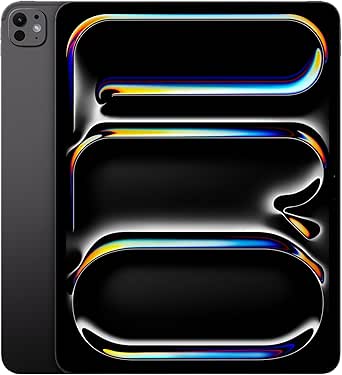 | Best for High-Capacity Creative Work | Display: 13-inch Ultra Retina XDR with ProMotion, P3 wide color, and True Tone | Chip: Apple M4, 10-core CPU and 10-core GPU | Storage: 512GB | VIEW LATEST PRICE | See Our Full Breakdown |
| iPad | Storage | Connectivity | Display | Chip |
|---|---|---|---|---|
| Apple iPad | 64GB | Wi-Fi 6 | 10.9-inch Liquid Retina with True Tone | A14 Bionic, 6-core CPU and 4-core GPU |
| Apple 2022 iPad Pro 11-inch | 128GB | Wi-Fi 6E | 11-inch Liquid Retina with ProMotion, True Tone, and P3 wide color | Apple M2, 8-core CPU and 10-core GPU |
| Apple 2024 iPad Air 11-inch | 128GB | Wi-Fi | — | — |
| Apple iPad | 128GB | Wi-Fi | — | — |
| Apple iPad Air 13-inch | 128GB | Wi-Fi 7 with Apple N1 | 13-inch Liquid Retina with P3 wide color and True Tone | Apple M4 |
| Apple iPad Air 11-inch | 128GB | Wi-Fi 7 with Apple N1 | 11-inch Liquid Retina with P3 wide color and True Tone | Apple M4 |
| Apple iPad | 64GB | Wi-Fi | 10.2-inch Retina | — |
| Apple 2019 iPad 10.2-inch | 128GB | Wi-Fi | 10.2-inch Retina | — |
| Apple iPad 10.2-inch Wi-Fi 32G | 32GB | Wi-Fi 5 (802.11ac) | 10.2-inch Retina | — |
| Apple iPad | 256GB | Wi-Fi 6 | 10.9-inch Liquid Retina with True Tone | A14 Bionic |
| Apple iPad Air 13-inch | 1TB | Wi-Fi 6E, 5G cellular, USB-C | 13-inch Liquid Retina, P3 wide color, True Tone | Apple M2 |
| Apple iPad 11-inch with A16 Ch | 128GB | Wi-Fi 6, USB-C | 11-inch Liquid Retina with True Tone | Apple A16 |
| Apple iPad Pro 11-inch | 256GB | Wi-Fi 7 with Apple N1 | 11-inch Ultra Retina XDR with ProMotion, P3 wide color, and True Tone | Apple M5 |
| Apple iPad Pro 13-inch | 256GB | Wi-Fi 7 with Apple N1 | 13-inch Ultra Retina XDR with ProMotion, P3 wide color, and True Tone | Apple M5 with Neural Accelerators |
| Apple iPad Pro 13-Inch | 512GB | Wi-Fi 6E, USB-C with Thunderbolt/USB 4 | 13-inch Ultra Retina XDR with ProMotion, P3 wide color, and True Tone | Apple M4, 10-core CPU and 10-core GPU |
More Details on Our Top Picks
Apple iPad (10th Generation, 2022, 10.9-inch, Wi-Fi, 64GB) – Silver (Renewed)
The 10.9-inch display and A14 chip make this renewed iPad a capable choice for browsing, video, schoolwork, and video calls. Its 12MP landscape front camera supports Center Stage, which helps keep people in frame during calls. Compared with the 2024 iPad Air 11-inch, it has less storage and an older chip, so it is a better fit for routine tasks than demanding creative work or heavy multitasking. The 64GB capacity can become limiting if you keep many large games, downloads, or videos on the device. This unit is renewed and comes with a 90-day limited warranty; the listed package includes a USB-C cable, while Pencil and keyboard accessories are not listed as included. I’d choose it for familiar iPad features at a simpler level, provided its condition and storage suit the buyer.
Pros:- 10.9-inch Liquid Retina display with True Tone
- A14 Bionic chip for everyday apps and media
- 12MP front camera with Center Stage and 12MP rear camera
- USB-C connector and Wi-Fi 6
Cons:- 64GB storage leaves limited room for large apps and offline media
- Renewed condition with a 90-day limited warranty
- Apple Pencil and Magic Keyboard Folio are not listed as included
Best for: Students and families who mainly browse, stream, video chat, and use a few everyday apps
Not ideal for: People who keep large media libraries or want an iPad for demanding creative apps and extensive multitasking
- Display:10.9-inch Liquid Retina with True Tone
- Chip:A14 Bionic, 6-core CPU and 4-core GPU
- Storage:64GB
- Connectivity:Wi-Fi 6
- Cameras:12MP rear; 12MP Ultra Wide front with Center Stage
- Connector:USB-C
- Condition and warranty:Renewed; 90-day limited warranty
Our verdict“Choose this renewed iPad for everyday family or school use if 64GB is enough and you are comfortable buying a renewed device.”
Apple 2022 iPad Pro 11-inch, Wi-Fi, 128GB, Space Gray (Renewed Premium)
The M2 chip, ProMotion display, and Thunderbolt/USB 4 port give this renewed Pro a more capable setup for demanding apps, fast accessories, and smooth scrolling than the 10th-generation iPad. Its 11-inch screen is easier to carry than the 13-inch iPad Air, while P3 wide color and ProMotion suit drawing, photo work, and motion-heavy content. The LiDAR Scanner adds depth sensing for compatible apps. The tradeoff is that this is a renewed 2022 model, and the listing does not state that a Pencil or keyboard is included. Its 128GB capacity also gives less room for large project files than higher-capacity Pro models. I’d place it above standard iPads for creative flexibility, but buyers who mainly stream and browse may not benefit from the extra capability.
Pros:- M2 chip with 8-core CPU and 10-core GPU
- 11-inch display with ProMotion, True Tone, and P3 wide color
- Thunderbolt/USB 4 support for compatible accessories and fast transfers
- LiDAR Scanner and 12MP Ultra Wide front camera with Center Stage
Cons:- Renewed Premium condition rather than new
- Apple Pencil and keyboard accessories are not stated as included
- 128GB may constrain large creative projects and offline files
Best for: Digital artists and mobile creators who want a compact Pro display, M2 performance, and fast wired connections
Not ideal for: Casual users who mainly browse and stream, or buyers who want a new device and included accessories
- Display:11-inch Liquid Retina with ProMotion, True Tone, and P3 wide color
- Chip:Apple M2, 8-core CPU and 10-core GPU
- Storage:128GB
- Connectivity:Wi-Fi 6E
- Cameras:12MP Ultra Wide front with Center Stage; 10MP Ultra Wide rear
- Additional sensor:LiDAR Scanner
- Connector:USB-C with Thunderbolt/USB 4 support
- Condition:Renewed Premium
Our verdict“Pick this renewed Pro for portable creative work that benefits from its display and connections, while accounting for the separate accessories and renewed condition.”
Apple 2024 iPad Air 11-inch, Wi-Fi, 128GB – Space Gray (Renewed)
This renewed 2024 Air is the more portable middle ground between the 10th-generation iPad and the larger 13-inch iPad Air M4. Its 11-inch size and 128GB capacity make it a sensible choice for people who want room for more apps and files than the 64GB base iPad offers, without carrying a larger tablet. The listing focuses on its renewed condition rather than detailing its chip, display technology, or accessory support, so I can’t rank those capabilities against the specified iPad Pro with the same confidence. The supplier inspection, stated battery capacity above 80%, and 90-day replacement or refund period offer some purchase protections, but it is not Apple certified and the accessories are compatible non-original items. This pick suits buyers comfortable trading certainty about condition and included extras for a refurbished Air.
Pros:- 11-inch form factor is easier to carry than the 13-inch iPad Air M4
- 128GB storage doubles the listed capacity of the 10th-generation iPad
- Battery capacity is stated to exceed 80% relative to new
- 90-day replacement or refund guarantee
Cons:- Not Apple certified
- Compatible accessories may be non-original and the package uses generic packaging
- The supplied product data does not identify the chip or display technology
Best for: Commuters and students seeking an 11-inch iPad Air with 128GB who are comfortable buying renewed
Not ideal for: Buyers who need Apple-certified condition, original accessories, or detailed performance and display specifications before purchase
- Screen size:11 inches
- Storage:128GB
- Connectivity:Wi-Fi
- Color:Space Gray
- Condition:Renewed; professionally inspected, tested, and cleaned
- Battery:Capacity exceeds 80% relative to new
- Accessories and packaging:Compatible non-original accessories; generic packaging
- Warranty:90-day replacement or refund
Our verdict“Consider this renewed Air if you want an 11-inch, 128GB iPad and accept non-original accessories and limited specification detail.”
Apple iPad (11-inch, Wi-Fi, 128GB, Silver, Renewed Premium)
With 128GB storage, this renewed standard iPad offers twice the listed capacity of the 64GB 10th-generation iPad, giving app-heavy households more room for downloads and school files. Its 11-inch screen and Wi-Fi setup make it a straightforward everyday tablet, though the product data does not name its chip or describe display features, so its performance is harder to compare with the specified 2022 iPad Pro or 2024 Air. Renewed Premium condition includes no visible cosmetic imperfections at arm’s length and a battery above 80% of original capacity. A 365-day replacement or refund period is longer than the 90-day terms listed for the other renewed models here. Still, it is not Apple certified, and compatible accessories may be non-original. I’d favor it over the 64GB model for extra local storage, while treating the missing hardware details as a buying limitation.
Pros:- 128GB storage provides more room than the 64GB 10th-generation iPad
- No visible cosmetic imperfections at arm’s length under the listing condition
- Battery capacity is stated to exceed 80% of original
- 365-day replacement or refund period
Cons:- Not Apple certified
- Compatible accessories may be non-original and packaging may be generic
- The provided data does not specify the chip or display technology
Best for: Families and students who want a renewed everyday iPad with 128GB for apps, class files, and downloaded media
Not ideal for: Buyers who need confirmed chip, display, or accessory specifications, or prefer Apple-certified hardware
- Display size:11 inches
- Storage:128GB
- Connectivity:Wi-Fi
- Color:Silver
- Condition:Renewed Premium; no visible cosmetic imperfections at arm’s length
- Battery:Over 80% of original capacity
- Accessories and packaging:Compatible accessories may be non-original; may arrive in a generic box
- Return policy:Replacement or refund within 365 days of receipt
Our verdict“Choose this renewed standard iPad if 128GB and the longer replacement period matter more to you than detailed hardware specifications.”
Apple iPad Air 13-inch (M4) — 128GB, Wi-Fi 7, Starlight
The 13-inch Liquid Retina display gives this Air more space for split-screen work, drawing, and reading than the 11-inch iPad Pro or 11-inch Air, while the M4 chip supports demanding multitasking and on-device Apple Intelligence. That blend makes it the large-screen pick for people who want room to work without moving up to the iPad Pro line. The Wi-Fi 7 connection is a newer wireless standard, and the 12MP Center Stage camera suits calls in either orientation. Its larger size is less convenient for one-handed reading and travel than the compact 11-inch options. At 128GB, the base storage may also fill quickly with high-resolution video or large creative projects. Apple Pencil Pro and Magic Keyboard support expand its uses, but those accessories are sold separately. I’d choose it for screen space first, rather than maximum portability or storage.
Pros:- 13-inch Liquid Retina display with P3 wide color and True Tone
- M4 chip supports advanced graphics, multitasking, and Apple Intelligence
- Wi-Fi 7 connectivity
- 12MP Center Stage front camera and 12MP rear camera with 4K video
Cons:- Larger body is less convenient to carry and use one-handed than 11-inch iPads
- 128GB can be restrictive for large video and creative libraries
- Apple Pencil and Magic Keyboard are sold separately
Best for: Artists, students, and multitaskers who want a roomy screen for split view, notes, and creative apps
Not ideal for: Frequent travelers who prioritize a compact tablet or heavy video creators who need more than 128GB of local storage
- Display:13-inch Liquid Retina with P3 wide color and True Tone
- Chip:Apple M4
- Storage:128GB
- Connectivity:Wi-Fi 7 with Apple N1
- Cameras:12MP Center Stage front; 12MP Wide rear with 4K video
- Security:Touch ID and Apple Pay
- Battery:All-day battery life
- Compatibility:Apple Pencil Pro, Apple Pencil (USB-C), and Magic Keyboard
Our verdict“Choose this Air if a spacious screen for work and drawing matters more than the portability of an 11-inch iPad.”
Apple iPad Air 11-inch (M4) — 128GB, Wi-Fi, Space Gray
The 11-inch iPad Air M4 pairs a portable screen with the strongest chip among these five models, making it a better fit for demanding multitasking and graphics work than the 10th-generation iPad with its A14 Bionic. Its Liquid Retina display adds P3 wide color and True Tone, while Wi-Fi 7 supports fast wireless connections. The 12MP landscape Center Stage camera is useful for video calls, and support for Apple Pencil Pro and Magic Keyboard gives it room to grow into a work or drawing setup. The tradeoff is that the included 128GB storage may be limiting for large offline libraries, and the keyboard and Pencil are separate purchases. For lighter everyday use, the 10th-generation iPad offers a simpler alternative.
Pros:- M4 chip is suited to demanding multitasking, graphics, and AI tasks
- 11-inch Liquid Retina display supports P3 wide color and True Tone
- 12MP landscape Center Stage front camera helps keep video calls framed
- Supports Apple Pencil Pro and Magic Keyboard
Cons:- 128GB may be restrictive for large app, video, or photo libraries
- Apple Pencil and Magic Keyboard are sold separately
Best for: People who want a compact iPad for demanding multitasking, creative apps, and video calls, with the option to add Pencil Pro or a keyboard
Not ideal for: Buyers who mainly browse, stream, and message, or who need lots of built-in storage without relying on cloud storage
- Display:11-inch Liquid Retina with P3 wide color and True Tone
- Chip:Apple M4
- Storage:128GB
- Front camera:12MP Center Stage
- Back camera:12MP Wide with 4K video
- Connectivity:Wi-Fi 7 with Apple N1
- Security:Touch ID and Apple Pay
- Accessory support:Apple Pencil Pro, Apple Pencil (USB-C), Magic Keyboard
Our verdict“Choose the iPad Air M4 for strong performance and Pencil Pro support in an 11-inch tablet; choose the 10th-generation iPad for simpler everyday needs.”
Apple iPad (2021, 10.2-inch, Wi-Fi, 64GB, Space Gray, Renewed)
This renewed 2021 iPad is a straightforward option for reading, web browsing, and video calls, with a 10.2-inch Retina display and 64GB of storage. Its larger screen gives it more room for pages and video than the compact iPad Air 11-inch M4, while its older generation and renewed condition make it a more basic choice than the 10th-generation iPad. The supplied details do not identify its chip or accessory support, so I would not choose it for demanding apps or a planned Pencil-and-keyboard setup without checking those specifics. Renewed condition also means the device may show wear and its remaining lifespan can vary. It suits buyers who need a familiar iPad for simple tasks and are comfortable with those unknowns.
Pros:- 10.2-inch Retina display provides room for reading and video
- 64GB storage is specified for apps and personal files
- Wi-Fi connectivity supports home and public wireless networks
Cons:- Renewed condition may involve cosmetic wear or variable remaining lifespan
- Product details do not specify the chip or accessory support
- Older design and generation offer fewer known advantages than the 10th-generation iPad
Best for: Readers and casual users seeking a renewed iPad for browsing, streaming, and everyday video calls
Not ideal for: People who need a clearly specified processor, current demanding-app performance, or a dependable long-term device for work
- Display:10.2-inch Retina
- Connectivity:Wi-Fi
- Storage:64GB
- Color:Space Gray
- Condition:Renewed
- Model year:2021
Our verdict“Pick this renewed model for basic reading and browsing if its condition suits you; choose the 10th-generation iPad for a newer design and more fully specified capabilities.”
Apple 2019 iPad 10.2-inch, Wi-Fi, 128GB – Space Gray (Renewed)
The 2019 iPad’s 128GB capacity gives it more room for downloaded media and apps than the renewed 8th-generation iPad’s 32GB, which is a practical advantage for buyers who keep files on the device. Its 10.2-inch Retina display also offers a familiar, roomy format for reading and streaming. The limitation is its A10 Fusion chip: compared with the A12 Bionic in the 8th-generation iPad, it is the older processor and may have a harder time with demanding apps or newer software. This renewed model is best treated as a basic media and browsing tablet, not a long-term performance pick. Possible cosmetic wear and an uncertain remaining lifespan add risk that the newer 10th-generation iPad avoids.
Pros:- 128GB storage gives more room than the renewed 8th-generation iPad’s 32GB
- 10.2-inch Retina display suits reading and video
- Lightweight, portable design
- Professionally inspected and tested according to the product details
Cons:- A10 Fusion chip is older than the A12 Bionic in the 8th-generation iPad
- Demanding apps or newer software may be a poor fit
- Renewed condition can mean cosmetic wear or shorter remaining lifespan
Best for: Budget-conscious readers and streamers who want 128GB on-device storage and accept a renewed older iPad
Not ideal for: People planning to run demanding apps, keep a tablet for many years, or avoid the uncertainties of renewed condition
- Display:10.2-inch Retina
- Processor:A10 Fusion
- Storage:128GB
- Connectivity:Wi-Fi
- Color:Space Gray
- Condition:Renewed; professionally inspected and tested
Our verdict“Choose this renewed 2019 iPad for basic use when 128GB matters more than newer performance; the 8th-generation iPad has a newer chip but far less storage.”
Apple iPad 10.2-inch Wi-Fi 32GB – Silver (8th Generation, Renewed)
The 8th-generation iPad offers an A12 Bionic chip with Neural Engine, Touch ID, stereo speakers, and support for the first-generation Apple Pencil and Smart Keyboard. That accessory support gives it a clearer productivity and note-taking role than the renewed 2019 iPad, whose supplied details do not list Pencil compatibility. Its 10.2-inch Retina display and stated battery life of up to 10 hours suit everyday reading and video, but 32GB of storage is a firm constraint for apps and offline media. The newer 10th-generation iPad has a larger display and 256GB here, making it a better fit for people who need more room. Renewed condition and a 90-day limited warranty also make this a more cautious pick.
Pros:- A12 Bionic chip with Neural Engine
- Supports Apple Pencil (1st Generation) and Smart Keyboard
- 10.2-inch Retina display with stereo speakers
- Touch ID and stated battery life of up to 10 hours
Cons:- 32GB storage can fill quickly with apps and offline media
- Renewed condition may include wear and variable battery health
- 90-day limited warranty
Best for: Students or home users who want a renewed iPad for notes and light tasks with first-generation Apple Pencil support
Not ideal for: People who store many apps, games, or videos locally, or who want a longer warranty and newer hardware
- Display:10.2-inch Retina
- Generation:8th Generation (2020)
- Processor:A12 Bionic with Neural Engine
- Storage:32GB
- Connectivity:Wi-Fi 5 (802.11ac)
- Cameras:8MP rear; 1.2MP FaceTime HD front
- Battery life:Up to 10 hours
- Accessory support:Apple Pencil (1st Generation), Smart Keyboard
- Warranty:90-day limited warranty
Our verdict“Choose this renewed iPad for basic note-taking with first-generation Pencil support if 32GB is enough; the 256GB 10th-generation iPad is a better match for larger libraries.”
Apple iPad (10th Generation) 256GB Wi-Fi – 10.9-inch Liquid Retina Display, A14 Bionic chip – Blue
The 10th-generation iPad with 256GB is the practical middle ground here: it provides substantially more storage than the renewed 8th-generation model’s 32GB and a newer, larger all-screen design than the older 10.2-inch iPads. Its A14 Bionic chip and Wi-Fi 6 suit everyday work, browsing, and media, while the landscape 12MP Center Stage camera helps with video calls. Compared with the iPad Air 11-inch M4, it gives up the newer chip, Wi-Fi 7, and Apple Pencil Pro support, but those differences matter less for routine use. The tradeoffs are first-generation Apple Pencil compatibility and separately sold accessories. This is the better fit for general use when storage and a current-feeling screen matter more than Air-level performance.
Pros:- 256GB storage offers room for apps, photos, and downloaded media
- 10.9-inch Liquid Retina display with True Tone
- A14 Bionic chip and Wi-Fi 6 suit everyday multitasking and connectivity
- 12MP landscape Center Stage front camera and 12MP 4K-capable rear camera
Cons:- Supports Apple Pencil (1st Generation), not Apple Pencil Pro
- Apple Pencil and Magic Keyboard Folio are sold separately
Best for: Families, students, and general users who want generous storage for apps and media alongside a large screen for daily tasks
Not ideal for: Creative professionals who need M4 performance, Apple Pencil Pro support, or Wi-Fi 7
- Display:10.9-inch Liquid Retina with True Tone
- Chip:A14 Bionic
- Storage:256GB
- Connectivity:Wi-Fi 6
- Front camera:12MP Ultra Wide with landscape Center Stage
- Back camera:12MP Wide with 4K video
- Security:Touch ID
- Accessory support:Apple Pencil (1st Generation), Magic Keyboard Folio
Our verdict“Choose the 10th-generation iPad for everyday tasks and generous storage; step up to the iPad Air M4 for demanding creative work and newer Pencil support.”
Apple iPad Air 13-inch (M2) 1TB Wi-Fi + 5G Cellular — Starlight
The 13-inch display gives this iPad Air room for split-screen work, detailed drawings, and video timelines, while the M2 chip handles demanding apps and graphics-heavy games. Compared with the standard 11-inch iPad with A16, it offers more workspace, 1TB of storage, and 5G for working away from Wi-Fi; the A16 model is the simpler fit for everyday browsing and notes. This Air also supports Apple Pencil Pro and Magic Keyboard, so it can take on creative or laptop-like tasks, though those accessories add to the setup. Its large screen and cellular hardware make it less appealing for buyers who prize a compact tablet, and Apple Intelligence availability is limited according to the supplied product details.
Pros:- 13-inch Liquid Retina display provides generous space for split-screen work and drawing.
- M2 chip supports demanding multitasking and graphics-intensive games.
- 1TB storage suits large creative files and offline libraries.
- 5G cellular and Wi-Fi 6E support connectivity away from familiar networks.
Cons:- Apple Pencil Pro and Magic Keyboard are sold separately.
- The large display is less convenient to carry than an 11-inch iPad.
- Apple Intelligence features are described as beta and initially limited to U.S. English.
Best for: Digital artists, mobile professionals, and frequent travelers who need a large canvas, substantial storage, and cellular access.
Not ideal for: Readers and casual users who want a compact tablet for browsing, streaming, and notes without relying on separately purchased accessories.
- Display:13-inch Liquid Retina, P3 wide color, True Tone
- Chip:Apple M2
- Storage:1TB
- Connectivity:Wi-Fi 6E, 5G cellular, USB-C
- Cameras:12MP Ultra Wide front camera with Center Stage; 12MP Wide rear camera with 4K video
- Biometrics:Touch ID
- Accessories:Apple Pencil Pro, Apple Pencil (USB-C), Magic Keyboard
- Color:Starlight
Our verdict“Choose this Air if you want a large creative workspace with 1TB storage and 5G; pick the 11-inch A16 iPad for simpler everyday use.”
Apple iPad 11-inch with A16 Chip, 128GB, Wi-Fi 6, and Liquid Retina Display (Silver)
This 11-inch iPad is the straightforward choice for browsing, video calls, schoolwork, and streaming. Its A16 chip, 128GB storage, and Touch ID cover common tablet tasks without the larger screen and more specialized hardware of the 13-inch iPad Air M2. That Air is better suited to a buyer who needs 1TB of space, 5G, or a more expansive canvas for creative work; this model keeps the setup focused on daily use. The Liquid Retina display has True Tone, and its 12MP cameras support Center Stage calls and 4K video. It works with compatible Apple Pencil and Magic Keyboard Folio accessories, but both are separate purchases, and 128GB may feel limiting for large offline media libraries or bulky project files.
Pros:- A16 chip is suited to responsive everyday apps and multitasking.
- 11-inch Liquid Retina display includes True Tone.
- 12MP Center Stage front camera supports video calls.
- USB-C and Wi-Fi 6 cover common connections.
Cons:- 128GB can constrain large app collections and offline media.
- Apple Pencil and Magic Keyboard Folio are separate accessories.
- Wi-Fi-only connectivity lacks the 5G option found on the 13-inch iPad Air M2.
Best for: Students and households looking for a capable 11-inch tablet for lessons, video calls, browsing, and shared entertainment.
Not ideal for: Creative professionals who need a large drawing surface, high storage capacity, or cellular connectivity for work away from Wi-Fi.
- Display:11-inch Liquid Retina with True Tone
- Chip:Apple A16
- Storage:128GB
- Connectivity:Wi-Fi 6, USB-C
- Front camera:12MP with Center Stage
- Rear camera:12MP Wide with True Tone flash; 4K video
- Security:Touch ID
- Color:Silver
Our verdict“Pick this iPad for everyday family or school use, while buyers needing a larger creative screen should look to the 13-inch iPad Air M2.”
Apple iPad Pro 11-inch (M5), 256GB, Wi-Fi 7, Space Black
For demanding work in a smaller format, this 11-inch iPad Pro pairs the M5 chip with an Ultra Retina XDR display and Wi-Fi 7. Its more compact screen makes it easier to carry than the 13-inch M5 iPad Pro, while Face ID, a landscape Center Stage camera, and four-speaker audio suit both focused work and media. The larger Pro model adds more room and LiDAR, which may matter for people building spatial or camera-based workflows; this 11-inch version favors portability. At 256GB, it has less storage than the 512GB M4 13-inch Pro in this roundup, and its Pro display and processing headroom may be more than casual browsing requires. Apple Pencil and Magic Keyboard are separate accessories.
Pros:- M5 chip is built for demanding creative and productivity workflows.
- Ultra Retina XDR display includes ProMotion, P3 wide color, and True Tone.
- Wi-Fi 7 with Apple N1 provides current-generation wireless connectivity.
- Four-speaker audio and landscape Center Stage camera suit calls and media.
Cons:- 256GB offers less room than the 512GB M4 13-inch iPad Pro.
- The 11-inch screen provides less workspace than either 13-inch Pro model.
- Apple Pencil and Magic Keyboard are separate accessories.
Best for: Creative professionals and mobile workers who need Pro-class processing and display features in an 11-inch tablet.
Not ideal for: Buyers who want a large canvas, built-in LiDAR, or more than 256GB of storage without choosing a higher-capacity model.
- Display:11-inch Ultra Retina XDR with ProMotion, P3 wide color, and True Tone
- Chip:Apple M5
- Storage:256GB
- Connectivity:Wi-Fi 7 with Apple N1
- Front camera:12MP Center Stage
- Rear camera:12MP Wide with adaptive True Tone flash
- Biometrics:Face ID
- Audio:Four-speaker system and four studio-quality microphones
Our verdict“Choose this model when portability and Pro performance matter more than the expanded canvas and LiDAR of the 13-inch M5 Pro.”
Apple iPad Pro 13-inch (M5) 256GB Wi-Fi — Space Black
The 13-inch Ultra Retina XDR display with ProMotion is the main reason to choose this Pro: it gives video editors, illustrators, and multitaskers substantial room, backed by the M5 chip with Neural Accelerators. Compared with the 11-inch M5 Pro, this model adds screen space and a rear camera with LiDAR, but its 256GB capacity is lower than the 512GB M4 13-inch Pro in this roundup. The M4 model also lists Thunderbolt/USB 4, while this M5 model lists Wi-Fi 7 and USB connectivity details are not specified in the supplied data. At 1.28 pounds, it remains relatively light for its display size. The 256GB configuration does not include nano-texture glass, and Apple Pencil Pro and Magic Keyboard are sold separately.
Pros:- 13-inch Ultra Retina XDR display with ProMotion offers a large, fluid workspace.
- M5 chip with Neural Accelerators supports demanding workflows and on-device AI.
- Rear camera includes a LiDAR Scanner.
- Wi-Fi 7 and Face ID provide modern wireless connectivity and convenient security.
Cons:- 256GB storage is below the 512GB capacity of the M4 13-inch Pro in this lineup.
- Nano-texture display glass is not available on this 256GB configuration.
- Apple Pencil Pro and Magic Keyboard are sold separately.
Best for: Video editors, illustrators, and multitaskers who want a large high-refresh display and M5 performance for demanding work.
Not ideal for: Buyers with large local media or project libraries who would benefit more from the 512GB M4 13-inch Pro configuration.
- Display:13-inch Ultra Retina XDR with ProMotion, P3 wide color, and True Tone
- Chip:Apple M5 with Neural Accelerators
- Storage:256GB
- Connectivity:Wi-Fi 7 with Apple N1
- Front camera:12MP landscape Center Stage
- Rear camera:12MP Wide with LiDAR Scanner
- Dimensions:8.48 x 11.09 x 0.2 inches
- Weight:1.28 pounds
Our verdict“Pick this Pro for a large M5 canvas and LiDAR; choose the 512GB M4 13-inch Pro if local storage matters more.”
Apple iPad Pro 13-Inch (M4, 512GB, Wi-Fi) — Space Black
This 13-inch iPad Pro pairs a 512GB capacity with the M4 chip and an Ultra Retina XDR display with ProMotion, making it a strong fit for sizable creative projects and demanding apps. Compared with the 13-inch M5 Pro, it offers twice the listed storage, plus Thunderbolt/USB 4 connectivity; the newer M5 model brings a later chip generation and Wi-Fi 7. That makes this M4 configuration appealing when local space and fast wired workflows matter more than the newer wireless standard. Its 13-inch display is also larger than the 11-inch M5 Pro, but the tablet is less suited to buyers who want the most portable option. The 512GB tier lacks nano-texture glass, and Pencil Pro and Magic Keyboard are separate purchases.
Pros:- 512GB storage accommodates larger local creative libraries than the 256GB M5 Pro models.
- M4 chip has a 10-core CPU and 10-core GPU for demanding applications.
- 13-inch Ultra Retina XDR display includes ProMotion, P3 wide color, and True Tone.
- Thunderbolt/USB 4 supports versatile wired workflows.
Cons:- Uses Wi-Fi 6E rather than the Wi-Fi 7 listed for the M5 Pro models.
- The 512GB configuration lacks nano-texture display glass.
- Apple Pencil Pro and Magic Keyboard are sold separately.
Best for: Video creators and designers who keep large projects on-device and want Thunderbolt/USB 4 alongside a spacious display.
Not ideal for: Buyers who prioritize Wi-Fi 7, the newer M5 chip, or a more portable 11-inch tablet.
- Display:13-inch Ultra Retina XDR with ProMotion, P3 wide color, and True Tone
- Chip:Apple M4, 10-core CPU and 10-core GPU
- Storage:512GB
- Connectivity:Wi-Fi 6E, USB-C with Thunderbolt/USB 4
- Front camera:12MP Ultra Wide with Center Stage
- Rear camera:12MP Wide with adaptive True Tone flash and 4K ProRes video
- Scanner:LiDAR
- Security:Face ID
- Weight:1.27 pounds
Our verdict“Choose this M4 Pro if 512GB storage and Thunderbolt/USB 4 serve your creative workflow better than the M5 Pro’s newer chip and Wi-Fi 7.”

How We Picked
I ranked these 15 iPads by how well each one fits a clear buyer need, weighing everyday performance, screen size, storage, connectivity, and expected useful life. I gave newer mainstream models and the M4 Air priority for broad usability, while reserving higher placements for Pro models when their larger displays or premium hardware match demanding work. Renewed older iPads remain relevant for basic tasks, but limited storage and older generations lower their standing for buyers seeking a device to keep for years.
I also treated configuration as part of the recommendation: a large-screen tablet with cellular and 1TB serves a different buyer from a compact Wi-Fi model with 128GB. The ranking favors a sensible balance for the stated role rather than the highest specifications alone. Apple Pencil and keyboard compatibility can vary by generation, so buyers should check accessory support for the exact model before choosing.
Factors to Consider When Choosing Best IPads
Choosing among these iPads starts with how you expect to use the tablet over time, not with the chip name alone. I would match the screen and storage to your routine first, then decide whether premium performance or cellular access solves a real problem for you.
Choose Screen Size Around Your Routine
An 11-inch iPad is easier to carry between rooms, classes, and trips, and it is usually the more comfortable choice for reading or handheld use. A 13-inch model gives you more usable space for side-by-side apps, large canvases, and documents that are awkward to inspect on a smaller display. The larger screen can reduce the need to zoom or switch views, but it also makes the tablet less convenient to hold for long stretches. Buyers often focus on the diagonal measurement and overlook where they will store and use the device. If the iPad will mostly sit on a desk with a keyboard, 13 inches may be a welcome workspace. If it will travel in a small bag or be held while commuting, the 11-inch format is likely easier to live with.
Buy Storage for the Life You Expect
Storage is difficult to change after purchase, so think about the files and apps you expect to keep on the iPad itself. Video downloads, large games, drawing projects, and offline work can consume space much faster than email and web browsing. Cloud storage helps with files that can be fetched when needed, but it does not replace local space when you travel or work without reliable internet. The 32GB and 64GB renewed configurations in this roundup make the most sense for light, tightly managed use. A 128GB model is a more flexible baseline for a tablet that will handle several kinds of tasks. Pay for 256GB, 512GB, or 1TB when you already have a clear use for that capacity, rather than assuming the largest option is automatically better.
Match the Chip to the Workload
For browsing, streaming, video calls, and school tasks, a mainstream iPad can be more practical than paying for Pro-level capability. The M4 Air is a stronger fit when your routine includes heavier creative apps, large projects, or frequent multitasking and you want more room to grow. Pro models are easier to justify when their premium hardware supports work you do regularly, such as intensive editing or a larger professional drawing workspace. A powerful chip cannot make every app better, so check whether the software you rely on benefits from that extra capacity. Buyers sometimes pay for performance they rarely use while overlooking storage, screen size, or accessories. Pick the performance tier that fits your actual workload and how long you intend to keep the tablet.
Decide Whether Cellular Is Worth Carrying
Cellular connectivity is useful when you need internet access away from Wi-Fi and do not want to depend on a phone hotspot. It can simplify travel, field work, and mobile appointments, but it may require a separate data plan and adds another ongoing cost. A Wi-Fi-only model is usually the simpler choice for home, school, and office use where networks are available. Before paying for cellular, note how often you truly work outside those places and whether your phone already provides reliable tethering. Also distinguish cellular capability from Wi-Fi generation: a newer Wi-Fi standard improves compatibility with suitable networks but does not provide mobile data by itself. Choose connectivity based on where you need to work, not on the idea that more connection options always help.
Treat Renewed Models as a Specific Tradeoff
A renewed iPad can make sense when your needs are modest and the exact generation still supports the apps and accessories you depend on. The label alone does not tell you the battery condition, warranty terms, included accessories, or how the device was inspected, so review the seller’s details before buying. Older hardware may also have a shorter remaining period of software support than a current model. That matters if you expect to keep the tablet for several years or use it for work that depends on recent app updates. Avoid choosing an older low-storage model solely because it seems like the least expensive route; replacing a cramped tablet early can erase the savings. Renewed options work best when you can name the basic tasks they need to handle and accept the limits of that generation.
Check Accessory Compatibility Before You Commit
An iPad may become a laptop-like workstation or a drawing surface only when paired with the right keyboard or stylus, and those accessories are not interchangeable across every generation. Confirm compatibility for the exact model number before budgeting for a Pencil, keyboard, case, or hub. This is especially relevant when comparing a renewed older iPad with a newer Air or Pro, since accessory support can change between generations. Think about whether you need pressure-sensitive drawing, a trackpad, a protective case, or simply a stand for video calls. Accessories add weight and cost, so a tablet intended mainly for reading may not need a full keyboard setup. Check the complete setup cost and portability, not just the tablet specification sheet.
Frequently Asked Questions
Which iPad in this roundup is the best choice for most people?
I would start with the 11-inch iPad with A16 and 128GB for a typical mix of browsing, streaming, communication, and school or home tasks. Its storage gives more breathing room than the 32GB and 64GB older renewed choices. Step up to the M4 Air if your work involves heavier creative apps or sustained multitasking. Choose a Pro when its premium capabilities will support work you do often, rather than as a general upgrade. The right answer depends on your workload and intended lifespan, but most buyers do not need the highest-tier chip.
Should I buy a renewed older iPad or a newer entry model?
A renewed older iPad can suit basic use when the exact model supports your key apps and its condition and return terms are clearly stated. A newer entry model is generally a better fit if you want more storage flexibility and expect to keep the tablet longer. Pay particular attention to the 32GB 8th-generation and 2019 configurations, since both leave less room for growing apps and offline content. Compare the generation, battery information, warranty, and accessory support instead of relying on the word “renewed.” If you cannot verify those details, a newer mainstream model is the more predictable choice.
Is the 13-inch iPad Air a better buy than an 11-inch iPad Pro?
They solve different problems: the 13-inch Air gives you a larger working area, while the 11-inch Pro favors a more compact premium setup. Choose the Air if split-screen space, drawing room, or viewing documents at a larger scale matters more than easy one-handed handling. The Pro makes more sense if you specifically want its higher-end capabilities in a smaller tablet. Do not assume the Pro is automatically the better work device just because it is the premium line. Consider where you will use the tablet and which screen size fits that setting.
How much iPad storage do I need for school or creative work?
For notes, browsing, and common school apps, 128GB is a more comfortable starting point than the 32GB or 64GB configurations in this roundup. Creative work can demand more space when projects include large source files, video, or offline media, so check the sizes of the apps and files you already use. Cloud services can reduce the need to keep every document locally, but they are less helpful when you work without a connection. The 1TB M2 Air fits buyers with a known need for a large local library, not everyone who wants extra headroom. Choose capacity based on the work you will store on the device and how often you can archive it elsewhere.
Do I need a cellular iPad if my phone can share its connection?
For occasional travel, a phone hotspot may be enough and avoids setting up a separate tablet data plan. Cellular is more useful if the iPad needs to connect independently throughout the day, such as for field work or frequent travel. A dedicated connection can save the steps of starting a hotspot, though coverage and plan terms still matter. The 13-inch M2 Air with cellular in this roundup combines that access with high storage, which is most useful when both needs are real. If you mainly use the iPad at home, school, or work, Wi-Fi is likely sufficient.
Conclusion
For most buyers, I recommend the 11-inch iPad with A16 and 128GB as the practical all-rounder. The best value for light use is a renewed 10th-generation iPad when its condition and support terms check out; the best beginner choice is the newer 11-inch mainstream iPad for its more flexible storage and straightforward everyday role. Choose the M4 Air as the step-up for creative work, and the 13-inch M5 Pro as the premium pick for demanding workflows that benefit from a large screen. For frequent mobile work and a large offline library, the 1TB cellular M2 Air addresses a more specific need. Match the model to your routine, storage demands, and expected years of use, and the right iPad becomes much clearer.
Fall Picks
fall essentials
As an affiliate, we earn on qualifying purchases.