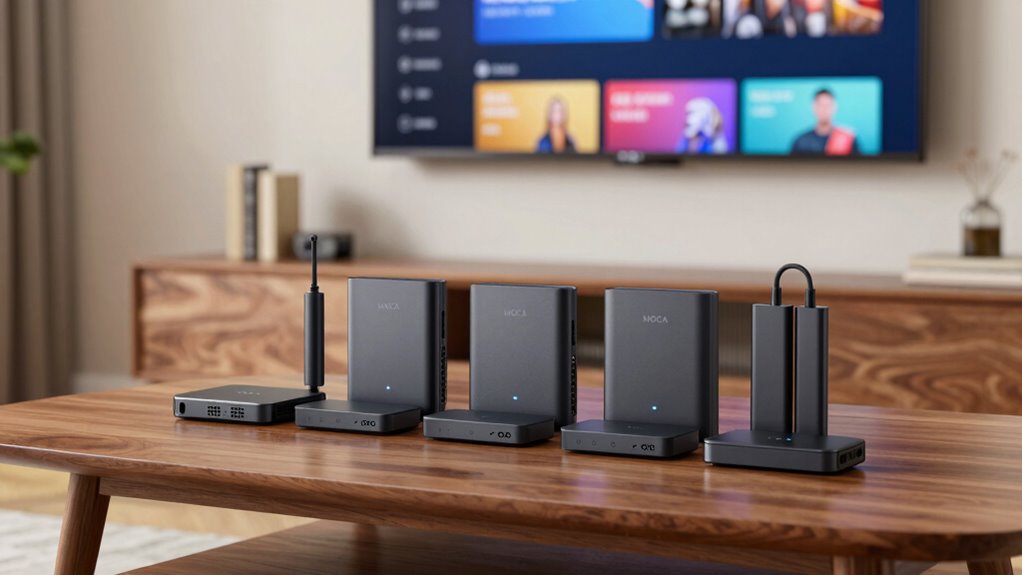

MoCA adapters are a reliable way to expand your home network using existing coaxial wiring, providing faster and more stable connections than Wi-Fi alone. The best MoCA adapters, like the Kiwee MoCA 2.5 Adapter, deliver high speeds and easy setups, making them ideal for gaming, streaming, and smart home hubs. However, tradeoffs include compatibility issues with certain cable setups and varying feature sets like Ethernet ports or bonding capabilities. For those looking to improve their network with minimal hassle, understanding the differences between models is key. Keep reading for a detailed breakdown of the top options in 2026.

Get the latest gadgets delivered free with Prime
- Fast, free delivery on millions of items
- Prime Video, Amazon Music and more included
- Member-only deals all year
Complete the kit



Key Takeaways
- MoCA 2.5 adapters offer the fastest speeds, making them ideal for demanding streaming and gaming setups.
- The presence of multiple Ethernet ports varies, with some models offering dual ports for enhanced device connectivity.
- Starter kits are often more budget-friendly but may lack bonding, which improves connection stability in larger networks.
- Compatibility with existing coax wiring and cable service is critical for seamless installation and performance.
- Price differences often reflect features like Ethernet port count, bonding capability, and included accessories.
| Kiwee MoCA 2.5 Adapter with Dual 2.5GbE Ports (2-Pack) |  | Best Overall for High-Speed Multi-Device Networks | Ports: 2 x 2.5GbE | Technology: MoCA 2.5 | Speed: Up to 2.5 Gbps | VIEW ON AMAZON | See Our Full Breakdown |
| ScreenBeam ECB6200S02 Network Adapter Add-On for Bonded MoCA 2.0 |  | Best Value for Upgrading Existing MoCA Networks | Network Speed: Up to 1Gbps | Compatibility: Most routers with Ethernet, MoCA 2.0 | Number of Nodes: Up to 16 | VIEW ON AMAZON | See Our Full Breakdown |
| Hitron MoCA 2.5 Network Adapter (2-Pack) – Extends Network via Coax |  | Best for High-Speed Home Network Extensions | Max Ethernet Speed: 2.5 Gbps | Includes: 2 MoCA adapters, coax cables, Ethernet cables, power supplies, quick start guide | Compatibility: Cable internet, Verizon Fios, Google Fiber | VIEW ON AMAZON | See Our Full Breakdown |
| ScreenBeam ECB6250K02 Network Adapter Starter Kit MoCA 2.5 – Faster |  | Best for Speed-Centric Home Networks | Speed: Up to 2.5 Gbps | Includes: 2 adapters, splitters, coax and Ethernet cables, power supplies | Compatibility: Most routers, MoCA 2.5 | VIEW ON AMAZON | See Our Full Breakdown |
| TRENDnet MoCA 2.5 Ethernet over Coax Adapter (2-Pack), TMO-312C2K |  | Best Compact Choice for Reliable High-Speed Networking | Device Interface: 1 x MoCA Coax, 1 x RJ-45 | Compliance: NDAA, TAA | Supports: MoCA 2.5, backward compatible | VIEW ON AMAZON | See Our Full Breakdown |
| goCoax MoCA 2.5 Adapter (2-Pack) with 2.5GbE Ethernet Port for Gaming & 4K Streaming | 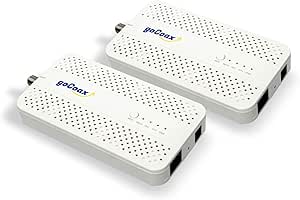 | Best Overall for High-Speed Whole-Home Networks | Number of Packs: 2 | Ethernet Port Speed: 2.5Gbps | Max Nodes: 16 | VIEW ON AMAZON | See Our Full Breakdown |
| Hitron MoCA 2.5 Network Adapter (2-Pack) |  | Best for Reliable Wired Connections over Coax | Adapter Type: MoCA 2.5 | Number of Units: 2 | Ethernet Port Speed: 1 Gbps | VIEW ON AMAZON | See Our Full Breakdown |
| ScreenBeam ECB7250S02 MoCA 2.5 Network Adapter Add-On |  | Best for Scalability in High-Performance Home Networks | Network Speed: Up to 2.5 Gbps | Compatibility: MoCA 2.5, Ethernet devices, most routers | Number of Nodes Supported: Up to 16 | VIEW ON AMAZON | See Our Full Breakdown |
| goCoax MoCA 2.5 Adapter with 2.5GbE Ethernet Port |  | Best for Simple, High-Speed Wi-Fi Extension | Speed: 2.5Gbps | Ethernet Port: 1x 2.5GbE | Compatibility: Most major cable and fiber providers | VIEW ON AMAZON | See Our Full Breakdown |
| ScreenBeam ECB7250K02 Network Adapter Starter Kit Bonded MoCA 2.5 |  | Best for Complete Home Network Setup with Multiple Nodes | Speed: Up to 2.5 Gbps | Includes: 2 ECB7250 adapters, cables, splitters | Supports: Up to 16 nodes | VIEW ON AMAZON | See Our Full Breakdown |
| moca adapter | Includes | Compatibility |
|---|---|---|
| Kiwee MoCA 2.5 Adapter with Du | Coaxial and Ethernet cables | — |
| ScreenBeam ECB6200S02 Network | Adapter, power adapter, Ethernet, coax cables, quick start guide | Most routers with Ethernet, MoCA 2.0 |
| Hitron MoCA 2.5 Network Adapte | 2 MoCA adapters, coax cables, Ethernet cables, power supplies, quick start guide | Cable internet, Verizon Fios, Google Fiber |
| ScreenBeam ECB6250K02 Network | 2 adapters, splitters, coax and Ethernet cables, power supplies | Most routers, MoCA 2.5 |
| TRENDnet MoCA 2.5 Ethernet ove | — | — |
| goCoax MoCA 2.5 Adapter | — | Most major cable and fiber internet providers |
| Hitron MoCA 2.5 Network Adapte | 2x MoCA adapters, 2x Ethernet cables, 2x coax cables, 2x power adapters, setup guide | — |
| ScreenBeam ECB7250S02 MoCA 2.5 | Adapter, Ethernet cables, coax cables, splitter, user guide | MoCA 2.5, Ethernet devices, most routers |
| goCoax MoCA 2.5 Adapter with 2 | Coax cable, Ethernet cable, power adapter | Most major cable and fiber providers |
| ScreenBeam ECB7250K02 Network | 2 ECB7250 adapters, cables, splitters | MoCA 2.5, backward compatible Ethernet |
More Details on Our Top Picks
Kiwee MoCA 2.5 Adapter with Dual 2.5GbE Ports (2-Pack)
This Kiwee MoCA 2.5 adapter excels by providing dual 2.5GbE ports, making it ideal for users who need to connect multiple high-bandwidth devices such as gaming consoles, streaming boxes, and smart home hubs simultaneously. Compared with the Hitron MoCA 2.5 Adapter, it offers more Ethernet ports, which simplifies extending wired connections without additional switches. Its plug-and-play setup ensures quick installation, but it relies heavily on existing coax wiring, limiting its use in homes with outdated or isolated coax runs. The dual ports are a clear advantage for multi-device setups, yet this feature can be unnecessary for single-device users who might prefer simpler options.
Pros:- Dual 2.5GbE ports for multiple device connections
- Easy setup with included cables
- Interference-free, reliable performance over coax
- Compatible with most routers and mesh systems
Cons:- Requires existing coax wiring; not suitable for homes without coax infrastructure
- Limited to users with compatible coax setup
Best for: Tech-savvy homeowners with multiple high-speed wired devices and existing coax wiring.
Not ideal for: Renters or those without coax infrastructure, since it requires existing coax lines for setup.
- Ports:2 x 2.5GbE
- Technology:MoCA 2.5
- Speed:Up to 2.5 Gbps
- Includes:Coaxial and Ethernet cables
- Number of Units:2
Our verdict“This is the best choice for users needing high-speed, multi-device wired connections over coax, provided the wiring is in place.”
ScreenBeam ECB6200S02 Network Adapter Add-On for Bonded MoCA 2.0
The ScreenBeam ECB6200S02 provides up to 1Gbps speeds over coax, making it a solid upgrade for existing MoCA 2.0 networks. Unlike the more advanced MoCA 2.5 options, it offers a cost-effective way to improve network stability and speed without replacing all equipment. It supports up to 16 nodes, which suits larger home setups or multi-room streaming, but it’s limited to MoCA 2.0 technology, which means slower maximum speeds compared to 2.5 models like the Hitron. Compatibility is broad with most routers and existing MoCA devices, yet it excludes certain satellite and AT&T networks, so users should verify their system before purchase.
Pros:- Cost-effective upgrade for MoCA 2.0 networks
- Supports up to 16 nodes, suitable for larger homes
- Easy installation with included accessories
- Broad compatibility with existing MoCA devices
Cons:- Limited to 1Gbps speeds, lower than MoCA 2.5 options
- Excludes some satellite and AT&T systems, reducing compatibility
Best for: Homeowners with older MoCA 2.0 networks seeking a budget-friendly upgrade.
Not ideal for: Users needing the highest possible speeds or future-proofing with MoCA 2.5 technology.
- Network Speed:Up to 1Gbps
- Compatibility:Most routers with Ethernet, MoCA 2.0
- Number of Nodes:Up to 16
- Includes:Adapter, power adapter, Ethernet, coax cables, quick start guide
Our verdict“Ideal for users wanting to enhance their MoCA 2.0 network without a high investment, but not for those seeking maximum future-proofing.”
Hitron MoCA 2.5 Network Adapter (2-Pack) – Extends Network via Coax
The Hitron MoCA 2.5 adapters deliver impressive speeds up to 2.5 Gbps, making them suitable for demanding tasks like 4K streaming and online gaming. Compared to the ScreenBeam ECB6200S02, which maxes out at 1Gbps, Hitron’s solution offers a significant performance boost, but it’s more sensitive to wiring conditions and requires interconnected coax outlets. Setup is straightforward, with a comprehensive kit that minimizes additional purchases, yet it can’t handle satellite or isolated coax wiring, limiting its use in some homes. This makes it better suited to modern homes with well-planned coax infrastructure and fiber/cable internet.
Pros:- Supports up to 2.5 Gbps speeds
- Includes all necessary cables and splitters
- Easy setup with comprehensive kit
- Reliable high-speed connection over coax
Cons:- Not compatible with satellite wiring or isolated coax runs
- Requires existing interconnected coax outlets
Best for: Users with existing coax wiring aiming for maximum speed and minimal lag in their home network.
Not ideal for: Homes with disconnected or satellite-based coax wiring, or users on tight budgets.
- Max Ethernet Speed:2.5 Gbps
- Includes:2 MoCA adapters, coax cables, Ethernet cables, power supplies, quick start guide
- Compatibility:Cable internet, Verizon Fios, Google Fiber
- Wiring Requirements:Interconnected coax outlets
Our verdict“This pick makes the most sense for homes with modern coax infrastructure that need the fastest wired connections.”
ScreenBeam ECB6250K02 Network Adapter Starter Kit MoCA 2.5 – Faster
The ECB6250K02 kit offers MoCA 2.5 speeds up to 2.5 Gbps, providing a significant upgrade over Wi-Fi for high-demand activities like 4K streaming and gaming. Its inclusion of two adapters, splitters, and cables makes setup straightforward for users who want a reliable, wired backbone. Compared to the TRENDnet TMO-312C2K, which maxes at 1Gbps, this kit delivers faster speeds but may face compatibility issues with satellite or certain ISP setups. Its extensive accessory package ensures ready-to-use installation, but it’s less suited for homes with non-interconnected coax or incompatible satellite wiring.
Pros:- Delivers speeds up to 2.5 Gbps over coax
- Includes necessary splitters and cables
- Supports multiple nodes for large homes
- Plug-and-play setup
Cons:- Incompatible with some satellite or satellite-based services
- Requires existing coax infrastructure with interconnected outlets
Best for: Power users seeking maximum wired speed over coax for high-bandwidth applications.
Not ideal for: Users with incompatible satellite wiring or those who prioritize budget over speed.
- Speed:Up to 2.5 Gbps
- Includes:2 adapters, splitters, coax and Ethernet cables, power supplies
- Compatibility:Most routers, MoCA 2.5
- Wiring:Interconnected coax outlets
Our verdict“This kit is best suited for speed-focused users with compatible coax wiring wanting a comprehensive, high-speed home network extension.”
TRENDnet MoCA 2.5 Ethernet over Coax Adapter (2-Pack), TMO-312C2K
The TRENDnet TMO-312C2K delivers MoCA 2.5 speeds up to 1Gbps, compact enough to fit in tight spaces and ideal for straightforward network extension. Its small form factor makes installation discreet and flexible, especially compared to bulkier adapters like the Hitron. While it supports up to 16 nodes, its maximum speed is lower than the Hitron’s 2.5 Gbps, which could be a limitation for users requiring the fastest possible wired connection. Additionally, it’s incompatible with satellite services like DirecTV or Dish, which limits its applicability in some setups. Still, for simple, reliable upgrades, this model offers a straightforward solution.
Pros:- Compact and lightweight design
- Supports up to 1Gbps speeds with low latency
- Easy to install with no configuration needed
- Supports up to 16 nodes in a network
Cons:- Lower maximum speed compared to 2.5 Gbps models
- Incompatible with certain satellite TV systems
Best for: Users needing a compact, reliable MoCA 2.5 adapter for everyday high-speed wired networking.
Not ideal for: Power users seeking maximum speed or those with satellite wiring that’s incompatible with MoCA.
- Device Interface:1 x MoCA Coax, 1 x RJ-45
- Compliance:NDAA, TAA
- Supports:MoCA 2.5, backward compatible
- Maximum Throughput:up to 1Gbps
- Nodes Supported:up to 16
- Design:Compact and lightweight
Our verdict“This adapter suits users who want a simple, space-saving way to extend high-speed network over coax in compatible homes.”
goCoax MoCA 2.5 Adapter (2-Pack) with 2.5GbE Ethernet Port for Gaming & 4K Streaming
This goCoax MoCA 2.5 Adapter kit stands out for delivering the highest bandwidth among the lineup, supporting up to 2.5Gbps for seamless gaming and 4K/8K streaming. Compared with the ScreenBeam ECB7250K02, it offers superior speed, making it ideal for users with demanding bandwidth needs. However, it does require a MoCA PoE filter for security and isn’t compatible with satellite TV systems. Its plug-and-play setup and support for up to 16 nodes make it a flexible choice for extensive home wiring. The main tradeoff is its reliance on existing coax wiring and the need for a filter, which adds a small layer of complexity.
Pros:- Supports up to 2.5Gbps bandwidth for demanding applications
- Easy setup with included cables and accessories
- Supports up to 16 nodes for extensive coverage
Cons:- Not compatible with satellite TV systems
- Requires existing coax wiring and splitter, plus a MoCA PoE filter for security
Best for: Homeowners seeking the fastest, most reliable whole-home wired network for gaming and ultra HD streaming
Not ideal for: Users with satellite TV systems or no existing coax wiring, as compatibility is limited
- Number of Packs:2
- Ethernet Port Speed:2.5Gbps
- Max Nodes:16
- Compatibility:Most major cable and fiber internet providers
- Supports:MoCA 2.5
- Additional:Requires PoE filter for security
Our verdict“This is the best pick for those needing ultra-fast, large-scale home network coverage over coax.”
Hitron MoCA 2.5 Network Adapter (2-Pack)
The Hitron MoCA 2.5 Network Adapter kit excels at providing dependable wired connections over coax cables with a modest 1 Gbps Ethernet port. Compared to the goCoax MA2500D, it offers a slightly lower maximum speed but includes all necessary cables and a detailed setup guide, making it particularly appealing for users seeking an all-in-one package. Its support for cable, fiber, and DSL internet ensures broad compatibility, although it is incompatible with satellite TV wiring like DirecTV or Dish. The main drawback is its maximum speed of 1 Gbps, which may not suffice for the most bandwidth-intensive tasks, and potential issues if home wiring has been altered for satellite use.
Pros:- Reliable wired internet extension supporting up to 1 Gbps
- Includes all necessary cables and setup accessories
- Compatible with multiple internet types (cable, fiber, DSL)
Cons:- Limited to 1 Gbps maximum speed
- Not compatible with satellite TV wiring like DirecTV or Dish
Best for: Users who want a reliable, straightforward solution for extending their wired internet over coax without high-speed demands
Not ideal for: Heavy streamers or gamers relying on 2.5Gbps speeds, especially if future-proofing is a priority
- Adapter Type:MoCA 2.5
- Number of Units:2
- Ethernet Port Speed:1 Gbps
- Includes:2x MoCA adapters, 2x Ethernet cables, 2x coax cables, 2x power adapters, setup guide
Our verdict“Ideal for users seeking a dependable, all-in-one coax-based Ethernet extension at moderate speeds.”
ScreenBeam ECB7250S02 MoCA 2.5 Network Adapter Add-On
The ScreenBeam ECB7250S02 stands out for supporting up to 2.5 Gbps and supporting up to 16 nodes, making it a solid choice for expanding a high-performance wired home network. Compared with the goCoax MoCA 2.5 Adapter, it offers more scalability but is less straightforward for beginners due to its need for an existing MoCA-enabled router or gateway. Its inclusion of a coax splitter and multiple cables simplifies setup for complex home wiring. However, it’s not compatible with satellite services, and potential conflicts with some DOCSIS 3.1 modems may cause connectivity issues. This makes it best suited for tech-savvy users planning major network expansions.
Pros:- Supports up to 2.5Gbps speeds over coax
- Supports up to 16 nodes for extensive network expansion
- Includes all necessary components for complex wiring
Cons:- Requires existing MoCA-enabled router or gateway
- Not compatible with satellite TV services like DirecTV or Dish
- Potential conflicts with some ISP modem configurations
Best for: Tech-savvy homeowners expanding or upgrading their wired network with multiple devices and high bandwidth needs
Not ideal for: Less experienced users or those with satellite TV systems, due to compatibility issues
- Network Speed:Up to 2.5 Gbps
- Compatibility:MoCA 2.5, Ethernet devices, most routers
- Number of Nodes Supported:Up to 16
- Includes:Adapter, Ethernet cables, coax cables, splitter, user guide
Our verdict“Best suited for users who need a scalable, high-speed wired home network with multiple device support.”
goCoax MoCA 2.5 Adapter with 2.5GbE Ethernet Port
The goCoax MA2500D offers a straightforward way to convert existing coax wiring into a high-speed network with support for up to 2.5Gbps. It’s a plug-and-play device, making it ideal for users who want fast, reliable wired connections without fuss. Compared to the ScreenBeam ECB7250K02, it’s less suited for large-scale network expansion but excels at providing a quick, high-speed link for a few devices or a specific area. Its compatibility with most major internet providers and simple setup are key benefits, though it requires existing coax wiring and a splitter, and it’s not compatible with satellite TV systems. A MoCA PoE filter is recommended for security.
Pros:- Supports up to 2.5Gbps for lag-free gaming and streaming
- Plug-and-play with included accessories
- Compatible with most major internet providers
Cons:- Limited to a single Ethernet port
- Requires existing coax wiring and splitter, not suitable for satellite systems
Best for: Home users needing quick, high-speed wired connections for a few devices or a specific zone
Not ideal for: Large households or those planning extensive network expansion, due to limited node support
- Speed:2.5Gbps
- Ethernet Port:1x 2.5GbE
- Compatibility:Most major cable and fiber providers
- Includes:Coax cable, Ethernet cable, power adapter
Our verdict“Perfect for users seeking a simple, high-speed wired connection in specific areas of the home.”
ScreenBeam ECB7250K02 Network Adapter Starter Kit Bonded MoCA 2.5
The ScreenBeam ECB7250K02 kit is designed for users seeking a comprehensive home networking solution, supporting up to 2.5 Gbps speeds and multiple nodes. Compared with the Hitron MoCA 2.5, it provides higher scalability for larger homes or extensive device setups. The included components, such as splitters and multiple cables, facilitate easy installation across various rooms. However, it’s incompatible with satellite TV services like DirecTV or Dish and may cause interference with some DOCSIS 3.1 modems, which could lead to disconnects. This kit is best for those with a well-planned wired infrastructure who want an expandable, high-speed network.
Pros:- Supports up to 2.5Gbps speeds
- Includes multiple adapters, cables, and splitters for full coverage
- Supports up to 16 nodes for large networks
Cons:- Not compatible with satellite TV services
- Potential interference with some ISPs’ DOCSIS 3.1 modems
Best for: Homeowners planning extensive wired networks with many devices, needing scalability and high throughput
Not ideal for: Users with satellite TV setups or limited technical experience, due to installation complexity
- Speed:Up to 2.5 Gbps
- Includes:2 ECB7250 adapters, cables, splitters
- Supports:Up to 16 nodes
- Compatibility:MoCA 2.5, backward compatible Ethernet
Our verdict“Ideal for tech-savvy users who want a scalable, high-speed home wired network with extensive coverage.”

How We Picked
To determine the best MoCA adapters, I focused on key criteria like maximum supported speeds, ease of installation, build quality, and overall value. Performance benchmarks such as throughput and latency were paramount, especially for gaming and 4K streaming. Usability factors like setup simplicity and compatibility with various cable systems also influenced rankings. Additionally, I considered the longevity and reliability of the brand, along with the features offered, such as Ethernet ports and bonding options. Products were ranked to balance high performance with affordability, ensuring options suit a range of technical needs and budgets.
Factors to Consider When Choosing Moca Adapters
Choosing the right MoCA adapter involves considering several factors beyond basic specs. Understanding these can help you avoid common pitfalls and select a model that meets your specific needs for speed, stability, and ease of use.Speed and Compatibility
Make sure the adapter supports MoCA 2.5 for the fastest speeds and best future-proofing. Compatibility with your existing coax wiring and cable provider can prevent installation headaches. Confirm your coax network is free of splitters or amplifiers that may interfere with MoCA signals, or check if the adapter supports bonding to improve stability in larger setups.
Ethernet Ports and Network Expansion
Evaluate how many Ethernet ports you need—single or dual—based on your device setup. More ports offer flexibility for connecting multiple devices directly, reducing reliance on Wi-Fi. However, additional ports often increase the cost, so balance your current and future needs accordingly.
Ease of Installation
Simplicity matters, especially for non-technical users. Look for kits that include everything needed—like splitters or power adapters—and straightforward instructions. Avoid models that require complex configurations unless you’re comfortable with network setup procedures.
Price and Value
High-speed MoCA 2.5 adapters tend to cost more, but they offer better performance for demanding tasks. Cheaper models may suffice for basic internet browsing, but they might lack features like bonding or multiple Ethernet ports. Weigh the cost against your specific needs to find the best value.
Bonding and Future-Proofing
Bonding doubles the connection capacity, providing more stability and higher throughput, especially in larger or more complex coax networks. If you plan to stream 4K content or run multiple devices simultaneously, investing in bonded models can be worthwhile despite a higher price tag.
Frequently Asked Questions
Can I use MoCA adapters with any cable provider?
Most MoCA adapters are compatible with standard cable providers, but it’s important to verify your coax wiring is free of active amplifiers or splitters that could block MoCA signals. Some providers also implement filtering that may interfere; in such cases, specific adapters with filtering capabilities or a professional installation may be necessary. Always check the compatibility with your existing setup before purchasing.
Do I need a professional to install MoCA adapters?
In most cases, MoCA adapters are designed for easy, DIY installation. They typically connect directly to your coax outlets and your devices via Ethernet. However, if your coax wiring is complex or involves active filters, a professional might be needed to ensure optimal setup and performance. For straightforward homes, installation usually takes less than 15 minutes.
Are MoCA adapters secure for my network?
Yes, MoCA adapters include built-in encryption that protects your network traffic from eavesdropping. When properly configured, they provide a secure connection over your coax wiring, which is inherently isolated from external networks. Always choose reputable brands that prioritize security features to ensure your data remains protected.
Will a MoCA adapter improve my Wi-Fi signal?
While MoCA adapters primarily extend your wired network, they can indirectly improve Wi-Fi performance by reducing congestion on your wireless channels. Connecting devices via Ethernet through MoCA can free up Wi-Fi bandwidth, resulting in faster, more stable wireless connections. For the best results, use MoCA adapters in conjunction with a strong Wi-Fi router and access points.
What should I consider if I want to upgrade to MoCA 2.5?
Upgrading to MoCA 2.5 offers faster speeds and improved stability, but ensure your coax wiring supports these higher frequencies and that your cable provider’s network allows for bonding if you opt for that feature. Check compatibility with your existing networking gear and consider whether your devices can fully utilize the increased bandwidth. Sometimes, upgrading your router or switches may also be necessary to match the new performance levels.
Conclusion
For typical homeowners seeking straightforward performance, the Kiwee MoCA 2.5 Adapter strikes a balance of speed, ease of use, and reliability, making it the best overall choice. Budget-conscious users aiming for basic network extension might prefer the ScreenBeam ECB6200S02 kit, which offers solid performance at a lower price. Tech enthusiasts and larger households with demanding bandwidth needs should consider the goCoax MoCA 2.5 Adapter with dual Ethernet ports for maximum flexibility. Beginners will find the ScreenBeam ECB7250K02 starter kit simple to install, while those looking for future-proofing and maximum throughput should opt for bonded models like the TreNDnet TMO-312C2K. Tailor your choice based on your specific network size, speed requirements, and technical comfort level.
Halloween Picks

MGparty 14.5 ft Halloween Inflatable Walk-In Pumpkin House with LED Lights

Haunted Hill Farm 2-Ft. Zombie Raccoon Halloween Animatronic

8.5 Foot Halloween Inflatable Haunted House Castle with Skeleton, Ghost & Skulls
As an affiliate, we earn on qualifying purchases.