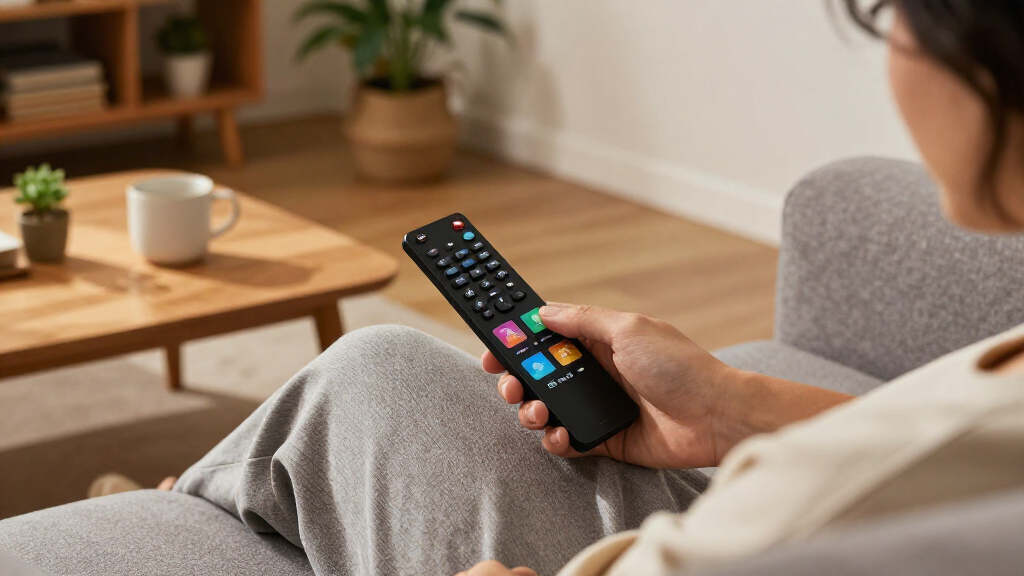

The best media streaming devices pair dependable playback with an interface and remote that suit the way you watch. I’d put the Roku Ultra 4K first for its broad format support and hands-free-friendly Voice Remote Pro, while the Google TV Streamer 4K is a stronger fit for Google TV households and the Roku Streaming Stick 4K keeps setup compact. The main tradeoffs are between simple navigation, platform-specific features, connectivity, and the extra hardware found in premium boxes. A low-cost stick can cover everyday streaming, but it may lack the ports or performance headroom some users want. Read on for the full breakdown and help matching a device to your TV and viewing habits.

Get the latest gadgets delivered free with Prime
- Fast, free delivery on millions of items
- Prime Video, Amazon Music and more included
- Member-only deals all year
Complete the kit



Key Takeaways
- Roku Ultra 4K leads for a balanced home setup: it combines 4K, Dolby Vision, Dolby Atmos, and a feature-rich remote without requiring buyers to choose a platform built around one retailer’s ecosystem.
- Premium boxes serve different needs: NVIDIA Shield TV Pro is the specialist option for advanced media use, while Fire TV Cube adds Alexa and hands-free control for people already invested in Amazon devices.
- Streaming sticks make the simplest upgrades: Roku Streaming Stick 4K and Fire TV Stick 4K Plus keep hardware compact, though a stick’s placement and network conditions can matter more than the advertised video formats.
- Resolution should match the TV: the 2K ONN stick and renewed Roku Express HD suit compatible HD screens, while 4K-capable models make more sense for a 4K television and compatible content.
- Renewed and lower-cost picks require closer fit checks: Roku Express HD and Express 4K can cover basic viewing, but buyers should weigh their format limits and included accessories against newer, more capable options.


| media streaming device | Connectivity | Resolution |
|---|---|---|
| NVIDIA Shield TV Pro 4K HDR St | — | — |
| ONN 4K UHD Android TV Streamin | HDMI and Wi-Fi | 4K UHD (3840 × 2160) |
| Roku Streaming Stick 4K with V | Wi-Fi and HDMI | 4K UHD, up to 2160p at 60 fps |
| Amazon Fire TV Stick 4K Plus w | — | — |
| Roku Ultra LT 4K Streaming Dev | — | 4K UHD (3840 × 2160) |
| Roku Ultra 4K Streaming Player | — | 4K (3840 pixels) |
| Google Chromecast with Google | Bluetooth, Wi-Fi | 3840 × 2160 pixels (4K) |
| ONN Android TV 2K FHD Streamin | HDMI, Wi-Fi | 1080p |
| Amazon Fire TV Stick 4K Select | — | — |
| Google TV Streamer 4K | Ethernet, Wi-Fi | — |
| Roku Express HD Streaming Medi | Wi-Fi | 1080p HD (1920 x 1080 pixels) |
| Roku Ultra Ultimate Streaming | Bluetooth, Ethernet, HDMI, USB, Wi-Fi 6 | 4K |
| Amazon Fire TV Cube | Wi-Fi 6E, Bluetooth 5.0 + LE, 10/100 Mbps Ethernet, USB-A 2.0 | — |
| Formuler Z12 Ultra 4K Streamin | Wi-Fi 6E, Gigabit Ethernet, Bluetooth, HDMI, IR, USB | — |
| Roku Express 4K Streaming Medi | HDMI, wireless | Up to 3840 × 2160 pixels (4K) |
More Details on Our Top Picks
NVIDIA Shield TV Pro 4K HDR Streaming Media Player
The NVIDIA Shield TV Pro is the most capable choice here for viewers who want more than a basic streaming stick. Dolby Vision, Dolby Atmos, and AI upscaling make it a strong fit for a 4K home theater, while Plex Media Server and two USB 3.0 ports give people with local media libraries room to expand. Compared with the Roku Ultra LT, the Shield adds USB expansion, Chromecast 4K, and more flexible media-server features; the Roku is a simpler option if you mainly want mainstream streaming apps. The tradeoff is that the Shield’s 16 GB of built-in storage can feel limiting without USB storage, and its gaming controller is sold separately. I’d choose it for flexibility, not for the simplest plug-and-play setup.
Pros:- AI upscaling can improve the appearance of HD video on a 4K display
- Supports Dolby Vision HDR and Dolby Atmos
- Two USB 3.0 ports allow external storage and device expansion
- Voice remote includes backlit buttons and a locator
Cons:- 16 GB of internal storage may require USB expansion for larger media collections
- Game controller is sold separately
- Its advanced media and server features may be unnecessary for casual streaming
Best for: Home theater owners who want Dolby Vision and Atmos, AI upscaling, and the option to run Plex Media Server or attach USB storage
Not ideal for: Viewers who want a low-fuss device for streaming apps alone, or buyers who expect ample built-in storage and included gaming accessories
- Processor:NVIDIA Tegra X1+
- RAM:3 GB
- Storage:16 GB
- Video:4K HDR with Dolby Vision
- Audio:Dolby Atmos and Dolby Digital Plus
- USB:2 USB 3.0 ports
- Wireless:Dual-band AC Wi-Fi and Bluetooth 5.0
- Wired connectivity:Gigabit Ethernet
- Additional features:AI upscaling, Plex Media Server, and Chromecast 4K
Our verdict“Choose the Shield TV Pro if you want a flexible home theater hub with media-server and USB expansion features, rather than a basic streaming stick.”
ONN 4K UHD Android TV Streaming Device with Voice Remote and HDMI Cable
The ONN 4K UHD Android TV device is a straightforward way to add Google Play apps and 4K output to a television with HDMI. Its Google Assistant remote and built-in Chromecast make voice searches and phone-to-TV casting easy, and the included HDMI cable saves a separate setup step. Compared with the Roku Streaming Stick 4K, ONN favors Android TV and Google Play access, while Roku is the better fit for someone who wants Roku’s distinct interface and a compact stick that can travel. This ONN model is specifically designed for the United States, which sharply limits its appeal outside that region. Its 8 GB of storage is also modest, so I’d pick it for a basic app setup rather than a growing collection of apps or demanding local media use.
Pros:- Outputs 4K UHD video
- Android TV provides access to Google Play apps
- Google Assistant voice remote and Chromecast casting are built in
- HDMI cable is included
Cons:- Designed for use in the United States and not compatible with other regions
- 8 GB of storage leaves limited room for apps
- Requires an HDMI-equipped TV and internet access for streaming
Best for: U.S. viewers who want an affordable-feeling Android TV setup, Google Assistant voice search, and easy casting from a phone
Not ideal for: Buyers outside the United States, or viewers who need more storage or a portable streaming device for travel
- Model:100026240
- Resolution:4K UHD (3840 × 2160)
- Operating system:Android TV
- RAM:2 GB
- Storage:8 GB
- Video codecs:H.264 and H.265/HEVC
- Connectivity:HDMI and Wi-Fi
- Remote:Voice remote with Google Assistant
- Region:Designed for the United States
Our verdict“Pick this ONN device for a basic U.S.-based Android TV setup with voice search and casting, but skip it if you need broader regional compatibility.”
Roku Streaming Stick 4K with Voice Remote
The Roku Streaming Stick 4K is the most discreet pick in this group: it plugs into HDMI and sits behind the television, with a compact design intended not to block neighboring ports. It supports Dolby Vision and HDR10+, so it can handle a broad range of 4K HDR content, while its long-range Wi-Fi receiver may help in rooms farther from the router. Compared with the Roku Ultra LT, this stick saves space and is easier to take along when traveling, but the Ultra LT’s separate box-style design may suit a fixed setup better. The stick depends on Wi-Fi and an internet connection, with no wired Ethernet listed, so it is less suited to homes that need a wired network connection. It also requires an HDMI-equipped TV.
Pros:- Compact body stays hidden behind the television
- Supports 4K UHD, Dolby Vision, HDR10, and HDR10+
- Long-range Wi-Fi receiver can help in rooms farther from the router
- Portable design suits travel
Cons:- Requires a compatible TV with an HDMI port
- Streaming features require an internet connection
- Wi-Fi-only connectivity may not suit setups that rely on wired networking
Best for: Viewers with limited space behind the TV, travelers who want a compact Roku device, and households with reliable Wi-Fi
Not ideal for: People who need wired Ethernet or an internet-free way to watch media, and owners of TVs without an available HDMI port
- Model:3820R2
- Resolution:4K UHD, up to 2160p at 60 fps
- HDR formats:Dolby Vision, HDR10, and HDR10+
- Connectivity:Wi-Fi and HDMI
- Memory:1 GB RAM
- Storage:16 GB
- Controls:Remote control with voice control
- Dimensions:3.7 × 0.8 × 0.45 in
- Weight:25.54 g
Our verdict“Choose the Roku Streaming Stick 4K when a hidden, travel-friendly design matters more than wired connectivity or a separate streaming box.”
Amazon Fire TV Stick 4K Plus with Wi-Fi 6 and Alexa Voice Remote
The Amazon Fire TV Stick 4K Plus makes the most sense for households already using Alexa or a compatible smart-home setup. Its remote combines Alexa voice search and compatible TV and audio controls, while Wi-Fi 6 support can make use of a newer router in busy wireless homes. Video support includes Dolby Vision and HDR10+, with Dolby Atmos audio for compatible equipment. Compared with the Roku Streaming Stick 4K, this Fire TV model adds Wi-Fi 6 and Alexa smart-home control, while Roku offers a compact, travel-friendly design and HDR10 support. The Fire TV’s 8 GB storage is limited, and Wi-Fi 6 requires a compatible router. Cloud gaming also depends on supported services, a subscription, and a separate controller, so it is an extra rather than a ready-to-use advantage.
Pros:- Supports 4K video, Dolby Vision, HDR10+, and Dolby Atmos
- Wi-Fi 6 support for compatible routers
- Alexa remote can control compatible TV and audio functions
- Cloud gaming is available through supported services
Cons:- Wi-Fi 6 benefits require a compatible router
- Cloud gaming requires a supported service, subscription, and compatible controller sold separately
- Some services and formats may require separate subscriptions or may not be available in every area
Best for: Alexa households with a compatible Wi-Fi 6 router, a 4K HDR television, and interest in voice control for TV or audio devices
Not ideal for: Viewers with older routers who do not need Alexa features, or buyers seeking cloud gaming without extra subscriptions and a controller
- Processor:Quad-core 1.7 GHz
- GPU:650 MHz
- Storage:8 GB
- Wi-Fi:Dual-band Wi-Fi 6 (802.11 a/b/g/n/ac/ax, 2.4 GHz and 5 GHz)
- Bluetooth:Bluetooth 5.2 + BLE
- Video formats:Dolby Vision, HDR 10, HDR10+, HLG, H.265, H.264, VP9, and AV1
- Maximum resolution:2160p, 1080p, and 720p up to 60 fps
- Audio:Dolby Atmos, 7.1 surround sound, 2-channel stereo, and HDMI audio pass-through up to 5.1
- Voice control:Alexa Voice Remote included; Fire TV app also supported
Our verdict“Choose the Fire TV Stick 4K Plus if Alexa control and Wi-Fi 6 fit your setup; otherwise, the Roku Streaming Stick 4K is a simpler compact alternative.”
Roku Ultra LT 4K Streaming Device with Dolby Vision, Dual-Band Wi-Fi, Voice Remote, HDMI Cable, and USB Extension Cord
The Roku Ultra LT suits viewers who want Roku OS in a separate device rather than a stick tucked behind the TV. It supports 4K UHD and Dolby Vision, and its dual-band Wi-Fi offers flexibility for wireless placement; the included HDMI cable and USB extension cord also simplify setup. Compared with the Roku Streaming Stick 4K, this box-style player is less compact and less convenient to pack, but it may be a better match for a fixed entertainment center where a stick is not the priority. The Shield TV Pro offers a stronger fit for local libraries, USB expansion, and Plex Media Server, while the Ultra LT keeps the focus on mainstream Roku streaming. It still needs an internet connection and an HDMI-equipped TV, and the supplied specs list no Ethernet connection.
Pros:- Supports 4K UHD and Dolby Vision
- Dual-band Wi-Fi supports wireless streaming
- Voice remote can control the device, TV power, and volume
- Includes an HDMI cable and USB extension cord
Cons:- Requires an internet connection for streaming
- Needs an HDMI-equipped television
- Lacks the Shield TV Pro’s listed Plex Media Server and USB expansion features
Best for: Viewers who prefer Roku OS in a separate player for a fixed TV setup and want the HDMI cable included
Not ideal for: Frequent travelers, buyers seeking Plex or USB media expansion, and households that require wired Ethernet
- Model:Ultra LT
- Resolution:4K UHD (3840 × 2160)
- HDR:Dolby Vision
- Operating system:Roku OS
- Wireless:802.11ac dual-band Wi-Fi
- RAM:2 GB
- Video codec:HEVC (H.265)
- Dimensions:5 × 4.9 × 1 in
- Included accessories:Roku Voice Remote, HDMI cable, and USB extension cord
Our verdict“Choose the Roku Ultra LT for a straightforward, fixed Roku setup with included cabling, but choose the Stick 4K if compactness and travel matter more.”
Roku Ultra 4K Streaming Player with Dolby Vision, Dolby Atmos, and Voice Remote Pro
The Roku Ultra is the strongest fit here for viewers who want a full-featured player and a more capable remote, not just a compact stick. Its 4K Dolby Vision and HDR10+ support covers several HDR formats, while Wi-Fi 6 and Ethernet give buyers flexible ways to connect. Compared with the Roku Streaming Stick 4K, this player adds Ethernet and USB connections and includes Roku’s rechargeable Voice Remote Pro, with backlit buttons and a remote finder. Those extras can make late-night control and locating a misplaced remote easier. The tradeoff is that it needs an open HDMI connection and is less discreet than a stick-style player. Hands-free voice control also depends on speaking to the remote. I’d choose it over the Google TV Streamer 4K for Roku’s interface and connection options, but not for extra onboard storage.
Pros:- Supports 4K with Dolby Vision, HDR10+, and HLG
- Dolby Atmos audio support for compatible equipment
- Wi-Fi 6 plus Ethernet connectivity
- Rechargeable remote has backlit buttons, hands-free voice control, and a locator
Cons:- Requires an HDMI-equipped TV
- Hands-free voice control depends on speaking to the remote
- Lacks the Google TV Streamer 4K’s listed 32 GB of storage
Best for: Roku users who want multiple HDR formats, Ethernet as a connection option, and a rechargeable remote with a finder.
Not ideal for: Buyers who want a compact stick behind the TV, or who prefer the Google TV Streamer 4K’s 32 GB of listed storage.
- Resolution:4K (3840 pixels)
- HDR formats:Dolby Vision, HDR10+, HLG
- Audio:Dolby Atmos
- Wireless:Wi-Fi 6, Bluetooth
- Interfaces:HDMI, Ethernet, USB
- Remote:Rechargeable voice remote with backlit buttons, hands-free voice control, and remote locator
- Smart home compatibility:Apple HomeKit, Amazon Alexa, Google Assistant
- Dimensions:5 × 4.9 × 1 in
Our verdict“Choose the Roku Ultra if you want Roku’s broad HDR support and remote features, and skip it if a discreet stick or substantial listed storage matters more.”
Google Chromecast with Google TV 4K HDR Streaming Media Player with Voice Remote, Pouch, and Cleaning Cloth (Snow)
This Chromecast makes the most sense for viewers who want personalized recommendations gathered on one home screen rather than a player built around advanced connections. It streams up to 4K HDR, and the voice remote handles content searches, playback, volume, and Google Assistant questions. Compared with the ONN Android TV 2K FHD Streaming Stick, it adds 4K playback, making it a better match for a 4K television; the ONN is the simpler choice for Full HD screens. Its HDMI stick form is compact, while the included pouch and cleaning cloth are extra accessories rather than streaming advantages. The tradeoffs are a dependence on Wi-Fi and compatible content and equipment for 4K. Unlike the Google TV Streamer 4K, this listing doesn’t provide a storage capacity or Ethernet connection, so I’d favor it for straightforward streaming, not a more connected setup.
Pros:- Streams up to 4K HDR
- Google TV brings recommendations from supported services to one home screen
- Voice remote supports content search and playback and volume control
- Includes a pouch and cleaning cloth
Cons:- Requires an HDMI port and Wi-Fi connection
- 4K playback depends on compatible content and equipment
- Listing does not specify Ethernet or onboard storage
Best for: Viewers with a 4K TV who want Google TV’s combined recommendations and voice search in a stick-style device.
Not ideal for: Buyers who need Ethernet, want stated onboard storage, or mainly watch on a Full HD television.
- Resolution:3840 × 2160 pixels (4K)
- Connectivity:Bluetooth, Wi-Fi
- Connector:HDMI
- Form factor:TV stick
- Supported services:Amazon Instant Video, Google TV, Hulu, Netflix, YouTube
- Controller:Remote control, voice control
- Color:Snow
- Included items:Chromecast, voice remote, power adapter, USB-C power cable, two AAA batteries, pouch, cleaning cloth
Our verdict“Pick this Chromecast for Google TV recommendations and 4K in a compact stick, but choose the Google TV Streamer 4K if Ethernet or listed storage is a priority.”
ONN Android TV 2K FHD Streaming Stick with Remote
The ONN Android TV stick is the most sensible pick in this group for a Full HD television or for someone who often casts photos, video, and music from another device. Its 1080p ceiling is the defining tradeoff: unlike the Google Chromecast with Google TV 4K or Amazon Fire TV Stick 4K Select, it won’t deliver 4K output. On a 1080p screen, that may be a practical match rather than a loss; on a 4K set, those alternatives make more sense. Built-in Chromecast, Google Play apps, and a remote microphone button cover the basics, while HDR10 and Dolby Audio add format support. The listing also specifies a 3-month warranty, which is shorter than the Google TV Streamer 4K’s one-year warranty. I’d skip this if you want a device with a higher resolution ceiling.
Pros:- Built-in Chromecast supports casting from phones, tablets, and PCs
- Remote includes a microphone button for voice control
- Google Play provides access to streaming apps
- Supports HDR10 and Dolby Audio
Cons:- Maximum resolution is 1080p, below the Chromecast 4K and Fire TV Stick 4K Select
- Requires an HDMI connection and Wi-Fi
- Listed warranty is 3 months
Best for: Viewers with a 1080p TV who want access to Google Play apps and an easy way to cast from a phone, tablet, or PC.
Not ideal for: Owners of 4K TVs who want 4K streaming, or buyers who need more than the listed 3-month warranty.
- Resolution:1080p
- HDR format:HDR10
- Connectivity:HDMI, Wi-Fi
- Screen mirroring:Miracast
- Audio:Dolby Audio
- Included components:Streaming stick, 11.8-inch HDMI cable, remote control, power adapter, user manual
- Remote batteries:Two AAA batteries included
- Warranty:3 months
Our verdict“Choose the ONN stick for Full HD streaming and casting, but move to a 4K device if your TV supports higher-resolution playback.”
Amazon Fire TV Stick 4K Select with Alexa Voice Remote
The Fire TV Stick 4K Select is aimed at buyers who want 4K streaming alongside Alexa and cloud gaming options in a small HDMI stick. It supports HDR10+, HLG, and several video codecs, and its remote can control the stick and some compatible IR devices. Compared with the Roku Ultra, it trades Ethernet and a rechargeable remote with a locator for a compact, stick-style setup with Alexa controls. The Google Chromecast with Google TV 4K offers a different strength: recommendations gathered across services on one home screen, while this Fire TV model highlights its broad app access, including free ad-supported content. The limitations are a listed 8 GB of storage and no Wi-Fi 6 in the supplied specs. Cloud gaming also calls for a subscription and compatible controller, sold separately, and some IR controls may not work with every device.
Pros:- Supports 4K output with HDR10+, HLG, and multiple video formats
- Alexa remote controls the stick and some compatible IR devices
- Access to a broad selection of apps and free ad-supported content
- Supports cloud gaming through Xbox Game Pass and Luna
Cons:- Listed storage is 8 GB
- Cloud gaming requires a subscription and compatible controller, sold separately
- Some remote functions may not work with all compatible IR devices
Best for: Alexa households who want a compact 4K streamer, access to free ad-supported content, and the option to use cloud gaming.
Not ideal for: Buyers seeking Ethernet, Wi-Fi 6, a rechargeable remote, or gaming without separate subscriptions and a compatible controller.
- Output resolution:2160p, 1080p, and 720p up to 60 fps
- Video formats:HDR10, HDR10+, HLG, H.265, H.264, VP9, AV1
- Processor:Quad-core 1.7 GHz
- Storage:8 GB
- Wi-Fi:Dual-band, dual-antenna MIMO; 802.11a/b/g/n/ac
- Bluetooth:Bluetooth 5.0 and Bluetooth Low Energy
- Voice control:Alexa Voice Remote included; Fire TV app supported
- Ports:HDMI output; micro-USB for power
Our verdict“Pick the Fire TV Stick 4K Select for Alexa controls and cloud gaming options, but choose another model if Ethernet or a rechargeable remote matters more.”
Google TV Streamer 4K, 32 GB, Porcelain
The Google TV Streamer 4K is the premium choice for viewers who want Google TV recommendations with Ethernet and specified onboard storage. Its 4K output supports Dolby Vision, and Dolby Atmos is available with compatible speakers; 32 GB of storage and 4 GB of RAM set it apart from the Chromecast with Google TV 4K, whose listing doesn’t state storage or Ethernet. It also has an Ethernet connection option, which can suit a wired home network. Compared with the Roku Ultra, the Google device centers on Google TV’s combined content recommendations and lists 32 GB of storage, while Roku offers Wi-Fi 6 and a remote locator. The main catch is setup: an HDMI 2.1 cable is required but sold separately. I’d favor this for a Google TV setup, not for buyers who expect every needed cable in the box.
Pros:- Supports 4K HDR with Dolby Vision
- Dolby Atmos audio support with compatible speakers
- 32 GB of storage and 4 GB of RAM are specified
- Ethernet and Wi-Fi connectivity options
Cons:- Required HDMI 2.1 cable is sold separately
- Dolby Atmos requires compatible speakers
- Compared with the Roku Ultra, the listing does not specify Wi-Fi 6 or a remote locator
Best for: Google TV users who want 4K Dolby Vision, Ethernet as a connection option, and listed 32 GB storage.
Not ideal for: Buyers who want a streaming device with the required HDMI cable included or prefer Roku’s Wi-Fi 6 and remote-locator features.
- Video resolution:3840 × 2160
- HDR:Dolby Vision
- Audio:Dolby Atmos
- Storage:32 GB
- RAM:4 GB
- Video codec:H.265
- Connectivity:Ethernet, Wi-Fi
- Included items:Streamer, power adapter, 1.8 m power cable, quick start guide, voice remote with two AAA batteries
Our verdict“Choose the Google TV Streamer 4K for its specified storage, Ethernet option, and Google TV features, provided you’re prepared to supply an HDMI 2.1 cable.”
Roku Express HD Streaming Media Player, Black (Renewed)
The Roku Express HD is the straightforward pick for a spare room or an older television that tops out at 1080p. Its included HDMI cable and power accessories make setup simple, while preset channel buttons provide direct access to selected services. The Roku mobile app adds voice search and private listening through a phone, useful when you want to watch without disturbing others. Compared with the Roku Express 4K, this model gives up 4K and HDR, so it makes less sense for a newer high-resolution TV. It also lacks the premium remote features of the Roku Ultra. This renewed unit has a 90-day limited warranty, and streaming requires an internet connection; buyers should also be ready to supply AAA batteries for the remote.
Pros:- Streams video at up to 1080p HD.
- Includes HDMI and power cables for setup.
- Preset remote buttons offer quick access to selected channels.
- Roku mobile app supports voice search and private listening.
Cons:- Does not support 4K or HDR playback.
- Requires an internet connection to stream.
- Renewed product has a 90-day limited warranty, and the remote uses two AAA batteries.
Best for: Viewers outfitting a secondary or 1080p television who want simple access to streaming apps and included connection cables.
Not ideal for: Owners of 4K or HDR televisions, or anyone seeking advanced remote controls and the strongest picture formats.
- Brand:Roku
- Model:3930R-cr
- Resolution:1080p HD (1920 x 1080 pixels)
- Connectivity:Wi-Fi
- Connector:HDMI
- Dimensions:2.83 x 1.54 x 0.75 inches
- Weight:1.1 ounces
- Included components:High Speed HDMI cable, power adapter, USB power cable, remote, two AAA batteries
- Warranty:90-day limited warranty
Our verdict“Choose the Roku Express HD for a basic 1080p TV; pick the Roku Express 4K instead if your screen supports 4K or HDR.”
Roku Ultra Ultimate Streaming Player (Renewed) – 4K
The Roku Ultra is the Roku pick for a main-room 4K setup where a fast interface and a more capable remote matter as much as picture quality. It supports Dolby Vision, HDR10+, and Dolby Atmos, giving compatible TVs and audio systems access to richer formats than the Roku Express models. Wi-Fi 6 and Ethernet offer connection options, while the rechargeable Voice Remote Pro adds backlit buttons, hands-free voice control, and a lost-remote finder. Compared with the Amazon Fire TV Cube, the Ultra keeps its emphasis on Roku’s streaming-player experience rather than built-in Alexa microphones and HDMI device passthrough. Its tradeoffs are a 90-day limited warranty on this renewed unit and a remote that needs periodic charging. Buyers should also expect possible cosmetic wear.
Pros:- Supports 4K with Dolby Vision and HDR10+.
- Dolby Atmos support suits compatible home audio systems.
- Rechargeable remote has backlit buttons, hands-free voice control, and a finder.
- Offers Wi-Fi 6, Bluetooth, and Ethernet connectivity.
Cons:- Renewed condition may include minor cosmetic wear.
- Warranty is limited to 90 days.
- Rechargeable remote needs periodic charging.
Best for: Roku users with a Dolby Vision-capable 4K TV who want a premium remote, Ethernet option, and quick app access.
Not ideal for: Buyers who want hands-free Alexa control of other devices, or who prefer a new product with a longer warranty.
- Brand:Roku
- Model:Roku Ultra 2024
- Resolution:4K
- HDR formats:HDR10+ and Dolby Vision
- Audio:Dolby Atmos
- Connectivity:Bluetooth, Ethernet, HDMI, USB, Wi-Fi 6
- Remote:Rechargeable Voice Remote Pro with backlit buttons, hands-free voice control, and lost-remote finder
- Supported services:Netflix, Disney+, Hulu, Apple TV+
- Warranty:90-day limited warranty
Our verdict“Pick the Roku Ultra for a premium Roku-based 4K setup, but choose the Fire TV Cube if hands-free Alexa and device passthrough matter more.”
Amazon Fire TV Cube (3rd Gen), 4K Ultra HD Streaming Media Player with Alexa, Wi-Fi 6E
The Fire TV Cube stands apart from stick-style streamers by combining 4K playback with built-in Alexa microphones and speakers. You can use voice commands without reaching for the remote, and its HDMI input and output let it connect with compatible gear such as a cable box or game console. Wi-Fi 6E, Ethernet, and an octa-core processor make it a feature-rich hub for a busy entertainment setup. Compared with the Roku Ultra, the Cube is the stronger fit for Alexa control and external-device connections, while Roku’s player centers more directly on its streaming interface and remote. The Cube is much larger and heavier than compact options, and Wi-Fi 6E needs a compatible router, 6 GHz band, and WPA3. Its microphone disconnect switch provides a physical privacy control, though disabling the microphones means giving up hands-free Alexa.
Pros:- Built-in Alexa microphones and speakers enable hands-free voice control.
- Supports 4K at up to 60 fps with Dolby Vision and HDR formats.
- HDMI input and output can connect compatible external devices.
- Offers Wi-Fi 6E, Ethernet, and an electronic microphone disconnect switch.
Cons:- Larger and heavier than compact streaming sticks and players.
- Wi-Fi 6E requires a compatible router, 6 GHz band, and WPA3.
- 4K and HDR playback depend on compatible equipment and available content.
Best for: Alexa households that want hands-free streaming commands and connections for compatible cable boxes or game consoles.
Not ideal for: Viewers who want a tiny, uncomplicated streamer, or whose router and network security do not support Wi-Fi 6E.
- Dimensions:3.38 × 3.38 × 2.99 inches
- Weight:513 g (1.13 lbs)
- Processor:Octa-core: 4 × 2.2 GHz and 4 × 2.0 GHz
- Memory and storage:2 GB memory; 16 GB internal storage
- Video:Up to 2160p at 60 fps; Dolby Vision, HDR 10, HDR10+, HLG
- Audio:Dolby Atmos, 7.1 surround sound, 2-channel stereo, HDMI audio passthrough up to 5.1
- Connectivity:Wi-Fi 6E, Bluetooth 5.0 + LE, 10/100 Mbps Ethernet, USB-A 2.0
- Ports:HDMI 2.1 input and output, IR extender, USB-A 2.0, Ethernet, power
- Voice control:Built-in hands-free Alexa, Alexa Voice Remote, and Fire TV app
Our verdict“Choose the Fire TV Cube if hands-free Alexa and external-device connections are priorities; choose a Roku Express model for a smaller, simpler streamer.”
Formuler Z12 Ultra 4K Streaming Media Player with Android 12, Dolby Vision, Dolby Atmos, Wi-Fi 6E, 4GB RAM, 128GB Storage, and Bluetooth Voice Remote
The Formuler Z12 Ultra is the storage-heavy choice for viewers who want a 4K streamer with room for apps and media, rather than a minimal player focused only on major streaming services. Its 128GB storage, 4GB of RAM, Android 12, and support for AV1, H.265, and H.264 give it broader playback and app flexibility than the Roku Express models. Dolby Vision, HDR10+, HLG, and Dolby Atmos cover a wide range of compatible home theater formats; Gigabit Ethernet is useful when a wired connection is preferable. Compared with the Roku Ultra, this Formuler offers far more listed storage and a programmable, backlit remote, but its dedicated app is needed for remote customization and updates. It also calls for more setup and compatibility checks than a simple Roku player, and streaming still depends on internet access and service availability.
Pros:- 128GB storage and 4GB RAM provide room for apps and media.
- Supports 4K at up to 60 fps and AV1, H.265, and H.264 codecs.
- Includes Dolby Vision, HDR10+, HLG, and Dolby Atmos support.
- Gigabit Ethernet, Wi-Fi 6E, and a backlit remote with programmable hotkeys.
Cons:- Remote customization and updates use a dedicated app.
- Its feature set may require more setup than simpler Roku players.
- Streaming requires an internet connection and compatible services or content.
Best for: Home media enthusiasts who want substantial onboard storage, multiple video codecs, wired networking, and customizable remote shortcuts.
Not ideal for: Viewers who mainly want a simple plug-in streamer with minimal configuration or do not need large onboard storage.
- Operating system:Android 12
- Processor:Quad-core
- Memory:4GB DDR4 RAM
- Storage:128GB
- Maximum video:4K (3840 pixels), up to 60 fps
- Video codecs:AV1, H.265 (HEVC), H.264
- HDR formats:Dolby Vision, HDR10+, HLG
- Connectivity:Wi-Fi 6E, Gigabit Ethernet, Bluetooth, HDMI, IR, USB
- Remote:GTV-BT3 Bluetooth voice remote with backlit keys, programmable hotkeys, and Find My Remote
Our verdict“Choose the Formuler Z12 Ultra if storage and media-format flexibility matter more than the simplicity of the Roku Ultra.”
Roku Express 4K Streaming Media Player with HDR, Simple Remote, and HDMI Cable (Renewed)
The Roku Express 4K is a practical step up from the Roku Express HD for buyers with a 4K television who want Roku’s straightforward streaming experience. It supports 4K and HDR, includes a premium HDMI cable, and its simple remote can control the TV as well as streaming playback. That makes it a better match for a main-room 4K screen than the HD-only Express, without the more elaborate remote and connectivity features of the Roku Ultra. The tradeoff is a more basic feature set: the supplied information lists 4K and 720p support but does not specify other supported resolutions, and it does not describe premium formats such as Dolby Vision or Dolby Atmos. This renewed device also comes with a 90-day limited warranty, so buyers should weigh its simpler package against the Ultra’s broader feature set.
Pros:- Supports 4K resolution and HDR.
- Includes a premium HDMI cable.
- Simple remote includes TV controls.
- Wireless connectivity supports streaming without a wired network connection.
Cons:- Renewed condition may include signs of prior use.
- Listed resolution support specifies 4K and 720p but not other modes.
- Does not list Dolby Vision or Dolby Atmos support.
Best for: Roku fans with a 4K HDR television who want an included HDMI cable and TV-control remote without premium-player extras.
Not ideal for: Buyers seeking Dolby Vision, Dolby Atmos, advanced voice controls, or a longer warranty than the renewed unit’s 90 days.
- Brand:Roku
- Model:Roku Express 4K 2022
- Resolution:Up to 3840 × 2160 pixels (4K)
- Supported resolutions:4K, 720p
- Connectivity:HDMI, wireless
- Supported services:Amazon Prime Video, Hulu, Netflix, Vudu
- Included accessories:Simple remote with TV controls, premium HDMI cable
- Weight:1.6 ounces
- Warranty and condition:Renewed; 90-day limited warranty
Our verdict“Choose the Roku Express 4K for basic 4K HDR streaming; move up to the Roku Ultra if you want its added remote and audio-video features.”
How We Picked
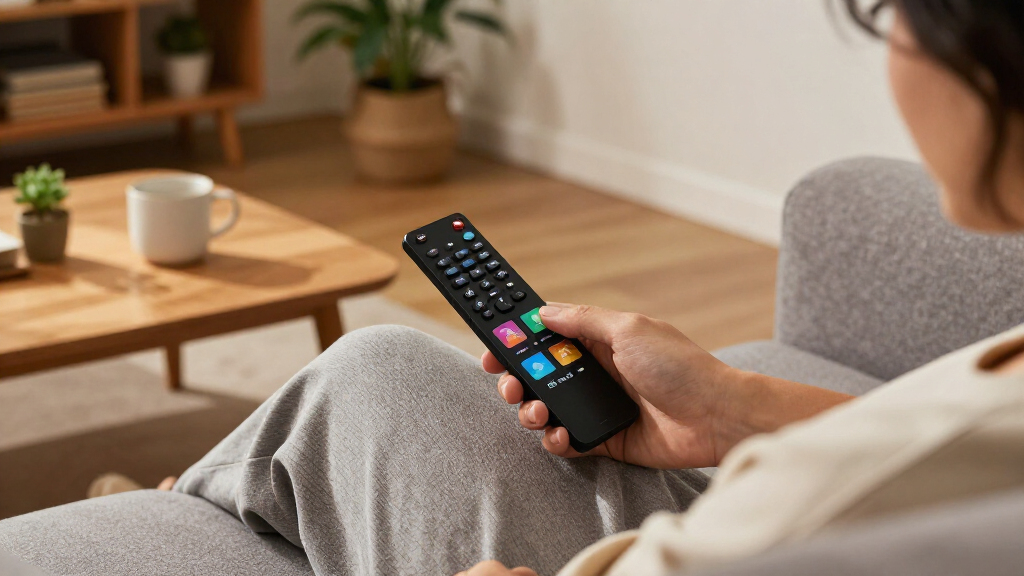
I ranked these devices by how well they solve common living-room needs: straightforward setup, responsive navigation, useful video and audio format support, reliable connection options, and a remote that makes daily use easy. I also separated devices by purpose rather than treating every 4K streamer as interchangeable. A stick can be a better fit for a clutter-free secondary TV, while a box with more connectivity or storage may suit a demanding home setup.
The order favors balanced performance and broad usefulness, then moves toward options that make a clear compromise or serve a narrower audience. The Roku Ultra 4K ranks ahead of more specialized premium devices because its mix of formats and usability suits more households; the Shield TV Pro, Fire TV Cube, and Formuler Z12 Ultra follow for distinct advanced needs. Lower-ranked HD, 2K, and renewed models can still be sensible when their limits match the TV and budget, but they offer less headroom than the leading 4K choices.
Factors to Consider When Choosing Best Media Streaming Devices
Choosing a streamer is less about collecting the longest feature list and more about avoiding a mismatch with your TV, network, and household habits. I’d check these factors before deciding whether a compact stick, a general-purpose player, or a premium box makes sense.
Match resolution and HDR to the whole setup
A device can only show the formats supported by the TV, the streaming service, and the content itself. Check the television’s resolution and HDR support before paying extra for 4K or Dolby Vision, and confirm that the specific HDMI port supports the features you want. An HD or 2K streamer may be enough for an older bedroom TV, even if the main living-room set is 4K. Buyers often focus on the device’s maximum spec and overlook the rest of the chain. If you plan to replace the TV soon, a 4K model can provide more useful headroom than buying twice.
Choose a platform your household will actually use
Interface familiarity can matter more than a small difference in hardware speed, especially when several people share the remote. Think about which services you watch, how you search for shows, and whether you already use Alexa or Google Home. A platform’s recommendations and voice features can save time, but they can also foreground its own services or content. If the household has mixed preferences, prioritize easy app access and simple navigation over one ecosystem’s extra controls. Before buying, check that your must-have apps are available on the device and in your region.
Look at Wi-Fi, Ethernet, and where the device will sit
Video quality depends on the home network as well as the streamer, so a higher Wi-Fi specification cannot fix a weak connection or a busy router. Consider the distance to the router, walls between rooms, and whether the device will be hidden behind a TV. Compact sticks can make a clean installation, but their position may affect wireless reception. For a setup that struggles with buffering, improving router placement or using a wired connection where supported may help more than replacing one capable streamer with another. Compare the connection options against your actual room layout.
Decide whether a stick or a box fits the room
Sticks are easy to tuck away and are often a tidy choice for wall-mounted TVs, travel, or secondary rooms. Standalone players can offer a different mix of ports, storage, and remote features, which may matter for a central TV used throughout the day. A bulky device is not automatically better, and a compact one is not automatically less capable; the useful distinction is whether its connections and controls match your setup. Check for available HDMI space, power access, and room around the TV before ordering. If the streamer will sit out in the open, also think about remote line-of-sight and cable clutter.
Pay for premium features only when they solve a real problem
Higher-end players can be worthwhile for people who want advanced playback options, added storage, hands-free voice controls, or a more capable home-media setup. Those extras bring more cost and complexity, and many viewers will not use them during routine app-based streaming. Start by naming the limitation you want to fix: slow navigation, limited connectivity, a specific audio setup, or a need for voice control. If you cannot identify one, a simpler 4K streamer may be the more sensible choice. For a multi-purpose device, check that its advanced features support the apps and formats you rely on.
Treat renewed devices and accessories as part of the decision
Renewed models can be a practical way to equip a spare TV, but buyers should read the listing carefully rather than assume it includes the same accessories as a new package. Check the return terms, included remote, power adapter, HDMI cable, and any stated condition details. A missing or basic remote can change the everyday experience more than a small difference in playback specs. Older or entry-level hardware may also have less room for future app and format changes. For a primary TV, compare the full package and expected lifespan with a current model before choosing the refurbished route.
Frequently Asked Questions
Should I choose Roku Ultra 4K or Google TV Streamer 4K?
I’d choose the Roku Ultra 4K if you want Roku’s straightforward interface and a feature-rich remote for a shared living room. The Google TV Streamer 4K makes more sense if your household already uses Google services and prefers Google TV’s content discovery experience. Both are 4K-oriented choices, so your television and preferred apps should guide the decision more than the resolution label alone. Check whether the voice controls and smart-home features match the devices you already own. If you want a platform-neutral starting point, compare the apps and menus you use most before choosing.
Is a premium streaming box worth choosing over a streaming stick?
A premium box is worth considering when its extra controls, connections, storage, or specialist playback features solve a specific need. For everyday access to streaming apps on one TV, a capable stick may be simpler and easier to place. The NVIDIA Shield TV Pro and Fire TV Cube target different advanced users, so neither is an automatic upgrade for every household. Think about how often you will use the added features, not just whether they appear on the specification list. If you cannot name a recurring limitation the premium device fixes, a more basic streamer is likely enough.
Does a 4K streaming device improve picture quality on an HD television?
A 4K streamer does not turn an HD television into a 4K display; the TV sets the final resolution. It may still provide access to the same apps and can be a reasonable choice if you expect to upgrade the television later. For a TV that will remain HD, the ONN 2K stick or Roku Express HD may cover basic viewing without paying for capabilities the screen cannot show. Also check whether the services you use offer the resolution and HDR formats you want. Buying for a future TV is sensible only if that upgrade is likely within your ownership period.
Will a faster Wi-Fi specification stop buffering?
Not by itself. Buffering can come from a weak signal, router congestion, an internet plan, or problems with the streaming service, and a newer Wi-Fi feature cannot remove every bottleneck. Place the router where the signal reaches the TV, reduce obstacles, and check whether other devices are using much of the available connection. A streamer with Ethernet support can help when a wired connection is practical, while compact sticks rely on their wireless placement. Diagnose the network before replacing a working device solely for a higher Wi-Fi number.
Is a renewed Roku Express a good choice for a main television?
It can work for a main TV if the screen and viewing habits match the model’s capabilities, but renewed status and included accessories deserve a careful check. The renewed Roku Express HD is aimed at basic HD viewing, while the renewed Express 4K is a closer fit for a compatible 4K set. Confirm the remote, cables, power supply, return terms, and condition details in the specific listing. For a heavily used living-room television, a current model may be preferable if you want broader format support or more feature headroom. Renewed units tend to make more sense for secondary screens or buyers comfortable with those checks.
Conclusion
For most households, I’d start with the Roku Ultra 4K as the best overall balance of format support and everyday control. The ONN 4K UHD device is the best value-oriented pick for buyers who want a 4K-capable option without moving to a premium box, while the Roku Streaming Stick 4K is a straightforward choice for beginners and tidy installations. For premium needs, choose the NVIDIA Shield TV Pro for advanced media use or the Fire TV Cube if hands-free Alexa control fits your home. For a compact secondary TV, look at the sticks; for an HD screen, consider the HD options; and for a Google-centered household, choose the Google TV Streamer 4K. Match the device to the screen, apps, and controls you’ll use daily rather than buying features you may never need.
Evergreen bestsellers Picks

Apple AirPods Pro 3 Wireless Earbuds with Active Noise Cancellation

Vitamix Nano Personal Blender with SmoothiePilot Technology, Black

KitchenAid Commercial Series 8-Quart Bowl-Lift Stand Mixer, White
As an affiliate, we earn on qualifying purchases.