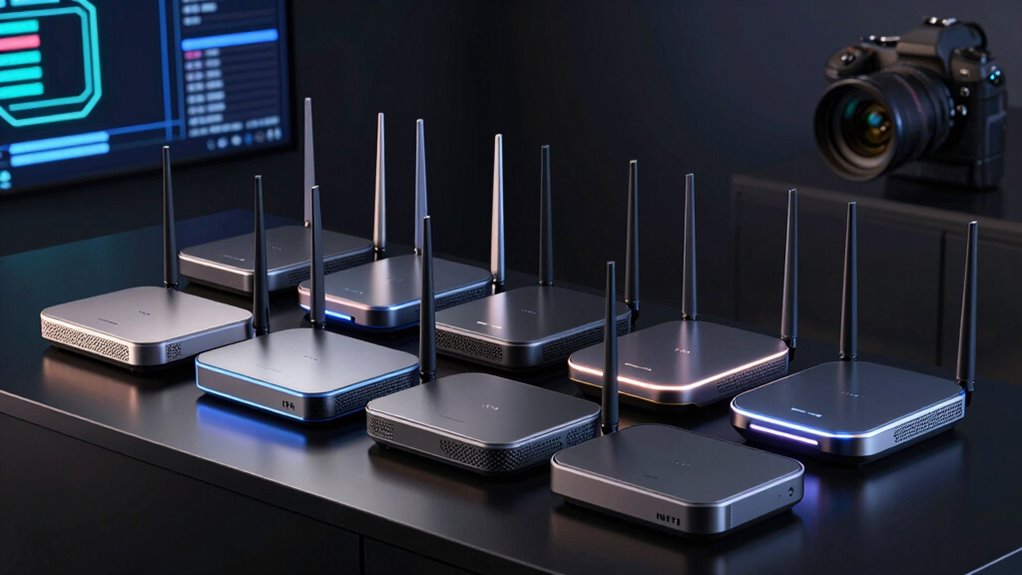

Wi Fi 7 routers are the latest leap in wireless technology, promising faster speeds, lower latency, and broader coverage for homes and offices. The best models, like the NETGEAR Nighthawk RS90, deliver impressive gigabit performance suitable for streaming, gaming, and smart home devices. Meanwhile, the ASUS ROG Strix GS-BE12000 stands out for gamers seeking ultra-fast connections, but often at a premium price. Buyers face tradeoffs between speed, coverage, price, and ease of setup. Keep reading to see a detailed comparison and find the right Wi Fi 7 router for your needs.

Get the latest gadgets delivered free with Prime
- Fast, free delivery on millions of items
- Prime Video, Amazon Music and more included
- Member-only deals all year
Complete the kit



Key Takeaways
- Top picks balance speed, coverage, and price, with the NETGEAR Nighthawk RS90 leading for overall performance.
- Tri-band models generally provide better coverage and flexibility for larger homes or multiple devices.
- Mesh systems like the TP-Link Deco 7 Pro excel in whole-home coverage, ideal for expansive spaces.
- Gaming routers such as the ASUS ROG Strix deliver maximum speeds but come with a higher cost and complexity.
- Price varies significantly; the best value models offer high performance without the premium price tag.
| TP-Link Archer BE6500 Dual-Band Wi-Fi 7 Router (Archer BE400) |  | Best Mid-Range Dual-Band | WiFi Standard: Wi-Fi 7 (BE6500) | Bands: Dual-band (2.4 GHz / 5 GHz) | Total Bandwidth: 6.5 Gbps (5764 Mbps @ 5 GHz, 688 Mbps @ 2.4 GHz) | VIEW ON AMAZON | See Our Full Breakdown |
| NETGEAR Nighthawk WiFi 7 Router RS90 |  | Best for Beginners | VIEW ON AMAZON | See Our Full Breakdown | |||
| NETGEAR Nighthawk WiFi 7 Tri-Band Router (9.3 Gbps, 2,500 sq ft) |  | Best Tri-Band Entry Point | WiFi Standard: WiFi 7, tri-band (2.4/5/6 GHz) | Max Speed: 9.3 Gbps | Coverage: Up to 2,500 sq. ft. | VIEW ON AMAZON | See Our Full Breakdown |
| TP-Link Archer BE600 Tri-Band BE9700 WiFi 7 Router |  | Best Overall | WiFi Standard: Wi-Fi 7 (BE9700) | Bands: Tri-band (6 GHz, 5 GHz, 2.4 GHz) | Max Speeds: 5,765 Mbps (6 GHz), 2,882 Mbps (5 GHz), 1,032 Mbps (2.4 GHz) | VIEW ON AMAZON | See Our Full Breakdown |
| TP-Link Archer BE230 Dual-Band BE3600 Wi-Fi 7 Router |  | Best Budget Pick | Wi-Fi Standard: Wi-Fi 7 (BE3600) | Bands: Dual-band (2.4 GHz, 5 GHz) | Max Speed: 3,600 Mbps (2,882 @ 5 GHz, 688 @ 2.4 GHz) | VIEW ON AMAZON | See Our Full Breakdown |
| TP-Link Archer BE550 Tri-Band BE9300 WiFi 7 Router |  | Best Overall for Balanced Performance and Features | Wi-Fi Standard: Wi-Fi 7 (BE9300) | Bands: Tri-Band (2.4 GHz / 5 GHz / 6 GHz) | Max Speed (6 GHz): 5760 Mbps | VIEW ON AMAZON | See Our Full Breakdown |
| TP-Link Deco 7 Pro Tri-Band WiFi 7 BE10000 Whole Home Mesh System (3-Pack) |  | Best for Large Homes and Seamless Coverage | WiFi Standard: WiFi 7 (BE10000) | Bands: Tri-Band (6 GHz, 5 GHz, 2.4 GHz) | Max Speeds: 5,188 Mbps (6 GHz), 4,324 Mbps (5 GHz), 574 Mbps (2.4 GHz) | VIEW ON AMAZON | See Our Full Breakdown |
| NETGEAR Nighthawk RS700S WiFi 7 Router |  | Best for High-Speed, Small to Medium Homes | WiFi Standard: WiFi 7 | Max Speed: 19 Gbps | Bands: Tri-Band | VIEW ON AMAZON | See Our Full Breakdown |
| TP-Link Deco 7 Dual-Band BE5000 WiFi 7 Mesh Wi-Fi System (4-Stream, 5 Gbps, 240 MHz) |  | Best for Moderate-Sized Homes with Easy Setup | WiFi Standard: WiFi 7 (BE5000, dual-band) | Max Speed: 5 Gbps | Streams: 4-stream | VIEW ON AMAZON | See Our Full Breakdown |
| ASUS ROG Strix GS-BE12000 Tri-Band WiFi 7 Gaming Router (12Gbps, Mesh) |  | Best for Gamers and Power Users | WiFi Standard: WiFi 7 | Max Throughput: 12 Gbps | Bands: Tri-Band | VIEW ON AMAZON | See Our Full Breakdown |
| wi fi 7 router | Coverage | WiFi Standard | Bands | Ports |
|---|---|---|---|---|
| TP-Link Archer BE6500 Dual-Ban | Up to 2,400 sq. ft., 90 devices | Wi-Fi 7 (BE6500) | Dual-band (2.4 GHz / 5 GHz) | 2x 2.5 Gbps, 3x 1 Gbps LAN, USB-free |
| NETGEAR Nighthawk WiFi 7 Route | — | — | — | — |
| NETGEAR Nighthawk WiFi 7 Tri-B | Up to 2,500 sq. ft. | WiFi 7, tri-band (2.4/5/6 GHz) | — | 1x 2.5G WAN, 2x 2.5G LAN, 2x 1G LAN |
| TP-Link Archer BE600 Tri-Band | Up to 2,600 sq. ft., 120 devices | Wi-Fi 7 (BE9700) | Tri-band (6 GHz, 5 GHz, 2.4 GHz) | 1x 10G WAN/LAN, 1x 2.5G WAN/LAN, 3x 2.5G LAN, 1x USB 3.0 |
| TP-Link Archer BE230 Dual-Band | Up to 2,000 sq. ft., 60 devices | — | Dual-band (2.4 GHz, 5 GHz) | 2x 2.5G, 3x 1G LAN |
| TP-Link Archer BE550 Tri-Band | — | — | Tri-Band (2.4 GHz / 5 GHz / 6 GHz) | 1x 2.5G WAN, 4x 2.5G LAN |
| TP-Link Deco 7 Pro Tri-Band Wi | Up to 7,600 sq. ft. | WiFi 7 (BE10000) | Tri-Band (6 GHz, 5 GHz, 2.4 GHz) | 4x 2.5G WAN/LAN, 1x 10G WAN/LAN, 1x USB 3.0 |
| NETGEAR Nighthawk RS700S WiFi | Up to 3,500 sq. ft. | WiFi 7 | Tri-Band | — |
| TP-Link Deco 7 Dual-Band BE500 | Up to 6,600 sq. ft. | WiFi 7 (BE5000, dual-band) | — | — |
| ASUS ROG Strix GS-BE12000 Tri- | Up to 3,000 sq. ft. | WiFi 7 | Tri-Band | — |
More Details on Our Top Picks
TP-Link Archer BE6500 Dual-Band Wi-Fi 7 Router (Archer BE400)
The Archer BE400 occupies a smart middle ground in this lineup: it delivers genuine Wi-Fi 7 features like MLO and 4K-QAM at a price well below the tri-band heavyweights. Compared with the budget Archer BE230, this model nearly doubles 5 GHz throughput and adds a sixth stream plus beefier antennas, which translates to steadier speeds when many devices compete for airtime. The two 2.5 Gbps ports mean a multi-gig fiber plan won’t be wasted on wired connections either.
The catch is obvious when placed next to the NETGEAR Nighthawk tri-band or Archer BE600: there’s no 6 GHz band. Wi-Fi 7 without 6 GHz still improves latency and efficiency, but buyers expecting the clean spectrum and 320 MHz channels that define the standard’s headline speeds should look tri-band instead. HomeShield’s best features also sit behind a subscription.
Pros:- Real Wi-Fi 7 features (MLO, 4K-QAM) at a mid-range price
- Two 2.5 Gbps ports plus three gigabit LAN ports for multi-gig wired setups
- Handles up to 90 devices across 2,400 sq. ft. with six beamforming antennas
- Built-in VPN client/server and HomeShield security included
Cons:- No 6 GHz band, the defining feature of Wi-Fi 7
- Not compatible with TP-Link Deco mesh systems (EasyMesh only)
- Advanced HomeShield features require a subscription
Best for: Households on multi-gig internet plans who want Wi-Fi 7 efficiency gains in a 2,400 sq. ft. home without paying tri-band prices
Not ideal for: Early adopters with Wi-Fi 7 laptops or phones that support 6 GHz — they’ll never access the band that justifies the upgrade
- WiFi Standard:Wi-Fi 7 (BE6500)
- Bands:Dual-band (2.4 GHz / 5 GHz)
- Total Bandwidth:6.5 Gbps (5764 Mbps @ 5 GHz, 688 Mbps @ 2.4 GHz)
- Coverage:Up to 2,400 sq. ft., 90 devices
- Ports:2x 2.5 Gbps, 3x 1 Gbps LAN, USB-free
- Antennas:6 external with beamforming
- Key Features:MLO, 4K-QAM, Multi-RUs, EasyMesh
- Security:HomeShield, parental controls, VPN client/server
Our verdict“A sensible step-up pick for buyers who want Wi-Fi 7 benefits today but don’t need the 6 GHz band or tri-band pricing.”
NETGEAR Nighthawk WiFi 7 Router RS90
The RS90 is the easiest on-ramp to Wi-Fi 7 in this roundup. Setup runs entirely through the well-designed Nighthawk app, firmware updates happen automatically, and protections work out of the box — no menus to decode, no jargon. Compared with the similarly dual-band Archer BE230, the RS90 trades some raw throughput (3.6 Gbps vs. 3.6 Gbps class, but fewer advanced features like MLO tuning) for a more polished, hands-off experience, which matters more for non-technical buyers than a spec sheet delta.
The tradeoffs are real though. The LAN ports max out at 1 Gbps, so only the WAN side is multi-gig — the Nighthawk tri-band model offers two 2.5 Gbps LAN ports for less-fussy wired future-proofing. Device capacity also stops at 50, the lowest here, and NETGEAR Armor becomes a paid subscription after 30 days, an ongoing cost the TP-Link alternatives partially avoid with free HomeShield basics.
Pros:- Genuinely simple app-based setup and remote management
- Automatic firmware updates and out-of-the-box protections
- 2.5 Gig WAN port handles multi-gig internet plans
- 3.6 Gbps WiFi 7 speeds in a familiar Nighthawk package
Cons:- All LAN ports are gigabit only — no multi-gig wired options
- NETGEAR Armor requires a paid subscription after 30 days
- Lowest device capacity in the lineup at 50 devices
Best for: First-time router buyers or non-technical users who want Wi-Fi 7 that sets itself up and manages itself
Not ideal for: Wired-first households or busy smart homes — gigabit-only LAN ports and a 50-device ceiling will feel limiting fast
Our verdict“Buy this if simplicity outranks specs; skip it if you have multi-gig wired devices or a device-heavy smart home.”
NETGEAR Nighthawk WiFi 7 Tri-Band Router (9.3 Gbps, 2,500 sq ft)
This Nighthawk is the least expensive way into a true 6 GHz band in this batch, and that’s its entire reason for being. A dedicated 6 GHz band means new Wi-Fi 7 laptops and phones get clean, uncongested spectrum instead of sharing crowded 5 GHz airwaves with legacy devices — something the dual-band Archer BE400 and RS90 simply cannot offer at any price. At 9.3 Gbps total and 100 supported devices, it’s a clear generational jump over those models for crowded households.
Against the Archer BE600, the gap narrows: the BE600 adds a 10 Gbps port, a USB 3.0 port, higher theoretical throughput, and a larger device ceiling for usually a modest premium. The Nighthawk also leans on the same paid Armor subscription after 30 days, and its two gigabit LAN ports mean only two wired devices get multi-gig speeds. Homes much beyond 2,500 sq. ft. will still want mesh.
Pros:- True tri-band Wi-Fi 7 with a dedicated 6 GHz band at an accessible price
- 2.5 Gig WAN plus two 2.5 Gig LAN ports for multi-gig wired
- Supports up to 100 devices across 2,500 sq. ft.
- Straightforward setup and remote management via the Nighthawk app
Cons:- NETGEAR Armor is a recurring subscription after the 30-day trial
- Only two of four LAN ports are multi-gig; no USB or 10 Gbps port
- Large homes beyond 2,500 sq. ft. will still need a mesh system
Best for: Buyers who specifically want the 6 GHz band for newer Wi-Fi 7 devices without stepping up to flagship pricing
Not ideal for: Anyone with a 10 Gbps fiber plan or heavy USB storage needs — the Archer BE600 covers both for a bit more
- WiFi Standard:WiFi 7, tri-band (2.4/5/6 GHz)
- Max Speed:9.3 Gbps
- Coverage:Up to 2,500 sq. ft.
- Max Devices:100
- Ports:1x 2.5G WAN, 2x 2.5G LAN, 2x 1G LAN
- Features:MU-MIMO, OFDMA, 6 GHz band
- Security:Built-in protections + 30-day Armor trial
- App:Nighthawk app (iOS/Android)
Our verdict“The most affordable path to a real 6 GHz band here — ideal for device-heavy homes that don’t need flagship ports.”
TP-Link Archer BE600 Tri-Band BE9700 WiFi 7 Router
The Archer BE600 earns the top spot because it’s the most complete package: 9.7 Gbps tri-band throughput, a 10 Gbps WAN/LAN port, three additional 2.5 Gbps LAN ports, USB 3.0, and a quad-core CPU keeping it all moving. No other single router in this batch matches its port selection — the Nighthawk tri-band gets you the 6 GHz band for less, but caps out at 2.5G ports and skips USB entirely. For a household with a 10 Gbps fiber line, a NAS, and a small army of devices, the BE600 is the only one here that won’t bottleneck anything.
Its 6 GHz band runs at 5,765 Mbps with 320 MHz channels, the widest available, so flagship phones and laptops extract maximum real-world speed. Two honest caveats: those speeds only materialize with Wi-Fi 7 client devices, and its footprint is large — over 11 inches wide — so it’s not a shelf-tucking router. Like all TP-Link picks here, full HomeShield features sit behind a subscription.
Pros:- 10 Gbps WAN/LAN port plus three 2.5 Gbps LAN ports — best wired connectivity in the roundup
- Full tri-band Wi-Fi 7 with 320 MHz channels and MLO for 5,765 Mbps on 6 GHz
- Supports up to 120 devices across 2,600 sq. ft.
- USB 3.0 port and VPN client/server add storage and remote-access flexibility
Cons:- Premium price; full benefits require Wi-Fi 7 client devices
- Physically large at 11.29 inches wide
- Advanced HomeShield features require a subscription
Best for: Enthusiast households and home-office users with multi-gig internet, wired servers or NAS boxes, and 100+ connected devices
Not ideal for: Buyers with sub-gig internet plans and older devices — the 10 Gbps port and 320 MHz channels would be wasted money
- WiFi Standard:Wi-Fi 7 (BE9700)
- Bands:Tri-band (6 GHz, 5 GHz, 2.4 GHz)
- Max Speeds:5,765 Mbps (6 GHz), 2,882 Mbps (5 GHz), 1,032 Mbps (2.4 GHz)
- Coverage:Up to 2,600 sq. ft., 120 devices
- Ports:1x 10G WAN/LAN, 1x 2.5G WAN/LAN, 3x 2.5G LAN, 1x USB 3.0
- CPU:Quad-core
- Key Features:MLO, 4K-QAM, 320 MHz channels, MU-MIMO, QoS, VPN
- Extras:Alexa/Google Assistant, HomeShield, Tether app
Our verdict“The most future-proofed router in this lineup — worth it only if your internet plan and devices can actually use its headroom.”
TP-Link Archer BE230 Dual-Band BE3600 Wi-Fi 7 Router
The Archer BE230 is the cheapest legitimate way to say you own a Wi-Fi 7 router, and unlike most budget gear, it doesn’t cut the features that matter. MLO and 4K-QAM are here, meaning better latency and efficiency than any Wi-Fi 6 router at this price, and the inclusion of two 2.5 Gbps ports is genuinely unusual at the entry level — the pricier Nighthawk RS90 only offers a multi-gig WAN, with gigabit-only LAN. For a small household with a 2 Gbps fiber plan, this is the better-engineered buy.
Expectations should be calibrated, though. Compared with its sibling Archer BE400, it gives up roughly half the 5 GHz throughput and handles 60 devices instead of 90, and like that model it lacks the 6 GHz band entirely. Internal antennas and a compact body mean coverage is adequate rather than expansive — around 2,000 sq. ft. in favorable conditions, less through walls. The EasyMesh support is the escape hatch: add a compatible node later rather than replacing everything.
Pros:- Most affordable entry point to Wi-Fi 7 features like MLO and 4K-QAM
- Two 2.5 Gbps ports — better multi-gig support than some pricier rivals
- EasyMesh-compatible, so coverage can expand later without a full replacement
- 2.0 GHz quad-core processor and HomeShield basics included at no extra cost
Cons:- Dual-band only with no 6 GHz support
- Modest 5 GHz throughput caps real-world speeds compared with the Archer BE400
- Internal antennas limit range through walls and floors
Best for: Small apartments or first homes with gigabit-plus internet that want Wi-Fi 7 efficiency on a tight budget
Not ideal for: Larger homes or device-heavy families — 60-device capacity and internal antennas will strain beyond 2,000 sq. ft.
- Wi-Fi Standard:Wi-Fi 7 (BE3600)
- Bands:Dual-band (2.4 GHz, 5 GHz)
- Max Speed:3,600 Mbps (2,882 @ 5 GHz, 688 @ 2.4 GHz)
- Coverage:Up to 2,000 sq. ft., 60 devices
- Ports:2x 2.5G, 3x 1G LAN
- Processor:2.0 GHz quad-core
- Antennas:4 internal with beamforming
- Mesh Support:TP-Link EasyMesh
- Extras:HomeShield, Tether app, Alexa/Google Assistant
Our verdict“The smart budget play: real Wi-Fi 7 benefits and multi-gig ports for less, as long as your space and device count stay modest.”
TP-Link Archer BE550 Tri-Band BE9300 WiFi 7 Router
The TP-Link Archer BE550 stands out for its tri-band Wi-Fi 7 speeds reaching up to 9.3 Gbps, making it a solid choice for demanding households. Compared to the NETGEAR Nighthawk RS700S, it offers similar high-speed capabilities but with more comprehensive security options and easier setup via the Tether app. Its five 2.5G ports provide excellent wired flexibility, perfect for streaming and gaming devices. However, the need for a separate modem and the reliance on compatible client devices for full Wi-Fi 7 speeds may limit its immediate performance gains for some users. This router makes the most sense for tech-savvy users wanting a reliable, feature-rich network without the premium price of gaming or mesh specialists.
Pros:- Tri-band Wi-Fi 7 delivering speeds up to 9.3 Gbps across all bands
- Five 2.5G ports for fast wired connections
- Easy management via the Tether app with comprehensive security features
- Supports TP-Link HomeShield for parental controls and VPN
Cons:- Requires a modem for most internet providers, adding complexity
- Speeds depend heavily on client device compatibility and network conditions
Best for: Tech enthusiasts and busy households seeking a versatile, high-performance router with multi-device support.
Not ideal for: Casual users with basic internet needs or those without compatible Wi-Fi 7 devices, as the full speed potential won’t be realized.
- Wi-Fi Standard:Wi-Fi 7 (BE9300)
- Bands:Tri-Band (2.4 GHz / 5 GHz / 6 GHz)
- Max Speed (6 GHz):5760 Mbps
- Max Speed (5 GHz):2880 Mbps
- Max Speed (2.4 GHz):574 Mbps
- Ports:1x 2.5G WAN, 4x 2.5G LAN
- Antennas:6 external
- Security:WPA3, TP-Link HomeShield
- VPN:Client and Server support
Our verdict“This router suits users who want a robust, future-proof Wi-Fi 7 setup with extensive wired options and strong security features.”
TP-Link Deco 7 Pro Tri-Band WiFi 7 BE10000 Whole Home Mesh System (3-Pack)
The TP-Link Deco 7 Pro excels at covering expansive spaces up to 7,600 sq. ft. and supporting over 200 devices, making it ideal for large households. Unlike the NETGEAR Nighthawk RS700S, which offers faster single-router speeds, the Deco 7 Pro provides a true mesh network, ensuring consistent coverage across multiple floors and thick walls. Its simultaneous wired and wireless backhaul, along with AI-driven seamless roaming, enhances stability for streaming, gaming, and smart home devices. The tradeoff is that it’s only compatible with Deco units for mesh, limiting upgrade options outside the ecosystem. This pick is perfect for those needing reliable whole-home Wi-Fi without sacrificing ease of management or security.
Pros:- Covers up to 7,600 sq. ft. with 200+ devices supported
- Supports simultaneous wired and wireless backhaul for stability
- Easy setup and management via Deco app
- Includes HomeShield security with parental controls
Cons:- Requires a separate modem, adding setup complexity
- Performance may vary with obstacles and network conditions
- Limited to Deco mesh units, restricting hardware flexibility
Best for: Homeowners with large properties needing stable, extensive Wi-Fi coverage and device support.
Not ideal for: Apartment dwellers or small households, since the extensive coverage and multi-unit system may be unnecessary and more expensive than needed.
- WiFi Standard:WiFi 7 (BE10000)
- Bands:Tri-Band (6 GHz, 5 GHz, 2.4 GHz)
- Max Speeds:5,188 Mbps (6 GHz), 4,324 Mbps (5 GHz), 574 Mbps (2.4 GHz)
- Coverage:Up to 7,600 sq. ft.
- Device Capacity:200+ devices
- Ports:4x 2.5G WAN/LAN, 1x 10G WAN/LAN, 1x USB 3.0
- Backhaul:Simultaneous wired & wireless
- Security:TP-Link HomeShield
- Setup:Deco app
Our verdict“This system is ideal for large homes that need seamless, reliable Wi-Fi coverage across multiple rooms and floors.”
NETGEAR Nighthawk RS700S WiFi 7 Router
The NETGEAR Nighthawk RS700S is engineered for speed, offering up to 19 Gbps with tri-band WiFi 7, making it suitable for small to medium homes up to 3,500 sq. ft. and supporting about 200 devices. Its 10 Gig WAN and LAN ports prepare it for gigabit fiber plans, providing future-proof wired connectivity. Unlike the ASUS ROG Strix GS-BE12000, which is tailored for gaming, the RS700S emphasizes speed and security with NETGEAR Armor, though the subscription cost after the trial could be a deterrent. In real-world scenarios, walls and interference may reduce its range, and large, multi-story homes might require a mesh system for optimal coverage. Still, its straightforward setup and management make it attractive for speed-focused households.
Pros:- Speeds up to 19 Gbps across tri-band WiFi 7
- Includes 10 Gig WAN and LAN ports for fast wired connections
- Supports up to 200 devices and 3,500 sq. ft. coverage
- User-friendly setup via the Nighthawk app with security features
Cons:- NETGEAR Armor security requires a paid subscription after trial
- Range can diminish with obstacles, limiting larger homes
Best for: Users with high-speed internet plans in smaller homes who prioritize speed and security.
Not ideal for: Very large or multi-story homes, as coverage might fall short without a mesh system, or users seeking extensive wired port options.
- WiFi Standard:WiFi 7
- Max Speed:19 Gbps
- Bands:Tri-Band
- Coverage:Up to 3,500 sq. ft.
- Device Capacity:200 devices
- WAN Port:10 Gig
- LAN Ports:1x 10G, 4x 1G
- Security:NETGEAR Armor (30-day trial)
Our verdict“This router suits speed-conscious users in smaller homes needing high-speed wireless and wired connections with strong security.”
TP-Link Deco 7 Dual-Band BE5000 WiFi 7 Mesh Wi-Fi System (4-Stream, 5 Gbps, 240 MHz)
The TP-Link Deco 7 offers dual-band WiFi 7 speeds up to 5 Gbps, making it suitable for households that prioritize straightforward setup and reliable streaming. It covers up to 6,600 sq. ft., supporting over 150 devices, with a focus on seamless roaming and security through HomeShield. Compared to the Deco 7 Pro, it provides less maximum speed, but for most streaming and gaming needs, it remains capable. Its compatibility is limited to Deco units, so expanding outside the ecosystem isn’t an option. The dual-band configuration simplifies the setup but might not match the speed or stability of tri-band systems in very device-heavy environments. This system is a practical choice for users wanting a balanced, easy-to-manage mesh network.
Pros:- Covers up to 6,600 sq. ft. with support for 150+ devices
- Supports simultaneous wired and wireless backhaul
- Easy setup with the Deco app and built-in security features
- Supports VPN client and server for advanced privacy
Cons:- Limited to Deco units, restricting hardware flexibility
- Maximum speed of 5 Gbps may be insufficient for heavy data tasks
- Requires a separate modem for most ISPs
Best for: Families in medium-sized homes seeking reliable Wi-Fi with simple management and decent speed.
Not ideal for: Power users or large households requiring high-speed, multi-gig wired connections or extensive device capacity.
- WiFi Standard:WiFi 7 (BE5000, dual-band)
- Max Speed:5 Gbps
- Streams:4-stream
- Channel Width:240 MHz
- Coverage:Up to 6,600 sq. ft.
- Devices Supported:150+
- Backhaul:Wireless & wired
- Security:TP-Link HomeShield
Our verdict“This mesh system is best for users who need reliable, straightforward Wi-Fi coverage in medium homes without requiring maximum speed or extensive wired options.”
ASUS ROG Strix GS-BE12000 Tri-Band WiFi 7 Gaming Router (12Gbps, Mesh)
The ASUS ROG Strix GS-BE12000 is designed for high-performance gaming, with speeds up to 12 Gbps, a 2.0 GHz quad-core CPU, and extensive wired capacity including seven 2.5G LAN ports. Its advanced features like Triple-Level Game Acceleration and AiProtection Pro security make it a top contender for gamers and tech enthusiasts. Compared to the NETGEAR RS700S, it offers similar high-speed performance but with more gaming-specific tools and a built-in smart home subnet. The main tradeoff is its premium price and the potential for overkill in non-gaming households. With its internal antennas and powerful hardware, this router shines in fast-paced environments where latency and speed are critical.
Pros:- Extremely fast speeds up to 12 Gbps with MLO and 4K-QAM
- Multiple 2.5G LAN ports supporting up to 20 G wired capacity
- Specialized gaming features including Triple-Level Game Acceleration
- Robust security with AiProtection Pro and IoT subnet support
Cons:- High price point limits accessibility for casual users
- Overkill for households without gaming or high-end wired needs
Best for: Gamers and tech enthusiasts seeking maximum throughput, low latency, and integrated security for smart home devices.
Not ideal for: Average households or users with modest internet needs, as its high cost and advanced features may be unnecessary.
- WiFi Standard:WiFi 7
- Max Throughput:12 Gbps
- Bands:Tri-Band
- Channel Width:320 MHz (6 GHz band)
- CPU:Quad-core 2.0 GHz
- RAM:2GB
- WAN Ports:1x 2.5G
- LAN Ports:7x 2.5G
- Coverage:Up to 3,000 sq. ft.
Our verdict“This router is tailored for gamers and power users who demand the highest speeds and advanced network features in a mesh-capable package.”
How We Picked
I evaluated these Wi Fi 7 routers based on performance benchmarks, coverage area, ease of setup, build quality, and value for money. Prioritizing real-world usability, I looked for routers that support the latest Wi Fi 7 standards and demonstrated reliable, fast connections across different environments. The ranking reflects a balance of speed, coverage, features, and price, helping buyers identify options suited for various needs—from casual browsing to demanding gaming or large smart home setups.| wi fi 7 router | WiFi Standard | Bands | Security |
|---|---|---|---|
| TP-Link Archer BE6500 Dual-Ban | Wi-Fi 7 (BE6500) | Dual-band (2.4 GHz / 5 GHz) | HomeShield, parental controls, VPN client/server |
| NETGEAR Nighthawk WiFi 7 Route | — | — | — |
| NETGEAR Nighthawk WiFi 7 Tri-B | WiFi 7, tri-band (2.4/5/6 GHz) | — | Built-in protections + 30-day Armor trial |
| TP-Link Archer BE600 Tri-Band | Wi-Fi 7 (BE9700) | Tri-band (6 GHz, 5 GHz, 2.4 GHz) | — |
| TP-Link Archer BE230 Dual-Band | — | Dual-band (2.4 GHz, 5 GHz) | — |
| TP-Link Archer BE550 Tri-Band | — | Tri-Band (2.4 GHz / 5 GHz / 6 GHz) | WPA3, TP-Link HomeShield |
| TP-Link Deco 7 Pro Tri-Band Wi | WiFi 7 (BE10000) | Tri-Band (6 GHz, 5 GHz, 2.4 GHz) | TP-Link HomeShield |
| NETGEAR Nighthawk RS700S WiFi | WiFi 7 | Tri-Band | NETGEAR Armor (30-day trial) |
| TP-Link Deco 7 Dual-Band BE500 | WiFi 7 (BE5000, dual-band) | — | TP-Link HomeShield |
| ASUS ROG Strix GS-BE12000 Tri- | WiFi 7 | Tri-Band | — |
Factors to Consider When Choosing Wi Fi 7 Routers
Choosing the right Wi Fi 7 router involves considering multiple factors beyond raw speed. You should evaluate your home’s size, device density, and specific usage needs. Additionally, understanding how features like mesh support, security, and ease of management impact daily use can save you from future frustrations. Here are key considerations to keep in mind when selecting your ideal Wi Fi 7 router.Coverage Area and Range
Assess your home’s size and layout to determine whether a standard router or a mesh system is needed. Larger spaces or multi-story homes benefit from mesh networks like the TP-Link Deco 7 Pro, which extend coverage seamlessly. Keep in mind that higher coverage often comes at a higher cost, and some routers may perform well in open spaces but struggle with walls or interference. Selecting a device with sufficient range prevents dead zones and ensures consistent performance across your environment.
Speed and Device Capacity
While Wi Fi 7 promises impressive speeds, real-world performance depends on your internet plan and device compatibility. For heavy streaming, gaming, or multiple smart devices, choose a router that supports multi-gigabit speeds and has sufficient bandwidth management features. Be cautious of models that advertise high theoretical speeds but lack the hardware to sustain these in practical settings. Overestimating your needs can lead to overspending, so match the router’s capabilities with your actual usage.
Ease of Setup and Management
Ease of installation varies widely, with some models offering straightforward app-based setup, while others require more technical knowledge. Consider routers with user-friendly interfaces and mobile apps that simplify network management. Features like automatic updates, parental controls, and guest networks add convenience and security. A complex setup process or poor app support can discourage ongoing use, so prioritize models known for smooth configuration and maintenance.
Additional Features and Future-Proofing
Look for routers that include advanced features like MU-MIMO, OFDMA, security protocols, and support for multiple bands. These enhance performance, security, and compatibility with future devices. Mesh compatibility can extend your network’s lifespan by allowing easy expansion. Remember that some features come at a premium, so evaluate whether they add meaningful value to your specific environment or if simpler models suffice for your needs.
Price and Value
Wi Fi 7 routers span a broad price range, with premium models offering cutting-edge features and basic models providing sufficient performance for casual use. Balancing cost against required features is key—investing in a higher-end model makes sense if you demand ultra-fast speeds, extensive coverage, or gaming-specific features. Conversely, for light browsing or small households, mid-range routers often offer the best value. Avoid paying for features you won’t use, but don’t skimp on essential performance for your environment.
Frequently Asked Questions
Will my existing devices be compatible with Wi Fi 7 routers?
Most current devices are compatible with Wi Fi 7, but only if they support the new standard. Many older devices will connect via backward compatibility, but you won’t see the full performance benefits. Upgrading to a Wi Fi 7 router makes sense if you have or plan to acquire new devices that support the standard, especially for gaming, streaming, or smart home integrations. Compatibility is improving rapidly, so consider your device lineup before making a purchase.
Is a mesh Wi Fi 7 system better than a single router for large homes?
For larger homes or spaces with multiple floors, mesh systems like the TP-Link Deco 7 Pro often outperform single routers by providing seamless coverage and eliminating dead zones. Mesh setups are designed to scale, allowing you to add nodes as needed, which makes them a flexible choice. However, they tend to be more expensive and slightly more complex to manage. If you prefer simplicity, a high-power tri-band router may suffice, but for the broadest coverage, mesh is usually the better option.
How much should I expect to pay for a good Wi Fi 7 router?
High-quality Wi Fi 7 routers generally range from around $300 to over $800, depending on features and coverage. Mid-range models with solid performance for typical households often cost between $300 and $500, offering excellent value. Premium gaming or mesh systems can push prices higher but deliver enhanced features like ultra-fast speeds and extensive coverage. Weigh your specific needs against your budget to find a router that offers the best balance of price and performance.
Are Wi Fi 7 routers worth upgrading to now?
Upgrading to Wi Fi 7 makes sense if your current network struggles with speed, coverage, or device density, or if you want to future-proof your setup. While many devices still operate on earlier standards, Wi Fi 7 provides significant improvements, especially for demanding applications like gaming or 4K streaming. If you’re investing in a new home or planning a device upgrade, moving to Wi Fi 7 now can help you stay ahead, but for casual users with modest needs, waiting might be a reasonable choice.
What security features should I look for in a Wi Fi 7 router?
Security features like WPA3 encryption, automatic firmware updates, and integrated firewalls are essential in protecting your network. Many modern routers include parental controls and VPN support, adding layers of privacy and management ease. It’s also wise to consider routers with regular security patches and robust management options, especially if you handle sensitive data or have many connected devices. Investing in a model with comprehensive security features helps keep your network safe against evolving threats.
Conclusion
For general home use and balanced performance, the NETGEAR Nighthawk RS90 stands out as the best overall choice, offering high speeds and wide coverage. Gamers and power users should consider the ASUS ROG Strix GS-BE12000 for its ultra-fast connectivity, despite its higher price. Those seeking budget-friendly options can find great value in models like the TP-Link Archer BE600. For large homes or smart homes, mesh systems such as the TP-Link Deco 7 Pro excel. Your ideal pick depends on your specific needs—whether you prioritize speed, coverage, ease of use, or budget.