
Prepare your wireless earbuds for a trip by checking their fit, charging the earbuds and case, setting up noise controls, and packing them where you can reach them. This guide is for travelers who want reliable audio on a flight, train, bus, or other journey; no technical experience is needed. Allow about 20-30 minutes before departure, plus charging time if the battery is low.

Get the latest gadgets delivered free with Prime
- Fast, free delivery on millions of items
- Prime Video, Amazon Music and more included
- Member-only deals all year

JBL Vibe Beam True Wireless Earbuds, Black
- ✔ Bluetooth: True wireless Bluetooth earbuds
- ✔ Driver size: 8 mm
- ✔ Battery: Up to 8 hours in earbuds; 24 additional hours with case

Soundcore by Anker P20i True Wireless Earbuds
- ✔ Bluetooth: 5.3
- ✔ Driver size: 10 mm
- ✔ Battery: Up to 10 hours per charge in feature text; specifications state 5 hours; up to 30 hours with case

Kurdene S8 Wireless Earbuds with Bluetooth 5.3
- ✔ Bluetooth: 5.3
- ✔ Driver size: 8 mm in description; 10 mm in product specifications
- ✔ Fit: In-ear; three silicone eartip sizes
Difficulty: Beginner | Time: 20-30 minutes
What You’ll Need
Tools & Materials:
- Wireless earbuds and their charging case
- Phone, tablet, or other Bluetooth audio device
- Charging cable and a compatible power adapter or USB port
- A small, secure pocket or pouch for the case
Knowledge:
- Basic ability to open Bluetooth settings on your device
- Ability to use the earbud manufacturer’s app, if your model has one
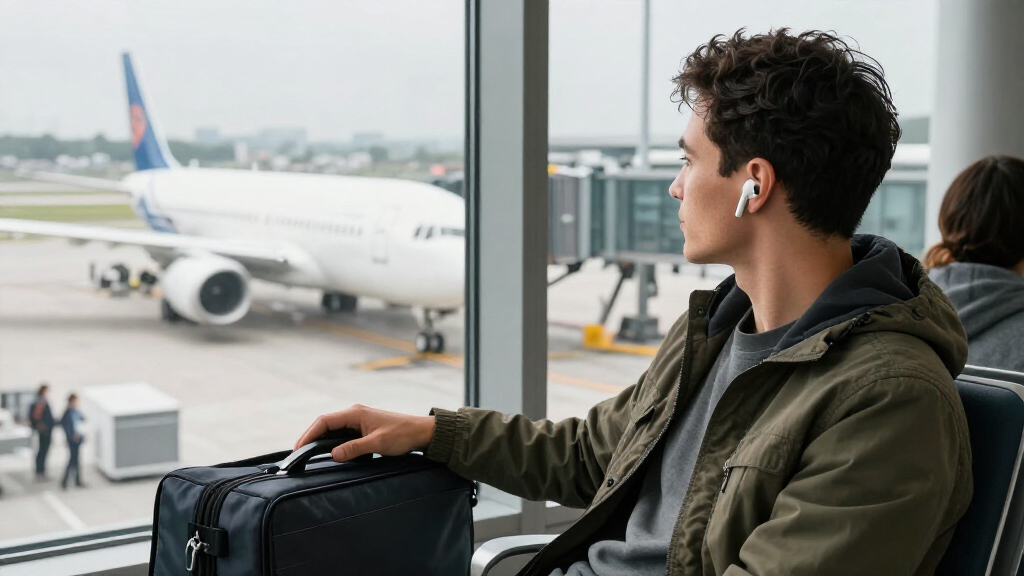
Check your airline or transport provider’s rules for Bluetooth devices and battery-powered accessories. Keep earbuds and their case in your carry-on bag. If you will use them with an in-flight entertainment system, check whether that system supports Bluetooth; some require a separate Bluetooth transmitter.
JBL Vibe Beam True Wireless Earbuds, Black
For travelers who want fewer charging interruptions, the JBL Vibe Beam is the strongest all-around fit in this group. JBL lists up to eight hours of playback in the earbuds and 24 additional hours from the case, giving it the highest stated combined total here. A 10-minute charge is said to provide up to two hours of playback, a practical advantage when a layover or boarding window is short. Soundcore also lists a quick-charge feature, but its conflicting per-charge figures make JBL’s battery picture easier to interpret.The Vibe Beam adds Smart Ambient modes, including Ambient Aware and TalkThru, which can help us hear surroundings or speak without removing the earbuds. Its splash- and dust-resistant design also suits everyday movement between transit and destinations. The stick-closed fit and three eartip sizes give buyers a familiar way to seek a secure seal, though fit remains personal. This model is not a substitute for active noise cancellation: the description identifies ambient modes, not active cabin-noise reduction. Choose it for endurance and convenience; skip it if your priority is strong flight isolation or a smaller listed earbud battery span between charges.
Pros:
- Up to 32 hours of stated total playback with the charging case.
- A 10-minute charge is listed to provide up to two hours of playback.
- Ambient Aware, TalkThru, and VoiceAware support awareness and call adjustments.
- Three eartip sizes and splash- and dust-resistant construction.
Cons:
- The earbuds themselves are listed for up to eight hours per charge, less than Soundcore’s higher feature-text claim.
- Ambient listening modes do not establish active noise cancellation for cabin noise.
- Closed stick design may not suit every ear or preference.
Best for: Travelers prioritizing long combined playback, quick charging, and the ability to hear more of their surroundings through listening modes.
Not ideal for: Anyone who expects active noise cancellation for aircraft or train noise, or who wants the longest possible playback from the earbuds alone without returning to the case.
Bottom line: We recommend the JBL Vibe Beam for travelers seeking the clearest stated balance of case endurance, quick charging, and useful ambient modes.
“We recommend the JBL Vibe Beam for travelers seeking the clearest stated balance of case endurance, quick charging, and useful ambient modes.”
Soundcore by Anker P20i True Wireless Earbuds
The Soundcore P20i is the pick for travelers who like to tune their listening rather than accept one fixed sound profile. Its companion app offers 22 EQ presets and customizable touch controls, giving it more stated personalization than either JBL or Kurdene. The 10 mm drivers and boosted-bass description will appeal to listeners who want a fuller sound, while two microphones with AI call processing are intended to support clearer calls on the move.Its compact case with an attached lanyard gives the P20i a distinct carrying advantage: it can be clipped or looped onto a bag, reducing the chance of misplacing a small case during transit. Soundcore claims up to 30 hours with the case and a 10-minute charge for two hours of playback. However, the supplied information conflicts on earbud endurance: feature text says up to 10 hours per charge, while product specifications say five. We would plan around the lower figure unless the manufacturer clarifies it. Compared with JBL, the P20i offers more customization but less dependable battery information; compared with Kurdene, it adds app controls and a more travel-friendly case. Passive noise cancellation is not the same as a stated active noise-cancelling system, so we would not pick it for cabin isolation.
Pros:
- Soundcore app includes 22 EQ presets and customizable touch controls.
- Compact case includes an attached lanyard for easier carrying.
- Up to 30 hours of stated total playback and a quick-charge feature.
- Two microphones with AI call processing are listed.
Cons:
- Battery information conflicts: up to 10 hours in feature text versus 5 hours in specifications.
- Passive noise cancellation may provide less isolation than active noise cancellation.
- The lanyard helps carry the case but does not resolve the battery-figure uncertainty.
Best for: Travelers who want app-based EQ and control customization, a case that is easy to attach to a bag, and a flexible sound profile.
Not ideal for: Buyers who need a clearly stated per-charge battery estimate or strong active noise cancellation for aircraft and train journeys.
Bottom line: We would choose the Soundcore P20i when adjustable sound and easy case carrying matter more than having an unambiguous battery estimate.
“We would choose the Soundcore P20i when adjustable sound and easy case carrying matter more than having an unambiguous battery estimate.”
Kurdene S8 Wireless Earbuds with Bluetooth 5.3
The Kurdene S8 makes the most sense for travelers who want a basic, lightweight pair and do not need a long uninterrupted listening window. At a listed 3.8 g per earbud, it is the lightest option with a stated weight in this comparison. Three silicone tip sizes and an ergonomic in-ear shape offer some flexibility for finding a secure fit, while Bluetooth 5.3 is described as supporting automatic pairing with iOS and Android devices. Those details keep setup and everyday carrying simple.The clear compromise is 4.5 hours of listed battery life, well behind JBL’s stated eight hours and Soundcore’s five-to-ten-hour range. For short commutes, walks through an airport, or occasional listening between charges, that may be workable; for a long travel day, it means keeping the charging case close and planning charging breaks. The description mentions call noise cancellation, but it does not establish active noise cancellation for music or cabin noise. Kurdene is therefore the straightforward, light option rather than the endurance choice. Choose JBL for better documented case-backed runtime, or Soundcore for app adjustments and a lanyard case.
Pros:
- Listed weight is 3.8 g per earbud.
- Three silicone eartip sizes support fit adjustment.
- Bluetooth 5.3 and automatic pairing are described for iOS and Android.
- Built-in microphones include call noise cancellation.
Cons:
- Listed battery life is 4.5 hours, shortest in this comparison.
- Charging port and earbuds must be completely dry before charging.
- Driver size differs between description and specifications: 8 mm versus 10 mm.
Best for: Travelers seeking lightweight earbuds for shorter listening sessions who value a simple Bluetooth pairing setup and several tip sizes.
Not ideal for: People taking long journeys who want extended playback between charges, or anyone seeking stated active noise cancellation for cabin noise.
Bottom line: We suggest the Kurdene S8 for light, short-session travel listening, but its brief listed runtime makes it the least suitable choice for long stretches away from a charger.
“We suggest the Kurdene S8 for light, short-session travel listening, but its brief listed runtime makes it the least suitable choice for long stretches away from a charger.”
As an Amazon Associate we earn from qualifying purchases.
Before You Start
Set up and test the earbuds at home or before you reach a noisy terminal. Some earbuds enter pairing mode only when removed from the case, while others use a case button or touch controls. Keep the case available during setup. Do not pack the earbuds loose: the case protects them and helps prevent loss. If your trip is soon and the battery is nearly empty, charge the case and earbuds before changing settings or updating firmware.
Step-by-Step Instructions
Step 1: Inspect the earbuds and case
Open the case and check that both earbuds, the charging contacts, and the case are clean and undamaged. Remove dust or lint with a dry, soft cloth. Do not use liquid on the charging contacts. Check that the case lid closes securely and that the charging cable fits the case.
Tip: If an earbud has a removable tip, check that it is attached firmly. A loose tip can remain in your ear when you remove the earbud.
Check: Both earbuds sit securely in their charging slots, and the case closes without obstruction.
Step 2: Charge the earbuds and case
Place both earbuds in the case and connect the case to power using its compatible cable. Check the case indicators or manufacturer’s app to see whether charging has started. Leave the case connected until the earbuds and case have enough charge for the journey. If your model supports wireless charging, place it correctly on a compatible charging pad and confirm its indicator turns on.
Tip: Charging times and indicator patterns vary by model. Use the manual or app to interpret the lights; do not assume that a light turning on means the case is fully charged.
Check: The app or case indicator shows a useful charge level for both earbuds and the case.
Step 3: Confirm the fit and controls
Wear each earbud and try the available ear tips or wings until the earbuds feel secure without pressure or pain. Test the fit by gently moving your head and speaking. Use the app or device settings to check what the touch controls or buttons do, including play, pause, volume, and noise control. Change any controls that are easy to trigger accidentally, if your model allows it.
Tip: A stable seal can improve passive noise reduction and sound quality. Do not force an ear tip that feels uncomfortable; try another size or shape.
Check: The earbuds stay in place during ordinary movement, feel comfortable, and respond to the controls you expect to use.
Step 4: Pair the earbuds with your travel device
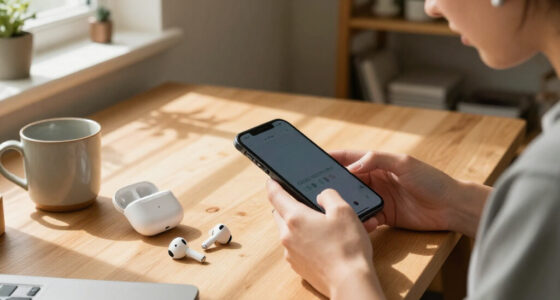
Turn on Bluetooth on your phone or other audio device. Put the earbuds in pairing mode using the instructions for your model, then select their name in the device’s Bluetooth list. Confirm the connection and play a short audio clip. If you use more than one device, check how your earbuds switch between them and decide which device should connect first.
Tip: Avoid removing an old pairing unless you need to troubleshoot. If the earbuds connect to a nearby tablet or laptop instead, disconnect them from that device before pairing with your phone.
Check: Audio plays through both earbuds, and the device shows them as connected.
Step 5: Set noise and awareness modes
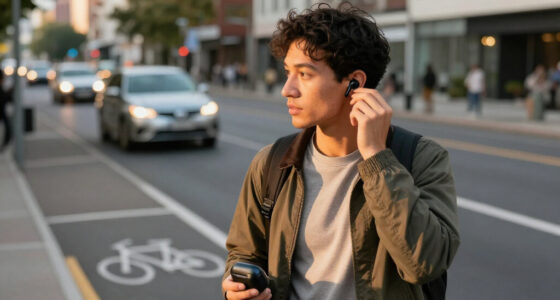
Try the available noise-canceling, transparency, or ambient modes in a quiet place. Choose a mode for listening while seated and another that lets you hear announcements or nearby people. Learn how to switch modes from the earbuds or app. Keep volume low enough that you can hear important announcements when the setting permits.
Tip: Noise cancellation does not replace hearing instructions from staff or alerts from your device. Remove an earbud or pause audio when you need to listen closely.
Check: You can identify the active mode and switch to a setting that lets you hear your surroundings when needed.
Step 6: Download audio and review battery settings
Download playlists, podcasts, or other permitted audio to your device if you expect to travel without reliable internet. Check the earbud battery level in the app or Bluetooth settings. If the app offers battery-saving options, review them and turn off features you do not need, such as automatic wear detection or spatial audio, when appropriate for your model.
Tip: Do not rely on streaming alone during a flight or through areas with weak service. Confirm downloads are available offline before leaving a Wi-Fi connection.
Check: At least one planned audio option plays with the device in airplane mode or otherwise offline.
Step 7: Pack the earbuds for easy access
Return the earbuds to the case and put the case in a zipped pocket or small pouch inside your carry-on. Pack the charging cable and, if useful, a compact power bank in the same bag. Keep the case somewhere you can reach while seated, but avoid placing it loose on a tray table or in an open pocket where it can fall out.
Tip: If the case supports a lanyard or has a distinctive color, use it to make the case easier to find. Keep the charging cable accessible if the case needs a top-up during a long journey.
Check: The closed case and charging cable are protected, secure, and reachable without unpacking your bag.
Step 8: Test your travel routine
Before departure, take the earbuds out, connect them, play audio, pause it, and return them to the case. Check that they disconnect or enter their expected charging state. Practice switching to transparency or ambient mode. If you plan to use the earbuds with an entertainment screen, confirm the connection method before boarding.
Tip: Some airplane entertainment systems use a wired headphone socket and do not pair directly with Bluetooth earbuds. A compatible transmitter may be needed, and its use is subject to the carrier’s rules.
Check: You can connect, control playback, hear your surroundings when needed, and store the earbuds without searching for instructions.
Common Mistakes to Avoid
- Packing earbuds with a low or empty case battery. — Check both earbud and case charge before leaving, and pack the charging cable where you can reach it.
- Assuming noise cancellation will block every announcement or warning. — Learn the transparency or ambient control and pause audio when staff make announcements or you need to hear nearby activity.
- Expecting earbuds to connect directly to every airplane or train entertainment system. — Check the system’s Bluetooth support in advance and bring a compatible transmitter only if needed and allowed.
- Leaving the case loose on a seat or tray table. — Return earbuds to the case after use and store the closed case in a zipped pocket or pouch.
Troubleshooting
Problem: The earbuds do not appear in the Bluetooth list.
Solution: Put them back in the case, then follow the model’s instructions to enter pairing mode. Move the earbuds close to the device, confirm Bluetooth is on, and disconnect them from another nearby device if they connect there first.
Problem: Only one earbud plays audio.
Solution: Place both earbuds in the case, check that they make contact with the charging pins, and remove them together. Check audio balance settings on the phone. If the problem persists, consult the model’s reset instructions.
Problem: The earbuds or case do not seem to charge.
Solution: Try a known working cable and power source. Make sure the earbuds are seated correctly and that the charging contacts are free of debris. Check the manual for the case’s charging indicator and allow time for a deeply depleted battery to respond.
Problem: Audio cuts out or switches to another device.
Solution: Keep the connected device nearby and clear of obstructions. Disconnect the earbuds from devices you are not using, then reconnect to the travel device. If your model supports multipoint, review its connected-device list and disable multipoint if unwanted switching continues.
What Success Looks Like
You are ready to travel when both earbuds and the case have useful charge, the earbuds fit comfortably, your device connects and plays audio through both sides, and you know how to pause playback and switch to an awareness mode. You also have offline audio available if service may be limited, and the closed case and charging cable are packed securely within reach.
Next Steps
During the trip, return the earbuds to the case whenever you are not wearing them and check the case is closed before moving seats or leaving a vehicle. Charge the case during a break if its battery runs low. After travel, wipe the earbuds with a dry cloth, clear debris from the case, and store them in their case. Replace worn ear tips and review battery condition if the earbuds no longer last through your usual journey.
Frequently Asked Questions
Can I use wireless earbuds on a plane?
Many carriers allow Bluetooth earbuds, but rules can vary by flight phase and airline. Follow crew instructions and check the carrier’s current guidance. You may need to use airplane mode on your phone and then turn Bluetooth back on if your device permits it.
Will my earbuds pair with the airplane’s seat-back screen?
Only if the screen supports Bluetooth pairing. Many systems provide a wired headphone jack instead. Check the aircraft or entertainment-system information before departure; a compatible Bluetooth transmitter may work where permitted.
Should I use noise cancellation while traveling?
Use it when you want to reduce steady background noise, such as engine or cabin noise. Switch to transparency or ambient mode, or remove an earbud, when you need to hear announcements, conversation, or your surroundings.
What should I do if my earbuds run out of battery?
Put them in the charged case between listening sessions so they can recharge. If the case is also low, connect it to a power source using the compatible cable. A power bank can help on a long trip if it is allowed by your carrier.