
TL;DR

Get the latest gadgets delivered free with Prime
- Fast, free delivery on millions of items
- Prime Video, Amazon Music and more included
- Member-only deals all year
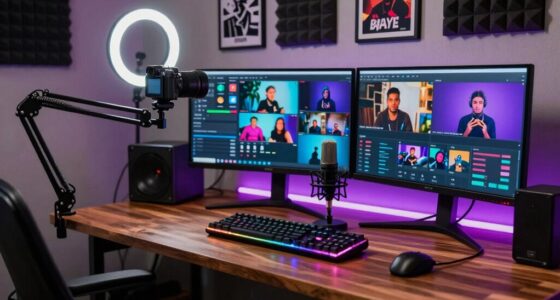
This approach processes your video entirely on your device, producing a complete media kit—titles, thumbnails, social assets—all without sending files to the cloud. It speeds up workflows while keeping your content private.
Imagine finishing a video and having a full set of promotional assets in minutes—not hours. No waiting for cloud uploads, no worrying about data privacy. Just a smart, local process that turns one source into everything you need to publish, promote, and sell. This isn’t a dream—it’s what a local-first, AI-powered publishing kit promises.
In this article, you’ll see how a single video can generate titles, social snippets, thumbnails, media kits, and even blog drafts—all on your own machine. This process. We’ll explore the nuts and bolts of how it works, why avoiding the cloud matters, and what you can expect in terms of files and quality. Whether you’re an author, content creator, or marketer, this workflow could reshape your publishing game.
Key Takeaways
- Processing videos locally keeps your content private and speeds up delivery—no waiting for uploads or cloud processing.
- A single source video can generate titles, thumbnails, social assets, and media kits automatically—saving hours every week.
- Provenance tracking ensures every asset’s origin is clear, adding professionalism and trust to your publishing process.
- Automation reduces manual work but still benefits from human review to refine tone and quality.
- Ideal for authors, creators, and marketers who want a complete, professional publishing kit without the cloud hassle.
As an affiliate, we earn on qualifying purchases.
What is a ‘Publishing Kit’ and Why Should You Care?
A publishing kit is your all-in-one package for promoting your video or project. It includes titles, descriptions, thumbnails, social assets, and sometimes even media-ready press kits. Think of it as a professional media pack that makes your content ready for any platform or partner.
For example, a nonfiction author launching a new book might need a high-res cover, a press one-sheet, social graphics, and a compelling blurb. Instead of creating each asset manually, a smart workflow can generate them from your video or manuscript. This saves hours, keeps your branding consistent, and makes your launch look polished.
Having a complete media kit ready at launch isn’t just about looks. Learn more about how to streamline your media assets. It’s about making your content accessible, shareable, and professional—regardless of your niche. And doing it all locally, without cloud dependencies, keeps your files private and your process under your control.

As an affiliate, we earn on qualifying purchases.
How Does ‘One Video In, a Whole Kit Out’ Actually Work?
The process begins with a simple input: drop your video file or paste a link. Behind the scenes, a local system analyzes audio, visuals, and on-screen text. It’s like giving your video a detailed scan—identifying who’s talking, what’s being shown, and key moments worth highlighting.
Imagine a chef preparing ingredients: the system transcribes speech with speaker labels, detects scene changes, and reads on-screen charts or text. Then, it fuses all this info into a structured timeline—your video’s story mapped out in precise, timestamped layers.
From there, it automatically drafts titles, social snippets, and even thumbnail concepts based on moments with high engagement potential. You review and tweak these assets—without waiting. The entire workflow runs locally, so your media stays private, and processing speeds stay fast.
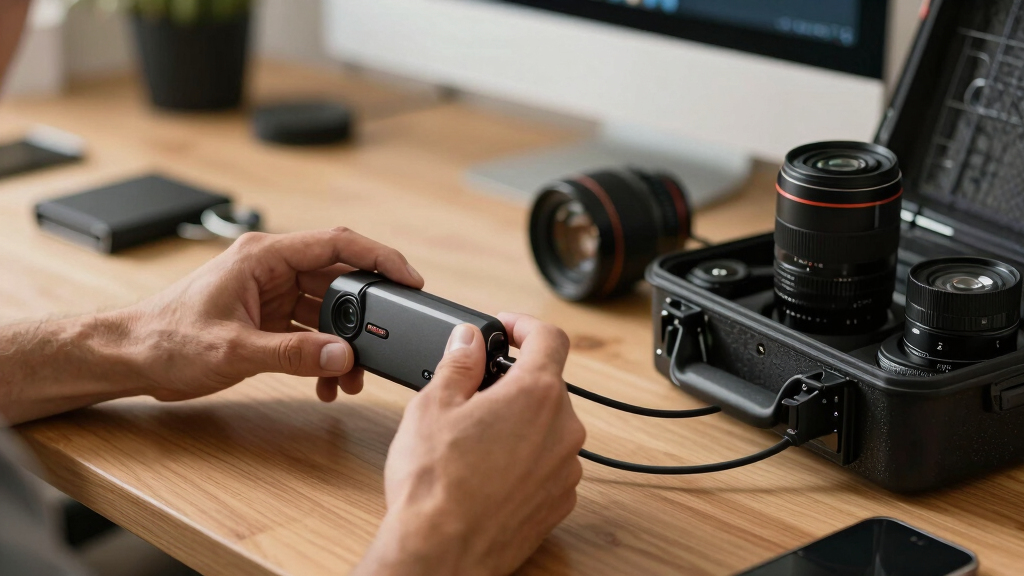
This method turns a single source into a full suite of assets in just a few minutes, ready for publishing or distribution. You can see similar workflows in action at this detailed guide. This efficiency matters because it radically reduces the time and effort needed to produce professional-quality marketing materials, enabling creators to respond quickly to trends or launch schedules. It also minimizes the risk of data breaches or privacy issues associated with cloud storage, giving you peace of mind that sensitive or proprietary content remains on your device. The tradeoff, of course, is that local processing may require more initial setup or hardware capabilities, but the payoff is greater control and faster turnaround times.
As an affiliate, we earn on qualifying purchases.
Why Going Local Matters More Than Ever
Processing videos on your own machine isn’t just a tech preference—it’s a privacy safeguard. When you upload your raw footage or scripts to a cloud, you’re exposing your content to potential leaks or data misuse. Plus, cloud services can be slow and dependent on internet speed.
By keeping everything local, you control every file, every step, every asset. This approach reduces latency—your assets are generated instantly, not waiting for uploads or downloads. It also sidesteps concerns about data sovereignty, compliance, or proprietary content slipping into someone else’s servers.
For creators working with sensitive or exclusive content, or those who want to streamline workflows without relying on third-party cloud platforms, local processing offers peace of mind and speed. Think of it like cooking in your own kitchen instead of sending ingredients away to a factory.
Plus, with tools like [ChannelHelm](https://channelhelm.com/), you get the added benefit of a unified, transparent pipeline that shows every step—no surprises, no black boxes. This transparency is crucial because it allows creators to understand and trust each stage of their content pipeline, ensuring quality and compliance, especially when working with clients or sensitive material.

privacy-focused video publishing tools
As an affiliate, we earn on qualifying purchases.
As an affiliate, we earn on qualifying purchases.
What Comes Out? The Real Assets You Get
The output is a comprehensive media package—ready to publish or promote. Here’s what you typically receive:
| Asset Type | Description |
|---|---|
| Titles & Descriptions | Multiple options scored for relevance and character limits, ready for YouTube or social media. |
| Thumbnails & Clips | Thumbnail concepts based on high-interest moments, plus short clips optimized for TikTok, Instagram Stories, or Shorts. |
| Social Posts & Threads | Custom-crafted posts for each network—Twitter threads, Facebook updates, LinkedIn summaries—tailored to audience style. |
| Media Kit & One-Sheet | Downloadable, high-res assets like cover images, press one-sheets, and downloadable media kits for press or partners. |
| Transcripts & On-Screen Text | Clean transcripts, on-screen text descriptions, and OCR-based descriptions of visual content. |
All assets are linked, organized, and provenance-logged—meaning you can trace each item back to its prompt, model, or source. For more insights, visit lookatworth.com. This transparency supports professional publishing, especially when working with clients or media partners. Having well-structured, traceable assets simplifies collaboration, ensures accountability, and enhances your credibility as a professional. It also makes future edits or updates easier, since every asset’s origin is documented. This meticulous organization reduces errors, saves time in revisions, and builds trust with stakeholders. Want to see a full example? ChannelHelm is developed privately and is not publicly available.

Manual vs. Automated: How Much Time Do You Save?
Creating a media kit manually can take hours—finding the right images, editing descriptions, designing thumbnails, and aligning everything for multiple platforms. Automation changes that game.
Let’s compare:
| Manual Process | Automated Local Workflow |
|---|---|
| Researching and drafting titles, descriptions, and tags | Generated instantly from video analysis |
| Designing thumbnails and social graphics | Concepts and assets drafted based on key moments |
| Exporting and organizing assets for platforms | Automated packaging, ready for review |
| Uploading assets and managing versions | Single review process, assets organized in one package |
Beyond saving time, this shift impacts your creative flexibility. When manual processes dominate, delays can cause missed opportunities or rushed content that’s less polished. Automated workflows empower you to respond swiftly to emerging trends or urgent campaigns, maintaining a high standard of quality without sacrificing speed. They also reduce the mental load—less manual clicking means more focus on creative strategy and storytelling. The tradeoff is initial setup complexity and hardware requirements, but for most serious creators, the gains in agility and consistency far outweigh these considerations.

Who Benefits Most from This Local Publishing Powerhouse?
This workflow is perfect for a wide range of creators. Nonfiction authors prepping for launch love it for media kits and social promotion. Video creators who want to push content across platforms get instant clips, thumbnails, and descriptions. Marketers and small agencies can scale their output without extra cloud costs or privacy worries.
Picture a YouTuber releasing a new series. With this system, they generate teaser clips, social posts, and press materials in minutes—no outsourcing or manual editing needed. This rapid turnaround can be the difference between catching a trending wave or missing your window. For authors, it means launching a book with a cohesive campaign from a single source, saving time and ensuring consistency across all channels. Marketers benefit by rapidly customizing assets for different audiences or platforms, maintaining brand voice effortlessly. Small teams or solo operators gain a competitive edge by producing professional-grade materials without the overhead of large production budgets. The flexibility to generate high-quality assets on demand also opens opportunities for niche content or confidential projects, where privacy and control are paramount.
In essence, anyone who needs a polished, professional package quickly and privately stands to gain from this approach—especially when speed and discretion are critical.

What Are the Limitations? Human Touch Still Matters
No system is perfect. Automated assets can get you 80–90% of the way there, but human review remains key. Titles might need tweaking for tone, thumbnails may need a personal touch, and social posts benefit from brand-specific language.
Automation provides a powerful starting point, but it’s not a substitute for the nuanced judgment and creative insight that only humans can offer. For instance, an AI might generate a thumbnail that looks good technically but misses the emotional or contextual cues that resonate with your audience. Similarly, titles generated based on keywords might lack the subtlety or punch your brand voice requires. Relying solely on automation can lead to generic or mismatched assets, which could undermine your campaign’s effectiveness. Therefore, integrating human oversight ensures that assets align perfectly with your strategic goals, tone, and branding standards. Expect to spend some time refining outputs, especially for high-stakes launches or campaigns that demand a distinctive voice or visual style. This hybrid approach—leveraging automation for efficiency and human judgment for quality—strikes the best balance for most professional creators.

Use Cases: Perfect for Launches, Promotions, and Content Scaling
Whether you’re launching a new book, a podcast, or a product demo, this system can generate all your promotional assets in one go. For instance, an author releasing a nonfiction guide can generate a media kit, social snippets, and a press one-sheet from just one video interview.
Marketers can produce tailored content for multiple channels—each with its own style—without endless manual editing. Small teams or solo creators get all the assets they need for a professional roll-out, without hiring extra hands. This capability not only accelerates time-to-market but also helps maintain consistent branding across all platforms, reinforcing your message and increasing engagement. It streamlines the entire content lifecycle—from production to promotion—making it easier to adapt and scale your content efforts. Think of it as a versatile toolkit that adapts to various campaign needs, saving time and reducing errors while ensuring a unified visual and thematic identity. Whether for a big launch or a steady content pipeline, this approach makes scaling more manageable and less stressful.
Ultimately, it empowers creators to focus more on content quality and storytelling, leaving the repetitive asset creation to automation.
Frequently Asked Questions
What does ‘one video in’ actually produce?
It generates a full set of assets—titles, descriptions, social snippets, thumbnails, media kits, and short clips—ready for publishing or promotion, all from a single input video.
All of the above. The system packages everything into a cohesive media kit, including high-res and social-ready assets tailored for each platform.
How does it work without the cloud?
The entire analysis, generation, and packaging happen locally on your device, using AI models installed on your hardware, which keeps your files private and speeds up the workflow.
What formats are supported for input and output?
Most tools support common video formats like MP4, MOV, and AVI for input, and produce assets in PNG, JPEG, and text-based formats for output. Check the tool’s documentation for specifics.
Can it generate materials for authors, speakers, or publishers?
Yes, it’s designed to help anyone needing a professional media package—whether for book launches, speaking events, or content marketing—without relying on cloud-based services.
Conclusion
The future of content publishing isn’t just automation; it’s control. With a local-first, AI-powered workflow, you get a complete, polished media kit from one video—fast, private, and efficient. Your workflow becomes simpler, your assets more consistent, and your privacy intact.
Imagine a world where launching your next project feels as easy as pressing a button—and that’s exactly what this approach offers. Your content, your rules, all on your machine.

Halloween Picks
halloween
As an affiliate, we earn on qualifying purchases.